ແນະນຳ
This manual provides instructions for the setup, operation, and maintenance of your Paladone PlayStation DualSense Controller Digital Alarm Clock. This device combines a digital alarm clock with a night light function, designed for ease of use and to complement gaming-themed environments.
ແມ່ນຫຍັງຢູ່ໃນກ່ອງ
- Paladone PlayStation DualSense Controller Digital Alarm Clock
- ຄູ່ມືແນະ ນຳ (ເອກະສານນີ້)
Note: 3x AA batteries are required and not included.
ຕັ້ງຄ່າ
1. ການຕິດຕັ້ງຫມໍ້ໄຟ
- Locate the battery compartment on the underside of the alarm clock.
- ເປີດຝາປິດຊ່ອງໃສ່ຫມໍ້ໄຟ.
- ໃສ່ແບັດເຕີຣີ AA 3 ກ້ອນ, ຮັບປະກັນວ່າຂົ້ວທີ່ຖືກຕ້ອງ (+/-).
- ປິດຝາປິດຊ່ອງໃສ່ຫມໍ້ໄຟຢ່າງປອດໄພ.
2. ການຕັ້ງເວລາເບື້ອງຕົ້ນ
Upon battery installation, the display will illuminate. Follow the operating instructions to set the current time.

Image: The PlayStation DualSense Controller Digital Alarm Clock displaying the time.
ຄໍາແນະນໍາການດໍາເນີນງານ
ກໍານົດເວລາ
- ກົດຄ້າງໄວ້ ເວລາ ກຳ ນົດ button (usually marked with a clock icon) until the hour digits begin to flash.
- ໃຊ້ + ແລະ - buttons to adjust the hour. Pay attention to AM/PM indicators if present.
- ກົດ ເວລາ ກຳ ນົດ button again to move to the minute digits.
- ໃຊ້ + ແລະ - ປຸ່ມເພື່ອປັບນາທີ.
- ກົດ ເວລາ ກຳ ນົດ ກົດປຸ່ມຄັ້ງສຸດທ້າຍເພື່ອຢືນຢັນ ແລະອອກຈາກໂໝດການຕັ້ງຄ່າເວລາ.
ການຕັ້ງຄ່າປຸກ
- ກົດຄ້າງໄວ້ ຕັ້ງໂມງປຸກ button (usually marked with an alarm icon) until the alarm hour digits begin to flash.
- ໃຊ້ + ແລະ - ປຸ່ມເພື່ອປັບໂມງປຸກ.
- ກົດ ຕັ້ງໂມງປຸກ button again to move to the alarm minute digits.
- ໃຊ້ + ແລະ - ປຸ່ມເພື່ອປັບນາທີປຸກ.
- ກົດ ຕັ້ງໂມງປຸກ button one last time to confirm and exit alarm setting mode.
- ເພື່ອເປີດ ຫຼື ປິດການໃຊ້ງານໂມງປຸກ, ກົດປຸ່ມ ເປີດ / ປິດ button (may be the same as ALARM SET or a separate button). An alarm icon will appear on the display when active.
Using the Night Light Function
The PlayStation DualSense controller replica on top of the clock functions as a night light.
- To activate the night light, gently tap the controller.
- To deactivate the night light, tap the controller again.
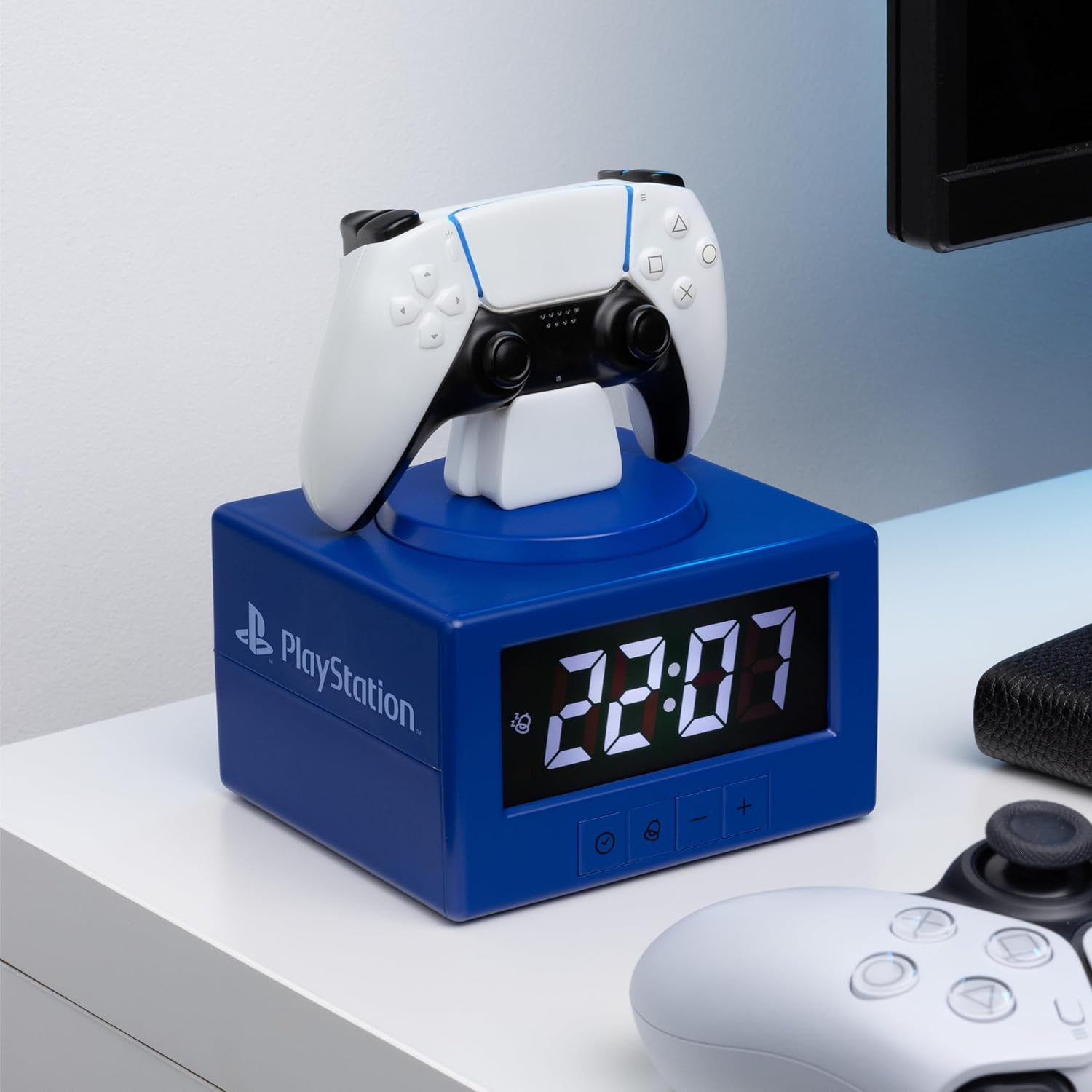
Image: The alarm clock with the DualSense controller glowing as a night light.
ບໍາລຸງຮັກສາ
- ທໍາຄວາມສະອາດ: ເຊັດໂມງດ້ວຍຜ້າອ່ອນໆ, ແຫ້ງ. ຢ່າໃຊ້ເຄື່ອງເຮັດຄວາມສະອາດຂັດຫຼືສານລະລາຍ.
- ການປ່ຽນແບັດເຕີຣີ: Replace batteries when the display dims or functions become unreliable. Always replace all three AA batteries at the same time.
- ການເກັບຮັກສາ: ຖ້າເກັບຮັກສາໄວ້ເປັນເວລາດົນ, ເອົາແບັດເຕີລີ່ອອກເພື່ອປ້ອງກັນການຮົ່ວໄຫຼ.
ການແກ້ໄຂບັນຫາ
| ບັນຫາ | ການແກ້ໄຂ |
|---|---|
| ໜ້າຈໍໂມງມືດ ຫຼື ຫວ່າງເປົ່າ. | Replace the 3x AA batteries. Ensure batteries are inserted with correct polarity. |
| ໂມງປຸກບໍ່ມີສຽງ. | Ensure the alarm is activated (alarm icon visible on display). Verify the alarm time is set correctly. |
| ແສງກາງຄືນບໍ່ເປີດ. | Ensure batteries are fresh. Gently tap the controller to activate. |
| Time or alarm settings reset unexpectedly. | This may indicate low battery power. Replace batteries. |
ຂໍ້ມູນຈໍາເພາະ
- ຍີ່ຫໍ້: ປາລາໂດນ
- ໝາຍເລກຕົວແບບ: PP13475PS
- ປະເພດການສະແດງ: ດິຈິຕອລ
- ຄຸນນະສົມບັດພິເສດ: Alarm, Night Mode
- ຂະໜາດຜະລິດຕະພັນ: 4.92"W x 7.09"H
- ແຫຼ່ງພະລັງງານ: ແບດເຕີຣີ້ໃຊ້ພະລັງງານ (3 ຫມໍ້ໄຟ AA, ບໍ່ລວມ)
- ວັດສະດຸ: ພາດສະຕິກ
- ນ້ໍາຫນັກລາຍການ: 8.8 ອອນສ໌ (0.25 ກິໂລກຣາມ)
- ການນໍາໃຊ້ພາຍໃນ / ນອກ: ພາຍໃນ
ການຮັບປະກັນແລະການສະຫນັບສະຫນູນ
For warranty information and customer support, please refer to the official Paladone webເວັບໄຊ ຫຼືຕິດຕໍ່ຮ້ານຂາຍຍ່ອຍຂອງທ່ານ. ຮັກສາຫຼັກຖານການຊື້ຂອງທ່ານສໍາລັບການຮຽກຮ້ອງການຮັບປະກັນໃດໆ.
ສໍາລັບການຊ່ວຍເຫຼືອເພີ່ມເຕີມ, ໄປຢ້ຽມຢາມ Paladone Store on Amazon.


