1. ບົດແນະນຳ
Welcome to the Valerion VisionMaster Pro 4K Laser Projector. This manual provides essential information for setting up, operating, and maintaining your projector to ensure optimal performance and longevity. Please read this manual thoroughly before using the product.
2. ສິ່ງທີ່ຢູ່ໃນກ່ອງ
Your Valerion VisionMaster Pro package includes the following items:
- VisionMaster Pro Projector
- ການຄວບຄຸມໄລຍະໄກ
- ຄູ່ມືຜູ້ໃຊ້ (ເອກະສານນີ້)
- Power Adapter
- EPP Protective Case
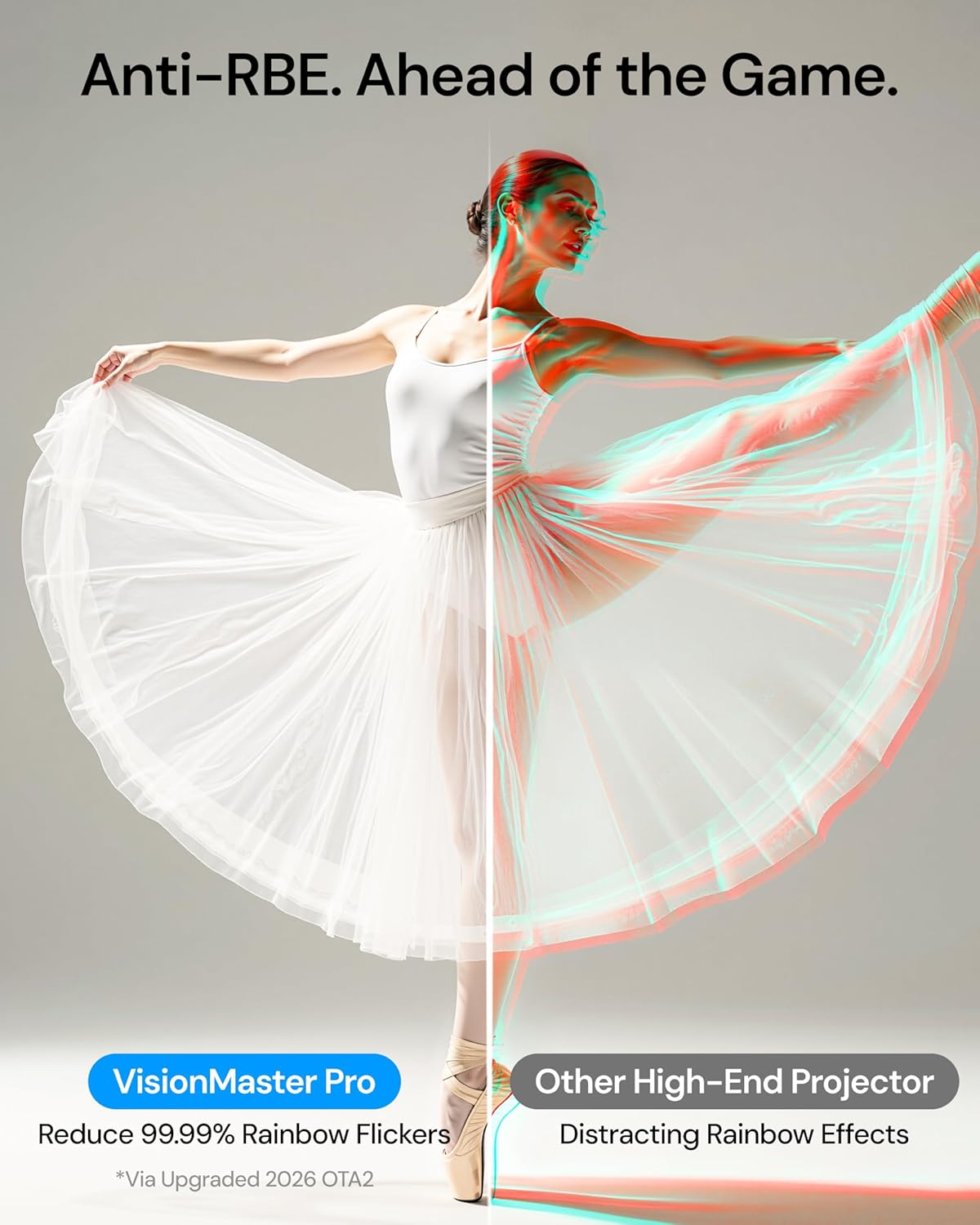
Image: Valerion VisionMaster Pro projector with included accessories.
3. ຜະລິດຕະພັນເກີນview
3.1 ແນວ ໜ້າ View

Image: The front of the projector features the main projection lens and integrated sensors for auto-focus and keystone correction.
3.2 ດ້ານຫຼັງ View (ພອດເຊື່ອມຕໍ່)

Image: The rear panel provides various connectivity options, including HDMI, USB, Ethernet, and audio outputs.
- ຊິງຕັນດີຊີ 36V: ການປ້ອນຂໍ້ມູນພະລັງງານ.
- S/PDIF: ຜົນຜະລິດສຽງ optical.
- USB 3.0: High-speed USB port for external storage or devices.
- USB 2.0: Standard USB port for external storage or devices.
- HDMI 1, HDMI 2, HDMI 3 (eARC): HDMI inputs for connecting external video sources. HDMI 3 supports eARC for enhanced audio return.
- ອອກສຽງ: 3.5mm audio jack for external speakers or headphones.
- LAN: ພອດອີເທີເນັດສໍາລັບການເຊື່ອມຕໍ່ເຄືອຂ່າຍແບບມີສາຍ.
3.3 ການຄວບຄຸມໄລຍະໄກ

Image: The included remote control allows for easy navigation and control of the projector's features.
4. ຕັ້ງຄ່າ
4.1 ການຈັດວາງ
The VisionMaster Pro offers flexible placement options thanks to its 0.9-1.5 throw ratio optical zoom and automatic adjustment features. You can project an image up to 300 inches.

Image: Optical zoom allows for flexible projector placement without loss of image clarity.
ສໍາລັບທີ່ດີທີ່ສຸດ viewing, ensure the projector is placed on a stable, flat surface or mounted securely. The projector features automatic focus and keystone correction to quickly adjust the image geometry.
4.2 ເປີດ ແລະ ຕັ້ງຄ່າເບື້ອງຕົ້ນ
- Connect the power adapter to the DC 36V port on the projector and plug it into a power outlet.
- ກົດປຸ່ມເປີດປິດຢູ່ໂປເຈັກເຕີ ຫຼືຣີໂໝດຄວບຄຸມເພື່ອເປີດມັນ.
- The projector will automatically perform auto-focus and auto-keystone correction.
- Follow the on-screen prompts to complete the initial setup, including language selection and network connection.

Image: The projector features AI Box for automatic scene optimization, auto-calibration for precise setup, and auto-focus for instant clarity.
5. ຄໍາແນະນໍາການດໍາເນີນງານ
5.1 Smart OS and Streaming
The VisionMaster Pro features an AI Smart OS with built-in Google TV+, providing instant access to popular streaming platforms like Netflix, YouTube, Amazon Prime Video, and Disney+. Its MT9618 chipset with 4GB RAM and 128GB ROM ensures seamless multitasking and smooth 4K UHD streaming.

Image: The Google TV interface offers easy access to streaming apps and content.
5.2 ການຕັ້ງຄ່າຮູບ
Experience stunning visuals with 4K UHD clarity, 15,000:1 contrast ratio, and Enhanced Black Level (EBL) technology. The projector supports HDR10+ with Dynamic Tone Mapping and is ISF-certified for color accuracy.
- ຄວາມສະຫວ່າງ: Adjust the ISO Lumens output. For optimal black levels, ensure the room is as dark as possible.
- ກົງກັນຂ້າມ: The 15,000:1 contrast ratio with EBL delivers deep blacks.
- ສີ: 110% Rec.2020 wide color gamut ensures vivid, lifelike colors. ISF-certified calibration provides industry-leading color accuracy.
- AI Super Resolution: Enhances Full HD content to sharper 4K details.
- ແຜນທີ່ສຽງແບບໄດນາມິກ: Optimizes brightness and contrast for HDR10+ content in real-time.

Image: The projector offers color mastery with RGB Laser technology, ISF certification, and Dynamic Tone Mapping.
5.3 ການຕັ້ງຄ່າສຽງ
The VisionMaster Pro supports Dolby Vision and DTS:X audio formats for an immersive sound experience. While it has built-in speakers, connecting to an external sound system via HDMI (eARC) or optical output is recommended for a full home theater experience.
5.4 ໂໝດການຫຼິ້ນເກມ
For gamers, the projector offers ultra-smooth 4ms input lag and a 240Hz refresh rate on ultra-wide 21:9 or 32:9 screens. Customize your gameplay with dedicated modes like RPG, FPS, and RCG, along with enhanced FPS crosshairs and night vision.

Image: The projector supports 4ms input lag and 240Hz refresh rate for pro-level gaming.
5.5 ການຄວບຄຸມສຽງ ແລະ ການສົ່ງສັນຍານ
Control your projector with voice commands via Alexa, Google Home, or Apple HomeKit. Stream high-resolution content effortlessly from any device with AirPlay 2, Miracast, and Chromecast support.

Image: The projector is the first to offer Google Assistant support in near and far field.
6. ບໍາລຸງຮັກສາ
6.1 ການທໍາຄວາມສະອາດ
Regularly clean the projector lens with a soft, lint-free cloth. Avoid using abrasive cleaners or solvents. Keep the ventilation grilles clear of dust to ensure proper airflow.
6.2 ການອັບເດດເຟີມແວ
To ensure optimal performance and access to the latest features, keep your projector's firmware updated. Anti-RBE technology, for example, requires a two-part firmware update (System Firmware OTA and DLP Display Engine Firmware).

Image: Firmware updates are crucial for enabling features like Anti-RBE. Both System Firmware (OTA) and DLP Display Engine Firmware updates are required.
7. ການແກ້ໄຂບັນຫາ
If you encounter any issues with your VisionMaster Pro, please refer to the following common solutions:
- ບໍ່ມີພະລັງງານ: Ensure the power adapter is securely connected to both the projector and the power outlet. Try a different outlet.
- ບໍ່ມີຮູບພາບ: Check that the correct input source is selected. Verify HDMI cables are securely connected.
- ຮູບມົວ: Allow the auto-focus to complete. If needed, manually adjust focus via settings.
- ການບິດເບືອນຮູບພາບ: Allow auto-keystone correction to complete. If needed, manually adjust keystone via settings.
- ບໍ່ມີສຽງ: Check the volume level on the projector and your connected audio device. Ensure the correct audio output is selected.
For further assistance, please contact Valerion Customer Service.
8. ຂໍ້ມູນຈໍາເພາະ
| ຍີ່ຫໍ້: | Valerion |
| ໝາຍເລກຕົວແບບ: | VisionMaster Pro |
| ຄວາມລະອຽດການສະແດງ: | 3840 x 2160 (4K UHD) |
| ຄວາມສະຫວ່າງ: | 2500 ISO Lumens |
| ອັດຕາສ່ວນກົງກັນຂ້າມ: | 15,000:1 with EBL |
| ແຫຼ່ງແສງ: | RGB Laser (DLP) |
| ຊ່ວງສີ: | 110% REC 2020 |
| ອັດຕາສ່ວນການຖິ້ມ: | 0.9-1.5:1 |
| ເຕັກໂນໂລຍີການເຊື່ອມຕໍ່: | Bluetooth 5.2, Ethernet, HDMI 2.1, USB 3.0, Wi-Fi 6e |
| ຄຸນນະສົມບັດພິເສດ: | HDR 10+, IMAX Enhanced, Optical Zoom 0.9-1.5, 4ms Input Lag, 240Hz Refresh Rate, AI Smart OS |
| ນ້ໍາຫນັກລາຍການ: | 15.4 ປອນ |
| ຂະໜາດຜະລິດຕະພັນ: | 7.48 x 9.45 x 10.24 ນິ້ວ |
9. ການຮັບປະກັນແລະການສະ ໜັບ ສະ ໜູນ
9.1 30-Day Price Protection

Image: Valerion offers a 30-Day Price Protection policy. If the price drops within 30 days of purchase from Valerion on Amazon, contact customer service for a refund of the difference.
9.2 ການບໍລິການລູກຄ້າ
For any inquiries or support, please contact Valerion Customer Service:
- ອີເມວ: support@valerion.com
- ສົນທະນາສົດ: ມີຢູ່ໃນພວກເຮົາ website, Mon-Fri | 9 AM – 6 PM (EST)
- Call or WhatsApp: +1 (888) 891-8839, Mon-Fri | 9 AM – 6 PM (EST)

Image: Valerion Customer Service contact details for email, live chat, and phone/WhatsApp support.
10. ວິດີໂອຜະລິດຕະພັນ
Valerion VisionMaster Pro: Theater-Size Home Viewing
Video: Experience theater-size home viewing with the Valerion VisionMaster Pro projector.
Valerion VisionMaster Pro2: Outdoor Big Screen Magic
Video: See how the Valerion VisionMaster Pro2 transforms outdoor spaces into big-screen entertainment areas.
Meet the VisionMaster Pro2: A Good Projector Can Do It All
ວິດີໂອ: ຫຼາຍກວ່າview of the versatile capabilities of the VisionMaster Pro2 projector.


