1. ບົດແນະນຳ
Thank you for choosing the CAMECHO 7-inch Android 15 Car Stereo. This manual provides detailed instructions for the installation, operation, and maintenance of your new car multimedia system. Please read this manual thoroughly before use to ensure proper installation and optimal performance. Keep this manual for future reference.
2. ຂໍ້ມູນຄວາມປອດໄພ
- ແນະນຳການຕິດຕັ້ງແບບມືອາຊີບ: ເນື່ອງຈາກລະບົບໄຟຟ້າລົດມີຄວາມຊັບຊ້ອນ, ແນະນຳໃຫ້ຕິດຕັ້ງແບບມືອາຊີບເພື່ອປ້ອງກັນຄວາມເສຍຫາຍຕໍ່ຕົວເຄື່ອງ ຫຼື ຍານພາຫະນະຂອງທ່ານ.
- ການສະຫນອງພະລັງງານ: ໃຫ້ແນ່ໃຈວ່າເຄື່ອງໄດ້ເຊື່ອມຕໍ່ກັບແຫຼ່ງຈ່າຍໄຟ DC 12V ທີ່ມີສາຍດິນລົບ. ລະດັບສຽງບໍ່ຖືກຕ້ອງtage ສາມາດເຮັດໃຫ້ເກີດຄວາມເສຍຫາຍ.
- ຫຼີກລ້ຽງການນ້ໍາແລະຄວາມຊຸ່ມ: Do not expose the unit to water or excessive moisture. This can lead to electric shock or malfunction.
- ອຸນຫະພູມ: Operate the unit within the specified temperature range (-20°C to 75°C).
- ຄວາມປອດໄພໃນການຂັບຂີ່: ຫ້າມປະຕິບັດຫົວຫນ່ວຍໃນວິທີການທີ່ລົບກວນທ່ານຈາກການຂັບລົດ. ໃຫ້ຄວາມສຳຄັນຕໍ່ຄວາມປອດໄພທາງຖະໜົນສະເໝີ.
- ການລະບາຍອາກາດ: ຮັບປະກັນການລະບາຍອາກາດຢ່າງພຽງພໍຮອບໜ່ວຍເພື່ອປ້ອງກັນຄວາມຮ້ອນເກີນ.
3. ເນື້ອໃນຊຸດ
ກວດສອບວ່າລາຍການທັງຫມົດທີ່ລະບຸໄວ້ຂ້າງລຸ່ມນີ້ແມ່ນລວມຢູ່ໃນຊຸດຂອງທ່ານ:
- 1 x Android Car Stereo Player
- 1 x Low Allocation Vehicle Power Cable
- 1 x High Allocation Vehicle Power Cable
- ສາຍ USB 2 x
- 1 x ວິທະຍຸເສົາອາກາດ
- 1 x ເສົາອາກາດ GPS
- 1 x ຕົວຖອດລະຫັດ CANBUS
- 1 x ສາຍປ້ອນກ້ອງຫຼັງ
- ສາຍ 1 x RCA
- 1 x ຄູ່ມືຜູ້ໃຊ້
- 1 x ກ້ອງຫຼັງ
- 1 x ໄມໂຄຣໂຟນພາຍນອກ

ຮູບພາບ: ເກີນview of the CAMECHO car stereo unit, its dimensions (225mm/8.8inch width, 140mm/5.5inch height, 215mm/8.4inch bottom width), and a visual representation of all included accessories and their respective cables. Key ports are labeled: 1. Power Cable, 2. RCA Input/Output, 3. Reversing Camera Input, 4. USB Cable, 5. GPS Antenna, 6. Radio Antenna.
4. ຜະລິດຕະພັນເກີນview
The CAMECHO 7-inch Android 15 Car Stereo is a high-performance multimedia system designed for select VW, Skoda, and Seat vehicles. It features a responsive touchscreen, powerful processor, and a range of connectivity options to enhance your driving experience.
ຄຸນນະສົມບັດທີ່ສໍາຄັນ:
- ລະບົບປະຕິບັດການ Android 15
- 4GB RAM + 64GB ROM for smooth performance and ample ການເກັບຮັກສາ
- ໜ່ວຍປະມວນຜົນ 8-Core
- 7-inch IPS Touchscreen Display (1024*600 resolution)
- ຮອງຮັບ Carplay ໄຮ້ສາຍ ແລະ Android Auto
- Built-in Bluetooth 5.0, WiFi, and GPS Navigation
- FM/RDS Radio with DSP sound processing
- ຄວາມເຂົ້າກັນໄດ້ຂອງການຄວບຄຸມພວງມາໄລ
- Rear Camera input (AHD/CVBS) with included backup camera
- Mirror Link function for iOS and Android devices
- Split-Screen multitasking
- Voice Control capabilities
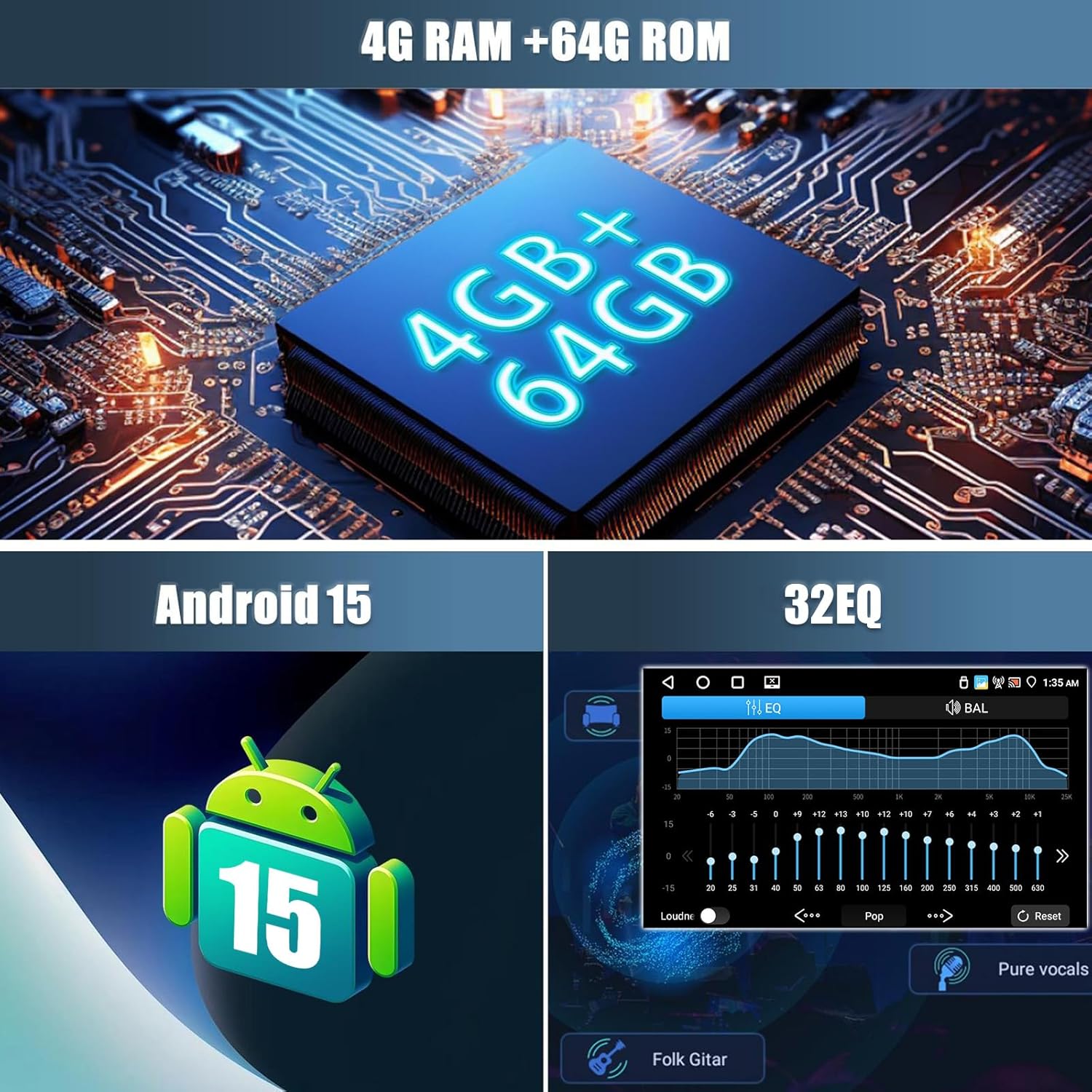
ຮູບພາບ: Visual representation of the car stereo's core specifications, highlighting 4GB RAM + 64GB ROM, Android 15 operating system, and a 32-band Equalizer (EQ) for audio customization.
5. ການຕິດຕັ້ງ
5.1. ຄວາມເຂົ້າກັນໄດ້ຂອງຍານພາຫະນະ
This car stereo is designed to be compatible with various VW, Skoda, and Seat models. Please verify your vehicle's compatibility before proceeding with installation.
- ສຳລັບ VW: SAGITAR/JATTA/JETTA, MAGOTAN/MAGOTAN V6, a part of VW/TS/TRANSPORTER, PASSAT B6, PASSAT V6, MAGOTAN VARIANT, PASSAT B7, PASSAT NMS, PASSAT VARIANT, PASSAT CC, PASSAT TSI, GOLF BLUE MOTION, GOLF VI, GOLF VARIANT, VW/TIGUAN/TIGUAN GP, SHARAN, CADDY, POLO, EOS, SCIROCCO, TOURAN, R36 VARIANT, BEETLE, MULTZVAN, GOLF CROSS, GOLF V, SPORTLINE, BORA, AMAROK.
- For SKODA: LIMOUSINE AB 02/2007 BIS 2012, FABIA COMBI AB 04/2007 BIS 2012, PRAKTIK AB 04/2007 BIS 2012, ROOMSTER AB 04/2006 BIS 2012, OCTAVIA COMBI 06/2004 BIS FACELIFT, OCTAVIA LIMOUSINE AB 06/2004 BIS FACELIFT, OCTAVIA II 2 & III3, YETI AB 2009 BIS 2012.
- For SEAT: ALTEA AB 05/2004, TOLEDO AB 12/2004, LEON AB 09/2005, ALTEA XL AB 04/2007 ALHAMBRA AB 2010.
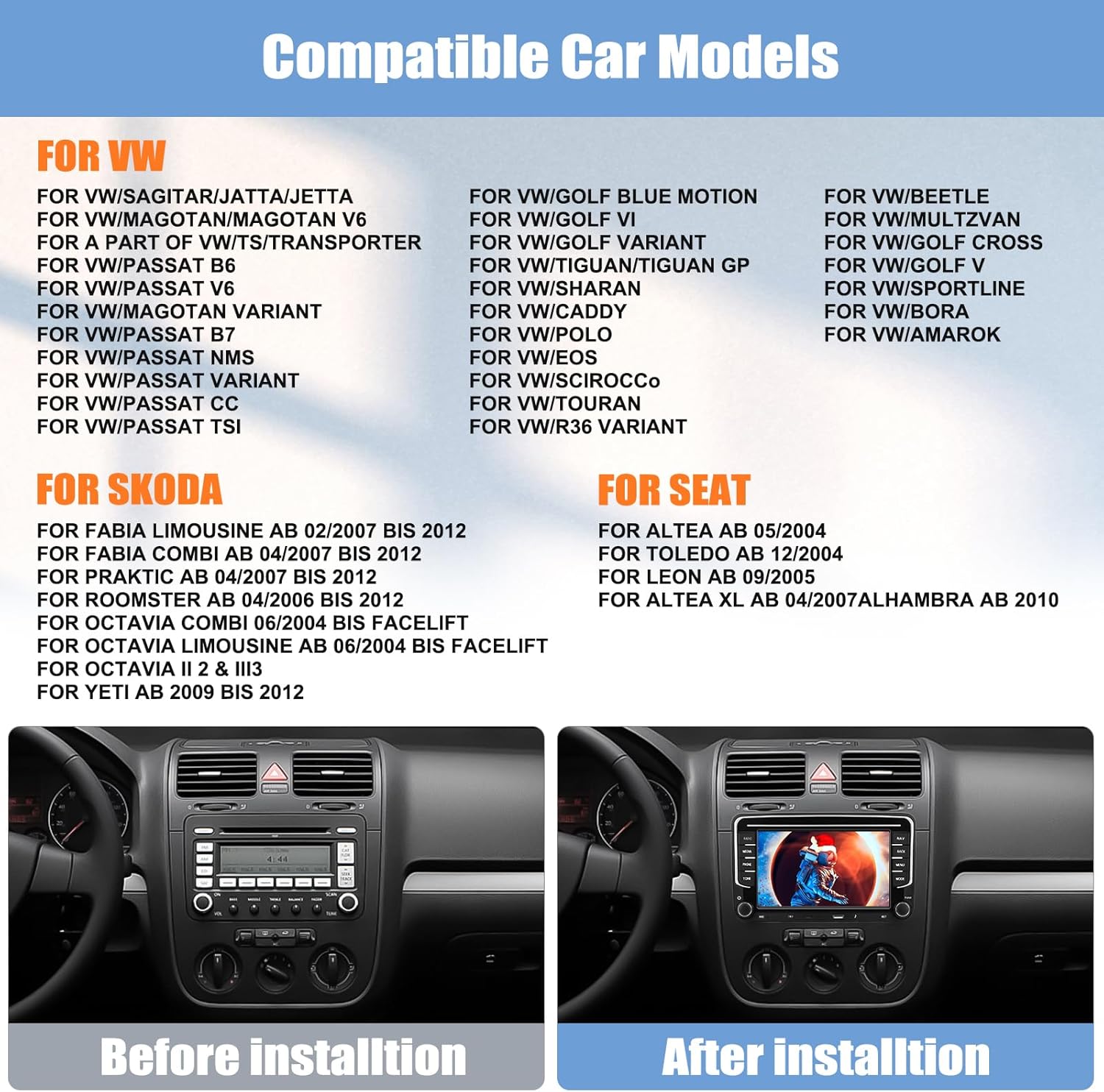
ຮູບພາບ: A list of compatible car models for VW, Skoda, and Seat vehicles. Below the list, a comparison shows a car's dashboard before and after the installation of the CAMECHO car stereo, demonstrating a seamless fit.
5.2. ແຜນວາດສາຍໄຟ
Refer to the included wiring diagram in the user manual and the labels on the unit itself for correct connections. Ensure all cables are securely connected to prevent intermittent issues.
5.3. ຂັ້ນຕອນການຕິດຕັ້ງ
- ຕັດການເຊື່ອມຕໍ່ຫມໍ້ໄຟ: Before starting, disconnect the vehicle's negative battery terminal to prevent electrical shorts.
- ເອົາຫົວຫນ່ວຍເກົ່າອອກ: ເອົາຊຸດສະເຕີລິໂອລົດທີ່ມີຢູ່ແລ້ວຂອງທ່ານອອກຈາກແຜງໜ້າປັດຢ່າງລະມັດລະວັງ.
- ເຊື່ອມຕໍ່ສາຍໄຟ: Connect the power cables, speaker wires, GPS antenna, radio antenna, USB cables, CANBUS decoder, rear camera input, and RCA cables to the new CAMECHO unit according to the wiring diagram.
- ການທົດສອບການເຊື່ອມຕໍ່: Before fully mounting, reconnect the battery and briefly test the unit's basic functions (power on, radio, sound) to ensure all connections are correct.
- ໜ່ວຍພູ: Securely mount the CAMECHO car stereo into the dashboard opening.
- ສະພາສຸດທ້າຍ: Reassemble any removed dashboard panels or trim.
6. ຄໍາແນະນໍາການດໍາເນີນງານ
6.1. ການດໍາເນີນງານພື້ນຖານ
- ເປີດ/ປິດ: ກົດປຸ່ມເປີດປິດເພື່ອເປີດ ຫຼືປິດເຄື່ອງ.
- ການຄວບຄຸມລະດັບສຽງ: Use the volume knob or touchscreen controls to adjust the audio level.
- ໜ້າຈໍຫຼັກ: Tap the Home icon to return to the main Android interface.
6.2. Carplay ໄຮ້ສາຍ ແລະ Android Auto
Connect your smartphone wirelessly or via USB to access Carplay (for iPhone) or Android Auto (for Android phones). This allows seamless integration of phone features like navigation, calls, messages, and music directly on the car stereo display.
- ໃຫ້ແນ່ໃຈວ່າ Bluetooth ຖືກເປີດໃຊ້ງານຢູ່ໃນໂທລະສັບ ແລະ ສະເຕີລິໂອລົດຂອງທ່ານແລ້ວ.
- ຈັບຄູ່ໂທລະສັບຂອງທ່ານກັບສະເຕີລິໂອລົດຜ່ານ Bluetooth.
- Once paired, Carplay or Android Auto should automatically launch. For wired connection, connect your phone via a USB cable.
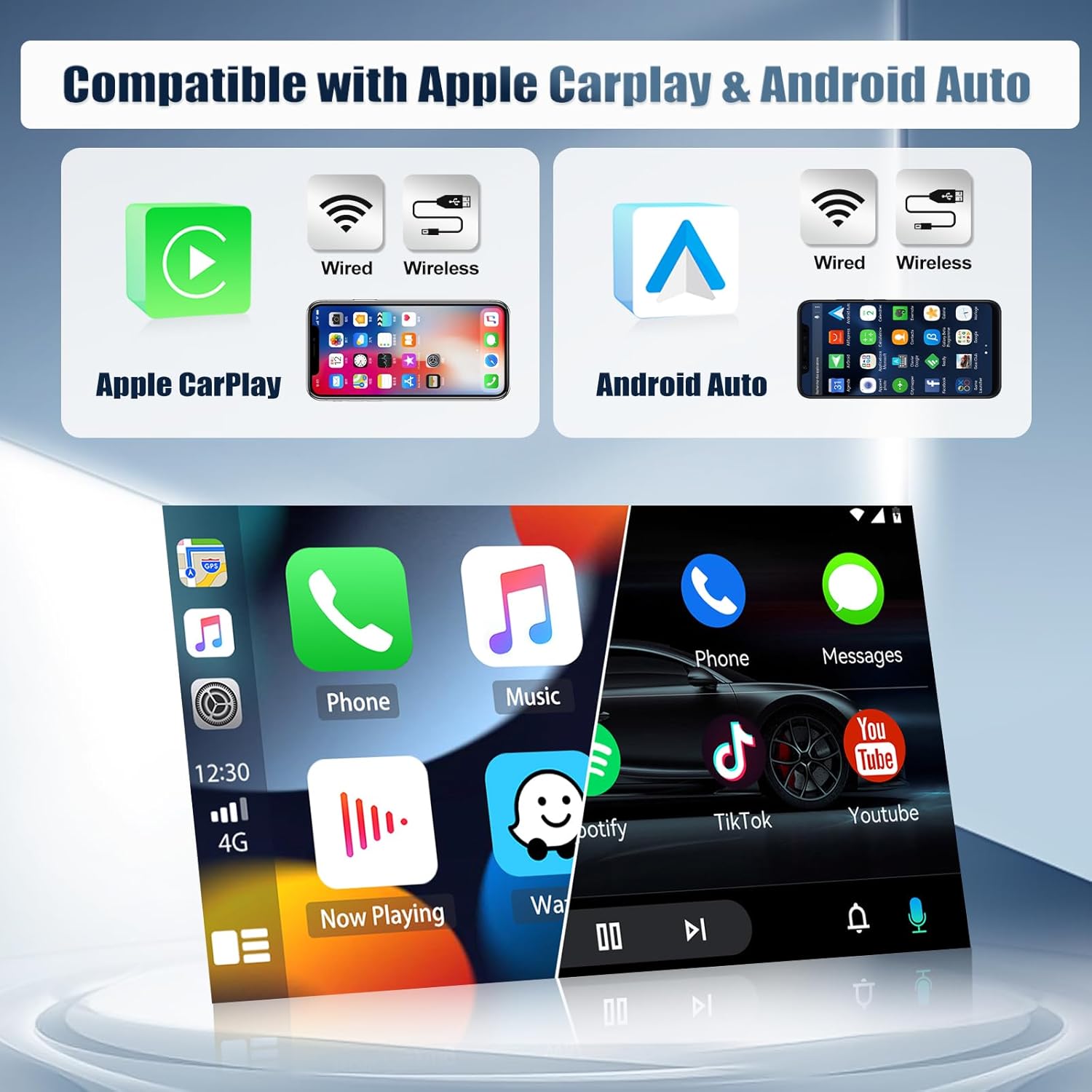
ຮູບພາບ: Displays the compatibility of the car stereo with both Apple Carplay and Android Auto, showing options for both wired and wireless connections. The image illustrates the user interface of both systems on the stereo screen.
6.3. ການເຊື່ອມຕໍ່ Bluetooth
Bluetooth 5.0 allows for hands-free calling and wireless audio streaming.
- ໄປທີ່ການຕັ້ງຄ່າ Bluetooth ໃນສະເຕຣິໂອລົດ.
- ເປີດໃຊ້ Bluetooth ໃນໂທລະສັບຂອງທ່ານ ແລະຊອກຫາອຸປະກອນທີ່ມີຢູ່.
- Select the car stereo from the list and pair.
- Once connected, you can make/receive calls and play music wirelessly.

ຮູບພາບ: A multi-panel display showing various functions of the CAMECHO car stereo: the FM/RDS radio interface, the WiFi interface displaying online content, the Bluetooth dial pad for phone calls, and the rear camera view ມີລັກສະນະຄວາມປອດໄພ.
6.4. WiFi & GPS Navigation
Connect to a WiFi hotspot to access online maps, stream media, and download apps from the Play Store. The built-in GPS module provides accurate navigation.
- Go to Settings > Network & Internet > Wi-Fi to connect to a network.
- Open the pre-installed navigation app or download your preferred map application.
- The unit supports both online and offline maps (offline maps require prior download).
6.5. ວິທະຍຸ FM/RDS
Tune into your favorite radio stations with FM/RDS functionality. The RDS (Radio Data System) displays station information where available.
- ເລືອກແອັບພລິເຄຊັນ 'ວິທະຍຸ' ຈາກເມນູຫຼັກ.
- Use the scan function to automatically find and save stations, or manually tune to a frequency.
- Preset up to 18 stations for quick access.
6.6. ການເຊື່ອມຕໍ່ກະຈົກ
Mirror Link allows you to display your smartphone's screen on the car stereo. Android phones support two-way control, while iPhones support one-way control (display only).
- Open the 'Mirror Link' app on the car stereo.
- Follow the on-screen instructions to connect your iOS or Android device via WiFi or USB.

ຮູບພາບ: Illustrates the iOS/Android Mirror Link feature, showing a smartphone screen being mirrored onto the car stereo display, enabling content sharing and control.
6.7. ການຄວບຄຸມພວງມາໄລ
The unit supports steering wheel controls, allowing you to manage audio and other functions without taking your hands off the wheel. This requires proper CANBUS connection and configuration.
- Access the 'Steering Wheel Control' settings in the unit's menu.
- Follow the on-screen prompts to program each button on your steering wheel to the desired function.

ຮູບພາບ: Shows the interface for setting up steering wheel controls, allowing users to assign functions to their vehicle's steering wheel buttons. Also displays the Equalizer (EQ) adjustment screen for customizing audio output.
6.8. ຟັງຊັນກ້ອງຫຼັງ
When the vehicle is shifted into reverse, the car stereo automatically displays the view from the included rear camera, assisting with parking and maneuvering.
- Ensure the rear camera is correctly installed and connected to the 'Reversing Camera Input' port.
- The camera features night vision, auxiliary lines, waterproof protection, and a wide 170° angle.
6.9. ການຄວບຄຸມສຽງ
Utilize voice commands for various functions, enhancing convenience and safety while driving.
- Activate the voice control feature (usually by a dedicated button or voice command).
- Speak clear commands for navigation, music playback, calls, etc.
6.10. Split-Screen
Multitask by running two applications simultaneously on the screen, such as navigation and music player.
- ເປີດແອັບພລິເຄຊັນທຳອິດ.
- Long-press the recent apps button or drag from the side (depending on UI) to activate split-screen mode.
- ເລືອກແອັບພລິເຄຊັນທີສອງເພື່ອສະແດງຄຽງຄູ່ກັບແອັບພລິເຄຊັນທຳອິດ.
7. ບໍາລຸງຮັກສາ
- ທໍາຄວາມສະອາດຫນ້າຈໍ: ໃຊ້ຜ້າແພທີ່ອ່ອນນຸ່ມ, ບໍ່ມີສານດ່າງເພື່ອເຊັດໜ້າຈໍສຳຜັດຄ່ອຍໆ. ຢ່າໃຊ້ເຄື່ອງເຮັດຄວາມສະອາດຂັດຫຼືສານລະລາຍ.
- ອັບເດດຊອບແວ: ກວດສອບການອັບເດດຊອບແວເປັນໄລຍະເພື່ອຮັບປະກັນປະສິດທິພາບທີ່ດີທີ່ສຸດ ແລະເຂົ້າເຖິງຄຸນສົມບັດໃໝ່. ການອັບເດດສາມາດພົບໄດ້ຕາມປົກກະຕິໃນການຕັ້ງຄ່າລະບົບ ຫຼືຢູ່ໃນຜູ້ຜະລິດ webເວັບໄຊ.
- ຫຼີກລ້ຽງການອຸນຫະພູມທີ່ຮ້າຍແຮງ: Do not leave the unit exposed to direct sunlight or extreme cold for extended periods.
- ການເຊື່ອມຕໍ່ສາຍ: ຮັບປະກັນວ່າສາຍໄຟທັງໝົດຍັງເຊື່ອມຕໍ່ກັນຢ່າງແໜ້ນໜາ. ການເຊື່ອມຕໍ່ທີ່ວ່າງສາມາດນໍາໄປສູ່ບັນຫາທີ່ບໍ່ຕໍ່ເນື່ອງ.
8. ການແກ້ໄຂບັນຫາ
If you encounter any issues with your CAMECHO car stereo, refer to the following common problems and solutions:
| ບັນຫາ | ສາເຫດທີ່ເປັນໄປໄດ້ | ການແກ້ໄຂ |
|---|---|---|
| ຫນ່ວຍບໍລິການບໍ່ເປີດ | ສາຍໄຟບໍ່ຖືກຕ້ອງ, ຟິວຂາດ, ການສະໜອງພະລັງງານບໍ່ພຽງພໍ. | Check power cable connections. Verify vehicle fuse and unit's fuse. Ensure 12V DC power. |
| ບໍ່ມີສຽງ | Speaker wires disconnected, volume too low, mute function active, incorrect audio output settings. | Check speaker wire connections. Increase volume. Disable mute. Check audio settings. |
| ການຄວບຄຸມພວງມາໄລບໍ່ເຮັດວຽກ | CANBUS not connected or configured, incorrect programming. | Ensure CANBUS decoder is correctly installed. Re-program steering wheel controls in settings. |
| ບັນຫາການເຊື່ອມຕໍ່ Bluetooth | Bluetooth off, pairing failed, interference. | ກວດໃຫ້ແນ່ໃຈວ່າ Bluetooth ເປີດຢູ່ໃນອຸປະກອນທັງສອງ. ລຶບການຈັບຄູ່ກ່ອນໜ້າ ແລະຈັບຄູ່ຄືນໃໝ່. ຍ້າຍໄປໃກ້ກັບຫນ່ວຍບໍລິການ. |
| ສັນຍານ GPS ເສຍ ຫຼືບໍ່ຖືກຕ້ອງ | GPS antenna not connected, antenna obstructed, poor satellite reception. | Ensure GPS antenna is securely connected and placed in a clear area (e.g., dashboard). Move to an open area. |
| ໜ້າຈໍບໍ່ຕອບສະໜອງ ຫຼື ຄ້າງໄວ້ | Software glitch, temporary system error. | Perform a soft reset (refer to the unit's specific reset method, usually a small reset button). If persistent, disconnect power for a few minutes. |
| ກ້ອງຫຼັງບໍ່ສະແດງ | Camera input cable loose, camera faulty, reverse trigger wire not connected. | Check rear camera input cable. Ensure reverse trigger wire is correctly connected to the vehicle's reverse light circuit. |
If the problem persists after trying these solutions, please contact CAMECHO customer support for further assistance.
9. ຂໍ້ມູນຈໍາເພາະ
| ຄຸນສົມບັດ | ຂໍ້ມູນຈໍາເພາະ |
|---|---|
| ລະບົບ | Android 15 |
| ຊິບເຊັດ | 8257 (8-Core) |
| ຂະໜາດໜ້າຈໍ | 7 ນິ້ວ |
| ຄວາມຊົງຈໍາ | RAM 4GB + ROM 64GB |
| ຄວາມລະອຽດໜ້າຈໍ | 1024*600 |
| ຊິບວິທະຍຸ | 8035 |
| ພະລັງງານຜົນຜະລິດ | 4*45W |
| ລຸ້ນ Bluetooth | 5.0 |
| ອຸນຫະພູມເຮັດວຽກ | -20 ℃ ກັບ 75 ℃ |
| ການຄວບຄຸມພວງມາໄລ | ສະຫນັບສະຫນູນ |
| ພະລັງງານ AmpLifier Chip | YD7388 |
| ວົງດົນຕີວິທະຍຸ | FM/RDS |
| ຜົນຜະລິດວິດີໂອ | ສະຫນັບສະຫນູນ |
| Reverse Input | AHD/CVBS |
| ໄມໂຄຣໂຟນພາຍນອກ | ສະຫນັບສະຫນູນ |
| ແຍກໜ້າຈໍ | ສະຫນັບສະຫນູນ |
| ແຜນທີ່ | Built-in offline maps (requires Internet for data download) |
| WIFI | ສະຫນັບສະຫນູນ |
| ການໂຕ້ຕອບ USB | USB ສອງ |
| ຮູບແບບສຽງ | APE/FLAC/WAV/MP3/WMA ແລະອື່ນໆ. |
| ຮູບແບບວິດີໂອ | MKV/RMVB/AVI/MP4/MDV ແລະອື່ນໆ. |
| ຮູບແບບຮູບພາບ | PNG/JPEG/JPG/GIF/WBMP/BNP ແລະອື່ນໆ. |
| ຄຳສຳຄັນການຕັ້ງຄ່າໂຮງງານ | 1234 |
| ພາສາ | Multi-language support including English, French, German, Spanish, etc. |
| ນ້ຳໜັກ | 1.3 ກິໂລກຣາມ |
| ເຕັກໂນໂລຊີການເຊື່ອມຕໍ່ | Bluetooth, USB, Wi-Fi |
| ອຸປະກອນທີ່ເຂົ້າກັນໄດ້ | ໂທລະສັບສະຫຼາດ |
10. ການຮັບປະກັນແລະການສະຫນັບສະຫນູນ
CAMECHO provides the following warranty and support for this product:
- ການຮັບປະກັນຜູ້ຜະລິດ: ຮັບປະກັນ 2 ປີນັບແຕ່ມື້ຊື້.
- ຜົນຕອບແທນ: ນະໂຍບາຍການສົ່ງຄືນພາຍໃນ 30 ມື້.
- ການຊ່ວຍເຫຼືອລູກຄ້າ: Response to inquiries within 24 hours.
For technical assistance, warranty claims, or any other support needs, please contact CAMECHO customer service through the platform where you purchased the product or refer to the contact information provided in your purchase documentation.


