1. ບົດແນະນຳ
Thank you for choosing the DreamSky Wooden Digital Alarm Clock, Model DS2208. This clock combines modern design with essential features to enhance your daily routine. With its large, easy-to-read display, adjustable brightness, and customizable alarm volume, it is designed for convenience and reliability. Please read this manual carefully to ensure proper setup and operation.
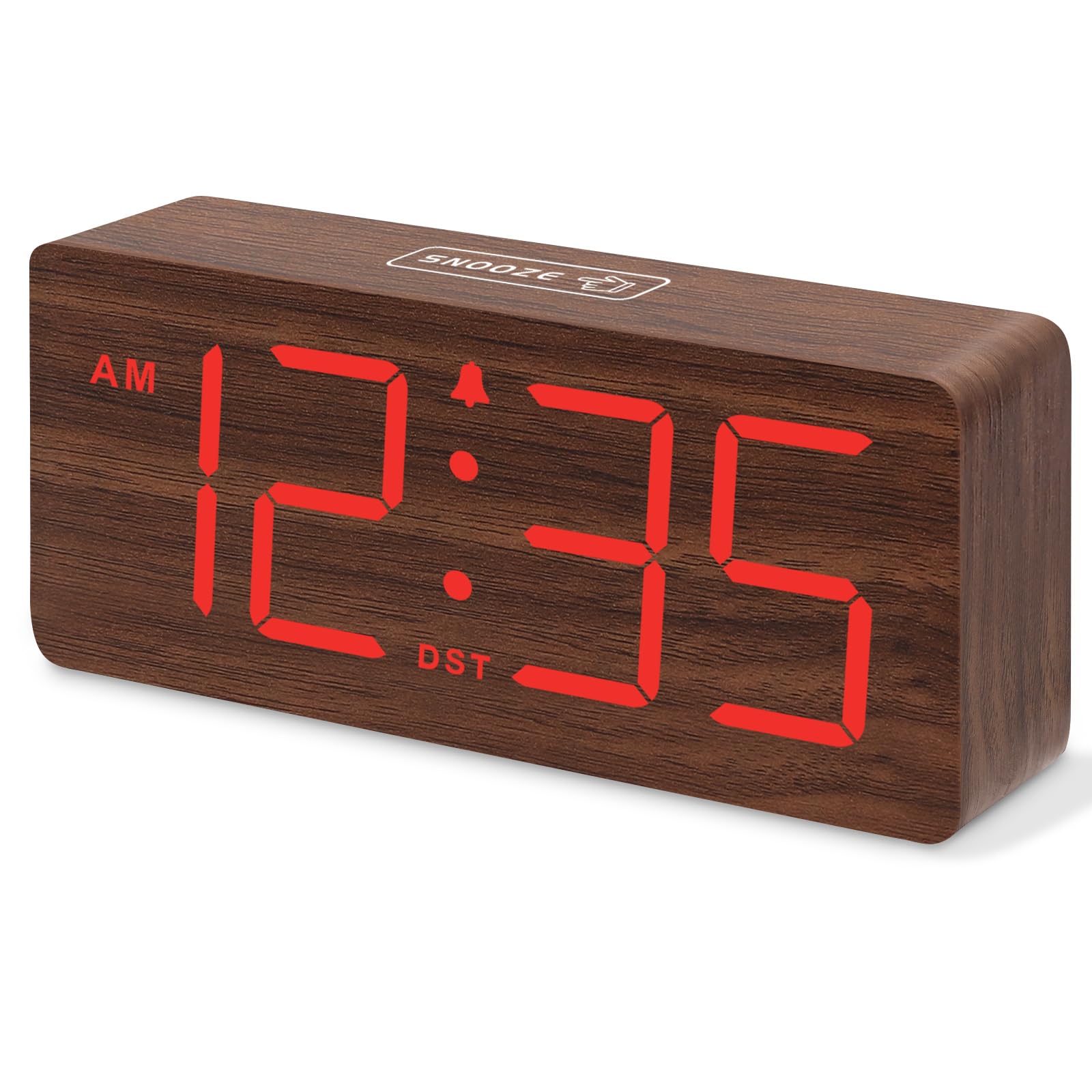
ຮູບທີ 1: DreamSky Wooden Digital Alarm Clock (Red)
2. ຄຸນລັກສະນະຂອງຜະລິດຕະພັນ
- ຈໍສະແດງຜົນດິຈິຕອນຂະຫນາດໃຫຍ່: Features 1.8-inch bold numbers for easy readability across the room.
- 6 Dimmable Brightness Levels: Adjust the display brightness from off to bright, suitable for day and night use.
- 5 Adjustable Alarm Volume Levels: Customize alarm volume from 70dB to 105dB, catering to both light and heavy sleepers.
- ຟັງຊັນ Snooze: Provides an extra 9 minutes of rest after the alarm sounds.
- Plug-in Power with Battery Backup: Primarily powered by an included adapter, with battery backup (batteries not included) to maintain time settings and trigger alarms during power outages.
- DST and 12/24 Hour Format: Easy one-click switching for Daylight Saving Time and between 12-hour and 24-hour time formats.
- Modern Wooden Design: An elegant and space-saving design that complements various home and office decors.
3. ເນື້ອໃນຊຸດ
ກະລຸນາກວດເບິ່ງຊຸດສຳລັບລາຍການຕໍ່ໄປນີ້:
- DreamSky Wooden Digital Alarm Clock (Model DS2208)
- ອະແດັບເຕີໄຟ 5V/1.2A
- ຄູ່ມືຜູ້ໃຊ້ (ເອກະສານນີ້)
4. ຄໍາແນະນໍາການຕິດຕັ້ງ
4.1 ການໃຫ້ພະລັງງານແກ່ໂມງ
The DreamSky alarm clock is designed to be continuously powered by the included 5V/1.2A power adapter. For stable operation and continuous display, always keep the clock plugged into a power outlet.

ຮູບທີ 2: Clock powered by electricity.
4.2 ແບັດເຕີຣີສຳຮອງ
ສໍາລັບການສໍາຮອງຂໍ້ມູນໃນລະຫວ່າງການພະລັງງານ outages, insert 2 AAA batteries (not supplied) into the battery compartment located on the back of the clock. The battery backup ensures that alarm settings are saved and the alarm will still function, though the display will not be lit to conserve power.

ຮູບທີ 3: Battery backup functionality.
4.3 ຄວບຄຸມview
The control buttons are located on the back panel of the clock. Familiarize yourself with these buttons for easy operation:

ຮູບທີ 4: Rear panel controls and power input.
4.4 ການ ກຳ ນົດເວລາ
- ກົດຄ້າງໄວ້ ເວລາ ກຳ ນົດ ກົດປຸ່ມເປັນເວລາ 2 ວິນາທີເພື່ອເຂົ້າສູ່ໂໝດຕັ້ງເວລາ. ຕົວເລກຊົ່ວໂມງຈະກະພິບ.
- ໃຊ້ + or - ປຸ່ມເພື່ອປັບຊົ່ວໂມງ.
- ກົດ ເວລາ ກຳ ນົດ ອີກເທື່ອ ໜຶ່ງ ເພື່ອຢືນຢັນຊົ່ວໂມງແລະຍ້າຍໄປທີ່ການຕັ້ງຄ່ານາທີ. ຕົວເລກນາທີຈະກະພິບ.
- ໃຊ້ + or - ປຸ່ມເພື່ອປັບນາທີ.
- ກົດ ເວລາ ກຳ ນົດ to save the time and exit setting mode.
4.5 ການຕັ້ງໂມງປຸກ
- ກົດຄ້າງໄວ້ ຕັ້ງໂມງປຸກ button for 2 seconds. The alarm hour digits will flash.
- ໃຊ້ + or - ປຸ່ມເພື່ອປັບໂມງປຸກ.
- ກົດ ຕັ້ງໂມງປຸກ again to confirm the alarm hour and move to alarm minute setting. The minute digits will flash.
- ໃຊ້ + or - ປຸ່ມເພື່ອປັບນາທີປຸກ.
- ກົດ ຕັ້ງໂມງປຸກ to save the alarm time. The alarm icon will appear on the display, indicating the alarm is active.
4.6 12/24 ຮູບແບບຊົ່ວໂມງ
To switch between 12-hour (AM/PM) and 24-hour (military) time formats, simply press the 12/24HR ປຸ່ມ.
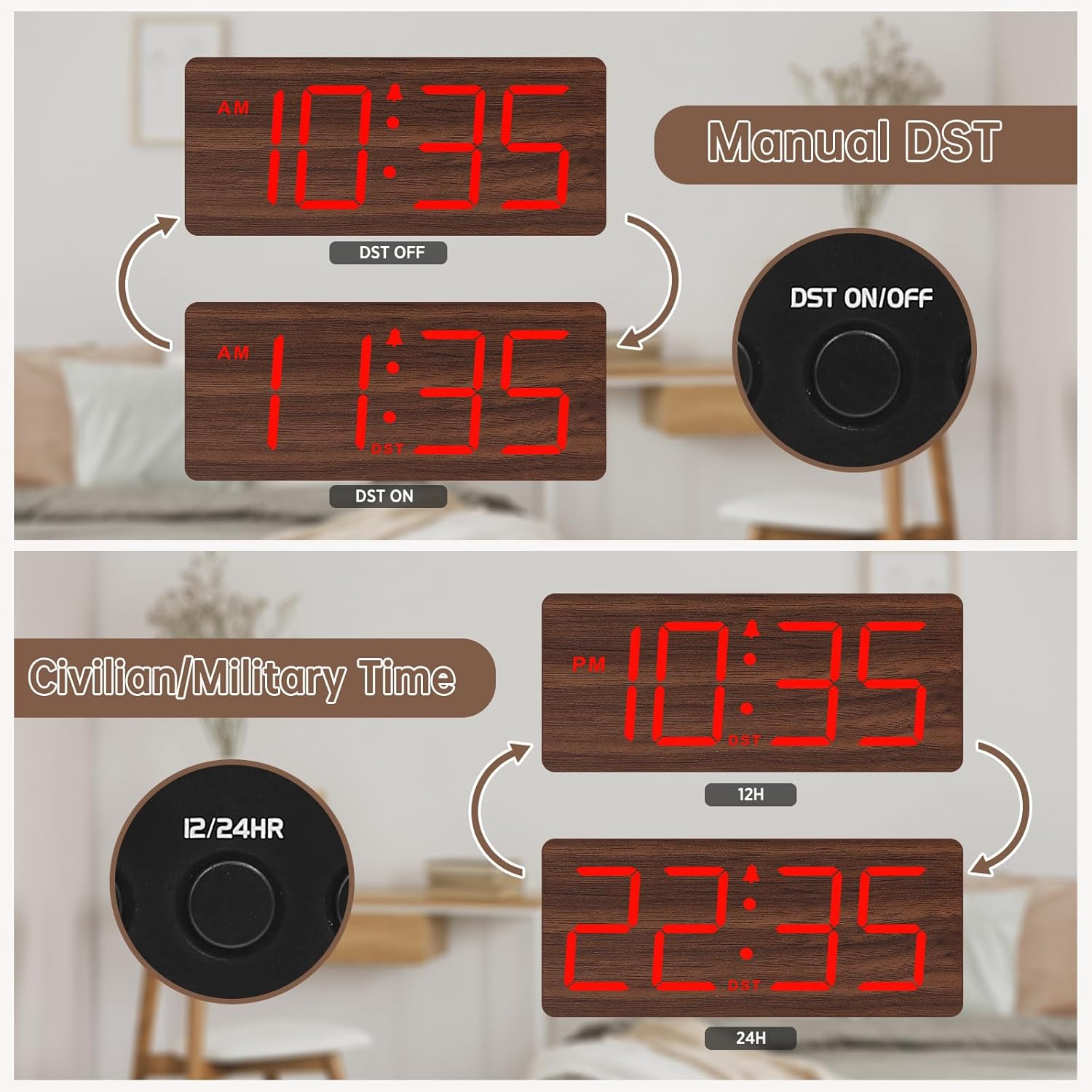
ຮູບທີ 5: Manual DST and 12/24 Hour Time Switch.
4.7 ເວລາປະຢັດແສງ (DST)
ເພື່ອເປີດໃຊ້ງານ ຫຼື ປິດໃຊ້ງານ Daylight Saving Time, ໃຫ້ກົດປຸ່ມ ປິດ / ປິດ DST button. The display will adjust by one hour forward or backward, and a 'DST' indicator will appear or disappear.
4.8 ການປັບຄວາມສະຫວ່າງຂອງຈໍສະແດງຜົນ
The clock offers 6 levels of display brightness (L1 to L5, plus OFF). Press the ດີນ button repeatedly to cycle through the brightness levels. Select a level that is comfortable for your environment, from bright during the day to dim or off at night.

ຮູບທີ 6: Adjustable Display Brightness Levels.
4.9 ການປັບລະດັບສຽງເຕືອນ
The alarm volume can be adjusted to 5 different levels (V1 to V5). Use the VOL+ ແລະ VOL- buttons to set your preferred alarm volume. This feature is ideal for heavy sleepers who need a louder alarm or for light sleepers who prefer a softer tone.

ຮູບທີ 7: 5 Adjustable Alarm Volume Levels.
5. ຄໍາແນະນໍາການດໍາເນີນງານ
5.1 Snooze ຟັງຊັນ
ເມື່ອສຽງປຸກດັງຂຶ້ນ, ກົດປຸ່ມໃຫຍ່ ງອກ button on the top of the clock to temporarily silence the alarm for 9 minutes. The alarm will sound again after the snooze period ends.
5.2 ການເປີດ/ປິດໂມງປຸກ
ເພື່ອເປີດ ຫຼືປິດໂມງປຸກ, ໃຫ້ກົດປຸ່ມ ເປີດ/ປິດ button. The alarm icon on the display will indicate whether the alarm is currently active.
6. ບໍາລຸງຮັກສາ
To maintain your DreamSky Wooden Digital Alarm Clock:
- ເຊັດໂມງດ້ວຍຜ້າອ່ອນແລະແຫ້ງ.
- ຫຼີກເວັ້ນການນໍາໃຊ້ເຄື່ອງເຮັດຄວາມສະອາດຂັດຫຼືສານລະລາຍ.
- Keep the clock away from direct sunlight, extreme temperatures, and moisture.
7. ການແກ້ໄຂບັນຫາ
- Display not lit: Ensure the power adapter is securely plugged into both the clock and a working power outlet. If using battery backup, the display will not light up to conserve power.
- ໂມງປຸກບໍ່ດັງ: Check if the alarm is set and the alarm icon is visible on the display. Ensure the alarm volume is not set to the lowest level (V1) or muted.
- ເວລາບໍ່ຖືກຕ້ອງ: Re-enter time setting mode and adjust the time as described in Section 4.4. If using battery backup, ensure batteries are fresh.
8. ຂໍ້ມູນຈໍາເພາະ
| ຄຸນສົມບັດ | ລາຍລະອຽດ |
|---|---|
| ຍີ່ຫໍ້ | DreamSky |
| ໝາຍເລກຕົວແບບ | DS2208 |
| ສີ | Red (Plug-in) |
| ປະເພດການສະແດງ | ດິຈິຕອລ |
| ຂະໜາດສິນຄ້າ | 6.1"W x 2.8"H |
| ແຫຼ່ງພະລັງງານ | Corded Electric (5V/1.2A adapter included) |
| ແບັດເຕີຣີສຳຮອງ | 2 x ຫມໍ້ໄຟ AAA (ບໍ່ລວມ) |
| ວັດສະດຸ | ໄມ້ |
| ນ້ໍາຫນັກລາຍການ | 10.2 ອອນ |
9. ວິດີໂອຜະລິດຕະພັນຢ່າງເປັນທາງການ
ວິດີໂອ 1: ຫຼາຍກວ່າview of the DreamSky Wooden Digital Clock, demonstrating its features and aesthetic appeal. This video is provided by DreamSky Direct.
10. ການຮັບປະກັນແລະການສະຫນັບສະຫນູນ
DreamSky products are designed for durability and performance. For any questions, technical support, or warranty inquiries, please contact DreamSky customer support at: info@dreamsky4u.com.


