1. ບົດແນະນຳ
This manual provides essential information for the proper setup, operation, and maintenance of your BEA·FON SMARTWATCH 101. Please read it thoroughly before using your device to ensure optimal performance and longevity.

Image 1.1: BEA·FON SMARTWATCH 101, front view with display showing time, date, and activity metrics.
2. ສິ່ງທີ່ຢູ່ໃນກ່ອງ
Carefully unpack your BEA·FON SMARTWATCH 101 and ensure all items are present:
- BEA·FON SMARTWATCH 101
- ເຄື່ອງຊາດແມ່ເຫຼັກ
- ຄູ່ມືເລີ່ມຕົ້ນດ່ວນ
3. ຕັ້ງຄ່າ
3.1 ການສາກ Smartwatch
Before first use, fully charge your smartwatch. Connect the magnetic charger to the charging contacts on the back of the watch and plug the USB end into a compatible power adapter (not included) or a computer's USB port.
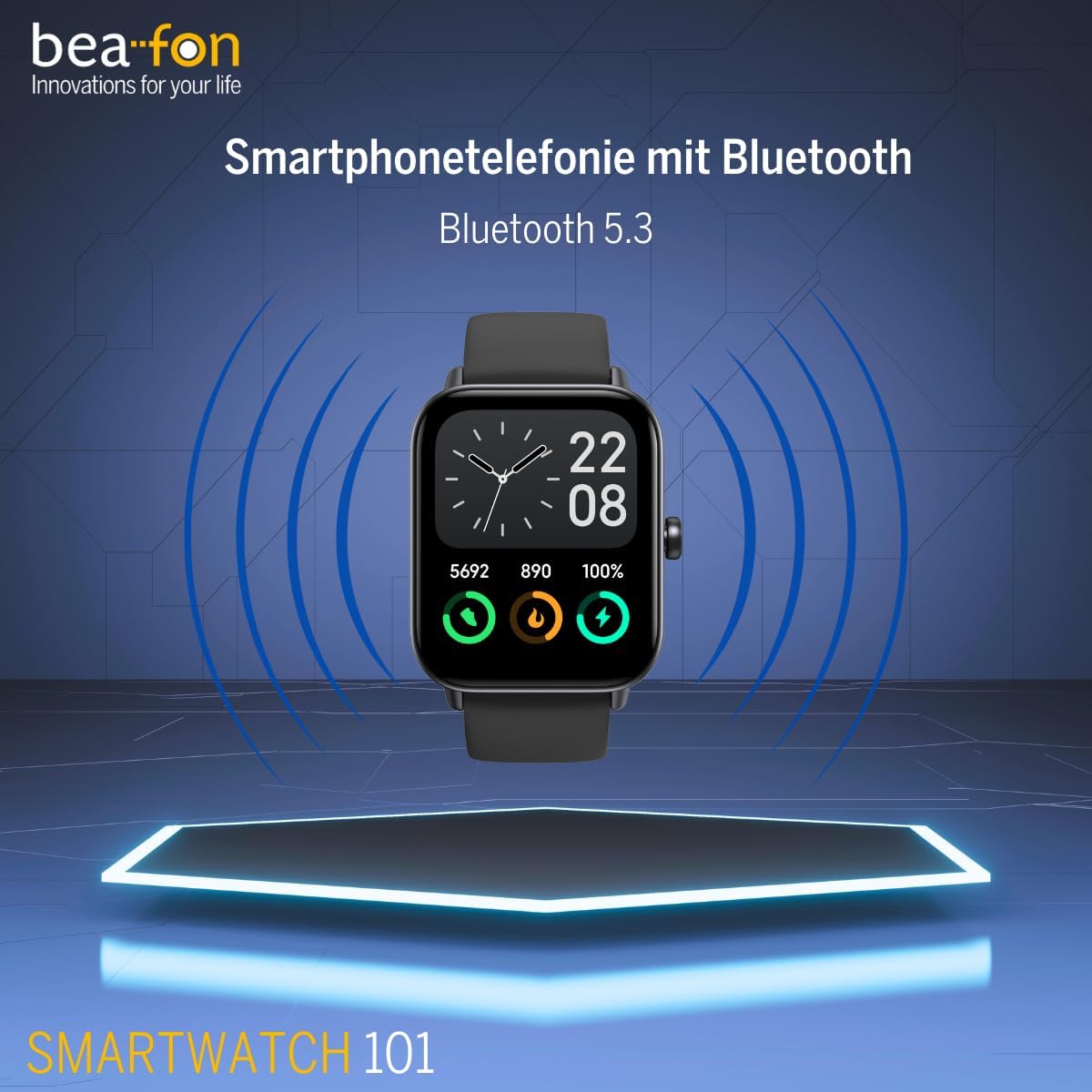
ຮູບພາບ 3.1: ດ້ານຫນ້າ view of the smartwatch, illustrating its design for initial setup.
3.2 ການເປີດ/ປິດ
- ເປີດ: ກົດປຸ່ມຂ້າງຄ້າງໄວ້ຈົນກວ່າໜ້າຈໍຈະສະຫວ່າງ.
- ປິດພະລັງງານ: ກົດປຸ່ມດ້ານຂ້າງຄ້າງໄວ້, ຈາກນັ້ນເລືອກ 'ປິດເຄື່ອງ' ໃນໜ້າຈໍ.
3.3 ການຈັບຄູ່ກັບໂທລະສັບສະຫຼາດຂອງທ່ານ
To unlock the full functionality of your smartwatch, pair it with your smartphone via Bluetooth 5.3. Download the companion app (refer to the Quick Start Guide for app name) from your phone's app store. Follow the in-app instructions to connect your smartwatch.
4. ຄໍາແນະນໍາການດໍາເນີນງານ
4.1 ການນໍາທາງພື້ນຖານ
The smartwatch features a 1.8-inch touchscreen display. Swipe left, right, up, or down to navigate through menus and features. Tap to select an option. The side button typically acts as a home button or to return to the previous screen.
4.2 Bluetooth ໂທ
Once paired with your smartphone, the smartwatch supports Bluetooth calling. You can answer, reject, or make calls directly from your wrist.
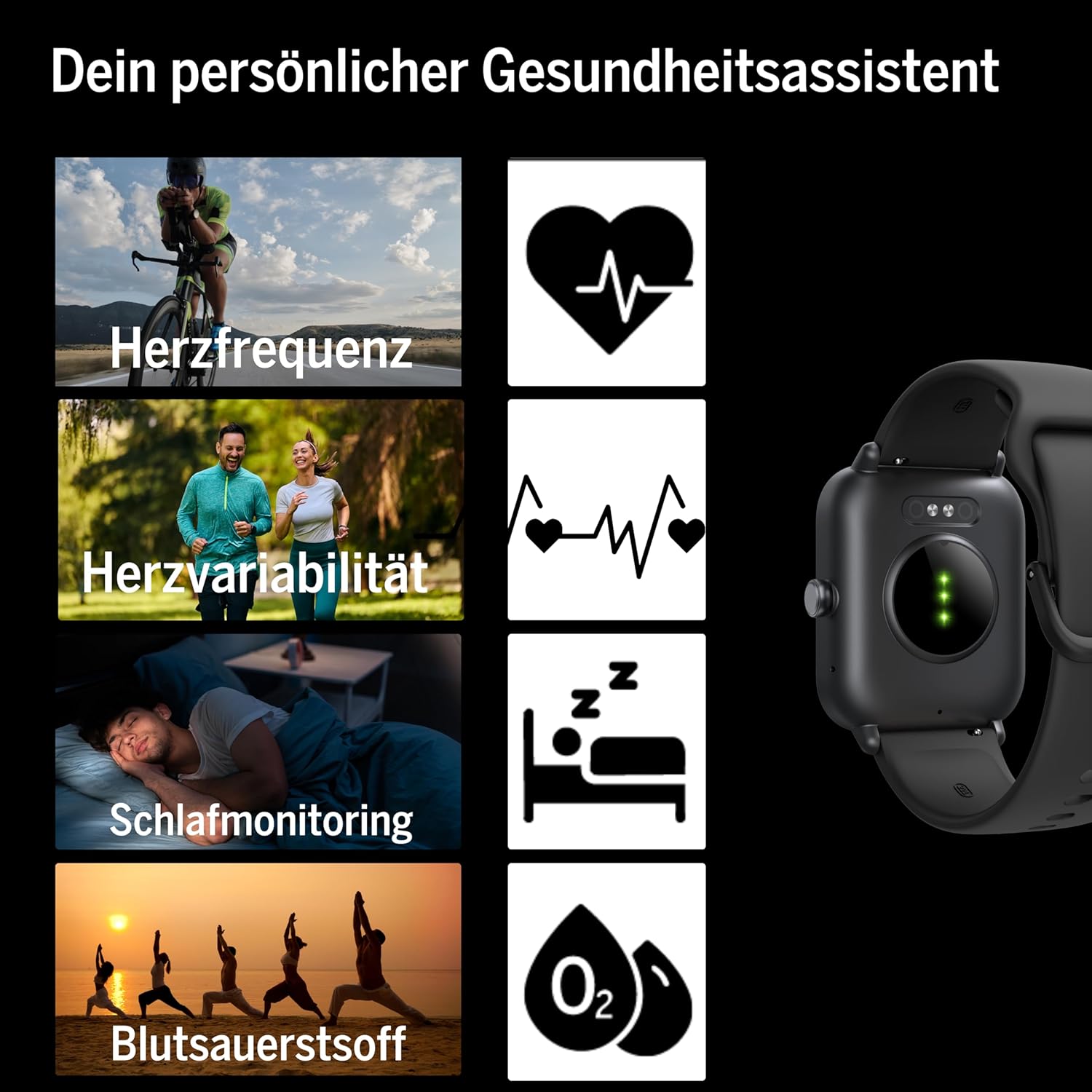
Image 4.1: Smartwatch screen showing a phone call interface, indicating Bluetooth calling capability.
4.3 Message Display
Receive notifications and messages from your smartphone directly on your smartwatch display. Ensure notification permissions are enabled in the companion app and your phone settings.
4.4 ການເຊື່ອມໂຍງ Alexa
The smartwatch is compatible with Alexa. Use voice commands for various tasks, such as setting alarms, checking weather, or controlling smart home devices. Refer to the companion app for Alexa setup instructions.
4.5 ການທໍາງານຂອງ GPS
The smartwatch supports GPS, allowing for accurate tracking of outdoor activities without needing your phone. This feature is particularly useful for running, cycling, and hiking.
4.6 Fitness and Sports Modes
The device offers over 100 sports modes to track various physical activities. It is compatible with Google Fit and Strava for data synchronization. Select your desired activity from the sports menu to begin tracking.

Image 4.2: Smartwatch display showing icons for multiple sports and fitness activities.
4.7 ການຕິດຕາມສຸຂະພາບ
ໂມງອັດສະລິຍະໃຫ້ຄຸນສົມບັດການຕິດຕາມສຸຂະພາບທີ່ສົມບູນແບບ:
- ອັດຕາການເຕັ້ນຫົວໃຈ: ຕິດຕາມອັດຕາການເຕັ້ນຫົວໃຈຂອງທ່ານຢ່າງຕໍ່ເນື່ອງ.
- Heart Rate Variability: Measures variations in heart rate for deeper health insights.
- ອົກຊີໃນເລືອດ (SpO2): ວັດແທກລະດັບຄວາມອີ່ມຕົວຂອງອົກຊີໃນເລືອດ.
- ການຕິດຕາມການນອນ: ຕິດຕາມຮູບແບບການນອນ ແລະຄຸນນະພາບ.
- Pedometer: Counts steps taken throughout the day.
- ການບໍລິໂພກແຄລໍຣີ່: ຄາດຄະເນການເຜົາຜານແຄລໍລີ່ໂດຍອີງໃສ່ກິດຈະກໍາ.
- ການຕິດຕາມຮອບວຽນປະຈຳເດືອນ: Provides tracking for female health.

ຮູບພາບ 4.3: ດ້ານຫລັງ view of the smartwatch, highlighting the optical sensors used for heart rate and blood oxygen monitoring.
4.8 ການຄວບຄຸມດົນຕີ
Control music playback on your paired smartphone directly from your smartwatch, including play, pause, skip tracks, and volume adjustment.
5. ບໍາລຸງຮັກສາ
5.1 ການທໍາຄວາມສະອາດ
ເຊັດໂມງອັດສະລິຍະ ແລະ ສາຍເປັນປະຈຳດ້ວຍຜ້າອ່ອນໆ.amp ຜ້າ. ຫຼີກລ່ຽງການໃຊ້ສານເຄມີທີ່ຮຸນແຮງ ຫຼື ວັດສະດຸທີ່ມີຮອຍຂີດຂ່ວນ, ເພາະວ່າສິ່ງເຫຼົ່ານີ້ສາມາດທຳລາຍອຸປະກອນໄດ້. ໃຫ້ແນ່ໃຈວ່າຈຸດເຊື່ອມຕໍ່ການສາກໄຟສະອາດ ແລະ ແຫ້ງກ່ອນການສາກໄຟ.
5.2 ກັນນ້ຳ (IP68)
The BEA·FON SMARTWATCH 101 has an IP68 rating, meaning it is dust-tight and protected against immersion in water up to 1.5 meters for up to 30 minutes. It is suitable for activities like swimming in shallow water. However, it is not recommended for diving, high-pressure water activities, or exposure to hot water/steam, which can compromise the seal.
5.3 ການເກັບຮັກສາ
When not in use for extended periods, store the smartwatch in a cool, dry place. It is advisable to charge the battery to about 50% before long-term storage to preserve battery health.
6. ການແກ້ໄຂບັນຫາ
ຖ້າທ່ານພົບບັນຫາກັບໂມງອັດສະລິຍະຂອງທ່ານ, ໃຫ້ອ້າງອີງເຖິງວິທີແກ້ໄຂທົ່ວໄປຕໍ່ໄປນີ້:
- ອຸປະກອນບໍ່ເປີດ: Ensure the battery is charged. Connect to the magnetic charger and wait a few minutes before attempting to power on.
- ບໍ່ສາມາດຈັບຄູ່ກັບສະມາດໂຟນໄດ້:
- ໃຫ້ແນ່ໃຈວ່າ Bluetooth ຖືກເປີດໃຊ້ຢູ່ໃນໂທລະສັບສະຫຼາດຂອງທ່ານ.
- ໃຫ້ແນ່ໃຈວ່າໂມງອັດສະລິຍະນັ້ນຢູ່ພາຍໃນຂອບເຂດຂອງໂທລະສັບຂອງທ່ານ.
- ຣີສະຕາດທັງ smartwatch ແລະສະມາດໂຟນຂອງທ່ານ.
- Check the companion app for any specific pairing instructions or error messages.
- ການແຈ້ງເຕືອນບໍ່ປາກົດ:
- ກວດສອບວ່າການອະນຸຍາດການແຈ້ງເຕືອນໄດ້ຖືກອະນຸຍາດໃຫ້ແອັບຊ່ວຍເຫຼືອໃນໂທລະສັບສະຫຼາດຂອງທ່ານແລ້ວ.
- Ensure the smartwatch is properly connected via Bluetooth.
- Check the companion app settings for specific app notification toggles.
- ຂໍ້ມູນສຸຂະພາບບໍ່ຖືກຕ້ອງ: Ensure the smartwatch is worn snugly on your wrist, with the sensors making good contact with your skin. Avoid wearing it too loosely or too tightly.
- ຊີວິດຫມໍ້ໄຟສັ້ນ: ຫຼຸດຄວາມສະຫວ່າງຂອງໜ້າຈໍ, ປິດໃຊ້ງານຄຸນສົມບັດທີ່ບໍ່ຈຳເປັນ, ແລະຮັບປະກັນວ່າການໃຊ້ແອັບພື້ນຫຼັງຖືກເພີ່ມປະສິດທິພາບ.
For further assistance, consult the companion app's help section or contact customer support.
7. ຂໍ້ມູນຈໍາເພາະ
| ຄຸນສົມບັດ | ຂໍ້ມູນຈໍາເພາະ |
|---|---|
| ຍີ່ຫໍ້ | Beafon |
| ຕົວແບບ | 101_EU001BS |
| ຂະຫນາດຈໍສະແດງຜົນ | 1.8 ນິ້ວ (4.57 ຊມ) |
| ປະເພດການສະແດງ | OLED |
| ຄວາມລະອຽດ | 240 x 240 |
| ລຸ້ນ Bluetooth | 5.3 |
| ການຕໍ່ຕ້ານນ້ໍາ | IP68 |
| ຄວາມອາດສາມາດຫມໍ້ໄຟ | 300 mAh (Lithium-ion) |
| ຊີວິດຫມໍ້ໄຟ | 5-7 ມື້ (ການນຳໃຊ້ປົກກະຕິ) |
| ລະບົບປະຕິບັດການ | Wear OS |
| ອຸປະກອນທີ່ເຂົ້າກັນໄດ້ | ໂທລະສັບສະຫຼາດ, ແທັບເລັດ |
| ຄຸນນະສົມບັດພິເສດ | Bluetooth Calling, IP68, Message Display, Alexa Support, GPS |
| ນ້ຳໜັກ | 40 g |
| ຂະໜາດ | 16.5 x 7.3 x 3.9 cm (ຫຸ້ມຫໍ່) |
8. ການຮັບປະກັນແລະການສະຫນັບສະຫນູນ
For warranty information and customer support, please refer to the documentation included with your product or visit the official Beafon webເວັບໄຊ. ຮັກສາຫຼັກຖານການຊື້ຂອງທ່ານສໍາລັບການຮ້ອງຂໍການຮັບປະກັນ.


