ແນະນຳ
The bea-fon Smartwatch 102 is designed to seamlessly integrate into your daily life, offering a blend of style and advanced functionality. Featuring a sleek rectangular design with a 1.83-inch digital display, this smartwatch provides essential health monitoring capabilities, including heart rate, blood oxygen, and sleep tracking. It is compatible with smartphones via the FitCloudPro app, ensuring seamless connectivity. Built for durability, it boasts an IP68 waterproof rating and a long-lasting battery.

ຮູບ 1: ດ້ານຫນ້າ view of the bea-fon Smartwatch 102, displaying time and health metrics.
ເນື້ອໃນຊຸດ
ກະລຸນາກວດໃຫ້ແນ່ໃຈວ່າທຸກລາຍການຕໍ່ໄປນີ້ມີຢູ່ໃນຊຸດຂອງທ່ານ:
- bea-fon Smartwatch 102 (with silicone strap)
- Magnetic Charging Cable/Base
- ຄູ່ມືຜູ້ໃຊ້ (ເອກະສານນີ້)
ສິນຄ້າເກີນview
The bea-fon Smartwatch 102 features a durable black silicone strap with a magnetic clasp, a rectangular display, and integrated sensors on the back for health monitoring.
ຮູບ 2: ຂ້າງ view of the Smartwatch 102, highlighting its sleek profile.

ຮູບ 3: ກັບຄືນໄປບ່ອນ view of the Smartwatch 102, showing the integrated health sensors.
ຄຸນນະສົມບັດທີ່ສໍາຄັນ:
- ຈໍສະແດງຜົນ: 1.83-inch (4.64 cm) digital screen for clear visibility.
- ຊີວິດຫມໍ້ໄຟ: Up to 4-5 days of normal use with a 250mAh Li-ion battery.
- ຄວາມຕ້ານທານນ້ໍາ: IP68 rated, suitable for immersion up to 1 meter.
- ການຕິດຕາມສຸຂະພາບ: Integrated heart rate monitor, blood oxygen sensor, and sleep tracker.
- ການເຊື່ອມຕໍ່: Bluetooth for seamless smartphone pairing via FitCloudPro app.
- ການອອກແບບ: Rectangular watch face with a comfortable silicone strap and magnetic clasp.
ຕັ້ງຄ່າ
1. ການສາກອຸປະກອນ
Before first use, fully charge your bea-fon Smartwatch 102. The device comes with a magnetic charging cable/base.
- ເຊື່ອມຕໍ່ສາຍສາກໄຟແມ່ເຫຼັກເຂົ້າກັບອະແດບເຕີໄຟ USB (ບໍ່ລວມຢູ່) ຫຼື ພອດ USB ຂອງຄອມພິວເຕີ.
- ຈັດປາຍແມ່ເຫຼັກຂອງສາຍໃຫ້ກົງກັບຈຸດສຳຜັດສາກໄຟຢູ່ດ້ານຫຼັງຂອງໂມງອັດສະລິຍະ. ແມ່ເຫຼັກຈະເຂົ້າທີ່.
- The watch display will indicate charging status. A full charge takes approximately 3 hours.
2. ການຈັບຄູ່ກັບໂທລະສັບສະຫຼາດຂອງທ່ານ (ແອັບ FitCloudPro)
To unlock the full potential of your smartwatch, pair it with your smartphone using the FitCloudPro application.
- ດາວນ໌ໂຫລດ FitCloudPro app ຈາກ App Store (iOS) ຫຼື Google Play Store (Android).
- ໃຫ້ແນ່ໃຈວ່າ Bluetooth ຖືກເປີດໃຊ້ຢູ່ໃນໂທລະສັບສະຫຼາດຂອງທ່ານ.
- ເປີດແອັບ FitCloudPro ແລະປະຕິບັດຕາມຄຳແນະນຳໃນໜ້າຈໍເພື່ອສ້າງບັນຊີ ຫຼື ເຂົ້າສູ່ລະບົບ.
- ໃນແອັບ, ໃຫ້ໄປທີ່ພາກສ່ວນ "ອຸປະກອນ" ຫຼື "ເພີ່ມອຸປະກອນ".
- The app will search for nearby devices. Select "Smartwatch 102" or the corresponding device ID when it appears.
- ຢືນຢັນຄຳຮ້ອງຂໍການຈັບຄູ່ໃນສະມາດໂຟນ ແລະ smartwatch ຂອງເຈົ້າຫາກຖືກຖາມ.
- Once paired, the app will synchronize data with your smartwatch.

Figure 4: The Smartwatch 102 demonstrating Bluetooth connectivity for smartphone pairing.
ຄໍາແນະນໍາການດໍາເນີນງານ
ການນໍາທາງໃນການໂຕ້ຕອບ
- ປັດຂຶ້ນ/ລົງ: ເລື່ອນຜ່ານເມນູແລະການແຈ້ງເຕືອນ.
- ປັດຊ້າຍ/ຂວາ: Access quick functions or different widgets (e.g., heart rate, steps, weather).
- ແຕະ: ເລືອກລາຍການ ຫຼືຢືນຢັນການກະທຳໃດໜຶ່ງ.
- ປຸ່ມຂ້າງ: Press to wake the screen, return to the watch face, or access the main menu.
ຄຸນສົມບັດການຕິດຕາມສຸຂະພາບ
The Smartwatch 102 is equipped with sensors to help you monitor your health.
- ການກວດສອບອັດຕາການເຕັ້ນຫົວໃຈ: ໂມງຕິດຕາມອັດຕາການເຕັ້ນຫົວໃຈຂອງທ່ານຢ່າງຕໍ່ເນື່ອງ. View real-time data on the watch or detailed graphs in the FitCloudPro app.
- Blood Oxygen (SpO2) Sensor: Measure your blood oxygen levels. Ensure the watch is snug on your wrist for accurate readings.
- ການຕິດຕາມການນອນ: Wear the watch to bed to monitor your sleep patterns, including deep sleep, light sleep, and awake times. Data is synchronized with the app for analysis.
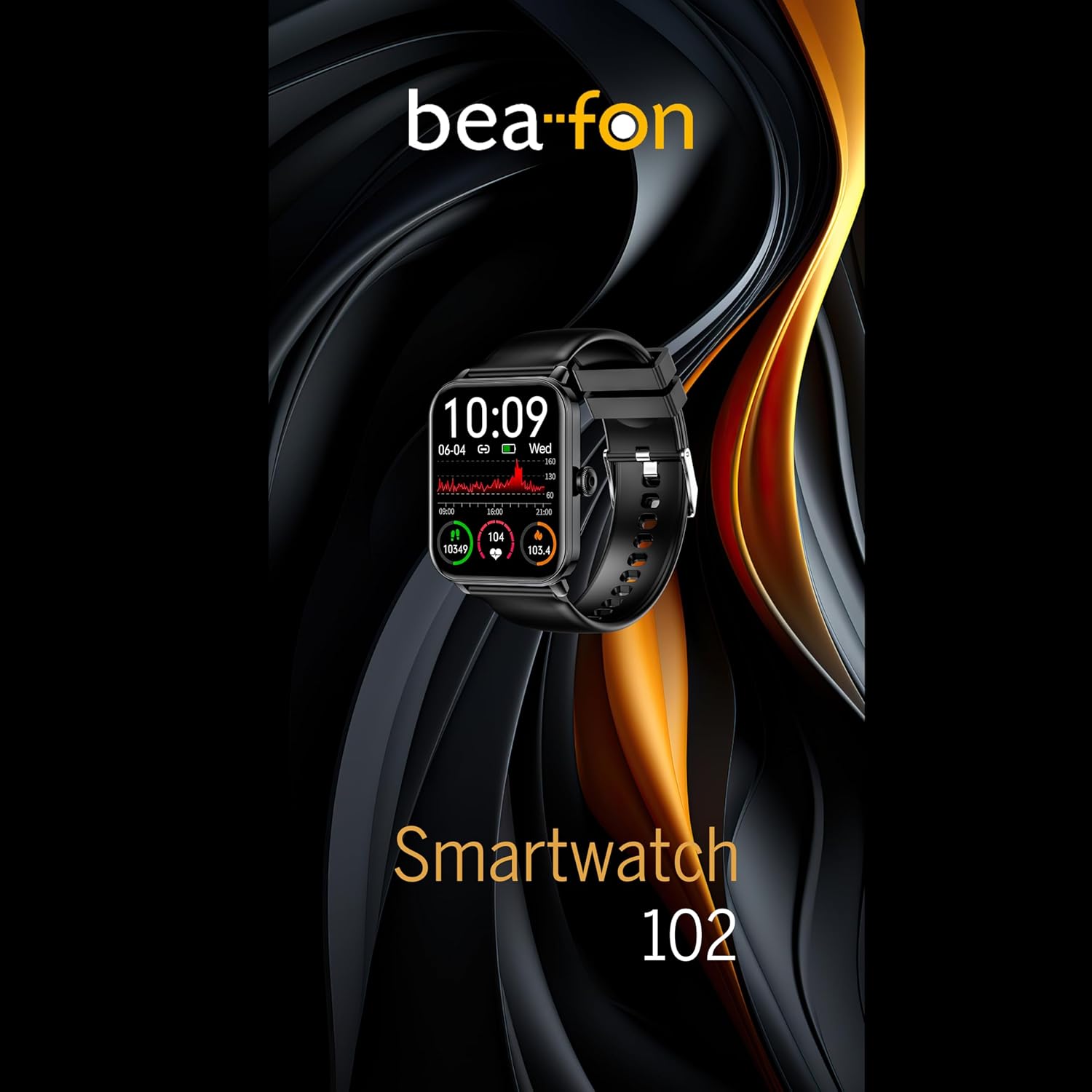
Figure 5: Visual representation of the Smartwatch 102's health monitoring capabilities, including heart rate, sleep, and blood oxygen.
ຮູບແບບກິລາ
Track your workouts with various built-in sport modes.
- Access the "Sport" menu on your watch.
- ເລືອກກິດຈະກຳທີ່ທ່ານຕ້ອງການ (ຕົວຢ່າງ, ແລ່ນ, ຂີ່ລົດຖີບ, ລອຍນ້ຳ).
- The watch will begin tracking relevant metrics such as duration, calories burned, and heart rate.
- End your workout by following the on-screen prompts. Data will sync to the FitCloudPro app.
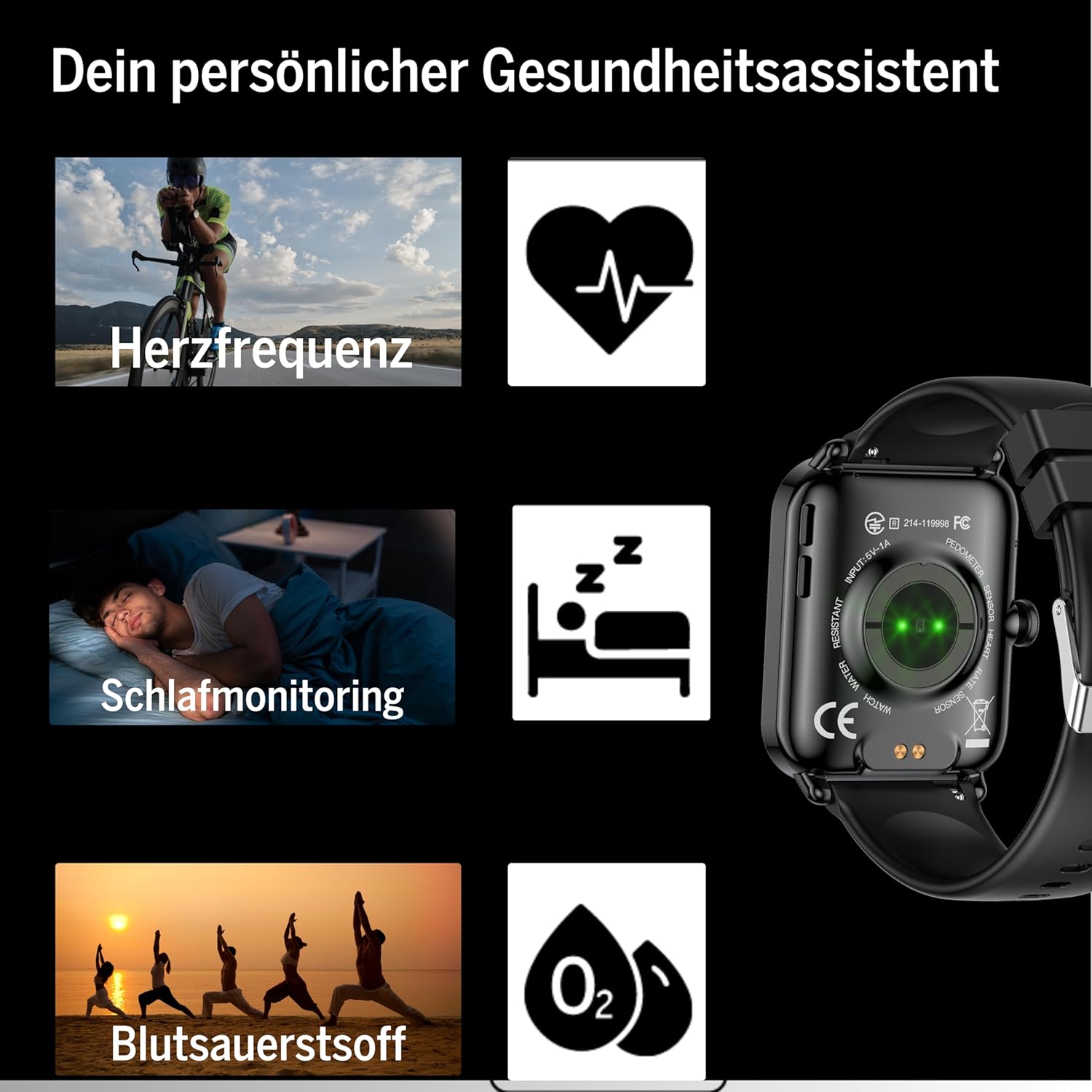
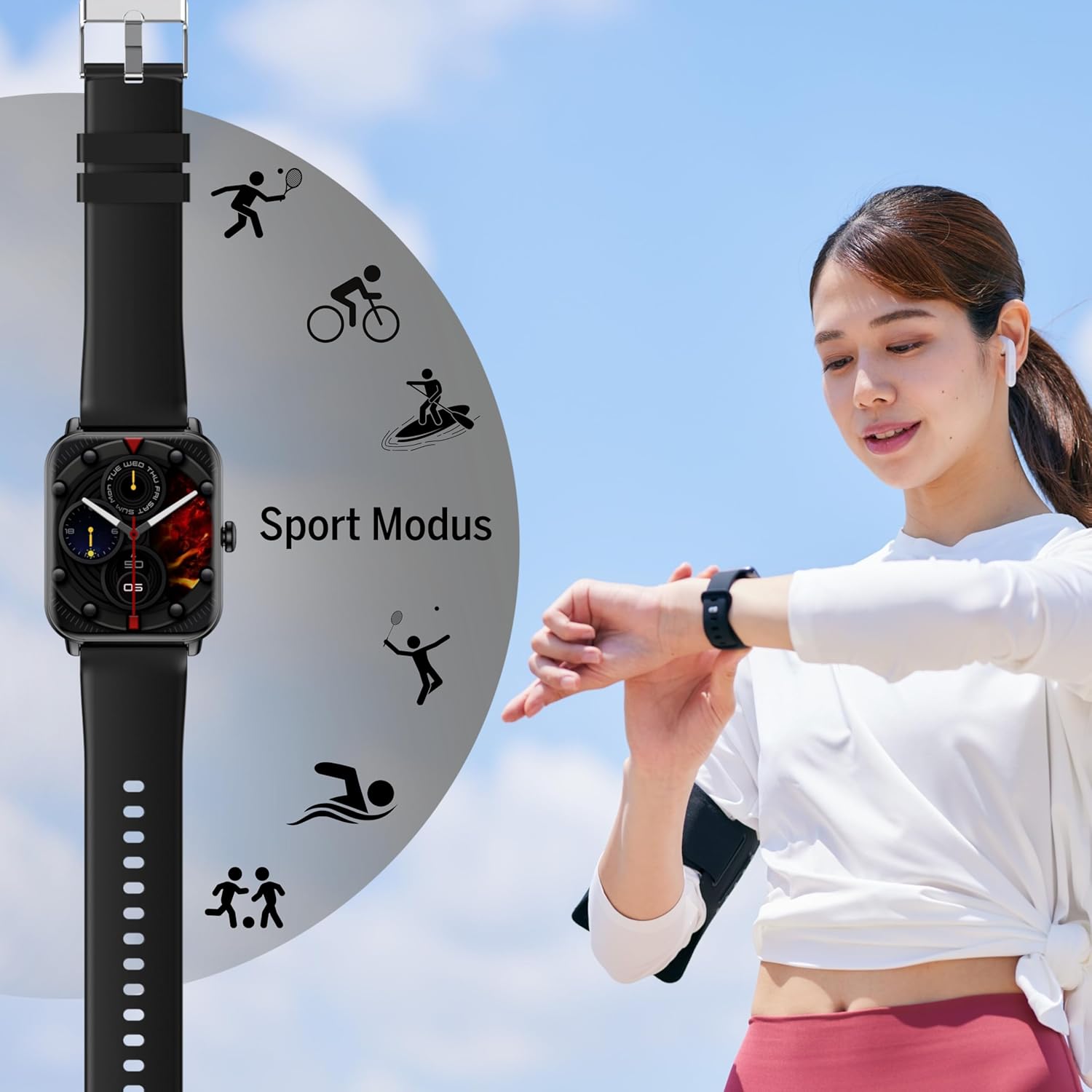
Figure 6: The Smartwatch 102 displaying various sport modes for activity tracking.
ການແຈ້ງເຕືອນ ແລະການໂທ
Once paired, your smartwatch can receive notifications from your smartphone.
- Enable app notifications in the FitCloudPro app settings.
- Incoming calls and messages will be displayed on your watch. You can typically reject calls from the watch, but not answer them directly.
ບໍາລຸງຮັກສາ
Cleaning the Smartwatch
ເພື່ອຮັກສາຮູບລັກສະນະ ແລະ ໜ້າທີ່ການເຮັດວຽກຂອງໂມງອັດສະລິຍະຂອງທ່ານ:
- ເຊັດຫນ້າຈໍແລະສາຍປົກກະຕິດ້ວຍຜ້າອ່ອນ, damp, ຜ້າບໍ່ມີ lint.
- ຫຼີກລ້ຽງການໃຊ້ສານເຄມີທີ່ຮຸນແຮງ, ເຄື່ອງຂັດຂັດ, ຫຼືສານລະລາຍ.
- ກວດໃຫ້ແນ່ໃຈວ່າບ່ອນຕິດຕໍ່ສາກໄຟສະອາດ ແລະແຫ້ງກ່ອນການສາກໄຟ.
ກັນນ້ຳ (IP68)
The bea-fon Smartwatch 102 has an IP68 water resistance rating, meaning it is protected against dust ingress and can withstand immersion in water up to 1 meter for 30 minutes.
- It is suitable for daily use, such as hand washing, rain, and shallow swimming.
- Do not use the watch in hot water, saunas, or steam rooms, as steam can penetrate the seals.
- Avoid exposing the watch to high-velocity water or sudden temperature changes.
- ຫຼັງຈາກສຳຜັດກັບນ້ຳ, ໂດຍສະເພາະແມ່ນນ້ຳເຄັມ, ໃຫ້ລ້າງໂມງດ້ວຍນ້ຳຈືດ ແລະ ເຊັດໃຫ້ແຫ້ງ.
ການແກ້ໄຂບັນຫາ
- ໂມງບໍ່ເປີດ: Ensure the watch is fully charged. Connect it to the magnetic charger and leave it for at least 30 minutes.
- ບໍ່ສາມາດຈັບຄູ່ກັບສະມາດໂຟນໄດ້:
- ໃຫ້ແນ່ໃຈວ່າ Bluetooth ເປີດຢູ່ໃນໂທລະສັບຂອງທ່ານ ແລະໂມງຢູ່ໃນຂອບເຂດ.
- ຣີສະຕາດທັງໂທລະສັບຂອງທ່ານ ແລະ smartwatch.
- ລຶບລ້າງແຄສ Bluetooth ໃນໂທລະສັບຂອງທ່ານ (ຖ້າມີ) ແລະລອງຈັບຄູ່ອີກຄັ້ງ.
- Ensure the FitCloudPro app has necessary permissions.
- ການອ່ານສຸຂະພາບທີ່ບໍ່ຖືກຕ້ອງ:
- ໃຫ້ແນ່ໃຈວ່າໂມງຖືກໃສ່ຢູ່ໃນຂໍ້ມືຂອງທ່ານຢ່າງສະບາຍ, ບໍ່ວ່າງຫຼືແຫນ້ນເກີນໄປ.
- ເຮັດຄວາມສະອາດເຊັນເຊີຢູ່ດ້ານຫຼັງຂອງໂມງ.
- ຫຼີກລ່ຽງການເຄື່ອນໄຫວຫຼາຍເກີນໄປໃນລະຫວ່າງການອ່ານ.
- ການແຈ້ງເຕືອນບໍ່ປາກົດ:
- Check notification settings within the FitCloudPro app.
- Ensure your phone's notification settings allow the FitCloudPro app to display alerts.
- ກວດສອບວ່າໂມງເຊື່ອມຕໍ່ຜ່ານ Bluetooth.
ຂໍ້ມູນຈໍາເພາະ
| ຄຸນສົມບັດ | ຂໍ້ມູນຈໍາເພາະ |
|---|---|
| ຍີ່ຫໍ້ | Beafon |
| ຕົວແບບ | 102 |
| ຂະຫນາດຈໍສະແດງຜົນ | 1.83 ນິ້ວ (4.64 ຊຕມ) |
| ປະເພດຫມໍ້ໄຟ | 3.7V 250mAh Li-ion rechargeable |
| ຊີວິດຫມໍ້ໄຟ | 4-5 ມື້ (ໃຊ້ປົກກະຕິ) |
| ເວລາສາກໄຟ | ປະມານ. 3 ຊົ່ວໂມງ |
| ການຕໍ່ຕ້ານນ້ໍາ | IP68 (ສູງສຸດ 1 ແມັດ) |
| ການເຊື່ອມຕໍ່ | Bluetooth |
| ເຊັນເຊີສຸຂະພາບ | Heart Rate, Blood Oxygen, Sleep Tracker |
| ຂະໜາດ | 16.5 x 7.3 x 3.7 cm (Package); 160 g (Product Weight) |
| ວັດສະດຸສາຍ | ຊິລິໂຄນ |
| ສີ | ດຳ |
ຂໍ້ມູນການຮັບປະກັນ
Specific warranty details for the bea-fon Smartwatch 102 may vary by region and retailer. Please refer to the warranty card included with your product or contact your point of purchase for precise warranty terms and conditions. Generally, electronic devices come with a standard manufacturer's warranty covering defects in materials and workmanship under normal use.
ສະຫນັບສະຫນູນ
For technical support, troubleshooting assistance, or further inquiries regarding your bea-fon Smartwatch 102, please refer to the following resources:
- ຊັບພະຍາກອນອອນໄລນ໌: Visit the official Beafon website for FAQs, updated manuals, and support articles.
- FitCloudPro App: The app may offer an in-app support section or contact information.
- ບໍລິການລູກຄ້າ: Contact the retailer from whom you purchased the product for initial support.
ເມື່ອຕິດຕໍ່ຝ່າຍຊ່ວຍເຫຼືອ, ກະລຸນາກຽມເລກລຸ້ນຜະລິດຕະພັນ (102) ແລະລາຍລະອຽດການຊື້ຂອງທ່ານໃຫ້ພ້ອມ.


