1. ບົດແນະນຳ
This manual provides essential information for the proper setup, operation, and maintenance of your Donner OURA S300 Digital Piano. Please read this manual thoroughly before using the instrument to ensure optimal performance and longevity.

Figure 1: Donner OURA S300 Digital Piano. This image displays the complete digital piano setup, including the 88-key keyboard, stand, and triple pedal unit.
2. ເນື້ອໃນຊຸດ
ກ່ອນການປະກອບ, ໃຫ້ກວດສອບວ່າມີສ່ວນປະກອບທັງໝົດຢູ່ໃນຊຸດ:
- Donner OURA S300 Digital Piano Unit
- Triple Sustain Pedal Unit
- Power Adapter
- ສາຍ USB
- ຄູ່ມືຜູ້ໃຊ້ (ເອກະສານນີ້)
3. ການຕິດຕັ້ງແລະການປະກອບ
The Donner OURA S300 Digital Piano requires assembly. It is recommended that two people perform the assembly due to the weight of the main unit.
3.1 ຂັ້ນຕອນການປະກອບ
- Unpack all components and place them on a soft, flat surface to prevent scratches.
- Assemble the piano stand according to the included assembly guide. Ensure all screws are securely fastened.
- Carefully place the main piano unit onto the assembled stand. Align the mounting points and secure the unit with the provided screws.
- Connect the triple pedal unit cable to the designated port under the keyboard.
- Connect the power adapter to the DC IN port on the rear panel and then to a power outlet.
- If desired, connect the USB cable for MIDI connectivity to a computer or other device.
3.2 Connectivity Overview
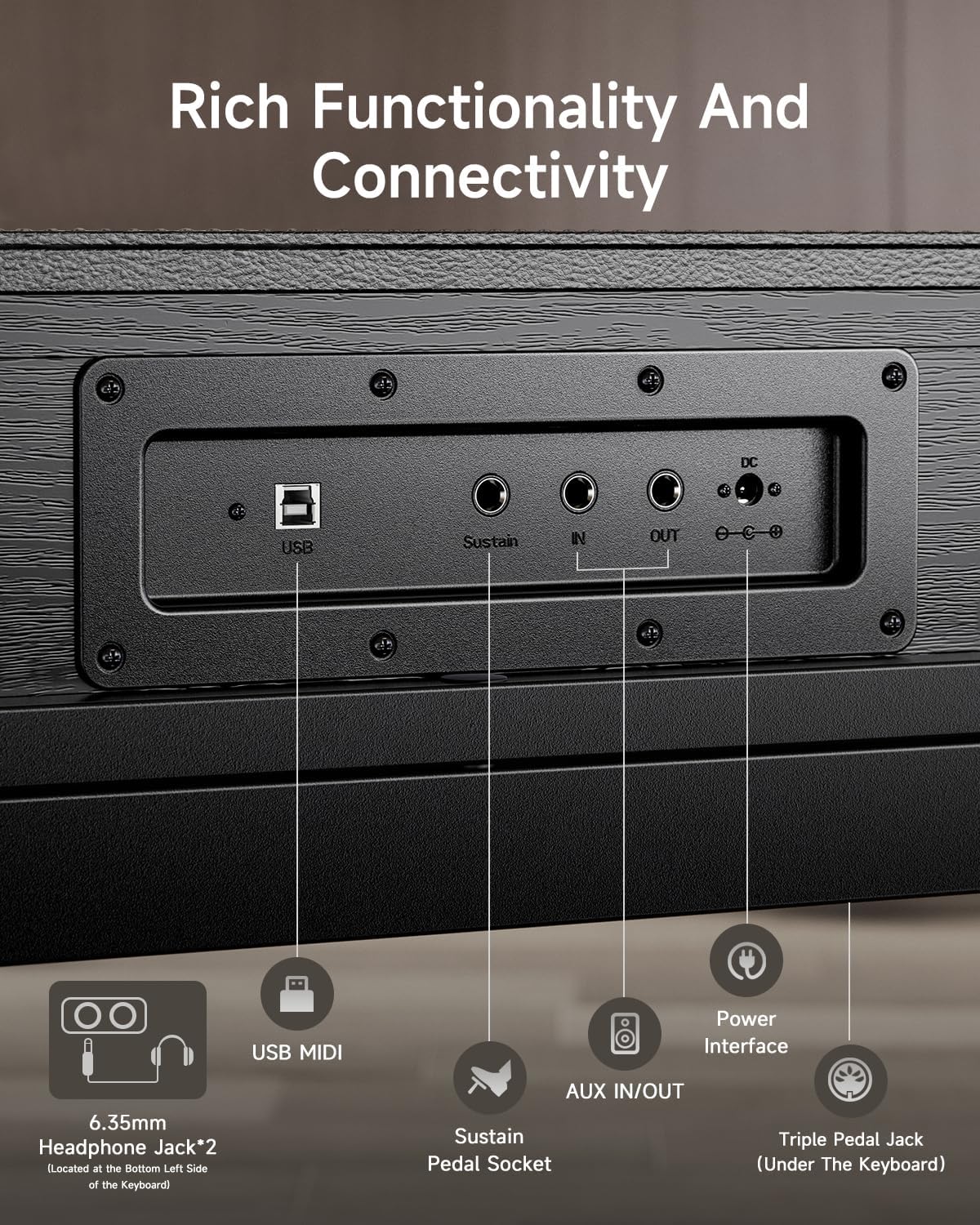
Figure 2: Rear Panel Connectivity. This image highlights the various input/output ports on the rear of the piano, including USB, Sustain, AUX IN/OUT, DC IN, and headphone jacks.
The rear panel provides various connection options:
- USB MIDI: Connects to a computer or smart device for MIDI data transfer.
- ຊັອກເກັດ Pedal Sustain: For connecting the included triple pedal unit.
- AUX IN/OUT: For connecting external audio sources or routing audio to external speakers/recording devices.
- DC ໃນ: Power input for the included AC adapter.
- ຊ່ອງສຽບຫູຟັງ 6.35 ມມ (x2): For private practice. Located on the bottom left side of the keyboard.
4. ຄໍາແນະນໍາການດໍາເນີນງານ
4.1 ເປີດ/ປິດ
Press the Power button located on the left side of the keyboard to turn the piano on or off.
4.2 Keyboard Touch and Sound
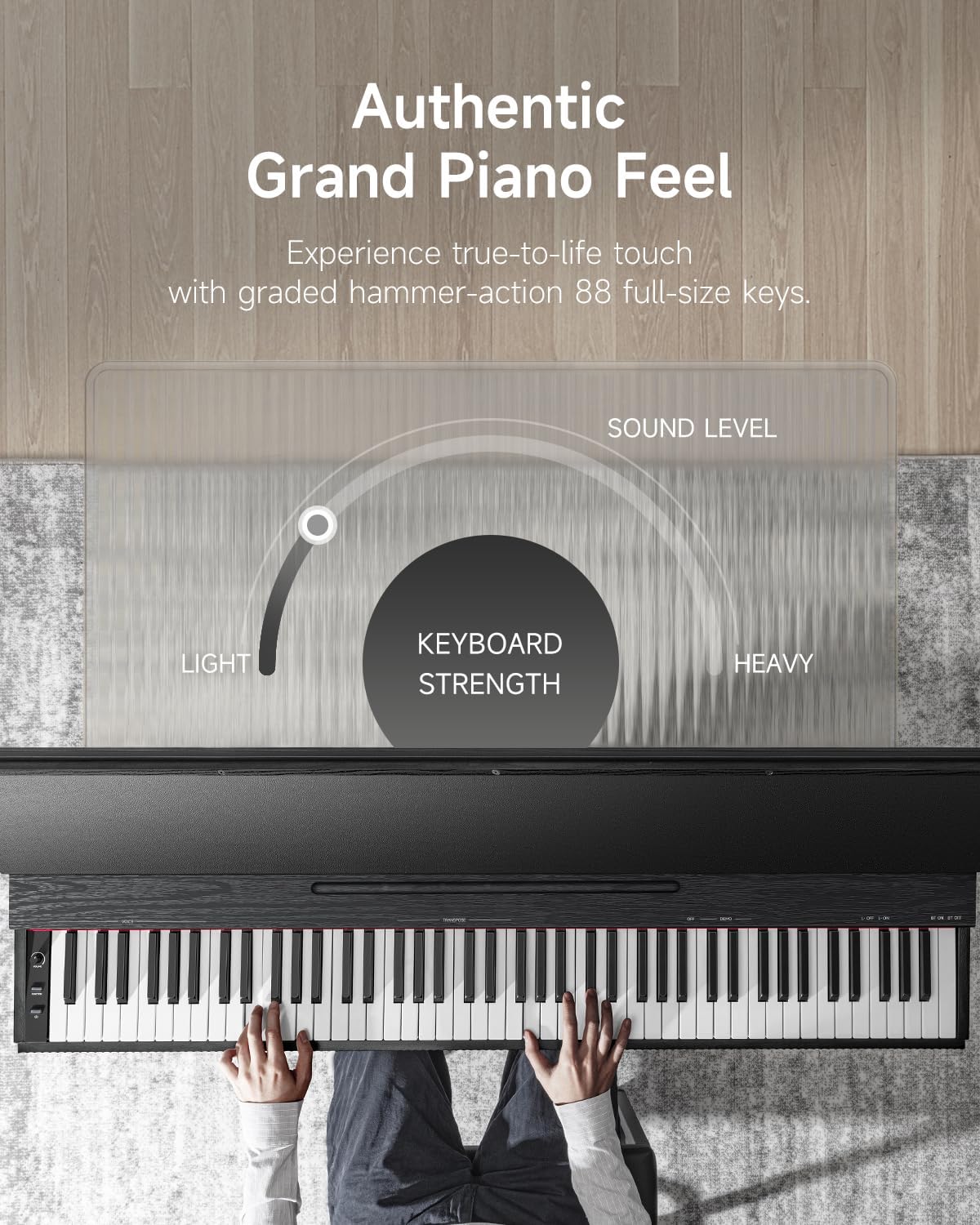
Figure 3: Authentic Grand Piano Feel. This graphic illustrates the graded hammer-action keys, showing how the keyboard strength varies from light to heavy across the 88 full-size keys, mimicking an acoustic grand piano.
The OURA S300 features 88 graded hammer-action keys, designed to replicate the feel and response of a traditional acoustic piano. The touch sensitivity can be adjusted to suit individual playing styles.
The instrument includes top-tier acoustic piano samples and a variety of other high-quality sounds, such as guitar, bass, and organ. The integrated 2*15W speaker system delivers a rich and deep sound experience.
4.3 ຫນ້າທີ່ແລະຄຸນສົມບັດ
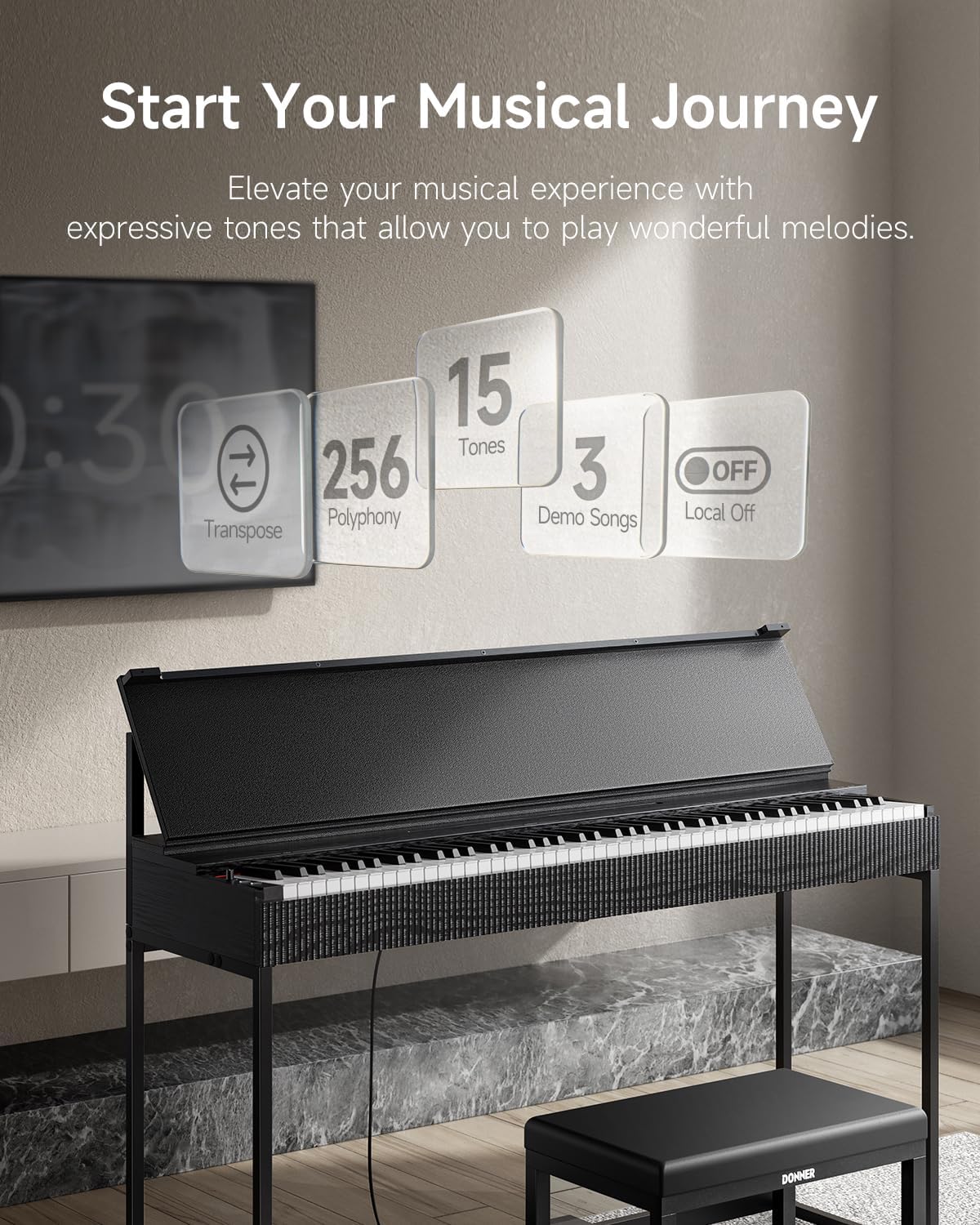
Figure 4: Key Features. This image highlights the main functional capabilities of the S300, including Transpose, 256 Polyphony, 15 Tones, 3 Demo Songs, and Local Off.
- Polyphony: 256-note polyphony allows for complex musical passages without note drop-out.
- ໂທນ: Access 15 different instrument tones, including various piano sounds, organs, and strings.
- ເພງສາທິດ: Features 3 built-in original MIDI demo songs for listening or practice.
- ແປ: Adjust the pitch of the entire keyboard up or down in semitone steps.
- ປິດທ້ອງຖິ່ນ: Disables the internal sound generation while allowing MIDI output, useful when using the piano as a MIDI controller for external sound modules or software.
- ການຄວບຄຸມລະດັບສຽງ: Adjust the overall output volume using the dedicated knob.
4.4 Pedal Functionality
The OURA S300 includes a triple pedal unit with half-pedal functionality for all three pedals. This allows for nuanced control over sustain, sostenuto, and soft pedal effects, enhancing expressive playing.
4.5 ການເຊື່ອມຕໍ່ Bluetooth
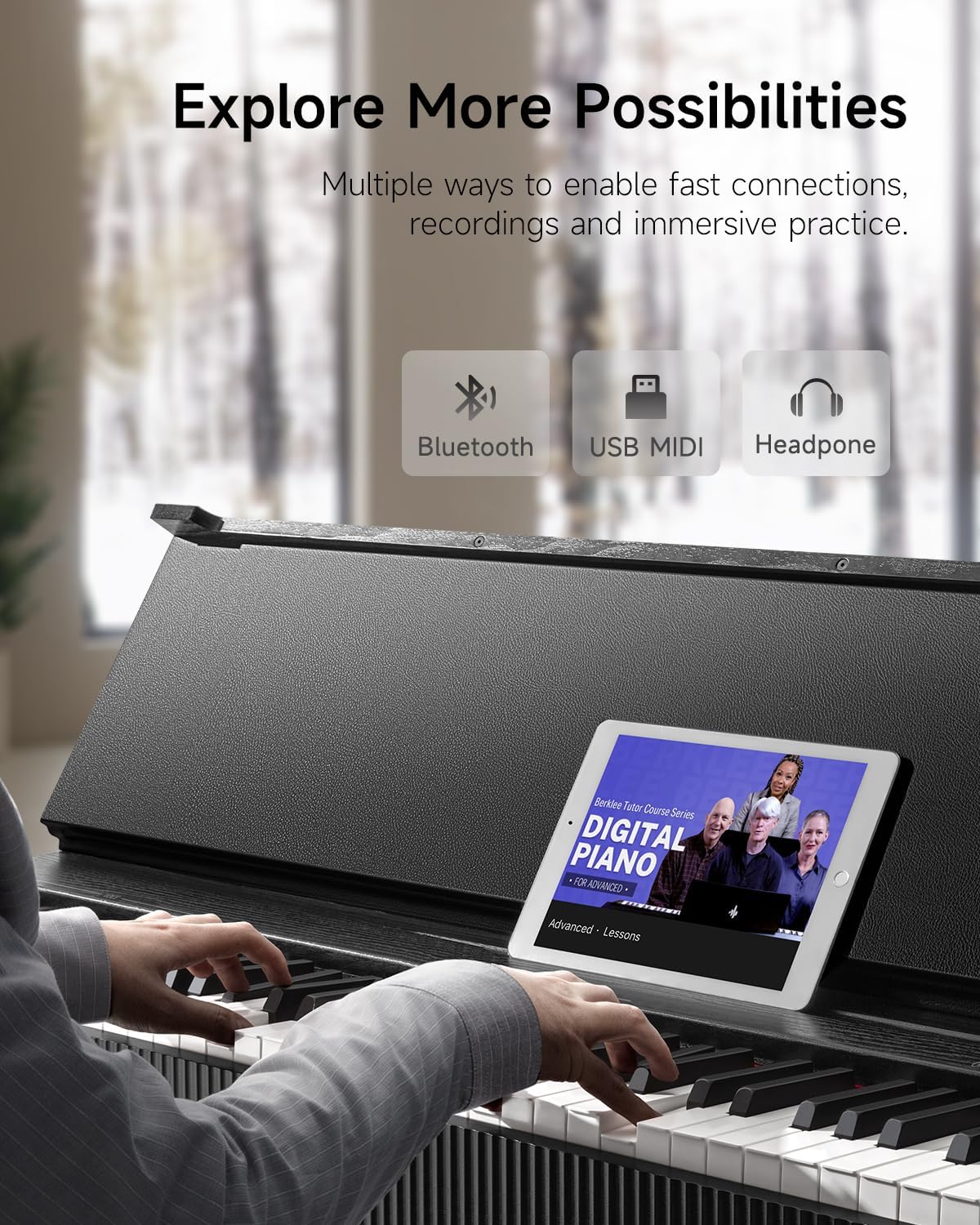
Figure 5: Expanded Possibilities with Connectivity. This image shows the piano connected via Bluetooth to a tablet running a music lesson app, and also highlights USB and headphone connections.
The piano supports Dual-Mode Bluetooth (MIDI+AUDIO). This enables:
- Bluetooth MIDI: Connect wirelessly to smartphones, tablets, or computers for use with music creation software, learning apps, or as a MIDI controller.
- ສຽງ Bluetooth: Stream audio from your smart device through the piano's speakers, allowing you to play along with your favorite songs or backing tracks.
5. ບໍາລຸງຮັກສາ
To ensure the longevity and optimal performance of your Donner OURA S300 Digital Piano, follow these maintenance guidelines:
- ທໍາຄວາມສະອາດ: ໃຊ້ຜ້າປຽກອ່ອນໆເຊັດພື້ນຜິວຂອງເປຍໂນ. ສໍາລັບຝຸ່ນ stubborn, a ເລັກນ້ອຍ damp ຜ້າສາມາດນໍາໃຊ້ໄດ້, ປະຕິບັດຕາມທັນທີດ້ວຍຜ້າແຫ້ງ. ຫຼີກລ້ຽງການເຮັດຄວາມສະອາດຂັດຫຼືສານລະລາຍ.
- ປ້ອງກັນຝຸ່ນ: When not in use, cover the keyboard with a dust cover to prevent dust accumulation.
- ສະພາບແວດລ້ອມ: Keep the piano away from direct sunlight, extreme temperatures, and high humidity. Avoid placing it near heat sources or in areas with significant temperature fluctuations.
- ການຈັດການ: Avoid placing heavy objects on the keyboard or applying excessive force to the keys or pedals.
6. ການແກ້ໄຂບັນຫາ
If you encounter issues with your Donner OURA S300, refer to the following common troubleshooting steps:
- ບໍ່ມີສຽງ:
- ໃຫ້ແນ່ໃຈວ່າອະແດັບເຕີໄຟເຊື່ອມຕໍ່ຢ່າງປອດໄພ ແລະ piano ເປີດຢູ່.
- Check the volume knob and ensure it is not set to minimum.
- ຖ້າຫູຟັງເຊື່ອມຕໍ່ຢູ່, ໃຫ້ຖອດອອກເພື່ອກວດສອບຜົນຜະລິດຂອງລຳໂພງ.
- Verify that 'Local Off' mode is not activated if you expect sound from the internal speakers.
- Keys Not Responding / Uneven Volume:
- ໃຫ້ແນ່ໃຈວ່າບໍ່ມີສິ່ງຂອງຕ່າງປະເທດຢູ່ໃນລະຫວ່າງກະແຈ.
- If specific keys consistently have low volume, contact customer support for assistance.
- ກະເບື້ອງຍ່າງບໍ່ເຮັດວຽກ:
- Check that the pedal unit cable is securely connected to the correct port.
- Ensure the pedal unit is placed on a stable surface.
- ບັນຫາການເຊື່ອມຕໍ່ Bluetooth:
- ໃຫ້ແນ່ໃຈວ່າ Bluetooth ຖືກເປີດໃຊ້ງານທັງໃນເປຍໂນ ແລະ ອຸປະກອນອັດສະລິຍະຂອງທ່ານ.
- ລອງຣີສະຕາດອຸປະກອນທັງສອງ.
- Ensure no other devices are actively connected to the piano via Bluetooth.
If the problem persists after attempting these steps, please contact Donner customer support.
7. ຂໍ້ມູນຈໍາເພາະ
| ຄຸນສົມບັດ | ຂໍ້ມູນຈໍາເພາະ |
|---|---|
| ຊື່ຕົວແບບ | S300 |
| ຈໍານວນກະແຈ | 88 |
| ການປະຕິບັດທີ່ສໍາຄັນ | Graded Hammer Standard, Hammer Action |
| ໂພລີໂຟນີ | 256 |
| ລໍາໂພງ | 2 x 15 ວ |
| ຂະໜາດ (L x W x H) | 50.75" x 15" x 36.6" (128.9 cm x 37.9 cm x 92.8 cm) |
| ນ້ໍາຫນັກລາຍການ | 34.4 ກິໂລ (75.7 ປອນ) |
| ການເຊື່ອມຕໍ່ | Bluetooth (MIDI+AUDIO), USB MIDI, AUX IN/OUT, 2x 6.35mm Headphone Jacks |
| ຄຸນນະສົມບັດພິເສດ | Half-pedal support, LOCAL OFF, Transpose |
| ແຫຼ່ງພະລັງງານ | ເຄື່ອງປັບໄຟຟ້າ AC |

Figure 6: Product Dimensions. This image provides a visual representation of the piano's dimensions in both centimeters and inches.
8. ການຮັບປະກັນແລະການສະຫນັບສະຫນູນ
For warranty information, please refer to the documentation provided at the time of purchase or visit the official Donner website. If you require technical assistance or have questions not covered in this manual, please contact Donner customer support.
ການຊ່ວຍເຫຼືອລູກຄ້າຂອງ Donner: ຢ້ຽມຊົມຮ້ານ Donner ໃນ Amazon


