ແນະນຳ
This manual provides detailed instructions for the proper use, setup, and maintenance of your King Lucky i39 Open Ear Headphones. Please read this manual thoroughly before using the product to ensure optimal performance and longevity.
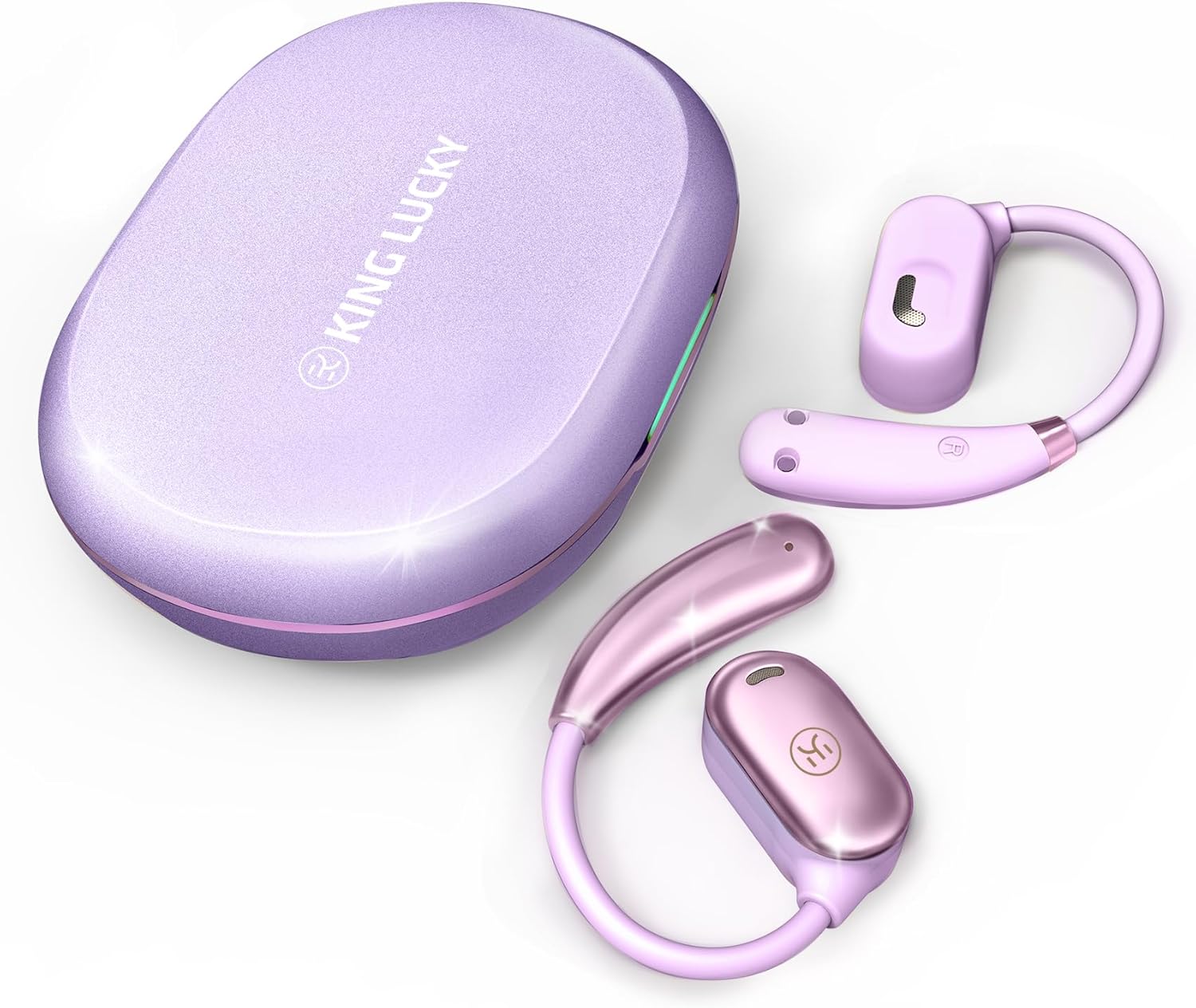
Image: King Lucky i39 Open Ear Headphones and their charging case, both in a purple finish, displayed on a white background.
ເນື້ອໃນຊຸດ
ກວດສອບວ່າລາຍການທັງຫມົດທີ່ລະບຸໄວ້ຂ້າງລຸ່ມນີ້ແມ່ນມີຢູ່ໃນຊຸດຂອງທ່ານ:
- King Lucky i39 Open Ear Earbuds (x2)
- ຄະດີສາກໄຟ (x1)
- ຄູ່ມືຜູ້ໃຊ້ (x1)
- ສາຍສາກ Type-C (x1)

Image: An illustration showing the King Lucky i39 earbuds, their charging case, a USB-C charging cable, and a user manual, indicating the package contents.
ສິນຄ້າເກີນview
Familiarize yourself with the components of your King Lucky i39 Open Ear Headphones.
- ຕຸ້ມຫູ: Left and Right open-ear design earbuds.
- ຕູ້ສາກໄຟ: ເກັບຮັກສາ ແລະຄິດຄ່າຫູຟັງ.
- ຊ່ອງສາກໄຟ: ຊ່ອງສຽບ USB Type-C ຢູ່ໃນກໍລະນີສາກໄຟ.
- ຕົວຊີ້ວັດ LED: On earbuds and charging case to show battery status and pairing.
- ພື້ນທີ່ຄວບຄຸມການສໍາພັດ: Located on the side of each earbud for various functions.
- ໄມໂຄຣໂຟນ: ໄມໂຄຣໂຟນຄູ່ສຳລັບການໂທທີ່ຊັດເຈນ.
ຕັ້ງຄ່າ
1. ການສາກໄຟເບື້ອງຕົ້ນ
ກ່ອນທີ່ຈະໃຊ້ຄັ້ງທຳອິດ, ໃຫ້ສາກຫູຟັງຫູຟັງ ແລະ ຊ່ອງສາກໃຫ້ເຕັມ.
- ວາງຫູຟັງເອຍບັດທັງສອງໃສ່ໃນກ່ອງສາກ.
- ເຊື່ອມຕໍ່ສາຍສາກໄຟ Type-C ເຂົ້າກັບພອດສາກໄຟໃນເຄສ ແລະ ເຂົ້າກັບແຫຼ່ງພະລັງງານ USB.
- The LED indicators on the case and earbuds will show charging status. A full charge typically takes approximately 2 hours.

Image: The King Lucky i39 charging case open, with both earbuds inside. Digital displays indicate battery levels for the case and individual earbuds, highlighting the charging process.
2. ການຈັບຄູ່ Bluetooth
ປະຕິບັດຕາມຂັ້ນຕອນເຫຼົ່ານີ້ເພື່ອຈັບຄູ່ຫູຟັງຂອງທ່ານກັບອຸປະກອນທີ່ເປີດໃຊ້ Bluetooth:
- ກວດໃຫ້ແນ່ໃຈວ່າໄດ້ສາກຫູຟັງເອຍບັດແລ້ວ ແລະວາງໃສ່ກ່ອງສາກ.
- ເປີດກ່ອງສາກໄຟ. ຫູຟັງເອຍບັດຈະເຂົ້າສູ່ໂໝດຈັບຄູ່ໂດຍອັດຕະໂນມັດ, ແລະໄຟ LED ຂອງມັນຈະກະພິບ.
- ໃນອຸປະກອນຂອງທ່ານ (ໂທລະສັບສະຫຼາດ, ແທັບເລັດ, ຄອມພິວເຕີ), ເປີດໃຊ້ Bluetooth.
- ຊອກຫາ "King Lucky i39" in the list of available Bluetooth devices.
- Select "King Lucky i39" to connect. Once connected, the LED indicators on the earbuds will stop flashing, and your device will confirm the connection.
- If pairing fails, place the earbuds back in the case, close the lid, wait a few seconds, then reopen and try again.

Image: King Lucky i39 earbuds and their charging case are shown alongside a smartphone, laptop, and smartwatch, illustrating compatibility with various Bluetooth 5.3 devices.
ຄໍາແນະນໍາກ່ຽວກັບການໃສ່
For optimal comfort and sound quality, follow these steps to properly wear your open-ear headphones:
- ຕໍາແໜ່ງ: Hold the earbud with the speaker part facing your ear canal.
- Hook Over Ear: ຄ່ອຍໆວາງຕະຂໍຫູໄວ້ເທິງຫູຂອງທ່ານ.
- ປັບ: Rotate the earbud backward along the auricle until it sits comfortably and securely in position, with the speaker resting just outside your ear canal.
- ກວດ Fit: Ensure the earbud is stable and does not feel loose. The soft silicone and memory metal design should conform to your ear shape.

Image: A three-step diagram illustrating how to wear the King Lucky i39 open ear headphones: placing the earbud above the ear, rotating it backward along the auricle, and completing the insertion for a secure fit.

Image: A close-up of a woman wearing a King Lucky i39 open ear headphone, highlighting its ergonomic design and how it sits comfortably on the ear without entering the ear canal.
ຄໍາແນະນໍາການດໍາເນີນງານ
The King Lucky i39 headphones feature touch controls on the side of each earbud. A feedback sound confirms each touch input.
Music Playback & Volume Control
- ຫຼິ້ນ/ຢຸດ: Double-tap (x2) on either the Left (L) or Right (R) earbud.
- ປະລິມານລົງ: Single-tap (x1) on the Left (L) earbud.
- ປະລິມານຂຶ້ນ: Single-tap (x1) on the Right (R) earbud.
- ເພງກ່ອນໜ້າ: Triple-tap (x3) on the Left (L) earbud.
- ເພງຕໍ່ໄປ: Triple-tap (x3) on the Right (R) earbud.
ການຄຸ້ມຄອງການໂທ
- ຕອບ/ວາງສາຍ: Double-tap (x2) on either the Left (L) or Right (R) earbud.
- ປະຕິເສດການໂທ: Tap and hold for 2 seconds on either the Left (L) or Right (R) earbud.
ຟັງຊັນອື່ນໆ
- ກະຕຸ້ນຜູ້ຊ່ວຍສຽງ: Tap and hold for 2 seconds on the Left (L) earbud.
- ໂໝດເກມ: Tap and hold for 2 seconds on the Right (R) earbud.

Image: A visual guide detailing the touch control functions for the King Lucky i39 earbuds, including single, double, triple taps, and tap-and-hold actions for volume, track control, calls, voice assistant, and game mode.
ບໍາລຸງຮັກສາ
ທໍາຄວາມສະອາດ
- ອະນາໄມຫູຟັງຫູຟັງ ແລະກະເປົ໋າສາກໄຟເປັນປະຈຳດ້ວຍຜ້າແພທີ່ອ່ອນ, ແຫ້ງ, ບໍ່ມີສານຂັດ.
- ຢ່າໃຊ້ເຄື່ອງເຮັດຄວາມສະອາດຂັດ, ເຫຼົ້າ, ຫຼືສານລະລາຍສານເຄມີ.
- ກວດໃຫ້ແນ່ໃຈວ່າລາຍຊື່ຜູ້ຕິດຕໍ່ທີ່ສາກໄຟຢູ່ທັງຫູຟັງຫູຟັງ ແລະເຄສແມ່ນບໍ່ມີຂີ້ຝຸ່ນ ແລະສິ່ງເສດເຫຼືອ.
ການເກັບຮັກສາ
- ເມື່ອບໍ່ໄດ້ໃຊ້, ໃຫ້ເກັບຫູຟັງເອຍບັດໃສ່ໃນກະເປົ໋າສາກໄຟເພື່ອປົກປ້ອງພວກມັນ ແລະ ສືບຕໍ່ສາກໄຟ.
- ເກັບຮັກສາໄວ້ໃນບ່ອນທີ່ເຢັນ, ແຫ້ງ, ຫ່າງຈາກອຸນຫະພູມສູງສຸດແລະແສງແດດໂດຍກົງ.
ການຕໍ່ຕ້ານນ້ໍາ
The King Lucky i39 headphones are rated IPX5 water resistant, meaning they can withstand splashes and sweat. They are not designed for submersion in water. Avoid exposing them to strong jets of water or swimming.

Image: Two King Lucky i39 open ear headphones are shown with water droplets on their surface, emphasizing their IPX5 waterproof grade and nano-hydrophobic coating designed to prevent sweat penetration.
ການແກ້ໄຂບັນຫາ
ບັນຫາທົ່ວໄປແລະການແກ້ໄຂ
| ສະບັບ | ການແກ້ໄຂ |
|---|---|
| ຫູຟັງຫູຟັງບໍ່ໄດ້ຈັບຄູ່/ເຊື່ອມຕໍ່. |
|
| ຫູຟັງຫູຟັງໜ່ວຍໜຶ່ງບໍ່ເຮັດວຽກ. |
|
| ຄຸນະພາບສຽງບໍ່ດີ. |
|
| ຫູຟັງບໍ່ສາມາດສາກໄຟໄດ້ໃນກໍລະນີ. |
|
ຂໍ້ມູນຈໍາເພາະ
| ຄຸນສົມບັດ | ລາຍລະອຽດ |
|---|---|
| ຊື່ຕົວແບບ | i39 |
| ລຸ້ນ Bluetooth | 5.3 |
| ການຈັດວາງຫູ | ເປີດຫູ |
| ປະເພດໄດເວີສຽງ | ໄດເວີໄດນາມິກ (18.7 ມມ) |
| ອາຍຸການໃຊ້ງານຂອງແບັດເຕີຣີ (ຫູຟັງຂ້າງດຽວ) | ສູງສຸດ 8 ຊົ່ວໂມງ |
| ເວລາຫຼິ້ນທັງໝົດ (ພ້ອມກ່ອງສາກ) | ສູງສຸດ 60 ຊົ່ວໂມງ |
| ເວລາສາກໄຟ | ປະມານ 2 ຊົ່ວໂມງ |
| ການຈັດອັນດັບຄວາມຕ້ານທານນ້ໍາ | IPX5 |
| ວິທີການຄວບຄຸມ | ແຕະການຄວບຄຸມ |
| Item Weight (per earbud) | 7.3g (0.25 oz) |
| ຊ່ວງຄວາມຖີ່ | 20 Hz - 20,000 Hz |
| impedance | 16 ໂອມ |
| ການຄວບຄຸມສິ່ງລົບກວນ | ການຕັດສຽງລົບກວນແບບ Passive (ENC ສຳລັບການໂທ) |

ຮູບພາບ: ລະເບີດ view diagram highlighting the 18.7mm customized dynamic driver of the King Lucky i39 headphones, contrasting its size with a smaller 10mm driver from other models.
ການຮັບປະກັນແລະການສະຫນັບສະຫນູນ
King Lucky products are designed and manufactured to the highest quality standards. For warranty information, technical support, or customer service inquiries, please refer to the contact information provided on the product packaging or visit the official King Lucky webເວັບໄຊ.
ກະລຸນາຮັກສາຫຼັກຖານການຊື້ຂອງທ່ານສໍາລັບການຮຽກຮ້ອງການຮັບປະກັນ.


