ແນະນຳ
This manual provides comprehensive instructions for the MoKo 10X Rechargeable Magnifying Glass with 21 LED Lights. Designed for enhanced visual clarity, this device is ideal for reading, inspection, and exploring small details. It features a powerful 10X magnification, adjustable LED lighting, and a comfortable ergonomic design for extended use.
ກະລຸນາອ່ານຄູ່ມືນີ້ຢ່າງລະອຽດກ່ອນທີ່ຈະນໍາໃຊ້ຜະລິດຕະພັນເພື່ອຮັບປະກັນການດໍາເນີນງານແລະການບໍາລຸງຮັກສາທີ່ເຫມາະສົມ.
ແມ່ນຫຍັງຢູ່ໃນກ່ອງ
- MoKo 10X Rechargeable Magnifying Glass
- ສາຍສາກ USB
- ຜ້າອະນາໄມ
- ກະເປົ໋າເກັບຮັກສາ
- ຄູ່ມືຜູ້ໃຊ້
ຕັ້ງຄ່າ
1. ການສາກໄຟເບື້ອງຕົ້ນ
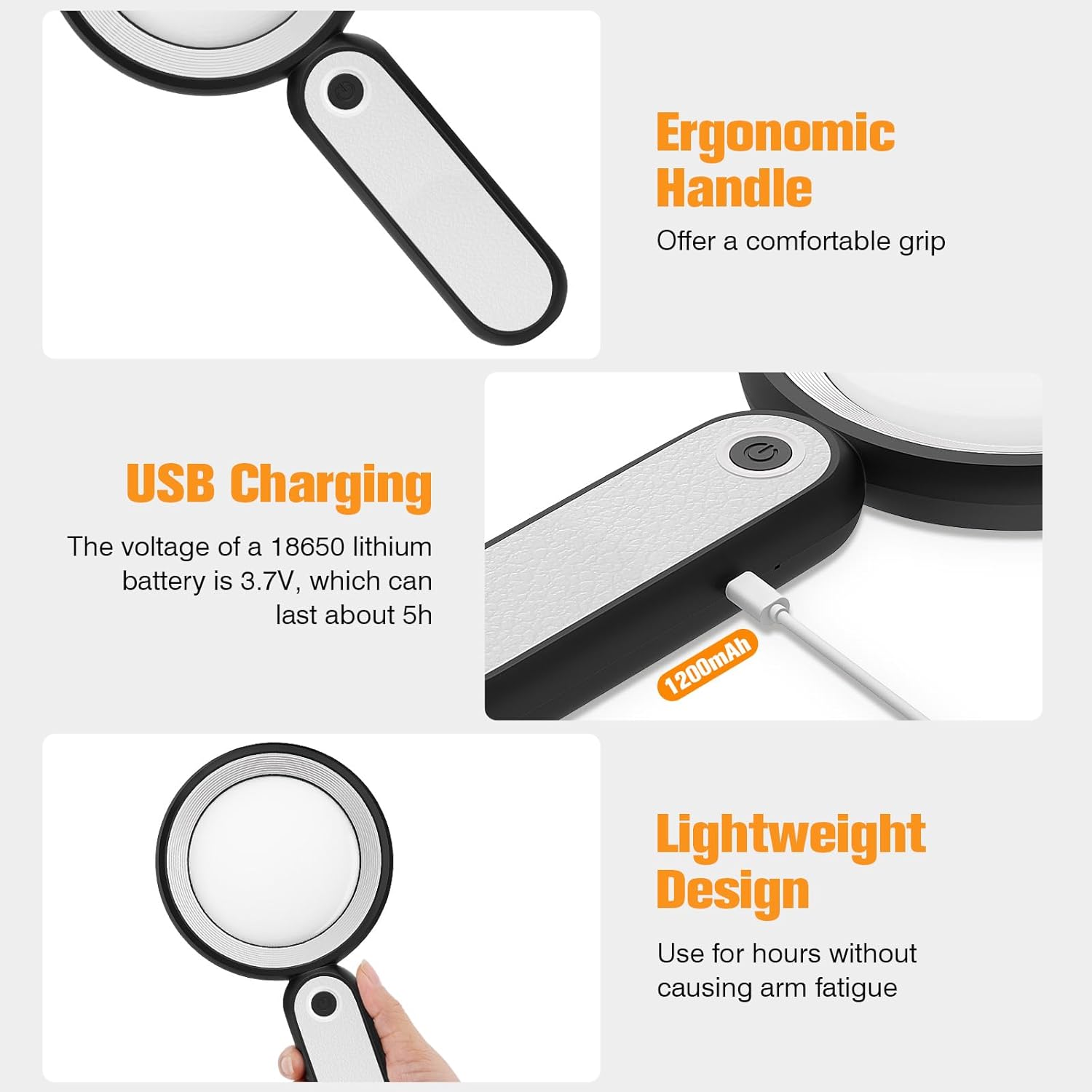
Before first use, fully charge the magnifying glass. Locate the USB charging port on the handle of the device.

Image: USB charging port on the handle.
- Connect the provided USB charging cable to the charging port on the magnifying glass.
- ສຽບປາຍອື່ນຂອງສາຍ USB ໃສ່ກັບອະແດັບເຕີໄຟ USB ທີ່ເຂົ້າກັນໄດ້ (ບໍ່ລວມ) ຫຼືພອດ USB ຂອງຄອມພິວເຕີ.
- The charging indicator lights (if present) will show the charging status. Allow the device to charge until fully powered, typically around 5 hours for a full charge.
2. Handle Adjustment
The magnifying glass features an adjustable handle for comfortable use.

Image: Ergonomic handle design.
- Gently pivot the handle to your desired angle for handheld use.
- The handle can be folded for compact storage or extended for a comfortable grip during use.
ຄໍາແນະນໍາການດໍາເນີນງານ
1. ການຂະຫຍາຍ
The MoKo Magnifying Glass provides 10X magnification for clear viewing of small text and objects.

Image: Magnifying glass in use, showing 10X magnification on text.
- Hold the magnifying glass approximately 3-5 inches (7.5-12.5 cm) above the object you wish to magnify.
- Adjust the distance slightly until the object comes into clear focus.
2. LED Lighting Modes
The device is equipped with 21 LED lights and three lighting modes to suit various environments and reduce eye strain.

Image: Three adjustable lighting modes (cool, warm, mixed) for the LED lights.
- Locate the power button on the handle.
- Press the power button once to activate the ແສງເຢັນ ໂໝດ.
- ກົດປຸ່ມເປີດປິດຄັ້ງທີສອງເພື່ອປ່ຽນໄປຫາ ແສງສະຫວ່າງອົບອຸ່ນ ໂໝດ.
- Press the power button a third time to activate the ແສງປະສົມ ໂໝດ.
- Press the power button a fourth time to turn off the LED lights.
Choose the lighting mode that provides the most comfortable and clear viewing experience for your specific task and ambient light conditions.
ບໍາລຸງຮັກສາ
1. ການເຮັດຄວາມສະອາດເລນ
To maintain optimal clarity, keep the optical glass lens clean.
- Use the provided soft cleaning cloth to gently wipe the lens surface.
- Avoid using abrasive materials, paper towels, or chemical cleaners, as these can scratch or damage the lens.
- ສໍາລັບຮອຍເປື້ອນທີ່ແຂງ, ເບົາບາງ dampen the cleaning cloth with a small amount of lens cleaning solution or water, then gently wipe and dry.
2. ການເກັບຮັກສາ
When not in use, store the magnifying glass in the provided storage pouch to protect it from dust and scratches.

Image: Magnifying glass being stored in its protective pouch.
- ເກັບຮັກສາໄວ້ໃນບ່ອນທີ່ເຢັນ, ແຫ້ງ, ຫ່າງຈາກແສງແດດໂດຍກົງແລະອຸນຫະພູມທີ່ສຸດ.
ການແກ້ໄຂບັນຫາ
| ບັນຫາ | ສາເຫດທີ່ເປັນໄປໄດ້ | ການແກ້ໄຂ |
|---|---|---|
| ໄຟບໍ່ເປີດ. | ແບັດເຕີຣີເຫຼືອໜ້ອຍ ຫຼືອຸປະກອນປິດຢູ່. | Charge the device using the provided USB cable. Ensure the power button is pressed correctly to cycle through modes. |
| Magnification is blurry or distorted. | Incorrect distance from object or dirty lens. | Adjust the distance between the lens and the object. Clean the lens with the provided cleaning cloth. |
| Handle is stiff or difficult to adjust. | Minor friction in the hinge. | Apply gentle, consistent pressure. Avoid forcing the hinge. |
ຂໍ້ມູນຈໍາເພາະ
| ຄຸນສົມບັດ | ລາຍລະອຽດ |
|---|---|
| ຍີ່ຫໍ້ | ໂມໂຄ |
| ໝາຍເລກຕົວແບບ | 10X |
| ຄວາມເຂັ້ມແຂງການຂະຫຍາຍ | 10X |
| ວັດສະດຸເລນ | ແກ້ວແສງ |
| ໄຟ LED | 21 LED Beads |
| ຮູບແບບເຮັດໃຫ້ມີແສງ | 3 (Cool, Warm, Mixed) |
| ແຫຼ່ງພະລັງງານ | Rechargeable USB (1200mAh battery, 3.7V) |
| ຊີວິດຫມໍ້ໄຟ (ໃຊ້ຕໍ່ເນື່ອງ) | ປະມານ 5 ຊົ່ວໂມງ |
| ຂະໜາດສິນຄ້າ | 9.57 x 4.72 x 1.02 ນິ້ວ (24.3 x 12 x 2.6 cm) |
| ນ້ໍາຫນັກລາຍການ | 7.05 ອໍ (200g) |
| UPC | 840401442876 |
ຮູບພາບ: ຂະຫນາດຜະລິດຕະພັນ.
ການຮັບປະກັນແລະການສະຫນັບສະຫນູນ
MoKo products are designed for reliability and performance. For warranty information or technical support, please refer to the contact details provided with your purchase or visit the official MoKo webເວັບໄຊ.
ຮັກສາໃບຮັບເງິນການຊື້ຂອງທ່ານໄວ້ເປັນຫຼັກຖານການຊື້ສໍາລັບການຮຽກຮ້ອງການຮັບປະກັນໃດໆ.
ຂໍ້ມູນຄວາມປອດໄພທີ່ສໍາຄັນ
- Do not expose the magnifying glass to direct sunlight for extended periods, as this may cause fire or damage to surfaces.
- ຮັກສາໃຫ້ໄກຈາກເດັກນ້ອຍ.
- ຫຼີກລ້ຽງການວາງອຸປະກອນລົງ ຫຼືຖືກຜົນກະທົບທີ່ຮຸນແຮງ.
- Do not attempt to disassemble or modify the magnifying glass.


