1. ບົດແນະນຳ
This manual provides detailed instructions for the setup, operation, and maintenance of your TUINYO WH-819 Wireless Over-Ear Bluetooth Headphones. Please read this manual thoroughly before using the product to ensure proper function and longevity.
2. ຜະລິດຕະພັນເກີນview
The TUINYO WH-819 headphones offer high-fidelity stereo sound, comfortable over-ear design, and versatile connectivity options. They are designed for extended listening periods, featuring a long-lasting battery and a foldable structure for portability.
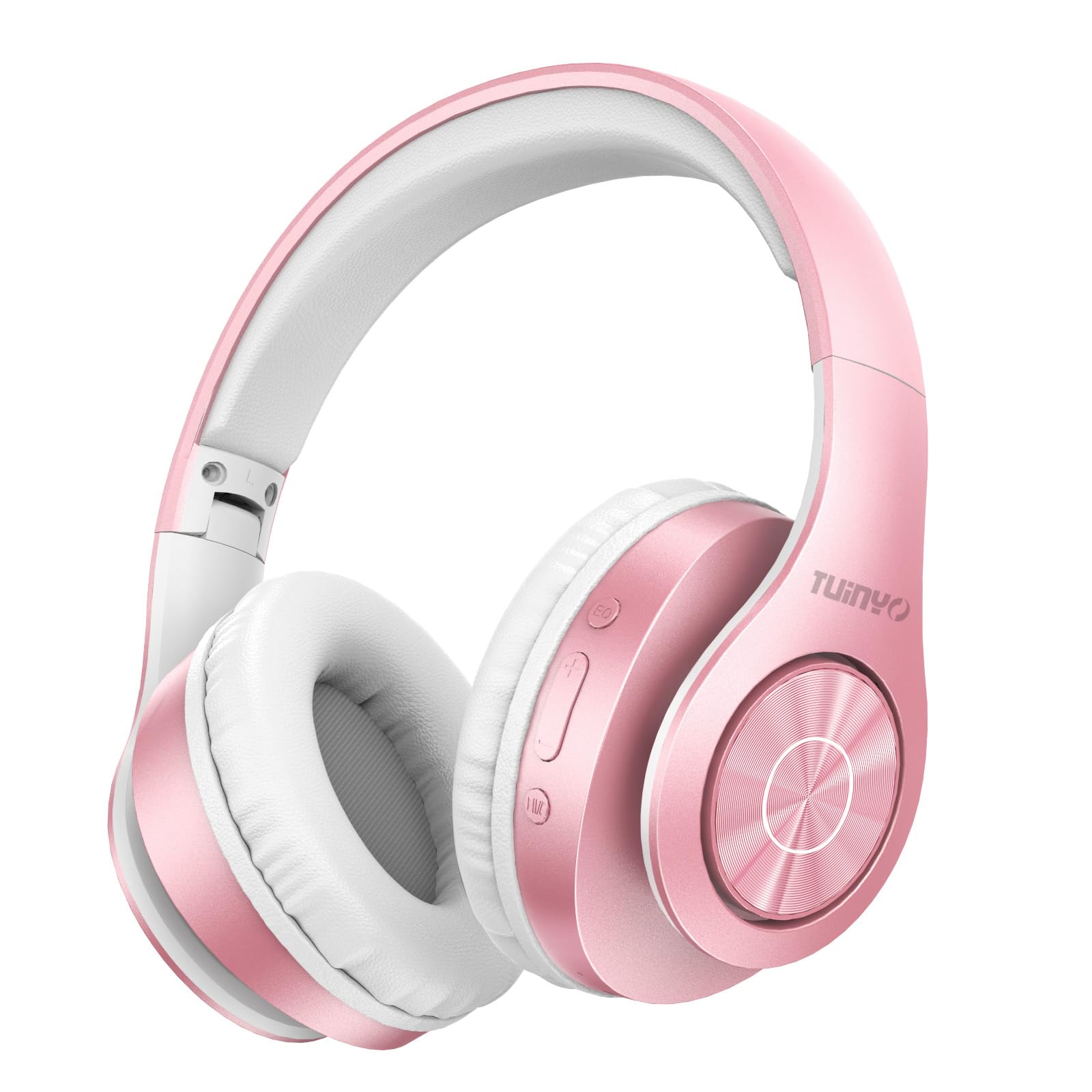
Figure 2.1: TUINYO WH-819 Rose Gold Wireless Over-Ear Bluetooth Headphones.
ວິດີໂອທີ 2.1: ຈົບແລ້ວview of the TUINYO wireless Bluetooth headphones, highlighting their design and features.
3. ເນື້ອໃນຊຸດ
ໃຫ້ແນ່ໃຈວ່າທຸກລາຍການຢູ່ໃນຊຸດ:
- TUINYO WH-819 Wireless Over-Ear Bluetooth Headphones
- ສາຍສາກ USB
- ສາຍສຽງ 3.5 ມມ
- Protective Premium Case
- ຄູ່ມືຜູ້ໃຊ້

Figure 3.1: Included accessories with the TUINYO WH-819 headphones.
4. ການຄວບຄຸມແລະພອດ
ຄຸ້ນເຄີຍກັບຕົວຄວບຄຸມຫູຟັງ ແລະ ພອດຕ່າງໆ:
- ປຸ່ມເປີດປິດ: ກົດຄ້າງໄວ້ເພື່ອເປີດ/ປິດ. ກົດສັ້ນໆເພື່ອຫຼິ້ນ/ຢຸດເພງ ຫຼື ຮັບສາຍ/ວາງສາຍ.
- ປຸ່ມເພີ່ມສຽງຂຶ້ນ/ຕິດຕາມຕໍ່ໄປ: ກົດສັ້ນເພື່ອເພີ່ມສຽງ. ກົດຄ້າງໄວ້ເພື່ອຟັງເພງຕໍ່ໄປ.
- ປະລິມານລົງ/ປຸ່ມຕິດຕາມກ່ອນໜ້າ: ກົດສັ້ນເພື່ອຫຼຸດສຽງລົງ. ກົດຄ້າງໄວ້ເພື່ອຟັງເພງກ່ອນໜ້າ.
- ປຸ່ມ EQ: Press to cycle through different equalizer modes (Normal, Rock, Pop, Classic, Jazz, Country).
- Jack ສຽງ 3.5mm: ສໍາລັບການເຊື່ອມຕໍ່ສາຍ.
- ພອດສາກໄຟ USB: ສໍາລັບການສາກໄຟຫູຟັງ.
- ຊ່ອງສຽບກາດ MicroSD: For direct music playback from a MicroSD card.

ຮູບທີ 4.1: ລາຍລະອຽດ view ຂອງການຄວບຄຸມ ແລະ ຄຸນສົມບັດຕ່າງໆຂອງຫູຟັງ.
Video 4.1: A demonstration of the TUINYO headphones' folding mechanism and button controls.
5. ຕັ້ງຄ່າ
5.1 ການສາກຫູຟັງ
- Connect the USB charging cable to the headphone's charging port.
- ເຊື່ອມຕໍ່ປາຍອີກດ້ານໜຶ່ງຂອງສາຍ USB ກັບແຫຼ່ງພະລັງງານ USB ທີ່ເຂົ້າກັນໄດ້ (ເຊັ່ນ: ຄອມພິວເຕີ, ອະແດບເຕີຕິດຝາ).
- ຕົວຊີ້ວັດ LED ຈະສະແດງສະຖານະການສາກໄຟ (ເຊັ່ນ: ສີແດງສໍາລັບການສາກໄຟ, ສີຟ້າສໍາລັບການສາກເຕັມ).
- ໂດຍປົກກະຕິການສາກເຕັມຈະໃຊ້ເວລາ 2-2.5 ຊົ່ວໂມງ.
5.2 ການຈັບຄູ່ Bluetooth
- ກວດໃຫ້ແນ່ໃຈວ່າຫູຟັງຖືກສາກເຕັມແລ້ວ.
- Long press the Power button until the LED indicator flashes blue and red, indicating pairing mode.
- ໃນອຸປະກອນຂອງທ່ານ (ໂທລະສັບສະຫຼາດ, ແທັບເລັດ, ແລັບທັອບ), ເປີດໃຊ້ Bluetooth ແລະຊອກຫາອຸປະກອນທີ່ມີຢູ່.
- Select "WH-819" from the list of devices.
- Once connected, the LED indicator will flash blue slowly, and a voice prompt will confirm successful pairing.
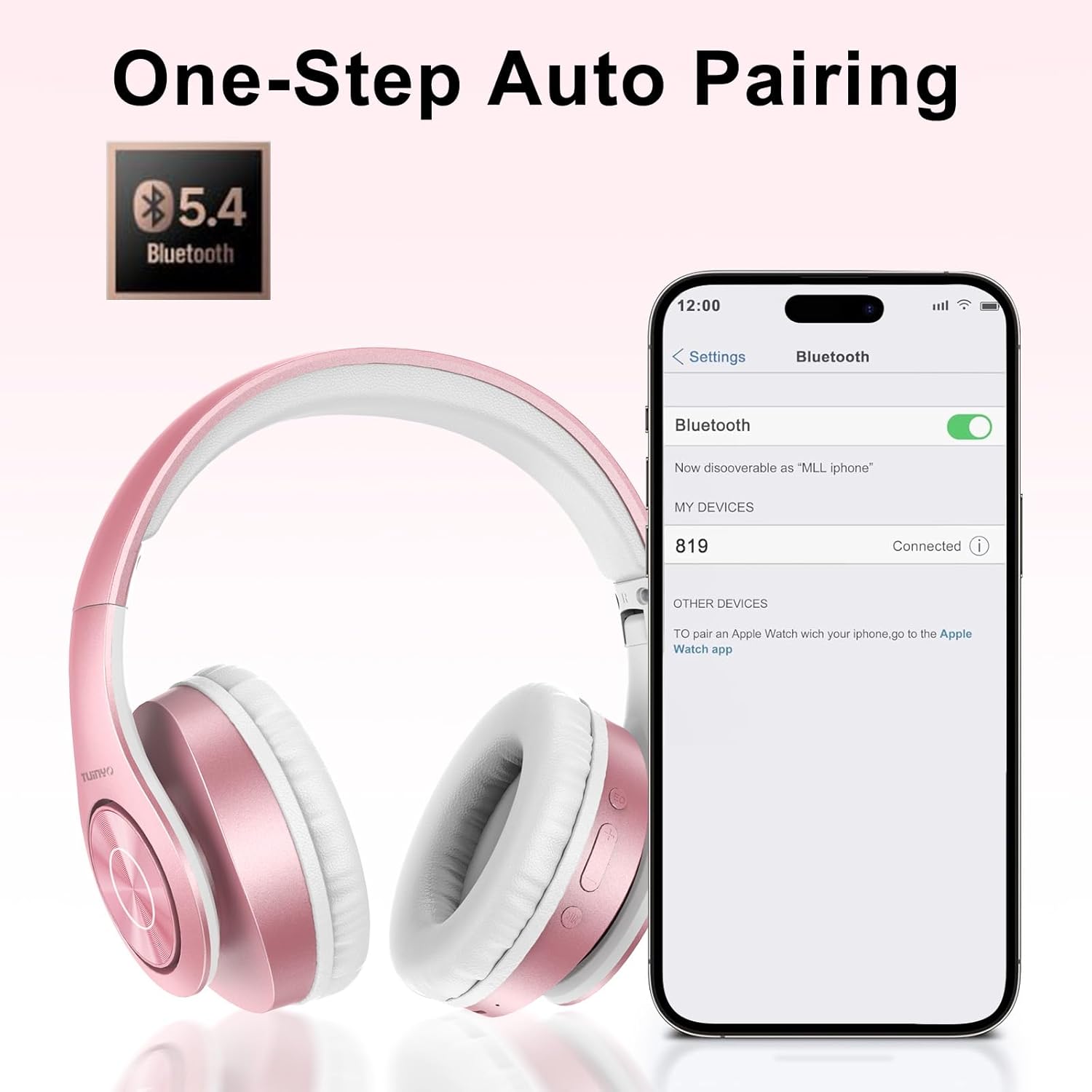
Figure 5.1: Bluetooth pairing process on a smartphone.
6. ຄໍາແນະນໍາການດໍາເນີນງານ
6.1 ເປີດ/ປິດ
- ເປີດ: Long press the Power button until the LED indicator lights up blue.
- ປິດພະລັງງານ: ກົດປຸ່ມເປີດ/ປິດຄ້າງໄວ້ຈົນກວ່າໄຟ LED ຈະດັບ.
6.2 ການຫລີ້ນດົນຕີ
- ຫຼິ້ນ/ຢຸດ: ກົດປຸ່ມເປີດປິດສັ້ນ.
- ເພງຕໍ່ໄປ: ກົດປຸ່ມເພີ່ມສຽງຄ້າງໄວ້.
- ຕິດຕາມກ່ອນ ໜ້າ ນີ້: ກົດປຸ່ມ Volume Down ຄ້າງໄວ້.
- ການປັບລະດັບສຽງ: Short press the Volume Up or Volume Down buttons.
6.3 ການຄຸ້ມຄອງການໂທ
- ຮັບ/ສາຍໂທ: ກົດປຸ່ມເປີດປິດສັ້ນ.
- ປະຕິເສດການໂທ: ກົດປຸ່ມເປີດປິດຄ້າງໄວ້.
ໂໝດ EQ 6.4
- Press the EQ button to switch between different sound equalizer modes (Normal, Rock, Pop, Classic, Jazz, Country) to optimize your listening experience.
6.5 ໂໝດສາຍ
- Insert the 3.5mm audio cable into the headphone's audio jack and the other end into your audio device.
- The headphones will automatically switch to wired mode, and Bluetooth functionality will be disabled.
6.6 ການຫຼິ້ນບັດ MicroSD
- Insert a MicroSD card with MP3 audio files into the MicroSD card slot.
- The headphones will automatically detect the card and begin playing music.
- Use the music playback controls (Play/Pause, Next/Previous Track, Volume) to manage your audio.
7. ບໍາລຸງຮັກສາ
- ເຮັດຄວາມສະອາດຫູຟັງຢ່າງເປັນປົກກະຕິດ້ວຍຜ້າອ່ອນໆ, ແຫ້ງ.
- ຫຼີກເວັ້ນການນໍາໃຊ້ເຄື່ອງເຮັດຄວາມສະອາດຂັດຫຼືສານລະລາຍ.
- ເກັບຮັກສາຫູຟັງໄວ້ໃນກໍລະນີປ້ອງກັນຂອງເຂົາເຈົ້າໃນເວລາທີ່ບໍ່ໄດ້ໃຊ້ເພື່ອປ້ອງກັນຄວາມເສຍຫາຍ.
- ຮັກສາໃຫ້ຫ່າງຈາກອຸນຫະພູມສູງສຸດແລະຄວາມຊຸ່ມຊື່ນ.
8. ການແກ້ໄຂບັນຫາ
| ບັນຫາ | ການແກ້ໄຂ |
|---|---|
| ຫູຟັງບໍ່ເປີດ. | ກວດໃຫ້ແນ່ໃຈວ່າໄດ້ສາກຫູຟັງແລ້ວ. ເຊື່ອມຕໍ່ຫາແຫຼ່ງພະລັງງານແລ້ວລອງໃໝ່ອີກຄັ້ງ. |
| ບໍ່ສາມາດຈັບຄູ່ຜ່ານ Bluetooth ໄດ້. | ໃຫ້ແນ່ໃຈວ່າຫູຟັງຢູ່ໃນໂໝດຈັບຄູ່ (ໄຟ LED ກະພິບສີຟ້າ/ສີແດງ). ປິດ ແລະ ເປີດ Bluetooth ໃນອຸປະກອນຂອງທ່ານ. ຍ້າຍເຂົ້າໃກ້ອຸປະກອນຫຼາຍຂຶ້ນ. |
| ບໍ່ມີສຽງຢູ່ໃນໂໝດ Bluetooth. | Check volume levels on both headphones and connected device. Ensure headphones are successfully paired. |
| ບໍ່ມີສຽງຢູ່ໃນໂໝດມີສາຍ. | Ensure the 3.5mm audio cable is fully inserted into both the headphones and the audio device. Check the audio source. |
| MicroSD card not playing. | Ensure the MicroSD card is inserted correctly and contains compatible MP3 audio files. |
9. ຂໍ້ມູນຈໍາເພາະ
| ຄຸນສົມບັດ | ລາຍລະອຽດ |
|---|---|
| ຊື່ຕົວແບບ | WH-819 |
| ເຕັກໂນໂລຊີການເຊື່ອມຕໍ່ | ໄຮ້ສາຍ (Bluetooth), ມີສາຍ ( Jack 3.5mm) |
| ເຕັກໂນໂລຊີການສື່ສານໄຮ້ສາຍ | Bluetooth 4.0 |
| ປະເພດໄດເວີສຽງ | Dynamic Driver (40mm neodymium) |
| ຊີວິດຫມໍ້ໄຟ | Up to 40 hours of music time (800mAh battery) |
| ເວລາສາກໄຟ | 2-2.5 ຊົ່ວໂມງ |
| ຮູບຮ່າງຫູຫູ | ຫູເກີນ |
| ວັດສະດຸ | Plastic, Memory-Protein Earmuffs |
| ນ້ຳໜັກ | 13.4 ອອນ |
| ຂະໜາດ | 8.5 x 6.22 x 4.25 ນິ້ວ (ຊຸດ) |
| ອຸປະກອນທີ່ເຂົ້າກັນໄດ້ | Tablets, Laptops, Desktops, Smartphones, Bluetooth-enabled devices |
| ລະດັບຄວາມຕ້ານທານນ້ໍາ | ບໍ່ທົນທານຕໍ່ນ້ໍາ |
10. ການຮັບປະກັນແລະການສະຫນັບສະຫນູນ
Your TUINYO WH-819 headphones are covered by a 30-day warranty from the date of purchase. For any product inquiries, technical support, or warranty claims, please refer to the contact information provided with your purchase or visit the official TUINYO webເວັບໄຊ.


