ສິນຄ້າເກີນview
ໄດ້ AMPAI WiFi Mini Smart Switch with 433MHz Remote is designed to integrate seamlessly into your home automation system, offering both wireless app control and traditional remote functionality. This compact device allows you to control lights, fans, or other appliances with ease, enhancing convenience and energy efficiency.

ຮູບທີ 1: The AMPAI WiFi Mini Smart Switch (left) and its accompanying 433MHz remote control (right).
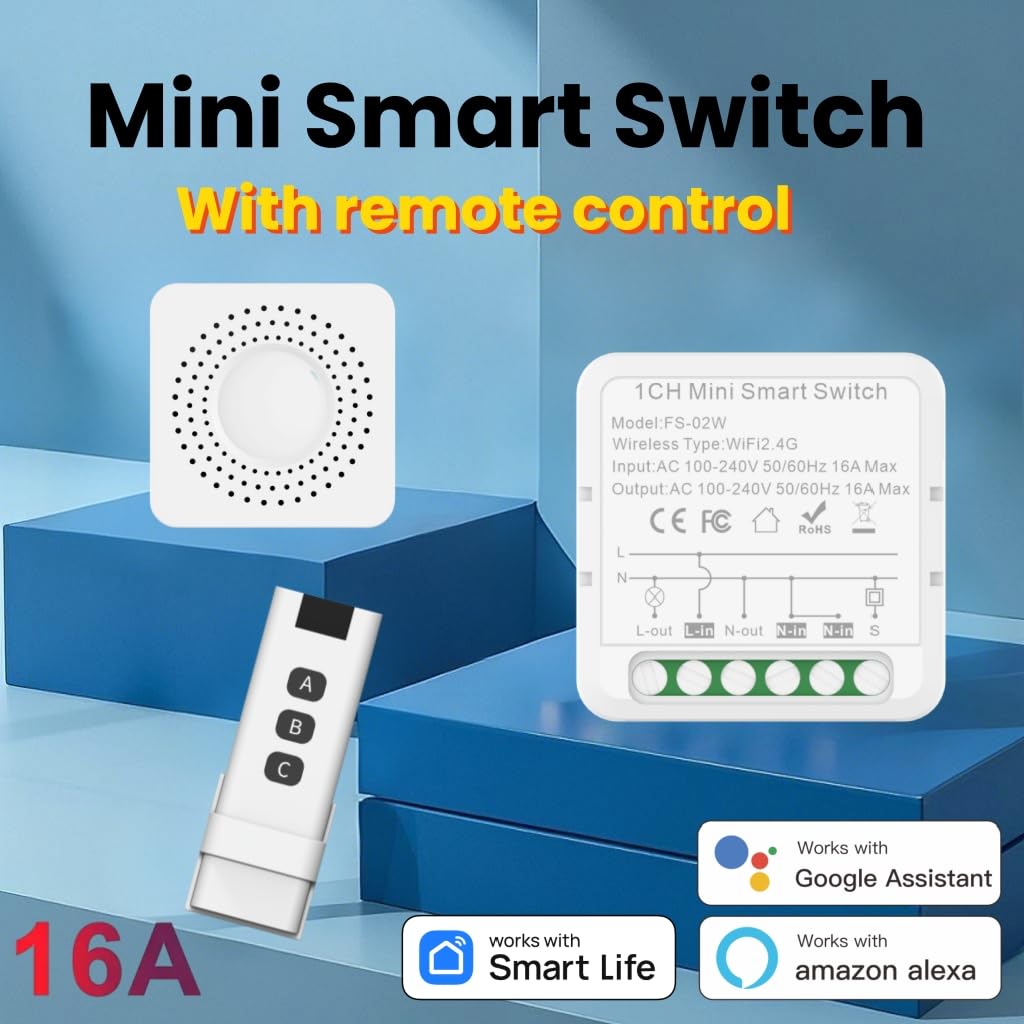
ຮູບ 2: ເກີນview of the Mini Smart Switch highlighting its compatibility with Smart Life App, Google Assistant, and Amazon Alexa, along with the included remote control.
ຂໍ້ມູນຈໍາເພາະ
| ຄຸນສົມບັດ | ລາຍລະອຽດ |
|---|---|
| ໝາຍເລກຕົວແບບ | MNS-RF |
| ຂະໜາດສິນຄ້າ | 1.63 x 1.63 x 0.84 ນິ້ວ |
| ນ້ຳໜັກ | 3.2 ອອນ |
| ຮູບແບບການເຮັດວຽກ | ໄຮ້ສາຍ |
| ການຈັດອັນດັບປັດຈຸບັນ | 16 Amps |
| ການດໍາເນີນງານ Voltage | AC 100V-240V 50/60Hz (120 Volts nominal) |
| ປະເພດການຕິດຕໍ່ | ເປີດປົກກະຕິ |
| ປະເພດຕົວເຊື່ອມຕໍ່ | Clamp |
| ສະຖານີ | Wifi |
| ປະເພດວົງຈອນ | 1/2 Way |
| ປະເພດຕົວກະຕຸ້ນ | ເອເລັກໂຕຣນິກ |
| ຄວາມຖີ່ WIFI | 2.4GHz |
| ອຸນຫະພູມເຮັດວຽກ | -10~45°C |
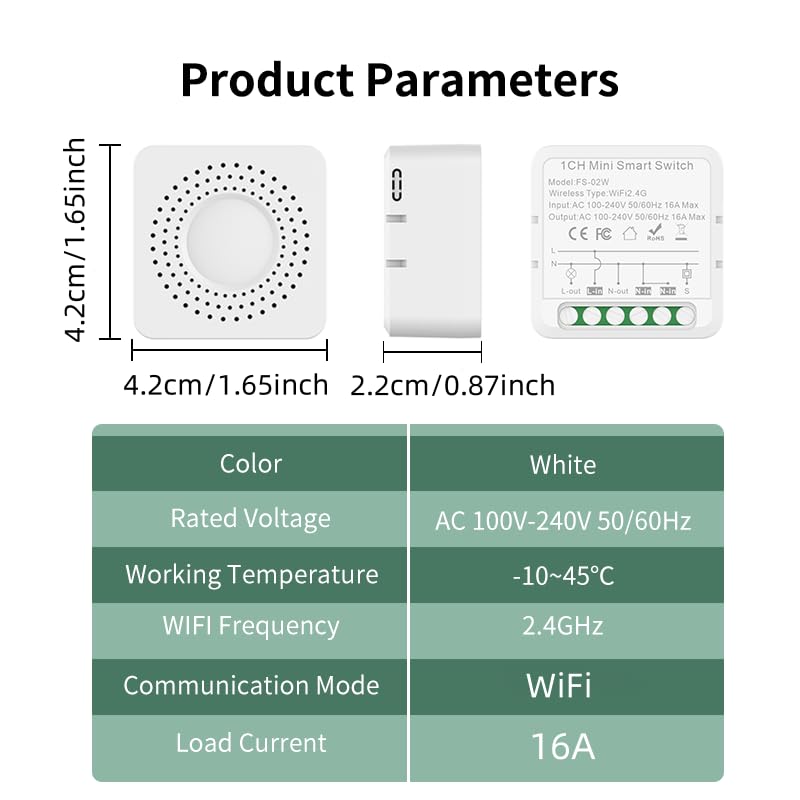
Figure 3: Detailed product parameters including dimensions, voltage, ແລະອຸນຫະພູມປະຕິບັດງານ.
ການຕິດຕັ້ງແລະການຕິດຕັ້ງ
ແມ່ນຫຍັງຢູ່ໃນກ່ອງ
- 1 x AMPAI WiFi Mini Smart Switch
- 1 x 433MHz Remote Control
ຂໍ້ແນະນຳການຕິດຕັ້ງ
The Mini Smart Switch is designed for compact installation, fitting discreetly into standard wall switch boxes. It allows you to smart-enable your existing switches without needing to replace them.

Figure 4: The compact design of the Mini Smart Switch allows for easy installation within existing junction boxes, preserving your original decor.
ການເຊື່ອມຕໍ່ສາຍໄຟ
Ensure power is disconnected before attempting any wiring. The switch supports both connecting directly to a lamp or integrating with an existing wall switch.

Figure 5: Wiring diagrams for connecting the smart switch. Left: Connecting directly to a lamp. Right: Connecting with an existing rocker switch.
For detailed visual instructions on wiring and initial setup, please refer to the product video below.
App Setup (Tuya Smart Life App)
The Mini Smart Switch connects directly to your 2.4GHz Wi-Fi network, eliminating the need for an additional hub. Download the "Smart Life" app from your device's app store (iOS or Android).
- Ensure the smart switch is powered on.
- Open the Smart Life app and tap "Add Device".
- Long press the button on the smart switch until its indicator light blinks rapidly, indicating it's in pairing mode.
- Follow the in-app instructions to connect the switch to your Wi-Fi network.
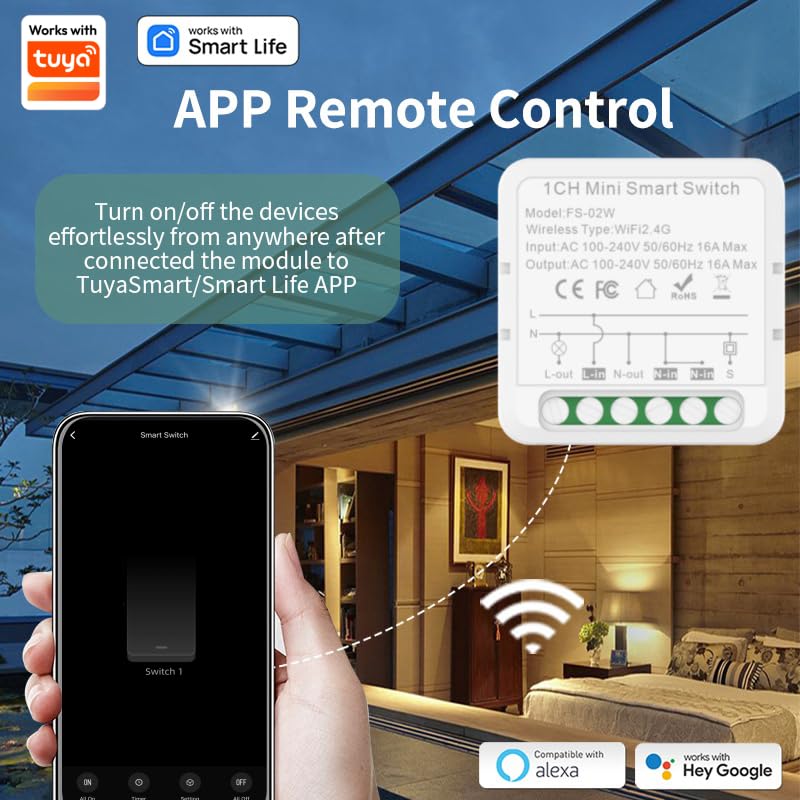
Figure 6: The Smart Life app interface, demonstrating how to turn devices on/off remotely after connecting the module.
ຄໍາແນະນໍາການດໍາເນີນງານ
ການດໍາເນີນງານການຄວບຄຸມໄລຍະໄກ
The included 433MHz remote control provides convenient wireless operation with a range of up to 100ft. It can control up to three mini smart switches.
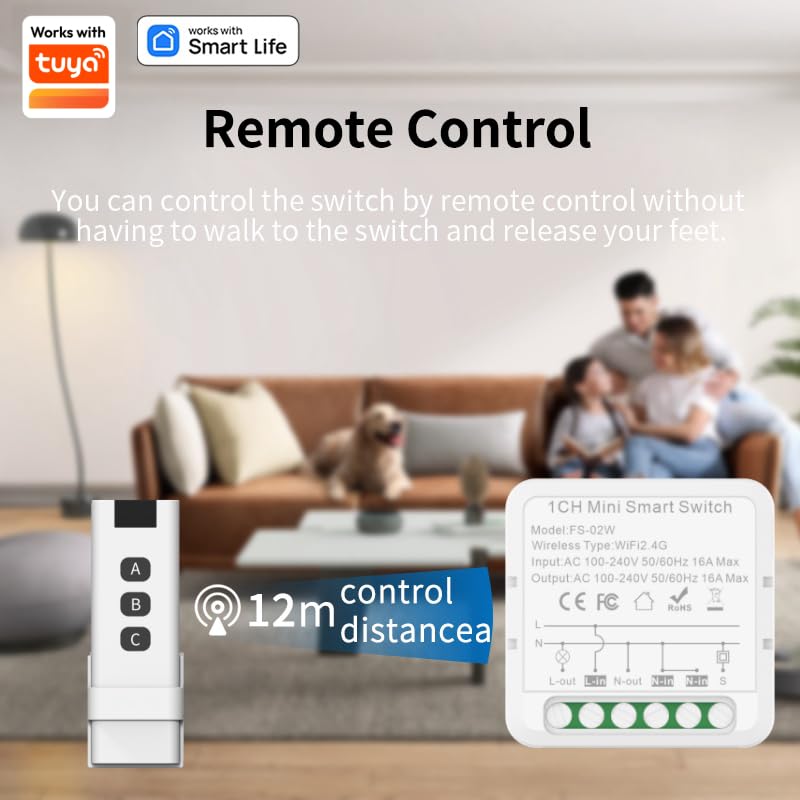
Figure 7: The 433MHz remote control allows you to control the switch from a distance of up to 12 meters (approximately 40 feet) without needing to be near the switch.
To configure the remote control with the smart switch, follow the instructions within the Smart Life app under "RF remote control setup".
Voice Control (Alexa & Google Home)
Once connected to the Smart Life app, you can link your Mini Smart Switch to Amazon Alexa or Google Home for seamless voice control.
- Enable the "Smart Life" skill in your Alexa or Google Home app.
- ຄົ້ນພົບອຸປະກອນ.
- Use voice commands such as "Alexa, turn on the living room light" or "Hey Google, turn off the fan."
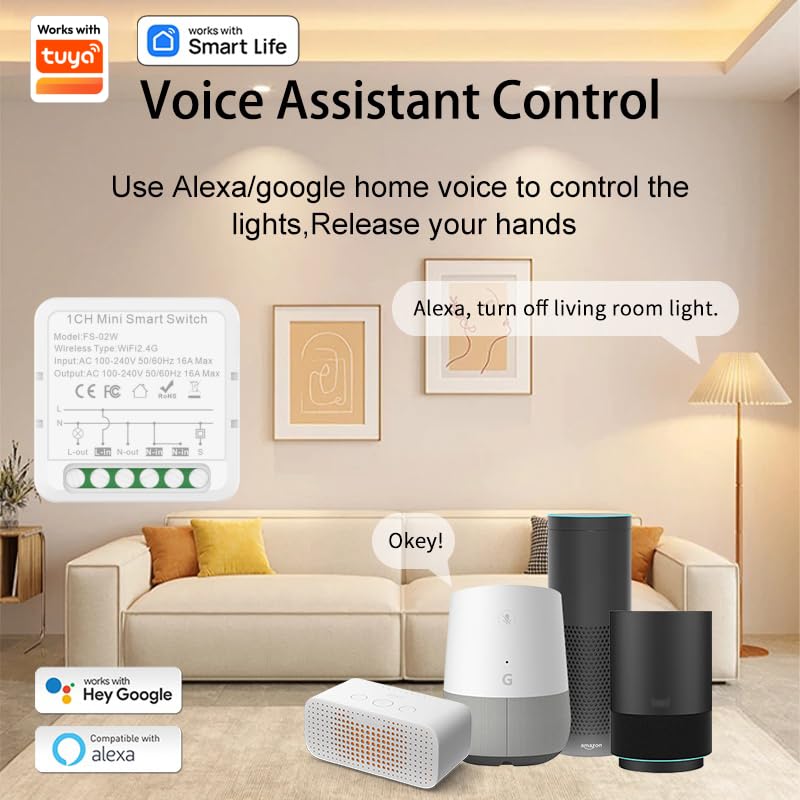
Figure 8: Control your smart switch using voice commands through Amazon Alexa or Google Home devices.
ການກໍານົດເວລາແລະອັດຕະໂນມັດ
The Smart Life app allows you to set schedules, timers, and create scenes for automated control of your devices.
- ຕາຕະລາງ: Program devices to turn on or off at specific times (e.g., turn on lights at 6:00 PM).
- ໂມງຈັບເວລາ: Set countdown timers for devices to switch off after a set duration.
- ສາກ: Create custom scenes to control multiple devices with a single command or tap (e.g., "Good Morning" scene turns on bedroom lights and coffee maker).
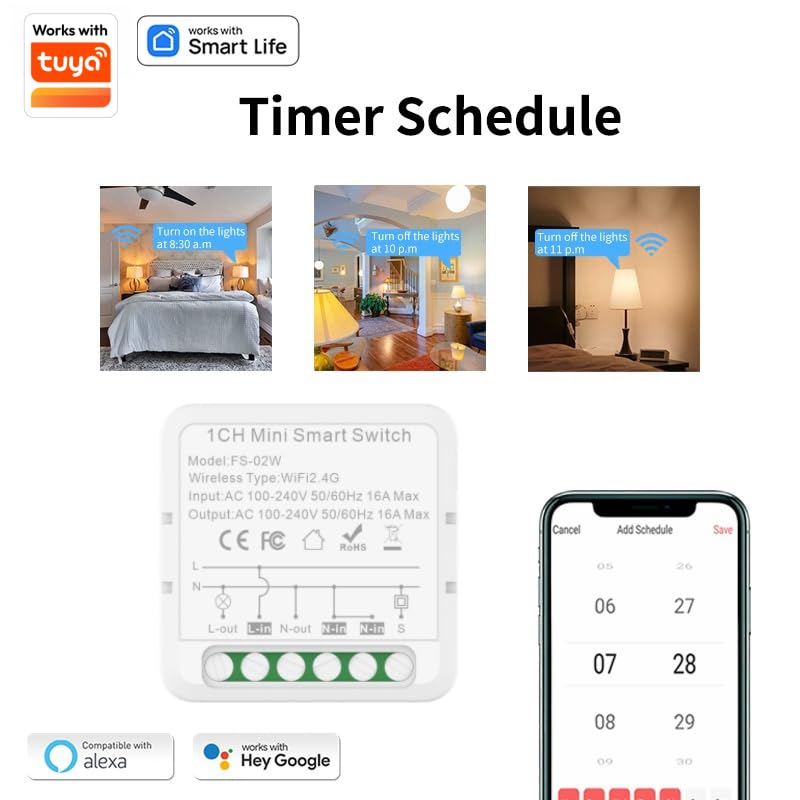
ຮູບທີ 9: ຕົວຢ່າງamples of setting timer schedules within the Smart Life app to automate device operation.
ບໍາລຸງຮັກສາ
ໄດ້ AMPAI Mini Smart Switch is designed for durability and low maintenance. Its flame-retardant PC material and built-in overload protection (16A/1800W) ensure safe operation.
- ທໍາຄວາມສະອາດ: Wipe the exterior of the switch with a soft, dry cloth. Do not use abrasive cleaners or liquids.
- ການອັບເດດເຟີມແວ: Periodically check the Smart Life app for available firmware updates to ensure optimal performance and security.
- ຟັງຊັນຫນ່ວຍຄວາມຈໍາ: The switch features a built-in memory function, ensuring your devices return to their previous state after a power outage, eliminating the need for manual adjustments.
ການແກ້ໄຂບັນຫາ
ບັນຫາທົ່ວໄປແລະການແກ້ໄຂ
- ອຸປະກອນບໍ່ໄດ້ເຊື່ອມຕໍ່ກັບ Wi-Fi:
- ໃຫ້ແນ່ໃຈວ່າເຄືອຂ່າຍ Wi-Fi ຂອງທ່ານແມ່ນ 2.4GHz. ສະວິດບໍ່ຮອງຮັບເຄືອຂ່າຍ 5GHz.
- ກວດສອບລະຫັດຜ່ານ Wi-Fi ຂອງທ່ານແມ່ນຖືກຕ້ອງ.
- ຍ້າຍສະວິດໄປໃກ້ກັບເຣົາເຕີ Wi-Fi ຂອງທ່ານ.
- Reset the switch by long-pressing its button until it blinks rapidly, then try pairing again.
- ການຄວບຄຸມໄລຍະໄກບໍ່ເຮັດວຽກ:
- Ensure the remote's battery is not depleted.
- Re-pair the remote control with the smart switch via the Smart Life app's "RF remote control setup" section.
- Check for obstructions between the remote and the switch.
- ການຄວບຄຸມດ້ວຍສຽງບໍ່ຕອບສະໜອງ:
- Confirm the Smart Life skill is enabled in your Alexa or Google Home app.
- Ensure the smart switch is properly linked and named in the voice assistant app.
- ກວດເບິ່ງການເຊື່ອມຕໍ່ອິນເຕີເນັດຂອງທ່ານ.
- Switch is unresponsive:
- Check the power supply to the switch.
- Perform a power cycle by turning off the power to the switch for a few seconds, then turning it back on.
Product Video Tutorial
Watch this official video for a comprehensive guide on wiring connections, product distribution, and remote control configuration.
Video 1: A detailed tutorial demonstrating the wiring connection method, product distribution (pairing with app), and remote control configuration for the AMPAI Mini Smart Switch.
ການຮັບປະກັນແລະການສະຫນັບສະຫນູນ
For information regarding warranty coverage, technical support, or to access additional resources, please refer to the official AMPAI website or contact their customer service directly. Contact details are typically provided on the product packaging or the manufacturer's official online channels.
ທ່ານສາມາດໄປຢ້ຽມຢາມໄດ້ AMPAI Store on Amazon ສໍາລັບຂໍ້ມູນເພີ່ມເຕີມແລະການສະຫນັບສະຫນູນຜະລິດຕະພັນ.


