1. ບົດແນະນຳ
This manual provides essential information for the proper use and maintenance of your GOODTEL G9 11-inch Android Tablet. Please read this manual thoroughly before operating the device to ensure optimal performance and longevity.
The GOODTEL G9 tablet features an 11-inch 2K display, an octa-core processor, 16GB RAM (8GB fixed + 8GB expandable), 256GB ROM (expandable up to 1TB via Micro SD), an 8600mAh battery, 5G Wi-Fi, Bluetooth 5.0, and 13MP rear and 5MP front cameras. It operates on Android 13 and is GMS certified.

Image 1.1: GOODTEL G9 Tablet overview, highlighting 2K display, 16GB RAM, 256GB ROM, and Android OS.
2. ເນື້ອໃນຊຸດ
Upon opening the package, please verify that all items are present and in good condition. The standard package includes:
- GOODTEL G9 11-inch Android Tablet
- Power Adapter
- ສາຍ USB Type-C
- ກໍລະນີປ້ອງກັນ
- ຕົວປ້ອງກັນໜ້າຈໍ (ນຳໃຊ້ກ່ອນ ຫຼື ແຍກ)
- ຄູ່ມືຜູ້ໃຊ້ (ເອກະສານນີ້)
Image 2.1: The GOODTEL G9 Tablet and its standard accessories.
3. ຕັ້ງຄ່າ
3.1. ການສາກໄຟເບື້ອງຕົ້ນ
ກ່ອນການນຳໃຊ້ຄັ້ງທຳອິດ, ໃຫ້ສາກແທັບເລັດໃຫ້ເຕັມ.
- ເຊື່ອມຕໍ່ສາຍ USB Type-C ກັບຊ່ອງສາກໄຟຂອງແທັບເລັດ.
- ເຊື່ອມຕໍ່ສົ້ນອື່ນຂອງສາຍກັບອະແດັບເຕີໄຟ.
- ສຽບອະແດບເຕີໄຟໃສ່ກັບປລັກສຽບໃສ່ຝາ.
- Allow the tablet to charge until the battery indicator shows 100%.
3.2. ເປີດ / ປິດພະລັງງານ
- ເພື່ອເປີດເຄື່ອງ: Press and hold the Power button until the GOODTEL logo appears.
- ປິດເຄື່ອງ: ກົດປຸ່ມເປີດປິດຄ້າງໄວ້, ຈາກນັ້ນເລືອກ "ປິດເຄື່ອງ" ຈາກຕົວເລືອກໃນໜ້າຈໍ.
- ເພື່ອເລີ່ມຕົ້ນໃໝ່: ກົດປຸ່ມເປີດປິດຄ້າງໄວ້, ຈາກນັ້ນເລືອກ "ຣີສະຕາດ" ຈາກຕົວເລືອກໃນໜ້າຈໍ.
3.3. ຕົວຊ່ວຍສ້າງການຕິດຕັ້ງເບື້ອງຕົ້ນ
The first time you power on the tablet, an on-screen setup wizard will guide you through basic configurations:
- ການເລືອກພາສາ: ເລືອກພາສາທີ່ເຈົ້າມັກ.
- ການເຊື່ອມຕໍ່ Wi-Fi: ເຊື່ອມຕໍ່ຫາເຄືອຂ່າຍ Wi-Fi ເພື່ອເຂົ້າເຖິງອິນເຕີເນັດ.
- ບັນຊີ Google: Sign in with your Google account or create a new one. This is necessary for downloading apps from the Google Play Store.
- ວັນທີ ແລະເວລາ: ກໍານົດວັນທີແລະເວລາທີ່ຖືກຕ້ອງ.
- ຄວາມປອດໄພ: Set up a screen lock (PIN, pattern, password, or facial recognition).
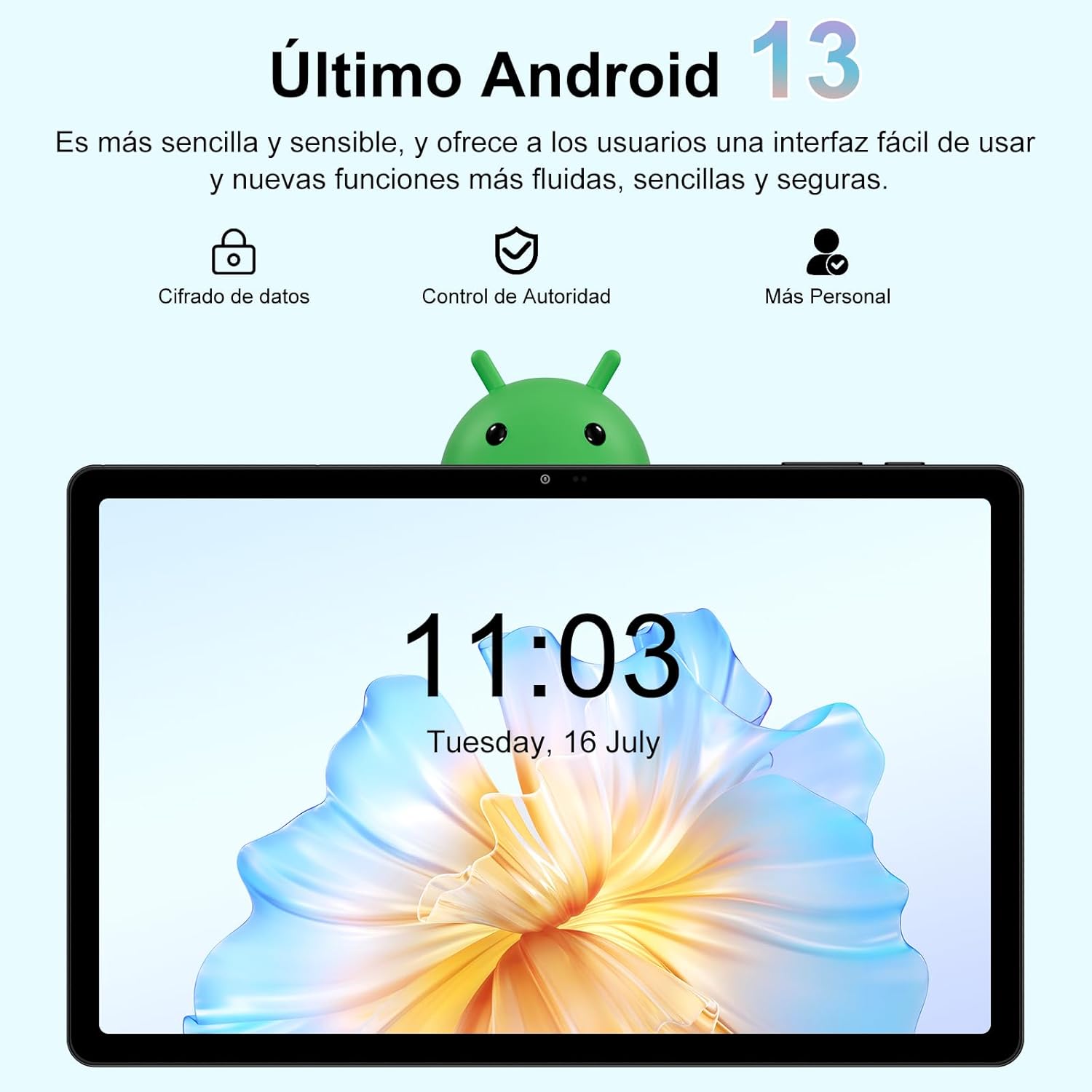
Image 3.1: The Android 13 operating system interface on the GOODTEL G9 Tablet.
4. ປະຕິບັດການແທັບເລັດ
4.1. ການສະແດງແລະການນໍາທາງ
The GOODTEL G9 features an 11-inch 2K Incell HD display with a resolution of 2000x1200 pixels, offering vibrant colors and rich details.
- ທ່າທາງສໍາຜັດ: ນຳທາງອິນເຕີເຟດໂດຍໃຊ້ທ່າທາງການສຳຜັດມາດຕະຖານຂອງ Android (ແຕະ, ປັດ, ຢິບເພື່ອຊູມ).
- ໜ້າຈໍຫຼັກ: Access your apps and widgets.
- ກະດານແຈ້ງການ: ປັດລົງຈາກເທິງສຸດຂອງໜ້າຈໍໄປທີ່ view ການແຈ້ງເຕືອນ ແລະການຕັ້ງຄ່າດ່ວນ.
- ແອັບຫຼ້າສຸດ: Tap the square navigation button (or swipe up and hold) to view ແລະປ່ຽນລະຫວ່າງແອັບພລິເຄຊັນທີ່ໃຊ້ບໍ່ດົນມານີ້.

Image 4.1: The 11-inch display of the GOODTEL G9 Tablet.
4.2. ປະສິດທິພາບແລະການເກັບຮັກສາ
The tablet is equipped with an 8-core 2.0 GHz processor, 16GB RAM (8GB fixed + 8GB expandable), and 256GB internal storage (ROM). Storage can be expanded up to 1TB using a Micro SD card (not included).
- ການຈັດການແອັບ: Install and uninstall applications from the Google Play Store.
- File ການຄຸ້ມຄອງ: ໃຊ້ອຸປະກອນທີ່ຕິດຕັ້ງໄວ້ກ່ອນ file manager to organize your documents, photos, and videos.
- Multitasking: The generous RAM allows for smooth multitasking and app switching.

Image 4.2: Memory and storage capabilities of the GOODTEL G9 Tablet.
4.3. ກ້ອງຖ່າຍຮູບ
The GOODTEL G9 features a 13MP rear camera and a 5MP front camera, suitable for capturing photos, videos, and video calls.
- ຖ່າຍຮູບ: ເປີດແອັບກ້ອງຖ່າຍຮູບ, ກອບຮູບຂອງເຈົ້າ, ແລະແຕະປຸ່ມຊັດເຕີ.
- ບັນທຶກວິດີໂອ: ປ່ຽນໄປໃຊ້ໂໝດວິດີໂອໃນແອັບກ້ອງຖ່າຍຮູບ ແລະ ແຕະປຸ່ມບັນທຶກ.
- ການຕັ້ງຄ່າ: Adjust camera settings such as resolution, flash, and timer within the Camera app.

ຮູບພາບ 4.3: ຕົວຢ່າງamples of photos taken with the GOODTEL G9 Tablet cameras.
4.4. ການເຊື່ອມຕໍ່
- Wi-Fi: Supports dual-band 2.4G and 5G Wi-Fi for stable and fast internet access. Go to Settings > Network & internet > Wi-Fi to connect to a network.
- Bluetooth 5.0: Connect to wireless headphones, speakers, and other Bluetooth-enabled devices. Go to Settings > Connected devices > Bluetooth.
- GPS: Integrated GPS allows for navigation and location-based services.
- OTG (On-The-Go): Supports OTG connectivity for connecting USB peripherals like flash drives or external keyboards/mice.

Image 4.4: Connectivity features of the GOODTEL G9 Tablet.
4.5. ການຄຸ້ມຄອງຫມໍ້ໄຟ
The tablet is equipped with an 8600mAh high-capacity battery, providing extended usage time for reading, browsing, and multimedia consumption.
- ຕົວປະຢັດແບັດເຕີຣີ: Enable battery saver mode in Settings > Battery to extend battery life.
- ການສາກໄຟ: Use the provided Type-C charger for optimal charging.
- ສຸຂະພາບຫມໍ້ໄຟ: Avoid extreme temperatures and fully discharging the battery frequently to prolong its lifespan.

Image 4.5: The 8600mAh high-capacity battery.
5. ບໍາລຸງຮັກສາ
- ທໍາຄວາມສະອາດ: ໃຊ້ຜ້າອ່ອນໆທີ່ບໍ່ມີຂົນເພື່ອທຳຄວາມສະອາດໜ້າຈໍ ແລະ ຕົວແທັບເລັດ. ຫຼີກລ່ຽງນ້ຳຢາທຳຄວາມສະອາດທີ່ມີສີຂັດ ຫຼື ຕົວລະລາຍ.
- ອັບເດດຊອບແວ: ກວດສອບ ແລະຕິດຕັ້ງການອັບເດດລະບົບເປັນປະຈຳເພື່ອຮັບປະກັນປະສິດທິພາບ ແລະຄວາມປອດໄພທີ່ດີທີ່ສຸດ. ໄປທີ່ Settings > System > System update.
- ການສໍາຮອງຂໍ້ມູນ: Periodically back up important data to a cloud service or external storage device.
- ການຈັດການການເກັບຮັກສາ: ປົກກະຕິອະນາໄມທີ່ບໍ່ຈໍາເປັນ files and cache to free up storage space and maintain performance.
- ເງື່ອນໄຂສິ່ງແວດລ້ອມ: ຫຼີກເວັ້ນການເປີດເຜີຍແທັບເລັດກັບອຸນຫະພູມທີ່ຮຸນແຮງ, ແສງແດດໂດຍກົງ, ຫຼືຄວາມຊຸ່ມຊື່ນສູງ.
6. ການແກ້ໄຂບັນຫາ
- ແທັບເລັດບໍ່ເປີດ: Ensure the battery is charged. Connect the charger and try again. If it still doesn't turn on, perform a forced restart by holding the power button for 10-15 seconds.
- ແອັບຂັດຂ້ອງ ຫຼືຄ້າງ: ປິດ ແລະເປີດແອັບຄືນໃໝ່. ລຶບລ້າງແຄດຂອງແອັບ (ການຕັ້ງຄ່າ > ແອັບ > [ຊື່ແອັບ] > ບ່ອນເກັບຂໍ້ມູນ ແລະແຄດ > ລຶບແຄດ). ຖ້າບັນຫາຍັງຄົງຢູ່, ຖອນການຕິດຕັ້ງ ແລະຕິດຕັ້ງແອັບຄືນໃໝ່.
- ບັນຫາການເຊື່ອມຕໍ່ Wi-Fi: ໃຫ້ແນ່ໃຈວ່າ Wi-Fi ຖືກເປີດໃຊ້. ຣີສະຕາດ router ແລະແທັບເລັດຂອງທ່ານ. ລືມເຄືອຂ່າຍ ແລະເຊື່ອມຕໍ່ຄືນໃໝ່.
- ປະສິດທິພາບຊ້າ: ປິດແອັບພື້ນຫຼັງທີ່ບໍ່ຈຳເປັນ. ລຶບ cache ແລະຊົ່ວຄາວ fileພິຈາລະນາຕັ້ງຄ່າໂຮງງານຄືນໃໝ່ ຖ້າບັນຫາປະສິດທິພາບຍັງຄົງຢູ່ຫຼັງຈາກຂັ້ນຕອນການແກ້ໄຂບັນຫາອື່ນໆ (ສຳຮອງຂໍ້ມູນຂອງທ່ານກ່ອນ).
- ໜ້າຈໍບໍ່ຕອບສະໜອງ: Restart the tablet. If the issue continues, contact customer support.
7. ຂໍ້ມູນຈໍາເພາະ
| ຄຸນສົມບັດ | ຂໍ້ມູນຈໍາເພາະ |
|---|---|
| ຕົວແບບ | GOODTEL G9 |
| ລະບົບປະຕິບັດການ | Android 13 |
| ຂະຫນາດຈໍສະແດງຜົນ | 11 ນິ້ວ |
| ຄວາມລະອຽດການສະແດງ | 2000 x 1200 pixels (2K Incell HD) |
| ໂຮງງານຜະລິດ | MediaTek Octa-Core, 2.0 GHz |
| RAM | 16 GB (8 GB fixed + 8 GB expandable) |
| ບ່ອນຈັດເກັບຂໍ້ມູນພາຍໃນ (ROM) | 256 GB |
| ການເກັບຮັກສາທີ່ຂະຫຍາຍໄດ້ | Up to 1 TB via Micro SD card |
| ກ້ອງຫຼັງ | 13 MP |
| ກ້ອງໜ້າ | 5 MP |
| ຄວາມອາດສາມາດຫມໍ້ໄຟ | 8600 mAh (Lithium-Ion) |
| ການເຊື່ອມຕໍ່ | 5G Wi-Fi (802.11a/b/g/n), Bluetooth 5.0, GPS, Type-C, OTG |
| ຂະໜາດ | 17 x 12 x 0.8 cm |
| ນ້ຳໜັກ | 480 ກຣາມ |
8. ການຮັບປະກັນແລະການສະຫນັບສະຫນູນ
Your GOODTEL G9 Tablet comes with a standard manufacturer's warranty. Please refer to the warranty card included in your package for specific terms and conditions.
For technical support, troubleshooting assistance, or warranty claims, please contact GOODTEL customer service through the retailer where you purchased the product or visit the official GOODTEL webເວັບໄຊ.
ສະຫນັບສະຫນູນອອນໄລນ໌: Visit the GOODTEL Store on Amazon


