1. ບົດແນະນຳ
Thank you for choosing the LEKATO GA-02 5W Rechargeable Guitar Amplifier. This compact and portable amplifier is designed for electric guitar and bass practice, offering both clean and overdrive effects, Bluetooth connectivity, and multiple input/output options. Please read this manual carefully to ensure proper operation and to maximize your experience with the product.
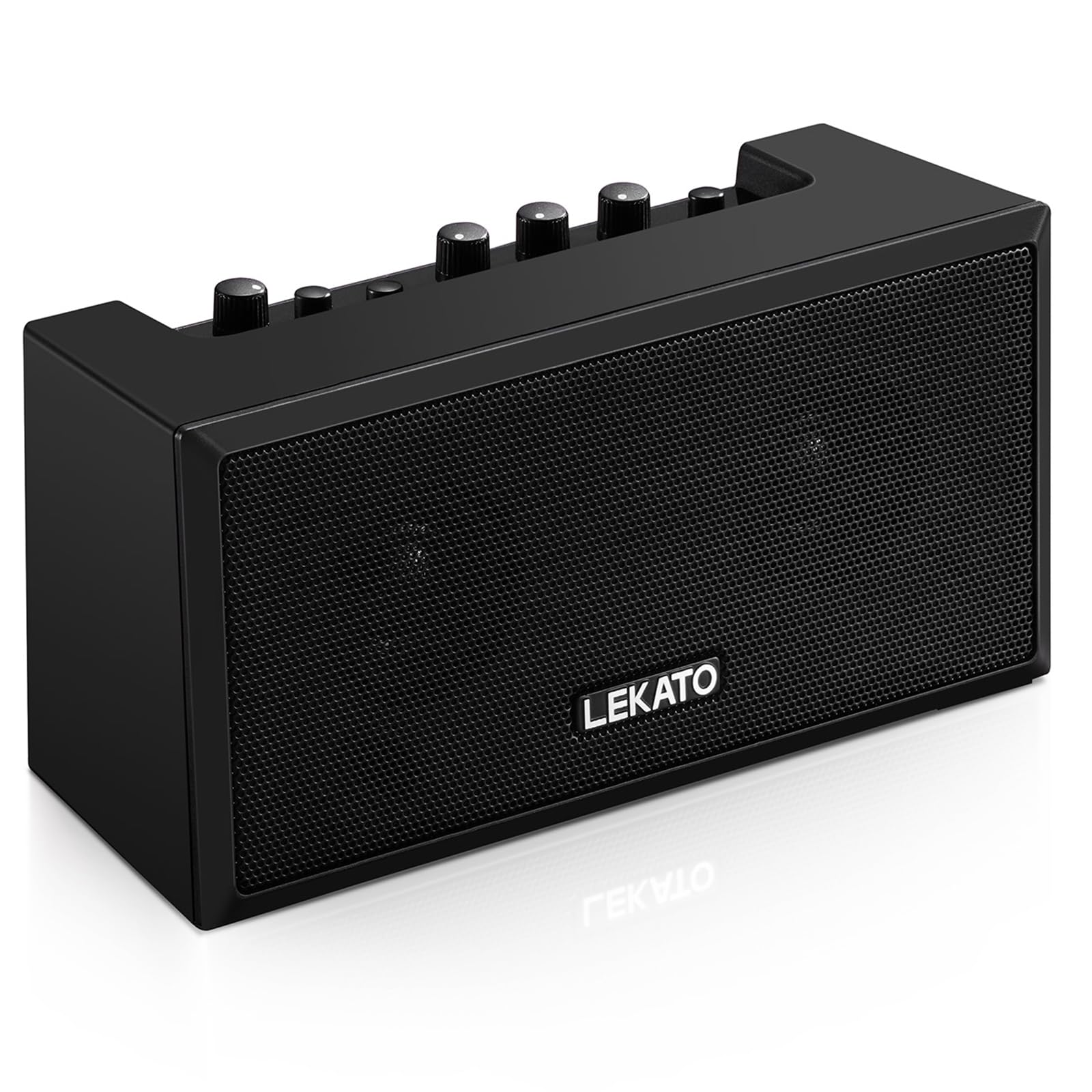
ຮູບ 1: ດ້ານຫນ້າ view of the LEKATO GA-02 Guitar Ampມີຊີວິດຊີວາ.
2. ຄຸນນະສົມບັດທີ່ສໍາຄັນ
- ຊ່ອງໂທນຄູ່: Easily switch between Clean and Overdrive effects with a single button.
- ກະທັດຮັດ ແລະ ແບບພົກພາ: 5W dual speakers in a mini size, ideal for practice anywhere.
- ການເຊື່ອມຕໍ່ Bluetooth 5.0: Connect wirelessly to your smartphone or other devices for accompaniment.
- ການໂຕ້ຕອບອຸດົມສົມບູນ: Includes 1/8" Aux input, 1/8" stereo headphone output, and 6.35mm instrument input.
- ແບັດເຕີຣີທີ່ສາມາດສາກໄດ້: Built-in 3.7V/2000mA battery provides up to 6 hours of playtime on a single charge, rechargeable via Type-C USB.
3. ການຕິດຕັ້ງ ແລະການເຊື່ອມຕໍ່
3.1 ການສາກໄຟ Ampມີຊີວິດຊີວາ
ກ່ອນການນຳໃຊ້ຄັ້ງທຳອິດ, ໃຫ້ສາກໄຟໃຫ້ເຕັມ amplifier. Connect the included Type-C USB cable to the DC 5V charging port on the rear panel of the amplifier and to a standard USB power source (e.g., wall adapter, computer USB port).

Figure 2: Type-C USB charging port on the rear panel.
ການສາກເຕັມໃຫ້ເວລາຫຼິ້ນປະມານ 6 ຊົ່ວໂມງ.
3.2 Controls and Interfaces Overview

Figure 3: Front panel controls (top) and rear panel interfaces (bottom) of the ampມີຊີວິດຊີວາ.
ແຜງຄວບຄຸມດ້ານໜ້າ:
- B.T./AUX VOL: Adjusts the volume for Bluetooth and Aux input.
- B.T. Button: ເປີດ/ປິດໂໝດຈັບຄູ່ Bluetooth.
- OVERDRIVE Button: Toggles between Clean and Overdrive channels.
- ປຸ່ມເພີ່ມ: Adjusts the input sensitivity and distortion level (primarily for Overdrive channel).
- ປຸ່ມໂທນ: Adjusts the tonal characteristics (treble/bass balance).
- ປຸ່ມລະດັບສຽງ: Adjusts the overall output volume of the guitar signal.
- ປຸ່ມພະລັງງານ: ຫັນ ampຊີວິດເປີດຫຼືປິດ.
ການໂຕ້ຕອບແຜງດ້ານຫຼັງ:
- INPUT (6.35mm Jack): Connect your electric guitar or bass.
- AUX (1/8" Jack): Connect external audio sources like smartphones or CD players.
- Headphone Output (1/8" Stereo Jack): ເຊື່ອມຕໍ່ຫູຟັງເພື່ອປະຕິບັດການງຽບ.
- DC 5V (Type-C Port): ການປ້ອນຂໍ້ມູນພະລັງງານສໍາລັບການສາກໄຟ.
3.3 ການເຊື່ອມຕໍ່ເຄື່ອງມືຂອງທ່ານ
Insert your instrument cable (6.35mm jack) into the ປ້ອນຂໍ້ມູນ port on the rear of the ampມີຊີວິດຊີວາ.
3.4 ການເຊື່ອມຕໍ່ Bluetooth
- ເປີດ amplifier ການນໍາໃຊ້ ພະລັງງານ ປຸ່ມ.
- ກົດ B.T. button on the front panel. The Bluetooth indicator light will flash, indicating pairing mode.
- On your smartphone or Bluetooth-enabled device, search for "TOP-GT" in the Bluetooth settings.
- Select "TOP-GT" to pair. Once connected, the Bluetooth indicator light will remain solid.
- Adjust the Bluetooth/Aux volume using the B.T./AUX VOL ລູກບິດ.

Figure 4: Bluetooth pairing process with a mobile device.
3.5 Aux Input Connection
Connect an external audio source (e.g., MP3 player, computer) to the AUX input jack on the rear panel using a 1/8" (3.5mm) stereo audio cable. Adjust the volume using the B.T./AUX VOL ລູກບິດ.
3.6 ການເຊື່ອມຕໍ່ຫູຟັງ
ສໍາລັບການປະຕິບັດແບບງຽບ, ເຊື່ອມຕໍ່ຫູຟັງຂອງທ່ານໃສ່ ອອກຫູຟັງ jack on the rear panel. This will mute the amplifier's internal speakers.
4. ຄໍາແນະນໍາການດໍາເນີນງານ
4.1 ເປີດ/ປິດ
ກົດ ພະລັງງານ ປຸ່ມເພື່ອຫັນ ampຊີວິດເປີດຫຼືປິດ.
4.2 Selecting Tone Channels
ໄດ້ amplifier features two tone channels: Clean and Overdrive.
- ກົດ ຫຼາຍເກີນໄປ button to switch between the Clean and Overdrive channels.
- When the Overdrive channel is active, the corresponding indicator light will illuminate.
- ສະອາດ: Provides a pure instrument tone.
- Overdrive: Produces a distorted rock sound.

Figure 5: Pressing the OVERDRIVE button to switch channels.
4.3 ການປັບສຽງ
- ໄດ້ຮັບ: Rotate the GAIN knob to adjust the input signal level. Higher gain settings will increase distortion, especially in Overdrive mode.
- ໂທນ: Use the TONE knob to shape the amplifier's frequency response, making the sound brighter or warmer.
- ກຳ ມະບານ: Adjust the overall output volume of your instrument using the VOLUME knob.
5. ບໍາລຸງຮັກສາ
- ທໍາຄວາມສະອາດ: ເຊັດ amplifier ກັບຜ້າອ່ອນ, ແຫ້ງ. ຢ່າໃຊ້ເຄື່ອງເຮັດຄວາມສະອາດຂອງແຫຼວຫຼືວັດສະດຸຂັດ.
- ການເກັບຮັກສາ: ເກັບຮັກສາໄວ້ amplifier ໃນບ່ອນທີ່ເຢັນ, ແຫ້ງແລ້ງຫ່າງຈາກແສງແດດໂດຍກົງແລະອຸນຫະພູມທີ່ຮ້າຍໄປ.
- ການດູແລຫມໍ້ໄຟ: For optimal battery life, avoid fully discharging the battery frequently. Charge the amplifier regularly, even if not in use for extended periods.
- ການຈັດການ: ຫຼີກລ່ຽງການຖິ້ມ ຫຼື ຕຳ amplifier ກັບຜົນກະທົບທີ່ເຂັ້ມແຂງ.
6. ການແກ້ໄຂບັນຫາ
| ບັນຫາ | ສາເຫດທີ່ເປັນໄປໄດ້ | ການແກ້ໄຂ |
|---|---|---|
| ບໍ່ມີສຽງຈາກ ampມີຊີວິດຊີວາ. |
|
|
| Bluetooth ບໍ່ເຊື່ອມຕໍ່. |
|
|
| Sound is distorted (not desired). |
|
|
| ອາຍຸແບັດເຕີຣີສັ້ນ. |
|
|
7. ຂໍ້ມູນຈໍາເພາະ
| ຄຸນສົມບັດ | ລາຍລະອຽດ |
|---|---|
| ຕົວແບບ | GA-02 |
| ຜົນຜະລິດວັດtage | 5 ວັດ |
| ຊ່ອງ | ສະອາດ, ເກີນຄວາມໄວ |
| ການເຊື່ອມຕໍ່ | Bluetooth 5.0 |
| ວັດສະດຸປ້ອນ | 6.35mm Instrument Jack, 3.5mm Aux Input |
| ຜົນໄດ້ຮັບ | ຜົນຜະລິດຫູຟັງຂະ ໜາດ 3.5mm |
| ແຫຼ່ງພະລັງງານ | ສາກແບັດເຕີຣີ (ສາມາດສາກໄດ້) |
| ປະເພດຫມໍ້ໄຟ | 3.7V/2000mA Lithium Polymer (included) |
| ພອດສາກໄຟ | Type-C USB (DC 5V) |
| Approx. Playtime | 6 ຊົ່ວໂມງ |
| ຂະໜາດສິນຄ້າ | 2.76"D x 4.53"W x 3.23"H (7 x 11.5 x 8.2 cm) |
| ນ້ໍາຫນັກລາຍການ | 1.23 ປອນ (0.56 ກິໂລ) |

Figure 6: Dimensions of the LEKATO GA-02 Ampມີຊີວິດຊີວາ.
8. ການຮັບປະກັນແລະການສະຫນັບສະຫນູນ
LEKATO products are designed for reliability and performance. For warranty information or technical support, please refer to the warranty card included with your product or visit the official LEKATO webເວັບໄຊ. ນອກນັ້ນທ່ານຍັງສາມາດຕິດຕໍ່ຮ້ານຂາຍຍ່ອຍຂອງທ່ານເພື່ອຂໍຄວາມຊ່ວຍເຫຼືອ.
For more information about LEKATO products, visit the LEKATO Brand Store.
9. ວິດີໂອສາທິດຜະລິດຕະພັນ
Video 1: Official product demonstration of the LEKATO GA-02 Guitar Amplifier, showcasing ຄຸນສົມບັດ ແລະ ຄວາມສາມາດດ້ານສຽງຂອງມັນ.


