1. ບົດແນະນຳ
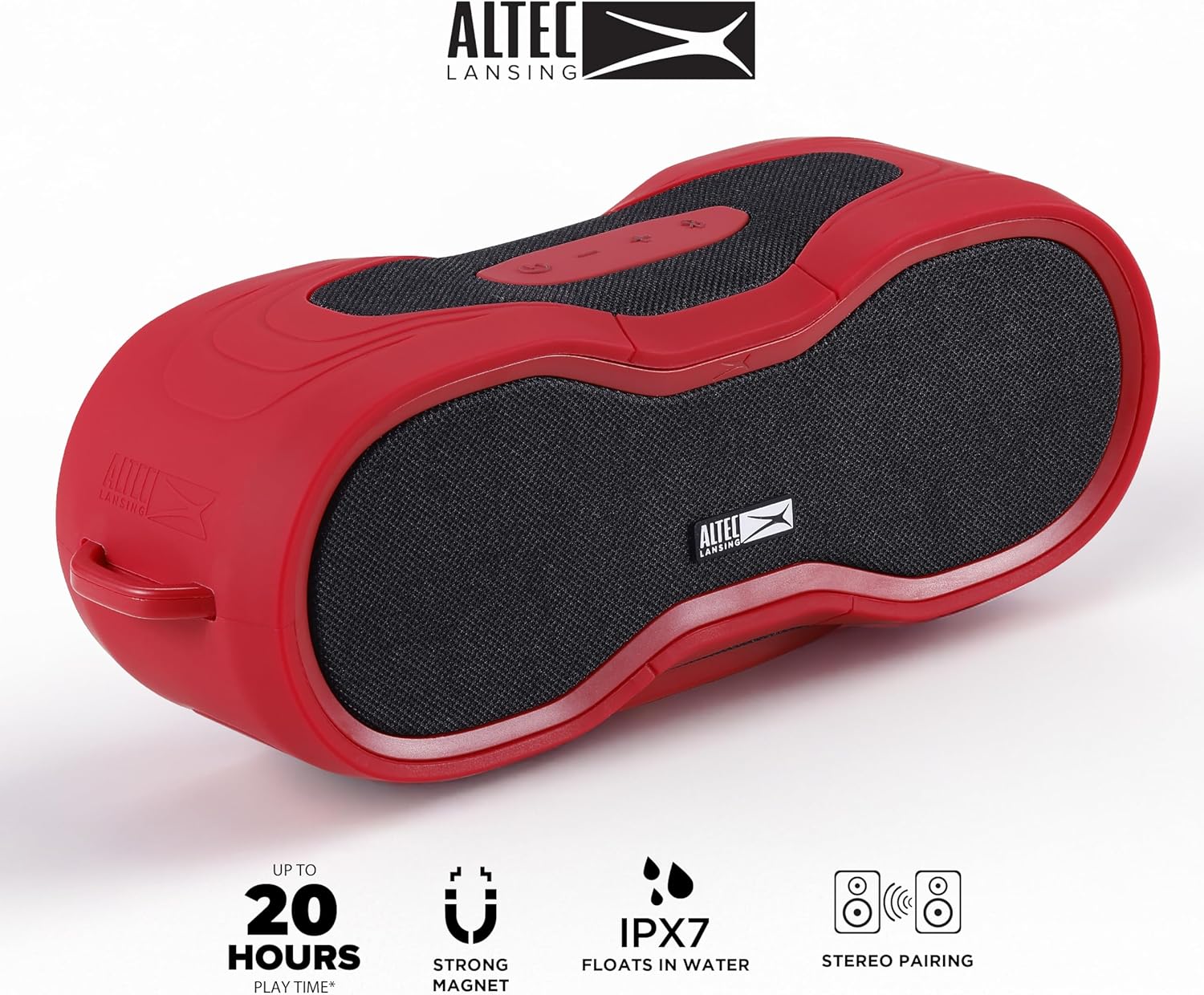
This manual provides essential instructions for the safe and efficient operation of your Altec Lansing BoomJacket XL Wireless Bluetooth Speaker. Please read this manual thoroughly before using the product and retain it for future reference. The BoomJacket XL is a rugged, waterproof, and portable speaker designed for various indoor and outdoor activities, offering extended playtime and versatile mounting options.
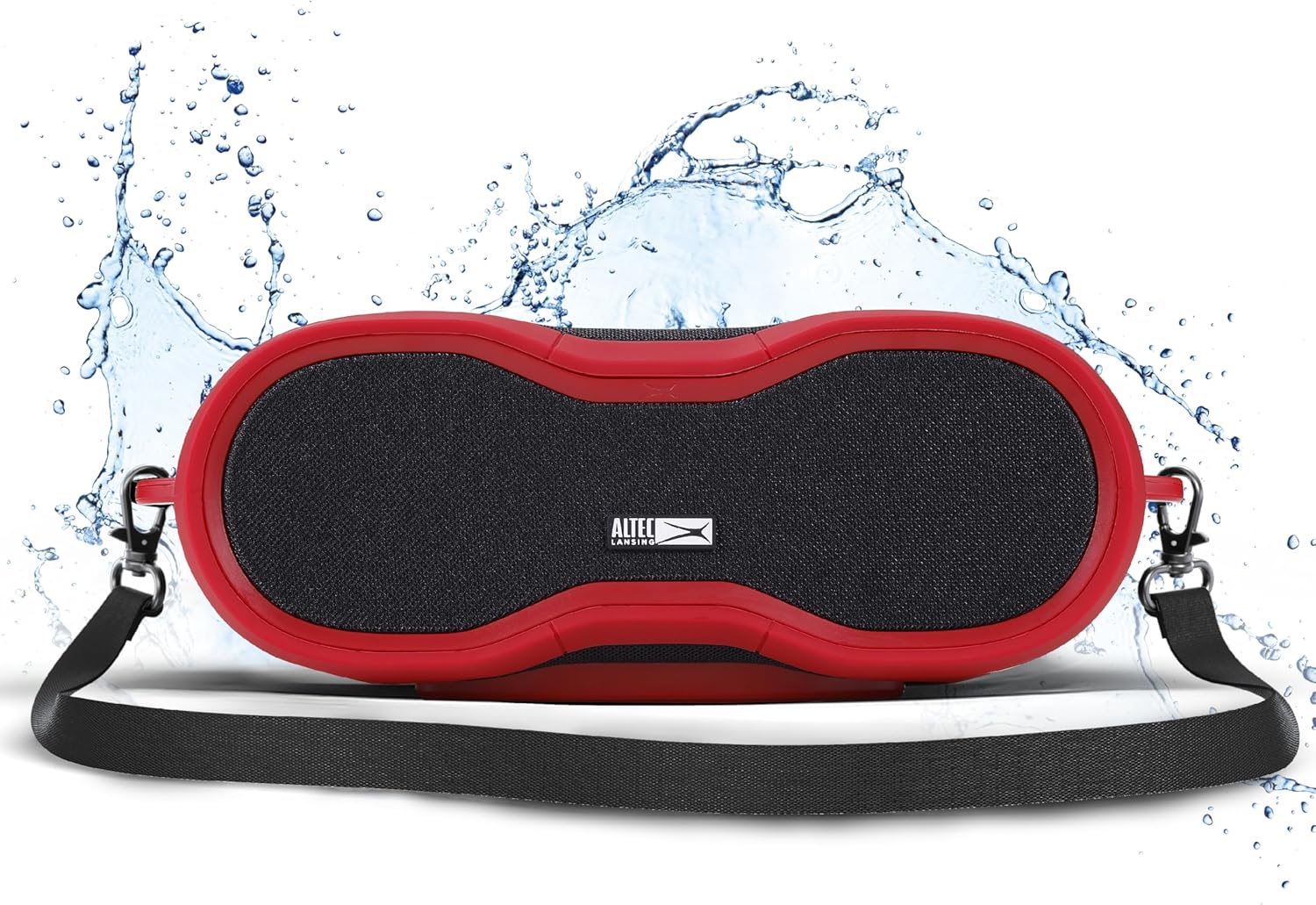
The Altec Lansing BoomJacket XL Wireless Bluetooth Speaker, showcasing its rugged design and included carrying strap, with water splashes indicating its waterproof capabilities.
2. ເນື້ອໃນຊຸດ
- Altec Lansing BoomJacket XL Wireless Bluetooth Speaker
- ສາຍໄຟ
- ຄລິບ Carabiner
- ຄູ່ມືການສອນ
3. ຜະລິດຕະພັນເກີນview
ຄຸ້ນເຄີຍກັບການຄວບຄຸມ ແລະ ຄຸນສົມບັດຕ່າງໆຂອງລຳໂພງ.

ເທິງ view of the Altec Lansing BoomJacket XL speaker, highlighting the control buttons for power, volume up, and volume down.
ປຸ່ມຄວບຄຸມ:
- ປຸ່ມເປີດປິດ: ກົດຄ້າງໄວ້ເພື່ອເປີດ ຫຼືປິດລຳໂພງ.
- ປຸ່ມເພີ່ມສຽງ: ກົດເພື່ອເພີ່ມປະລິມານ.
- ປຸ່ມປະລິມານລົງ: ກົດເພື່ອຫຼຸດລະດັບສຽງລົງ.
- ປຸ່ມຫຼິ້ນ/ຢຸດຊົ່ວຄາວ: ກົດເພື່ອຫຼິ້ນ ຫຼືຢຸດສຽງ.
4. ຕັ້ງຄ່າ
4.1 ກຳລັງສາກລຳໂພງ
- ເຊື່ອມຕໍ່ສາຍໄຟທີ່ໃຫ້ມາກັບຜອດສາກໄຟຢູ່ລຳໂພງ.
- Plug the other end of the cable into a compatible USB power adapter (not included) or a powered USB port.
- ໄຟສະແດງການສາກຈະສະຫວ່າງຂຶ້ນ. ລໍຖ້າປະມານ 3-4 ຊົ່ວໂມງເພື່ອໃຫ້ສາກໄຟເຕັມ.
- ການສາກເຕັມໃຫ້ເວລາຫຼິ້ນໄດ້ເຖິງ 24 ຊົ່ວໂມງ.
4.2 ເປີດ/ປິດ
- ເພື່ອເປີດເຄື່ອງ: Press and hold the Power button until you hear an audible tone and the indicator light turns on.
- ປິດເຄື່ອງ: Press and hold the Power button until you hear an audible tone and the indicator light turns off.
4.3 ການຈັບຄູ່ Bluetooth
- ກວດໃຫ້ແນ່ໃຈວ່າເປີດລຳໂພງ ແລະຢູ່ໃນໂໝດຈັບຄູ່ (ໄຟສະແດງ Bluetooth ຈະກະພິບ).
- ໃນອຸປະກອນມືຖືຂອງທ່ານ (ໂທລະສັບສະຫຼາດ, ແທັບເລັດ, ແລັບທັອບ), ໃຫ້ໄປທີ່ການຕັ້ງຄ່າ Bluetooth.
- ຊອກຫາ available devices and select "BoomJacket XL" from the list.
- ເມື່ອເຊື່ອມຕໍ່ແລ້ວ, ໄຟສັນຍານ Bluetooth ໃນລຳໂພງຈະສະຫວ່າງຂຶ້ນ, ແລະ ທ່ານຈະໄດ້ຍິນສຽງຢືນຢັນ.
- ລຳໂພງມີລະດັບການເຊື່ອມຕໍ່ Bluetooth ໄດ້ໄກເຖິງ 100 ຟຸດ.
4.4 True Wireless Stereo (TWS) ການຈັບຄູ່
To connect two BoomJacket XL speakers for a stereo sound experience:
- Ensure both BoomJacket XL speakers are powered on and not connected to any other Bluetooth device.
- On one speaker (this will be your primary speaker), press and hold the Bluetooth button (if available, otherwise refer to specific model instructions for TWS pairing).
- The primary speaker will search for the secondary speaker. Once connected, you will hear a confirmation tone, and the indicator lights on both speakers will change to indicate TWS connection.
- ຕອນນີ້, ເຊື່ອມຕໍ່ອຸປະກອນມືຖືຂອງທ່ານກັບລຳໂພງຫຼັກຜ່ານ Bluetooth ຕາມທີ່ໄດ້ອະທິບາຍໄວ້ໃນພາກ 4.3.
5. ຄໍາແນະນໍາການດໍາເນີນງານ
5.1 ການຫຼິ້ນສຽງພື້ນຖານ
- ຫຼິ້ນ/ຢຸດ: ກົດປຸ່ມຫຼິ້ນ/ຢຸດຊົ່ວຄາວໜຶ່ງຄັ້ງ.
- ການປັບລະດັບສຽງ: Use the Volume Up (+) and Volume Down (-) buttons on the speaker or your connected device.
5.2 ຕົວເລືອກການຕິດຕັ້ງ
The BoomJacket XL offers versatile mounting capabilities:
- ພູແມ່ເຫຼັກ: The speaker features an integrated magnet, allowing it to securely attach to most metal surfaces.

The Altec Lansing BoomJacket XL speaker magnetically attached to a metal pole, demonstrating its magnetic mountability feature.
- ຄລິບ Carabiner: Use the included carabiner clip to attach the speaker to backpacks, belts, or other loops for easy transport.
- Built-in Speaker Mount: The speaker includes a built-in mount point for compatibility with various accessories, such as bicycle mounts or tripods.

The Altec Lansing BoomJacket XL speaker mounted on a bicycle handlebar, illustrating its versatile mounting options for outdoor activities.
6. ບໍາລຸງຮັກສາ
6.1 ການທໍາຄວາມສະອາດ
As an IPX7 rated waterproof speaker, the BoomJacket XL can be rinsed with fresh water if it gets dirty. Do not use harsh chemicals or abrasive cleaners. Ensure all ports are securely closed before cleaning or exposing to water.
The Altec Lansing BoomJacket XL speaker resting on a sandy beach, emphasizing its waterproof and rugged design suitable for various environments.
6.2 ການເກັບຮັກສາ
Store the speaker in a cool, dry place away from direct sunlight and extreme temperatures. For prolonged storage, ensure the battery is partially charged (around 50%) to maintain battery health.
7. ການແກ້ໄຂບັນຫາ
- ບໍ່ມີພະລັງງານ: Ensure the speaker is fully charged. Connect to a power source and try again.
- ບໍ່ສາມາດຈັບຄູ່ Bluetooth: Make sure the speaker is in pairing mode and within 100 feet of your device. Forget the device from your phone's Bluetooth list and try pairing again.
- ບໍ່ມີສຽງ: ກວດເບິ່ງລະດັບສຽງໃນທັງລຳໂພງ ແລະອຸປະກອນທີ່ເຊື່ອມຕໍ່ຂອງທ່ານ. ຮັບປະກັນວ່າລຳໂພງຖືກຈັບຄູ່ຢ່າງຖືກຕ້ອງ.
- ຄຸນະພາບສຽງບໍ່ດີ: Move the speaker closer to your device to reduce interference. Ensure there are no obstructions between the speaker and your device.
- ບັນຫາການຈັບຄູ່ TWS: Ensure both speakers are powered on and not connected to any other device before attempting TWS pairing.
8. ຂໍ້ມູນຈໍາເພາະ
| ຄຸນສົມບັດ | ຂໍ້ມູນຈໍາເພາະ |
|---|---|
| ຊື່ຕົວແບບ | BoomJacket XL |
| ໝາຍເລກຕົວແບບ | IMW5200 |
| ປະເພດລຳໂພງ | ລຳໂພງ Bluetooth ແບບພົກພາ |
| ເຕັກໂນໂລຊີການເຊື່ອມຕໍ່ | Bluetooth |
| ເຕັກໂນໂລຊີການສື່ສານໄຮ້ສາຍ | Bluetooth |
| ຊ່ວງ Bluetooth | 100 ຟຸດ |
| ການປະເມີນກັນນ້ໍາ | IPX7 |
| ເວລາຫຼິ້ນ | ສູງສຸດ 24 ຊົ່ວໂມງ |
| ລຳໂພງກຳລັງຜົນຜະລິດສູງສຸດ | 50 ວັດ |
| ຮູບແບບການອອກສຽງ | ສະເຕຣິໂອ |
| ຂະໜາດສິນຄ້າ | 5"D x 11"W x 5.25"H |
| ນ້ໍາຫນັກລາຍການ | 4.5 ປອນ |
| ອົງປະກອບລວມ | ສາຍໄຟ |
| UPC | 021331131645 |
9. ການຮັບປະກັນແລະການສະຫນັບສະຫນູນ
The Altec Lansing BoomJacket XL Wireless Bluetooth Speaker comes with an extended warranty. For detailed warranty information, product support, or service inquiries, please visit the official Altec Lansing webເວັບໄຊ ຫຼືຕິດຕໍ່ພະແນກບໍລິການລູກຄ້າຂອງເຂົາເຈົ້າ. ຮັກສາໃບຮັບເງິນການຊື້ຂອງທ່ານໄວ້ເປັນຫຼັກຖານການຊື້ສໍາລັບການຮ້ອງຂໍການຮັບປະກັນ.
ສະຫນັບສະຫນູນອອນໄລນ໌: www.alteclansing.com/support


