1. ຜະລິດຕະພັນເກີນview
The WIITHINK Cassette Tape Player Recorder Boombox is a versatile audio device combining vintage appeal with modern functionality. It allows you to enjoy classic cassette tapes, listen to AM/FM/SW radio, stream music via Bluetooth, and play/record audio to USB drives and SD cards. Its portable design and dual power options make it suitable for various environments.
ຄຸນນະສົມບັດທີ່ສໍາຄັນ:
- ເຄື່ອງຫຼິ້ນ ແລະ ເຄື່ອງບັນທຶກສຽງເທບ: Play your favorite cassette tapes and record audio from the built-in microphone, external sources, or radio directly to cassette.
- ການເຊື່ອມຕໍ່ Bluetooth: ຖ່າຍທອດສຽງແບບໄຮ້ສາຍຈາກໂທລະສັບສະຫຼາດ, ແທັບເລັດ ຫຼື ອຸປະກອນອື່ນໆທີ່ເປີດໃຊ້ Bluetooth ຂອງທ່ານ.
- USB/SD Player & Recorder: Play MP3, WAV, AAC, WMA files from USB flash drives and SD cards. Easily convert cassette audio to MP3 format on USB/SD.
- AM/FM/SW Radio: Enjoy a wide range of radio stations with excellent reception thanks to the long antenna and DSP upgrade chip.
- Premium 10W Sound: Equipped with dual 5W speakers for clear, powerful, and full sound quality.
- AC/DC Dual Power Supply: Operates on AC power (adapter included) or battery power (batteries not included) for true portability.
- Jack ຫູຟັງ 3.5 ມມ: ສໍາລັບການຟັງສ່ວນຕົວ.
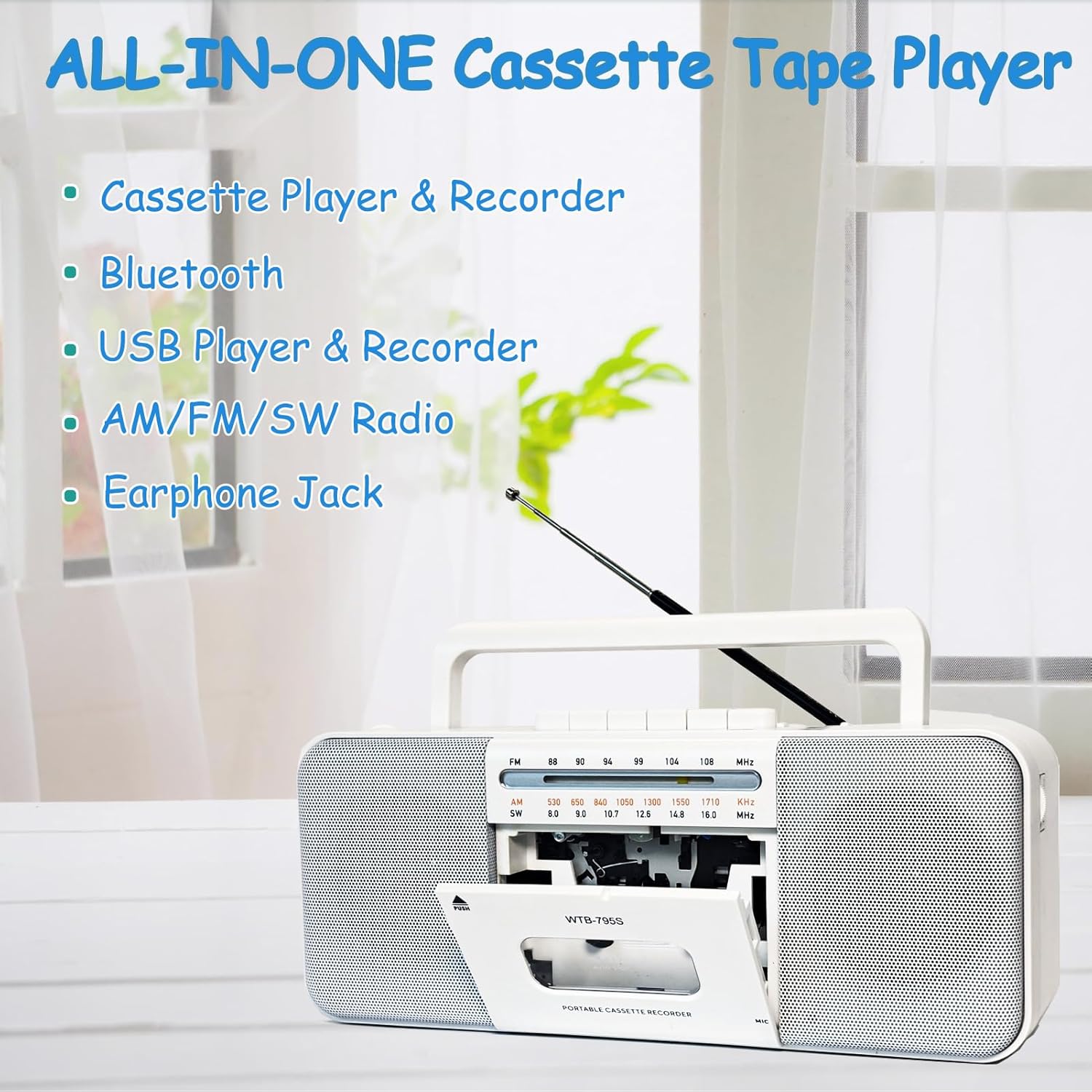
Image: The WIITHINK boombox highlighting its all-in-one capabilities including cassette, Bluetooth, USB, radio, and earphone jack.
2. ຄູ່ມືການຕິດຕັ້ງ
2.1 ການເປີດເຄື່ອງ
Your WIITHINK boombox can be powered by either AC electricity or batteries.
- ໄຟຟ້າ AC: Connect the included AC power cable to the AC input jack on the back of the unit and plug the other end into a standard wall outlet.
- ພະລັງງານຫມໍ້ໄຟ: For portable use, open the battery compartment on the back. Insert 4 x D-cell batteries (not included) or 2 x 18650 button-top rechargeable lithium-ion batteries (not included). Ensure correct polarity (+/-). Flat-top 18650 batteries are not compatible.

ຮູບພາບ: ດ້ານຫລັງ view of the boombox illustrating its dimensions and the battery compartments for D-cell and 18650 batteries, along with the AC power input.

Image: A detailed diagram showing the battery types (D-cell and 18650 button-top) and the AC power connection for the boombox.
3. ຄໍາແນະນໍາການດໍາເນີນງານ
3.1 ການຫຼິ້ນ ແລະການບັນທຶກສຽງ Cassette
- ການຫຼິ້ນເທບຄາເຊັດ: Press the 'PUSH' button to open the cassette door. Insert a cassette tape with the open edge facing upwards. Close the door. Select 'TAPE' mode using the function switch. Press the 'PLAY' button to begin playback. Use 'STOP', 'FF' (Fast Forward), and 'REW' (Rewind) buttons as needed.
- To Record to Cassette:
- From Built-in Microphone: Insert a blank cassette. Select 'TAPE' mode. Press the 'RECORD' button (red button) along with 'PLAY' simultaneously. The unit will start recording from its internal microphone.
- From Radio: Tune to your desired radio station. Insert a blank cassette. Press 'RECORD' and 'PLAY' simultaneously. The radio broadcast will be recorded onto the cassette.
- From External Source (e.g., AUX-in): Connect an external audio device to the AUX-in port (if available, refer to specifications). Select 'AUX' mode. Insert a blank cassette. Press 'RECORD' and 'PLAY' simultaneously. Play audio from your external device.
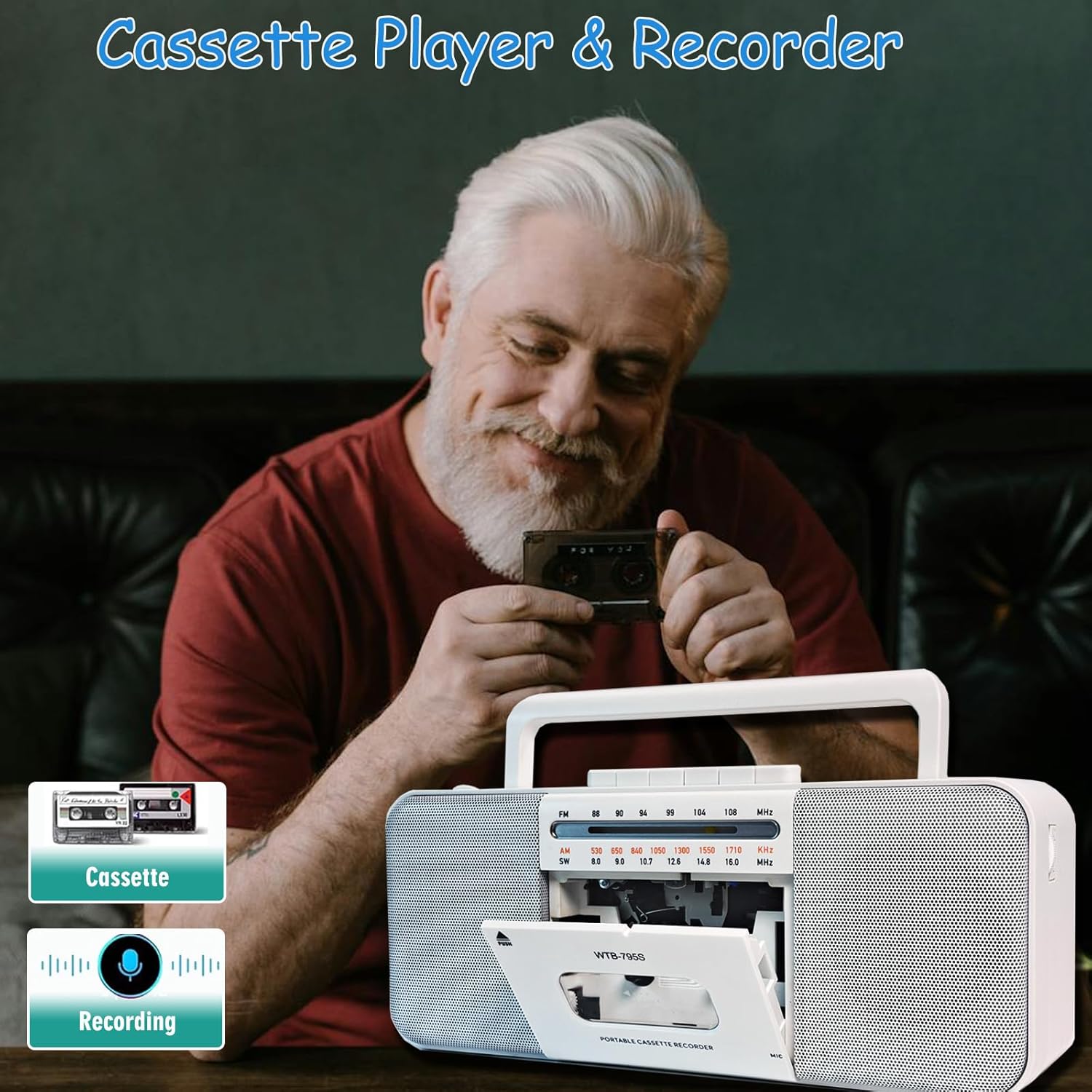
Image: A person holding a cassette tape, with the WIITHINK boombox in the foreground showing its open cassette compartment, ready for tape insertion.
3.2 AM/FM/SW Radio
- ຂະຫຍາຍເສົາອາກາດແບບຍືດຫົດເພື່ອໃຫ້ຮັບສັນຍານໄດ້ດີທີ່ສຸດ.
- Set the function switch to 'RADIO'.
- Select the desired band: AM, FM, or SW (Shortwave) using the band selector switch.
- Rotate the 'TUNING' knob to find your desired radio station.

Image: An elderly man smiling while the WIITHINK boombox with its extended antenna is visible on a table, indicating its radio functionality.
3.3 ການເຊື່ອມຕໍ່ Bluetooth
- Set the function switch to 'BT' (Bluetooth) mode. The unit will enter pairing mode, indicated by an audible prompt or flashing indicator.
- ໃນອຸປະກອນທີ່ເປີດໃຊ້ Bluetooth ຂອງທ່ານ (ໂທລະສັບສະຫຼາດ, ແທັບເລັດ, ແລະອື່ນໆ), ເປີດໃຊ້ Bluetooth ແລະຄົ້ນຫາອຸປະກອນທີ່ມີຢູ່.
- Select 'WIITHINK' or a similar name from the list of devices.
- Once paired, you will hear a confirmation sound. You can now play audio from your device through the boombox.

Image: The WIITHINK boombox on a table, with a hand holding a smartphone displaying a music player interface, illustrating Bluetooth music streaming.
3.4 USB/SD Playback and Recording
- To Play from USB/SD: Insert a USB flash drive into the USB port or an SD card into the SD card slot. Set the function switch to 'USB/SD' mode. The unit will automatically detect and begin playing compatible audio files (MP3, WAV, AAC, WMA).
- To Record to USB/SD (MP3 Conversion):
- Insert a USB flash drive or SD card.
- Select the source you wish to record from (Cassette, Radio, or Microphone).
- Press and hold the 'RECORD' button on the MP3 player section. The unit will start recording the audio source directly to the USB/SD card in MP3 format.
- Recordings are typically saved in a directory named 'AB_REC' with filenames like AUX00xx.MP3 (for external/cassette/radio) or MIC00xx.MP3 (for microphone).

Image: The WIITHINK boombox on a wooden surface, with a USB flash drive inserted into its port, demonstrating its USB playback and recording capability.

Image: A diagram illustrating various recording options: Tape to USB, USB to Tape, and Radio to Tape, highlighting the versatility of the boombox's recording functions.
3.5 ການໃຊ້ຫູຟັງ
To enjoy private listening, plug your 3.5mm headphones into the headphone jack located on the unit. The internal speakers will automatically mute when headphones are connected.

Image: A young woman wearing headphones, smiling and looking upwards, with the WIITHINK boombox visible on a table, demonstrating the use of the earphone jack for personal listening.
4. ບໍາລຸງຮັກສາ
- ທໍາຄວາມສະອາດ: ໃຊ້ຜ້າປຽກແຫ້ງເພື່ອເຮັດຄວາມສະອາດດ້ານນອກຂອງເຄື່ອງ. ຢ່າໃຊ້ເຄື່ອງເຮັດຄວາມສະອາດຂັດຫຼືສານລະລາຍ.
- ທໍາຄວາມສະອາດຫົວ Cassette: Regularly clean the cassette tape heads, pinch roller, and capstan with a cotton swab lightly dampປະກອບດ້ວຍເຫຼົ້າ isopropyl ເພື່ອຮັບປະກັນຄຸນນະພາບສຽງທີ່ດີທີ່ສຸດແລະປ້ອງກັນຄວາມເສຍຫາຍຂອງ tape.
- ການເກັບຮັກສາ: ເມື່ອບໍ່ໄດ້ໃຊ້ເປັນເວລາດົນ, ໃຫ້ຖອດແບດເຕີລີ່ອອກ ແລະ ເກັບຮັກສາເຄື່ອງໄວ້ໃນບ່ອນເຢັນ, ແຫ້ງແລ້ງ ຫ່າງຈາກແສງແດດໂດຍກົງ ແລະ ອຸນຫະພູມທີ່ຮ້າຍກາດ.
5. ການແກ້ໄຂບັນຫາ
| ບັນຫາ | ສາເຫດທີ່ເປັນໄປໄດ້ | ການແກ້ໄຂ |
|---|---|---|
| ບໍ່ມີພະລັງງານ | AC cable not connected properly; Batteries drained or inserted incorrectly. | ກວດສອບການເຊື່ອມຕໍ່ສາຍໄຟ AC; ປ່ຽນແບັດເຕີຣີ ຫຼື ຮັບປະກັນວ່າຂົ້ວຖືກຕ້ອງ. |
| ການຮັບວິທະຍຸທີ່ບໍ່ດີ | ເສົາອາກາດບໍ່ໄດ້ຂະຫຍາຍ; ພື້ນທີ່ສັນຍານອ່ອນ. | ຂະຫຍາຍເສົາອາກາດ telescopic ຢ່າງເຕັມສ່ວນ; ປັບຕຳແໜ່ງໜ່ວຍຄືນໃໝ່ເພື່ອໃຫ້ສັນຍານທີ່ດີຂຶ້ນ. |
| ການຫຼິ້ນ Cassette ບິດເບືອນ ຫຼື muffled | Tape heads are dirty; Worn out tape. | Clean tape heads, pinch roller, and capstan; Try a different tape. |
| Bluetooth ບໍ່ໄດ້ຈັບຄູ່ | Unit not in pairing mode; Device too far; Already paired with another device. | ໃຫ້ແນ່ໃຈວ່າເຄື່ອງຢູ່ໃນໂໝດ BT; ຍ້າຍອຸປະກອນໃຫ້ໃກ້ຂຶ້ນ; ຕັດການເຊື່ອມຕໍ່ຈາກອຸປະກອນອື່ນ. |
| USB/SD ບໍ່ຫຼິ້ນ | ບໍ່ຖືກຕ້ອງ file ຟໍແມັດ; ບັດ USB/SD ບໍ່ໄດ້ໃສ່ຢ່າງຖືກຕ້ອງ ຫຼື ເສຍຫາຍ. | ຮັບປະກັນ files are compatible (MP3, WAV, AAC, WMA); Reinsert USB/SD; Try a different card/drive. |
| ຄຸນນະພາບການບັນທຶກບໍ່ດີ | Source volume too low; Dirty tape heads (for cassette recording); Microphone too far from source. | Increase source volume; Clean tape heads; Position microphone closer to sound source. |
6. ຂໍ້ກໍານົດດ້ານວິຊາການ
| ຄຸນສົມບັດ | ຂໍ້ມູນຈໍາເພາະ |
|---|---|
| ຍີ່ຫໍ້ | ບໍ່ຄິດ |
| ໝາຍເລກຕົວແບບ | WTB-795S-Black |
| ສີ | ສີຂາວ |
| ເຕັກໂນໂລຊີການເຊື່ອມຕໍ່ | Bluetooth, USB |
| ອຸປະກອນທີ່ເຂົ້າກັນໄດ້ | ເຄື່ອງຫຼິ້ນ MP3, ໂທລະສັບສະຫຼາດ |
| ຮູບແບບສຽງທີ່ຮອງຮັບ | Cassette, MP3, WAV, AAC, WMA |
| ປະເພດລຳໂພງ | ສະເຕຣິໂອ |
| ວັດtage | 10 watts (2 x 5W) |
| ການຕັ້ງຄ່າຊ່ອງສຽງຂອງລຳໂພງ | 2.0 |
| ແຫຼ່ງພະລັງງານ | ໄຟຟ້າສາຍ / ຫມໍ້ໄຟພະລັງງານ |
| ຂະໜາດສິນຄ້າ (L x W x H) | 27.94 x 12.7 x 5.08 ຊມ (10.99 x 5 x 2 ນິ້ວ) |
| ນ້ໍາຫນັກລາຍການ | 1.51 ກິໂລ (3.33 ປອນ) |
| ຕ້ອງໃຊ້ແບັດເຕີຣີ | No (for AC operation); Yes (for battery operation - 4x D-cell or 2x 18650 button-top) |
7. ການຮັບປະກັນແລະການສະຫນັບສະຫນູນ
This product comes with a standard manufacturer's warranty. For specific warranty details, duration, and terms, please refer to the documentation included with your purchase or visit the official WIITHINK webເວັບໄຊ.
If you encounter any issues or require technical assistance, please contact WIITHINK customer support through their official channels. You can typically find contact information on the product packaging, the WIITHINK brand store on Amazon, or their official webເວັບໄຊ.
WIITHINK Store Link: https://www.amazon.ca/stores/WIITHINKCDPlayer/page/58D472AC-5AC0-4762-9B43-106A71731F34


