1. ບົດແນະນຳ
ຂອບໃຈສໍາລັບການຊື້asing the Retekess V112 AM FM Pocket Radio. This compact digital radio is designed for portable listening, offering both AM and FM bands with a clear LCD display and rechargeable battery. Please read this manual carefully to ensure proper use and optimal performance of your device.
2. ຄຸນລັກສະນະຂອງຜະລິດຕະພັນ
- Miniature size and lightweight design for easy portability.
- AM/FM 2-band stereo radio reception.
- Digital LCD display for frequency and status indication.
- Automatic and manual station search and storage.
- Up to 58 preset stations (29 AM / 29 FM).
- 31-level volume control.
- ແບດເຕີລີ່ lithium ທີ່ສາມາດສາກໄດ້ໃນຕົວ.
- Sleep timer function (90, 60, 30, 15 minutes).
- Key lock function to prevent accidental operation.
- Stereo earphone output for personal listening.
3. ເນື້ອໃນຊຸດ
ກະລຸນາກວດເບິ່ງຊຸດສຳລັບລາຍການຕໍ່ໄປນີ້:
- 1 × Retekess V112 AM FM Pocket Radio
- 1 × Owner's Manual
- 1 × Hand Strap/Lanyard
- 1 Cable ສາຍສາກ USB
- 1 × ຫູຟັງ

Image: The package includes the Retekess V112 radio, owner's manual, hand strap, USB charging cable, and earphones.
4. ແຜນວາດຜະລິດຕະພັນ ແລະ ການຄວບຄຸມ
Familiarize yourself with the radio's buttons and display for easy operation.
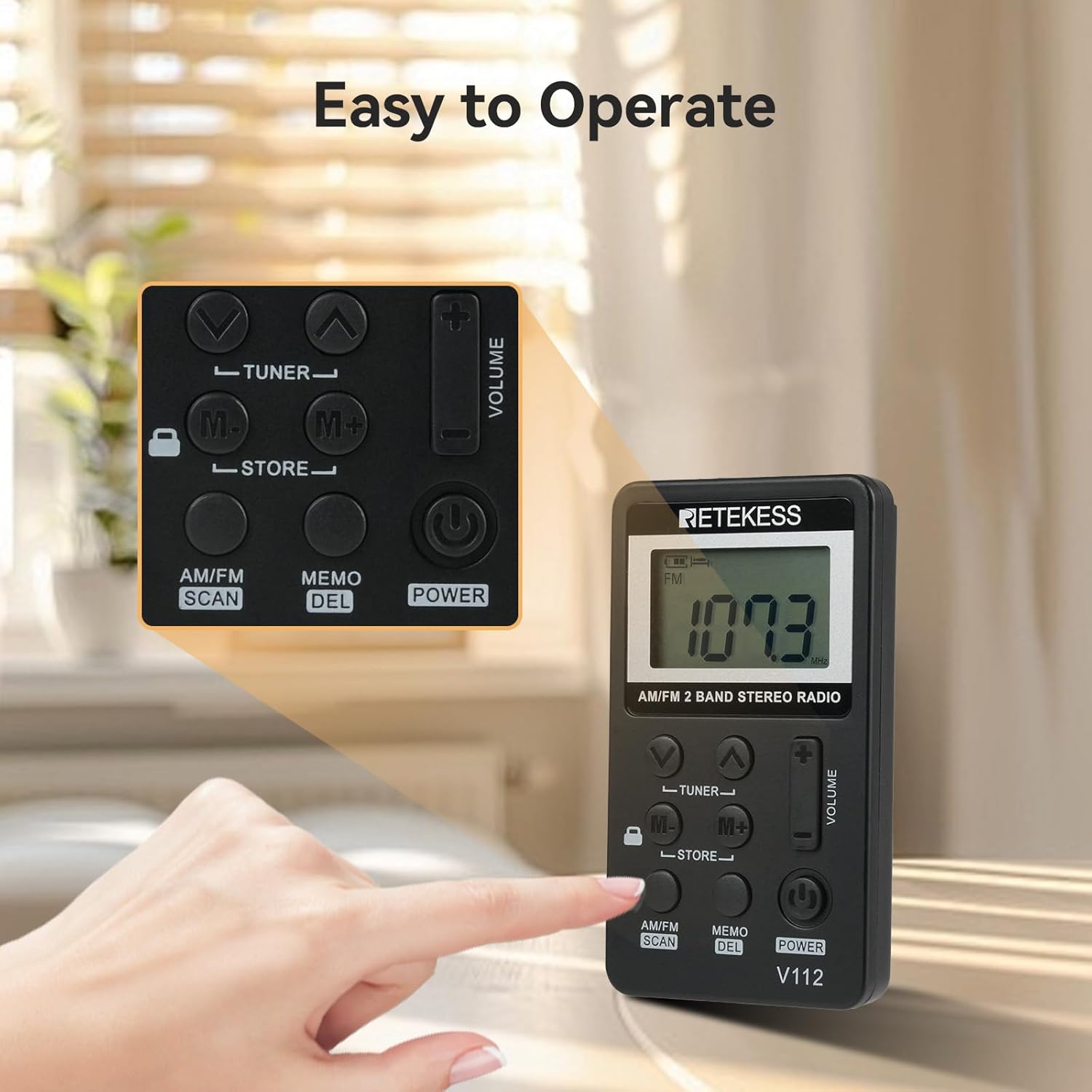
ຮູບພາບ: A close-up view of the Retekess V112 radio, highlighting the control buttons and LCD screen.
4.1. ແຜງຄວບຄຸມດ້ານໜ້າ
- ປຸ່ມພະລັງງານ: Press to turn the radio on or off.
- AM/FM SCAN Button: Press to switch between AM and FM bands. Long press to initiate automatic station scanning and storage.
- MEMO/DEL Button: Press to store a station. Long press to delete a stored station.
- TUNER ▲/▼ Buttons: Press to manually tune the frequency up or down.
- M+/M- Buttons: Press to navigate through preset stations.
- VOLUME +/− Buttons: ປັບລະດັບສຽງຟັງ.
- ສະວິດລັອກ: Slide to lock or unlock the buttons.
4.2. ຈໍ LCD

ຮູບພາບ: A ລາຍລະອຽດ view of the radio's LCD display, showing frequency and other indicators.
The LCD display shows the current frequency, battery level, AM/FM band indicator, stereo indicator (for FM), and sleep timer status.
5. ຕັ້ງຄ່າ
5.1. ການສາກແບັດເຕີຣີ
The radio is equipped with a built-in rechargeable lithium battery. Before first use, fully charge the radio.
- Connect the supplied USB charging cable to the radio's charging port.
- ເຊື່ອມຕໍ່ອີກສົ້ນຂອງສາຍ USB ກັບອະແດັບເຕີໄຟ USB (ບໍ່ລວມ) ຫຼືພອດ USB ຂອງຄອມພິວເຕີ.
- The battery indicator on the LCD will show charging status. It typically takes about 1.5 hours for a full charge.
- ເມື່ອສາກເຕັມແລ້ວ, ໃຫ້ຖອດສາຍສາກອອກ.
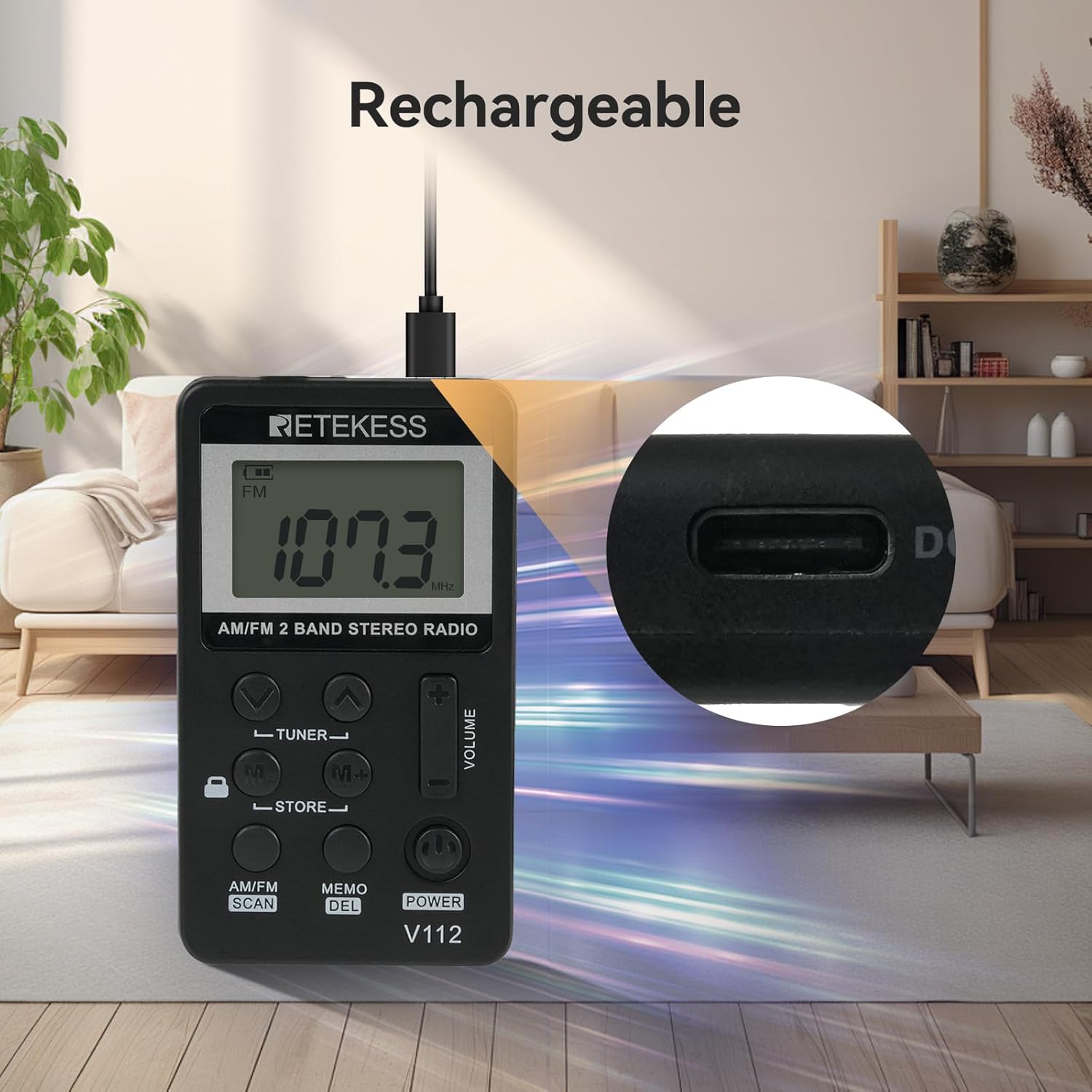
Image: The Retekess V112 radio being charged via its USB port, with a close-up of the charging port.
5.2. ການເຊື່ອມຕໍ່ຫູຟັງ
The earphones serve as the FM antenna. For optimal reception, ensure the earphones are fully plugged into the 3.5mm jack.
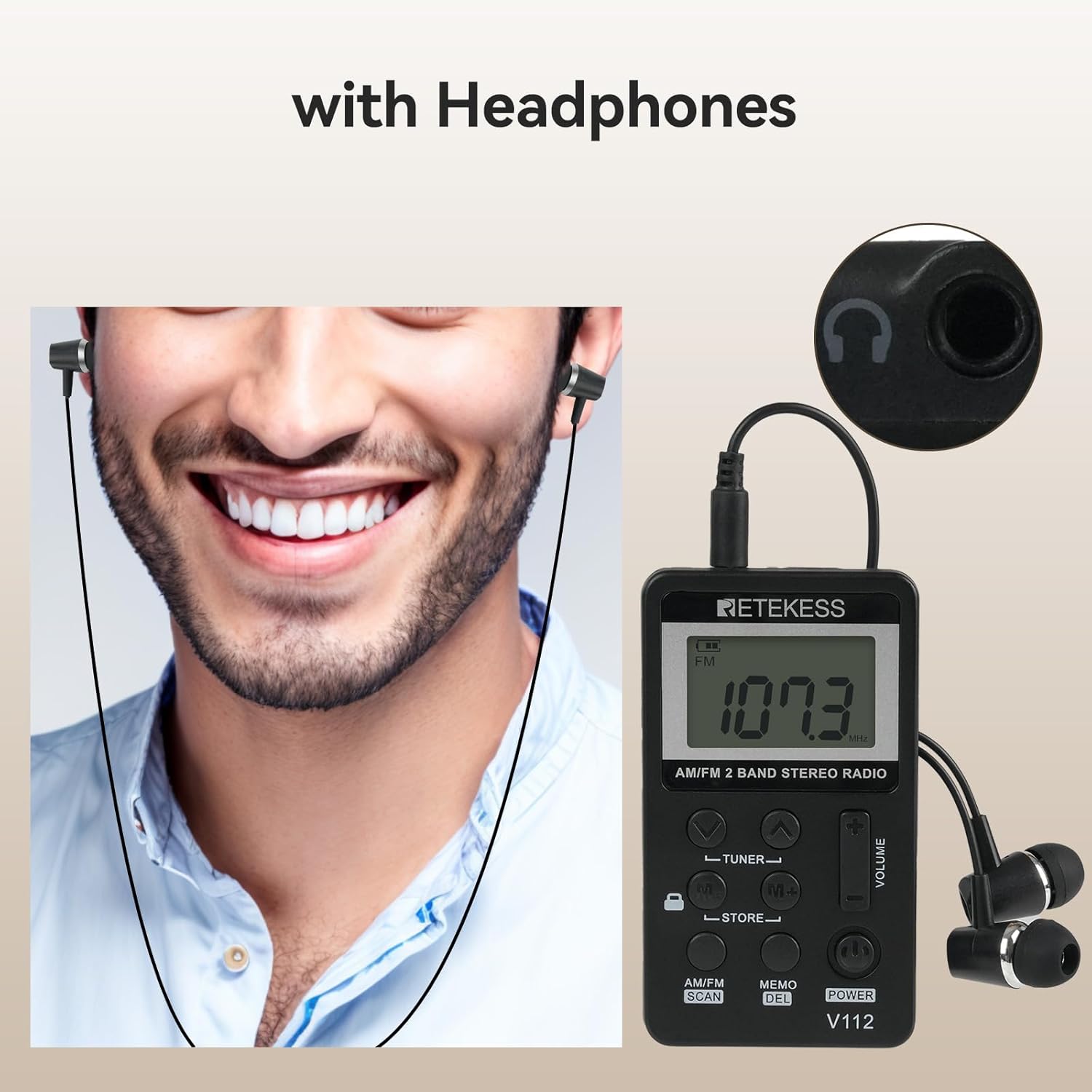
Image: A person wearing earphones connected to the Retekess V112 radio, illustrating the use of earphones for listening and as an antenna.
6. ການດໍາເນີນງານພື້ນຖານ
6.1. ເປີດ/ປິດ
ກົດ ພະລັງງານ ເພື່ອເປີດວິທະຍຸ. ກົດມັນອີກຄັ້ງເພື່ອປິດວິທະຍຸ.
6.2. ການປັບລະດັບສຽງ
ກົດ ປະລິມານ + ເພື່ອເພີ່ມລະດັບສຽງ. ກົດປຸ່ມ ປະລິມານ − button to decrease the volume. The volume level is displayed on the LCD.
6.3. ການເລືອກແຖບ (AM/FM)
ກົດ AM/FM SCAN button to switch between AM and FM radio bands. The selected band will be indicated on the LCD.

Image: The Retekess V112 radio displaying an FM frequency, with visual arcs representing various broadcast categories like news, music, and sports.
6.4. Tuning Stations
ສະແກນ ແລະເກັບຮັກສາອັດຕະໂນມັດ:
- ກົດຄ້າງໄວ້ AM/FM SCAN button. The radio will automatically scan for available stations and store them into presets.
- The scanning process will stop once all available stations are found and stored.

Image: The Retekess V112 radio with an overlay highlighting the 'AM/FM SCAN' and 'STORE' buttons, indicating the automatic search and storage function.
ຄູ່ມືການປບັຄູ່ມື:
ກົດ TUNER ▲ or TUNER ▼ ປຸ່ມເພື່ອປັບຄວາມຖີ່ຂອງຂັ້ນຕອນດ້ວຍຕົນເອງ.
6.5. Preset Stations (Store/Recall)
ການເກັບຮັກສາສະຖານີ:
- Tune to the desired station using manual tuning or automatic scan.
- ກົດ MEMO/DEL button once. The preset number will flash on the display.
- ໃຊ້ M+/M- buttons to select the desired preset memory location.
- ກົດ MEMO/DEL button again to confirm and store the station.
ການເອີ້ນຄືນສະຖານີທີ່ເກັບໄວ້:
ກົດ M+ or M- ເພື່ອໝຸນວຽນຜ່ານສະຖານີທີ່ຕັ້ງໄວ້ລ່ວງໜ້າ.
6.6. ຟັງຊັນລັອກກະແຈ
ເລື່ອນໄດ້ ລັອກ switch (located on the side or front, depending on model revision) to the lock position to disable all buttons. This prevents accidental changes to settings or power-off when carrying the radio. Slide it back to unlock.

Image: The Retekess V112 radio with a highlighted lock icon, indicating the key lock function to prevent unintended button presses.
6.7. ເຄື່ອງຈັບເວລານອນ
The radio features an automatic power-off function. If it does not work, it will turn off automatically after 90 minutes. This is a protection function. If you can turn on the radio again and keep listening, it means the battery is not the issue.
7. ບໍາລຸງຮັກສາ
- ເຮັດຄວາມສະອາດວິທະຍຸດ້ວຍຜ້າອ່ອນ, ແຫ້ງ. ຢ່າໃຊ້ເຄື່ອງເຮັດຄວາມສະອາດຂັດຫຼືສານລະລາຍ.
- Avoid exposing the radio to extreme temperatures, direct sunlight, dust, or moisture.
- ຢ່າພະຍາຍາມຖອດປະກອບ ຫຼືດັດແປງວິທະຍຸ, ເພາະຈະເຮັດໃຫ້ການຮັບປະກັນເປັນໂມຄະ ແລະອາດເຮັດໃຫ້ເກີດຄວາມເສຍຫາຍໄດ້.
- If the radio will not be used for an extended period, charge it periodically to maintain battery health.
8. ການແກ້ໄຂບັນຫາ
| ບັນຫາ | ສາເຫດທີ່ເປັນໄປໄດ້ | ການແກ້ໄຂ |
|---|---|---|
| No power/Radio won't turn on | ແບັດເຕີຣີໝົດ. | ສາກວິທະຍຸໂດຍໃຊ້ສາຍ USB ທີ່ສະໜອງໃຫ້. |
| ການຕ້ອນຮັບບໍ່ດີ / ຄົງທີ່ | Earphones not fully plugged in or acting as antenna. Weak signal in current location. | Ensure earphones are fully inserted. Adjust earphone cable position. Try moving to a different location. |
| ປຸ່ມບໍ່ຕອບສະໜອງ | ຟັງຊັນລັອກກະແຈຖືກເປີດໃຊ້. | Slide the LOCK switch to the unlock position. |
| ບໍ່ສາມາດເກັບຮັກສາຄ່າທີ່ຕັ້ງໄວ້ລ່ວງໜ້າໄດ້ | ຂັ້ນຕອນທີ່ບໍ່ຖືກຕ້ອງ. | Follow the 'Storing a Station' steps carefully (Section 6.5). Press MEMO once, select slot, then press MEMO again. |
| Volume too loud at lowest setting | This is the minimum volume level for the device. | Consider using different earphones with lower sensitivity if needed for very quiet environments. |
9. ຂໍ້ມູນຈໍາເພາະ
| ຄຸນສົມບັດ | ຂໍ້ມູນຈໍາເພາະ |
|---|---|
| ຂະໜາດສິນຄ້າ | 1.89 x 0.5 x 3.37 ນິ້ວ (48 x 13 x 85 ມມ) |
| ນ້ໍາຫນັກລາຍການ | 4.2 ອອນສ໌ (120g) |
| ໝາຍເລກຕົວແບບ | V112 |
| ໝໍ້ໄຟ | 1 Rechargeable 9V battery (included) |
| ເຕັກໂນໂລຊີການເຊື່ອມຕໍ່ | ຕົວຊ່ວຍ (ຊ່ອງສຽບຫູຟັງ 3.5 ມມ) |
| ເທກໂນໂລຍີ Tuner | AM FM |
| ແຫຼ່ງພະລັງງານ | ພະລັງງານຫມໍ້ໄຟ |
| ແຖບວິທະຍຸສະຫນັບສະຫນູນ | AM/FM |
10. ຂໍ້ມູນຄວາມປອດໄພ
- ຢ່າໃຫ້ວິທະຍຸຖືກນໍ້າ ຫຼື ຄວາມຊຸ່ມຫຼາຍເກີນໄປ.
- ຫຼີກລ້ຽງການຫຼຸດລົງຫຼືຖືກວິທະຍຸໄດ້ຮັບຜົນກະທົບທີ່ເຂັ້ມແຂງ.
- Do not use the radio in environments with high temperatures or near flammable materials.
- ເພື່ອປ້ອງກັນຄວາມເສຍຫາຍຂອງການໄດ້ຍິນ, ຫຼີກເວັ້ນການຟັງໃນລະດັບສຽງສູງສໍາລັບໄລຍະເວລາທີ່ຍາວນານ.
- ກຳຈັດແບັດເຕີຣີຕາມລະບຽບການຂອງທ້ອງຖິ່ນ. ຫ້າມກຳຈັດແບັດເຕີຣີໃສ່ໄຟ.
11. ການຮັບປະກັນແລະການສະຫນັບສະຫນູນ
Retekess products are designed for reliability and performance. For warranty information or technical support, please refer to the contact details provided with your purchase or visit the official Retekess webເວັບໄຊ. ກະລຸນາຮັກສາຫຼັກຖານການຊື້ຂອງທ່ານສໍາລັບການຮຽກຮ້ອງການຮັບປະກັນ.