1. ຜະລິດຕະພັນເກີນview
The BESTHERM ILLO CONNECT 2000W is a Wi-Fi connected ceramic dry inertia electric radiator designed for efficient and homogeneous heating of indoor spaces. It features a ceramic heating core that provides lasting warmth even after the unit is switched off. This radiator offers smart control options via mobile applications and includes various energy-saving modes.
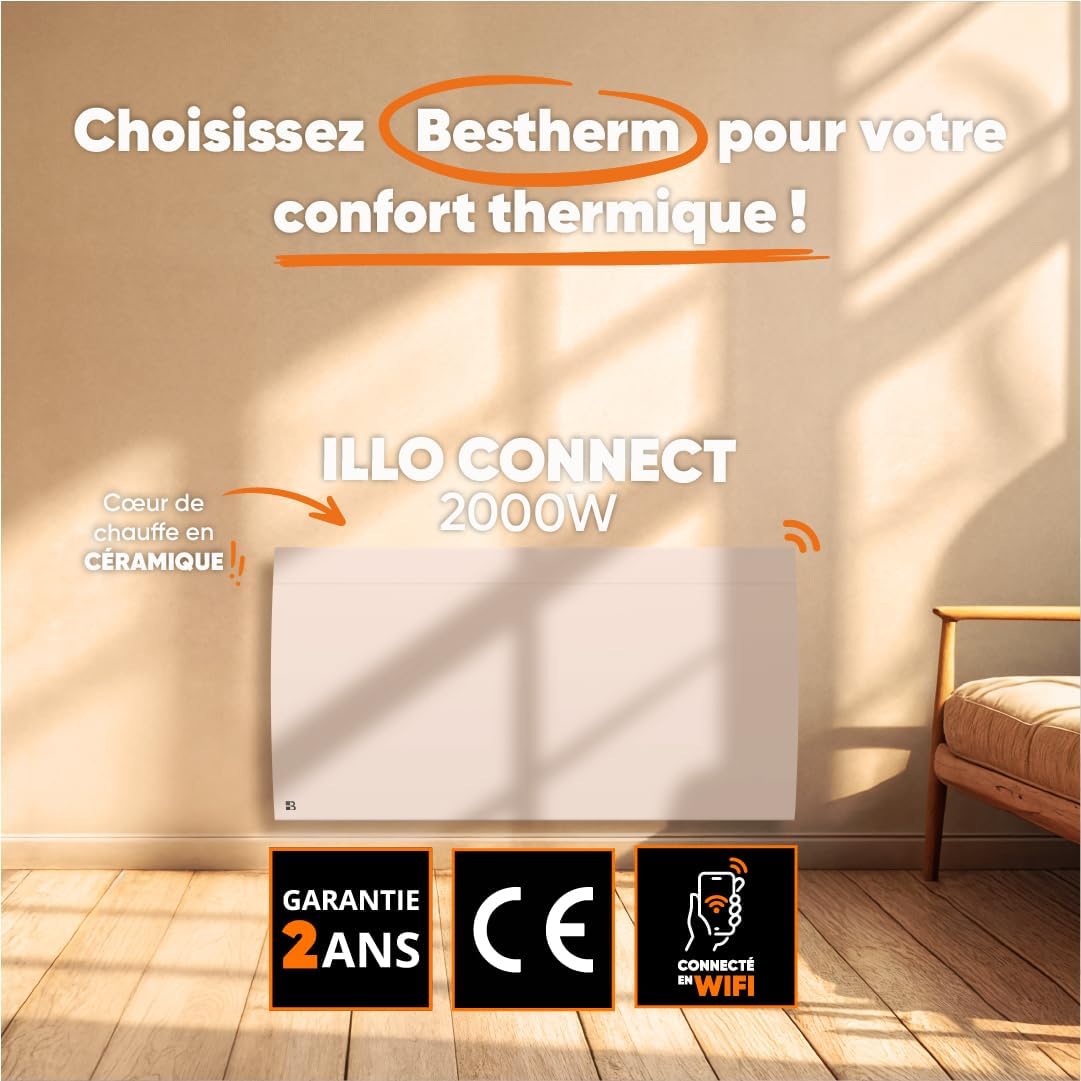
ຮູບພາບ 1.1: ດ້ານຫນ້າ view of the BESTHERM ILLO CONNECT 2000W electric radiator.
2. ຂໍ້ມູນຄວາມປອດໄພ
ກະລຸນາອ່ານຄຳແນະນຳດ້ານຄວາມປອດໄພທັງໝົດຢ່າງລະອຽດກ່ອນການຕິດຕັ້ງ ແລະ ການນຳໃຊ້. ເກັບຄູ່ມືນີ້ໄວ້ເພື່ອອ້າງອີງໃນອະນາຄົດ.
- ຄວາມປອດໄພທາງໄຟຟ້າ: Ensure the power supply matches the radiator's requirements. Do not operate with a damaged cord or plug. Avoid overloading electrical circuits.
- ການຈັດວາງ: Install the radiator on a stable, flat surface or securely wall-mount it. Maintain adequate clearance from combustible materials (curtains, furniture). Do not cover the radiator.
- ເດັກນ້ອຍ ແລະຜູ້ດ້ອຍໂອກາດ: ເຄື່ອງໃຊ້ນີ້ສາມາດໃຊ້ໄດ້ກັບເດັກນ້ອຍອາຍຸ 8 ປີຂຶ້ນໄປ ແລະ ຜູ້ທີ່ມີຄວາມສາມາດທາງຮ່າງກາຍ, ຄວາມຮູ້ສຶກ ຫຼື ຈິດໃຈຫຼຸດລົງ ຫຼື ຂາດປະສົບການ ແລະ ຄວາມຮູ້ ຖ້າພວກເຂົາໄດ້ຮັບການຊີ້ນຳ ຫຼື ຄຳແນະນຳກ່ຽວກັບການນຳໃຊ້ເຄື່ອງດັ່ງກ່າວຢ່າງປອດໄພ ແລະ ເຂົ້າໃຈເຖິງອັນຕະລາຍທີ່ກ່ຽວຂ້ອງ. . ເດັກນ້ອຍບໍ່ຄວນຫຼີ້ນກັບເຄື່ອງໃຊ້. ການທໍາຄວາມສະອາດແລະການບໍາລຸງຮັກສາຜູ້ໃຊ້ຈະຕ້ອງບໍ່ເຮັດໂດຍເດັກນ້ອຍໂດຍບໍ່ມີການຊີ້ນໍາ.
- ການປ້ອງກັນຄວາມຮ້ອນເກີນ: The radiator is equipped with an overheat protection system. If it overheats, it will automatically shut off. Unplug the unit and allow it to cool before restarting.
- ທໍາຄວາມສະອາດ: Always unplug the radiator before cleaning. Use a soft, damp ຜ້າ. ຫ້າມໃຊ້ເຄື່ອງເຮັດຄວາມສະອາດຂັດຫຼືຈຸ່ມຫົວໜ່ວຍໃນນ້ຳ.
- ໃຊ້ພາຍໃນເຮືອນເທົ່ານັ້ນ: This appliance is designed for indoor use only. Do not use outdoors or in wet environments.
3. ເນື້ອໃນຊຸດ
ກວດສອບວ່າອົງປະກອບທັງໝົດມີຢູ່ໃນຊຸດ:
- BESTHERM ILLO CONNECT 2000W Electric Radiator
- Wall mounting kit (brackets, screws, anchors)
- ຄູ່ມືຜູ້ໃຊ້
4. ຄຸນລັກສະນະຂອງຜະລິດຕະພັນ
- Ceramic Dry Inertia Heating Core: Provides homogeneous and long-lasting heat distribution.
- ການເຊື່ອມຕໍ່ Wi-Fi: Remote control via Tuya or Smart Life mobile applications.
- Smart Energy Savings: Customizable weekly programming, 6 Pilot Wire modes, and 4 operating modes.
- ການອອກແບບທີ່ສະຫງ່າງາມ: Discreet finish with an integrated LCD screen.
- ປັບປຸງຄວາມປອດໄພ: Electronic thermostat, parental lock, and overheat protection.

Image 4.1: Detail of the ceramic heating core, highlighting its efficient design.
5. ການຕິດຕັ້ງ
The BESTHERM ILLO CONNECT 2000W radiator is designed for wall mounting. Ensure you have the appropriate tools and follow local electrical codes.
5.1. ການເລືອກສະຖານທີ່
- Select a wall location away from direct drafts, windows, and doors for optimal performance.
- Ensure there is sufficient clearance around the radiator (minimum 15 cm from the floor, 30 cm from the ceiling, and 20 cm from sides).
- The wall must be capable of supporting the radiator's weight (approximately 11.1 kg).
5.2. Mounting the Radiator
- Mark the desired mounting points on the wall using the provided template or by measuring the bracket positions on the back of the radiator.
- Drill holes at the marked points and insert the wall anchors.
- Secure the mounting brackets to the wall using the screws.
- Carefully lift the radiator and hook it onto the installed wall brackets. Ensure it is securely seated.
- Connect the radiator to a suitable electrical outlet.

ຮູບພາບ 5.1: ກັບຄືນໄປບ່ອນ view of the radiator, showing mounting points for wall installation.
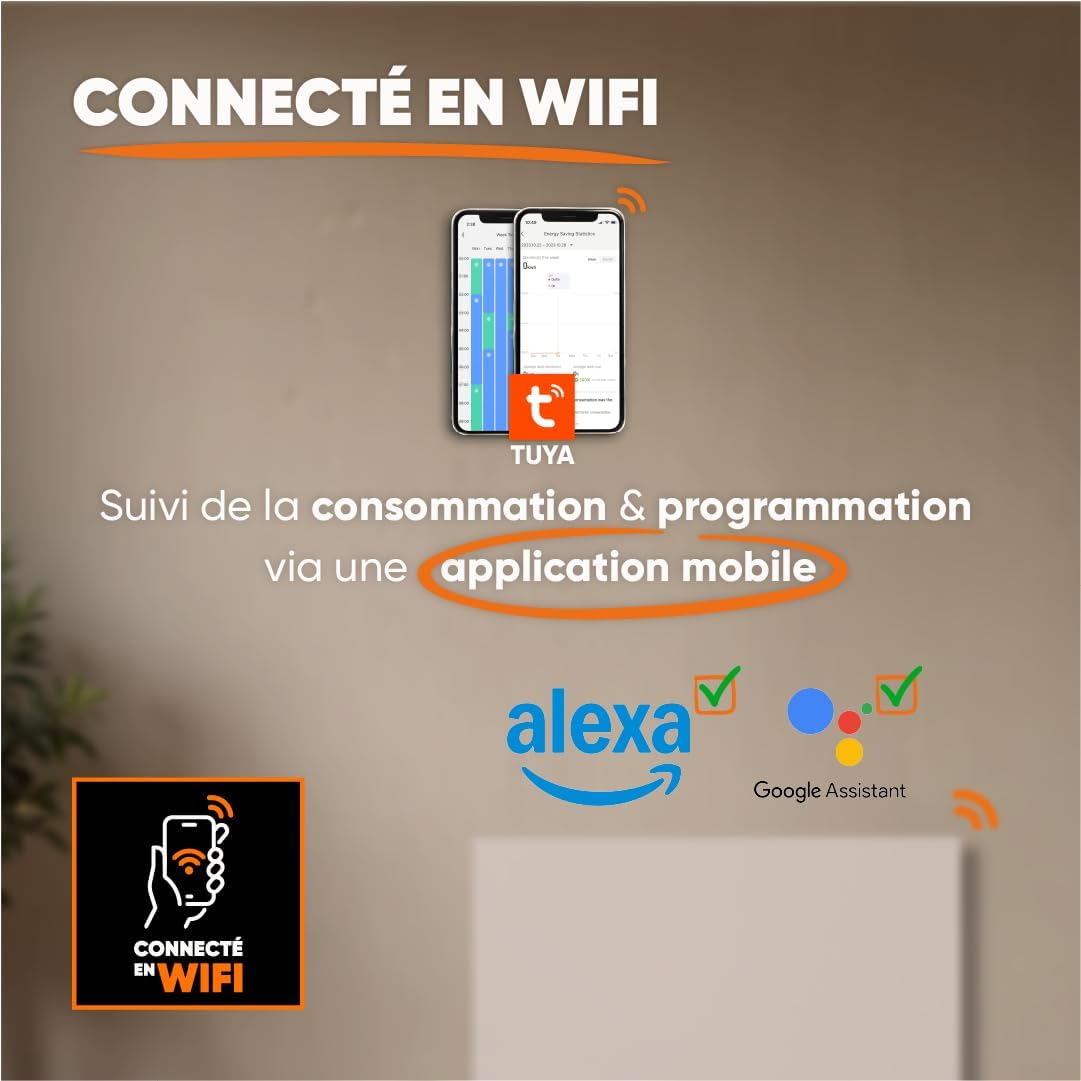
Image 5.2: Radiator dimensions (85 cm width, 45 cm height, 11 cm depth) and weight (11.1 kg).
For detailed visual instructions on installation and programming, scan the QR code below or visit the BESTHERM YouTube channel:

Image 5.3: Scan this QR code to access installation and programming videos.
Video resources: BESTHERM YouTube Channel
6. ຕັ້ງຄ່າ
6.1. Initial Power-on
After installation, plug the radiator into a grounded electrical outlet. The LCD screen will illuminate, indicating the unit is powered on. Follow the on-screen prompts for initial setup, such as setting the current time and date.
6.2. ການເຊື່ອມຕໍ່ Wi-Fi
The ILLO CONNECT 2000W radiator can be controlled remotely via a mobile application. This requires a 2.4 GHz Wi-Fi network.
- ດາວນ໌ໂຫລດ Tuya Smart or ຊີວິດທີ່ສະຫຼາດ ແອັບພລິເຄຊັນຈາກຮ້ານແອັບໃນໂທລະສັບສະຫຼາດຂອງທ່ານ (ມີໃຫ້ສຳລັບ iOS ແລະ Android).
- ລົງທະບຽນ ຫຼື ເຂົ້າສູ່ລະບົບບັນຊີຂອງທ່ານພາຍໃນແອັບພລິເຄຊັນ.
- Ensure your radiator is powered on and in pairing mode (refer to the radiator's display for specific instructions, usually indicated by a blinking Wi-Fi icon).
- In the app, tap '+' to add a new device. Select 'Heater' or 'Radiator' from the device list.
- Follow the in-app instructions to connect the radiator to your Wi-Fi network. This typically involves entering your Wi-Fi password.
- Once connected, you can control the radiator, monitor consumption, and set programming schedules from your smartphone. The radiator is also compatible with voice assistants like Amazon Alexa and Google Assistant.

Image 6.1: The radiator supports Wi-Fi connectivity via the Tuya Smart or Smart Life app, and is compatible with Alexa and Google Assistant for smart home integration.
7. ຄໍາແນະນໍາການດໍາເນີນງານ
7.1. ກະດານຄວບຄຸມຫຼາຍກວ່າview
The radiator features an integrated LCD screen and control buttons for direct operation. Refer to the specific icons and button functions detailed in the full product manual for precise control.
7.2. ຮູບແບບການເຮັດວຽກ
The radiator offers 4 distinct operating modes to suit various heating needs:
- ໂໝດສະດວກສະບາຍ: Maintains a set comfortable temperature.
- ໂໝດ Eco: Reduces the temperature by a few degrees compared to Comfort Mode for energy savings.
- ໂໝດປ້ອງກັນອາກາດຫນາວ: Maintains a minimum temperature (e.g., 7°C) to prevent freezing.
- ໂໝດໂປຣແກຣມ: Follows a pre-set weekly heating schedule.
7.3. ການຂຽນໂປຣແກຣມປະຈຳອາທິດ
Customize your heating schedule for each day of the week to optimize energy consumption. This can be done directly on the radiator's control panel or more conveniently through the Tuya/Smart Life mobile application.
7.4. Pilot Wire Modes (6 Modes)
For installations with a pilot wire system, the radiator supports 6 different pilot wire commands, allowing integration into a centralized heating management system. Consult a qualified electrician for pilot wire connection and configuration.
7.5. ລັອກເດັກ
To prevent accidental changes to settings, activate the child lock feature. This will disable the physical control buttons on the radiator. The child lock can typically be activated and deactivated by pressing and holding a specific button combination on the control panel, or via the mobile app.
8. ບໍາລຸງຮັກສາ
8.1. ທໍາຄວາມສະອາດ
Regular cleaning helps maintain the radiator's efficiency and appearance.
- Before cleaning, always unplug the radiator from the power outlet and allow it to cool completely.
- ເຊັດພື້ນຜິວພາຍນອກດ້ວຍຜ້າອ່ອນໆ, ງamp ຜ້າ. ຢ່າໃຊ້ເຄື່ອງເຮັດຄວາມສະອາດຂັດ, ສານລະລາຍ, ຫຼືສານເຄມີທີ່ຮຸນແຮງ, ເພາະວ່າສິ່ງເຫຼົ່ານີ້ສາມາດທໍາລາຍການສໍາເລັດຮູບ.
- ໃຫ້ແນ່ໃຈວ່າບໍ່ມີນ້ໍາເຂົ້າໄປໃນອົງປະກອບພາຍໃນ.
- Dust the air vents regularly to ensure proper airflow.
8.2. ການເກັບຮັກສາ
If storing the radiator for an extended period, ensure it is clean and dry. Store it in a cool, dry place, preferably in its original packaging, to protect it from dust and damage.
9. ການແກ້ໄຂບັນຫາ
ຖ້າທ່ານພົບບັນຫາກັບ radiator ຂອງທ່ານ, ອ້າງອີງເຖິງບັນຫາທົ່ວໄປຕໍ່ໄປນີ້ແລະວິທີແກ້ໄຂ:
| ບັນຫາ | ສາເຫດທີ່ເປັນໄປໄດ້ | ການແກ້ໄຂ |
|---|---|---|
| radiator ບໍ່ເປີດ. | No power, power cord loose, overheat protection activated. | Check power outlet, ensure cord is securely plugged in. Unplug and allow to cool for 30 minutes if overheat protection is suspected. |
| ບໍ່ມີຜົນຜະລິດຄວາມຮ້ອນ. | Temperature setting too low, operating mode incorrect, child lock active. | Increase target temperature. Select an appropriate operating mode (e.g., Comfort). Deactivate child lock. |
| ການເຊື່ອມຕໍ່ Wi-Fi ລົ້ມເຫລວ. | Incorrect Wi-Fi password, router too far, 5 GHz network used, radiator not in pairing mode. | Verify Wi-Fi password. Move radiator closer to router. Ensure router is broadcasting 2.4 GHz. Put radiator into pairing mode. |
| Radiator makes unusual noises. | Normal expansion/contraction, loose mounting. | Minor clicking is normal during heating/cooling. Check mounting screws for tightness. If noise persists or is loud, contact support. |
If the problem persists after attempting these solutions, please contact BESTHERM customer support.
10. ຂໍ້ມູນຈໍາເພາະ
| ຄຸນສົມບັດ | ຂໍ້ມູນຈໍາເພາະ |
|---|---|
| ຍີ່ຫໍ້ | Bestherm |
| ຕົວແບບ | ILLO CONNECT 2000W |
| ຜົນຜະລິດພະລັງງານ | 2000W |
| ວິທີການເຮັດຄວາມຮ້ອນ | Convection, Ceramic Dry Inertia |
| ສີ | ສີຂາວ |
| ຄຸນນະສົມບັດພິເສດ | Child Lock, Wi-Fi Connectivity |
| ໃຊ້ພາຍໃນ/ນອກ | ພາຍໃນ |
| ແຫຼ່ງພະລັງງານ | ສາຍໄຟຟ້າ |
| ຂະໜາດສິນຄ້າ (ກວ້າງ x ຍາວ x ສູງ) | 11ຊມ x 85ຊມ x 45ຊມ |
| ນ້ຳໜັກສິນຄ້າ | 11.1 ກິໂລ |
| ປະເພດການຕິດຕັ້ງ | ຕິດຝາ |
| ຂະໜາດຫ້ອງທີ່ແນະນຳ | 15 ຫາ 20 m² |
11. ການຮັບປະກັນແລະການສະຫນັບສະຫນູນ
11.1. ການຮັບປະກັນ
The BESTHERM ILLO CONNECT 2000W radiator comes with a ຮັບປະກັນ 2 ປີ from the date of purchase, covering manufacturing defects under normal use conditions. Please retain your proof of purchase for warranty claims.
11.2. ການຊ່ວຍເຫຼືອລູກຄ້າ
Our after-sales service is based in France, providing fast and efficient support to ensure your satisfaction.

Image 11.1: BESTHERM After-Sales Service contact information.
- FAQ ອອນລາຍ: ຢ້ຽມຢາມຂອງພວກເຮົາ website for frequently asked questions: www.bestherm.fr/pages/faq
- ສະຫນັບສະຫນູນໂທລະສັບ: 03 20 47 05 37
- ສະຫນັບສະຫນູນອີເມວ: sav@hom-y.fr


