ແນະນຳ
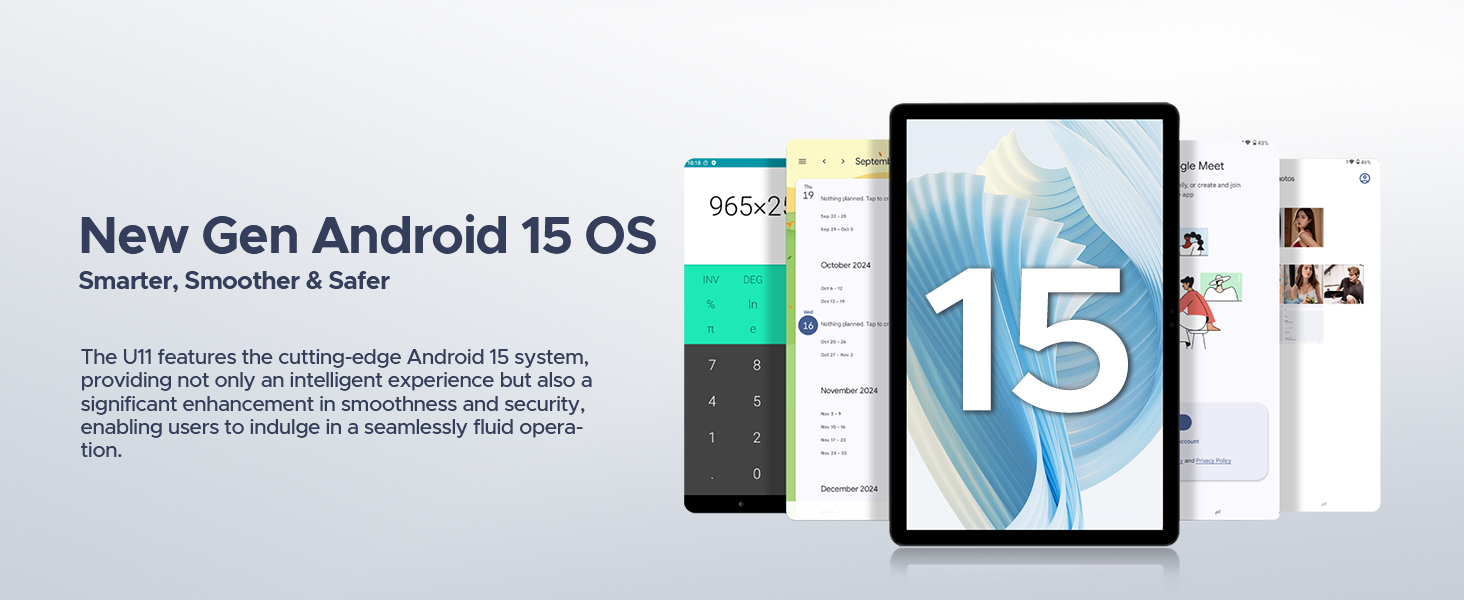
This manual provides detailed instructions for the setup, operation, maintenance, and troubleshooting of your DOOGEE U11(2025) Android 15 Tablet. Please read this manual thoroughly before using your device to ensure optimal performance and longevity.
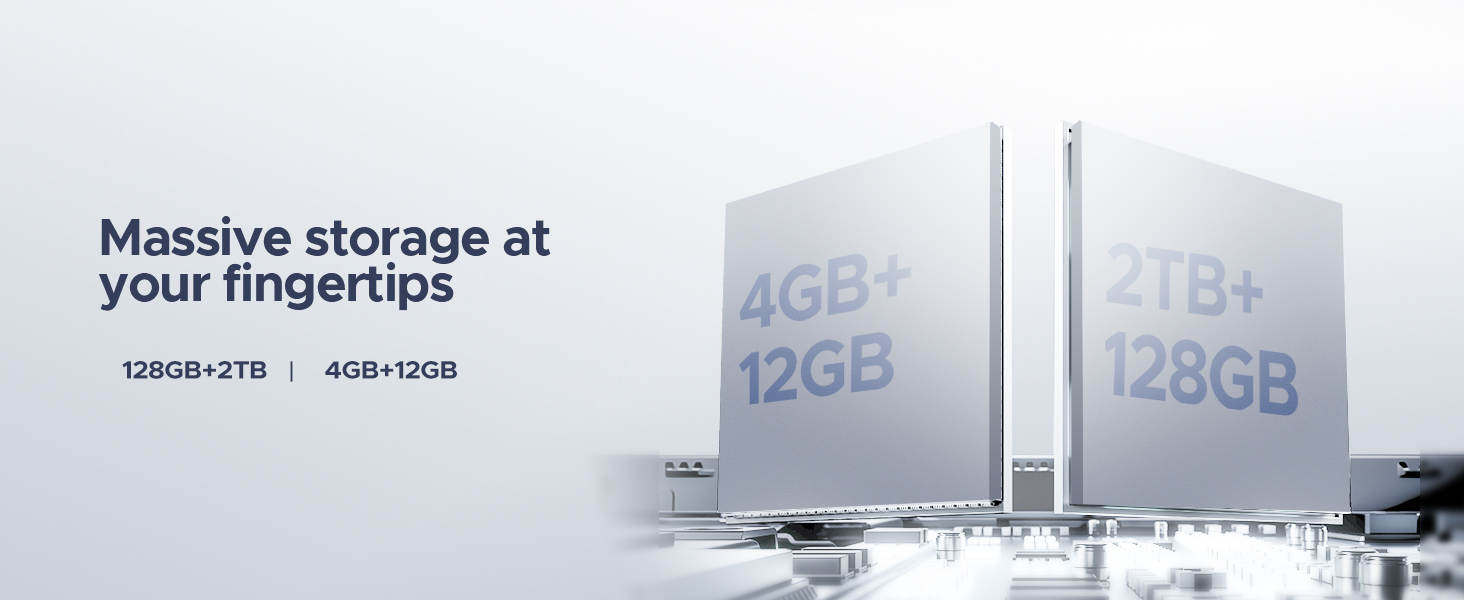
The DOOGEE U11(2025) is an 11-inch tablet featuring the Android 15 operating system, an Octa-Core processor, 16GB RAM (expandable), 128GB ROM (expandable up to 2TB), a 90Hz IPS display, and an 8580mAh battery. It supports Netflix 1080P, Bluetooth 5.0, and 5G WiFi.
ສິນຄ້າເກີນview
Familiarize yourself with the physical components and key features of your DOOGEE U11(2025) tablet.

ຮູບທີ 1: ດ້ານໜ້າ ແລະ ດ້ານຫຼັງ view of the DOOGEE U11(2025) Android 15 Tablet, highlighting its sleek design and camera module.

ຮູບທີ 2: Diagram illustrating key features such as the Octa-core processor, 8580mAh battery, 128GB storage with 2TB expansion, 11-inch IPS display, 13MP main camera, 5MP front camera, and Smart PA 128 dB Dual Speaker.
ອົງປະກອບທາງກາຍະພາບ
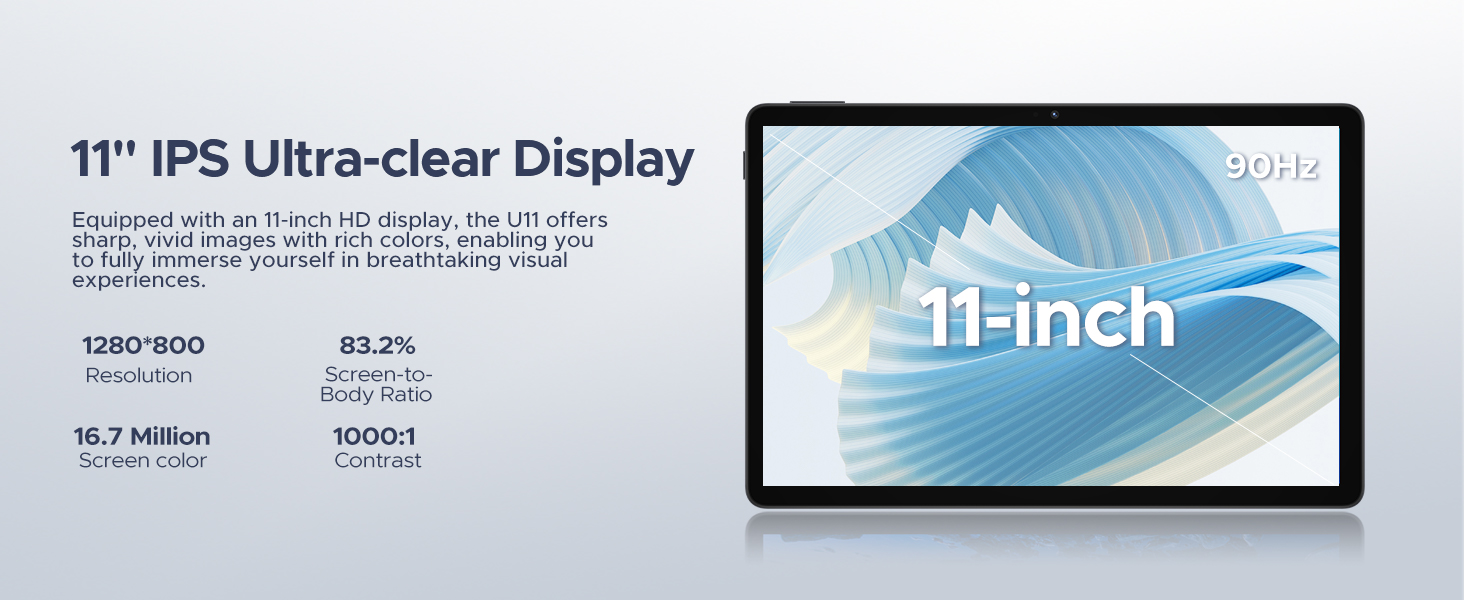
- ຈໍສະແດງຜົນ: 11-inch IPS Ultra-clear Display with 90Hz refresh rate.
- ກ້ອງຖ່າຍຮູບ: ກ້ອງຫຼັກ 13MP (ດ້ານຫຼັງ) ແລະ ກ້ອງໜ້າ 5MP.
- ລໍາໂພງ: Smart PA 128 dB Dual Speakers for enhanced audio.
- ພອດ: 1x Type-C port, 1x 3.5mm AUX headphone jack, 1x SD card port.
- ປຸ່ມ: ປຸ່ມເປີດ/ປິດ, ປຸ່ມເພີ່ມສຽງຂຶ້ນ/ລົງ.
ຄູ່ມືການຕິດຕັ້ງ
1. ການເປີດເຄື່ອງເບື້ອງຕົ້ນ
- ກົດຄ້າງໄວ້ ປຸ່ມເປີດປິດ located on the side of the tablet until the DOOGEE logo appears.
- The tablet will boot up and guide you through the initial setup process.
2. Language and Region Selection
- ເລືອກພາສາທີ່ທ່ານຕ້ອງການຈາກບັນຊີລາຍຊື່.
- Choose your region for accurate time zone and local settings.
3. ການເຊື່ອມຕໍ່ Wi-Fi
- ເລືອກເຄືອຂ່າຍ Wi-Fi ຂອງທ່ານຈາກບັນຊີລາຍຊື່ທີ່ມີຢູ່.
- Enter the Wi-Fi password if prompted. The tablet supports both 5G and 2.4G Wi-Fi networks.
4. ການຕັ້ງຄ່າບັນຊີ Google
- ເຂົ້າສູ່ລະບົບດ້ວຍບັນຊີ Google ທີ່ມີຢູ່ແລ້ວຂອງທ່ານ ຫຼື ສ້າງບັນຊີໃໝ່. ນີ້ແມ່ນສິ່ງຈຳເປັນເພື່ອເຂົ້າເຖິງ Google Play Store ແລະ ບໍລິການອື່ນໆຂອງ Google.
5. ການໂອນຂໍ້ມູນ (ທາງເລືອກ)
- You may choose to transfer data from a previous device during this step. Follow the on-screen instructions.
6. ການຕັ້ງຄ່າຄວາມປອດໄພ
- Set up a screen lock method (PIN, pattern, password, or Face ID). The DOOGEE U11 supports Face Unlock for convenient access.
ວິດີໂອ 1: This video demonstrates the unboxing and initial setup process of the DOOGEE U11 tablet, including powering on and navigating the initial settings. It highlights the tablet's lightweight design and responsive display.
ປະຕິບັດການແທັບເລັດຂອງທ່ານ
ການນຳທາງ ແລະ ທ່າທາງ
- ແຕະ: ແຕະໜ້າຈໍໜຶ່ງຄັ້ງເພື່ອເລືອກລາຍການ ຫຼື ເປີດແອັບ.
- ຂ່າວຍາວ: Touch and hold an item to reveal more options.
- ປັດ: Drag your finger across the screen to scroll or navigate between pages.
- Pinch-to-Zoom: ໃຊ້ສອງນິ້ວເພື່ອຊູມເຂົ້າ ຫຼືອອກໃນຮູບ ຫຼື web ໜ້າ.
ການປັບແຕ່ງໜ້າຈໍຫຼັກ
- ເພີ່ມ Widgets: Long press on an empty area of the home screen, then select "Widgets" to add useful tools like clocks or weather.
- ປ່ຽນພາບພື້ນຫຼັງ: Long press on an empty area, then select "Wallpaper & style" to customize your background.
ວິດີໂອ 2: This video showcases the smooth operation and responsiveness of the DOOGEE U11 tablet, demonstrating app navigation, settings adjustments, and general user interface fluidity.
Multitasking and Productivity
- ໂໝດແຍກໜ້າຈໍ: Open a recent app, tap its icon at the top of the window, and select "Split screen" to use two apps simultaneously.
- ຫ້ອງການ WPS: The tablet comes with built-in WPS Office, allowing you to create and edit documents, spreadsheets, and presentations.
ຮູບທີ 3: The DOOGEE U11 tablet displaying WPS Office applications, demonstrating its capability for productivity tasks.
Entertainment and Media
- ການຖ່າຍທອດ: Enjoy 1080P streaming on platforms like Netflix, YouTube, HBO, and Amazon Prime Video with Widevine L1 support.
- ເກມ: The Octa-Core processor and 90Hz display provide a smooth gaming experience.
- ວິທະຍຸ FM: Plug in headphones to use the built-in FM radio function.
ແບັດເຕີຣີ ແລະ ການສາກໄຟ
The DOOGEE U11 is equipped with an 8580mAh high-capacity battery designed for extended use.
- ການສາກໄຟ: Use the provided Type-C cable and power adapter to charge the tablet.
- ຊີວິດຫມໍ້ໄຟ: Expect long hours of video watching, music playback, and web ການທ່ອງເວັບ.
- ການສາກໄຟຍ້ອນກັບ: The tablet supports reverse charging, allowing you to charge other devices in emergencies.
ຮູບທີ 4: Infographic detailing the impressive battery life of the 8580mAh battery, including standby, music playback, video watching, and web ຊົ່ວໂມງທ່ອງເວັບ.
ຮູບທີ 5: Image showing the DOOGEE U11 tablet providing reverse charging to another mobile device, illustrating its utility in emergencies.
ການບໍາລຸງຮັກສາແລະການດູແລ
- ທໍາຄວາມສະອາດ: ໃຊ້ຜ້າທີ່ອ່ອນໆ, ບໍ່ມີສານດ່າງເພື່ອເຮັດຄວາມສະອາດຫນ້າຈໍແລະຮ່າງກາຍ. ຫຼີກເວັ້ນການສານເຄມີທີ່ຮຸນແຮງ.
- ອັບເດດຊອບແວ: ກວດສອບ ແລະຕິດຕັ້ງການອັບເດດລະບົບເປັນປະຈຳເພື່ອຮັບປະກັນປະສິດທິພາບ ແລະຄວາມປອດໄພທີ່ດີທີ່ສຸດ.
- ການຈັດການການເກັບຮັກສາ: Utilize the new Memory Manager features to clean junk files, delete duplicates, and manage large files ເພື່ອຂະຫຍາຍພື້ນທີ່ຫວ່າງ.
- ອຸນຫະພູມ: Avoid exposing the tablet to extreme temperatures or direct sunlight for prolonged periods.
ການແກ້ໄຂບັນຫາ
| ບັນຫາ | ສາເຫດທີ່ເປັນໄປໄດ້ | ການແກ້ໄຂ |
|---|---|---|
| ແທັບເລັດບໍ່ເປີດ | ຫມໍ້ໄຟຕ່ໍາ; ລະບົບຂັດຂ້ອງ | ສາກແທັບເລັດຢ່າງໜ້ອຍ 30 ນາທີ. ກົດປຸ່ມເປີດປິດຄ້າງໄວ້ 10-15 ວິນາທີເພື່ອບັງຄັບໃຫ້ຣີສະຕາດ. |
| ບັນຫາການເຊື່ອມຕໍ່ Wi-Fi | Incorrect password; Router issues; Out of range | Verify password. Restart router. Move closer to the Wi-Fi source. |
| ແອັບຂັດຂ້ອງ ຫຼືຄ້າງ | Insufficient RAM; App bug; Too many background apps | ປິດແອັບພື້ນຫຼັງ. ລຶບລ້າງແຄສ/ຂໍ້ມູນແອັບ. ອັບເດດແອັບ ຫຼື ຊອບແວລະບົບ. |
| ການປະຕິບັດຊ້າ | Too many apps; Low storage; Outdated software | Free up storage using Memory Manager. Uninstall unused apps. Update system software. |
ຂໍ້ມູນຈໍາເພາະ
| ຄຸນສົມບັດ | ລາຍລະອຽດ |
|---|---|
| ຕົວແບບ | DOOGEE U11(2025) Android 15 Tablet |
| ລະບົບປະຕິບັດການ | Android 15 |
| ໂຮງງານຜະລິດ | T606 Octa-Core |
| ຈໍສະແດງຜົນ | 11-inch IPS, 1280*800 Pixels, 90Hz Refresh Rate |
| RAM | 16GB (4GB + 12GB RAM expansion) |
| ການເກັບຮັກສາພາຍໃນ | ROM 128GB |
| ການເກັບຮັກສາທີ່ຂະຫຍາຍໄດ້ | ສູງສຸດ 2TB ຜ່ານບັດ MicroSD/TF |
| ແບັດເຕີຣີ | ໂພລີເມີລີທຽມ 8580mAh |
| ກ້ອງຫຼັກ | 13MP |
| ກ້ອງໜ້າ | 5MP |
| ການເຊື່ອມຕໍ່ | Wi-Fi 5G & 2.4G, Bluetooth 5.0, AGPS |
| ທ່າເຮືອ | Type-C, 3.5mm AUX, SD card slot |
| ຂະໜາດ | 10.12 x 6.68 x 0.31 ນິ້ວ (26 x 17 x 0.8 cm) |
| ນ້ຳໜັກ | 1.94 ປອນ (537g) |
ການຮັບປະກັນແລະການສະຫນັບສະຫນູນ
ຂໍ້ມູນການຮັບປະກັນ
The DOOGEE U11(2025) Android 15 Tablet comes with a ການຮັບປະກັນ 2 ປີຈໍາກັດ. This warranty covers manufacturing defects and malfunctions under normal use. Please retain your proof of purchase for warranty claims.
A ຮັບປະກັນການຄືນເງິນ 30 ວັນ and free return policy are also available from the seller.
ການຊ່ວຍເຫຼືອລູກຄ້າ
For technical assistance, troubleshooting, or warranty inquiries, please contact DOOGEE customer support. They offer 24/7 one-on-one online support.
- ສະຫນັບສະຫນູນອອນໄລນ໌: Refer to the official DOOGEE webສະຖານທີ່ສໍາລັບຂໍ້ມູນຕິດຕໍ່ແລະຊັບພະຍາກອນສະຫນັບສະຫນູນ.
- ສະຫນັບສະຫນູນຜູ້ຂາຍ: For purchase-related issues, contact the seller "yingyuankeji08" through Amazon's messaging system.
ຮູບທີ 6: Image detailing DOOGEE's customer service commitments, including 30-day money-back guarantee, 2-year limited warranty, and 24/7 online support.


