1. ບົດແນະນຳ
The Thermalright Aqua Elite 360 ARGB is an all-in-one liquid CPU cooler designed to provide efficient cooling for high-performance processors. It features a 360mm radiator, a high-performance water block, and three 120mm PWM ARGB fans. This manual provides detailed instructions for installation, operation, and maintenance to ensure optimal performance and longevity of your cooler.

Image 1.1: Thermalright Aqua Elite 360 ARGB All-in-one CPU Liquid Cooler.
2. ເນື້ອໃນຊຸດ
Please verify that all components are present in the package before proceeding with installation:
- AIO Water Cooler (Radiator with attached pump/water block and pre-installed fans)
- Mounting Brackets for AMD (AM4/AM5) and Intel (LGA1851/1700/115X/1200/2011/2066) sockets
- Backplates for Intel sockets
- Standoffs and Screws for various sockets
- ຄວາມຮ້ອນປະສົມ
- ສາຍໄຟແຍກພັດລົມ PWM
- ARGB Lighting Sync Cable
- ຄູ່ມືຜູ້ໃຊ້ (ເອກະສານນີ້)

Image 2.1: Included components for the Thermalright Aqua Elite 360 ARGB V4 CPU Water Cooler.
3. ຄວາມເຂົ້າກັນໄດ້
The Thermalright Aqua Elite 360 ARGB CPU Water Cooler is compatible with a wide range of CPU sockets:
- Intel: LGA 1851, LGA 1700, LGA 1150, LGA 1151, LGA 1155, LGA 1156, LGA 1200, LGA 2011, LGA 2066
- AMD: AM4, AM5
For optimal installation, a PC case width greater than 250mm is recommended.
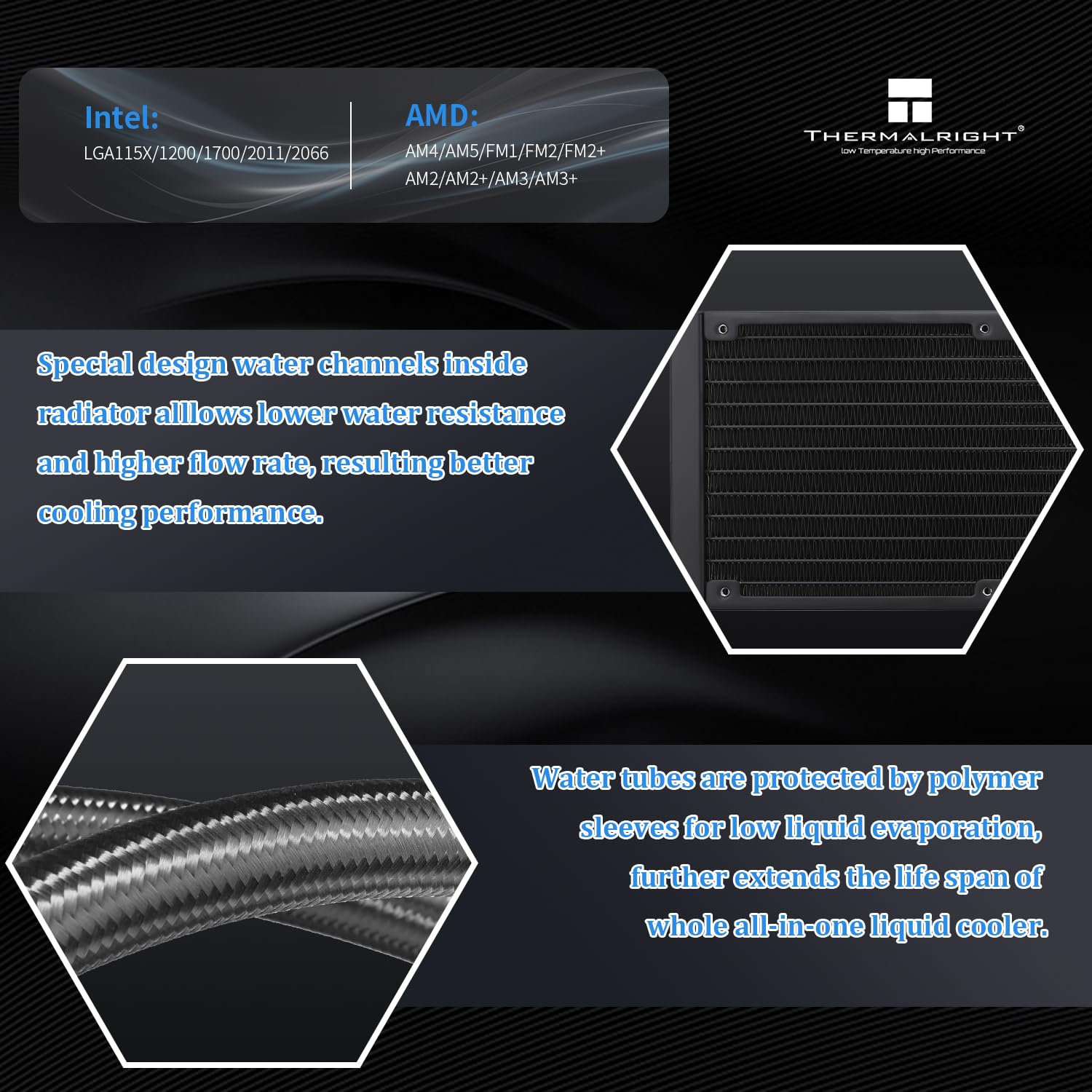
Image 3.1: Compatibility details for Intel and AMD sockets.
4. ຄຸນນະສົມບັດທີ່ສໍາຄັນ
- ປະສິດທິພາບການເຮັດຄວາມເຢັນທີ່ດີຂຶ້ນ: Features a full purple copper mirror plane base, a 360mm black aluminum fin cooling plate, and polymer-protected water pipes for low resistance, high cooling efficiency, and extended lifespan.
- High-Performance Water Block: Utilizes a 0.1mm pitch high-quality copper base with a swirl design and illuminated logo. The pump has a lifespan of up to 40,000 hours and a speed of up to 6400RPM±10%.
- Three PWM ARGB Fans: Includes three TL-C12C-S ARGB balanced fans (120x120x25mm) with speeds up to 1550RPM±10%, noise levels ≤25.6dBA, air pressure of 1.53mmH2O (MAX), and air volume of 66.17CFM (MAX).
- S-FDB Bearings: Equipped with S-FDB bearings to minimize fan noise and extend fan life, providing maximum cooling performance when needed.
- ໄຟ RGB ທີ່ສາມາດລະບຸໄດ້: Both the water block and fans feature ARGB lighting, controllable and synchronizable via supported motherboard software.
- ການຕິດຕັ້ງງ່າຍດາຍ: Designed with dual-platform all-metal black fasteners and factory pre-mounted fans for a simplified installation process.

Image 4.1: Water block with Addressable RGB lighting interface.

Image 4.2: Features of the TL-C12C-S ARGB fan, including high airflow, S-FDB bearing, quiet operation, and 4-pin PWM connector.
5. ຄູ່ມືການຕິດຕັ້ງ
This section provides step-by-step instructions for installing your Thermalright Aqua Elite 360 ARGB CPU Water Cooler. Please refer to the video for a visual guide.
5.1. ວິດີໂອແນະນຳການຕິດຕັ້ງ
Video 5.1: Official installation guide for the Thermalright Aqua Elite 360 ARGB V4 CPU Water Cooler. This video demonstrates the mounting process for both AMD and Intel platforms, as well as cable connections.
5.2. AMD AM4/AM5 Installation Steps
- ການກະກຽມບລັອກນໍ້າ: Remove the protective sticker from the coldplate. Align the arrow on the AMD bracket to the water block and rotate to install the AMD bracket onto the water block.
- ໃຊ້ສານປະກອບຄວາມຮ້ອນ: Apply an appropriate amount of thermal compound onto the CPU IHS (Integrated Heat Spreader).
- ຕິດຕັ້ງບລັອກນໍ້າ: Carefully place the water block onto the CPU, aligning the buckles on the AMD bracket with the motherboard's retention module.
- ບລັອກນໍ້າທີ່ປອດໄພ: ຮັດສະກູທັງສອງໃສ່ວົງເລັບດ້ວຍ screwdriver ເພື່ອໃຊ້ຄວາມກົດດັນໃນການຕິດຕັ້ງ.

Image 5.2: Removing the protective sticker from the coldplate.

Image 5.3: Aligning the AMD bracket with the water block.

Image 5.4: Applying thermal compound to the CPU.

Image 5.5: Installing the water block onto the CPU using the AMD bracket buckles.

Image 5.6: Tightening the water block screws for proper mounting pressure.
5.3. Intel LGA1700 Installation Steps
- ກະກຽມແຜ່ນຮອງ: For Intel LGA1700 motherboards, adjust the mounting hole position on the backplate to 1700.
- ຕິດຕັ້ງແຜ່ນຮອງ: ຕິດຕັ້ງແຜ່ນຮອງຈາກດ້ານຫຼັງຂອງເມນບອດ.
- ຕິດຕັ້ງ Standoffs: Install the 1700 standoffs onto the backplate screws from the front side of the motherboard.
- ການກະກຽມບລັອກນໍ້າ: Remove the protective sticker from the coldplate. Align the arrow on the Intel bracket to the water block and rotate to lock it in place.
- ໃຊ້ສານປະກອບຄວາມຮ້ອນ: Apply an appropriate amount of thermal compound onto the CPU IHS.
- ຕິດຕັ້ງບລັອກນໍ້າ: Align the mounting holes on the bracket to the standoffs and install the water block.
- ບລັອກນໍ້າທີ່ປອດໄພ: Secure the metal brackets and water block with four nuts, applying appropriate mounting pressure.

Image 5.7: Adjusting the backplate for LGA1700 compatibility.

Image 5.8: Installing the backplate on the motherboard.

Image 5.9: Installing the standoffs for LGA1700.

Image 5.10: Attaching the Intel bracket to the water block.

Image 5.11: Applying thermal compound to the CPU.

Image 5.12: Placing the water block onto the standoffs.

Image 5.13: Securing the water block with nuts.
5.4. ການເຊື່ອມຕໍ່ສາຍ
- ພະລັງງານປັ໊ມ: ເຊື່ອມຕໍ່ສາຍໄຟປ້ຳກັບຫົວ CPU_OPT ຫຼື AIO_PUMP ໃນເມນບອດຂອງທ່ານ.
- Fan Power (PWM): Connect the fan PWM cables to the fan splitter cable. Then, connect the PWM splitter cable to the motherboard's CPU_FAN socket to power the fans and allow for speed synchronization.
- ແສງ ARGB: Remove the protective caps from the ARGB 3-pin connectors. Connect the fan ARGB cables to the ARGB lighting sync cable. Then, connect the ARGB lighting cable to the motherboard's 3-pin +5V ARGB socket for lighting control. Note: Only supports 5V 3-pin ARGB, not 12V 4-pin RGB.

Image 5.14: Connecting the pump power cable to the motherboard.

Image 5.15: Connecting fan PWM cables to the splitter.

Image 5.16: Connecting the PWM splitter to the CPU_FAN header.

Image 5.17: Removing protective caps from ARGB connectors.

Image 5.18: Connecting fan ARGB cables for lighting synchronization.

Image 5.19: Connecting the ARGB lighting cable to the motherboard's +5V ARGB header.
6. ການດໍາເນີນງານ
Once installed and connected, the Thermalright Aqua Elite 360 ARGB CPU Water Cooler operates automatically. The PWM fans will adjust their speed based on CPU temperature, providing optimal cooling while minimizing noise.
- ການຄວບຄຸມຄວາມໄວພັດລົມ: The 4-pin PWM connection allows your motherboard to automatically control fan speeds based on CPU temperature. You can typically configure fan curves in your motherboard's BIOS/UEFI settings or through manufacturer-provided software.
- ການຄວບຄຸມແສງ ARGB: The ARGB lighting can be controlled and synchronized using your motherboard's compatible ARGB software (e.g., ASUS Aura Sync, MSI Mystic Light Sync, Gigabyte RGB Fusion, ASRock Polychrome Sync). Ensure your motherboard has a 3-pin +5V ARGB header.
7. ບໍາລຸງຮັກສາ
ການບຳລຸງຮັກສາເປັນປະຈຳຊ່ວຍຮັບປະກັນອາຍຸການໃຊ້ງານທີ່ຍາວນານ ແລະ ປະສິດທິພາບທີ່ດີທີ່ສຸດຂອງເຄື່ອງເຮັດຄວາມເຢັນຂອງແຫຼວຂອງທ່ານ:
- ທໍາຄວາມສະອາດຂີ້ຝຸ່ນ: ເຮັດຄວາມສະອາດຄອກ radiator ແລະໃບພັດລົມເປັນໄລຍະເພື່ອປ້ອງກັນການສ້າງຂີ້ຝຸ່ນ, ເຊິ່ງສາມາດຂັດຂວາງການໄຫຼວຽນຂອງອາກາດແລະຫຼຸດຜ່ອນປະສິດທິພາບຄວາມເຢັນ. ໃຊ້ອາກາດບີບອັດຫຼືແປງອ່ອນ.
- ກວດກາທໍ່: Check the water pipes for any signs of leaks, kinks, or damage. While the polymer compilation protection water pipes are designed for durability, regular inspection is recommended.
- ສານປະກອບຄວາມຮ້ອນ: The pre-applied thermal compound is effective for initial installation. If you ever need to remove and re-install the water block, it is recommended to clean off the old thermal compound and apply new thermal compound for best results.
- ພັດລົມ Bearings: The S-FDB bearings are designed for long life and quiet operation. No specific lubrication is required.
8. ການແກ້ໄຂບັນຫາ
If you encounter issues with your Thermalright Aqua Elite 360 ARGB, refer to the following common troubleshooting steps:
- No Power to Pump/Fans:
- Ensure all power cables (pump, fan PWM splitter) are securely connected to the correct headers on the motherboard.
- Check your motherboard's BIOS/UEFI settings to ensure the CPU_FAN and AIO_PUMP/CPU_OPT headers are enabled and configured correctly.
- Fans Not Spinning or Spinning Slowly:
- Verify fan connections to the PWM splitter and the splitter to the motherboard.
- Check fan speed settings in BIOS/UEFI. Ensure they are not set to a very low RPM or a silent profile that might prevent them from spinning at low temperatures.
- ແສງ ARGB ບໍ່ເຮັດວຽກ:
- Confirm the ARGB lighting cable is correctly connected to a 3-pin +5V ARGB header on your motherboard. Do not connect to a 4-pin +12V RGB header, as this can damage the LEDs.
- Ensure your motherboard's ARGB software is installed and configured correctly.
- Check for any loose connections in the ARGB daisy chain.
- ອຸນຫະພູມ CPU ສູງ:
- Verify that the water block is securely mounted to the CPU with adequate and even pressure.
- Ensure sufficient thermal compound was applied and spread evenly.
- ກວດເບິ່ງວ່າປັ໊ມເຮັດວຽກຫຼືບໍ່ (ເຈົ້າອາດຈະໄດ້ຍິນສຽງດັງໆ ຫຼືຮູ້ສຶກສັ່ນ).
- Ensure the fans are spinning and that the radiator is not obstructed by dust or cables, allowing for proper airflow.
- ສິ່ງລົບກວນທີ່ຜິດປົກກະຕິ:
- A slight gurgling sound initially is normal as air settles in the loop. This should subside.
- If loud grinding or rattling occurs, check fan blades for obstructions or damage. If the pump is making excessive noise, contact support.
9. ຂໍ້ມູນຈໍາເພາະ
Detailed technical specifications for the Thermalright Aqua Elite 360 ARGB CPU Water Cooler:
| ອົງປະກອບ | ຂໍ້ມູນຈໍາເພາະ |
|---|---|
| ຂະໜາດສິນຄ້າ | 2.83"L x 2.83"W x 1.89"H (Water Block) |
| ຍີ່ຫໍ້ | ສິດຄວາມຮ້ອນ |
| ປະເພດເຊື່ອມຕໍ່ໄຟຟ້າ | 4-Pin (PWM for fans, specific pump connector) |
| ສະບັບtage | 12 ໂວນ (DC) |
| ວິທີການເຮັດຄວາມເຢັນ | ນ້ໍາ |
| ອຸປະກອນທີ່ເຂົ້າກັນໄດ້ | CPU ເດັສທັອບ |
| Noise Level (Fans) | ≤25.6 Decibels |
| ວັດສະດຸ | ອາລູມິນຽມ, ທອງແດງ, ພາດສະຕິກ |
| ຄວາມໄວໝູນວຽນສູງສຸດ (ພັດລົມ) | 1550 RPM ± 10% |
| ຄວາມຈຸກະແສລົມ (ພັດລົມ) | 66.17 Cubic Feet Per Minute (MAX) |
| Air Pressure (Fans) | 1.53mmH2O (MAX) |
| ຄວາມໄວປັ໊ມ | 6400 RPM ± 10% |
| Pump Lifespan | ສູງສຸດ 40,000 ຊົ່ວໂມງ |
| ປະເພດ ໝີ | S-FDB Bearing |
| ຂະຫນາດຂອງຄວາມຮ້ອນ | 397mm * 120mm * 27mm |
| ຂະໜາດບລັອກນໍ້າ | 72mm * 72mm * 48mm |
Image 9.1: Detailed specifications table for the Aqua Elite 360 ARGB.

10. ການຮັບປະກັນແລະການສະຫນັບສະຫນູນ
Thermalright products are manufactured to high quality standards. For specific warranty information, please refer to the warranty card included with your product or visit the official Thermalright website. If you encounter any issues or require technical assistance, please contact Thermalright customer support through their official channels.
For the most up-to-date support information, product registration, and FAQs, please visit: www.thermalright.com


