1. ບົດແນະນຳ
Thank you for choosing the Edifier X1 Lite True Wireless Earbuds. This manual provides detailed instructions for setting up, operating, and maintaining your new earbuds to ensure optimal performance and longevity. Please read this manual thoroughly before use.

Image: Edifier X1 Lite True Wireless Earbuds in their open charging case.
2. ສິ່ງທີ່ຢູ່ໃນກ່ອງ
The Edifier X1 Lite package includes the following components:
- Edifier X1 Lite True Wireless Earbuds (Left and Right)
- ກ່ອງສາກ
- ສາຍສາກ USB
- ຄູ່ມືຜູ້ໃຊ້ (ເອກະສານນີ້)
3. ຕັ້ງຄ່າ
3.1 ການສາກໄຟເບື້ອງຕົ້ນ
ກ່ອນທີ່ຈະໃຊ້ຄັ້ງທຳອິດ, ໃຫ້ສາກຫູຟັງຫູຟັງ ແລະ ຊ່ອງສາກໃຫ້ເຕັມ.
- ວາງຫູຟັງເອຍບັດທັງສອງໃສ່ໃນກ່ອງສາກ.
- ເຊື່ອມຕໍ່ສາຍສາກ USB ກັບພອດສາກໄຟຢູ່ບ່ອນສາກ ແລະກັບແຫຼ່ງພະລັງງານ (ເຊັ່ນ: ອະແດບເຕີຝາ USB, ພອດ USB ຂອງຄອມພິວເຕີ).
- The indicator light on the charging case will show charging status. Refer to the LED indicator section for details.
- ໂດຍປົກກະຕິແລ້ວການສາກໄຟໃຫ້ເຕັມຈະໃຊ້ເວລາປະມານ 1.5 ຊົ່ວໂມງສຳລັບກ່ອງແລະຫູຟັງເອຍບັດ.
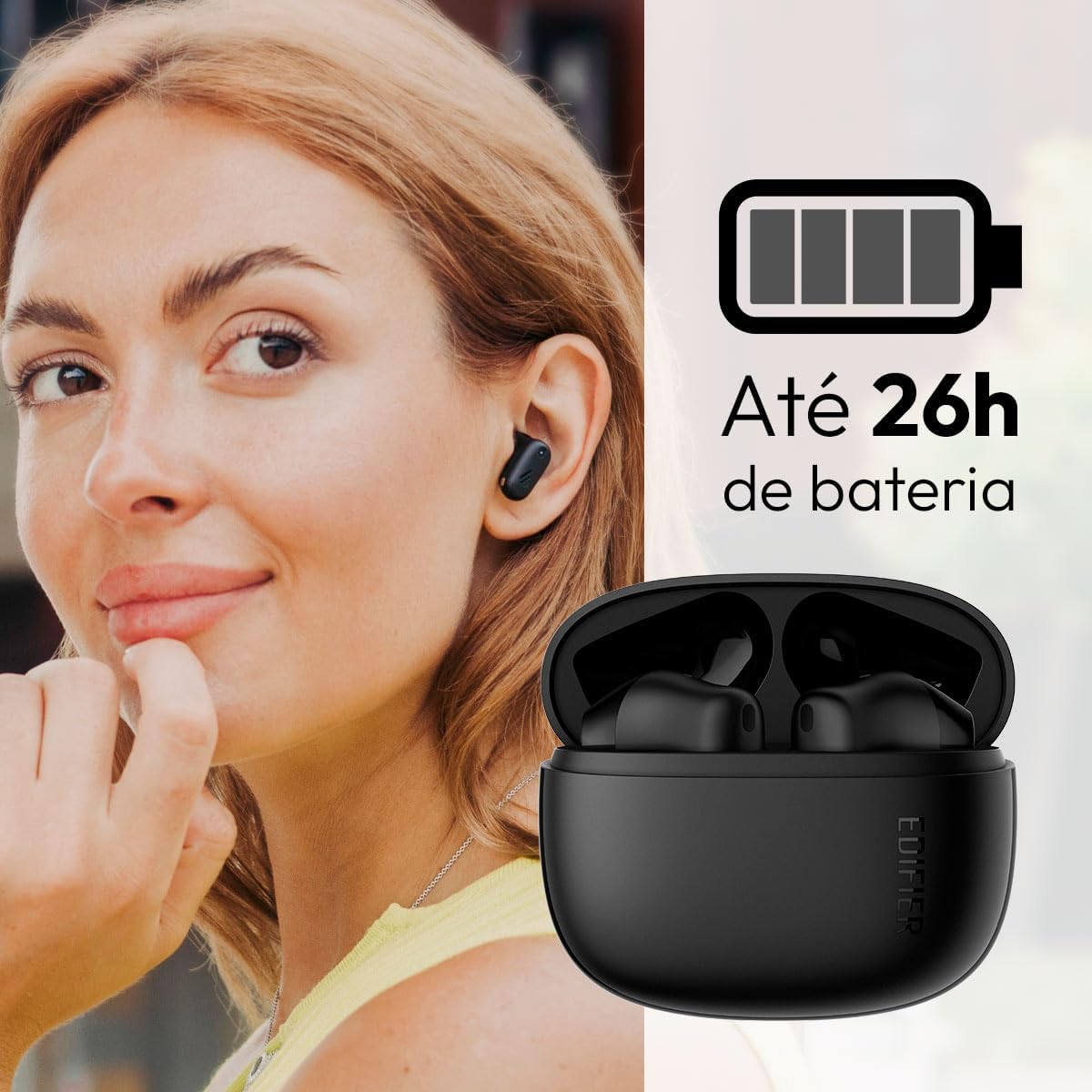
Image: Woman wearing an earbud, with the charging case and a battery icon indicating charging.
Fast Charging Feature:
A 15-minute quick charge can provide approximately 1.5 hours of playtime for the earbuds.

ຮູບພາບ: ພາບສະແດງເຖິງອາຍຸການໃຊ້ງານຂອງແບັດເຕີຣີ ແລະ ຄວາມສາມາດໃນການສາກໄຟໄວ.
3.2 ການຈັບຄູ່ Bluetooth
Follow these steps to pair your Edifier X1 Lite earbuds with your device:
- ການຈັບຄູ່ຄັ້ງທໍາອິດ: Open the charging case. The earbuds will automatically power on and enter pairing mode. The indicator light on the earbuds will flash rapidly.
- ໃນອຸປະກອນຂອງທ່ານ (ໂທລະສັບສະຫຼາດ, ແທັບເລັດ, ແລັບທັອບ), ເປີດໃຊ້ Bluetooth.
- ຊອກຫາ "EDIFIER X1 Lite" ໃນບັນຊີລາຍຊື່ຂອງອຸປະກອນ Bluetooth ທີ່ມີຢູ່.
- Select "EDIFIER X1 Lite" to connect. Once connected, the indicator lights on the earbuds will turn off, and you will hear a confirmation tone.
- Re-pairing/Connecting to a New Device: If the earbuds are already connected to another device, disconnect them first. Alternatively, with the earbuds in the case and the lid open, press and hold the button on the charging case for 3 seconds to enter pairing mode.

Image: Man using earbuds, highlighting Bluetooth 5.4 connectivity.
3.3 ການຕິດຕັ້ງແອັບ Edifier ConneX
For enhanced features and customization, download the EDIFIER ConneX app:
- Scan the QR code provided in the image below or visit the official Edifier app download page.
- ຕິດຕັ້ງ app ໃນໂທລະສັບສະຫຼາດຫຼືຢາຂອງທ່ານ.
- Open the app and follow the on-screen instructions to connect your X1 Lite earbuds.
- The app allows for sound effect customization, game mode activation, and touch control settings.

Image: EDIFIER ConneX app interface with QR code. Download the Edifier ConneX App
4. ຄໍາແນະນໍາການດໍາເນີນງານ
4.1 ການໃສ່ຫູຟັງ
Proper fit ensures optimal sound quality and comfort:
- ລະບຸຫູຟັງຊ້າຍ (L) ແລະຂວາ (R).
- ຄ່ອຍໆໃສ່ຫູຟັງແຕ່ລະອັນເຂົ້າໄປໃນຊ່ອງຫູທີ່ສອດຄ້ອງກັນ.
- ໝຸນຫູຟັງຫູຟັງເລັກນ້ອຍຈົນກ່ວາມັນຮູ້ສຶກປອດໄພ ແລະສະດວກສະບາຍ.

Image: Man demonstrating proper earbud placement.
4.2 ເປີດ/ປິດ
- ເປີດ: ຫູຟັງເອຍບັດເປີດອັດຕະໂນມັດເມື່ອຖອດອອກຈາກກ່ອງສາກ.
- ປິດພະລັງງານ: ຫູຟັງເອຍບັດປິດອັດຕະໂນມັດ ແລະເລີ່ມສາກໄຟເມື່ອໃສ່ກັບໃສ່ກ່ອງສາກ ແລະຝາປິດ.
4.3 ແຕະການຄວບຄຸມ
The Edifier X1 Lite earbuds feature touch-sensitive controls on each earbud. These controls can be customized via the EDIFIER ConneX app.
| ການປະຕິບັດ | ຫູຟັງຊ້າຍ (L) | ຫູຟັງຂວາ (R) |
|---|---|---|
| ຕອບ/ວາງສາຍ | ແຕະສອງເທື່ອ | ແຕະສອງເທື່ອ |
| ປະຕິເສດການໂທ | ແຕະສາມເທື່ອ | ແຕະສາມເທື່ອ |
| ຫຼິ້ນ/ຢຸດດົນຕີ | ແຕະສອງເທື່ອ | ແຕະສອງເທື່ອ |
| ຕິດຕາມຕໍ່ໄປ | N/A (Customize via App) | ແຕະສາມເທື່ອ |
| ເພງກ່ອນໜ້າ | ແຕະສາມເທື່ອ | N/A (Customize via App) |
| ໂໝດເກມເປີດ/ປິດ | ແຕະສີ່ຄັ້ງ | ແຕະສີ່ຄັ້ງ |
Note: These are default settings. Functions can be reconfigured using the EDIFIER ConneX app.

ຮູບພາບ: ຄຳແນະນຳດ້ານສາຍຕາຕໍ່ກັບການຄວບຄຸມການສຳຜັດກັບຫູຟັງ.
5. ບໍາລຸງຮັກສາ
5.1 ການທໍາຄວາມສະອາດ
- ອະນາໄມຫູຟັງຫູຟັງ ແລະກະເປົ໋າສາກໄຟເປັນປະຈຳດ້ວຍຜ້າແພທີ່ອ່ອນ, ແຫ້ງ, ບໍ່ມີສານຂັດ.
- ຢ່າໃຊ້ເຄື່ອງເຮັດຄວາມສະອາດຂັດ, ເຫຼົ້າ, ຫຼືສານລະລາຍສານເຄມີ.
- ກວດໃຫ້ແນ່ໃຈວ່າລາຍຊື່ຜູ້ຕິດຕໍ່ການສາກໄຟຢູ່ທັງຫູຟັງເອຍບັດ ແລະເຄສແມ່ນສະອາດ ແລະບໍ່ມີສິ່ງເສດເຫຼືອເພື່ອຮັກສາການສາກໄຟໃຫ້ຖືກຕ້ອງ.
5.2 ກັນນ້ຳ (IP54)
The Edifier X1 Lite earbuds are IP54 rated, meaning they are protected against dust ingress and splashing water from any direction. This makes them suitable for workouts and light rain.
- ຢ່າເອົາຫູຟັງເອຍບັດໃສ່ນ້ຳ.
- The charging case is not water-resistant. Keep it dry.
- If earbuds get wet, wipe them dry completely before placing them back in the charging case to prevent damage.

Image: Demonstrating IP54 sweat resistance during exercise.
5.3 ການດູແລຫມໍ້ໄຟ
- ຫຼີກເວັ້ນການເປີດຫູຟັງຫູຟັງ ແລະກໍລະນີໃສ່ກັບອຸນຫະພູມທີ່ຮຸນແຮງ (ຮ້ອນ ຫຼືເຢັນ).
- ເກັບຮັກສາອຸປະກອນໄວ້ໃນບ່ອນທີ່ເຢັນ, ແຫ້ງເມື່ອບໍ່ໄດ້ໃຊ້.
- ສາກອຸປະກອນເປັນປະຈຳ, ເຖິງແມ່ນວ່າບໍ່ໄດ້ໃຊ້ເລື້ອຍໆ, ເພື່ອຮັກສາສຸຂະພາບຂອງແບັດເຕີຣີ.
6. ການແກ້ໄຂບັນຫາ
If you encounter issues with your Edifier X1 Lite earbuds, refer to the following common problems and solutions:
6.1 ບໍ່ມີສຽງ ຫຼື ການເຊື່ອມຕໍ່ເປັນໄລຍະໆ
- ກວດສອບຫມໍ້ໄຟ: ໃຫ້ແນ່ໃຈວ່າຫູຟັງເອຍບັດທັງ ແລະ ກ່ອງສາກໄຟມີໄຟພຽງພໍແລ້ວ.
- ຄູ່ໃໝ່: Disconnect the earbuds from your device's Bluetooth settings and then re-pair them.
- ໄລຍະທາງ: Ensure the earbuds are within the Bluetooth range (typically 10 meters) of your device.
- ແຊກແຊງ: Move away from strong Wi-Fi signals or other Bluetooth devices that might cause interference.
- ຕັ້ງຄ່າ ໃໝ່: Place both earbuds in the charging case, close the lid, wait a few seconds, then open the lid and try pairing again.
6.2 ຫູຟັງບໍ່ສາກ
- ກວດສອບສາຍ: Ensure the USB charging cable is securely connected to both the case and the power source.
- ແຫຼ່ງພະລັງງານ: ລອງໃຊ້ພອດ USB ຫຼືອະແດັບເຕີຝາອື່ນ.
- ລ້າງລາຍຊື່ຜູ້ຕິດຕໍ່: Clean the charging contacts on the earbuds and inside the charging case with a dry cotton swab.
- ການຈັດວາງທີ່ຖືກຕ້ອງ: ຮັບປະກັນວ່າຫູຟັງເອຍບັດຖືກນັ່ງຢ່າງຖືກຕ້ອງຢູ່ໃນກ່ອງສາກ.
6.3 ຄຸນນະພາບການໂທບໍ່ດີ
- ການກີດຂວາງໄມໂຄຣໂຟນ: Ensure the microphone on the earbuds is not covered.
- ສະພາບແວດລ້ອມ: Move to a quieter environment if possible. The AI algorithm helps, but extreme noise can still affect clarity.
- ຄວາມໝັ້ນຄົງຂອງການເຊື່ອມຕໍ່: ຮັບປະກັນການເຊື່ອມຕໍ່ Bluetooth ທີ່ໝັ້ນຄົງ.

Image: Man using earbuds for a clear call, highlighting AI voice pick-up technology.
6.4 ບັນຫາການເຊື່ອມຕໍ່ແອັບ
- Bluetooth ເປີດ: Ensure Bluetooth is enabled on your device and the earbuds are connected.
- ການອະນຸຍາດແອັບ: Check if the EDIFIER ConneX app has necessary Bluetooth and location permissions.
- Restart App/Device: ປິດ ແລະເປີດແອັບຄືນໃໝ່, ຫຼືຣີສະຕາດສະມາດໂຟນຂອງທ່ານ.
- ອັບເດດແອັບ: ກວດໃຫ້ແນ່ໃຈວ່າແອັບໄດ້ຖືກອັບເດດເປັນເວີຊັນຫຼ້າສຸດ.
7. ຂໍ້ມູນຈໍາເພາະ
| ຄຸນສົມບັດ | ລາຍລະອຽດ |
|---|---|
| ຊື່ຕົວແບບ | X1 Lite |
| ເຕັກໂນໂລຊີການເຊື່ອມຕໍ່ | ໄຮ້ສາຍ (Bluetooth) |
| ລຸ້ນ Bluetooth | 5.4 |
| ປະເພດໄດເວີສຽງ | Dynamic Driver (Φ13mm) |
| ຊ່ວງຄວາມຖີ່ | 20Hz-20kHz |
| ຊີວິດຫມໍ້ໄຟ | ສູງສຸດ 7 ຊົ່ວໂມງ (ຫູຟັງ), ສູງສຸດ 26 ຊົ່ວໂມງ (ມີຊ່ອງສາກໄຟ) |
| ການສາກໄວ | 15 ນາທີຄິດໄລ່ສໍາລັບການຫຼິ້ນ 1.5 ຊົ່ວໂມງ |
| ການຕອບສະໜອງຕໍ່າ | 60ms |
| ການຕໍ່ຕ້ານນ້ໍາ | IP54 (ຫູຟັງເທົ່ານັ້ນ) |
| ໄມໂຄຣໂຟນ | Single Mic AI algorithm voice pick-up |
| ວິທີການຄວບຄຸມ | Touch Control, App (EDIFIER ConneX) |
| ວັດສະດຸ | ພາດສະຕິກ |
| ນ້ ຳ ໜັກ ຕຸ້ມຫູ | ປະມານ. 4g ຕໍ່ຫູຟັງ |
| ສີ | ດຳ |
8. ການຮັບປະກັນແລະການສະຫນັບສະຫນູນ
Edifier products are designed with quality and reliability in mind. For warranty information and customer support, please refer to the official Edifier webເວັບໄຊ ຫຼືຕິດຕໍ່ບໍລິການລູກຄ້າຂອງເຂົາເຈົ້າໂດຍກົງ.
- ທາງການ Webເວັບໄຊ: ຢ້ຽມຢາມ www.edifier.com ສໍາລັບການລົງທະບຽນຜະລິດຕະພັນ, FAQs, ແລະຊັບພະຍາກອນສະຫນັບສະຫນູນ.
- ບໍລິການລູກຄ້າ: Contact Edifier customer support for technical assistance or warranty claims. Contact details can typically be found on the official webສະຖານທີ່ຫຼືຢູ່ໃນການຫຸ້ມຫໍ່ຜະລິດຕະພັນ.
ກະລຸນາຮັກສາຫຼັກຖານການຊື້ຂອງທ່ານໄວ້ເພື່ອຈຸດປະສົງການຮັບປະກັນ.


