1. ບົດແນະນຳ
Thank you for choosing the BOSGAME M3 Mini PC. This compact and powerful computer is designed to meet a wide range of computing needs, from everyday tasks to demanding applications. Equipped with the Intel Ultra 7 155H processor, 32GB DDR5 RAM, and a 1TB NVMe SSD, it offers exceptional performance and efficiency. This manual provides essential information for setting up, operating, maintaining, and troubleshooting your device.
2. ຂໍ້ມູນຄວາມປອດໄພ
Please read and follow all safety instructions carefully to prevent damage to the device or injury to yourself. Keep the device away from water, fire, and high temperatures. Do not attempt to disassemble or repair the device yourself. Use only the provided power adapter and accessories. Ensure proper ventilation to prevent overheating.
3. ເນື້ອໃນຊຸດ
ກວດສອບວ່າລາຍການທັງຫມົດແມ່ນມີຢູ່ໃນຊຸດ:
- BOSGAME M3 Mini PC
- ສາຍໄຟ
- Power Adapter
- VESA Mount with Screws
- ສາຍ HDMI
- ຄູ່ມືຜູ້ໃຊ້

Figure 3.1: Included accessories with the BOSGAME M3 Mini PC.
4. ຜະລິດຕະພັນເກີນview
4.1 ກະດານດ້ານ ໜ້າ
- ປຸ່ມເປີດປິດ: ກົດເພື່ອເປີດ/ປິດອຸປະກອນ.
- USB 3.2 Gen2 Ports (x2): ສໍາລັບການໂອນຂໍ້ມູນຄວາມໄວສູງ.
- Thunderbolt 4 (USB 4) Port: Supports 8K 60Hz display output and PD3.0 power delivery.
- Jack ສຽງ 3.5mm: ສໍາລັບຫູຟັງຫຼືລໍາໂພງ.
4.2 ແຜງດ້ານຫລັງ
- DC Jack: ເຊື່ອມຕໍ່ອະແດບເຕີໄຟຢູ່ບ່ອນນີ້.
- Dual 2.5GbE LAN Ports: ສໍາລັບການເຊື່ອມຕໍ່ເຄືອຂ່າຍມີສາຍ.
- ຜອດ HDMI 2.1: Supports 8K 60Hz display output.
- DisplayPort 2.1 (DP) Port: Supports 8K 60Hz display output.
- USB 3.2 Gen2 Ports (x2): ສໍາລັບການໂອນຂໍ້ມູນຄວາມໄວສູງ.
- ພອດ USB 2.0 (x1): For peripherals like keyboard/mouse.

Figure 4.1: Front and Rear Panel Ports.
4.3 ລັກສະນະທີ່ສໍາຄັນ
- ໜ່ວຍປະມວນຜົນ: Intel Core Ultra 7 155H (16 Cores/22 Threads, up to 4.8GHz)
- ຮູບພາບ: Intel Arc Graphics (2.25GHz, 8 Xe-Cores)
- RAM: 32GB DDR5 (ສອງຊ່ອງ, ຂະຫຍາຍໄດ້ເຖິງ 96GB)
- ການເກັບຮັກສາ: 1TB NVMe M.2 2280 SSD (Dual M.2 2280 slots, supports up to 8TB)
- ໄຮ້ສາຍ: WiFi 6E, Bluetooth 5.2
- ສະແດງຜົນອອກ: HDMI 2.1, DisplayPort 2.1, Thunderbolt 4 (supports Triple 8K 60Hz displays)

Figure 4.2: BOSGAME M3 Mini PC Key Features.
5. ຕັ້ງຄ່າ
5.1 ການເຊື່ອມຕໍ່ອຸປະກອນຕໍ່
- Connect your monitor(s) to the HDMI, DisplayPort, or Thunderbolt 4 ports using appropriate cables.
- ເຊື່ອມຕໍ່ແປ້ນພິມ ແລະເມົ້າຂອງທ່ານກັບພອດ USB ທີ່ມີຢູ່.
- Connect any other desired peripherals (e.g., external storage, audio devices).

Figure 5.1: Triple Display Setup.
5.2 ການເປີດເຄື່ອງ
- Connect the power adapter to the DC jack on the rear panel of the Mini PC.
- ສຽບສາຍໄຟໃສ່ປລັກໄຟ.
- ກົດປຸ່ມເປີດເຄື່ອງຢູ່ເທິງແຜງດ້ານໜ້າເພື່ອເປີດອຸປະກອນ.
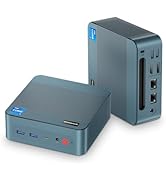
Figure 5.2: Powering the Mini PC via USB-C PD.
5.3 ການຕິດຕັ້ງລະບົບປະຕິບັດການເບື້ອງຕົ້ນ
The BOSGAME M3 Mini PC supports various operating systems including Windows and Linux distributions. Follow the on-screen instructions to complete the initial OS setup. Ensure you have an active internet connection for updates and driver installations.
6. ຄໍາແນະນໍາການດໍາເນີນງານ
6.1 ການນຳໃຊ້ພື້ນຖານ
Once the operating system is set up, you can use your BOSGAME M3 Mini PC for a wide range of tasks. Its powerful Intel Ultra 7 155H processor and Intel Arc graphics ensure smooth performance for productivity, entertainment, and creative work.
6.2 ການເຊື່ອມຕໍ່ກັບຈໍສະແດງຜົນ
The Mini PC supports up to three independent displays simultaneously via its HDMI 2.1, DisplayPort 2.1, and Thunderbolt 4 ports. This allows for an expansive workspace for multitasking or immersive viewໃນປະສົບການ.

Figure 6.1: 4K UHD Display Capability.
6.3 ການເຊື່ອມຕໍ່ເຄືອຂ່າຍ
- Wi-Fi 6E: ເຊື່ອມຕໍ່ກັບເຄືອຂ່າຍໄຮ້ສາຍເພື່ອການເຂົ້າເຖິງອິນເຕີເນັດຄວາມໄວສູງ.
- Bluetooth 5.2: Pair with Bluetooth-enabled devices such as headphones, keyboards, and mice.
- Dual 2.5GbE LAN: For stable and fast wired network connections.
6.4 ການຂະຫຍາຍການເກັບຮັກສາ
The BOSGAME M3 features two NVMe M.2 2280 SSD slots, supporting up to 8TB of storage (2x4TB). This allows for significant storage expansion if needed.
7. ຂໍ້ມູນຈໍາເພາະ
| ຄຸນສົມບັດ | ຂໍ້ມູນຈໍາເພາະ |
|---|---|
| ໂຮງງານຜະລິດ | Intel Core Ultra 7 155H (3.8GHz Base, 4.8GHz Max Turbo, 16C/22T) |
| ຮູບພາບ | Intel Arc Graphics (2.25GHz, 8 Xe-Cores) |
| RAM | 32GB DDR5 (Dual Channel, 5600MHz) |
| ການເກັບຮັກສາ | 1TB NVMe M.2 2280 SSD (PCIe 4.0) |
| ສະລັອດຕິງເກັບຮັກສາ | 2x NVMe M.2 2280 SSD slots (supports up to 8TB total) |
| ການເຊື່ອມຕໍ່ໄຮ້ສາຍ | WiFi 6E, Bluetooth 5.2 |
| Wired LAN | Dual 2.5GbE LAN |
| ສະແດງຜົນອອກ | 1x HDMI 2.1, 1x DisplayPort 2.1, 1x Thunderbolt 4 (USB 4) |
| ຄວາມລະອຽດສູງສຸດ | 8K 60Hz (Thunderbolt 4, HDMI, DP) |
| ພອດ USB | 3x USB 3.2, 1x USB 2.0, 1x Thunderbolt 4 (USB 4) |
| ສຽງ | ສຽງ Jack 3.5 ມມ |
| ລະບົບປະຕິບັດການ | Supports Linux and Windows |
| ຂະໜາດ | 5.12 x 5.08 x 1.81 ນິ້ວ (130 x 129 x 46 ມມ) |
| ນ້ໍາຫນັກລາຍການ | 2.66 ປອນ |

ຮູບ 7.1: ລາຍລະອຽດລາຍລະອຽດຂອງຜະລິດຕະພັນ.
8. ປະສິດທິພາບເກີນview
The Intel Core Ultra 7 155H processor with integrated Intel Arc graphics delivers robust performance for various tasks. The Intel AI Boost NPU further enhances AI-driven applications.

Figure 8.1: Intel Core Ultra 7 155H Processor Details.
The Mini PC is capable of handling demanding applications and even some gaming. Below are video demonstrations of its performance in various scenarios.
8.1 Gaming Performance (CS:GO)
Video 8.1: Demonstration of BOSGAME Mini PC Intel i7 12700H GPU Test in CS:GO. This video shows gameplay performance with frame rate and system metrics.
8.2 Software Benchmark (Cinebench R23)
Video 8.2: BOSGAME Intel i7 Mini PC 12700H Software R23 Test Video. This video showcases the Cinebench R23 multi-core performance of the Mini PC.
9. ບໍາລຸງຮັກສາ
9.1 ການທໍາຄວາມສະອາດ
Regularly clean the exterior of the Mini PC with a soft, dry cloth. Avoid using liquid cleaners directly on the device. Ensure ventilation vents are clear of dust and debris.
9.2 ການກະຈາຍຄວາມຮ້ອນ
The BOSGAME M3 is designed with a highly efficient heat dissipation system to maintain optimal performance. Ensure the Mini PC is placed in a well-ventilated area and that the vents are not obstructed.

Figure 9.1: Highly Efficient Heat Dissipation System.
10. ການແກ້ໄຂບັນຫາ
- ບໍ່ມີພະລັງງານ: Ensure the power adapter is securely connected to both the device and the power outlet. Try a different outlet.
- ບໍ່ມີການສະແດງຜົນ: Check all display cable connections. Ensure the monitor is set to the correct input source. Try a different display cable or monitor.
- ບັນຫາເຄືອຂ່າຍ: For Wi-Fi, ensure drivers are installed and the network is selected correctly. For wired LAN, check the Ethernet cable and router connection.
- ປະສິດທິພາບຊ້າ: Close unnecessary applications. Check for background updates. Ensure adequate ventilation.
11. ການຮັບປະກັນແລະການສະຫນັບສະຫນູນ
The BOSGAME M3 Mini PC comes with a 3-year professional factory support. All products have FCC, ROHS, and CE certifications. For any technical assistance or inquiries, please contact our 24/7 online customer service.


