ແນະນຳ
Thank you for choosing the pTron Bassbuds Neo TWS Earbuds. This manual provides essential information for setting up, operating, and maintaining your new wireless earbuds. Please read it carefully to ensure proper use and to maximize your listening experience.

ຮູບພາບ: ຫຼາຍກວ່າview of pTron Bassbuds Neo TWS Earbuds showcasing features like ENC, 50ms Game Mode, 35 hours playtime, touch controls, 13mm dynamic drivers, Bluetooth 5.3, Type-C fast charging, and IPX5 water resistance.
1. ຕັ້ງຄ່າ
1.1 ການສາກໄຟເບື້ອງຕົ້ນ
ກ່ອນທີ່ຈະໃຊ້ຄັ້ງທຳອິດ, ໃຫ້ສາກຫູຟັງຫູຟັງ ແລະ ຊ່ອງສາກໃຫ້ເຕັມ.
- ເຊື່ອມຕໍ່ສາຍສາກ Type-C ທີ່ມີໃຫ້ໃສ່ກັບກະສຽນສາກໄຟ ແລະແຫຼ່ງໄຟ.
- The charging case has a 300mAh battery and takes approximately 1.2 hours to fully charge.
- The earbuds have a 40mAh battery each and take approximately 1 hour to fully charge when placed in the charging case.
- A fully charged case provides up to 35 hours of total playback time with the earbuds.

Image: Illustration of the pTron Bassbuds Neo earbuds and charging case, highlighting the 13mm dynamic drivers, 35 hours total battery life, 10-150 minutes charging time, and Type-C fast charging.
1.2 ການຈັບຄູ່ກັບອຸປະກອນ
The Bassbuds Neo utilize Bluetooth 5.3 technology for a fast and stable connection.
- ເປີດກ່ອງສາກໄຟ. ຫູຟັງເອຍບັດຈະເຂົ້າສູ່ໂໝດຈັບຄູ່ໂດຍອັດຕະໂນມັດ.
- ໃນສະມາດໂຟນ, ແທັບເລັດ ຫຼືແລັບທັອບຂອງທ່ານ, ໃຫ້ເປີດໃຊ້ Bluetooth.
- ຊອກຫາ available devices and select "pTron Bassbuds Neo" from the list.
- ເມື່ອເຊື່ອມຕໍ່ແລ້ວ, ທ່ານຈະໄດ້ຍິນສຽງຢືນຢັນ, ແລະຫູຟັງເອຍບັດຈະພ້ອມໃຫ້ໃຊ້.
- The earbuds support 1-step pairing for convenience and have a wireless range of up to 10 meters.

Image: Visual representation of pTron Bassbuds Neo's wireless connectivity, featuring Bluetooth 5.3, 1-step pairing, 10m wireless range, stereo/mono bud use, wide compatibility, and 50ms low-latency for music and game modes.
2. ຄໍາແນະນໍາການດໍາເນີນງານ
2.1 ແຕະການຄວບຄຸມ
The pTron Bassbuds Neo feature intuitive touch controls for easy management of music and calls. Specific touch gestures are detailed below:
- ຫຼິ້ນ/ຢຸດ: ແຕະເທື່ອດຽວໃສ່ຫູຟັງຫູຟັງ.
- ເພງຕໍ່ໄປ: ແຕະສອງເທື່ອໃສ່ຫູຟັງເບື້ອງຂວາ.
- ຕິດຕາມກ່ອນ ໜ້າ ນີ້: ແຕະສອງເທື່ອໃສ່ຫູຟັງທາງຊ້າຍ.
- ຮັບ/ສາຍໂທ: ແຕະເທື່ອດຽວໃສ່ຫູຟັງຫູຟັງ.
- ປະຕິເສດການໂທ: ກົດຄ້າງໃສ່ຫູຟັງທັງສອງຂ້າງ.
- ກະຕຸ້ນຜູ້ຊ່ວຍສຽງ: ແຕະສາມເທື່ອໃສ່ຫູຟັງຫູຟັງ.
- ສະຫຼັບໂໝດເກມ/ດົນຕີ: ກົດຫູຟັງທາງຂວາຄ້າງໄວ້ 2 ວິນາທີ.

Image: A user wearing pTron Bassbuds Neo earbuds, demonstrating the intuitive touch controls and voice assistant activation. The image also highlights the IPX5 splash and sweat resistance.
2.2 Calling Functionality
The earbuds are equipped with built-in HD microphones and TruTalk AI-ENC (Environmental Noise Cancellation) technology for clear voice calls.
- TruTalk AI-ENC actively reduces environmental noise, ensuring your voice is heard clearly by the recipient.
- Both earbuds can be used for stereo phone calls.
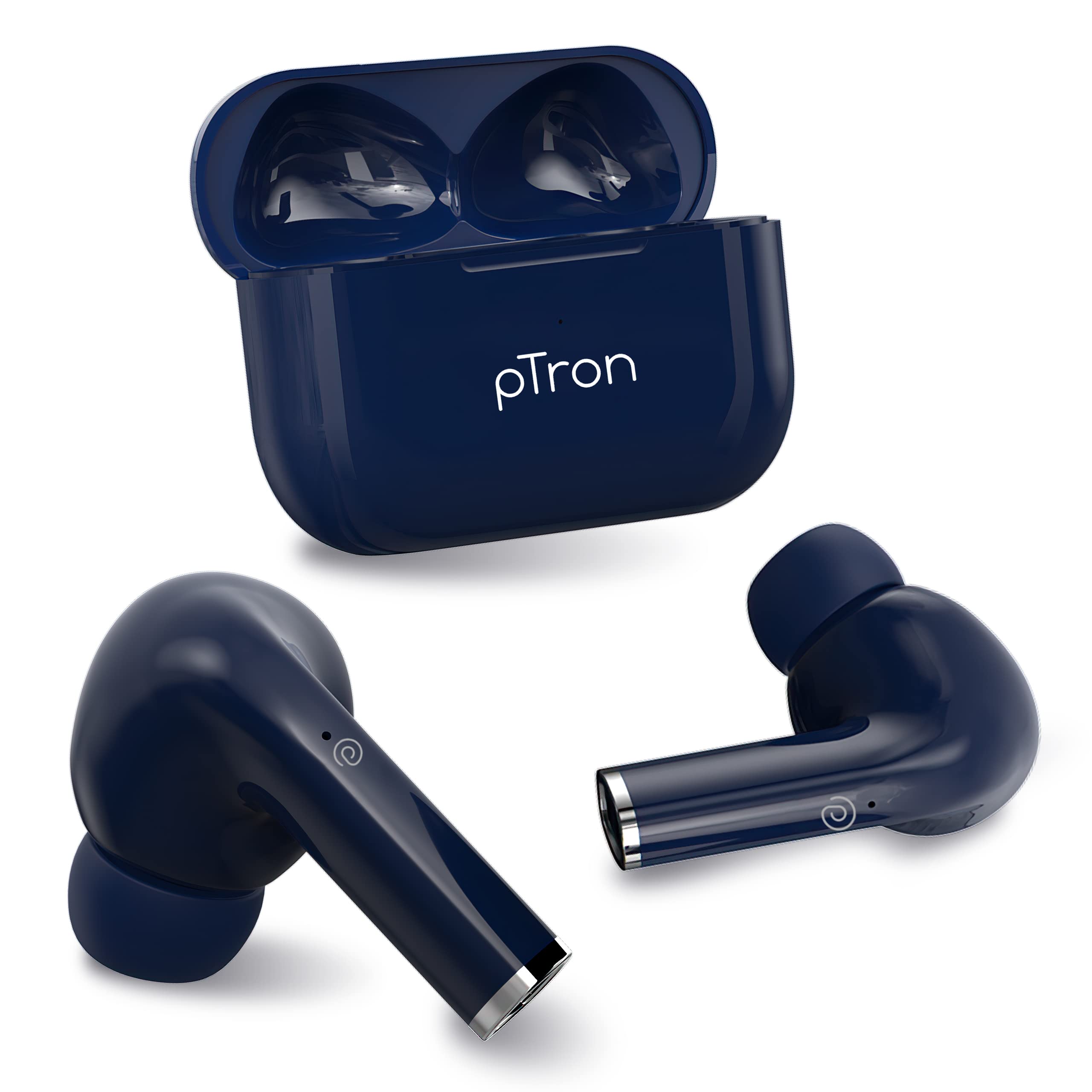
Image: Diagram illustrating the TruTalk AI-ENC technology in pTron Bassbuds Neo, showing how it filters out noise to enhance voice clarity during calls.
2.3 Game/Music Modes
Switch between Game Mode and Music Mode to optimize your audio experience.
- ໂໝດເກມ: Provides 50ms low-latency audio, reducing delay between in-game actions and sound, ideal for gaming.
- ໂໝດດົນຕີ: Delivers pristine audio quality with enhanced bass, suitable for general listening.
- To switch modes, long press the right earbud for 2 seconds.
2.4 ການໃສ່ຫູຟັງ
The Bassbuds Neo are designed for a secure and comfortable fit.
- ສຽບຫູຟັງແຕ່ລະອັນໃສ່ຊ່ອງຫູຂອງເຈົ້າຄ່ອຍໆ.
- Rotate the earbud slightly until it feels snug and stable.
- The ergonomic design and lightweight nature (3.2g per earbud) ensure comfort during extended use and physical activities.
3. ບໍາລຸງຮັກສາ
3.1 ການທໍາຄວາມສະອາດ
ການທໍາຄວາມສະອາດເປັນປົກກະຕິຊ່ວຍຮັກສາຄຸນນະພາບສຽງແລະສຸຂະອະນາໄມ.
- ໃຊ້ຜ້າແພທີ່ອ່ອນ, ແຫ້ງ, ບໍ່ມີເສັ້ນດ່າງເພື່ອເຊັດຫູຟັງຫູຟັງ ແລະ ກ່ອງສາກ.
- For ear tips, remove them and clean with a mild soap solution if necessary, then rinse and dry thoroughly before reattaching.
- ຫ້າມໃຊ້ເຄື່ອງເຮັດຄວາມສະອາດຂັດ ຫຼືຈຸ່ມຫູຟັງ ຫຼືເຄສໃນນໍ້າ.
3.2 ກັນນ້ຳ (IPX5)
The pTron Bassbuds Neo earbuds are IPX5 water-resistant.
- This rating means they can withstand light rain and sweat during workouts.
- They are not designed for swimming, showering, or submersion in water.
- ກວດໃຫ້ແນ່ໃຈວ່າຫູຟັງເອຍບັດແຫ້ງກ່ອນເອົາມັນກັບໃສ່ໃນກ່ອງສາກເພື່ອປ້ອງກັນຄວາມເສຍຫາຍ.
4. ການແກ້ໄຂບັນຫາ
If you encounter issues with your pTron Bassbuds Neo, refer to the following common solutions:
| ບັນຫາ | ການແກ້ໄຂ |
|---|---|
| ຫູຟັງບໍ່ຈັບຄູ່ |
|
| ຫູຟັງຫູຟັງອັນດຽວເຮັດວຽກໄດ້ |
|
| ລະດັບສຽງຕໍ່າ ຫຼືຄຸນນະພາບສຽງບໍ່ດີ |
|
| ບັນຫາການສາກໄຟ |
|
5. ຂໍ້ມູນຈໍາເພາະ
Detailed technical specifications for the pTron Bassbuds Neo TWS Earbuds:
- ຊື່ຕົວແບບ: ເບດບານ
- ເຕັກໂນໂລຍີການເຊື່ອມຕໍ່: Bluetooth 5.3, Wireless
- ປະເພດໄດເວີສຽງ: ໄດນາມິກໄດເວີ
- ຂະໜາດໄດເວີສຽງ: 13 ມມ
- ການຕອບສະໜອງຄວາມຖີ່ຂອງລຳໂພງ: 20Hz-20kHz
- ລຳໂພງ Impedance: 32 ໂອມ
- ຫມໍ້ໄຟຫູ: 40mAh (ແຕ່ລະອັນ)
- ຫມໍ້ໄຟກໍລະນີ: 300mAh
- ເວລາສາກຫູຟັງ: 1 ຊົ່ວໂມງ
- ເວລາເກັບຄ່າກໍລະນີ: 1.2 ຊົ່ວໂມງ
- Total Playback Time (with case): ສູງສຸດ 35 ຊົ່ວໂມງ
- ວິທີການຄວບຄຸມ: ແຕະ
- ໄມໂຄຣໂຟນ: Built-in HD Mic with TruTalk AI-ENC
- ການຕອບສະໜອງຕໍ່າ: 50ms (ໂໝດເກມ)
- ຄວາມຕ້ານທານນ້ໍາ: IPX5
- ວັດສະດຸ: Acrylonitrile Butadiene Styrene (ABS)
- ນ້ໍາຫນັກລາຍການ: 34 ກຣາມ (ລວມ)
- ຂະໜາດຜະລິດຕະພັນ: 6 x 4.5 x 2.5 cm
- ອົງປະກອບລວມ: ສາຍເຄເບີ້ນ, ເບາະຫູ, ຄູ່ມືຜູ້ໃຊ້
6. ການຮັບປະກັນແລະການສະຫນັບສະຫນູນ
The pTron Bassbuds Neo TWS Earbuds come with a manufacturer's warranty and dedicated customer support.
- ການຮັບປະກັນ: 1-Year manufacturer warranty from the date of purchase.
- ການດູແລລູກຄ້າ: For any support or warranty claims, please contact:
- ໂທລະສັບ: 040-67138888
- ອີເມວ: support@ptron.in
- ຜູ້ຜະລິດ: PALRED ELECTRONICS PVT. LTD., SY.NO. 56, 1ST FLOOR, GUNDLAPOCHAMPALLY VILLAGE, TECH PARK MTP, TSIIC-IALA NACHARAM, HYDERABAD - 500076, TELANGANA, INDIA.