ແນະນຳ
This manual provides comprehensive instructions for the TIATUA M9 Instant Print Kids Camera. Please read this manual carefully before using the camera to ensure proper operation and to maximize your experience.
ສິນຄ້າເກີນview
ຄຸນນະສົມບັດທີ່ສໍາຄັນ
- ໜ້າຈໍ IPS ຂະໜາດ 3.0 ນິ້ວ: A larger, soft IPS screen for comfortable viewing ແລະນໍາທາງ.
- 48 MP Photo Resolution: Capture high-quality images with a 48-megapixel lens.
- ການບັນທຶກວິດີໂອ HD 1080p: Record clear high-definition videos.
- ການພິມທັນທີ: Print black and white photos directly from the camera without ink or toner.
- Multifunctional: Includes photography, video recording, instant printing, fun frames, music playback, games, and a flashlight.
- ຊີວິດຫມໍ້ໄຟຍາວ: Equipped with a 1000 mAh battery, providing up to 4 hours of continuous use.
- 32GB Memory Card Included: Ample ການເກັບຮັກສາສໍາລັບຮູບພາບແລະວິດີໂອ.
- ເຄື່ອງມືສ້າງສັນ: Comes with 5 colorful pens for customizing printed photos.
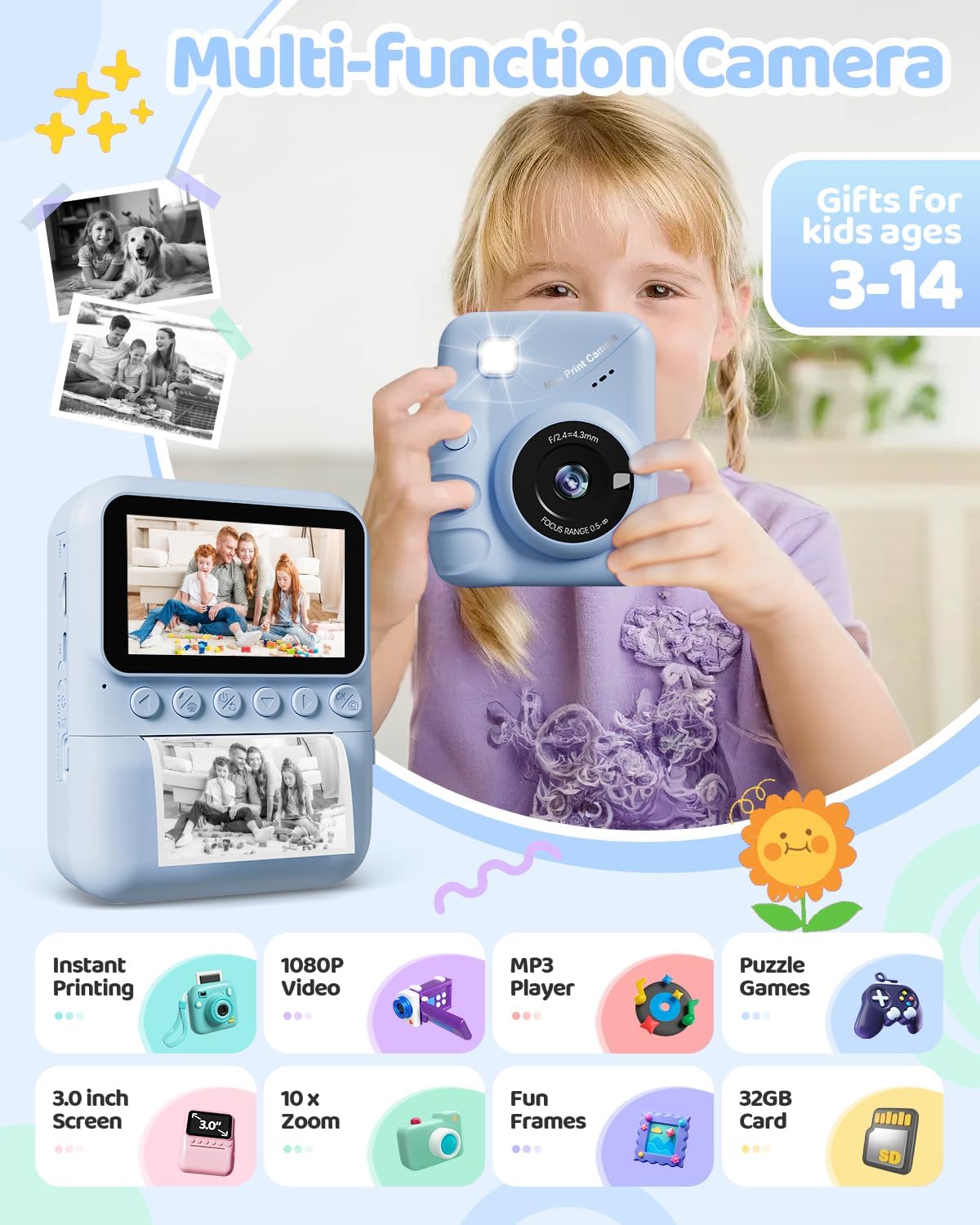
Image: The TIATUA M9 Instant Print Kids Camera highlighting its various functions like instant printing, 1080P video, MP3 player, puzzle games, 3.0-inch screen, 10x zoom, fun frames, and 32GB card.
ການເລີ່ມຕົ້ນ
ເນື້ອໃນຊຸດ
ກະລຸນາກວດເບິ່ງຊຸດເພື່ອຮັບປະກັນວ່າສິນຄ້າທັງໝົດມີຢູ່:
- TIATUA M9 Instant Print Kids Camera
- 32GB Micro SD Card
- Printing Paper Rolls (typically 3 rolls)
- ສາຍສາກ USB
- Lanyard/Strap
- Colorful Pens (5 pieces)
- ຄູ່ມືຜູ້ໃຊ້ (ເອກະສານນີ້)

Image: The TIATUA M9 Instant Print Kids Camera in dark blue, displayed with its accessories including a 32GB memory card, colorful pens, three rolls of printing paper, a USB charging cable, and a decorative lanyard.
ກຳລັງສາກກ້ອງ
Before first use, fully charge the camera. Connect the included USB cable to the camera's charging port and to a USB power adapter (not included) or a computer's USB port. The charging indicator light will show the charging status.
ການໃສ່ Micro SD Card
Locate the Micro SD card slot on the side of the camera. Insert the 32GB Micro SD card (included) into the slot until it clicks into place. Ensure the camera is powered off before inserting or removing the card.
ກຳລັງໂຫຼດເຈ້ຍພິມ
Follow these steps to load the thermal printing paper:
- ເປີດຊ່ອງໃສ່ເຈ້ຍ: Gently push the latch or button to open the paper compartment cover.
- Insert the Paper Roll: Place a new roll of thermal paper into the compartment. Ensure the paper feeds from the bottom of the roll and the end of the paper is facing outwards, ready to be pulled through the printing mechanism.
- Pull Paper Out: Pull approximately 1 inch (2.5 cm) of paper out of the slot, ensuring it is straight.
- ປິດຝາປິດ: ປິດຝາປິດຊ່ອງໃສ່ເຈ້ຍໃຫ້ແໜ້ນຈົນກວ່າມັນຈະມີສຽງຄລິກ.

Image: A three-step visual guide demonstrating how to load the thermal printing paper into the TIATUA M9 Instant Print Kids Camera. Step 1 shows opening the paper slot, Step 2 shows inserting the paper roll in the correct direction, and Step 3 shows pulling out approximately 1 inch of paper before closing the compartment.
ຄໍາແນະນໍາການດໍາເນີນງານ
ການຄວບຄຸມພື້ນຖານ
The camera features intuitive buttons for easy navigation:
- ປຸ່ມເປີດປິດ: Press and hold to turn the camera ON/OFF. Short press to switch modes or confirm selections.
- ປຸ່ມຊັດເຕີ: Press to take a photo or start/stop video recording.
- ປຸ່ມນຳທາງ (ຂຶ້ນ/ລົງ/ຊ້າຍ/ຂວາ): Used to navigate menus, zoom in/out, or select options.
- OK/Confirm Button: ຢືນຢັນການເລືອກໃນເມນູ.
- ປຸ່ມເມນູ: ເຂົ້າເຖິງການຕັ້ງຄ່າກ້ອງຖ່າຍຮູບ ແລະຕົວເລືອກຕ່າງໆ.
ຖ່າຍຮູບ
ເພື່ອຖ່າຍຮູບ:
- ເປີດກ້ອງຖ່າຍຮູບ.
- Select the photo mode from the main menu.
- ຈັດກອບຮູບຂອງທ່ານໂດຍໃຊ້ໜ້າຈໍ IPS ຂະໜາດ 3.0 ນິ້ວ.
- (Optional) Use the navigation buttons to zoom in or out (up to 10x digital zoom).
- Press the Shutter button to capture the image.

Image: The TIATUA M9 Instant Print Kids Camera's 3.0-inch screen displaying a live view, demonstrating 1080P HD video recording capability and 10x digital zoom functionality with examples of zoomed-in images.
ການບັນທຶກວິດີໂອ
ເພື່ອບັນທຶກວິດີໂອ:
- ເປີດກ້ອງຖ່າຍຮູບ.
- Select the video recording mode from the main menu.
- Press the Shutter button once to start recording. A timer will appear on the screen.
- Press the Shutter button again to stop recording. The video will be saved to the Micro SD card.
ການພິມທັນທີ
After taking a photo, you can instantly print it in black and white. The camera offers different printing densities:
- ຕ່ຳ (1-3): Lighter print.
- ຂະໜາດກາງ (4-5): Standard print.
- ສູງ (6-7): Darker print.
Select your desired density in the print settings before initiating the print. The camera uses thermal printing technology, requiring no ink cartridges.

Image: An illustration demonstrating the two printing modes (Grayscale Matrix and Grayscale Levels) and three printing densities (Low, Medium, High) available on the TIATUA M9 Instant Print Kids Camera, showing how image clarity changes with density settings.
Photo Frames and Filters
Enhance your photos with various built-in frames and filters. Access these options through the camera's menu while in photo mode. Select a frame or filter before taking a picture to apply it directly to the image and print.
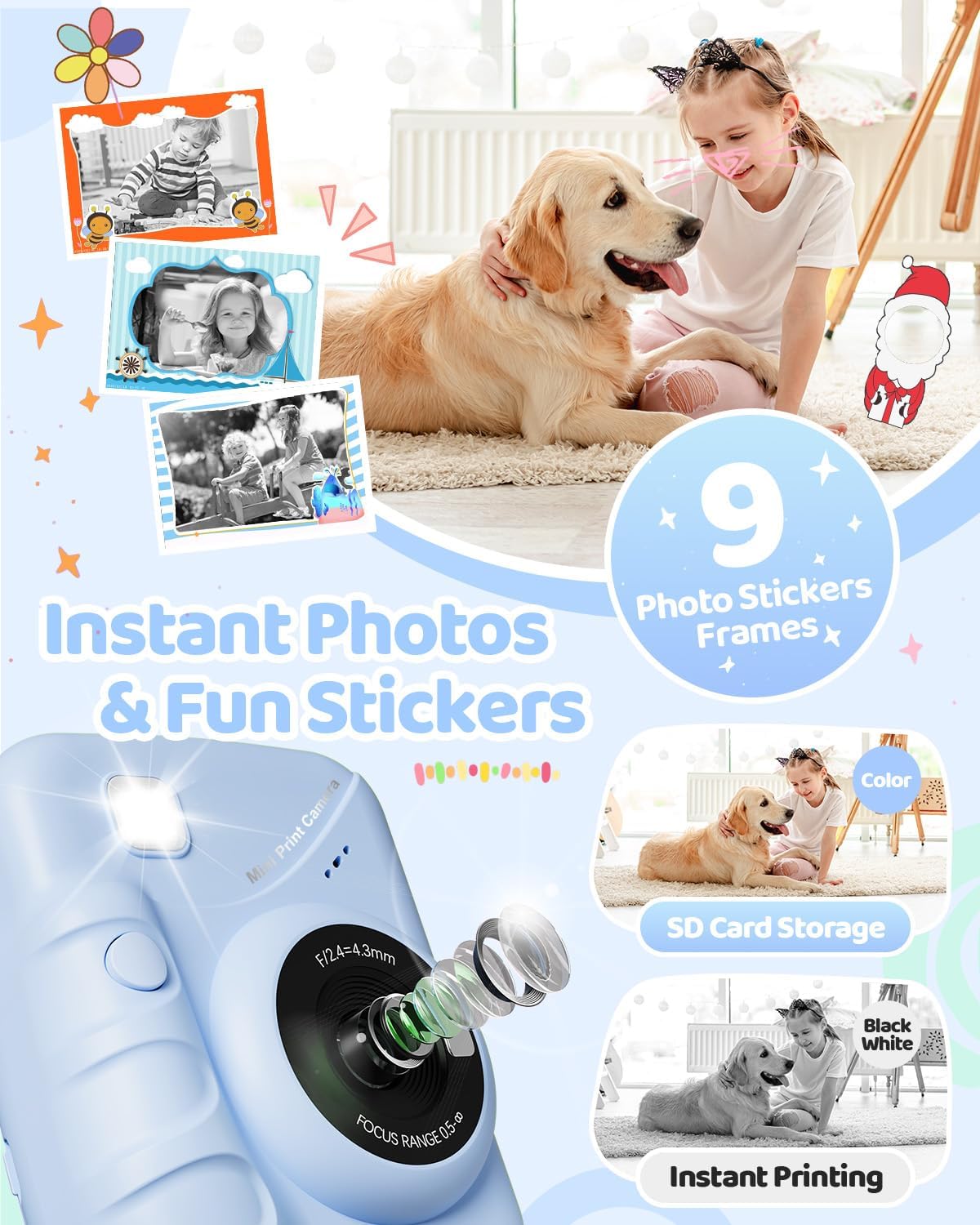
Image: The TIATUA M9 Instant Print Kids Camera displaying various fun photo stickers and frames that can be applied to images, encouraging creative expression.
ຫຼິ້ນເກມ
The camera includes several pre-installed puzzle games for entertainment. Navigate to the "Games" option in the main menu to select and play. Use the navigation buttons to control the games.

Image: A child interacting with the TIATUA M9 Instant Print Kids Camera, which displays various puzzle games on its screen, alongside icons for a music player and other interesting features.
ການຫຼິ້ນຄືນ ແລະ ການຫຼິ້ນຄືນview
ເຖິງ view your captured photos and videos, enter the "Playback" mode from the main menu. Use the navigation buttons to scroll through your media. Press the OK button to view ຮູບພາບ ຫຼືຫຼິ້ນວິດີໂອ.
ບໍາລຸງຮັກສາ
ການທໍາຄວາມສະອາດກ້ອງຖ່າຍຮູບ
To clean the camera body, use a soft, dry cloth. For the lens, use a specialized lens cleaning cloth. Do not use liquid cleaners or abrasive materials, as they may damage the camera.
ການເກັບຮັກສາ
ເກັບຮັກສາກ້ອງຖ່າຍຮູບໄວ້ໃນບ່ອນທີ່ເຢັນ, ແຫ້ງ ແລະ ຫ່າງຈາກແສງແດດໂດຍກົງ ແລະ ອຸນຫະພູມທີ່ຮຸນແຮງ. ເມື່ອບໍ່ໄດ້ໃຊ້ງານເປັນເວລາດົນ, ໃຫ້ຮັບປະກັນວ່າແບັດເຕີຣີໄດ້ຖືກສາກໄຟບາງສ່ວນ (ປະມານ 50%) ເພື່ອຍືດອາຍຸການໃຊ້ງານຂອງມັນ.
ການແກ້ໄຂບັນຫາ
ບັນຫາທົ່ວໄປແລະການແກ້ໄຂ
- ກ້ອງຖ່າຍຮູບບໍ່ເປີດ:
- Ensure the battery is charged. Connect the camera to a power source using the USB cable.
- ກົດປຸ່ມເປີດປິດຄ້າງໄວ້ສອງສາມວິນາທີ.
- ບໍ່ສາມາດຖ່າຍຮູບ/ວິດີໂອໄດ້:
- Check if the Micro SD card is inserted correctly and has sufficient free space.
- Ensure the camera is in the correct mode (photo or video).
- Print quality is poor or no print:
- Verify that the thermal paper is loaded correctly and not upside down.
- Check if there is enough paper in the compartment.
- Adjust the printing density settings in the camera menu.
- Ensure the print head is clean (refer to cleaning instructions).
- ໜ້າຈໍຄ້າງແລ້ວ:
- Try restarting the camera by holding the power button. If unresponsive, use a thin object to press the reset button (if available, usually a small pinhole).
ຂໍ້ມູນຈໍາເພາະ
| ຄຸນສົມບັດ | ລາຍລະອຽດ |
|---|---|
| ຍີ່ຫໍ້ | TIATUA |
| ຊື່ຕົວແບບ | M9 |
| ສີ | ສີຟ້າເຂັ້ມ |
| ໜ້າຈໍ | ຈໍ LCD 3.0 ນິ້ວ |
| ຄຸນນະສົມບັດພິເສດ | Instant Photo |
| ເຕັກໂນໂລຊີການເຊື່ອມຕໍ່ | USB |
| ອົງປະກອບຫມໍ້ໄຟ | Lithium-polymer (1000 mAh) |
| ຄວາມລະອຽດວິດີໂອ | 1080p |
| ການແກ້ໄຂປະສິດທິພາບ | 48 ລ້ານພິກເຊລ |
| ຄວາມໄວຊັດເຕີສູງສຸດ | 1/2000ວິ |
| ປະເພດຈຸດສຸມ | ໂຟກັສອັດຕະໂນມັດ |
| ປະເພດການຊູມ | Optical Zoom |
| ຊ່ວງ ISO | 100-6400 |
| ລະດັບຄວາມຕ້ານທານນ້ໍາ | ບໍ່ກັນນ້ໍາ |
| ຂະໜາດ (L x W x H) | 16.7 x 13.4 x 6.2 cm |
| ນ້ຳໜັກ | 420 ກຣາມ |
ການຮັບປະກັນແລະການສະຫນັບສະຫນູນ
For warranty information and customer support, please refer to the contact details provided with your purchase or visit the official TIATUA webເວັບໄຊ. ຮັກສາຫຼັກຖານການຊື້ຂອງທ່ານສໍາລັບການຮຽກຮ້ອງການຮັບປະກັນໃດໆ.