1. ບົດແນະນຳ
Thank you for choosing the Auronic AU3273 Compact Series Dehumidifier. This appliance is designed to effectively remove excess moisture from your indoor environment, helping to prevent mold, mildew, and musty odors. With a dehumidification capacity of 25 liters per day, it is ideal for spaces up to 50 m².
This manual provides important information regarding the safe operation, installation, maintenance, and troubleshooting of your dehumidifier. Please read it thoroughly before use and retain it for future reference.

Image 1.1: Auronic AU3273 Dehumidifier with visual representation of air circulation.
2. ຄໍາແນະນໍາຄວາມປອດໄພ
ເພື່ອຮັບປະກັນການໃຊ້ງານທີ່ປອດໄພ ແລະ ປ້ອງກັນຄວາມເສຍຫາຍຕໍ່ອຸປະກອນ ຫຼື ການບາດເຈັບຕໍ່ຕົວທ່ານເອງ, ກະລຸນາປະຕິບັດຕາມຂໍ້ຄວນລະວັງດ້ານຄວາມປອດໄພຕໍ່ໄປນີ້:
- ວາງເຄື່ອງດູດຄວາມຊຸ່ມໄວ້ເທິງພື້ນຜິວທີ່ໝັ້ນຄົງ ແລະ ຮາບພຽງສະເໝີ.
- ຫ້າມປິດຊ່ອງສຽບອາກາດ ຫຼືທາງອອກ. ຮັກສາຊ່ອງຫວ່າງຢ່າງຫນ້ອຍ 20 ຊຕມຮອບຫນ່ວຍ.
- ໃຫ້ແນ່ໃຈວ່າການສະຫນອງພະລັງງານກົງກັບ voltage ລະບຸໄວ້ໃນປ້າຍການຈັດອັນດັບ.
- ຫ້າມໃຊ້ອຸປະກອນທີ່ມີສາຍໄຟ ຫຼືປລັກສຽບເສຍຫາຍ.
- Unplug the appliance before cleaning, moving, or performing any maintenance.
- ຢ່າໃຊ້ເຄື່ອງດູດຄວາມຊຸ່ມໃນບໍລິເວນທີ່ເກັບຮັກສາອາຍແກັສໄວໄຟ ຫຼື ຂອງແຫຼວ.
- ຮັກສາເດັກນ້ອຍ ແລະສັດລ້ຽງຢູ່ຫ່າງຈາກເຄື່ອງໃຊ້ໃນເວລາເຮັດວຽກ.
- If the unit has been tilted more than 45 degrees during transport, allow it to stand upright for at least 24 hours before plugging it in and operating. This allows the refrigerant to settle.
- ຢ່າເອົາສິ່ງຂອງເຂົ້າໄປໃນຊ່ອງລະບາຍອາກາດ.
- ເຄື່ອງໃຊ້ນີ້ແມ່ນໃຊ້ໃນເຮືອນເທົ່ານັ້ນ.
3. ເນື້ອໃນຊຸດ
Carefully unpack your Auronic AU3273 Dehumidifier and check that all items are present and in good condition. The package should contain:
- Auronic AU3273 Dehumidifier Unit
- Drain Hose for continuous drainage
- ຄູ່ມືຜູ້ໃຊ້ (ເອກະສານນີ້)

Image 3.1: Contents of the Auronic AU3273 Dehumidifier package, showing the unit, drain hose, and manual.
4. ຜະລິດຕະພັນເກີນview
4.1. ອົງປະກອບຫຼັກ
- ກະດານຄວບຄຸມ: Located on the top of the unit for setting functions.
- ສາຍການບິນ: ບ່ອນທີ່ອາກາດຊຸ່ມຊື້ນເຂົ້າໄປໃນຫນ່ວຍບໍລິການ.
- ຊ່ອງສຽບອາກາດ: ບ່ອນທີ່ອາກາດແຫ້ງຖືກຂັບໄລ່ອອກ.
- ຖັງນໍ້າ: Collects condensed water. Capacity: 4 liters.
- ທໍ່ລະບາຍນ້ຳຢ່າງຕໍ່ເນື່ອງ: For connecting the drain hose.
- ລໍ້: ສໍາລັບການເຄື່ອນທີ່ງ່າຍ.
4.2. ການຄວບຄຸມຟັງຊັນແຜງຄວບຄຸມ
The control panel provides access to all operational settings. Refer to the image below for button identification:

ຮູບພາບ 4.1: ລາຍລະອຽດ view ຂອງແຜງຄວບຄຸມພ້ອມດ້ວຍຄຳອະທິບາຍປຸ່ມ.
- ຄວາມໄວ: ປັບຄວາມໄວພັດລົມ.
- SLEEP/RESET: Activates sleep mode or resets certain functions.
- ລັອກ: Engages child lock to prevent accidental changes.
- ລູກສອນຂຶ້ນ/ລົງ: Adjust humidity settings or timer values.
- ໂມງຈັບເວລາ: Sets the operating time.
- ແບບ: Switches between different operating modes (e.g., Laundry Dry).
- STAND-BY (Power Button): ເປີດ ຫຼື ປິດເຄື່ອງ.
5. ຕັ້ງຄ່າ
5.1. ການຈັດວາງເບື້ອງຕົ້ນ
Place the dehumidifier in the desired location, ensuring it is on a firm, level surface. Allow at least 20 cm of space around all sides for proper airflow. The unit is equipped with wheels for easy movement.
5.2. ການເຊື່ອມຕໍ່ພະລັງງານ
Plug the power cord into a grounded electrical outlet. If the unit was tilted during transport, wait 24 hours before plugging it in.
5.3. Continuous Drainage (Optional)
For continuous operation without needing to empty the water tank, connect the included drain hose:
- ຊອກຫາທາງອອກຂອງທໍ່ລະບາຍນ້ຳຢ່າງຕໍ່ເນື່ອງຢູ່ດ້ານຫຼັງ ຫຼື ດ້ານຂ້າງຂອງເຄື່ອງ.
- Securely attach one end of the drain hose to this outlet.
- Direct the other end of the hose to a suitable drain point (e.g., floor drain, sink), ensuring it is lower than the unit's drain outlet for gravity flow.
- Ensure the hose is not kinked or blocked.
6. ຄໍາແນະນໍາການດໍາເນີນງານ
6.1. ເປີດ/ປິດ
ກົດ ສະແຕນ - ໂດຍ ປຸ່ມເພື່ອເປີດ ຫຼືປິດເຄື່ອງດູດຄວາມຊຸ່ມ.
6.2. ການຕັ້ງຄ່າຄວາມຊຸ່ມຊື່ນທີ່ຕ້ອງການ
When the unit is on, the display will show the current room humidity. Use the Up ແລະ ລົງ arrow buttons to set your desired humidity level. The unit will operate until the set humidity is reached, then cycle on and off to maintain it.
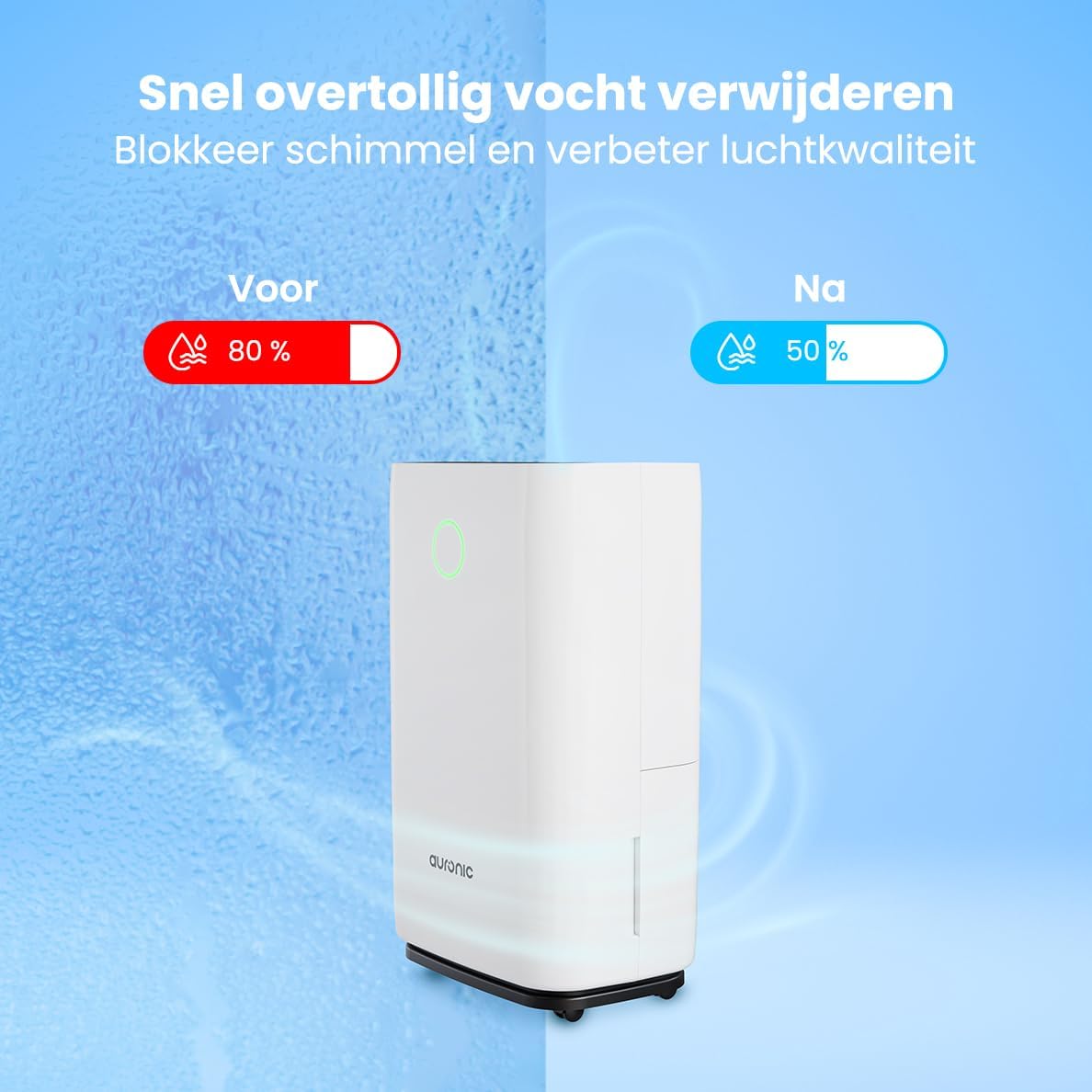
Image 6.1: Visual representation of humidity reduction from 80% to 50% using the dehumidifier.
6.3. ຮູບແບບການເຮັດວຽກ
- ໂໝດອັດຕະໂນມັດ: The unit automatically adjusts its operation based on the ambient humidity.
- Laundry Dry Function: ກົດ ໂໝດ button to select the Laundry Dry function. This mode increases fan speed and continuous operation to accelerate the drying process of clothes. Place the dehumidifier in your laundry room for optimal results.
- ຮູບແບບການນອນ: ກົດ ນອນ/ຣີເຊັດ button to activate sleep mode. In this mode, the display lights dim, and the fan operates at a lower speed for quieter operation, suitable for nighttime use.

Image 6.2: The dehumidifier operating quietly, suitable for use in a bedroom.
6.4. ຟັງຊັນຈັບເວລາ
ກົດ ເວລາ button to set an auto-on or auto-off time. Use the Up ແລະ ລົງ arrows to adjust the desired hours (1-24 hours). The unit will turn on or off after the set time has elapsed.
6.5. ລັອກເດັກ
ກົດຄ້າງໄວ້ ລັອກ button for a few seconds to activate or deactivate the child lock. When activated, the control panel buttons will be unresponsive to prevent accidental changes.
7. ບໍາລຸງຮັກສາ
ການບໍາລຸງຮັກສາເປັນປົກກະຕິຮັບປະກັນປະສິດທິພາບທີ່ດີທີ່ສຸດແລະຍືດອາຍຸຊີວິດຂອງເຄື່ອງ dehumidifier ຂອງທ່ານ.
7.1. ລ້າງຖັງນໍ້າ
When the water tank is full, the unit will automatically stop operating, and an indicator light will illuminate. Carefully remove the water tank from the unit, empty the collected water, and then reinsert the tank securely. Ensure the tank is properly seated to resume operation.
7.2. ເຮັດຄວາມສະອາດເຄື່ອງກອງອາກາດ
The air filter should be cleaned every two weeks or more frequently depending on usage and air quality. A dirty filter can reduce efficiency.
- ຖອດເຄື່ອງປັບຄວາມຊຸ່ມຊື່ນອອກຈາກປລັກສຽບໄຟ.
- ຊອກຫາແລະເອົາຕົວກອງອາກາດອອກ (ປົກກະຕິແລ້ວຢູ່ດ້ານຫລັງຫຼືຂ້າງ).
- ເຮັດຄວາມສະອາດການກັ່ນຕອງດ້ວຍເຄື່ອງດູດຝຸ່ນຫຼືລ້າງມັນຄ່ອຍໆດ້ວຍນ້ໍາສະບູທີ່ອົບອຸ່ນ.
- ລ້າງໃຫ້ສະອາດ ແລະປ່ອຍໃຫ້ການກັ່ນຕອງອາກາດແຫ້ງຫມົດກ່ອນທີ່ຈະຕິດຕັ້ງຄືນໃໝ່.
- Reinsert the dry filter and plug the unit back in.
7.3. ທໍາຄວາມສະອາດທົ່ວໄປ
ເຊັດດ້ານນອກຂອງຫນ່ວຍງານດ້ວຍຄວາມອ່ອນໂຍນ, ງamp ຜ້າ. ຢ່າໃຊ້ສານເຄມີທີ່ຮຸນແຮງ, ນໍ້າຢາທໍາຄວາມສະອາດທີ່ມີສີຂັດ, ຫຼື ຕົວລະລາຍ, ເພາະວ່າສິ່ງເຫຼົ່ານີ້ສາມາດທໍາລາຍພື້ນຜິວໄດ້.
8. ການແກ້ໄຂບັນຫາ
ຖ້າທ່ານພົບບັນຫາກັບເຄື່ອງດູດຄວາມຊຸ່ມຂອງທ່ານ, ໃຫ້ອ້າງອີງເຖິງບັນຫາ ແລະ ວິທີແກ້ໄຂທົ່ວໄປຕໍ່ໄປນີ້:
- ຫນ່ວຍບໍລິການບໍ່ເປີດ:
- ກວດເບິ່ງວ່າສາຍໄຟຖືກສຽບຢ່າງປອດໄພກັບປລັກສຽບທີ່ເຮັດວຽກຫຼືບໍ່.
- Ensure the water tank is properly inserted and not full.
- Check if the child lock is activated.
- No water collected or low dehumidification:
- Verify that the set humidity level is lower than the current room humidity.
- Check if the air filter is clean and not blocked.
- Ensure room temperature is above 5°C (41°F), as dehumidifiers are less effective in cold conditions.
- Close doors and windows in the room to prevent humid air from entering.
- Allow a few minutes for the unit to accurately measure humidity upon startup, as initial readings may be inaccurate.
- ໜ່ວຍງານມີສຽງດັງ:
- ໃຫ້ແນ່ໃຈວ່າຫນ່ວຍງານຢູ່ໃນຄວາມຫມັ້ນຄົງ, ພື້ນຜິວໃນລະດັບ.
- Check for any obstructions in the air inlet or outlet.
- Clean the air filter if it is dirty.
- Defrost function activates frequently:
- This is normal in cooler environments (e.g., below 20°C). The unit temporarily stops dehumidifying to melt any ice buildup on the coils.
ຖ້າບັນຫາຍັງຄົງຢູ່ຫຼັງຈາກລອງໃຊ້ວິທີແກ້ໄຂເຫຼົ່ານີ້ແລ້ວ, ກະລຸນາຕິດຕໍ່ຫາຝ່າຍສະໜັບສະໜູນລູກຄ້າຂອງ Auronic.
9. ຂໍ້ມູນຈໍາເພາະ
| ຄຸນສົມບັດ | ຂໍ້ມູນຈໍາເພາະ |
|---|---|
| ຍີ່ຫໍ້ | Auronic |
| ໝາຍເລກຕົວແບບ | AU3273 |
| ຂະໜາດສິນຄ້າ | 57 x 34 x 23 cm (H x W x D) |
| ນ້ຳໜັກ | 13.6 ກິໂລ |
| ສີ | ສີຂາວ |
| ວັດສະດຸ | Plastic and ABS Plastic |
| ວັດtage | 395 ວັດ |
| ລະດັບສຽງ | 45 Decibels |
| ຄຸນນະສົມບັດພິເສດ | ການປິດອັດຕະໂນມັດ |
| ອົງປະກອບລວມ | Manual, Drain Hose |
| ຄວາມອາດສາມາດ (Dehumidification) | 25 ລິດຕໍ່ມື້ |
| ປະລິມານຖັງ | 4 ລິດ |
| ພື້ນທີ່ຄອບຄຸມພື້ນ | ເຖິງ 50 m² |
| ຈໍານວນຄວາມໄວ | 1 |
10. ການຮັບປະກັນແລະການສະຫນັບສະຫນູນ
For warranty information and customer support, please refer to the warranty card included with your purchase or visit the official Auronic website. If you experience any issues not covered in the troubleshooting section, please contact Auronic customer service for assistance.
ຜູ້ຜະລິດ: Auronic


