1. ຜະລິດຕະພັນເກີນview
The Baseus Qi2 MagSafe Power Bank (Model: PPPG-0520S) is an ultra-slim, portable wireless charger designed for iPhone 12/13/14/15/16 series and other compatible devices. It features official Qi2 certification for up to 15W wireless fast charging, a versatile 360° rotatable ring stand, and the ability to charge two devices simultaneously via both wireless and wired connections. Its compact design and robust safety features make it an ideal companion for on-the-go power needs.

Image: The Baseus Qi2 MagSafe Power Bank in black, magnetically attached to the back of a silver iPhone. The integrated ring stand is extended, allowing the phone to stand upright. A smaller inset image shows the power bank detached, highlighting its slim profile and the Qi2 logo.
2. ສິ່ງທີ່ຢູ່ໃນກ່ອງ
- 1 x Baseus PicoGo Qi2 Magnetic Power Bank (5000mAh)
- ສາຍໄຟ 1 x USB-C ເຖິງ USB-C
- ຄູ່ມືເລີ່ມຕົ້ນດ່ວນ (ຄູ່ມືນີ້)
3. ຄຸນນະສົມບັດທີ່ສໍາຄັນ
- Qi2 Certified 15W Wireless Fast Charging: Officially certified for fast and efficient wireless charging, capable of charging compatible iPhones from 0 to 35% in approximately 30 minutes.
- ການອອກແບບທີ່ກະທັດຮັດ ແລະ ນ້ຳໜັກເບົາທີ່ສຸດ: Measuring only 0.54 inches thick and weighing 6 ounces, it is designed for portability without obstructing the phone's camera.
- Multi-function 360° Rotatable Ring Stand: Features a built-in magnetic ring stand made of sturdy metal, allowing 360° rotation and adjustable angles from 40° to 120° for versatile viewການຈັບ ແລະ ການຍຶດທີ່ໝັ້ນຄົງ.
- ສາກ 2 ອຸປະກອນພ້ອມໆກັນ: Supports self-charging via the USB-C port while wirelessly charging another device. It can also charge two cell phones concurrently using both wired and wireless methods.
- Worry-free & Safe Charging: Includes a low current mode for small devices like AirPods and earbuds, preventing overcharging. Equipped with eight layers of protection against overcharging, over-discharging, overheating, and more, ensuring safe operation and compliance with international aviation standards.
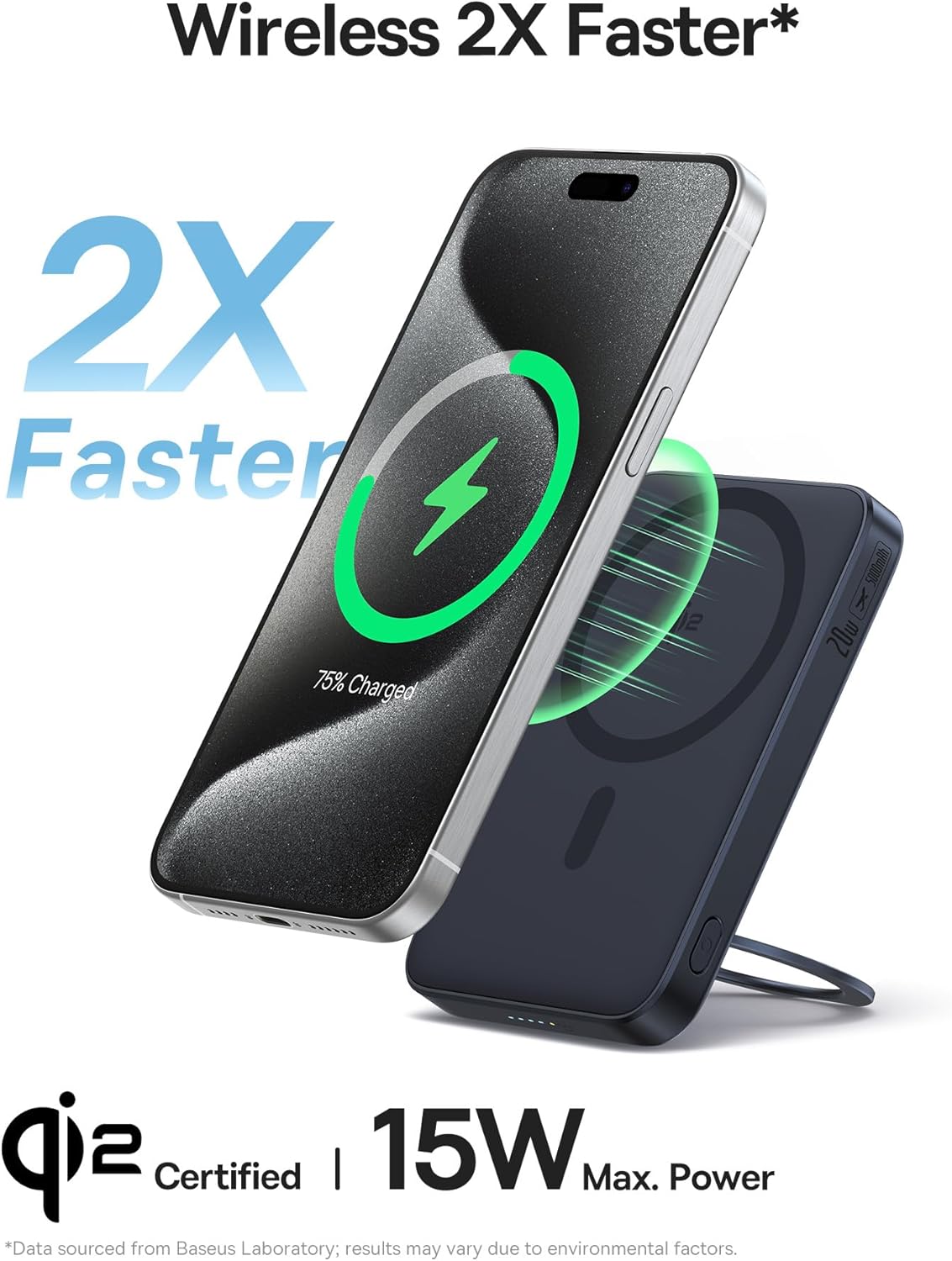
Image: An iPhone displaying a charging icon, positioned above the Baseus power bank, indicating 2X faster wireless charging at 15W. The image emphasizes the Qi2 certification.

Image: A hand gently holding the Baseus power bank, highlighting its ultra-slim and ultra-portable design. Inset diagrams show the precise dimensions of the device (4.07" x 2.63" x 0.54").

Image: Two illustrations demonstrating the flexibility of the integrated ring stand. One shows a 360° rotation, and the other illustrates the adjustable angle range from 40° to 120°, emphasizing its foldable and rotatable design.
4. ຕັ້ງຄ່າ
4.1 ການສາກໄຟເບື້ອງຕົ້ນຂອງ Power Bank
Before first use, fully charge your Baseus Qi2 MagSafe Power Bank. Connect the provided USB-C to USB-C cable to the power bank's USB-C port and the other end to a compatible USB-C power adapter (not included). The LED indicators on the side of the power bank will illuminate to show the charging progress. A full charge is indicated when all LEDs are solid.
4.2 Attaching to Your iPhone
The power bank features strong magnetic force for secure attachment to MagSafe-compatible iPhones (iPhone 12 series and later) or MagSafe-compatible cases. Simply align the power bank with the back of your iPhone; the magnets will snap it into place. Ensure proper alignment for optimal charging efficiency.
5. ຄໍາແນະນໍາການດໍາເນີນງານ
5.1 ການສາກໄຟໄຮ້ສາຍ
- ກວດໃຫ້ແນ່ໃຈວ່າໄດ້ສາກໄຟພຽງພໍແລ້ວ.
- Attach the power bank magnetically to the back of your MagSafe-compatible iPhone.
- The power bank will automatically begin wireless charging. The LED indicator will show charging status.
5.2 ການສາກໄຟດ້ວຍສາຍ
- Connect one end of the USB-C to USB-C cable to the power bank's USB-C port.
- Connect the other end of the cable to your device's USB-C port.
- The power bank will begin wired charging. This method supports up to 20W fast charging for compatible devices.

Image: The Baseus power bank connected to an iPhone via a USB-C cable, illustrating the wired charging capability. The image highlights its universal compatibility with USB-C devices and 20W fast charging.
5.3 ການສາກໄຟຫຼາຍອຸປະກອນ
The power bank supports simultaneous charging of two devices. You can wirelessly charge one device (e.g., iPhone) while simultaneously charging another device (e.g., AirPods, another phone) via the USB-C port using a cable.
5.4 Using the Ring Stand
The integrated ring stand can be pulled out from the back of the power bank. It rotates 360° and can be adjusted to various angles (40° to 120°) to provide a stable viewing experience in both portrait and landscape orientations. It also serves as a secure grip when holding your phone.
5.5 ຕົວຊີ້ວັດ LED
The power bank features LED indicators on its side. These LEDs show the current battery level of the power bank and indicate when it is actively charging or discharging. The outermost LED glows red during charging or discharging.
Video: An official product video from Baseus demonstrating the features and usage of the PicoGo Qi2 Power Bank with Kickstand, including its slim design, magnetic attachment, ring stand functionality, and charging capabilities.
6. ບໍາລຸງຮັກສາ
- ຮັກສາທະນາຄານພະລັງງານໃຫ້ຫ່າງຈາກນ້ໍາ, ຄວາມຊຸ່ມຊື່ນ, ແລະອຸນຫະພູມທີ່ສຸດ.
- ຫຼີກລ້ຽງການຫຼຸດລົງຫຼືການອຸປະກອນທີ່ມີຜົນກະທົບທີ່ເຂັ້ມແຂງ.
- ເຮັດຄວາມສະອາດພື້ນຜິວດ້ວຍຜ້າອ່ອນໆ, ແຫ້ງ. ຢ່າໃຊ້ສານເຄມີທີ່ຮຸນແຮງຫຼືວັດສະດຸຂັດ.
- ເກັບຮັກສາໄວ້ໃນບ່ອນທີ່ເຢັນ, ແຫ້ງເມື່ອບໍ່ໄດ້ໃຊ້ເປັນເວລາດົນນານ.
7. ການແກ້ໄຂບັນຫາ
| ບັນຫາ | ສາເຫດທີ່ເປັນໄປໄດ້ | ການແກ້ໄຂ |
|---|---|---|
| ອຸປະກອນບໍ່ໄດ້ສາກໄຟແບບໄຮ້ສາຍ. | Improper alignment; power bank low on charge; non-MagSafe compatible device/case. | Ensure the power bank is centered on your iPhone's MagSafe area. Recharge the power bank. Use a MagSafe-compatible iPhone or case. |
| ຄວາມໄວການສາກໄຟຊ້າ. | Device not supporting fast charging; power bank low on charge; background apps consuming power. | Verify your device supports 15W wireless or 20W wired charging. Fully charge the power bank. Close unnecessary background applications on your device. |
| Magnetic attachment is weak or slides off easily. | Non-MagSafe case; thick case; foreign objects between power bank and phone. | Ensure you are using a MagSafe-compatible case or no case. Remove any foreign objects. |
| Power bank not turning on/LEDs not lighting up. | ແບັດເຕີຣີ່ໝົດແລ້ວ; ພາຍໃນເຮັດວຽກຜິດປົກກະຕິ. | Connect the power bank to a power source and charge it for at least 30 minutes. If the issue persists, contact customer service. |
8. ຂໍ້ມູນຈໍາເພາະ
| ຄຸນສົມບັດ | ລາຍລະອຽດ |
|---|---|
| ໝາຍເລກຕົວແບບ | PPPG-0520S |
| ຂະໜາດສິນຄ້າ | 4.07 x 2.63 x 0.54 ນິ້ວ |
| ນ້ໍາຫນັກລາຍການ | 6 ອອນ |
| ຄວາມອາດສາມາດຫມໍ້ໄຟ | 5000 ລ້ານamp ຊົ່ວໂມງ (mAh) |
| ປະເພດຕົວເຊື່ອມຕໍ່ | USB ປະເພດ C |
| ຜົນຜະລິດສາກໄຟໄຮ້ສາຍ | ສູງສຸດ 15W (Qi2 ຮັບການຮັບຮອງ) |
| ການສາກໄຟດ້ວຍສາຍ | Up to 20W (USB-C) |
| ຄຸນນະສົມບັດພິເສດ | Fast Charging, LED Indicator Lights, Lightweight, Qi2 Magsafe Wireless Charging, Slim, 360° Rotatable Ring Stand |
9. ການຮັບປະກັນແລະການສະຫນັບສະຫນູນ
The Baseus PicoGo Qi2 Magnetic Power Bank comes with a ຮັບປະກັນ 24 ເດືອນ. For any product problems or inquiries, please contact our friendly customer service team. We are committed to resolving any issues in a timely manner.
ສຳລັບການຊ່ວຍເຫຼືອເພີ່ມເຕີມ, ກະລຸນາເຂົ້າເບິ່ງທີ່ Baseus ຢ່າງເປັນທາງການ webເວັບໄຊ ຫຼືຕິດຕໍ່ຊ່ອງທາງການຊ່ວຍເຫຼືອລູກຄ້າຂອງເຂົາເຈົ້າ.


