1. ການແນະນໍາ ແລະຫຼາຍກວ່າview
The Infinity Smart Watch for Women is designed to seamlessly integrate into your daily life, offering a blend of elegance and advanced functionality. Featuring a vibrant AMOLED 1.1" screen, this smartwatch provides comprehensive health and fitness tracking, communication features, and smart notifications. It is compatible with both iOS and Android phones.

ຮູບ 1: ດ້ານຫນ້າ view of the Infinity Smart Watch for Women, showcasing its elegant design and vibrant AMOLED display.
2. ສິ່ງທີ່ຢູ່ໃນກ່ອງ
- Infinity Smart Watch (Model WS_BLK)
- ສາຍສາກ
- ຄູ່ມືຜູ້ໃຊ້
3. ຕັ້ງຄ່າ
3.1 ການສາກໄຟເບື້ອງຕົ້ນ
Before first use, fully charge your smartwatch. Connect the magnetic charging cable to the charging points on the back of the watch and plug the USB end into a compatible power adapter (not included) or computer USB port. The watch display will indicate charging status.

Figure 2: The smartwatch connected to its magnetic charging cable, showing the battery charging indicator.
3.2 ການຕິດຕັ້ງແອັບ ແລະ ການຈັບຄູ່
- Scan the QR code provided in the manual or on the watch screen (if available) to download the companion app. Alternatively, search for the app name (e.g., 'VeryFit' or 'FitCloudPro' as seen in related videos) in your smartphone's app store (iOS App Store or Google Play Store).
- ຕິດຕັ້ງແອັບຯໃນໂທລະສັບສະຫຼາດຂອງທ່ານ.
- Open the app and follow the on-screen instructions to create an account and set up your profile.
- ໃຫ້ແນ່ໃຈວ່າ Bluetooth ຖືກເປີດໃຊ້ຢູ່ໃນໂທລະສັບສະຫຼາດຂອງທ່ານ.
- In the app, navigate to the device pairing section and select your Infinity Smart Watch from the list of available devices.
- ຢືນຢັນຄຳຮ້ອງຂໍການຈັບຄູ່ໃນສະມາດໂຟນ ແລະ smartwatch ຂອງທ່ານ.
Video 1: Official product video demonstrating the Infinity Smart Watch for Women, including its features and design. This video provides a visual guide to the watch's capabilities.
4. ຄໍາແນະນໍາການດໍາເນີນງານ
4.1 ການນໍາທາງພື້ນຖານ
- ເລື່ອນຂຶ້ນ: View recent notifications/messages.
- ປັດລົງ: Access quick settings (brightness, Do Not Disturb, flashlight, phone finder, settings).
- ປັດຊ້າຍ/ຂວາ: Scroll through main features like activity data, heart rate, sleep tracking, and weather.
- ກົດປຸ່ມຂ້າງຄຽງ: ກັບໄປທີ່ໜ້າປັດໂມງ ຫຼື ເຂົ້າເຖິງເມນູຫຼັກ.
4.2 ການໂທແລະຕອບໂທລະສັບ
Once paired with your smartphone, you can make and answer calls directly from your smartwatch.
- ໂທອອກ: Access the phone function from the main menu, use the dial pad or select a contact from your synced phonebook.
- ເພື່ອຮັບສາຍ: ເມື່ອມີສາຍໂທເຂົ້າມາ, ໂມງຈະສະແດງ ID ຜູ້ໂທ. ແຕະໄອຄອນສີຂຽວເພື່ອຕອບ ຫຼືໄອຄອນສີແດງເພື່ອປະຕິເສດ.
4.3 ການແຈ້ງເຕືອນອັດສະລິຍະ
Receive alerts for incoming calls, text messages, and app notifications directly on your wrist. Configure notification preferences within the companion app.

Figure 3: The smartwatch interface showing options for Bluetooth calls, smart notifications, and voice assistant.
4.4 ປັບແຕ່ງໜ້າໂມງ
The smartwatch offers a variety of customizable watch faces to suit your style. You can change them directly on the watch or through the companion app, which provides over 200 options.
5. ຄຸນສົມບັດການຕິດຕາມສຸຂະພາບ
The Infinity Smart Watch is equipped with a comprehensive suite of health and fitness tracking features:
- ການກວດສອບອັດຕາການເຕັ້ນຫົວໃຈ: ຕິດຕາມອັດຕາການເຕັ້ນຫົວໃຈຂອງທ່ານຢ່າງຕໍ່ເນື່ອງຕະຫຼອດມື້.
- ການຕິດຕາມຄວາມດັນເລືອດ: Provides on-demand blood pressure readings.
- ການຕິດຕາມການນອນ: ວິເຄາະຮູບແບບການນອນຂອງທ່ານ, ລວມທັງການນອນຫຼັບສະໜິດ, ການນອນຫຼັບເບົາບາງ, ແລະ ເວລາຕື່ນນອນ.
- Pedometer: Counts your steps, distance traveled, and calories burned.
- ໂໝດກິລາຫຼາຍຮູບແບບ: Supports over 100 sports modes, allowing you to track specific workouts like walking, running, cycling, and swimming.
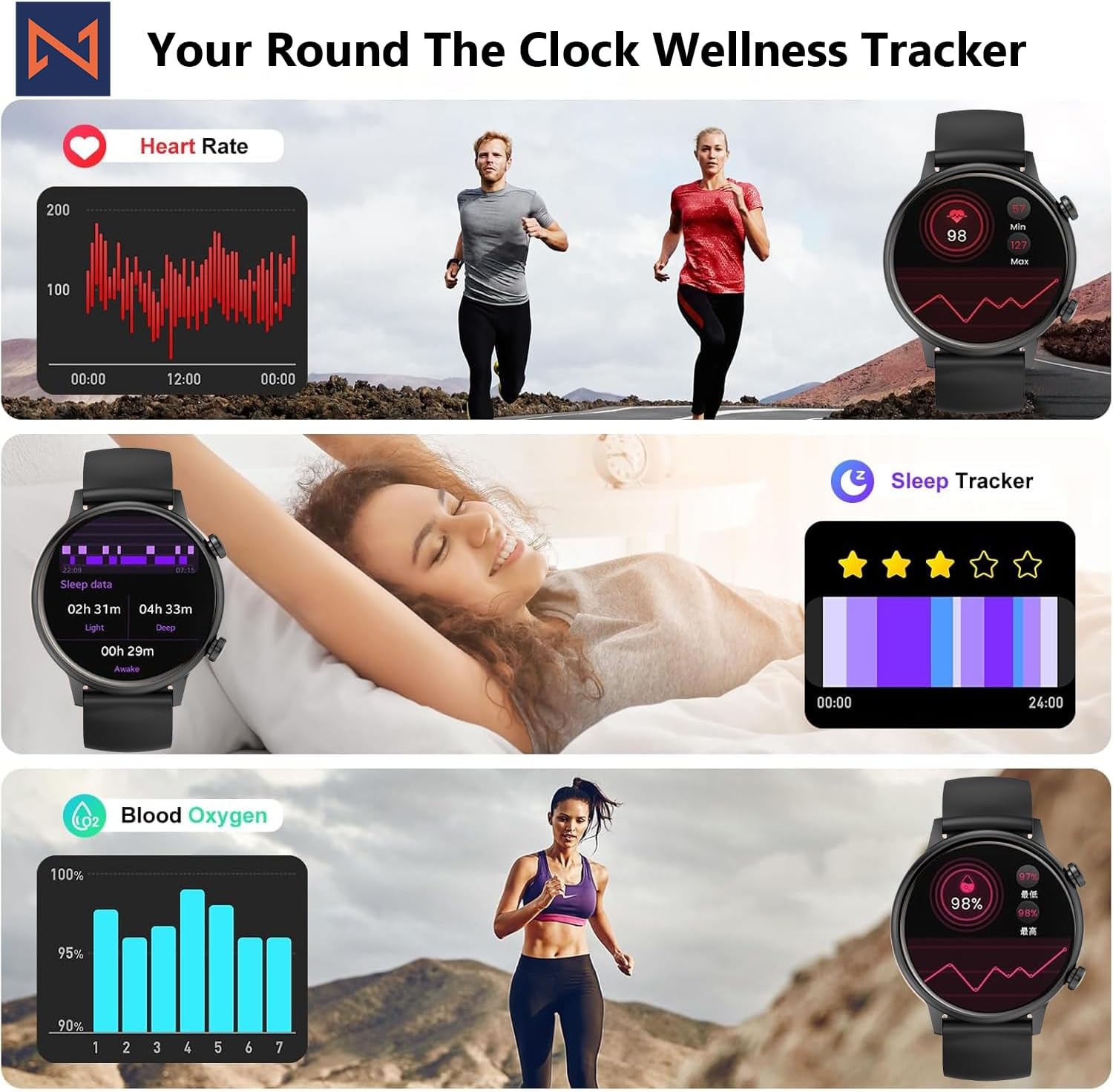
Figure 4: The smartwatch interface showing real-time heart rate, sleep tracking, and blood oxygen levels.

Figure 5: The smartwatch showing a selection of its multiple sports tracking modes.
6. Water Resistance
The Infinity Smart Watch has an IP68 waterproof rating, making it resistant to dust, sweat, and water. It is suitable for daily wear, including hand washing, face washing, and swimming. ໝາຍເຫດ: Avoid using the watch in hot water (e.g., hot showers, saunas) or for deep-sea diving, as extreme temperatures or high-pressure water may compromise its water resistance.

Figure 6: The smartwatch demonstrating its IP68 waterproof capability during water exposure.
7. ຫມໍ້ໄຟແລະການສາກໄຟ
The smartwatch features a 200 mAh Lithium Polymer battery. A full charge typically takes approximately 2 hours, providing 3-5 days of working time and up to 30 days of standby time, depending on usage.
8. ຂໍ້ມູນຈໍາເພາະ
| ຄຸນສົມບັດ | ລາຍລະອຽດ |
|---|---|
| ໝາຍເລກຕົວແບບ | WS_BLK |
| ຂະໜາດໜ້າຈໍ | 1.1 ນິ້ວ AMOLED |
| ການປະເມີນກັນນ້ໍາ | IP68 |
| ຄວາມອາດສາມາດຫມໍ້ໄຟ | 200 ລ້ານamp ຊົ່ວໂມງ (ລິທຽມໂພລີເມີ) |
| ການເຊື່ອມຕໍ່ | Bluetooth |
| ລະບົບປະຕິບັດການ | Android (ເຂົ້າກັນໄດ້ກັບ iOS) |
| ຄວາມອາດສາມາດເກັບຮັກສາຫນ່ວຍຄວາມຈໍາ | 128 MB |
| ນ້ໍາຫນັກລາຍການ | 5 ອອນ |
| ຜູ້ຜະລິດ | Kizzy Enterprises Inc |
9. ການແກ້ໄຂບັນຫາ
- ໂມງບໍ່ເປີດ: Ensure the watch is fully charged. Long-press the side button to power on.
- ບໍ່ສາມາດຈັບຄູ່ກັບໂທລະສັບໄດ້: Ensure Bluetooth is enabled on your phone and the watch is within range. Restart both devices and try pairing again through the app.
- ບໍ່ໄດ້ຮັບການແຈ້ງເຕືອນ: Check app settings on your phone to ensure notification permissions are granted for the smartwatch app. Also, verify that 'Do Not Disturb' mode is not active on the watch.
- ການອ່ານສຸຂະພາບທີ່ບໍ່ຖືກຕ້ອງ: Ensure the watch is worn snugly on your wrist, not too tight or too loose. Clean the sensors regularly. Note that the blood pressure monitor may not be medically accurate and is for reference only.
- ການແຊ່ແຂງໜ້າຈໍ: Restart the smartwatch by long-pressing the side button until it powers off, then power it back on. If the issue persists, check for app updates.
10. ການຮັບປະກັນແລະການສະຫນັບສະຫນູນ
For warranty information, technical support, or service inquiries, please refer to the contact details provided on the product packaging or the manufacturer's official webເວັບໄຊ. ຮັກສາໃບຮັບເງິນການຊື້ຂອງທ່ານໄວ້ເປັນຫຼັກຖານການຊື້ສໍາລັບການຮ້ອງຂໍການຮັບປະກັນ.


