ແນະນຳ
This manual provides detailed instructions for the setup, operation, and maintenance of your bemi Kix-m Smartwatch Fitness Tracker. Please read this manual thoroughly before using the device to ensure proper function and to maximize your user experience. The bemi Kix-m is designed to assist you in monitoring your fitness activities and health metrics.
ແມ່ນຫຍັງຢູ່ໃນກ່ອງ
- bemi Kix-m Smartwatch
- ສາຍສາກ
- ຄູ່ມືຜູ້ໃຊ້ (ເອກະສານນີ້)
ຕັ້ງຄ່າ
1. ການຕິດຕັ້ງແອັບ
The bemi Kix-m Smartwatch operates with the "H Band" application. This application is compatible with smartphones running Android 4.4 or newer and iOS 8.0 or newer.
- ຊອກຫາ "H Band" in the App Store (for iOS devices) or Google Play Store (for Android devices).
- ດາວໂຫຼດ ແລະ ຕິດຕັ້ງແອັບພລິເຄຊັນໃສ່ໂທລະສັບສະຫຼາດຂອງທ່ານ.
- ປະຕິບັດຕາມການເຕືອນໃນຫນ້າຈໍເພື່ອສ້າງບັນຊີແລະຕັ້ງຄ່າມືອາຊີບສ່ວນບຸກຄົນຂອງທ່ານfile.
2. ການຈັບຄູ່ອຸປະກອນ
To connect your smartwatch with the "H Band" app:
- ໃຫ້ແນ່ໃຈວ່າ Bluetooth ຂອງໂທລະສັບສະຫຼາດຂອງທ່ານຖືກເປີດໃຊ້.
- Open the "H Band" application.
- Navigate to the device pairing section within the app (usually found under "Device" or "My Device").
- The app will search for available devices. Select "Kix-m" from the list to initiate pairing.
- ຢືນຢັນຄຳຮ້ອງຂໍການຈັບຄູ່ໃນສະມາດໂຟນ ແລະ smartwatch ຂອງເຈົ້າຫາກຖືກຖາມ.
ໝາຍເຫດ: If you experience issues with pairing, ensure the watch is charged and within Bluetooth range of your phone. Refer to the troubleshooting section for further assistance.
ຄໍາແນະນໍາການດໍາເນີນງານ
1. ການນໍາທາງພື້ນຖານ
The bemi Kix-m Smartwatch features a 1.5-inch touchscreen display for navigation. Swipe left, right, up, or down to access different functions and menus. Tap to select options.
2. ການຫຼິ້ນເພງ
The Kix-m includes a built-in audio player with 512MB of internal memory, allowing you to store and play music directly from the watch.
- ການຖ່າຍໂອນດົນຕີ: Connect the smartwatch to a computer using the charging cable. The watch should appear as a removable storage device. Drag and drop your MP3 files into the designated music folder on the watch.
- Connecting Headphones/Speakers: The watch features a dual Bluetooth module. Navigate to the Bluetooth settings on your watch, enable Bluetooth, and pair with your wireless headphones or speaker.
- ການຄວບຄຸມການຫຼິ້ນ: Access the music player from the watch's menu. You can play, pause, skip tracks, and adjust volume directly from the watch screen.
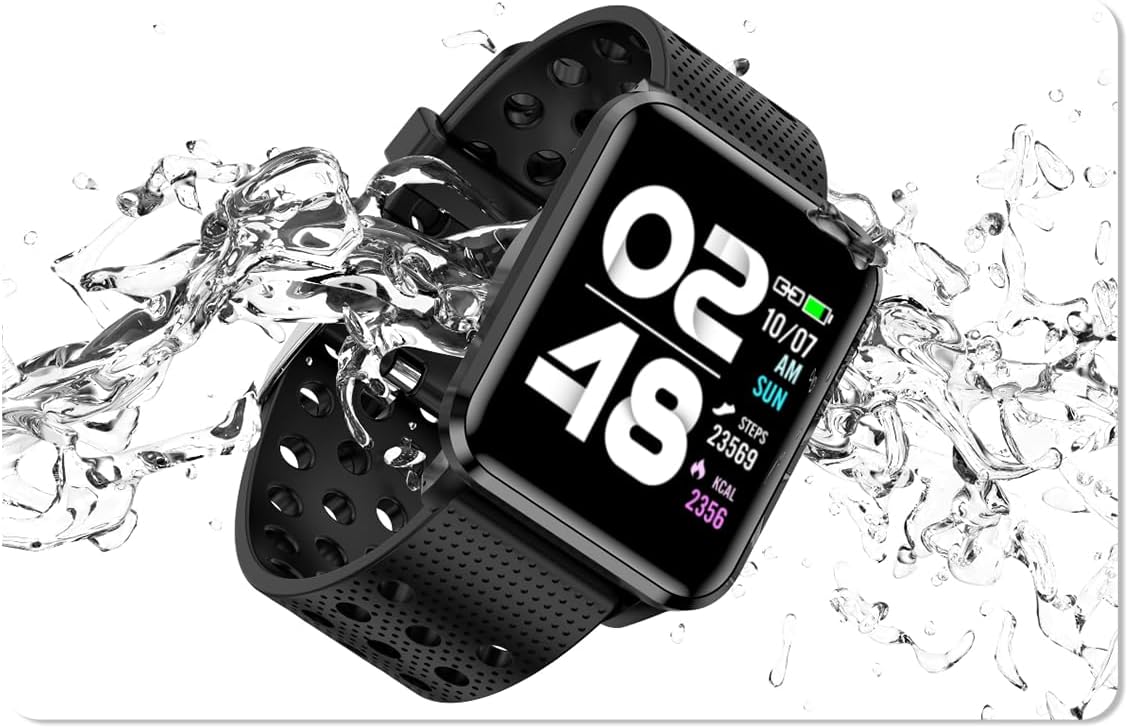
Image: The bemi Kix-m Smartwatch showing its music playback interface, with wireless earbuds positioned next to it, illustrating the device's audio capabilities.
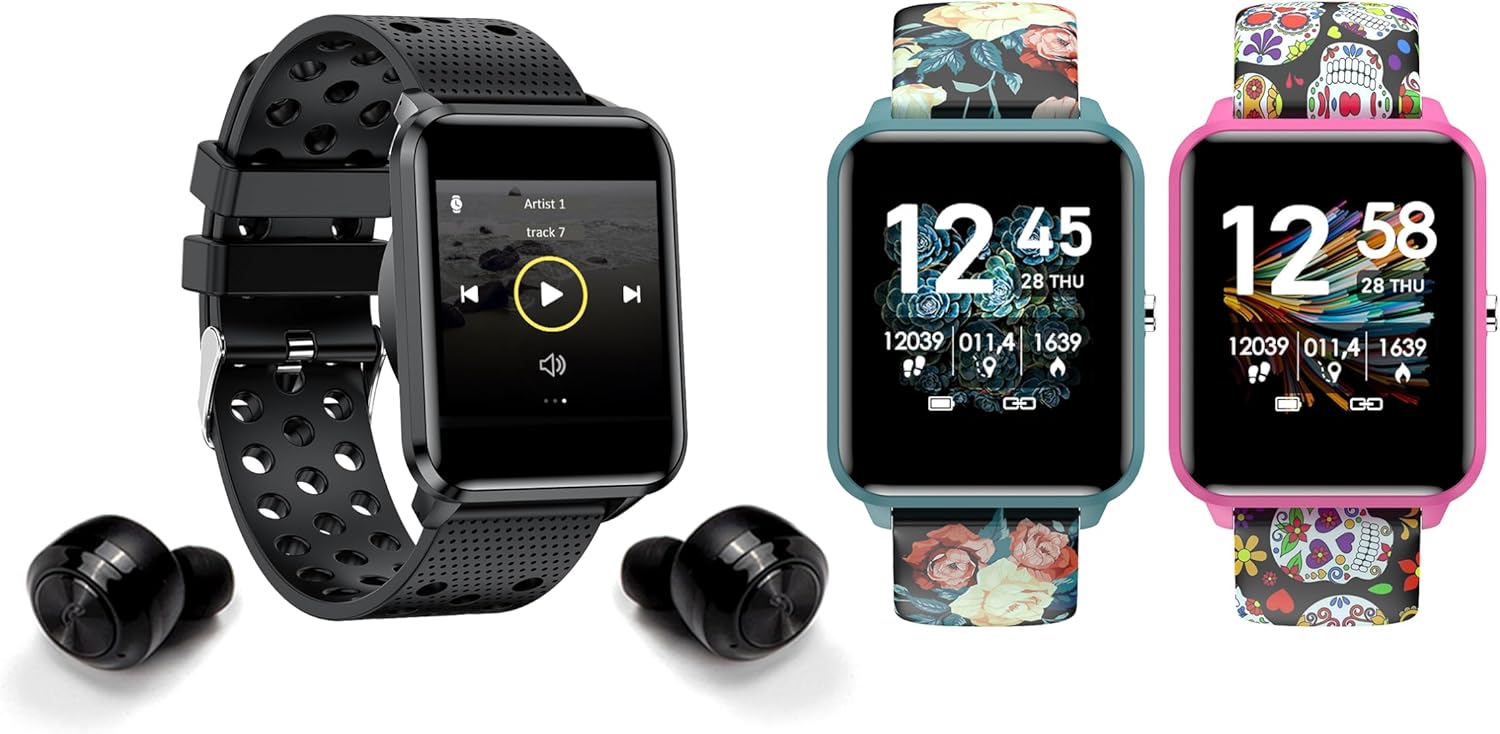
Image: The bemi Kix-m Smartwatch showing its music playback interface, with wireless earbuds positioned next to it, illustrating the device's audio capabilities.
3. ການຕິດຕາມກິດຈະກໍາ
The smartwatch continuously monitors your daily activity, including steps taken, distance covered, and calories burned. This data is synchronized with the "H Band" app for detailed analysis.

Image: A screenshot of the H Band application dashboard, displaying various activity metrics such as steps, blood oxygen saturation (SpO2), heart rate, and sleep patterns, alongside a smartwatch face.
4. ໂໝດກິລາ
The Kix-m offers 10 different sport modes to track specific workouts. Select the appropriate mode before starting an activity to get accurate data for your performance.
- ເຂົ້າເຖິງໂໝດກິລາຈາກເມນູຫຼັກ.
- Choose your desired activity (e.g., running, cycling).
- The watch will display real-time metrics relevant to your chosen sport.
5. ການຕິດຕາມສຸຂະພາບ
The smartwatch provides continuous monitoring of several health metrics:
- ຕິດຕາມອັດຕາການເຕັ້ນຫົວໃຈ: ຕິດຕາມອັດຕາການເຕັ້ນຫົວໃຈຂອງທ່ານຕະຫຼອດມື້. View real-time data on the watch or detailed graphs in the app.
- ອົກຊີໃນເລືອດ (SpO2): ວັດແທກລະດັບອົກຊີເຈນໃນເລືອດຂອງທ່ານ.
- ການຕິດຕາມການນອນ: Monitors your sleep patterns, including deep sleep, light sleep, and awake times. Data is analyzed in the "H Band" app to provide insights into sleep quality.

ຮູບພາບ: ດ້ານຫລັງ view of the bemi Kix-m Smartwatch, highlighting the optical sensors used for heart rate and blood oxygen monitoring.

Image: The bemi Kix-m Smartwatch screen showing current blood pressure and heart rate measurements, with a background graph indicating historical data.

ຮູບພາບ: A ລາຍລະອຽດ view of the H Band application's sleep tracking interface, showing sleep duration, quality, and different sleep stages.
6. ຄຸນສົມບັດອັດສະລິຍະ
- ການແຈ້ງເຕືອນ: Receive alerts for calls, messages, and app notifications directly on your wrist. Configure notification settings within the "H Band" app.
- ການຄວບຄຸມກ້ອງຖ່າຍຮູບ: Use your smartwatch as a remote shutter for your smartphone camera. Access this feature from the watch's menu.
- ການຕິດຕາມສຸຂະພາບຂອງແມ່ຍິງ: A dedicated mode for women's health tracking, including menstrual cycle and ovulation predictions. Set up and manage this feature in the "H Band" app.
- ເຕືອນການເຄື່ອນໄຫວ: ໂມງສາມາດເຕືອນທ່ານໃຫ້ເຄື່ອນໄຫວຫຼັງຈາກໄລຍະເວລາທີ່ບໍ່ມີການເຄື່ອນໄຫວ.
- ໂມງປຸກ, ໂມງຈັບເວລາ, ໂມງຈັບເວລາ: Standard utility functions available on the watch.
- ຊອກຫາໂທລະສັບ: Use this feature to locate your paired smartphone by making it ring.

Image: The bemi Kix-m Smartwatch screen showing a photo, demonstrating its remote camera control functionality with a smartphone in the background.

Image: A screenshot of the H Band application displaying the women's health tracking interface, including menstrual cycle and ovulation prediction features.
7. ການປັບແຕ່ງ
Choose from 24 clock faces available in the "H Band" application. You can also upload a photo from your phone to use as a custom watch face.

Image: A display of multiple bemi Kix-m Smartwatches showcasing different customizable watch faces, including a personalized photo option.
ບໍາລຸງຮັກສາ
1. ການສາກໄຟ
Connect the provided charging cable to the charging port on the back of the smartwatch and to a USB power source. The watch will display a charging indicator. A full charge typically takes 1-2 hours.
2. Water Resistance
The bemi Kix-m Smartwatch is IP68 waterproof, meaning it is resistant to dust and can withstand immersion in water up to 1.5 meters for up to 30 minutes. It is suitable for daily use, such as washing hands or light rain. Avoid hot water, saunas, or diving, as these conditions may compromise the water resistance.

Image: The bemi Kix-m Smartwatch being splashed with water, illustrating its IP68 water resistance rating for daily activities.
3. ທໍາຄວາມສະອາດ
Wipe the watch screen and strap with a soft, damp cloth. Avoid using harsh chemicals or abrasive materials, which can damage the device.
ການແກ້ໄຂບັນຫາ
- ໂມງບໍ່ເປີດ: ກວດໃຫ້ແນ່ໃຈວ່າໂມງຖືກສາກເຕັມແລ້ວ. ເຊື່ອມຕໍ່ມັນກັບສາຍສາກ ແລະແຫຼ່ງພະລັງງານເປັນເວລາຢ່າງໜ້ອຍ 30 ນາທີ.
- ບໍ່ສາມາດຈັບຄູ່ກັບໂທລະສັບໄດ້:
- ໃຫ້ແນ່ໃຈວ່າ Bluetooth ຖືກເປີດໃຊ້ຢູ່ໃນໂທລະສັບຂອງທ່ານ.
- ໃຫ້ແນ່ໃຈວ່າໂມງຢູ່ໃກ້ກັບໂທລະສັບຂອງທ່ານ.
- ຣີສະຕາດທັງໂທລະສັບຂອງທ່ານ ແລະ smartwatch.
- Check if the "H Band" app is updated to the latest version.
- ຖ້າຈັບຄູ່ກ່ອນໜ້ານີ້, ລອງຍົກເລີກການຈັບຄູ່ອຸປະກອນຈາກການຕັ້ງຄ່າ Bluetooth ຂອງໂທລະສັບຂອງທ່ານ ແລ້ວຈັບຄູ່ຄືນໃໝ່ຜ່ານແອັບ.
- ຂໍ້ມູນສຸຂະພາບບໍ່ຖືກຕ້ອງ:
- ໃຫ້ແນ່ໃຈວ່າໂມງຖືກໃສ່ຢູ່ໃນຂໍ້ມືຂອງເຈົ້າຢ່າງສະບາຍ, ແຕ່ບໍ່ແຫນ້ນເກີນໄປ.
- ເຮັດຄວາມສະອາດເຊັນເຊີຢູ່ດ້ານຫຼັງຂອງໂມງ.
- ໃຫ້ສັງເກດວ່າໂມງອັດສະລິຍະບໍ່ແມ່ນອຸປະກອນທາງການແພດ ແລະ ການອ່ານຄ່າແມ່ນສຳລັບອ້າງອີງເທົ່ານັ້ນ.
- ການແຈ້ງເຕືອນບໍ່ປາກົດ:
- ກວດສອບວ່າໂມງຖືກຈັບຄູ່ກັບໂທລະສັບຂອງທ່ານສົບຜົນສໍາເລັດ.
- Check notification permissions for the "H Band" app in your phone's settings.
- Ensure notifications are enabled within the "H Band" app for the desired applications.
ຂໍ້ມູນຈໍາເພາະ
| ໝາຍເລກຕົວແບບ | Kix-m |
| ຂະໜາດໜ້າຈໍ | 1.5 ນິ້ວ |
| ຄວາມອາດສາມາດເກັບຮັກສາຫນ່ວຍຄວາມຈໍາ | 512MB (for music) |
| ເຕັກໂນໂລຊີການເຊື່ອມຕໍ່ | Bluetooth, WiFi |
| ການຕໍ່ຕ້ານນ້ໍາ | IP68 |
| ຄວາມເຂົ້າກັນໄດ້ຂອງລະບົບປະຕິບັດການ | Android 4.4+, iOS 8.0+ |
| ປະເພດຫມໍ້ໄຟ | ລີໂທມໂພລີເມີ |
| ນ້ໍາຫນັກລາຍການ | 4.2 ອອນ |
| ຂະໜາດແພັກເກັດ | 4.8 x 2.83 x 2.24 ນິ້ວ |
ຫມາຍເຫດ: ຂໍ້ມູນຈໍາເພາະແມ່ນມີການປ່ຽນແປງໂດຍບໍ່ມີການແຈ້ງລ່ວງຫນ້າ.
ການຮັບປະກັນແລະການສະຫນັບສະຫນູນ
For warranty information and customer support, please refer to the official bemi webເວັບໄຊ ຫຼືຕິດຕໍ່ຮ້ານຂາຍຍ່ອຍຂອງທ່ານ. ຮັກສາໃບຮັບເງິນການຊື້ຂອງທ່ານໄວ້ເປັນຫຼັກຖານການຊື້ສໍາລັບການຮ້ອງຂໍການຮັບປະກັນ.
ສໍາລັບການຊ່ວຍເຫຼືອເພີ່ມເຕີມ, ກະລຸນາໄປຢ້ຽມຢາມ bemi Store on Amazon.


