1. ບົດແນະນຳ
This manual provides comprehensive instructions for the HIKMICRO ECO-V handheld thermal camera. Designed for efficient and accurate temperature measurement, this compact device allows users to identify hot and cold spots, analyze temperature distribution, and capture thermal images for various applications. Please read this manual thoroughly before operating the device to ensure safe and effective use.
2. ຜະລິດຕະພັນເກີນview
The HIKMICRO ECO-V is a portable thermal camera engineered for precise temperature detection. It offers advanced features such as automatic hot, cold, and center spot tracking, enhanced image clarity with SuperIR technology, and a long-lasting battery for extended operation.
2.1 ລັກສະນະທີ່ສໍາຄັນ
- Full-Screen Precision Temperature Measurement: Accurately measures temperatures across the entire screen.
- ຊ່ວງອຸນຫະພູມກວ້າງ: ວັດແທກອຸນຫະພູມໄດ້ຕັ້ງແຕ່ -20°C ຫາ 550°C.
- Automatic Spot Tracking: Identifies and tracks the hottest, coldest, and center temperature points.
- SuperIR Technology: Enhances thermal image resolution from 96x96 to 240x240 pixels for improved clarity.
- ຊີວິດຫມໍ້ໄຟຍາວ: Up to 8 hours of continuous operation with a 3350mAh rechargeable battery.
- Multiple Color Palettes: Offers various visual modes for different inspection scenarios.
2.2 ອົງປະກອບອຸປະກອນ
Familiarize yourself with the main components of your HIKMICRO ECO-V thermal camera.
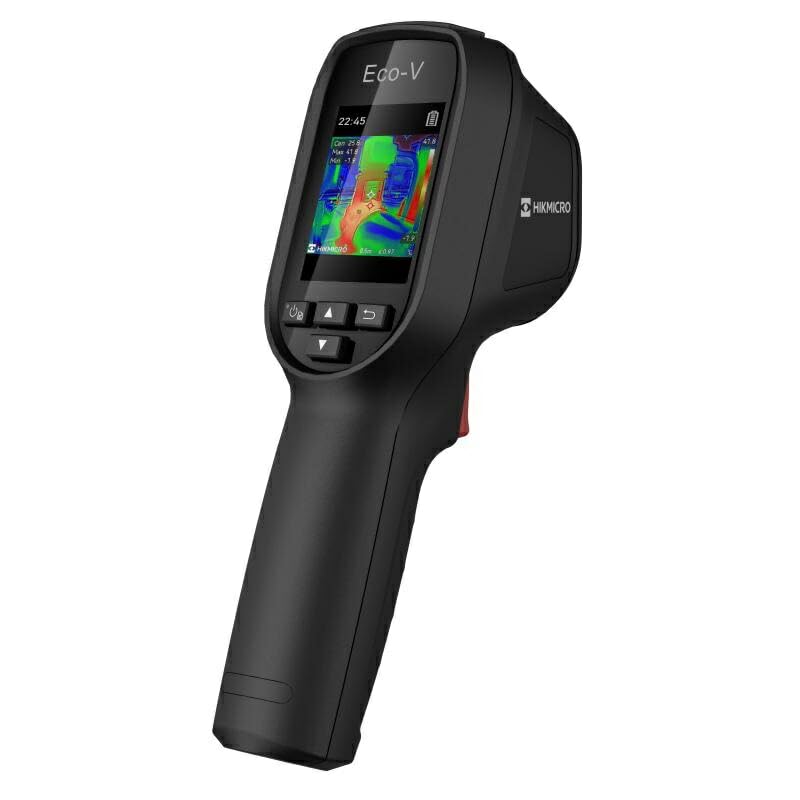
ຮູບທີ 1: The HIKMICRO ECO-V thermal camera, illustrating its screen interface with automatic spot tracking for hot, cold, and center temperature points. Temperature readings and a temperature scale from -20°C to 550°C are visible, aiding in quick identification of critical temperature areas.
3. ຕັ້ງຄ່າ
3.1 ການສາກແບັດເຕີຣີ
Before first use, fully charge the internal 3350mAh lithium-ion battery. Connect the camera to a power source using the provided USB cable. The charging indicator will show the charging status.
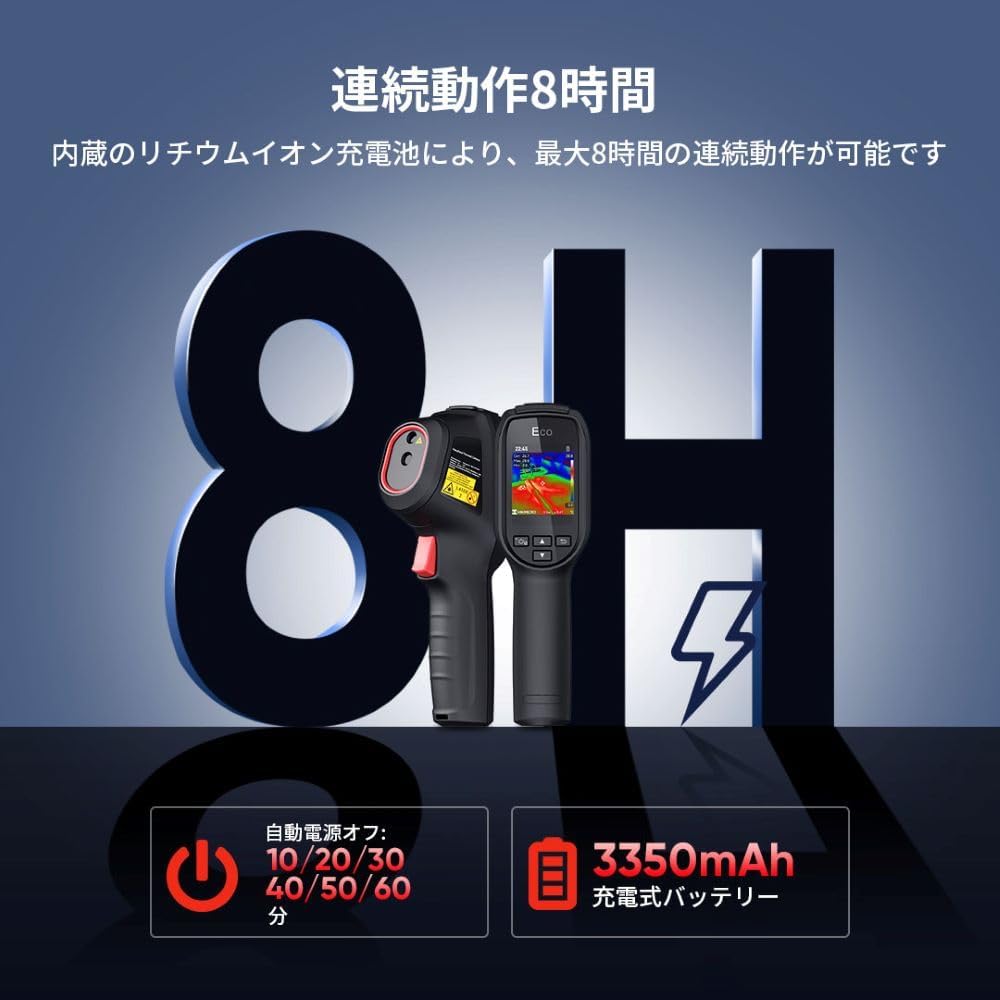
ຮູບທີ 2: This image illustrates the HIKMICRO ECO-V's battery features, including up to 8 hours of continuous operation and a 3350mAh rechargeable battery. It also displays the auto power-off settings, which can be configured for 10, 20, 30, 40, 50, or 60 minutes to conserve power.
3.2 ການເປີດ/ປິດ
- ເພື່ອເປີດເຄື່ອງ: ກົດປຸ່ມເປີດປິດຄ້າງໄວ້ຈົນກວ່າໂລໂກ້ HIKMICRO ຈະປາກົດຢູ່ໜ້າຈໍ.
- ປິດເຄື່ອງ: Press and hold the power button until the shutdown prompt appears, then confirm. The device also supports automatic power-off after a set period of inactivity (10/20/30/40/50/60 minutes).
3.3 ການຕັ້ງຄ່າເບື້ອງຕົ້ນ
Upon first power-on, you may be prompted to set the language, date, and time. Follow the on-screen instructions to configure these basic settings.
4. ຄໍາແນະນໍາການດໍາເນີນງານ
4.1 ການວັດແທກອຸນຫະພູມພື້ນຖານ
Point the camera at the object or area you wish to inspect. The screen will display a real-time thermal image with temperature readings. The central crosshair indicates the spot measurement temperature.
4.2 Automatic Spot Tracking
The ECO-V automatically identifies and displays the hottest (hot spot), coldest (cold spot), and center temperature within the field of view. These points are marked on the screen with their respective temperature values, allowing for quick identification of anomalies.
4.3 SuperIR Technology
Activate SuperIR mode to enhance the thermal image resolution. This feature digitally processes the 96x96 pixel image to a clearer 240x240 pixel display, providing more detail for analysis.

ຮູບທີ 3: This image demonstrates the effectiveness of SuperIR technology. On the left, a thermal image is shown with SuperIR off (96x96 resolution). On the right, the same image with SuperIR on, displaying significantly improved clarity and detail at 240x240 resolution.
4.4 ແຖບສີ
The camera offers several color palettes to visualize temperature differences. Select the palette that best suits your application for optimal contrast and detail.
- Rainbow: General purpose, good for showing gradual temperature changes.
- Black Hot: Hotter objects appear darker.
- Ironbow Hot: High contrast, good for identifying heat sources.
- ຮ້ອນສີຂາວ: Hotter objects appear brighter.
- ຮ້ອນສີແດງ: Highlights hot areas in red.
- ຟິວຊັນ: Blends visible and thermal images.
- Alarm Above: Highlights temperatures above a set threshold.

ຮູບທີ 4: This image displays various color palettes available on the HIKMICRO ECO-V, including Rainbow, Black Hot, Ironbow Hot, White Hot, Red Hot, Fusion, and Alarm Above. Each palette provides a distinct visual representation of temperature differences, allowing users to choose the most effective display for their specific inspection tasks.
4.5 ການຈັບພາບ
Press the capture button to save the current thermal image to the device's internal memory. Images can be reviewed later or transferred to a computer.
5. ບໍາລຸງຮັກສາ
5.1 ການທໍາຄວາມສະອາດອຸປະກອນ
- ໃຊ້ຜ້າປຽກແຫ້ງເພື່ອເຮັດຄວາມສະອາດຕົວກ້ອງຖ່າຍຮູບ.
- For the lens and screen, use a specialized lens cleaning cloth and solution to avoid scratches. Do not use abrasive cleaners.
5.2 ການດູແລຫມໍ້ໄຟ
- Recharge the battery regularly, even if the device is not in frequent use, to maintain battery health.
- Avoid exposing the device to extreme temperatures, which can degrade battery performance.
5.3 ການເກັບຮັກສາ
When not in use, store the camera in a cool, dry place, away from direct sunlight and moisture. Use the protective casing ຖ້າມີ.
6. ການແກ້ໄຂບັນຫາ
6.1 ອຸປະກອນບໍ່ເປີດ
- Ensure the battery is fully charged. Connect the device to a power source and allow it to charge for at least 30 minutes before attempting to power on again.
- ກົດປຸ່ມເປີດປິດຄ້າງໄວ້ໃຫ້ແໜ້ນເປັນເວລາຫຼາຍວິນາທີ.
6.2 ການອ່ານອຸນຫະພູມທີ່ບໍ່ຖືກຕ້ອງ
- ໃຫ້ແນ່ໃຈວ່າເລນສະອາດ ແລະ ບໍ່ມີຝຸ່ນ ຫຼື ຮອຍເປື້ອນ.
- Verify that the emissivity setting (if adjustable) is appropriate for the material being measured.
- Ensure there are no obstructions between the camera and the target.
6.3 ບັນຫາການສະແດງ
- ປິດເປີດອຸປະກອນຄືນໃໝ່.
- ກວດສອບຄວາມເສຍຫາຍທາງກາຍະພາບໃດໆຕໍ່ໜ້າຈໍ.
ຖ້າບັນຫາຍັງຄົງຢູ່, ກະລຸນາຕິດຕໍ່ຝ່າຍຊ່ວຍເຫຼືອລູກຄ້າ.
7. ຂໍ້ມູນຈໍາເພາະ
| ຄຸນສົມບັດ | ລາຍລະອຽດ |
|---|---|
| ຍີ່ຫໍ້ | ຮິກມິໂຄຣ |
| ໝາຍເລກຕົວແບບ | HIK-ECOV |
| ASIN | B0D8B74F87 |
| ວັນທີທີ່ມີໃຫ້ທໍາອິດ | 2024/02/28 |
| ຊ່ວງອຸນຫະພູມ | -20°C ເຖິງ 550°C |
| ການແກ້ໄຂຄວາມຮ້ອນ | 96x96 pixels (Enhanced to 240x240 with SuperIR) |
| ປະເພດຫມໍ້ໄຟ | ແບັດເຕີຣີລິທຽມໄອອອນ 3350mAh ສາມາດສາກໄດ້ |
| ເວລາປະຕິບັດງານ | ເຖິງ 8 ຊົ່ວໂມງຢ່າງຕໍ່ເນື່ອງ |
| ພະລັງງານແບບອັດຕະໂນມັດ | Configurable (10/20/30/40/50/60 minutes) |
8. ການຮັບປະກັນແລະການສະຫນັບສະຫນູນ
HIKMICRO products are designed for reliability and performance. For warranty information, please refer to the warranty card included with your product or visit the official HIKMICRO website. For technical support, troubleshooting assistance, or service inquiries, please contact HIKMICRO customer support through their official channels. You can find more information and contact details on the HIKMICRO Brand Store.


