1. ບົດແນະນຳ
ຂອບໃຈສໍາລັບການຊື້asing the AceGamer RGB Charging Dock for PlayStation Portal. This portable charging station is designed to provide a stable and efficient charging solution for your PlayStation Portal console, featuring customizable RGB lighting and essential protection features. Please read this manual carefully before use to ensure proper operation and maintenance.
2. ເນື້ອໃນຊຸດ
- AceGamer RGB Charging Dock (1 unit)
- ສາຍສາກ Type-C (1 ໜ່ວຍ)
- ຄູ່ມືຜູ້ໃຊ້ (ເອກະສານນີ້)
3. ຄຸນລັກສະນະຂອງຜະລິດຕະພັນ
- Dedicated Charging: Specifically designed for the PlayStation Portal console.
- ແສງ RGB: Features 7 distinct lighting modes for personalized aesthetics.
- ການສາກໄວ: Efficient power delivery for fast charging.
- ການປົກປ້ອງຄວາມປອດໄພ: ການກໍ່ສ້າງໃນ over-Current, over-voltage, ແລະ under-voltage ການປົກປ້ອງ.
- ການອອກແບບ Ergonomic: 30-degree comfortable viewing angle for the PlayStation Portal.
- ພື້ນຖານທີ່ໝັ້ນຄົງ: Equipped with anti-slip mats for secure placement.
- ການເຊື່ອມຕໍ່: USB Type-C input for power.
4. ຄໍາແນະນໍາການຕິດຕັ້ງ
- ເຊື່ອມຕໍ່ພະລັງງານ: Insert the provided Type-C charging cable into the charging dock's input port and connect the other end to a suitable USB power adapter (not included).

Figure 4.1: Connecting the Type-C power cable to the charging dock.
- Place PlayStation Portal: Carefully align your PlayStation Portal console with the charging connector on the dock and gently place it into position. Ensure a secure connection for charging. The dock is designed to hold the Portal at a 30-degree angle for optimal viewing.

Figure 4.2: PlayStation Portal placed on the charging dock at a 30-degree angle.
- Anti-slip Stability: The base of the charging dock is equipped with anti-slip mats to prevent accidental movement. Ensure the dock is placed on a flat, stable surface.
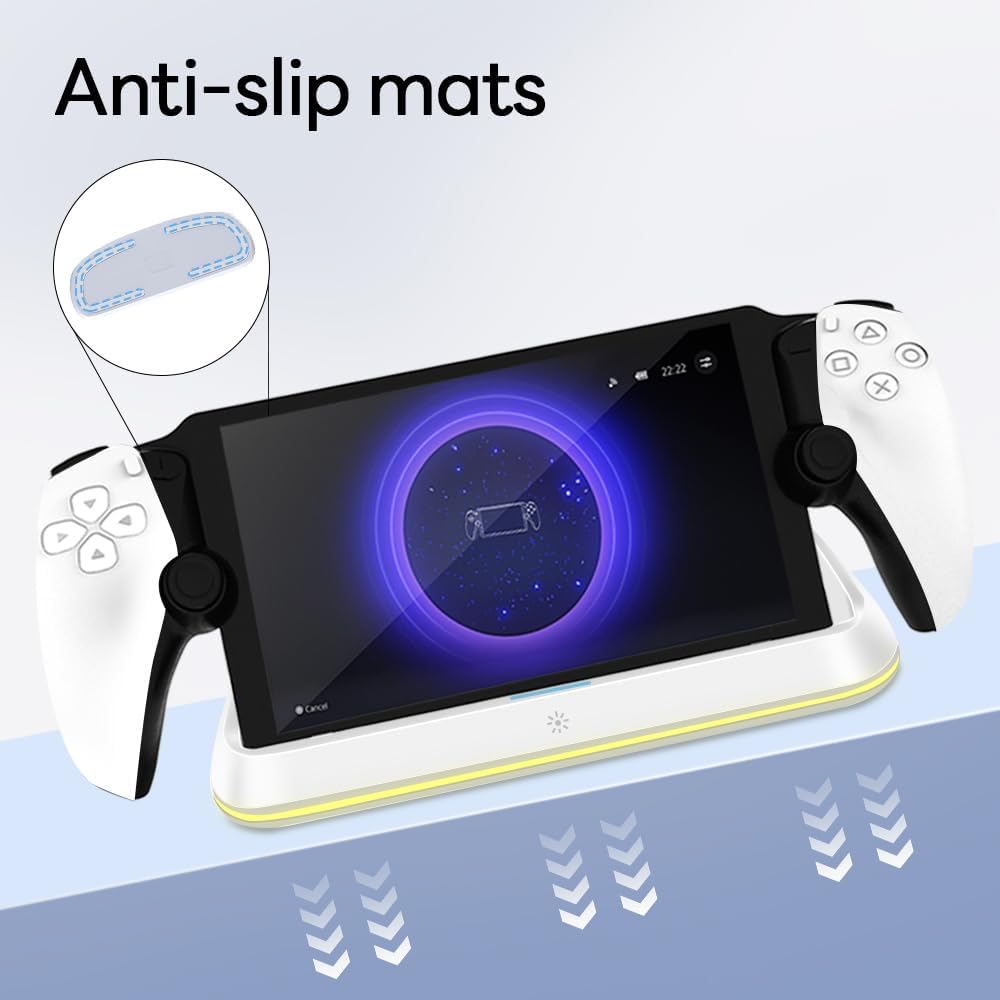
Figure 4.3: Anti-slip mats on the charging dock for enhanced stability.
- Visual Guide: For a visual demonstration of the setup process, please refer to the video below.
Video 4.1: Demonstration of connecting the power supply and placing the PlayStation Portal onto the charging dock.
5. ຄໍາແນະນໍາການດໍາເນີນງານ
- Charging the PlayStation Portal: Once the PlayStation Portal is correctly seated on the dock and the dock is powered, charging will begin automatically. A full charge typically takes approximately 3.5 hours. The dock includes protection against over-current, over-voltage, ແລະ under-voltage to safeguard your device.

Figure 5.1: Charging indicators and safety protection features.
- ການຄວບຄຸມແສງ RGB: The charging dock features a touch-sensitive button to control the RGB lighting. Press the button to cycle through 7 different lighting modes or to turn the lights off.

Figure 5.2: RGB lighting modes and touch control button.
6. ບໍາລຸງຮັກສາ
- Keep the charging dock clean and free from dust. Use a soft, dry cloth for cleaning.
- ຫຼີກເວັ້ນການເປີດເຜີຍອຸປະກອນກັບອຸນຫະພູມທີ່ຮຸນແຮງ, ຄວາມຊຸ່ມຊື່ນ, ຫຼືແສງແດດໂດຍກົງ.
- Do not use abrasive cleaners or solvents, as these may damage the surface.
- Ensure the charging port and connector are free of debris before placing the PlayStation Portal.
7. ການແກ້ໄຂບັນຫາ
- ອຸປະກອນບໍ່ໄດ້ສາກໄຟ:
- Ensure the Type-C cable is securely connected to both the dock and the power adapter.
- ກວດສອບວ່າອະແດັບເຕີໄຟໃຊ້ງານໄດ້ຖືກຕ້ອງ ແລະສຽບໃສ່ປລັກສຽບໄຟ.
- Check if the PlayStation Portal is properly seated on the charging connector.
- ລອງໃຊ້ສາຍ Type-C ຫຼືຕົວແປງໄຟ.
- ໄຟ RGB ບໍ່ເຮັດວຽກ:
- ໃຫ້ແນ່ໃຈວ່າບ່ອນສາກໄຟເປີດຢູ່.
- Press the touch light button to cycle through modes or turn the lights on.
- Unstable placement:
- Ensure the dock is placed on a flat, level surface.
- Check if the anti-slip mats are clean and intact.
8. ຂໍ້ມູນຈໍາເພາະ
| ຍີ່ຫໍ້ | AceGamer |
| ໝາຍເລກຕົວແບບ | PS-P-White |
| ອຸປະກອນທີ່ເຂົ້າກັນໄດ້ | PlayStation Portal |
| ການປ້ອນຂໍ້ມູນ Voltage | 5 ໂວນ |
| ວັດtage | 7 ວັດ |
| ປະເພດຕົວເຊື່ອມຕໍ່ | USB Type-C (for power input) |
| ຄຸນນະສົມບັດພິເສດ | RGB Lighting, Fast Charging, Over-current Protection, Over-voltagການປົກປ້ອງທາງອີເລັກໂທຣນິກ, ປະລິມານຕ່ຳtage ການປົກປ້ອງ |
| ຂະໜາດ | ຂະໜາດປະມານ 22.5 x 8.9 x 8.4 cm |
| ນ້ຳໜັກ | ປະມານ 290 g |
9. ການຮັບປະກັນແລະການສະຫນັບສະຫນູນ
AceGamer products are designed and manufactured to the highest quality standards. For warranty information or technical support, please contact the retailer where you purchased the product or visit the official AceGamer website for customer service contact details. Please retain your proof of purchase for warranty claims.