1. ບົດແນະນຳ
This manual provides detailed instructions for the proper use and maintenance of your Sandberg Pocket Radio FM+AM Recharge, Model 421-02. Please read this manual thoroughly before operating the device to ensure optimal performance and longevity.
2. ຜະລິດຕະພັນເກີນview
The Sandberg Pocket Radio is a compact, portable device designed for receiving FM and AM radio broadcasts. It features a built-in rechargeable battery and a digital display for easy tuning.
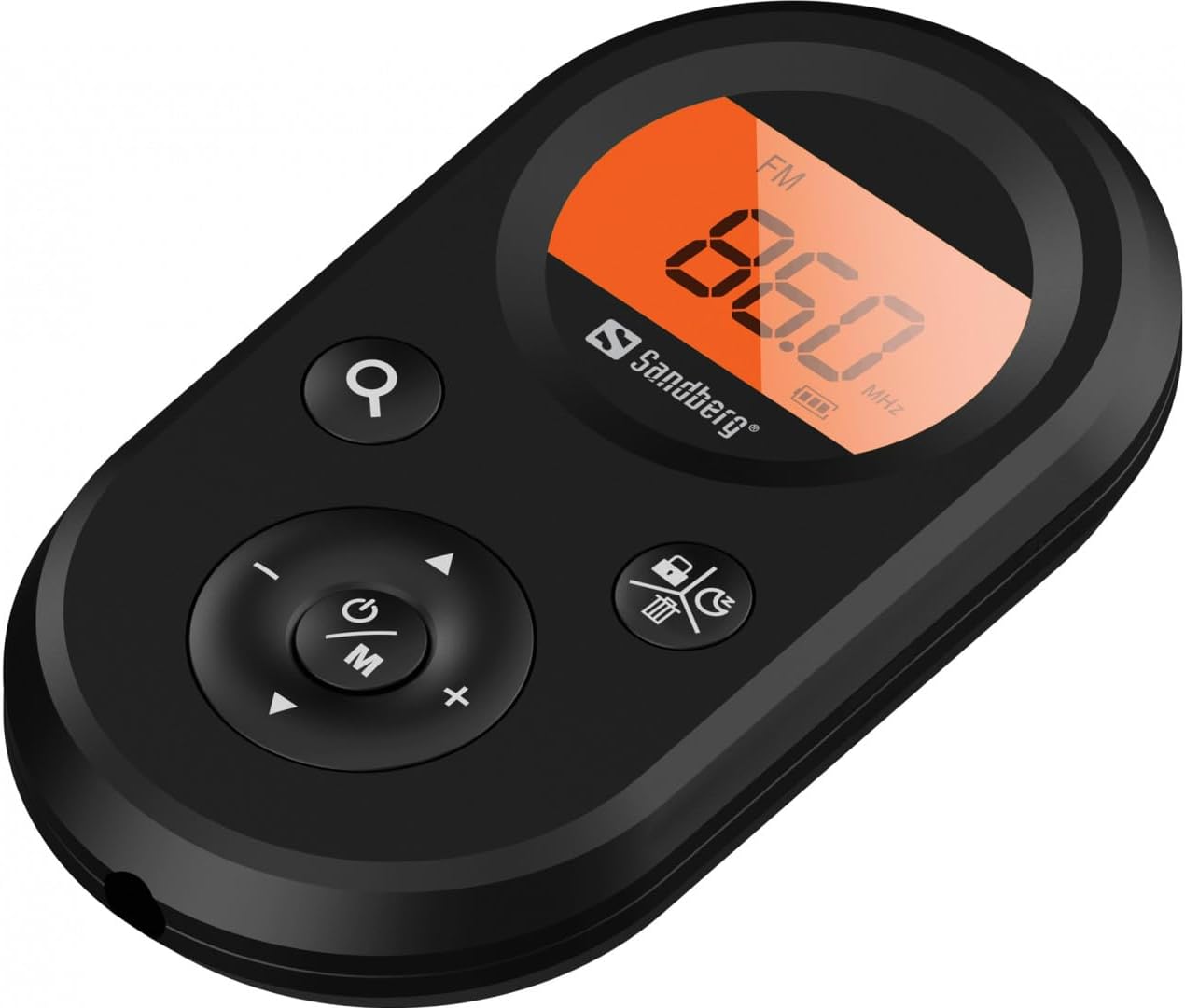
ຮູບ 1: ດ້ານຫນ້າ view of the Sandberg Pocket Radio, displaying the frequency and controls.
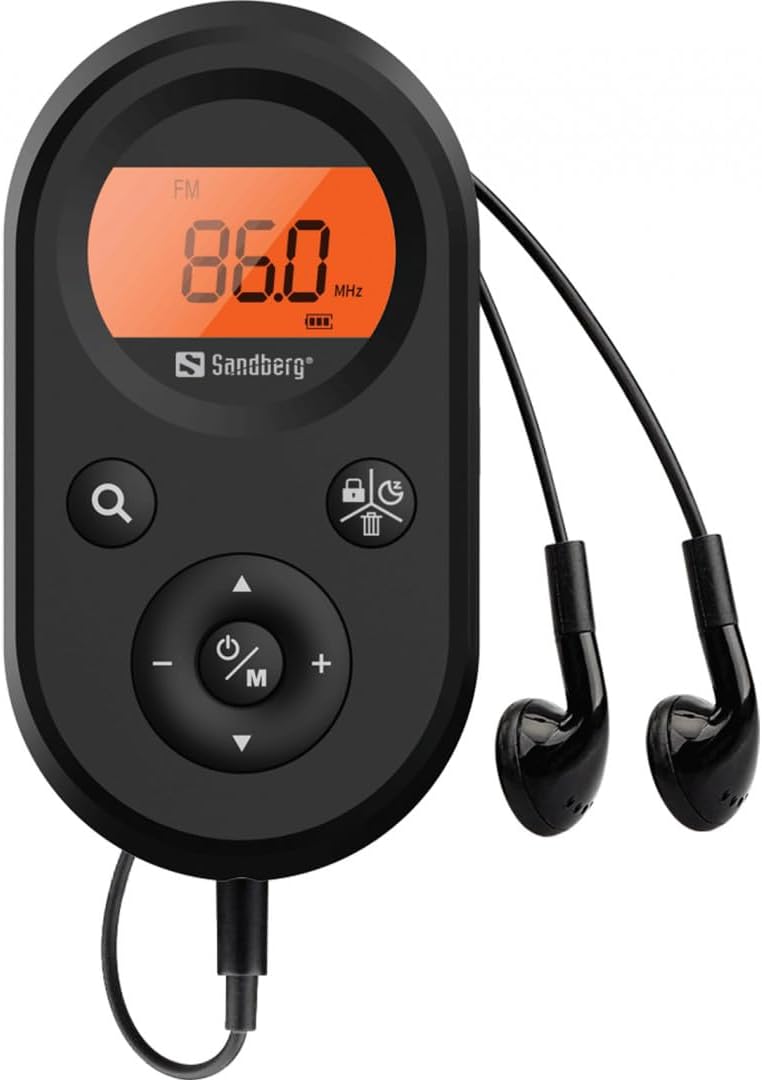
Figure 2: The radio connected to the included earphones, which also function as the FM antenna.
ເນື້ອໃນຊຸດ:
- 1 x Sandberg Pocket Radio FM+AM Recharge (Model 421-02)
- ຫູຟັງ 1 x
- 1 x Charging cable (USB-A to USB-C, 50 cm)
3. ຕັ້ງຄ່າ
3.1 ການສາກແບັດເຕີຣີ
- Connect the small end of the included USB-C charging cable to the charging port on the radio.
- Connect the standard USB-A end of the cable to a USB power adapter (not included) or a computer's USB port.
- The radio's display will indicate charging status. A full charge typically takes a few hours.
- Disconnect the charging cable once the battery is fully charged.
3.2 ການເຊື່ອມຕໍ່ຫູຟັງ
The included earphones are essential for operation as they serve as the antenna for FM reception. Without them, FM reception will be severely limited or non-existent.
- Insert the 3.5mm jack of the earphones into the earphone port on the radio.
- ໃຫ້ແນ່ໃຈວ່າການເຊື່ອມຕໍ່ແມ່ນປອດໄພ.
4. ຄໍາແນະນໍາການດໍາເນີນງານ
4.1 ເປີດ/ປິດ
- ເພື່ອເປີດວິທະຍຸ, ກົດປຸ່ມຄ້າງໄວ້ Power/Mode (ⓘ/M) button for approximately 2-3 seconds. The display will light up.
- To power off the radio, press and hold the Power/Mode (ⓘ/M) button again for approximately 2-3 seconds. The display will turn off.
4.2 Mode Selection (FM/AM)
- While the radio is powered on, short press the Power/Mode (ⓘ/M) button to switch between FM and AM radio bands. The current band will be indicated on the display.
4.3 ສະຖານີ Tuning
- ສະແກນອັດຕະໂນມັດ: To automatically scan for and store available stations, press and hold the Search (⌕) button. The radio will scan through the frequency range and save stations with strong signals.
- ຄູ່ມືການປບັຄູ່ມື: To manually tune to a specific frequency, short press the ຂຶ້ນ (▲) or ລົງ (▼) buttons to adjust the frequency incrementally.
4.4 ການຄວບຄຸມປະລິມານ
- ເພື່ອເພີ່ມປະລິມານ, ກົດປຸ່ມ ປະລິມານຂຶ້ນ (+) ປຸ່ມ.
- ເພື່ອຫຼຸດປະລິມານ, ກົດປຸ່ມ ບໍລິມາດລົງ (-) ປຸ່ມ.
4.5 ຂໍ້ມູນການສະແດງ
The digital display shows the current radio band (FM or AM), the tuned frequency, and the battery level indicator.
5. ບໍາລຸງຮັກສາ
5.1 ການທໍາຄວາມສະອາດ
- ເຊັດດ້ານນອກຂອງວິທະຍຸດ້ວຍຜ້າອ່ອນ, ແຫ້ງ.
- Do not use abrasive cleaners, solvents, or strong chemicals, as these can damage the surface.
- ຫຼີກເວັ້ນການໄດ້ຮັບຄວາມຊຸ່ມຊື່ນເຂົ້າໄປໃນຊ່ອງເປີດໃດໆ.
5.2 ການດູແລຫມໍ້ໄຟ
- ເພື່ອຍືດອາຍຸແບັດເຕີລີ, ຫຼີກເວັ້ນການຖອດແບດເຕີລີ່ເຕັມເລື້ອຍໆ.
- ເກັບຮັກສາວິທະຍຸໄວ້ໃນບ່ອນທີ່ເຢັນ, ແຫ້ງ, ເມື່ອບໍ່ໄດ້ໃຊ້ເປັນເວລາດົນນານ.
- ສາກແບັດເຕີຣີເປັນໄລຍະໆ ຖ້າເກັບຮັກສາໄວ້ດົນໆເພື່ອປ້ອງກັນການໄຫຼເລິກ.
6. ການແກ້ໄຂບັນຫາ
- ບໍ່ມີພະລັງງານ: Ensure the battery is charged. Connect the radio to a power source using the USB-C cable.
- ບໍ່ມີສຽງ: Check that the earphones are securely plugged in. Adjust the volume using the ປະລິມານຂຶ້ນ (+) ປຸ່ມ.
- ການຮັບສັນຍານ FM ບໍ່ດີ: Ensure the earphones are fully plugged in, as they function as the FM antenna. Try repositioning the radio or the earphone cable for better signal.
- Cannot Save Favorite Stations: This model does not support saving favorite radio stations. Stations are found via automatic scan or manual tuning each time.
- ຈໍສະແດງຜົນບໍ່ເຮັດວຽກ: If the display is blank or flickering, try recharging the battery. If the issue persists, contact customer support.
7. ຂໍ້ມູນຈໍາເພາະ
| ຄຸນສົມບັດ | ຂໍ້ມູນຈໍາເພາະ |
|---|---|
| ໝາຍເລກຕົວແບບ | 421-02 |
| ຊ່ວງຄວາມຖີ່ຂອງ AM | 522-1710 KHz (9KHz) / 520-170KHz (10KHz) |
| ຊ່ວງຄວາມຖີ່ FM | 76-108 MHz |
| ຄວາມອ່ອນໄຫວຂອງ AM | <20mV/m |
| FM Signal to Noise Ratio | > 40db |
| ພະລັງງານຜົນຜະລິດສູງສຸດ | 6.5mW |
| ຄວາມອາດສາມາດຫມໍ້ໄຟ | 5000 mAh, 3.7V (1.85 Wh) |
| ເຕັກໂນໂລຊີການເຊື່ອມຕໍ່ | Auxiliary (for earphones/antenna) |
| ແຫຼ່ງພະລັງງານ | ພະລັງງານຫມໍ້ໄຟ |
| ນ້ໍາຫນັກລາຍການ | 60 ກຣາມ (2.12 ອອນສ໌) |
8. ການຮັບປະກັນແລະການສະຫນັບສະຫນູນ
Sandberg products are manufactured to high quality standards. For information regarding warranty terms and conditions, or for technical support, please refer to the official Sandberg webເວັບໄຊ ຫຼືຕິດຕໍ່ບໍລິການລູກຄ້າຂອງເຂົາເຈົ້າໂດຍກົງ. ຮັກສາໃບຮັບເງິນການຊື້ຂອງທ່ານໄວ້ເປັນຫຼັກຖານການຊື້.


