1. ບົດແນະນຳ
Thank you for choosing the Aolon GT5 Pro Smart Watch. This manual provides essential information for setting up, operating, and maintaining your device. Please read it carefully to ensure optimal performance and longevity of your smart watch.
2. ເນື້ອໃນຊຸດ
Upon opening the package, please verify that all items listed below are present:
- Aolon GT5 Pro Smart Watch (with one strap attached)
- Additional Strap (e.g., leather or silicone, depending on variant)
- ສາຍສາກໄຟແມ່ເຫລັກ
- ຄູ່ມືຜູ້ໃຊ້

Image: Contents of the Aolon GT5 Pro Smart Watch package, showing the watch, an extra strap, a magnetic charging cable, and the user manual.
3. ຜະລິດຕະພັນເກີນview
The Aolon GT5 Pro Smart Watch features a robust design with a 1.6-inch HD display and multiple physical buttons for intuitive control, especially during outdoor activities.
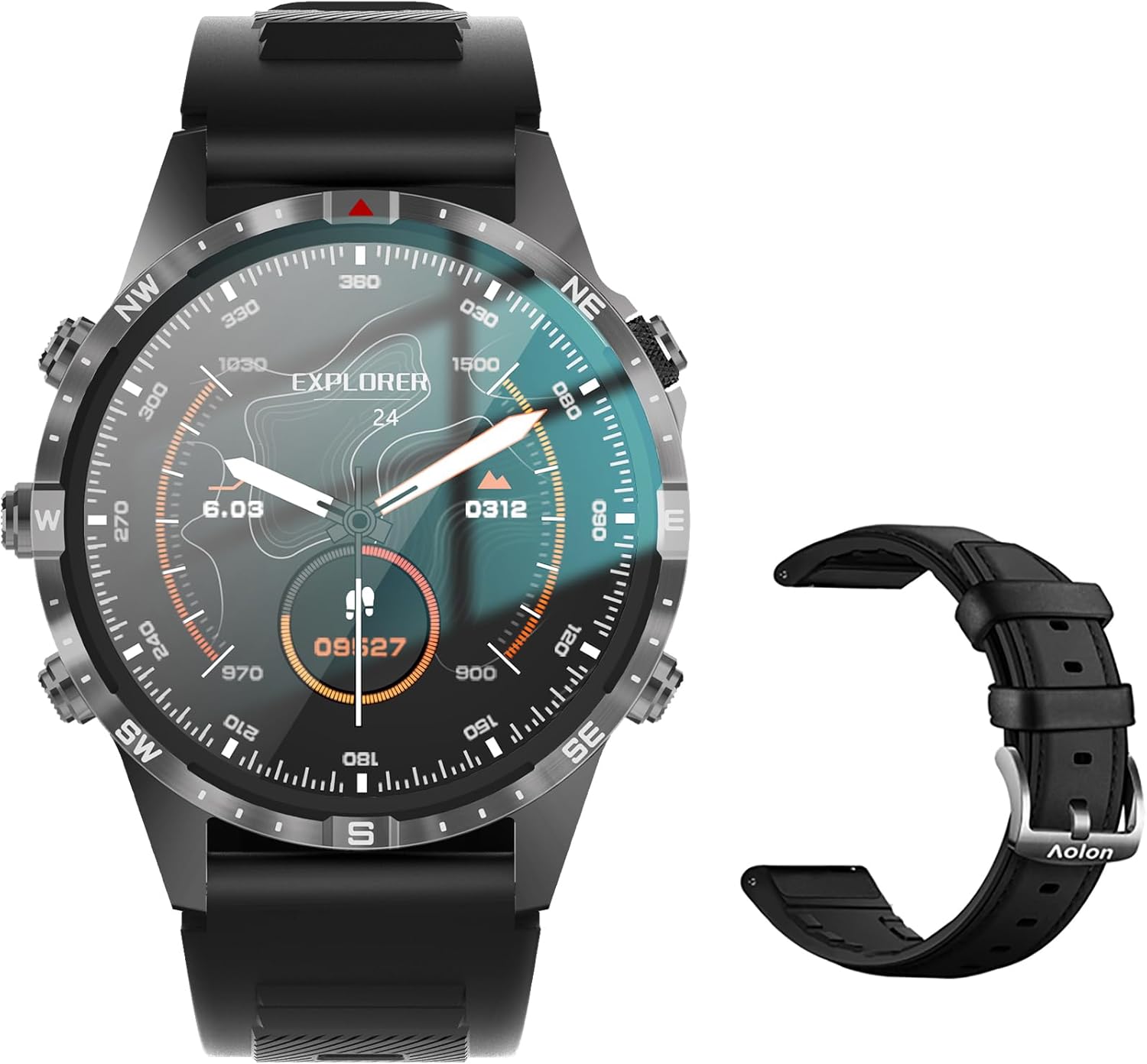
Image: The Aolon GT5 Pro Smart Watch displaying a compass-like watch face, alongside an additional black leather strap.
3.1. ອົງປະກອບສັງເກດເບິ່ງ
- ຈໍສະແດງຜົນ: 1.6-inch HD Large Screen (360x360 resolution IPS HD with ultra-narrow bezel).
- ປຸ່ມ: 5 independent physical buttons for precise control and navigation.
- ເຊັນເຊີ: Heart rate sensor, blood oxygen sensor, motion sensor.
- ລຳໂພງ ແລະໄມໂຄຣໂຟນ: ສຳລັບຟັງຊັນການໂທຜ່ານ Bluetooth.

ຮູບພາບ: A close-up view of the Aolon GT5 Pro Smart Watch screen, emphasizing its 1.6-inch HD display with 360x360 pixel resolution and narrow bezel.
4. ຕັ້ງຄ່າ
4.1. ກຳລັງສາກ Smart Watch
Before first use, fully charge your Aolon GT5 Pro Smart Watch. Connect the magnetic charging cable to the charging points on the back of the watch and plug the USB end into a power adapter (not included) or a computer's USB port.
- ເວລາສາກໄຟ: ປະມານ 1.5 ຊົ່ວໂມງສຳລັບການສາກເຕັມ.
- Battery Life: Up to 7-10 days with typical use, 30 days standby time.

Image: Visual representation of the Aolon GT5 Pro's battery performance, indicating 30 days standby, 7-10 days typical use, and 1.5 hours charging time.
4.2. ການຕິດຕັ້ງແອັບ ແລະ ການຈັບຄູ່
To unlock the full potential of your smart watch, download the companion app on your smartphone.
- ດາວໂຫລດ App ໄດ້: Scan the QR code in the manual or on the watch screen, or search for the app name (usually mentioned in the quick start guide) in your phone's app store (App Store for iOS, Google Play Store for Android).
- ລົງທະບຽນ/ເຂົ້າສູ່ລະບົບ: ເປີດ app ແລະປະຕິບັດຕາມຄໍາແນະນໍາໃນຫນ້າຈໍເພື່ອສ້າງບັນຊີຫຼືເຂົ້າສູ່ລະບົບ.
- ຈັບຄູ່ໂມງ: Ensure Bluetooth is enabled on your smartphone. In the app, navigate to the device pairing section and select your Aolon GT5 Pro from the list of available devices. Confirm the pairing request on both your phone and watch.
5. ຄໍາແນະນໍາການດໍາເນີນງານ
5.1. ການນໍາທາງພື້ນຖານ
- ປັດຂຶ້ນ/ລົງ: ເລື່ອນຜ່ານເມນູແລະການແຈ້ງເຕືອນ.
- ປັດຊ້າຍ/ຂວາ: ເຂົ້າເຖິງຟັງຊັນໄວ ຫຼື widget ທີ່ແຕກຕ່າງກັນ.
- ປຸ່ມກົດ: Use the 5 independent buttons for specific functions like power on/off, back, or quick access to sports modes. Refer to the quick start guide for specific button assignments.
- ແຕະໜ້າຈໍ: Select items or confirm actions.
5.2. ໂທ Bluetooth
The Aolon GT5 Pro supports Bluetooth calling, allowing you to make and receive calls directly from your wrist.
- ໃຫ້ແນ່ໃຈວ່າໂມງຂອງທ່ານເຊື່ອມຕໍ່ກັບໂທລະສັບຂອງທ່ານຜ່ານ Bluetooth.
- Access the call function on your watch to dial numbers or answer incoming calls.
- Receive message notifications from your phone's apps directly on your watch.

Image: The Aolon GT5 Pro Smart Watch showing its Bluetooth calling feature, with icons representing call, music, and contact functions.
5.3. ຮູບແບບກິລາ
The watch supports over 100 sports modes, including swimming, running, cycling, and yoga. Select your desired activity to track specific metrics.
- Navigate to the Sports section on your watch.
- Choose your activity. The watch will record data such as calories burned, steps, distance, and pace.
- Connect to your phone's GPS via the app for detailed route tracking.
5.4. ການຕິດຕາມສຸຂະພາບ
The Aolon GT5 Pro continuously monitors various health metrics.
- ອັດຕາການເຕັ້ນຫົວໃຈ: Dynamic heart rate measurement 24/7.
- ອົກຊີໃນເລືອດ: Low power consumption blood oxygen level monitoring.
- ການຕິດຕາມການນອນ: Records your sleep status in real-time, providing data on deep, light, and awake times.

Image: The Aolon GT5 Pro Smart Watch screen showing health monitoring features, including heart rate, blood pressure, and blood oxygen levels.

Image: The Aolon GT5 Pro Smart Watch screen illustrating sleep quality monitoring, detailing sleep stages ແລະໄລຍະເວລາ.
5.5. Compass Navigation
Utilize the built-in guide needle navigation for accurate direction during outdoor activities.
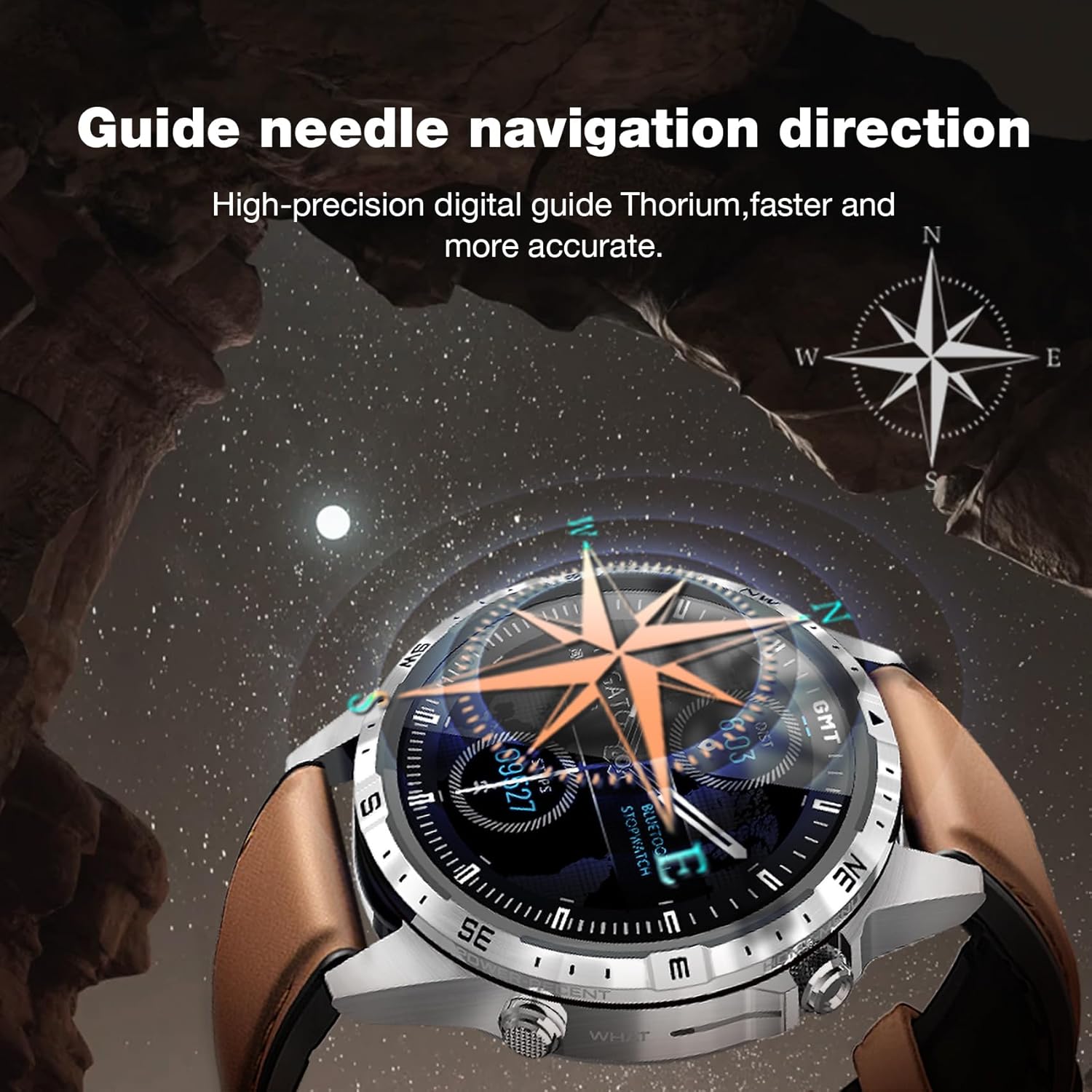
Image: The Aolon GT5 Pro Smart Watch showing its guide needle navigation feature, providing high-precision digital direction.
5.6. ຫນ້າທີ່ອື່ນໆ
The watch includes various other essential functions:
- ການຄວບຄຸມດົນຕີ
- ພະຍາກອນອາກາດ
- ໂມງຈັບເວລາ
- ການຄວບຄຸມກ້ອງຖ່າຍຮູບທາງໄກ
- Ambient Sound Monitoring
- ຊອກຫາໂທລະສັບຂອງຂ້ອຍ
- ໂມງປຸກ
- ເຕືອນສະຕິ
- ເຕືອນຢາ
- Women's Menstrual Health Tips
5.7. ການປ່ຽນໜ້າໂມງ
Personalize your watch by choosing from multiple types of dials available through the watch or the companion app.

Image: A selection of diverse watch faces for the Aolon GT5 Pro, demonstrating customization options.
6. ບໍາລຸງຮັກສາ
6.1. ການເຮັດຄວາມສະອາດໂມງ
- ເຊັດໜ້າຈໍໂມງ ແລະຕົວເຄື່ອງດ້ວຍຜ້າອ່ອນໆ, ບໍ່ມີສານຂັດ.
- ສໍາລັບຝຸ່ນ stubborn, ເລັກນ້ອຍ dampen ຜ້າທີ່ມີນ້ໍາ. ຫຼີກເວັ້ນການນໍາໃຊ້ສານເຄມີທີ່ຮຸນແຮງຫຼືວັດສະດຸຂັດ.
- ກວດໃຫ້ແນ່ໃຈວ່າບ່ອນຕິດຕໍ່ສາກໄຟສະອາດ ແລະແຫ້ງກ່ອນການສາກໄຟ.
6.2. Water Resistance
The Aolon GT5 Pro is IP67 waterproof. This means it is protected against dust and can withstand immersion in water up to 1 meter for 30 minutes.
- It is suitable for daily use, such as washing hands, face, or sweating during exercise.
- Avoid hot water, steam, or prolonged immersion in water.
- ຢ່າປະຕິບັດປຸ່ມພາຍໃຕ້ນ້ໍາ.
6.3. Strap Care and Replacement
The watch comes with standard dual straps (silicone and leather). Clean straps regularly. The silicone strap is ideal for sports, while the leather strap offers a more formal look. Straps can be easily switched without tools.
7. ການແກ້ໄຂບັນຫາ
If you encounter issues with your Aolon GT5 Pro Smart Watch, refer to the following common solutions:
| ບັນຫາ | ການແກ້ໄຂ |
|---|---|
| ໂມງບໍ່ເປີດ | ໃຫ້ແນ່ໃຈວ່າໂມງສາກໄຟເຕັມແລ້ວ. ກົດປຸ່ມເປີດປິດຄ້າງໄວ້ສອງສາມວິນາທີ. |
| ບໍ່ສາມາດຈັບຄູ່ກັບສະມາດໂຟນໄດ້ | Ensure Bluetooth is enabled on your phone. Restart both the watch and phone. Make sure the watch is not already paired with another device. Check app permissions. |
| ຂໍ້ມູນສຸຂະພາບບໍ່ຖືກຕ້ອງ | ໃຫ້ແນ່ໃຈວ່າໂມງຖືກໃສ່ຢູ່ຂໍ້ມືຂອງທ່ານຢ່າງແໜ້ນໜາ, ບໍ່ແໜ້ນເກີນໄປ ຫຼື ວ່າງເກີນໄປ. ເຮັດຄວາມສະອາດບໍລິເວນເຊັນເຊີຢູ່ດ້ານຫຼັງຂອງໂມງ. |
| ບໍ່ໄດ້ຮັບການແຈ້ງເຕືອນ | Check app notification settings on your phone and within the watch app. Ensure the watch is connected via Bluetooth. |
| ອາຍຸແບັດເຕີຣີສັ້ນ | Reduce screen brightness, turn off unnecessary features (e.g., continuous heart rate monitoring if not needed), and ensure proper charging. |
8. ຂໍ້ມູນຈໍາເພາະ
| ຄຸນສົມບັດ | ລາຍລະອຽດ |
|---|---|
| ຕົວແບບ | GT5 Pro |
| ຈໍສະແດງຜົນ | 1.6-inch HD IPS, 360x360 Pixel Resolution |
| ຄວາມອາດສາມາດຫມໍ້ໄຟ | 340 mAh Lithium Polymer |
| ຊີວິດຫມໍ້ໄຟ | 7-10 ມື້ (ການນຳໃຊ້ທົ່ວໄປ), 30 ມື້ (ສະແຕນບາຍ) |
| ເວລາສາກໄຟ | ປະມານ. 1.5 ຊົ່ວໂມງ |
| ການຕໍ່ຕ້ານນ້ໍາ | IP67 |
| ການເຊື່ອມຕໍ່ | Bluetooth |
| ຄວາມເຂົ້າກັນໄດ້ | Android ແລະ iOS |
| ຂະໜາດ | 16.3 x 10 x 2.5 cm (Package); Watch: 47.5mm diameter, 22mm strap width |
| ນ້ຳໜັກ | 180 ກຣາມ (ຊຸດ) |
9. ຂໍ້ມູນຄວາມປອດໄພ
- ຢ່າພະຍາຍາມຖອດຫຼືດັດແປງໂມງ.
- ຮັກສາໂມງໃຫ້ຫ່າງຈາກອຸນຫະພູມທີ່ຮຸນແຮງ ແລະແສງແດດໂດຍກົງ.
- Consult a medical professional before starting any new exercise regimen or if you have pre-existing health conditions. The health data provided by the watch is for reference only and should not be used for medical diagnosis or treatment.
- ຮັກສາໃຫ້ໄກຈາກເດັກນ້ອຍ.
10. ການຮັບປະກັນແລະການສະຫນັບສະຫນູນ
For warranty information and customer support, please refer to the warranty card included in your package or visit the official AOLON webເວັບໄຊທ໌. ຖ້າທ່ານພົບບັນຫາໃດໆທີ່ບໍ່ໄດ້ລະບຸໄວ້ໃນຄູ່ມືນີ້, ກະລຸນາຕິດຕໍ່ບໍລິການລູກຄ້າເພື່ອຂໍຄວາມຊ່ວຍເຫຼືອ.


