1. ບົດແນະນຳ
The Mastech MS5908C Circuit Analyzer is a professional instrument designed for comprehensive electrical circuit analysis. It is capable of measuring AC voltage, performing RCD (Residual Current Device) and GFCI (Ground Fault Circuit Interrupter) tests, and analyzing circuit impedance. This device is suitable for use in environments with 220V AC input voltage and features an EU plug for the European market. It provides accurate readings for phase voltage, neutral wire voltage, voltage to earth, frequency, and conductor impedance for live, neutral, and earth wires.
ຄຸນນະສົມບັດທີ່ສໍາຄັນປະກອບມີ:
- True RMS (TRMS) AC Voltage ການວັດແທກ.
- Artificial load testing (5A, 8A, 10A) for wire drop measurement.
- ການວັດແທກຄວາມດັນຂອງເຟສtage, neutral wire voltage, voltage to earth, and frequency.
- Measurement of phase (live wire), neutral wire, and earth wire conductor impedance.
- Automatic power off to conserve battery life.
- Data hold function for convenient reading.
- Low battery display indicator.
2. ຂໍ້ມູນຄວາມປອດໄພ
Before operating the Mastech MS5908C Circuit Analyzer, please read and understand all safety instructions. Failure to follow these instructions may result in electric shock, fire, or serious injury.
- ໃຫ້ແນ່ໃຈວ່າອຸປະກອນຢູ່ໃນສະພາບດີກ່ອນການນໍາໃຊ້ສະເໝີ.
- ຢ່າໃຊ້ອຸປະກອນຖ້າມັນເບິ່ງຄືວ່າເສຍຫາຍ ຫຼື ຖ້າການກັນຄວາມຮ້ອນຖືກທຳລາຍ.
- Never attempt to measure voltages ຫຼື ກະແສໄຟຟ້າເກີນອັດຕາສູງສຸດທີ່ລະບຸໄວ້.
- Always disconnect the device from the circuit before opening the battery compartment.
- Use caution when working with live electrical circuits.
- This device is rated for CAT III 300V and Pollution Degree 2 environments. Adhere to these ratings.
- ຮັກສາອຸປະກອນໃຫ້ແຫ້ງ ແລະສະອາດ.
3. ຜະລິດຕະພັນເກີນview
The Mastech MS5908C Circuit Analyzer features a robust design with an LCD display and intuitive controls for various electrical measurements.

ຮູບ 3.1: ດ້ານຫນ້າ view of the Mastech MS5908C Circuit Analyzer, showing the LCD screen and control buttons.
The device includes a clear LCD display for readings and indicators, along with several function buttons:
- ປຸ່ມເປີດປິດ: ເພື່ອເປີດຫຼືປິດອຸປະກອນ.
- ປຸ່ມ FUNC: To cycle through different measurement functions.
- ປຸ່ມຖື: ເພື່ອຢຸດການອ່ານປັດຈຸບັນຢູ່ເທິງຈໍສະແດງຜົນ.
- ປຸ່ມ Backlight: To activate or deactivate the display backlight.
- ປຸ່ມທົດສອບ: To initiate specific tests, such as RCD/GFCI tests.
- ປຸ່ມລູກສອນຂຶ້ນ/ລົງ: For navigation or adjusting settings.

Figure 3.2: Dimensional drawing of the Mastech MS5908C Circuit Analyzer, showing its physical measurements.
4. ຕັ້ງຄ່າ
4.1 ການຕິດຕັ້ງຫມໍ້ໄຟ
The Mastech MS5908C requires 6 AAA batteries for operation. These batteries are included with the device.
- ຊອກຫາຊ່ອງໃສ່ຫມໍ້ໄຟຢູ່ດ້ານຫຼັງຂອງອຸປະກອນ.
- ໃຊ້ screwdriver ເພື່ອເປີດຝາປິດຊ່ອງຫມໍ້ໄຟ.
- Insert 6 AAA batteries, ensuring correct polarity as indicated inside the compartment.
- ປ່ຽນຝາປິດຊ່ອງໃສ່ໝໍ້ໄຟ ແລະຍຶດມັນດ້ວຍສະກູ.

ຮູບ 4.1: ກັບຄືນໄປບ່ອນ view of the MS5908C with the battery compartment open, illustrating battery placement.
4.2 ການເປີດເຄື່ອງເບື້ອງຕົ້ນ
After installing the batteries, press the power button to turn on the device. The LCD display will illuminate, and a self-test sequence may run briefly before displaying the default measurement mode.
5. ຄໍາແນະນໍາການດໍາເນີນງານ
The MS5908C offers various measurement modes accessible via the FUNC button.
5.1 ສະບັບພື້ນຖານtage ແລະການວັດແທກຄວາມຖີ່
- Plug the MS5908C into the electrical socket to be tested.
- The device will automatically display the AC voltage ແລະຄວາມຖີ່.
- Press the FUNC button to cycle through different voltage readings, such as phase voltage, neutral wire voltage, ແລະ voltage ກັບແຜ່ນດິນໂລກ.
5.2 Impedance Measurement
To measure the impedance of the live, neutral, and earth conductors:
- Ensure the device is plugged into the socket.
- Press the FUNC button until the impedance measurement mode is displayed.
- The device will show the impedance values for each conductor.
5.3 RCD/GFCI Testing
The MS5908C can test the trip time and current of RCDs and GFCIs.
- Plug the device into a socket protected by an RCD/GFCI.
- Press the FUNC button to select the RCD or GFCI test mode.
- Press the TEST button to initiate the test. The device will simulate a fault condition and measure the trip time and current.
- Observe the displayed results. A successful test indicates the RCD/GFCI is functioning correctly.
- Reset the RCD/GFCI after the test.
5.4 Wire Drop Measurement (Artificial Load)
This function measures the voltage drop under specific artificial loads (5A, 8A, 10A).
- Plug the device into the circuit.
- Press the FUNC button to select the wire drop measurement mode.
- Use the arrow buttons to select the desired artificial load (5A, 8A, or 10A).
- ອຸປະກອນຈະສະແດງລະດັບສຽງtage ຫຼຸດລົງ percentage.
5.5 ການຖືຂໍ້ມູນ ແລະ ແສງພື້ນຫຼັງ
- ການຖືຂໍ້ມູນ: Press the HOLD button to freeze the current reading on the display. Press it again to release.
- ແສງຫຼັງ: Press the backlight button to illuminate the display for use in low-light conditions. Press it again to turn off the backlight.
6. ບໍາລຸງຮັກສາ
6.1 ການທໍາຄວາມສະອາດ
To clean the device, wipe the casing ກັບການໂຄສະນາamp cloth and a mild detergent. Do not use abrasive cleaners or solvents. Ensure the device is completely dry before storage or next use.
6.2 ການທົດແທນຫມໍ້ໄຟ
When the low battery indicator appears on the display, replace all 6 AAA batteries as described in Section 4.1. Always use new batteries of the same type.
6.3 ການເກັບຮັກສາ
If the device will not be used for an extended period, remove the batteries to prevent leakage. Store the circuit analyzer in a cool, dry place, away from direct sunlight and extreme temperatures.
7. ການແກ້ໄຂບັນຫາ
This section provides solutions to common issues you might encounter with your MS5908C Circuit Analyzer.
- ອຸປະກອນບໍ່ເປີດ: ກວດສອບວ່າແບັດເຕີຣີຖືກຕິດຕັ້ງຢ່າງຖືກຕ້ອງ ແລະ ມີປະຈຸພຽງພໍຫຼືບໍ່. ປ່ຽນແບັດເຕີຣີຖ້າຈຳເປັນ.
- ການອ່ານບໍ່ຖືກຕ້ອງ: Ensure the device is properly plugged into the socket. Verify that the correct measurement mode is selected.
- RCD/GFCI test fails: Ensure the RCD/GFCI is functional and properly wired. If the issue persists, consult a qualified electrician.
- ຈໍສະແດງຜົນແມ່ນມືດ ຫຼືກະພິບ: ໂດຍປົກກະຕິແລ້ວ ອັນນີ້ສະແດງເຖິງພະລັງງານແບັດເຕີຣີຕໍ່າ. ປ່ຽນແບັດເຕີລີ.
If you encounter problems not listed here or if the issue persists, contact Mastech customer support.
8. ຂໍ້ມູນຈໍາເພາະ
Detailed technical specifications for the Mastech MS5908C Circuit Analyzer are provided below.
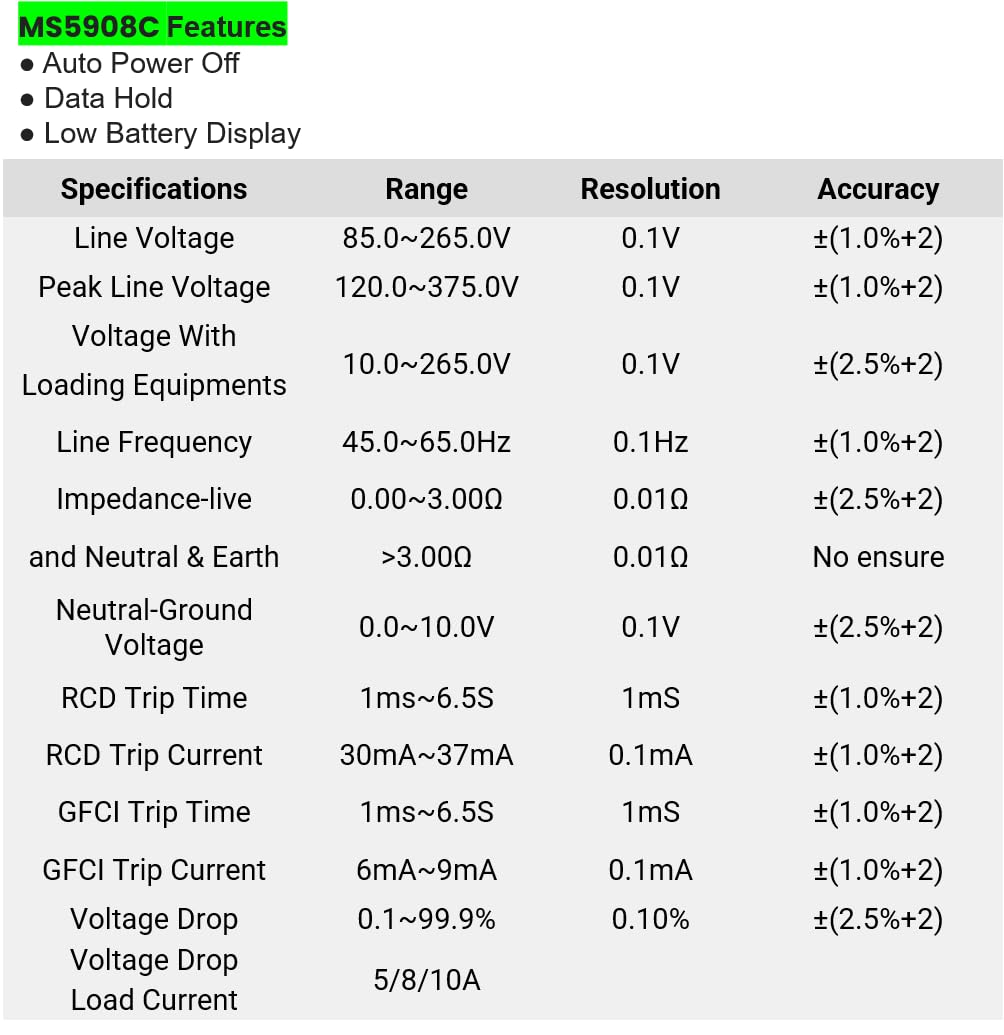
Figure 8.1: Detailed specifications table for the MS5908C, including ranges, resolutions, and accuracies.
| ພາລາມິເຕີ | ຊ່ວງ | ຄວາມລະອຽດ | ຄວາມຖືກຕ້ອງ |
|---|---|---|---|
| ສາຍທີtage | 85.0~265.0V | 0.1V | ±(1.0%+2) |
| Peak Line Voltage | 120.0~375.0V | 0.1V | ±(1.0%+2) |
| ສະບັບtage With Loading Equipments | 10.0~265.0V | 0.1V | ±(2.5%+2) |
| ຄວາມຖີ່ຂອງເສັ້ນ | 45.0~65.0Hz | 0.1Hz | ±(1.0%+2) |
| Impedance (Live and Neutral & Earth) | 0.00~3.00Ω > 3.00Ω | 0.01Ω | ±(2.5%+2) No ensure |
| Neutral-Ground Voltage | 0.0~10.0V | 0.1V | ±(2.5%+2) |
| ເວລາເດີນທາງ RCD | 1ms~6.5ວິ | 1 ມສ | ±(1.0%+2) |
| RCD ການເດີນທາງໃນປະຈຸບັນ | 30mA ~ 37mA | 0.1mA | ±(1.0%+2) |
| ເວລາເດີນທາງ GFCI | 1ms~6.5ວິ | 1 ມສ | ±(1.0%+2) |
| GFCI ການເດີນທາງໃນປະຈຸບັນ | 6mA ~ 9mA | 0.1mA | ±(1.0%+2) |
| ສະບັບtage ລຸດລົງ | 0.1~99.9% | 0.10% | ±(2.5%+2) |
| ໂຫຼດປັດຈຸບັນ | 5/8/10A | ບໍ່ມີ | ບໍ່ມີ |
ຂໍ້ມູນຈໍາເພາະທົ່ວໄປ:
- ຂະໜາດຜະລິດຕະພັນ: 7.87 x 5.91 x 9.84 ນິ້ວ (200 x 150 x 250 ມມ)
- ນ້ໍາຫນັກລາຍການ: 2.2 Pounds (1 Kilogram)
- ແຫຼ່ງພະລັງງານ: Battery Powered (6 x AAA batteries, included)
- ການຈັດອັນດັບຄວາມປອດໄພ: CAT III 300V, Pollution Degree 2
9. ການຮັບປະກັນແລະການສະຫນັບສະຫນູນ
9.1 ຂໍ້ມູນການຮັບປະກັນ
The Mastech MS5908C Circuit Analyzer comes with a 1-year limited warranty from the date of purchase. This warranty covers defects in materials and workmanship under normal use. It does not cover damage caused by misuse, accident, unauthorized modification, or neglect. Please retain your proof of purchase for warranty claims.
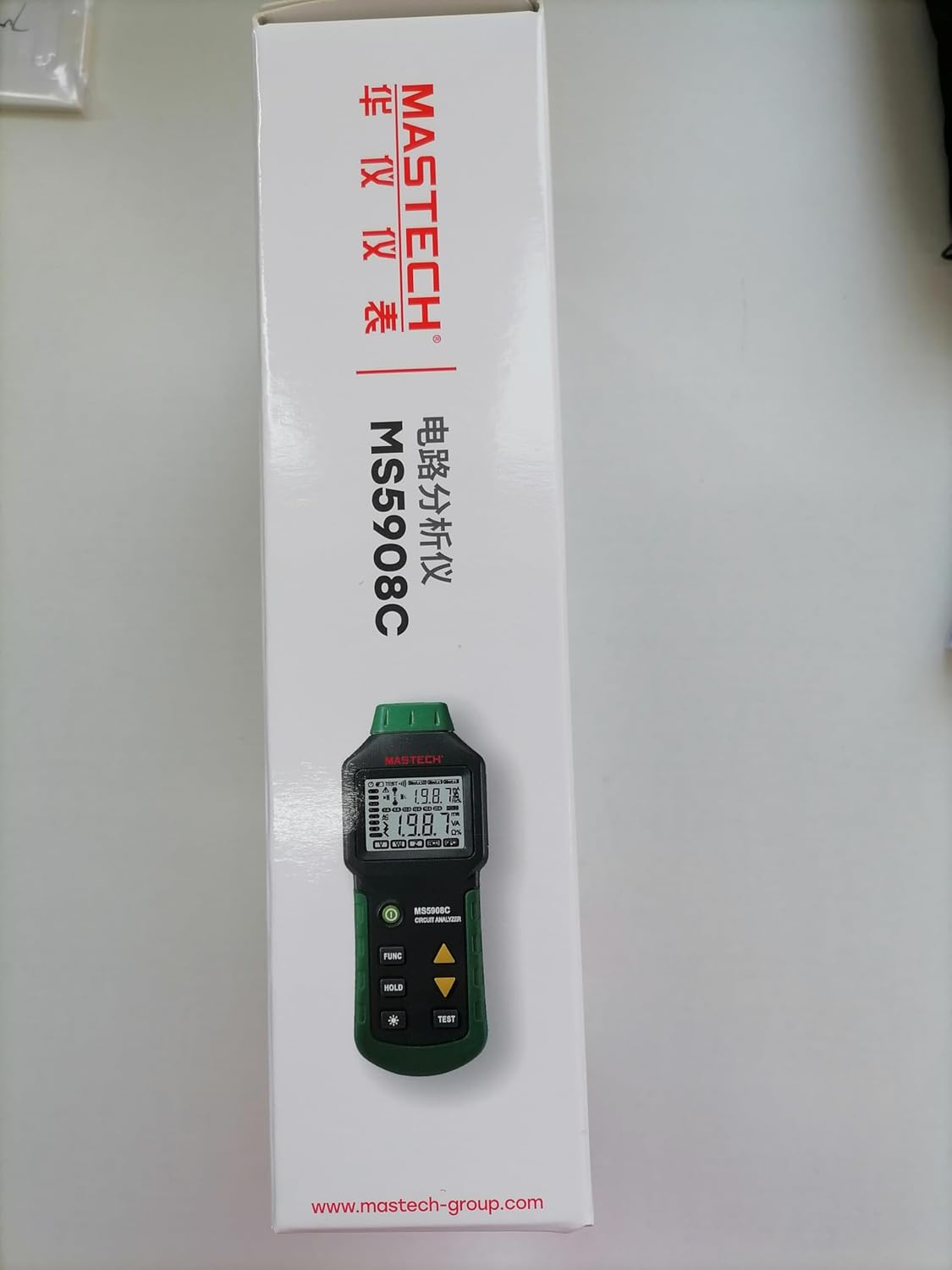
Figure 9.1: Product packaging indicating a 1-year limited warranty.
9.2 ສະຫນັບສະຫນູນລູກຄ້າ
For technical assistance, warranty service, or general inquiries, please refer to the contact information provided on the Mastech official website or the documentation included with your product. When contacting support, please have your product model (MS5908C) and purchase details ready.


