1. ບົດແນະນຳ
Thank you for choosing the goobay Digital Timer. This device is designed to help you manage power consumption and enhance home security by automatically switching electrical appliances on and off. It features up to 16 programmable settings (8 ON/OFF pairs), a random mode for anti-burglary protection, and an integrated backup battery to retain settings during power outages.
Please read this manual carefully before use to ensure proper operation and safety.
2. ຄໍາແນະນໍາຄວາມປອດໄພ
- ສໍາລັບການນໍາໃຊ້ພາຍໃນເຮືອນເທົ່ານັ້ນ. ຢ່າປ່ອຍໃຫ້ຄວາມຊຸ່ມຊື່ນຫຼືອຸນຫະພູມທີ່ຮຸນແຮງ.
- Do not exceed the maximum load of 3680 W (230 V AC, 16 A).
- ຢ່າຖອດປະກອບ ຫຼື ພະຍາຍາມສ້ອມແປງອຸປະກອນ. ໃຫ້ປຶກສາພະນັກງານທີ່ມີຄຸນວຸດທິເພື່ອສ້ອມແປງອຸປະກອນທັງໝົດ.
- ກວດໃຫ້ແນ່ໃຈວ່າໄດ້ສຽບໂມງຈັບເວລາເຂົ້າກັບປລັກສຽບສາຍດິນຢ່າງປອດໄພ.
- ຮັກສາໃຫ້ໄກຈາກເດັກນ້ອຍ.
- Unplug the timer from the wall outlet before cleaning. Clean only with a dry cloth.
- Do not connect appliances that generate a lot of heat, such as heaters, without supervision.
3. ຜະລິດຕະພັນເກີນview
The goobay Digital Timer is a compact and efficient device for controlling your electrical appliances.
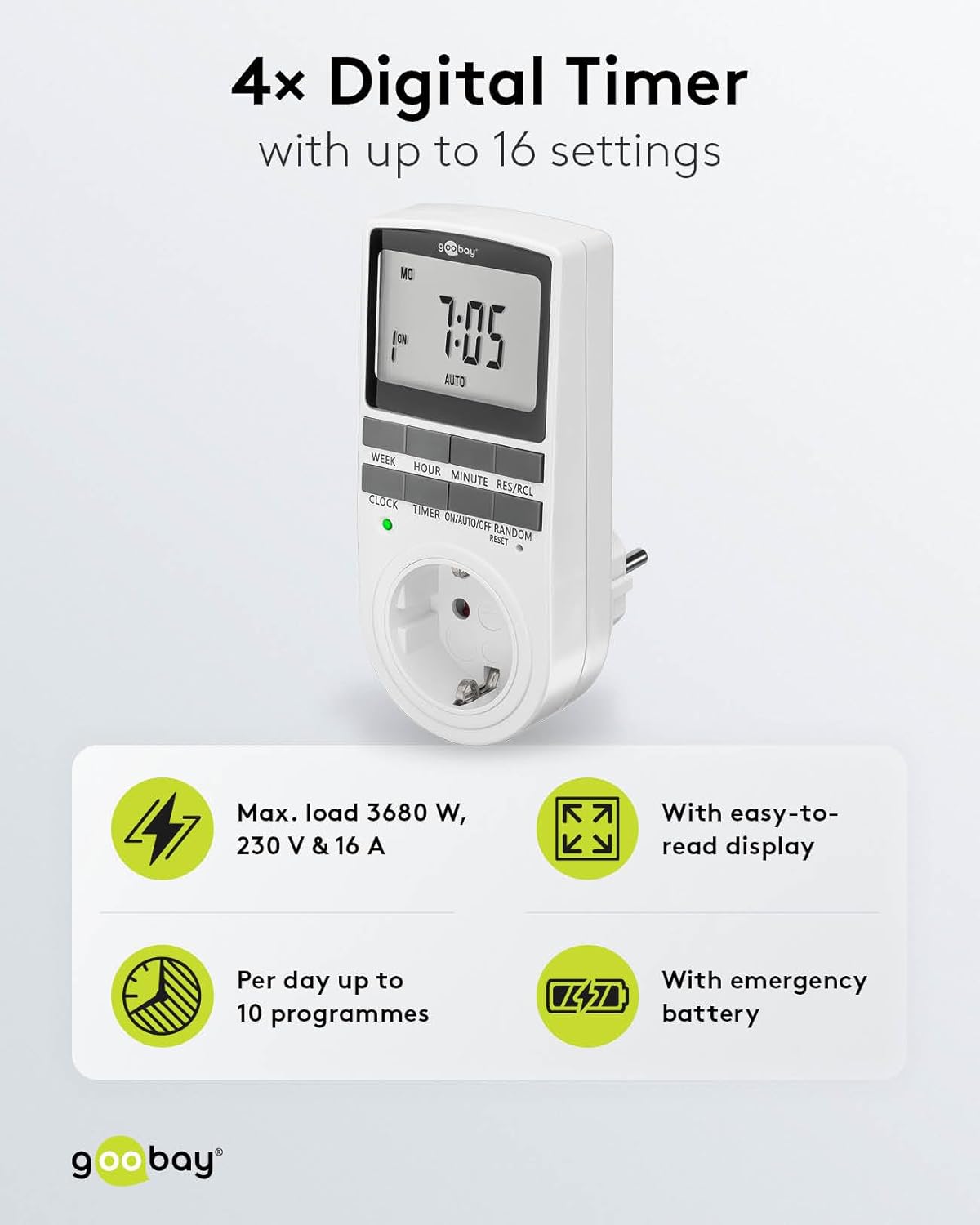
Image: goobay Digital Timer highlighting its features: Max. load 3680 W, 230 V & 16 A; Easy-to-read display; Up to 10 programs per day; Emergency backup battery.
ຄຸນນະສົມບັດທີ່ສໍາຄັນປະກອບມີ:
- ສູງສຸດ. ໂຫຼດ: 3680 W, 230 V & 16 A
- ການຕັ້ງຄ່າໂປຣແກຣມໄດ້: Up to 8 ON/OFF program pairs (16 individual settings).
- ໂໝດສຸ່ມ: Simulates presence for enhanced security.
- ແບັດເຕີຣີສຳຮອງ: Retains settings for over 100 days during power outages.
- ການປະຫຍັດພະລັງງານ: Interrupts standby mode of connected devices.
- ການອອກແບບກະທັດຮັດ: Space-saving installation.

ຮູບພາບ: ຂ້າງ view of the goobay Digital Timer showing its compact dimensions: 135 mm height, 60 mm width, 38 mm depth, and 155g weight.
4. ຕັ້ງຄ່າ
4.1 ການສາກໄຟເບື້ອງຕົ້ນ
Before first use, plug the timer into a wall outlet for approximately 5-10 minutes to charge the internal backup battery. This ensures the display functions and settings can be retained even when unplugged.
4.2 ຣີເຊັດອຸປະກອນ
If the display is blank or unresponsive, or if you wish to clear all previous settings, press the ຣີເຊັດ button using a small, non-metallic pointed object (e.g., a toothpick or the included reset tool). This will clear all programs and reset the clock.

Image: The goobay Digital Timer showing the LED status display, Reset function (with reset tool), Safety plug (Type F, CEE 7/4, 230V, 16A, 3680W), and Safety socket (Type F, CEE 7/3, 6A, 250V output).
4.3 ການກໍານົດເວລາປະຈຸບັນ
- ກົດ ໂມງ ປຸ່ມ.
- ກົດ ອາທິດ button to select the current day of the week (MO, TU, WE, TH, FR, SA, SU).
- ກົດ ຊົ່ວໂມງ button to set the current hour (0-23).
- ກົດ ນາທີ button to set the current minute (0-59).
- ກົດ ໂມງ ກົດປຸ່ມອີກຄັ້ງເພື່ອຢືນຢັນ ແລະອອກຈາກໂໝດການຕັ້ງຄ່າເວລາ.

Image: Close-up of the goobay Digital Timer's display, indicating Weekday, Selected time setting (1-10), Time of day, and Operating mode (On/Auto/Off).
5. ຄໍາແນະນໍາການດໍາເນີນງານ
5.1 ເວລາເປີດ/ປິດໂປຣແກຣມ
The timer allows for up to 8 ON/OFF program pairs (16 individual settings).
- ກົດ ເວລາ ເພື່ອເຂົ້າສູ່ໂໝດການຂຽນໂປຣແກຣມ. ໜ້າຈໍຈະສະແດງ "1 ON".
- ກົດ ອາທິດ to select the day(s) for this program. Options include:
- Individual days (MO, TU, WE, TH, FR, SA, SU)
- Groups of days (MO TU WE TH FR SA SU, MO TU WE TH FR, SA SU, MO TU WE TH FR SA, MO WE FR, TU TH SA, MO TU WE, TH FR SA)
- ກົດ ຊົ່ວໂມງ ເພື່ອຕັ້ງຊົ່ວໂມງເປີດທີ່ຕ້ອງການ.
- ກົດ ນາທີ ເພື່ອຕັ້ງນາທີເປີດທີ່ຕ້ອງການ.
- ກົດ ເວລາ ອີກເທື່ອຫນຶ່ງ. ຈໍສະແດງຜົນຈະສະແດງ "1 OFF".
- ເຮັດຊ້ຳຂັ້ນຕອນທີ 2-4 ເພື່ອຕັ້ງເວລາປິດທີ່ຕ້ອງການສຳລັບໂປຣແກຣມດຽວກັນ.
- ສືບຕໍ່ກົດ ເວລາ to cycle through program settings 2 ON, 2 OFF, up to 8 ON, 8 OFF, setting each as needed.
- ຫຼັງຈາກການຕັ້ງຄ່າໂຄງການທີ່ຕ້ອງການທັງຫມົດ, ໃຫ້ກົດປຸ່ມ ໂມງ ເພື່ອອອກຈາກໂໝດການຂຽນໂປຣແກຣມ ແລະ ກັບຄືນໄປຫາການສະແດງເວລາປັດຈຸບັນ.

Image: Diagram illustrating the functions of the goobay Digital Timer's buttons: WEEK (Set weekday), HOUR (Set hours), MINUTE (Set minutes), RES/RCL (Delete or restore setting), CLOCK (Set different times of day), TIMER (Switch set times), ON/AUTO/OFF (Manual or automatic mode), RANDOM (Random mode).
5.2 Operating Modes (ON/AUTO/OFF)
ກົດ ເປີດ/ອັດຕະໂນມັດ/ປິດ ປຸ່ມເພື່ອໝຸນວຽນຜ່ານໂໝດການເຮັດວຽກ:
- ເປີດ: ອຸປະກອນທີ່ເຊື່ອມຕໍ່ຈະເປີດຢູ່ຕະຫຼອດເວລາ, ໂດຍຈະລົບລ້າງການຕັ້ງຄ່າທີ່ຕັ້ງໂປຣແກຣມໄວ້ທັງໝົດ.
- ອັດຕະໂນມັດ: The connected appliance will operate according to the programmed ON/OFF times. This is the standard operating mode for scheduled tasks.
- ປິດ: ອຸປະກອນທີ່ເຊື່ອມຕໍ່ຈະປິດຢູ່ຕະຫຼອດເວລາ, ໂດຍຈະລົບລ້າງການຕັ້ງຄ່າທີ່ຕັ້ງໄວ້ທັງໝົດ.
5.3 ໂໝດສຸ່ມ
The random mode is designed to simulate presence for security purposes. When activated, the timer will switch ON and OFF at random intervals between 6:00 PM and 5:30 AM.
- ໃຫ້ແນ່ໃຈວ່າໂມງຈັບເວລາຢູ່ໃນ ອັດຕະໂນມັດ ໂໝດ.
- ກົດ Random button to activate or deactivate this mode. An "R" will appear on the display when random mode is active.
5.4 ເວລາປະຢັດແສງ (DST)
ເພື່ອປັບເວລາ Daylight Saving Time, ໃຫ້ກົດປຸ່ມ ຊົ່ວໂມງ ແລະ ນາທີ buttons simultaneously while in ໂມງ mode. The time will advance or rewind by one hour. Repeat to revert.
6. ບໍາລຸງຮັກສາ
- ທໍາຄວາມສະອາດ: Unplug the timer from the wall outlet before cleaning. Wipe the exterior with a soft, dry cloth. Do not use liquid cleaners or sprays.
- ການເກັບຮັກສາ: If storing the timer for an extended period, ensure the backup battery is charged periodically to maintain its functionality.
- ແບັດເຕີຣີສຳຮອງ: The integrated backup battery is designed to retain settings for over 100 days. No user maintenance is required for the battery.
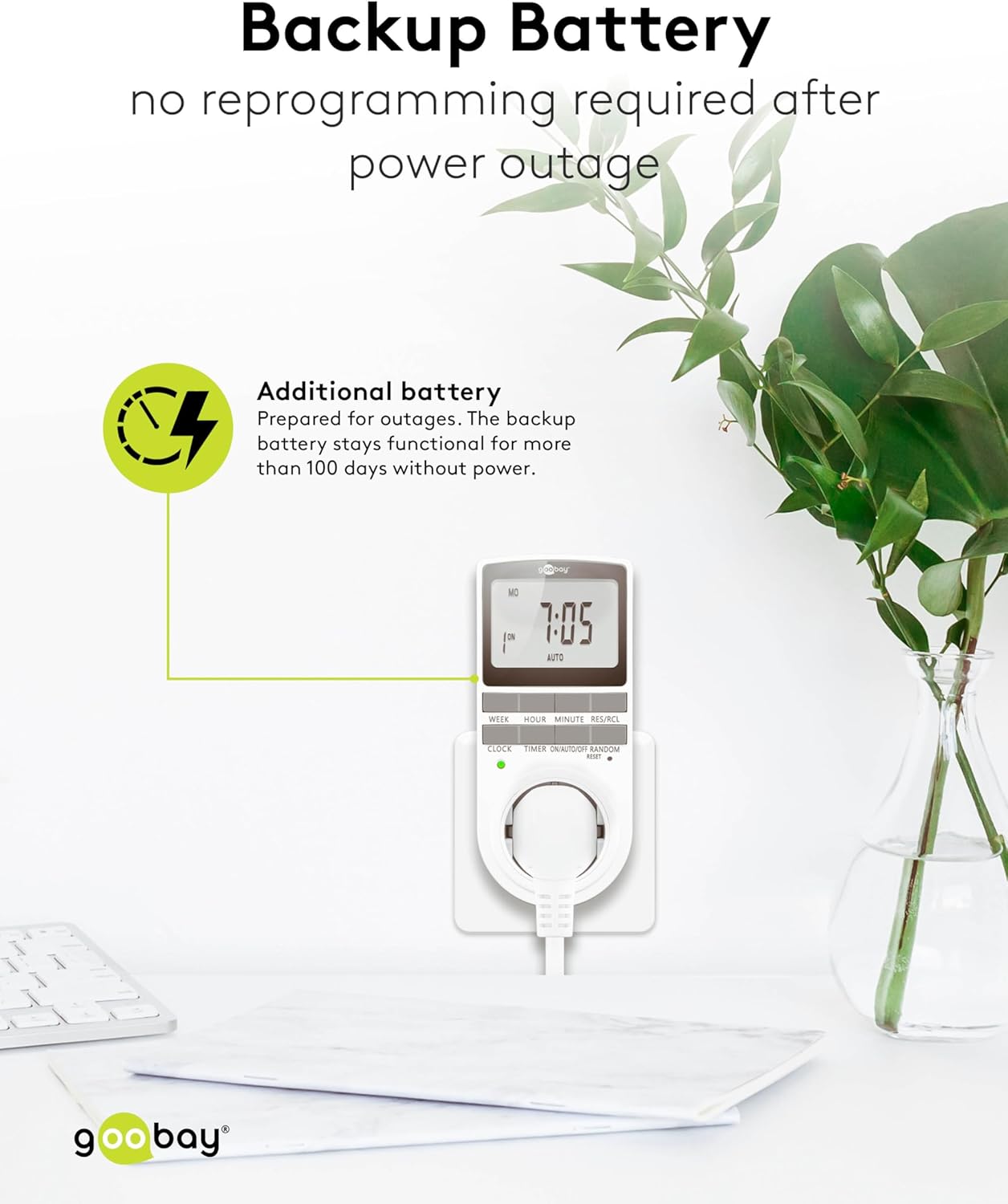
Image: The goobay Digital Timer plugged into an outlet, illustrating the backup battery feature which prevents reprogramming after a power outage.
7. ການແກ້ໄຂບັນຫາ
| ບັນຫາ | ສາເຫດທີ່ເປັນໄປໄດ້ | ການແກ້ໄຂ |
|---|---|---|
| ຈໍສະແດງຜົນຫວ່າງເປົ່າຫຼືບໍ່ຕອບສະໜອງ. | Backup battery is depleted or device needs reset. | Plug the timer into a live outlet for 5-10 minutes to charge the battery. If still unresponsive, press the ຣີເຊັດ ປຸ່ມ. |
| ເຄື່ອງໃຊ້ບໍ່ເປີດ/ປິດໃນເວລາທີ່ຕັ້ງໂປຣແກຣມໄວ້. | Timer is not in ອັດຕະໂນມັດ mode, programs are incorrect, or appliance is faulty. | ໃຫ້ແນ່ໃຈວ່າໂມງຈັບເວລາຖືກຕັ້ງໄວ້ທີ່ ອັດຕະໂນມັດ mode. Verify programmed ON/OFF times. Check if the connected appliance works when plugged directly into the wall outlet. |
| Random mode is not working. | Timer is not in ອັດຕະໂນມັດ mode or random mode is not activated. | ໃຫ້ແນ່ໃຈວ່າໂມງຈັບເວລາຢູ່ໃນ ອັດຕະໂນມັດ ໂໝດ. ກົດ Random button to activate it (an "R" should appear on the display). |
| ເວລາບໍ່ຖືກຕ້ອງຫຼັງຈາກພະລັງງານ outage. | Backup battery is depleted or was not charged sufficiently. | Plug the timer into a live outlet for at least 10 minutes to fully charge the backup battery. Reset and reprogram if necessary. |
8. ຂໍ້ມູນຈໍາເພາະ
| ຍີ່ຫໍ້: | goobay |
| ໝາຍເລກຕົວແບບ: | 74217 |
| ສີ: | ສີຂາວ |
| ວັດສະດຸ: | ພາດສະຕິກ Acrylonitrile Butadiene Styrene |
| ຂະໜາດສິນຄ້າ (L x W x H): | 7.6 x 6 x 13.5 cm |
| ນ້ໍາຫນັກລາຍການ: | 155 g |
| ການສະຫນອງ Voltage: | 230 V (AC) |
| ສູງສຸດ ປ່ຽນພະລັງງານ: | 3680 ວ |
| ສູງສຸດ. ປັດຈຸບັນ: | 16.0 ກ |
| ຈໍານວນການຕັ້ງຄ່າ: | 16 (8 ON/OFF program pairs) |
| ການຈັດອັນດັບການປົກປ້ອງ: | IP20 |
| ປະເພດການປົກປ້ອງ: | I |
| ປະເທດຕົ້ນກໍາເນີດ: | ຈີນ |
9. ການຮັບປະກັນແລະການສະຫນັບສະຫນູນ
Specific warranty information is not provided within this manual. For details regarding warranty coverage, technical support, or service, please refer to the official goobay webເວັບໄຊ ຫຼືຕິດຕໍ່ຮ້ານຂາຍຍ່ອຍຂອງທ່ານ.
You can often find additional resources and contact information on the manufacturer's webເວັບໄຊ: www.goobay.com


