1. ບົດແນະນຳ
The One For All Smart Control Pro 8 (URC7981) is a universal remote control designed to manage up to eight different home entertainment devices. This remote simplifies your control experience by combining multiple remotes into one, offering features like a free advanced setup app, a learning function, and smart activities for seamless device interaction.
It is compatible with a wide range of devices including TVs, Set-Top Boxes (satellite/cable/DVB-T2), DVD/Blu-ray players, Audio systems, Soundbars, IR Game Consoles, and Media Players.

Image 1.1: The One For All Smart Control Pro 8 Universal Remote Control, showcasing ການອອກແບບ sleek ແລະຮູບແບບປຸ່ມຂອງຕົນ.
2. ຕັ້ງຄ່າ
2.1. ການຕິດຕັ້ງຫມໍ້ໄຟ
Before first use, insert 2x AAA alkaline batteries (not included) into the remote control. Ensure correct polarity (+/-) as indicated inside the battery compartment.
2.2. Device Setup using the OFA Advanced App
The recommended method for setting up your Smart Control Pro 8 is by using the free One For All Advanced App. This app provides a guided setup process for all your devices.
- Download the 'OFA Advanced' app from your smartphone's app store (available for iOS and Android).
- Open the app and follow the on-screen instructions to pair your remote control via Bluetooth (if applicable) or to manually enter device codes.
- The app will guide you through selecting your device types (TV, STB, etc.) and brands, then testing the functionality.

Image 2.1: The One For All Smart Control Pro 8 remote control displayed alongside a smartphone running the OFA Advanced setup application.
2.3. ຟັງຊັນການຮຽນຮູ້
The learning function allows you to copy any function directly from your original remote control to the Smart Control Pro 8. This is useful for functions not covered by the pre-programmed codes or for specific buttons you wish to customize.
- Place the Smart Control Pro 8 and your original remote on a flat surface, facing each other, approximately 1-2 inches apart.
- Follow the specific instructions in the OFA Advanced App or the remote's quick start guide to activate the learning mode.
- Press the button on the Smart Control Pro 8 where you want to store the function, then press the corresponding button on your original remote.
- The remote will indicate successful learning (e.g., LED flash). Repeat for all desired functions.

Image 2.2: Graphic representing the learning function, where the universal remote copies signals from an original remote.
3. ການໃຊ້ຣີໂໝດ
3.1. ການເລືອກອຸປະກອນ
At the top of the remote, you will find dedicated buttons for different device types (TV, STB, DVD, BLU, AUD, GAME, MEDIA, S.BAR). Press the corresponding button to select the device you wish to control.

ຮູບພາບ 3.1: ດ້ານຫນ້າ view of the remote control, highlighting the device selection buttons at the top.
3.2. Smart Activities
The Smart Control Pro 8 features five smart activities that allow you to control multiple devices simultaneously for common scenarios:
- ເບິ່ງໂທລະພາບ: Configures your TV and Set-Top Box.
- ເບິ່ງຮູບເງົາ: Configures your TV, Blu-ray/DVD player, and Audio system.
- Play Game: Configures your TV and Game Console.
- ຟັງເພງ: Configures your Audio system.
- ກຳນົດເອງ: A customizable activity for your specific needs.
These activities provide seamless control without needing to switch between device types manually.

Image 3.2: Graphic illustrating the concept of smart activities, simplifying control across multiple devices.
3.3. Quick Access App Buttons
Dedicated buttons for popular streaming services like Netflix, Amazon Prime Video, and YouTube provide instant access to your favorite content. These buttons can also be customized to launch other streaming applications.
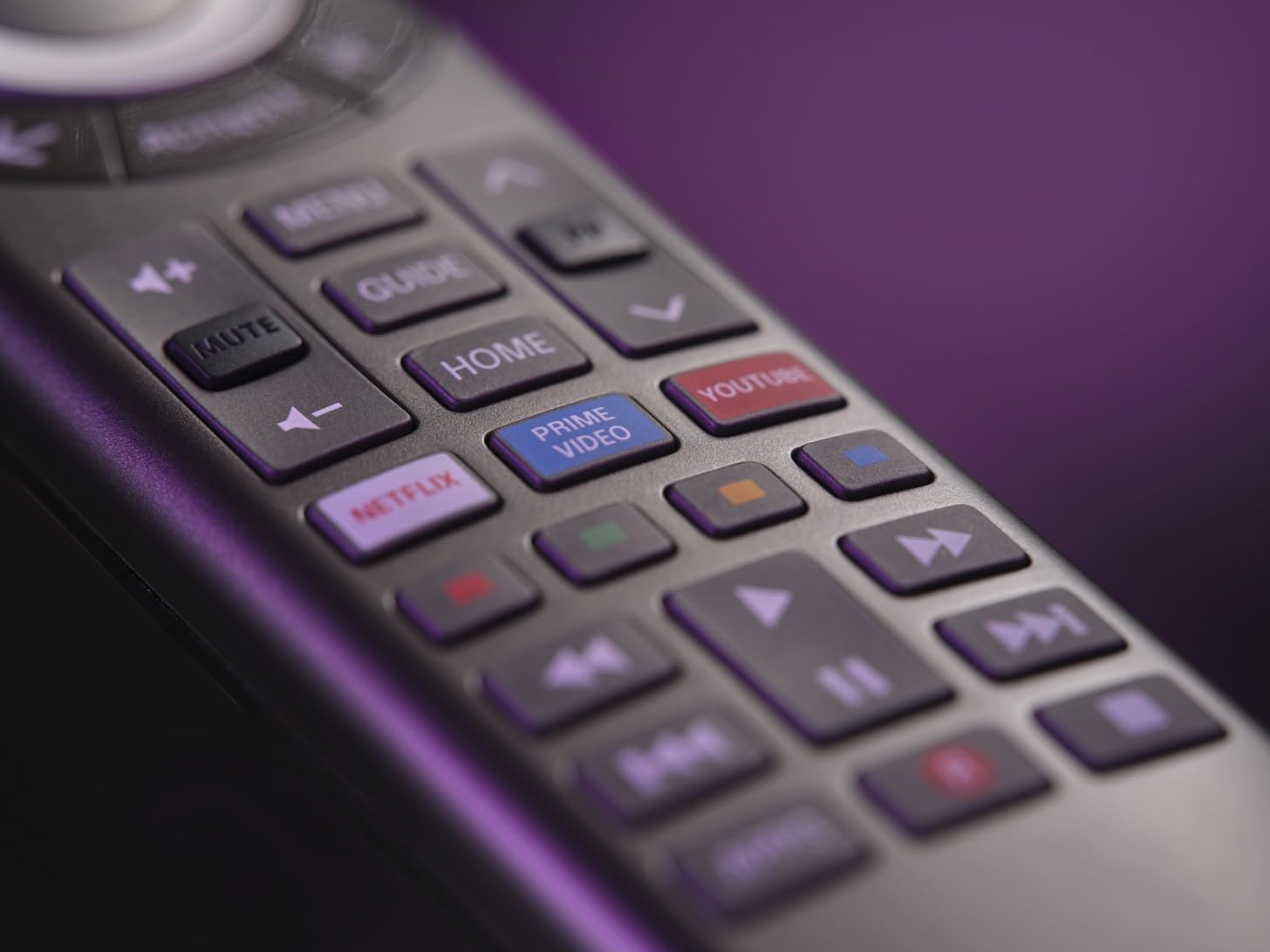
ຮູບພາບທີ 3.3: ໄລຍະໃກ້ view of the remote's quick access buttons for Netflix, Prime Video, and YouTube.
3.4. Advanced Features: Macros and Volume Lock
The OFA Advanced App allows for further customization, including setting up macros (sequences of commands) and enabling a volume lock feature. Volume lock ensures that the volume control always operates a specific device (e.g., your TV or AV Receiver), regardless of which device is currently selected.

Image 3.4: Screenshot of the OFA Advanced App showing the 'Set Up Macro' interface.

Image 3.5: Screenshot of the OFA Advanced App demonstrating the 'Volume Lock' setting.
4. ບໍາລຸງຮັກສາ
4.1. ການທົດແທນຫມໍ້ໄຟ
When the remote's performance degrades or the indicator light flashes, it is time to replace the batteries. Always replace both AAA batteries with new alkaline batteries. Do not mix old and new batteries, or different types of batteries.
4.2. ທໍາຄວາມສະອາດ
ເພື່ອທຳຄວາມສະອາດຣີໂໝດຄວບຄຸມ, ໃຫ້ໃຊ້ຜ້າອ່ອນແລະແຫ້ງ. ຢ່າໃຊ້ນ້ຳຢາທຳຄວາມສະອາດທີ່ມີສີຂັດ, ຕົວລະລາຍ, ຫຼື ຜ້າປຽກ, ເພາະວ່າສິ່ງເຫຼົ່ານີ້ສາມາດທຳລາຍພື້ນຜິວ ຫຼື ອົງປະກອບພາຍໃນຂອງຣີໂໝດໄດ້.
5. ການແກ້ໄຂບັນຫາ
5.1. ຣີໂໝດບໍ່ຕອບສະໜອງ
- ໃຫ້ແນ່ໃຈວ່າມີການຕິດຕັ້ງຫມໍ້ໄຟສົດຢ່າງຖືກຕ້ອງ.
- Check that you have selected the correct device mode (e.g., TV button for TV functions).
- ໃຫ້ແນ່ໃຈວ່າບໍ່ມີສິ່ງກີດຂວາງລະຫວ່າງຣີໂໝດ ແລະອຸປະກອນ.
- Verify that the device code is correctly programmed. Re-run the setup process via the OFA Advanced App if necessary.
5.2. Learning Function Issues
- Ensure the original remote's batteries are fresh.
- Make sure the remotes are positioned correctly, facing each other at a short distance (1-2 inches).
- Try pressing the button on the original remote for a longer duration during the learning process.
5.3. App Connectivity Problems
- ໃຫ້ແນ່ໃຈວ່າ Bluetooth ຂອງໂທລະສັບສະຫຼາດຂອງທ່ານຖືກເປີດໃຊ້.
- Restart the OFA Advanced App and try connecting again.
- Check for app updates in your smartphone's app store.
6. ຂໍ້ມູນຈໍາເພາະ
| ຄຸນສົມບັດ | ລາຍລະອຽດ |
|---|---|
| ຍີ່ຫໍ້ | ຫນຶ່ງສໍາລັບທຸກຄົນ |
| ຊື່ຕົວແບບ | ອຄ. ອງ |
| ສີ | ດຳ |
| ເຕັກໂນໂລຊີການເຊື່ອມຕໍ່ | ອິນຟາເລດ (IR) |
| ຄຸນນະສົມບັດພິເສດ | ແສງຫຼັງ |
| ອຸປະກອນທີ່ຮອງຮັບສູງສຸດ | 8 |
| ອຸປະກອນທີ່ເຂົ້າກັນໄດ້ | TV, Set-Top Box, DVD/Blu-ray, Audio, Soundbar, IR Game Console, Media Player |
| ປະເພດຫມໍ້ໄຟ | Alkaline (AAA) |
7. ການຮັບປະກັນແລະການສະຫນັບສະຫນູນ
One For All products are designed for reliability and performance. For specific warranty information, please refer to the documentation included with your purchase or visit the official One For All website. For technical support, frequently asked questions, and additional resources, please visit the One For All support page online.
Official One For All Webເວັບໄຊ: www.oneforall.com


