1. ບົດແນະນຳ
Welcome to the user manual for your TUINYO Open Ear Headphones. These Bluetooth 5.4 wireless earbuds are designed to provide a premium sound experience while allowing you to stay aware of your surroundings. With an LED display for battery status and IPX5 waterproofing, they are ideal for sports, driving, and office use.

Figure 1: TUINYO Open Ear Headphones in their charging case, showcasing the sleek black design and the digital display for battery percentage.
2. ຄຸນນະສົມບັດທີ່ສໍາຄັນ
- ການອອກແບບເປີດຫູ: Allows you to hear ambient sounds for increased situational awareness and safety.
- ການເຊື່ອມຕໍ່ Bluetooth 5.4: Ensures stable, fast, and seamless wireless connection.
- ຈໍສະແດງຜົນ LED: Provides real-time battery status of the charging case.
- ຂະຫຍາຍເວລາຫຼິ້ນ: ສູງສຸດ 25 ຊົ່ວໂມງຂອງເວລາຫຼິ້ນທັງຫມົດກັບກໍລະນີການສາກໄຟ.
- ລະດັບກັນນໍ້າ IPX5: ທົນທານຕໍ່ເຫື່ອແລະການກະແຈກກະຈາຍຂອງແສງສະຫວ່າງ, ເຫມາະສົມສໍາລັບການອອກກໍາລັງກາຍແລະກິດຈະກໍາກາງແຈ້ງ.
- ສຽງພຣີມຽມ: Equipped with 12mm speakers for Hi-Fi stereo bass.
- ນ້ຳໜັກເບົາສຸດພິເສດ: Each earbud weighs approximately 5.3g for comfortable, all-day wear.
- ໂໝດເກມການຕອບສະໜອງຕໍ່າ: Optimized for gaming and video conferencing with a latency of 50ms.

Figure 2: Demonstrates the comfortable and secure fit of the open-ear design, allowing for awareness of surroundings.
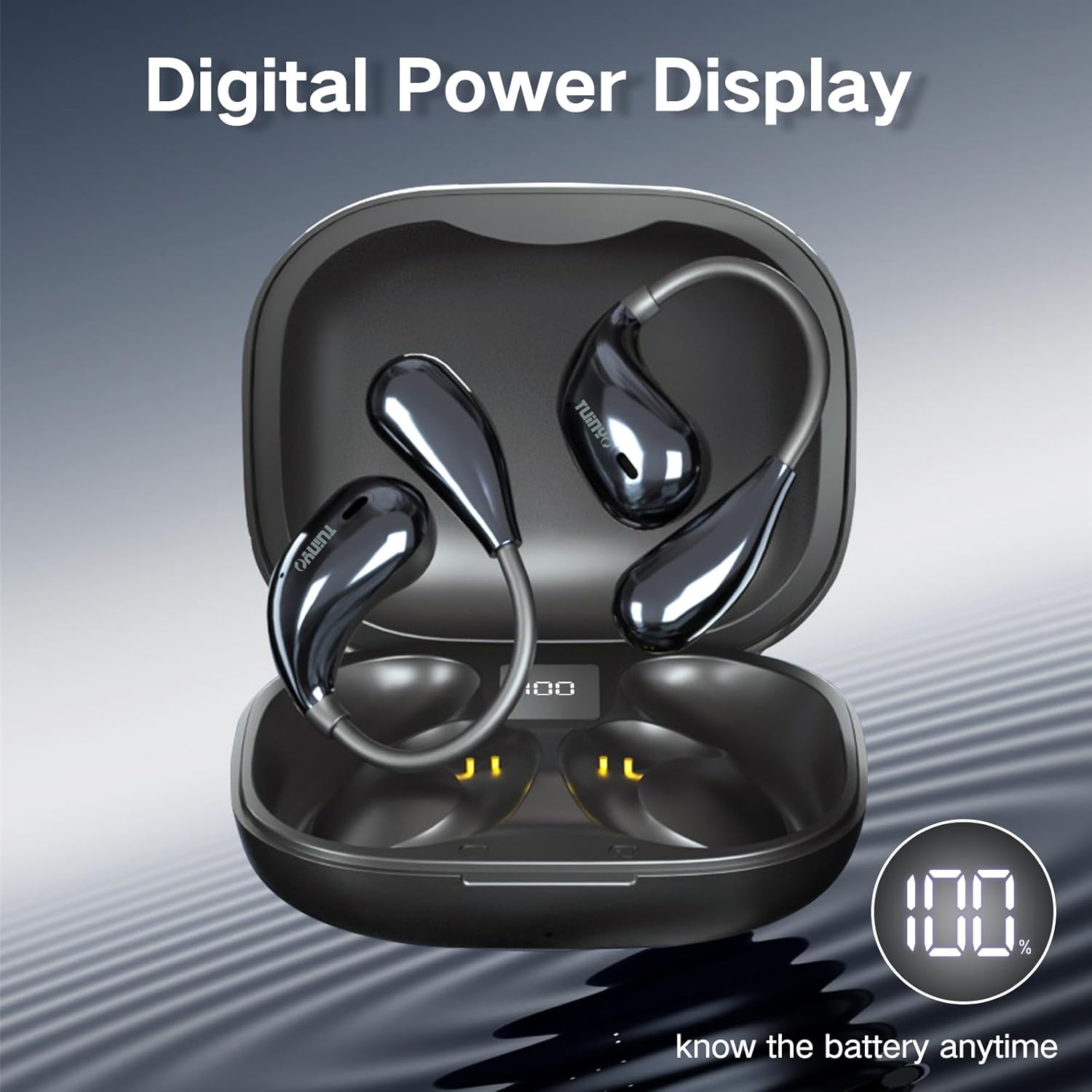
Figure 3: The charging case features a digital LED display, indicating the battery percentagສຳລັບການຕິດຕາມກວດກາທີ່ສະດວກສະບາຍ.

ຮູບ 4: ພາຍໃນ view of the earbud highlighting the 12mm speaker, responsible for delivering Hi-Fi stereo bass.
3. ມີຫຍັງຢູ່ໃນກ່ອງ?
ເມື່ອເປີດຊຸດຜະລິດຕະພັນຂອງທ່ານ, ທ່ານຄວນຊອກຫາລາຍການຕໍ່ໄປນີ້:
- 2 x TUINYO Open-ear True Wireless Earbuds
- 1 x ກ່ອງສາກ
- 1 x ຄູ່ມືຜູ້ໃຊ້ (ເອກະສານນີ້)
- 1 x ສາຍສາກ Type-C

Figure 5: Visual representation of the package contents, including the charging case, earbuds, and charging cable.
4. ຄູ່ມືການຕິດຕັ້ງ
4.1 ການສາກໄຟເບື້ອງຕົ້ນ
Before first use, fully charge the earbuds and the charging case. Connect the provided Type-C charging cable to the charging port on the case and a USB power source. The LED display on the case will show the charging progress.
4.2 ການໃສ່ຫູຟັງ
For optimal sound and comfort, ensure the earbuds are worn correctly. The open-ear design sits comfortably over your ear, directing sound without blocking your ear canal.

Figure 6: Step-by-step guide on how to properly wear the open-ear headphones for a secure and comfortable fit.
4.3 ການຈັບຄູ່ Bluetooth
- ເປີດກ່ອງສາກໄຟ. ຫູຟັງເອຍບັດຈະເຂົ້າສູ່ໂໝດຈັບຄູ່ໂດຍອັດຕະໂນມັດ.
- ໃນອຸປະກອນຂອງທ່ານ (ໂທລະສັບສະຫຼາດ, ແທັບເລັດ, ແລະອື່ນໆ), ເປີດໃຊ້ Bluetooth.
- ຊອກຫາ "TUINYO S08" in the list of available Bluetooth devices.
- Select "TUINYO S08" to connect. Once connected, you will hear an audible confirmation.
ໝາຍເຫດ: ຫູຟັງເອຍບັດຈະເຊື່ອມຕໍ່ໃໝ່ໂດຍອັດຕະໂນມັດກັບອຸປະກອນທີ່ຈັບຄູ່ສຸດທ້າຍເມື່ອຖອດອອກຈາກເຄສ, ຖ້າ Bluetooth ຖືກເປີດໃຊ້ໃນອຸປະກອນ.
5. ຄໍາແນະນໍາການດໍາເນີນງານ
The TUINYO S08 headphones feature touch controls on each earbud for easy management of audio playback and calls.

ຮູບ 7: ເກີນview of the touch control functions on the earbuds.
| ຟັງຊັນ | ຄຳສັ່ງ (ຫູຟັງຊ້າຍ/ຂວາ) |
|---|---|
| ຫຼິ້ນ/ຢຸດຊົ່ວຄາວ | Double tap (x2 L/R) |
| ປະລິມານລົງ | Single tap (x1 L) |
| ປະລິມານຂຶ້ນ | Single tap (x1 R) |
| ເພງກ່ອນໜ້າ | Triple tap (x3 L) |
| ເພງຕໍ່ໄປ | Triple tap (x3 R) |
| ຕອບ/ວາງສາຍ | Double tap (x2 L/R) |
| ໂໝດເກມເປີດ/ປິດ | Press and hold for 2 seconds (2s L) |
| ເປີດໃຊ້ຜູ້ຊ່ວຍສຽງ | Press and hold for 2 seconds (2s R) |
5.1 ວິດີໂອຜະລິດຕະພັນຢ່າງເປັນທາງການ
Video 1: An official product video demonstrating the features and usage of the TUINYO S08 Open Ear Bluetooth Headphones. This video provides a visual guide to the product's design, key functionalities, and how it integrates into daily life.
6. ບໍາລຸງຮັກສາ
- ທໍາຄວາມສະອາດ: ໃຊ້ຜ້າອ່ອນ, ແຫ້ງເພື່ອເຮັດຄວາມສະອາດຫູຟັງຫູຟັງ ແລະ ກ່ອງສາກ. ຢ່າໃຊ້ເຄື່ອງເຮັດຄວາມສະອາດຂັດຫຼືສານລະລາຍ.
- ຄວາມຕ້ານທານນ້ໍາ: The earbuds are IPX5 waterproof, meaning they can resist a sustained, low-pressure water jet spray. They are suitable for protection against sweat and light rain. Do not submerge them in water or expose them to high-pressure water.
- ການເກັບຮັກສາ: ເກັບຮັກສາຫູຟັງເອຍບັດໃສ່ໃນກະເປົ໋າສາກໄຟຂອງເຂົາເຈົ້າເມື່ອບໍ່ໄດ້ໃຊ້ເພື່ອປົກປ້ອງພວກມັນ ແລະ ສືບຕໍ່ສາກໄຟ. ຫຼີກເວັ້ນອຸນຫະພູມທີ່ຮຸນແຮງ.
- ການດູແລຫມໍ້ໄຟ: ເພື່ອຍືດອາຍຸແບັດເຕີລີ, ຫຼີກເວັ້ນການຖອດແບດເຕີລີ່ເຕັມເລື້ອຍໆ. ສາກໄຟເປັນປະຈຳ, ເຖິງແມ່ນວ່າບໍ່ໄດ້ໃຊ້ເປັນເວລາດົນກໍຕາມ.
7. ການແກ້ໄຂບັນຫາ
| ບັນຫາ | ການແກ້ໄຂທີ່ເປັນໄປໄດ້ |
|---|---|
| ຫູຟັງບໍ່ຈັບຄູ່ |
|
| ບໍ່ມີສຽງຈາກຫູຟັງອັນໜຶ່ງ |
|
| ປະລິມານຕ່ໍາ |
|
| ກ່ອງສາກບໍ່ສາກ |
|
8. ຂໍ້ມູນຈໍາເພາະ
| ຄຸນສົມບັດ | ລາຍລະອຽດ |
|---|---|
| ຊື່ຕົວແບບ | S08 |
| ລຸ້ນ Bluetooth | 5.4 |
| ການຈັດວາງຫູ | ເປີດຫູ |
| ອາຍຸແບັດເຕີຣີ (ຫູຟັງ) | 5 Hours (single use) |
| ເວລາຫຼິ້ນທັງໝົດ (ພ້ອມກໍລະນີ) | 25 ຊົ່ວໂມງ |
| ການປະເມີນກັນນ້ໍາ | IPX5 |
| ປະເພດການຄວບຄຸມ | ແຕະ, ການຄວບຄຸມສື່ |
| ນ້ໍາຫນັກລາຍການ | 4.2 ອອນສ໌ (ລວມຊຸດ) |
| ຂະໜາດແພັກເກັດ | 4.72 x 3.62 x 1.57 ນິ້ວ |
| ຊ່ວງຄວາມຖີ່ | 20 Hz - 20,000 Hz |
| impedance | 31.98 ໂອມ |
9. ການຮັບປະກັນແລະການສະ ໜັບ ສະ ໜູນ
TUINYO products are designed and manufactured to the highest quality standards. For information regarding warranty coverage, technical support, or customer service, please refer to the contact information provided on the product packaging or visit the official TUINYO webເວັບໄຊ.
For further assistance, you may also refer to the product's detail page on Amazon.com: https://www.amazon.com/dp/B0CXSW131H


