1. ບົດແນະນຳ
This manual provides essential information for setting up, operating, maintaining, and troubleshooting your OnePlus 12R PJE110 smartphone. Please read this guide thoroughly to ensure optimal performance and longevity of your device.
The OnePlus 12R is a high-performance 5G smartphone featuring a powerful Octa-core processor, 16GB of RAM, and 256GB of internal storage. It runs on Android 14 with OxygenOS and is equipped with a 5500mAh non-removable battery.
2. ຕັ້ງຄ່າ
2.1 Unboxing ແລະ Initial Inspection
ເອົາລາຍການທັງຫມົດອອກຈາກການຫຸ້ມຫໍ່ຢ່າງລະມັດລະວັງ. ໃຫ້ແນ່ໃຈວ່າມີອົງປະກອບຕໍ່ໄປນີ້:
- OnePlus 12R PJE110 Smartphone
- ສາຍ USB
- ຄູ່ມືເລີ່ມຕົ້ນດ່ວນ (ຖ້າລວມ)
- Safety Information (if included)
Inspect the device for any physical damage. If any components are missing or damaged, contact your retailer or OnePlus support immediately.
2.2 ການໃສ່ຊິມກາດ
The OnePlus 12R supports Dual SIM functionality. Follow these steps to insert your SIM cards:
- ຊອກຫາຖາດຊິມກາດຢູ່ດ້ານຂ້າງຂອງອຸປະກອນ.
- ສຽບເຄື່ອງມືຖອດຊິມ (ຖ້າມີໃຫ້) ເຂົ້າໄປໃນຮູນ້ອຍໆທີ່ຢູ່ຂ້າງຖາດ ແລະຍູ້ຄ່ອຍໆຈົນກ່ວາຖາດຈະອອກມາ.
- Place your Nano-SIM cards into the designated slots on the tray, ensuring the gold contacts face downwards and the cut corner aligns correctly.
- Carefully push the SIM card tray back into the device until it is flush with the side.
Note for USA Buyers: This smartphone is not compatible with CDMA networks, including Verizon, Sprint, and US Cellular. Please verify compatibility with your network provider before use.
2.3 ເປີດ ແລະ ຕັ້ງຄ່າເບື້ອງຕົ້ນ
ເພື່ອເປີດອຸປະກອນຂອງທ່ານເປັນຄັ້ງທຳອິດ:
- ກົດປຸ່ມເປີດ/ປິດຄ້າງໄວ້ (ຕັ້ງຢູ່ເບື້ອງຂວາ) ຈົນກວ່າໂລໂກ້ OnePlus ຈະປາກົດ.
- ປະຕິບັດຕາມຄຳແນະນຳໃນໜ້າຈໍເພື່ອເຮັດສຳເລັດການຕັ້ງຄ່າເບື້ອງຕົ້ນ, ເຊິ່ງລວມມີການເລືອກພາສາຂອງທ່ານ, ການເຊື່ອມຕໍ່ກັບ Wi-Fi, ການຕັ້ງຄ່າບັນຊີ Google ຂອງທ່ານ, ແລະ ການກຳນົດຄ່າຄຸນສົມບັດຄວາມປອດໄພ.
2.4 ການສາກອຸປະກອນ
Before first use, it is recommended to fully charge your device. The OnePlus 12R supports 100W SUPERVOOC fast charging.
- Connect the USB cable to the charging port on the bottom of your phone.
- ເຊື່ອມຕໍ່ປາຍອີກດ້ານໜຶ່ງຂອງສາຍ USB ເຂົ້າກັບອະແດບເຕີໄຟທີ່ເຂົ້າກັນໄດ້ (ຂາຍແຍກຕ່າງຫາກ) ແລະສຽບມັນເຂົ້າກັບປລັກໄຟ.
- ຕົວຊີ້ວັດການສາກໄຟຈະປາກົດຢູ່ໃນຫນ້າຈໍ.

ຮູບພາບ: OnePlus 12R charging. The device features a 5500 mAh battery and supports 100W charging, capable of reaching 100% in approximately 26 minutes.
3. ປະຕິບັດການອຸປະກອນຂອງທ່ານ
3.1 ການນໍາທາງພື້ນຖານ
The OnePlus 12R utilizes a touchscreen interface for most interactions. Physical buttons include:
- ປຸ່ມເປີດປິດ: On the right side, used to turn the screen on/off, power the device on/off, or restart.
- ປຸ່ມລະດັບສຽງ: On the left side, used to adjust media volume, call volume, and notification volume.
- Alert Slider: On the left side, used to quickly switch between Ring, Vibrate, and Silent modes.
3.2 ຄຸນສົມບັດການສະແດງ
Your device features a 6.78-inch LTPO4 AMOLED display with a resolution of 1264 x 2780 pixels.
- ອັດຕາການໂຫຼດຂໍ້ມູນຄືນໃໝ່ແບບໄດນາມິກ: The display supports a dynamic refresh rate from 1-120 Hz for smooth scrolling and power efficiency.
- High Touch Response: Up to 1000 Hz touch response rate for quick and accurate input.
- ຄວາມຖືກຕ້ອງຂອງສີ: Compatible with sRGB and Display P3, offering 10-bit color depth and HDR10+ support.

ຮູບພາບ: OnePlus 12R AMOLED ProXDR Display. Key features include 6.78 inches, 2780 x 1264 pixel resolution, 1-120 Hz dynamic refresh rate, and up to 1000 Hz touch response rate.
3.3 ການໃຊ້ກ້ອງຖ່າຍຮູບ
The OnePlus 12R is equipped with a versatile camera system:
- ກ້ອງຫຼັກ: 50 MP Sony IMX890 with Optical Image Stabilization (OIS).
- ກ້ອງມຸມກວ້າງສູງສຸດ: 8 MP Sony IMX355 with a 112° field of view.
- ເລນ Macro: 2 MP for close-up shots (4 cm focus distance).
- ກ້ອງໜ້າ: 16 MP ສຳລັບການຖ່າຍຮູບເຊວຟີ ແລະ ການໂທວິດີໂອ.
To access the camera, tap the Camera app icon on your home screen or app drawer. You can switch between different modes (Photo, Video, Portrait, Night, Pro, etc.) by swiping across the screen or selecting from the mode options.

ຮູບພາບ: OnePlus 12R Camera System. Features a 50 MP main camera (Sony IMX890 + OIS), an 8 MP ultra-wide angle camera (112° Sony IMX355), and a 2 MP macro lens (4 cm).
3.4 ການເຊື່ອມຕໍ່
ອຸປະກອນຂອງທ່ານສະຫນັບສະຫນູນທາງເລືອກການເຊື່ອມຕໍ່ຕ່າງໆ:
- 5G/4G/3G/2G: For cellular data and calls. Ensure your SIM card is active and your plan supports these networks.
- Wi-Fi: ເຊື່ອມຕໍ່ຫາເຄືອຂ່າຍໄຮ້ສາຍເພື່ອເຂົ້າເຖິງອິນເຕີເນັດ. ໄປທີ່ ການຕັ້ງຄ່າ > Wi-Fi ການຄຸ້ມຄອງການເຊື່ອມຕໍ່.
- Bluetooth: Pair with wireless headphones, speakers, and other Bluetooth devices. Go to ການຕັ້ງຄ່າ > Bluetooth ການຄຸ້ມຄອງການເຊື່ອມຕໍ່.
- GPS: ສໍາລັບການບໍລິການສະຖານທີ່ແລະການນໍາທາງ.
3.5 OxygenOS Overview
The OnePlus 12R runs on OxygenOS, a customized version of Android 14. OxygenOS offers a clean, fast, and customizable user experience. Explore the ການຕັ້ງຄ່າ app to personalize your device, manage notifications, set up gestures, and more.
4. ບໍາລຸງຮັກສາ
4.1 ການດູແລຫມໍ້ໄຟ
ເພື່ອເພີ່ມອາຍຸແບັດເຕີຣີຂອງທ່ານໃຫ້ສູງສຸດ:
- ຫຼີກເວັ້ນອຸນຫະພູມທີ່ຮຸນແຮງ.
- Use the provided USB cable and a compatible charger.
- Avoid frequently draining the battery completely or keeping it at 100% for extended periods.
- Utilize battery optimization features in ການຕັ້ງຄ່າ > ແບັດເຕີຣີ.
4.2 ການປັບປຸງຊອບແວ
Regular software updates provide new features, security patches, and performance improvements. To check for updates, go to ການຕັ້ງຄ່າ > ກ່ຽວກັບອຸປະກອນ > ລຸ້ນ OxygenOS.
4.3 ການທໍາຄວາມສະອາດອຸປະກອນ
Use a soft, lint-free cloth to clean your device. Avoid using harsh chemicals or abrasive materials, which can damage the screen or finish. Do not expose the device to excessive moisture.
4.4 ການຄຸ້ມຄອງການເກັບຮັກສາ
Your OnePlus 12R comes with 256GB of internal storage, which is not expandable. Regularly manage your storage by:
- ການລົບທີ່ບໍ່ຈໍາເປັນ files, ຮູບພາບ, ແລະວິດີໂອ.
- Uninstalling unused applications.
- Utilizing cloud storage services for backups.
5. ການແກ້ໄຂບັນຫາ
ຖ້າຫາກທ່ານພົບບັນຫາອຸປະກອນຂອງທ່ານ, ພະຍາຍາມຂັ້ນຕອນການແກ້ໄຂບັນຫາທົ່ວໄປດັ່ງຕໍ່ໄປນີ້:
5.1 ບັນຫາທົ່ວໄປ
- ອຸປະກອນບໍ່ຕອບສະໜອງ: ກົດປຸ່ມເປີດປິດຄ້າງໄວ້ປະມານ 10 ວິນາທີເພື່ອບັງຄັບໃຫ້ຣີສະຕາດ.
- ແບັດເຕີຣີໝົດໄວ: ກວດເບິ່ງການໃຊ້ແອັບພື້ນຫຼັງໃນ ການຕັ້ງຄ່າ > ແບັດເຕີຣີ. Reduce screen brightness, disable unused features like GPS or Bluetooth, and ensure apps are updated.
- ບັນຫາການເຊື່ອມຕໍ່ເຄືອຂ່າຍ: Ensure SIM cards are correctly inserted. Try toggling Airplane Mode on and off. Restart the device. Verify network settings in ການຕັ້ງຄ່າ > ເຄືອຂ່າຍມືຖື.
- ແອັບຂັດຂ້ອງ ຫຼືຄ້າງ: ລ້າງແຄດຂອງແອັບຯ ແລະຂໍ້ມູນໃນ ການຕັ້ງຄ່າ > Apps > [App Name] > Storage > Clear cache/Clear dataຖ້າບັນຫາຍັງຄົງຢູ່, ໃຫ້ຖອນການຕິດຕັ້ງ ແລະ ຕິດຕັ້ງແອັບຄືນໃໝ່.
5.2 ຣີເຊັດເປັນຄ່າໂຮງງານ
ການຣີເຊັດເປັນຄ່າໂຮງງານຈະລຶບຂໍ້ມູນທັງໝົດອອກຈາກອຸປະກອນຂອງທ່ານ ແລະ ກູ້ຄືນມັນໄປສູ່ການຕັ້ງຄ່າໂຮງງານເດີມ. ໃຫ້ສຳຮອງຂໍ້ມູນທີ່ສຳຄັນທັງໝົດກ່ອນດຳເນີນການຕໍ່ໄປ.
- ໄປທີ່ ການຕັ້ງຄ່າ > ການຕັ້ງຄ່າລະບົບ > ສຳຮອງຂໍ້ມູນ ແລະ ຣີເຊັດ > ຣີເຊັດໂທລະສັບ.
- ເລືອກ ລຶບຂໍ້ມູນທັງໝົດ (ຣີເຊັດເປັນຄ່າໂຮງງານ).
- Confirm your decision and enter your screen lock password if prompted.
6. ຂໍ້ມູນຈໍາເພາະ
Detailed technical specifications for the OnePlus 12R PJE110 smartphone:
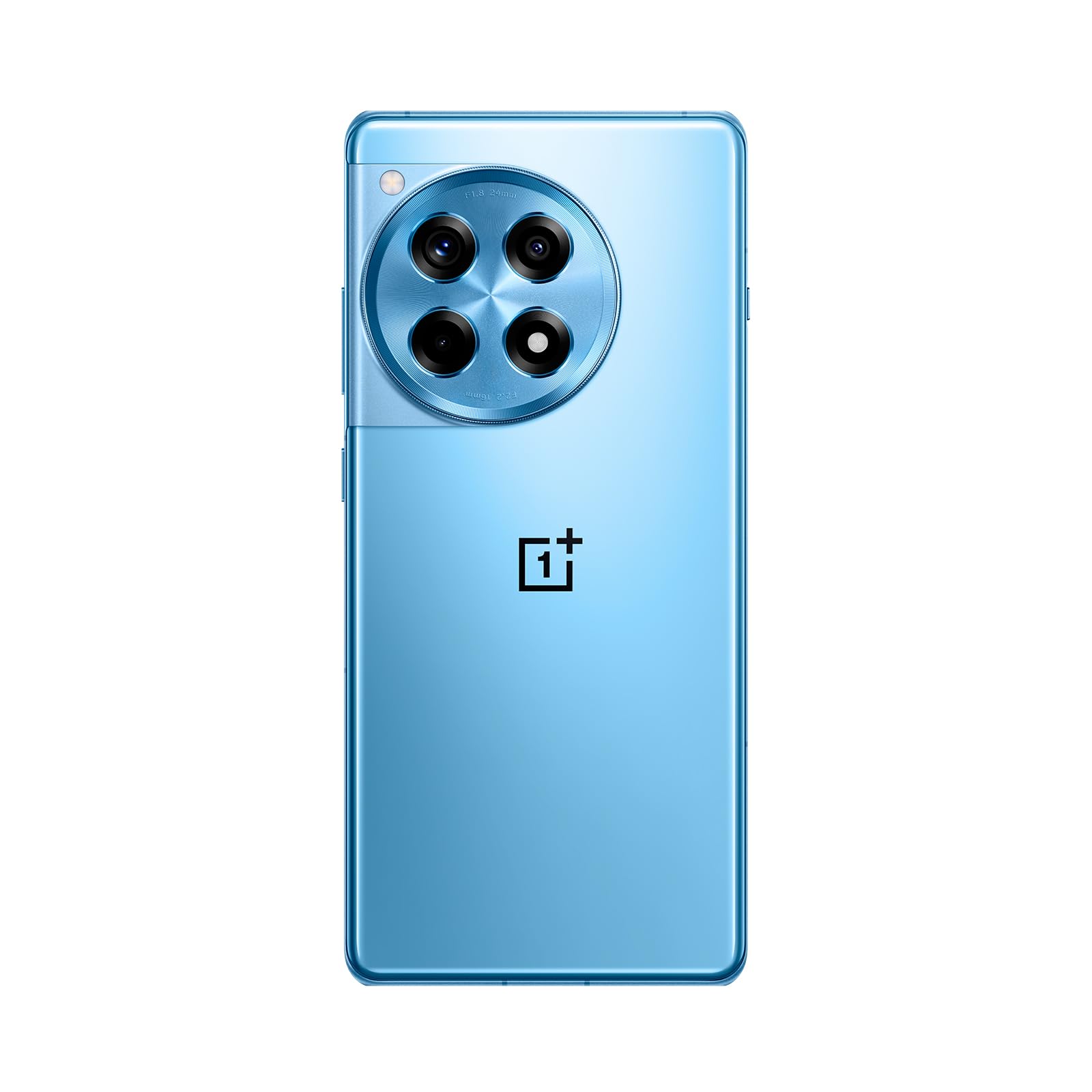
ຮູບພາບ: ດ້ານໜ້າ ແລະ ດ້ານຫຼັງ view of the OnePlus 12R in Cool Blue.
| ຄຸນສົມບັດ | ຂໍ້ມູນຈໍາເພາະ |
|---|---|
| ຊື່ຕົວແບບ | OnePlus 12R PJE110 |
| ລະບົບປະຕິບັດການ | Android 14, OxygenOS |
| ໂຮງງານຜະລິດ | Qualcomm SM8550-AB Snapdragon 8 Gen 2 (4 nm) Octa-core |
| RAM | 16 GB |
| ການເກັບຮັກສາພາຍໃນ | 256 GB (ບໍ່ສາມາດຂະຫຍາຍໄດ້) |
| ຈໍສະແດງຜົນ | 6.78 inches LTPO4 AMOLED, 1264 x 2780 pixels, 1-120 Hz dynamic, 1000 Hz touch response |
| ກ້ອງຫຼັງ | 50 MP (main, OIS), 8 MP (ultra-wide), 2 MP (macro) |
| ກ້ອງໜ້າ | 16 MP |
| ແບັດເຕີຣີ | 5500 mAh (non-removable), 100W SUPERVOOC fast charging |
| ການເຊື່ອມຕໍ່ | 5G, 4G LTE, 3G, 2G, Wi-Fi, Bluetooth, GPS |
| ຂະໜາດ | 6.43 x 2.96 x 0.35 ນິ້ວ (163.30 x 75.27 x 8.8 ມມ) |
| ນ້ຳໜັກ | 7.3 ອອນສ໌ (207 ກຣາມ) |
| ສຽງ Jack | 3.5 ມມ |
| ໃນກ່ອງ | ສາຍ USB |

ຮູບພາບ: Internal components highlighting the Snapdragon 8 Gen 2 processor and 16GB LPDDR5X RAM.

ຮູບພາບ: ຂ້າງ view of the OnePlus 12R.
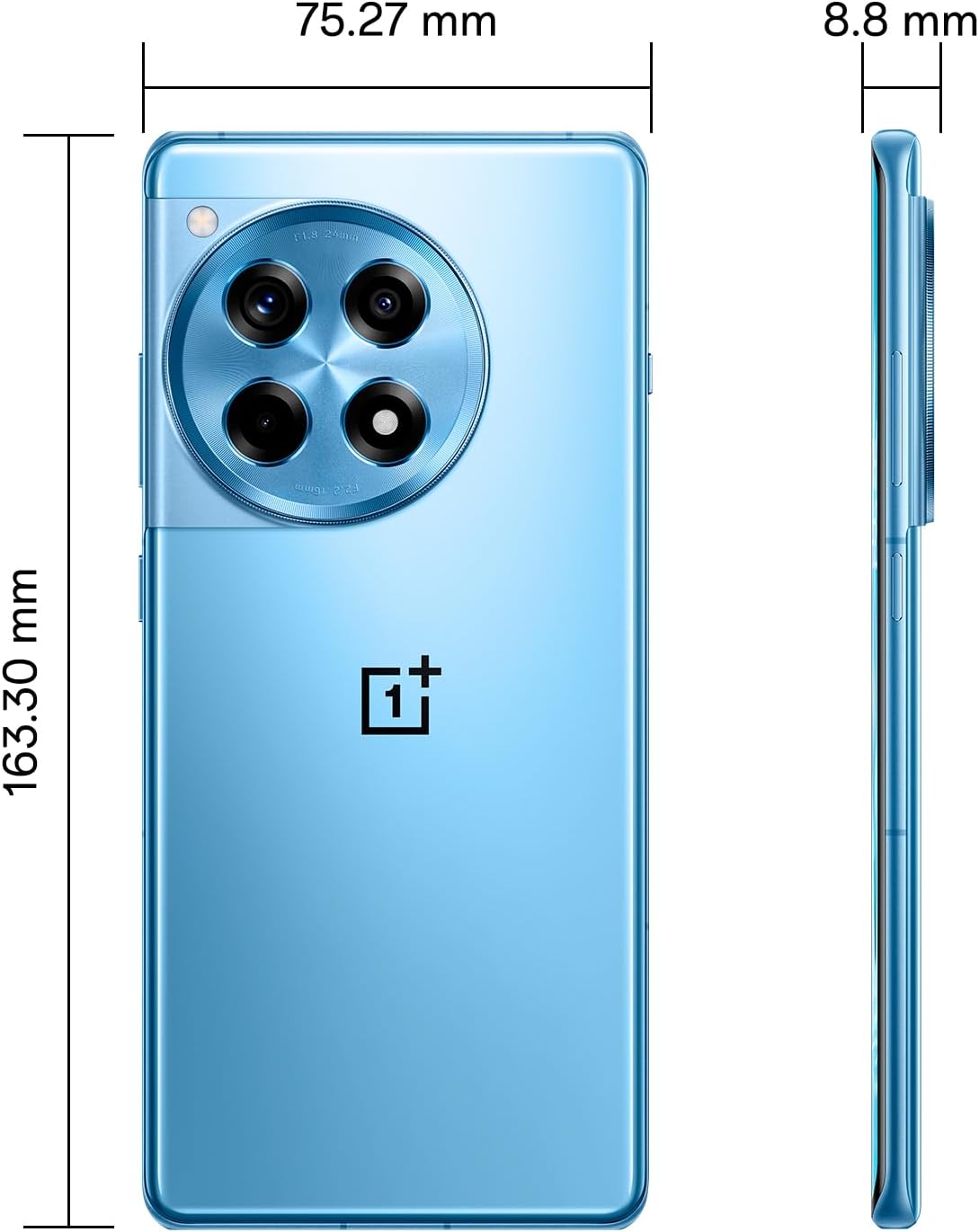
ຮູບພາບ: ກັບຄືນໄປບ່ອນ view of the OnePlus 12R.

ຮູບພາບ: ດ້ານໜ້າ view of the OnePlus 12R.
7. ຂໍ້ມູນຄວາມປອດໄພ
ກະລຸນາປະຕິບັດຕາມຄໍາແນະນໍາດ້ານຄວາມປອດໄພຕໍ່ໄປນີ້:
- ຢ່າພະຍາຍາມຖອດປະກອບ ຫຼືສ້ອມແປງອຸປະກອນດ້ວຍຕົນເອງ.
- Use only authorized accessories (chargers, cables, etc.).
- ຫຼີກເວັ້ນການເປີດເຜີຍອຸປະກອນກັບອຸນຫະພູມທີ່ຮຸນແຮງ, ແສງແດດໂດຍກົງ, ຫຼືຂອງແຫຼວ.
- Keep the device away from medical implants and pacemakers.
- ຖິ້ມອຸປະກອນ ແລະ ແບັດເຕີຣີຂອງຕົນຢ່າງມີຄວາມຮັບຜິດຊອບຕາມລະບຽບການທ້ອງຖິ່ນ.
8. ການຮັບປະກັນແລະການສະຫນັບສະຫນູນ
8.1 ຂໍ້ມູນການຮັບປະກັນ
Your OnePlus 12R PJE110 smartphone is covered by a limited warranty. The terms and conditions of this warranty may vary by region and retailer. Please refer to the warranty card included with your product or visit the official OnePlus website for detailed information regarding warranty coverage, duration, and claims process.
8.2 ສະຫນັບສະຫນູນລູກຄ້າ
For further assistance, technical support, or service inquiries, please contact OnePlus customer support through their official channels:
- OnePlus ຢ່າງເປັນທາງການ Webເວັບໄຊ: ຢ້ຽມຢາມ www.oneplus.com/support ສໍາລັບ FAQs, ຄູ່ມືການແກ້ໄຂບັນຫາ, ແລະທາງເລືອກໃນການຕິດຕໍ່.
- ສູນບໍລິການ: Locate authorized service centers in your region via the OnePlus webເວັບໄຊ.