1. ບົດແນະນຳ
ຂອບໃຈສໍາລັບການຊື້asing the MUSE M307BT Portable Bluetooth Speaker. This compact and versatile speaker is designed to provide high-quality audio from your laptop, tablet, or smartphone. It features Bluetooth connectivity, a 5W output, a built-in rechargeable battery, and support for USB and Micro SD card playback. This manual provides essential information for setting up, operating, and maintaining your device.
2. ຂໍ້ມູນຄວາມປອດໄພ
- ຢ່າເຮັດໃຫ້ອຸປະກອນຢູ່ໃນອຸນຫະພູມທີ່ຮຸນແຮງ, ແສງແດດໂດຍກົງ, ຫຼືຄວາມຊຸ່ມຊື່ນສູງ.
- ຫຼີກລ່ຽງການລຸດລົງ ຫຼື ວາງລຳໂພງຕໍ່ກັບຜົນກະທົບທີ່ຮຸນແຮງ.
- ຢ່າຖອດ ຫຼືພະຍາຍາມສ້ອມແປງອຸປະກອນດ້ວຍຕົນເອງ. ອ້າງອີງການບໍລິການທັງໝົດໃຫ້ກັບບຸກຄະລາກອນທີ່ມີຄຸນວຸດທິ.
- Keep the speaker away from water and other liquids. This device is not waterproof.
- ໃຊ້ສາຍສາກໄຟ USB ທີ່ໃຫ້ມາ ຫຼື ສາຍສາກທີ່ໄດ້ຮັບການຮັບຮອງທຽບເທົ່າເທົ່ານັ້ນ.
- Dispose of the battery and device responsibly according to local regulations.
3. ເນື້ອໃນຊຸດ
ໃຫ້ແນ່ໃຈວ່າທຸກລາຍການຢູ່ໃນຊຸດ:
- MUSE M307BT Portable Bluetooth Speaker
- ສາຍສາກ USB
4. ຜະລິດຕະພັນເກີນview
ເຮັດຄວາມຄຸ້ນເຄີຍກັບອົງປະກອບ ແລະການຄວບຄຸມຂອງລຳໂພງ.


ການຄວບຄຸມ ແລະພອດ:
- ປຸ່ມເປີດປິດ: ເປີດ/ປິດ ລຳໂພງ.
- ປຸ່ມໂໝດ (M): Switches between Bluetooth, USB, and Micro SD modes.
- ຫຼຸດສຽງລົງ / ເພງກ່ອນໜ້ານີ້ (-): ກົດສັ້ນເພື່ອປະລິມານລົງ, ກົດຄ້າງໄວ້ສຳລັບເພງກ່ອນໜ້າ.
- Play/Pause / Call Button (>): ຫຼິ້ນ/ຢຸດເພງ, ຮັບສາຍ/ວາງສາຍ.
- ເພີ່ມສຽງ / ເພງຕໍ່ໄປ (+): ກົດສັ້ນເພື່ອປະລິມານຂຶ້ນ, ກົດຄ້າງໄວ້ສຳລັບເພງຕໍ່ໄປ.
- ພອດ Micro-USB: ສໍາລັບການສາກໄຟລໍາໂພງ.
- ພອດ USB: ສຳລັບຫຼິ້ນເພງຈາກແຟລດໄດຣຟ໌ USB.
- Micro SD (TF) Slot: For playing music from a Micro SD card.
- ຕົວຊີ້ວັດ LED: Shows charging status and Bluetooth pairing status.
5. ຕັ້ງຄ່າ
5.1 ກຳລັງສາກລຳໂພງ
- Connect the Micro-USB end of the charging cable to the speaker's Micro-USB port.
- ເຊື່ອມຕໍ່ປາຍສາຍສາກໄຟ USB-A ເຂົ້າກັບອະແດບເຕີໄຟ USB (ບໍ່ໄດ້ໃຫ້ມາ) ຫຼື ພອດ USB ຂອງຄອມພິວເຕີ.
- The LED indicator will illuminate to show charging status. It will typically turn off or change color once fully charged.
- ການສາກເຕັມໃຊ້ເວລາປະມານ 2-3 ຊົ່ວໂມງ.
5.2 ການເປີດ/ປິດ
- ເພື່ອເປີດເຄື່ອງ: Press and hold the Power button for a few seconds until you hear an audible prompt and the LED indicator flashes.
- ປິດເຄື່ອງ: Press and hold the Power button for a few seconds until you hear an audible prompt and the LED indicator turns off.
6. ຄໍາແນະນໍາການດໍາເນີນງານ
6.1 ການຈັບຄູ່ Bluetooth
Pair your speaker with a Bluetooth-enabled device (smartphone, tablet, laptop).

- Ensure the speaker is powered on and in Bluetooth mode. The LED indicator will flash rapidly, indicating it's ready for pairing.
- ໃນອຸປະກອນຂອງທ່ານ, ເປີດໃຊ້ Bluetooth ແລະຊອກຫາອຸປະກອນທີ່ມີຢູ່.
- Select "MUSE M307BT" from the list of devices.
- Once paired, the LED indicator will stop flashing and remain solid, and you will hear a confirmation sound.
- ດຽວນີ້ທ່ານສາມາດຫຼິ້ນສຽງຈາກອຸປະກອນຂອງທ່ານຜ່ານລຳໂພງໄດ້.
6.2 ການຫຼິ້ນ USB
- ໃສ່ USB flash drive ທີ່ບັນຈຸສຽງ MP3 files ເຂົ້າໄປໃນພອດ USB.
- ກົດ ໂໝດ (M) button to switch to USB mode. The speaker will automatically begin playing music from the USB drive.
- ໃຊ້ + ແລະ - buttons for track navigation and volume control.
6.3 Micro SD (TF) Card Playback
- Insert a Micro SD (TF) card containing MP3 audio files into the Micro SD slot.
- ກົດ ໂໝດ (M) button to switch to Micro SD mode. The speaker will automatically begin playing music from the Micro SD card.
- ໃຊ້ + ແລະ - buttons for track navigation and volume control.
6.4 Stereo Pairing (TWS Function)
To achieve a more immersive stereo sound experience, you can pair two MUSE M307BT speakers together.
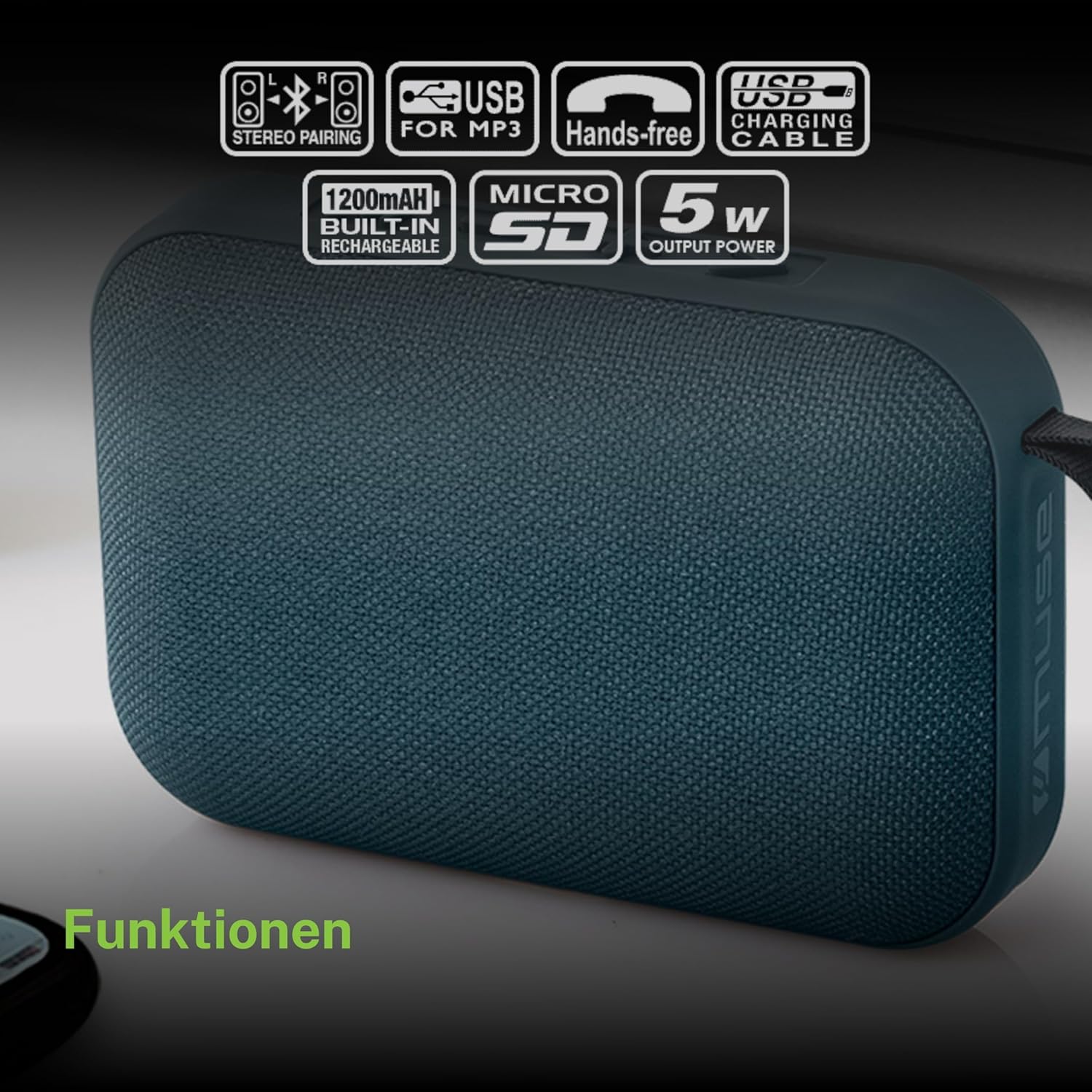
- Ensure both MUSE M307BT speakers are powered on and in Bluetooth pairing mode (LED flashing).
- On one of the speakers (this will be your primary speaker), press and hold the ໂໝດ (M) button for a few seconds. You will hear a sound indicating that the speakers are attempting to pair with each other.
- Once successfully paired, you will hear a confirmation sound, and the LED indicator on the primary speaker will flash slowly, while the secondary speaker's LED will remain solid.
- Now, connect your Bluetooth device to the primary speaker as described in section 6.1. Audio will play in stereo through both speakers.
6.5 ການໂທໂດຍບໍ່ໃຊ້ມື
ເມື່ອເຊື່ອມຕໍ່ຜ່ານ Bluetooth ກັບໂທລະສັບສະຫຼາດຂອງທ່ານ, ລຳໂພງສາມາດໃຊ້ສຳລັບການໂທແບບບໍ່ຕ້ອງໃຊ້ມືໄດ້.
- ຮັບສາຍ: ກົດ Play/Pause (>) ປຸ່ມຫນຶ່ງຄັ້ງ.
- ສິ້ນສຸດການໂທ: ກົດ Play/Pause (>) ກົດປຸ່ມຄັ້ງດຽວໃນລະຫວ່າງການໂທ.
- ປະຕິເສດການໂທ: ກົດຄ້າງໄວ້ Play/Pause (>) ປຸ່ມສໍາລັບ 2 ວິນາທີ.
7. ບໍາລຸງຮັກສາ
- ເຮັດຄວາມສະອາດລໍາໂພງດ້ວຍຜ້າອ່ອນໆ, ແຫ້ງ. ຢ່າໃຊ້ເຄື່ອງເຮັດຄວາມສະອາດຂັດຫຼືສານລະລາຍ.
- ເກັບຮັກສາລຳໂພງໄວ້ໃນບ່ອນເຢັນ ແລະແຫ້ງເມື່ອບໍ່ໄດ້ໃຊ້ເປັນເວລາດົນ.
- Avoid blocking the speaker grille to ensure optimal sound quality.
8. ການແກ້ໄຂບັນຫາ
| ບັນຫາ | ສາເຫດທີ່ເປັນໄປໄດ້ | ການແກ້ໄຂ |
|---|---|---|
| ລຳໂພງບໍ່ເປີດ. | ແບັດເຕີຣີຕໍ່າ. | ສາກລຳໂພງໃຫ້ເຕັມ. |
| ບໍ່ສາມາດຈັບຄູ່ຜ່ານ Bluetooth ໄດ້. | ລຳໂພງບໍ່ໄດ້ຢູ່ໃນໂໝດຈັບຄູ່; Bluetooth ປິດໃຊ້ງານຢູ່ໃນອຸປະກອນ; ອຸປະກອນຢູ່ໄກເກີນໄປ. | Ensure speaker LED is flashing; enable Bluetooth on your device; move device closer to speaker (within 10 meters). |
| ບໍ່ມີສຽງ. | ປະລິມານຕ່ໍາເກີນໄປ; ຮູບແບບທີ່ບໍ່ຖືກຕ້ອງ; ອຸປະກອນບໍ່ໄດ້ຫຼິ້ນ. | Increase speaker and device volume; press Mode button to select correct input; ensure audio is playing on your device. |
| ການເຊື່ອມຕໍ່ USB/Micro SD ບໍ່ໄດ້ຜົນ. | ບໍ່ຖືກຕ້ອງ file ຟໍແມັດ; ໃສ່ກາດ/ໄດຣຟ໌ບໍ່ຖືກຕ້ອງ; ເສຍຫາຍ files. | ຮັບປະກັນ files are MP3 format; reinsert card/drive; try different files ຫຼື ອຸປະກອນເກັບຮັກສາ. |
| ການຈັບຄູ່ສະເຕຣິໂອລົ້ມເຫລວ. | ລຳໂພງຢູ່ຫ່າງກັນເກີນໄປ; ລຳໂພງໜຶ່ງຕົວໄດ້ຈັບຄູ່ກັບອຸປະກອນແລ້ວ. | Ensure speakers are close; disconnect any existing Bluetooth connections before attempting stereo pairing. |
9. ຂໍ້ມູນຈໍາເພາະ

| ຄຸນສົມບັດ | ຂໍ້ມູນຈໍາເພາະ |
|---|---|
| ຊື່ຕົວແບບ | M307BT |
| ຍີ່ຫໍ້ | MUSE |
| ພະລັງງານຜົນຜະລິດ | 5 ວັດ |
| ແບັດເຕີຣີ | 1200 mAh / 3.7V Lithium-ion (Rechargeable) |
| ການເຊື່ອມຕໍ່ | Bluetooth, USB, Micro SD (TF) |
| ຮູບແບບການອອກສຽງ | ສະເຕີລິໂອ (ມີການຈັບຄູ່ TWS) |
| ຂະໜາດ (L x W x H) | 118 x 30 x 76 ມມ |
| ນ້ຳໜັກ | 200 ກຣາມ |
| ສີ | ສີຟ້າ |
| ອົງປະກອບລວມ | ສາຍສາກ USB |
| ກັນນ້ຳ | ບໍ່ |
| ການນໍາໃຊ້ທີ່ແນະນໍາ | For computer, smartphone, or tablet |
| ອຸປະກອນທີ່ເຂົ້າກັນໄດ້ | ແລັບທັອບ, ແທັບເລັດ, ໂທລະສັບສະຫຼາດ |
10. ການຮັບປະກັນແລະການສະຫນັບສະຫນູນ
10.1 ການຮັບປະກັນຂອງຜູ້ຜະລິດ
This MUSE M307BT Portable Bluetooth Speaker comes with a ການຮັບປະກັນຂອງຜູ້ຜະລິດ 2 ປີ ນັບຈາກວັນທີ່ຊື້. ການຮັບປະກັນນີ້ກວມເອົາຂໍ້ບົກພ່ອງຈາກການຜະລິດ ແລະ ຝີມືແຮງງານພາຍໃຕ້ການນໍາໃຊ້ປົກກະຕິ. ມັນບໍ່ກວມເອົາຄວາມເສຍຫາຍທີ່ເກີດຈາກການໃຊ້ຜິດ, ອຸບັດຕິເຫດ, ການດັດແປງທີ່ບໍ່ໄດ້ຮັບອະນຸຍາດ, ຫຼື ການສວມໃສ່ ແລະ ການຈີກຂາດຕາມປົກກະຕິ.
10.2 ສະຫນັບສະຫນູນລູກຄ້າ
For technical assistance, warranty claims, or further inquiries, please contact your retailer or the official MUSE customer support channel. Please have your proof of purchase and product model number (M307BT) ready when contacting support.


