1. ບົດແນະນຳ
Thank you for choosing the Baseus Turbo 20W GaN5 USB-C Charger. This compact and powerful charger is designed to provide rapid and efficient charging for a wide range of devices, including iPhones, Android smartphones, and tablets. Utilizing advanced GaN5 technology, it offers superior performance in a smaller form factor. Please read this manual carefully before using the product to ensure safe and optimal operation.
2. ຂໍ້ມູນຄວາມປອດໄພ
- ຢ່າປ່ອຍໃຫ້ສາຍສາກຖືກນໍ້າ, ຄວາມຊຸ່ມຊື່ນ, ຫຼືອຸນຫະພູມທີ່ຮຸນແຮງ.
- ຫຼີກລ່ຽງການລຸດ ຫຼື ວາງສາຍສາກໃຫ້ເກີດຜົນກະທົບທີ່ຮຸນແຮງ.
- Do not attempt to disassemble, repair, or modify the charger. This will void the warranty and may cause damage or injury.
- ຮັກສາໃຫ້ໄກຈາກເດັກນ້ອຍ.
- ໃຫ້ແນ່ໃຈວ່າປລັກສຽບໄຟ voltage is compatible with the charger's input specifications (100-240V).
- ຖອດສາຍສາກອອກໃນລະຫວ່າງການມີພະຍຸຟ້າຜ່າ ຫຼືເມື່ອບໍ່ໄດ້ໃຊ້ເປັນເວລາດົນ.
- ໃຊ້ພຽງແຕ່ສາຍສາກທີ່ເຂົ້າກັນໄດ້.
3. ເນື້ອໃນຊຸດ
ກະລຸນາກວດເບິ່ງຊຸດສຳລັບລາຍການຕໍ່ໄປນີ້:
- Baseus Turbo 20W GaN5 USB-C Charger (Black)
- ຄູ່ມືຜູ້ໃຊ້

The retail packaging for the Baseus GaN5 Fast Charger, indicating its 20W power output and compatibility with EU plugs.
4. ຕັ້ງຄ່າ
Setting up your Baseus charger is straightforward:
- ຖອດເຄື່ອງສາກອອກຈາກເຄື່ອງຫຸ້ມຫໍ່ຂອງມັນ.
- ສຽບສາຍສາກເຂົ້າໄປໃນປລັກສຽບໄຟມາດຕະຖານຕາມຝາ (100-240V).
- Connect a compatible USB-C charging cable to the charger's USB-C port.
- ເຊື່ອມຕໍ່ອີກສົ້ນຂອງສາຍສາກກັບອຸປະກອນຂອງທ່ານ.
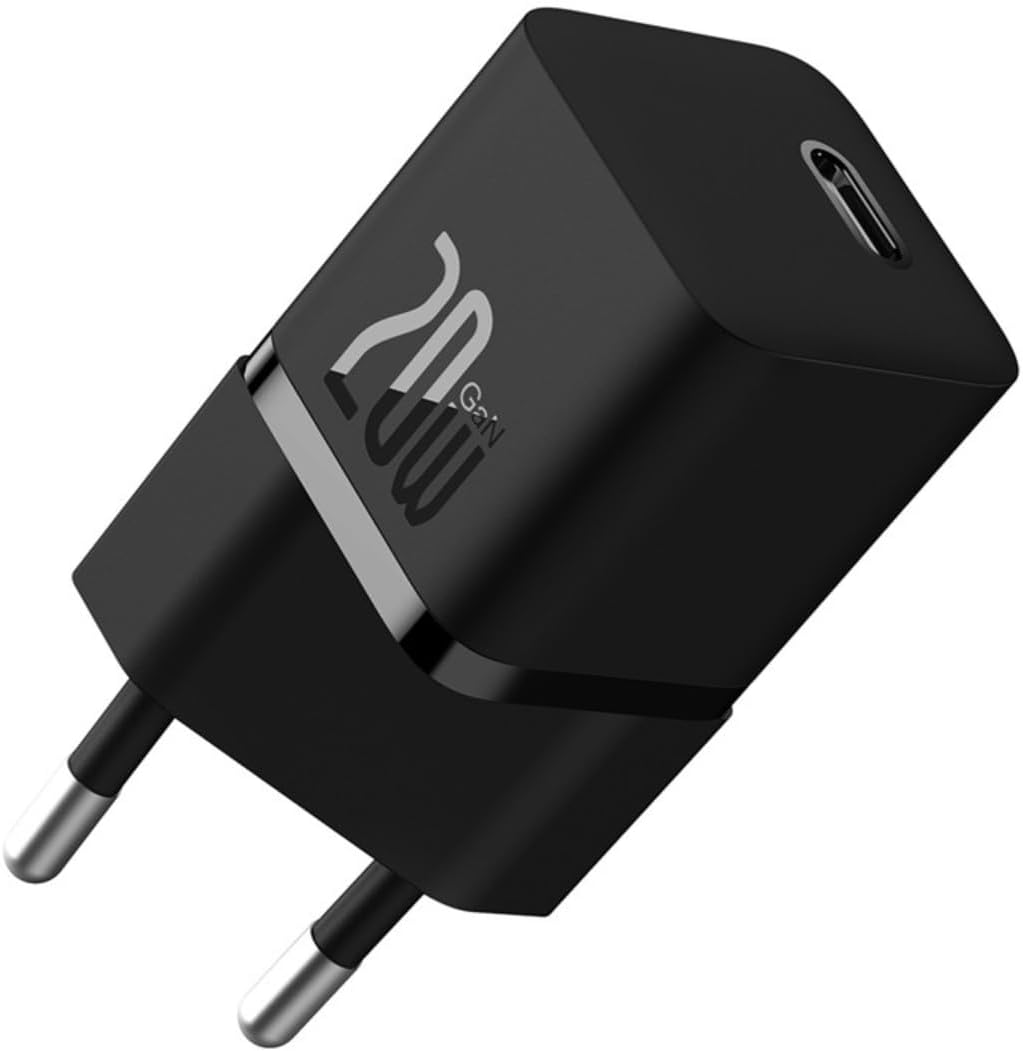
A compact black Baseus Turbo 20W GaN5 USB-C charger with a single USB-C port, designed for efficient power delivery.
5. ຄໍາແນະນໍາການດໍາເນີນງານ
Once connected, the charger will automatically begin charging your device. The intelligent power delivery system will optimize the charging speed based on your device's requirements.
- ການສາກໄວ: For optimal fast charging, ensure your device and charging cable support USB Power Delivery (PD) 3.0 or Quick Charge (QC) 3.0 protocols.
- ການຄວບຄຸມອຸນຫະພູມ: The built-in BCT (Baseus Cooling Technology) helps maintain a low operating temperature, even during high-speed charging, ensuring safety and longevity for both the charger and your device.

The charger connected to a smartphone, demonstrating its ability to charge a device to 50% in approximately 26 minutes, highlighting its superior charging efficiency for new Apple phones.
6. ຄຸນນະສົມບັດທີ່ສໍາຄັນ
- 20W GaN5 Mini Fast Charging: Delivers a maximum output of 20W, significantly reducing charging times. For example, an iPhone 15 can charge from 0% to 59% in just 30 minutes.
- Certified USB-C PD 3.0: Supports multiple fast charging protocols including QC3.0, PD3.0, and PPS, ensuring efficient and reliable charging for a wide range of mobile phones and tablets.
- Efficient Cooling Technology: Equipped with dual-layer cooling technology (BCT) and glue-filling technology to minimize heat buildup and maintain lower temperatures during fast charging.
- ການອອກແບບກະທັດຮັດ ແລະເປັນມິດກັບການເດີນທາງ: Utilizes GaN5s technology, making the charger 70% smaller than Apple's 20W charger, ideal for portability and travel.
- ຄວາມເຂົ້າກັນໄດ້ຢ່າງກວ້າງຂວາງ: Compatible with over 1000 devices on the market, offering versatile fast charging for various tablets and smartphones.

This image illustrates the charger's key features: its compact size, fifth-generation GaN technology, 50% smaller footprint than Apple's 20W charger, 20W high power delivery, and intelligent BCT temperature control system.

ໂປ່ງໃສ view of the charger showcasing its internal GaN5s technology, emphasizing its mini size and mega power, being 50% smaller than the Apple 20W charger with 76% improved power density.

An image highlighting the intelligent BCT (Baseus Cooling Technology) monitor for charging, which ensures excellent heat dissipation and cools down the device in seconds, maintaining a lower temperature during fast charging.
7. ບໍາລຸງຮັກສາ
- ເຮັດຄວາມສະອາດສາຍສາກດ້ວຍຜ້າອ່ອນ, ແຫ້ງ. ຢ່າໃຊ້ເຄື່ອງເຮັດຄວາມສະອາດຂອງແຫຼວຫຼື aerosols.
- ເກັບຮັກສາສາຍສາກໄວ້ໃນບ່ອນທີ່ເຢັນ, ແຫ້ງເມື່ອບໍ່ໄດ້ໃຊ້.
- Avoid wrapping the cable too tightly around the charger to prevent cable damage.
8. ການແກ້ໄຂບັນຫາ
| ບັນຫາ | ສາເຫດທີ່ເປັນໄປໄດ້ | ການແກ້ໄຂ |
|---|---|---|
| ເຄື່ອງສາກບໍ່ເຮັດວຽກ | No power from outlet; Loose connection; Damaged charger/cable. | Try a different outlet; Ensure connections are secure; Inspect charger and cable for damage. |
| ການສາກໄຟຊ້າ | Cable not compatible with fast charging; Device not supporting fast charging; High background app usage. | Use a certified fast charging cable; Check device specifications for fast charging support; Close unnecessary apps on your device. |
| ເຄື່ອງສາກຮູ້ສຶກອົບອຸ່ນ | Normal operation during fast charging; Overload. | Slight warmth is normal. If excessively hot, disconnect and allow to cool. Ensure proper ventilation. |
9. ຂໍ້ມູນຈໍາເພາະ
| ຄຸນສົມບັດ | ລາຍລະອຽດ |
|---|---|
| ຍີ່ຫໍ້ | Baseus |
| ຕົວແບບ | CCGN050101 |
| ເລກສ່ວນ | 6932172625313 |
| ປະເພດຜະລິດຕະພັນ | Electronics Charger |
| ອຸປະກອນທີ່ເຂົ້າກັນໄດ້ | PC, Mobile Phones (iPhone, Samsung, Motorola) |
| ຄຸນນະສົມບັດພິເສດ | Fast Charging, Lightweight Design, Travel-friendly |
| ການປ້ອນຂໍ້ມູນ Voltage | 100-240 ໂວນ |
| ພະລັງງານຜົນຜະລິດ | 20 ວັດ |
| ຜົນຜະລິດ Ampອາຍຸ | 3 Ampເອີ |
| ປະເພດແຫຼ່ງພະລັງງານ | ໄຟຟ້າສາຍ |
| ຈໍານວນພອດ | 1 (USB-C) |
| ເຕັກໂນໂລຊີການເຊື່ອມຕໍ່ | USB |
| ສີ | ດຳ |
| ນ້ຳໜັກສິນຄ້າ | 70 g |
| ຂະໜາດສິນຄ້າ | 4 x 4 x 9 cm |
| ການຢັ້ງຢືນ | ໂທລະສັບ: 173632309981 |
10. ການຮັບປະກັນແລະການສະຫນັບສະຫນູນ
The Baseus Turbo 20W GaN5 USB-C Charger comes with an ຮັບປະກັນ 18 ເດືອນ from the date of purchase. This warranty covers manufacturing defects and malfunctions under normal use. If you encounter any issues with the product, please refer to the seller's contact information for assistance. Do not attempt to repair the product yourself, as this will void the warranty.