1. ບົດແນະນຳ
Thank you for choosing the Vandlion V22-64GB Voice Recorder. This manual provides detailed instructions on how to set up, operate, and maintain your device to ensure optimal performance. Please read this manual thoroughly before using the product.
The Vandlion V22-64GB is a compact and powerful digital voice recorder designed for clear audio capture in various environments. Key features include:
- ຄວາມອາດສາມາດເກັບຮັກສາ: 64GB of internal storage for extended recording sessions.
- 7-Level Noise Reduction: Enhances audio clarity by minimizing background noise.
- Voice-Activated Recording (VAR): Automatically starts recording when sound is detected, conserving memory and battery.
- ປະຕິບັດການຫນຶ່ງທີ່ສໍາຄັນ: Simple and quick recording activation.
- ເວລາamped Recordings: Easy organization and retrieval of audio files.
2. ເນື້ອໃນຊຸດ
ກະລຸນາກວດເບິ່ງຊຸດສຳລັບລາຍການຕໍ່ໄປນີ້:
- Vandlion V22-64GB Voice Recorder
- ສາຍຂໍ້ມູນ
- ຫູຟັງ
- OTG adapters
- ຄູ່ມືຜູ້ໃຊ້ (ເອກະສານນີ້)
3. ຜະລິດຕະພັນເກີນview
The Vandlion V22-64GB Voice Recorder is designed for portability and ease of use. Its compact metal casing ensures durability while providing a sleek appearance.

Image 3.1: Vandlion V22-64GB Voice Recorder in use. This image shows the compact size of the recorder, suitable for various recording environments like meetings or lectures.
The device features a simple ON/OFF/SAVE toggle switch for intuitive operation and a built-in microphone for 360-degree panoramic sound capture.

Image 3.2: The ON/REC and OFF/SAVE switch on the Vandlion V22-64GB Voice Recorder. This switch allows for quick initiation and saving of recordings.
4. ຕັ້ງຄ່າ
4.1 ການສາກອຸປະກອນ
Before first use, fully charge the voice recorder. Connect the device to a computer's USB port or a USB wall adapter (not included) using the provided data cable. The indicator light will show charging status and turn off when fully charged.
- Connect the small end of the data cable to the recorder's charging port.
- Connect the standard USB end to a power source.
- ໂດຍທົ່ວໄປແລ້ວການສາກໄຟຈະໃຊ້ເວລາປະມານ 2-3 ຊົ່ວໂມງ.
4.2 ການເປີດເຄື່ອງເບື້ອງຕົ້ນ
To power on the device, slide the ON/REC switch to the 'ON' position. The device will vibrate briefly or an indicator light will illuminate, indicating it is ready for operation.
5. ຄໍາແນະນໍາການດໍາເນີນງານ
5.1 ການບັນທຶກພື້ນຖານ
The Vandlion V22-64GB features a simple one-key recording function:
- To start recording, slide the switch to the 'ON/REC' position. The device will begin recording within approximately 5 seconds.
- ເພື່ອຢຸດການບັນທຶກ ແລະ ບັນທຶກ file, slide the switch to the 'OFF/SAVE' position. The recording will be saved automatically.
ແຕ່ລະສຽງ file is automatically timestamped for easy organization and retrieval when connected to a computer.
5.2 Voice-Activated Recording (VAR)
The voice-activated recording feature helps conserve battery life and memory by only recording when sound is detected. To enable and adjust VAR:
- Connect the recorder to a computer.
- Access the device's settings file (usually a configuration file or through dedicated software, refer to device's internal documentation if available).
- Adjust the sensitivity level for voice activation (typically 7 levels available). A higher sensitivity will trigger recording with softer sounds, while lower sensitivity requires louder sounds.
- Save the settings and disconnect the device. The VAR function will now be active.
5.3 ການຫຼຸດຜ່ອນສິ່ງລົບກວນ
The recorder features 7-level noise reduction to improve audio clarity. This function is typically automatic, but its effectiveness can be influenced by recording environment and microphone placement.

Image 5.1: Illustration of the noise reduction capability of the Vandlion V22-64GB Voice Recorder. The image depicts how unwanted noise (red waves) is reduced, resulting in clearer audio (blue waves).
5.4 ການຫຼິ້ນຄືນ
You can play back recordings directly from the device using the included headphones:
- ໃຫ້ແນ່ໃຈວ່າອຸປະກອນເປີດຢູ່.
- Connect the included headphones to the recorder's headphone jack.
- Use the controls on the headphone cable (if available) or the device's internal controls (if applicable, refer to specific model's internal documentation) to navigate and play audio files.

Image 5.2: The Vandlion V22-64GB Voice Recorder connected to earphones for direct audio playback. This feature allows listening to recordings without needing a computer.
Alternatively, connect the recorder to a computer to play back fileໂດຍໃຊ້ເຄື່ອງຫຼິ້ນສື່ຂອງຄອມພິວເຕີຂອງທ່ານ.
5.5 File ການຄຸ້ມຄອງ
To manage your recorded files:
- Connect the voice recorder to your computer using the provided data cable.
- The device will appear as a removable disk drive.
- ເປີດໄດຣຟ໌ເພື່ອເຂົ້າເຖິງສຽງທີ່ບັນທຶກໄວ້ຂອງທ່ານ files (typically in a folder like 'RECORD' or 'VOICE').
- You can copy, move, delete, or rename files as you would with any other files ໃນຄອມພິວເຕີຂອງທ່ານ.
- ໃຫ້ຖອດອຸປະກອນອອກຈາກຄອມພິວເຕີຂອງທ່ານຢ່າງປອດໄພກ່ອນການຕັດການເຊື່ອມຕໍ່ສະເໝີ.
The included OTG adapters allow you to connect the recorder to compatible Android smartphones for file ການຄຸ້ມຄອງ.
6. ບໍາລຸງຮັກສາ
- ທໍາຄວາມສະອາດ: ໃຊ້ຜ້າອ່ອນແລະແຫ້ງເພື່ອທຳຄວາມສະອາດອຸປະກອນ. ຢ່າໃຊ້ນ້ຳຢາທຳຄວາມສະອາດ ຫຼື ຕົວລະລາຍ.
- ການເກັບຮັກສາ: Store the recorder in a cool, dry place away from direct sunlight, extreme temperatures, and humidity.
- ການດູແລຫມໍ້ໄຟ: ເພື່ອຍືດອາຍຸແບັດເຕີລີ, ຫຼີກເວັ້ນການຖອດແບດເຕີລີ່ເຕັມເລື້ອຍໆ. ສາກອຸປະກອນຢ່າງເປັນປົກກະຕິ, ເຖິງແມ່ນວ່າບໍ່ໄດ້ໃຊ້ເປັນໄລຍະເວລາທີ່ຍາວນານ.
- ການສໍາຮອງຂໍ້ມູນ: ສຳຮອງຂໍ້ມູນບັນທຶກທີ່ສຳຄັນໄວ້ໃນຄອມພິວເຕີຂອງທ່ານເປັນປະຈຳເພື່ອປ້ອງກັນການສູນເສຍຂໍ້ມູນ.
7. ການແກ້ໄຂບັນຫາ
| ບັນຫາ | ສາເຫດທີ່ເປັນໄປໄດ້ | ການແກ້ໄຂ |
|---|---|---|
| ອຸປະກອນບໍ່ເປີດ. | ແບັດເຕີຣີເຫຼືອໜ້ອຍ ຫຼືອຸປະກອນປິດຢູ່. | Charge the device fully. Ensure the ON/REC switch is in the 'ON' position. |
| ບໍ່ສາມາດບັນທຶກໄດ້. | Insufficient storage space or device not in recording mode. | Check available memory and delete unnecessary files. Ensure the switch is in the 'ON/REC' position. |
| ຄຸນນະພາບສຽງທີ່ບໍ່ດີໃນລະຫວ່າງການບັນທຶກສຽງ. | Microphone obstructed, noisy environment, or incorrect VAR sensitivity. | Ensure the microphone is clear. Record in a quieter environment. Adjust VAR sensitivity if enabled. |
| ອຸປະກອນບໍ່ຮັບຮູ້ໂດຍຄອມພິວເຕີ. | Faulty USB cable, incorrect port, or driver issue. | Try a different USB cable or port. Restart your computer. Ensure the device is powered on when connecting. |
| Cannot hear playback through headphones. | Headphones not properly connected, volume too low, or corrupted file. | Ensure headphones are fully plugged in. Adjust volume. Try playing the file ໃນຄອມພິວເຕີ. |
8. ຂໍ້ມູນຈໍາເພາະ
| ຍີ່ຫໍ້ | Vandlion |
| ຕົວແບບ | V22-64GB |
| ຄວາມອາດສາມາດເກັບຮັກສາຫນ່ວຍຄວາມຈໍາ | 64 GB |
| ຂະໜາດສິນຄ້າ | 0.76 x 2.21 x 7.37 cm; 150 g (or 8 x 22 x 74 Millimeters) |
| ການໂຕ້ຕອບຮາດແວ | USB 2.0 |
| ອຸປະກອນທີ່ເຂົ້າກັນໄດ້ | ຫູຟັງ |
| ຕົວປະກອບແບບຟອມໄມໂຄຣໂຟນ | ໃນຕົວ |
| Jack ຫູຟັງ | 3.5 ມິນລີແມັດ |
| ແບດເຕີລີ່ລວມ | ແມ່ນແລ້ວ (Lithium Polymer) |
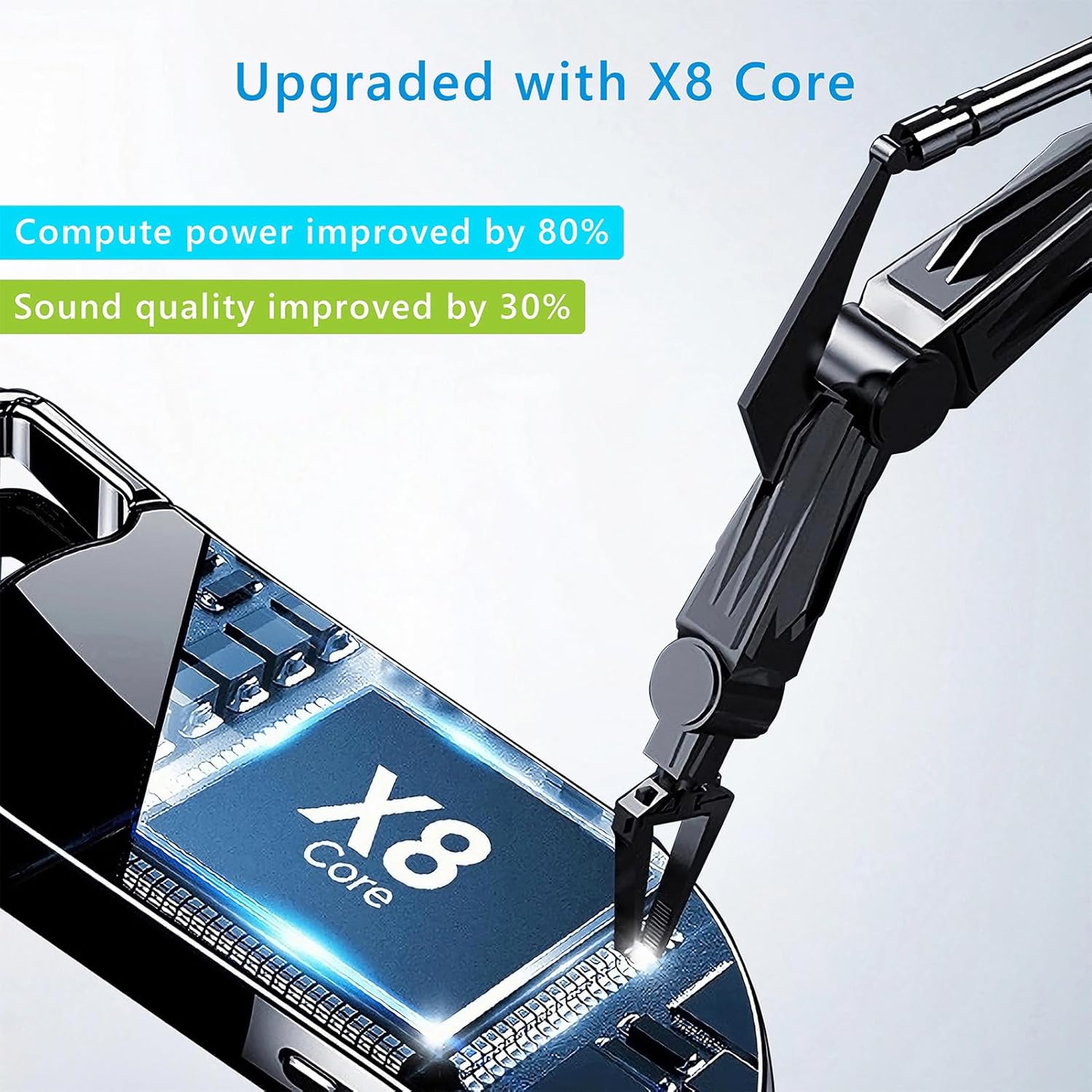
Image 8.1: Internal component view of the Vandlion V22-64GB Voice Recorder, showcasing the X8 Core. This illustrates the advanced processing unit within the device.
9. ການຮັບປະກັນແລະການສະຫນັບສະຫນູນ
For warranty information and technical support, please refer to the documentation provided with your purchase or contact Vandlion customer service through their official webເວັບໄຊ ຫຼືຮ້ານຂາຍຍ່ອຍບ່ອນທີ່ທ່ານຊື້ຜະລິດຕະພັນ.
ຮັກສາໃບຮັບເງິນການຊື້ຂອງທ່ານໄວ້ເປັນຫຼັກຖານການຊື້ສໍາລັບການຮ້ອງຂໍການຮັບປະກັນ.


