1. ບົດແນະນຳ
ຂອບໃຈສໍາລັບການຊື້asing the VTech XS1050 Cordless Phone. This manual provides essential information for setting up, operating, and maintaining your new phone. Please read it thoroughly to ensure proper use and to take full advantage ຂອງຄຸນນະສົມບັດຂອງຕົນ.

Figure 1: VTech XS1050 Cordless Phone and Base Unit
This image shows the VTech XS1050 cordless phone handset resting in its white base unit. The handset features a digital display and a numeric keypad. The base unit also has controls for the answering machine.
2. ຕັ້ງຄ່າ
2.1 ເນື້ອໃນຊຸດ
ກ່ອນທີ່ທ່ານຈະເລີ່ມຕົ້ນ, ໃຫ້ແນ່ໃຈວ່າທຸກລາຍການມີຢູ່ແລ້ວ:
- VTech XS1050 Handset
- VTech XS1050 Base Unit
- ຕົວແປງໄຟສໍາລັບຫນ່ວຍງານພື້ນຖານ
- ສາຍໂທລະສັບ
- 2 x Product-Specific Batteries (included)
- ຄູ່ມືຜູ້ໃຊ້ (ເອກະສານນີ້)
2.2 ການຕິດຕັ້ງຫມໍ້ໄຟ
- ເປີດຝາປິດຊ່ອງໃສ່ຫມໍ້ໄຟຢູ່ດ້ານຫຼັງຂອງມືຖື.
- Insert the two supplied batteries, observing the correct polarity (+ and -).
- ປິດຝາປິດຊ່ອງໃສ່ຫມໍ້ໄຟຢ່າງປອດໄພ.
2.3 ການເຊື່ອມຕໍ່ຫນ່ວຍງານພື້ນຖານ
- ເຊື່ອມຕໍ່ອະແດບເຕີໄຟຟ້າກັບຫົວຫນ່ວຍພື້ນຖານແລະສຽບມັນເຂົ້າໄປໃນເຕົ້າສຽບໃສ່ຝາ.
- ເຊື່ອມຕໍ່ສົ້ນໜຶ່ງຂອງສາຍໂທລະສັບກັບໜ່ວຍພື້ນຖານ ແລະອີກສົ້ນໜຶ່ງໃສ່ຝາສຽບໂທລະສັບຂອງເຈົ້າ.
2.4 ຄ່າບໍລິການເບື້ອງຕົ້ນ
Place the handset on the base unit. The battery indicator on the handset display will show charging. Allow the handset to charge for at least 16 hours before initial use to ensure optimal battery performance.
3. ຄໍາແນະນໍາການດໍາເນີນງານ
3.1 ໂທອອກ ແລະ ຮັບສາຍ
- ໂທອອກ: ເອົາໂທລະສັບມືຖືຂຶ້ນ, ກົດຫມາຍເລກ, ແລະກົດປຸ່ມ ໂທ ປຸ່ມ.
- ຮັບສາຍ: ເມື່ອໂທລະສັບດັງຂຶ້ນ, ກົດປຸ່ມ ໂທ ປຸ່ມ.
- ສິ້ນສຸດການໂທ: ກົດ ສິ້ນສຸດການໂທ ກົດປຸ່ມ ຫຼືວາງມືຖືຄືນໃສ່ໜ່ວຍພື້ນຖານ.
3.2 ການໃຊ້ເຄື່ອງຕອບຮັບໂທລະສັບ
The VTech XS1050 features a digital answering machine with up to 30 minutes of recording time.
- ກຳລັງຫຼິ້ນຂໍ້ຄວາມ: ກົດ ຫຼິ້ນ ປຸ່ມເທິງຫົວຫນ່ວຍ.
- ບັນທຶກຄຳທັກທາຍ: Refer to the detailed instructions in the full manual for custom greeting setup.
ລຳໂພງໂທລະສັບແບບແຮນຟຣີ 3.3
ເພື່ອເປີດໃຊ້ລຳໂພງໂທລະສັບແບບແຮນຟຣີໃນລະຫວ່າງການໂທ, ໃຫ້ກົດປຸ່ມ ລຳໂພງ button on the handset. Press it again to switch back to handset mode.

Figure 2: Hands-Free Speakerphone Function
This image shows a person in a kitchen setting, using the VTech XS1050 handset on speakerphone mode while performing other tasks, indicating the convenience of the hands-free function.
3.4 ການປັບລະດັບສຽງ
ໃນລະຫວ່າງການໂທ, ໃຊ້ ປະລິມານຂຶ້ນ ແລະ ປະລິມານລົງ buttons on the side of the handset to adjust the earpiece volume. The base unit also has volume controls for the speakerphone and answering machine playback.
3.5 ປື້ມໂທລະສັບ ແລະໂທດ່ວນ
- ປຶ້ມໂທລະສັບ: Store up to 100 names and numbers. Access and manage entries via the handset menu.
- ສາຍຄວາມໄວສູງ: Assign frequently called numbers to 8 dedicated speed dial keys for quick access.
3.6 ລະຫັດຜູ້ໂທ ແລະ ປະຫວັດການໂທ
The phone displays caller information (if available from your service provider) and stores a history of the last 20 incoming calls.

Figure 3: Caller ID and Call History Display
This image illustrates the handset's display showing multiple entries in the call history, including caller names and numbers, demonstrating the caller ID and call waiting features.
3.7 ໜ້າທີ່ກອງປະຊຸມ
The intercom/hands-free function allows multiple users to participate in a conversation simultaneously, facilitating three-way conference calls.

Figure 4: Three-Way Conference Call
This image depicts three individuals engaged in separate phone conversations, symbolizing the three-way conference call capability of the VTech XS1050.
3.8 ຟັງຊັນປຸກ ແລະປິດສຽງ
The handset includes an alarm function for reminders and a mute function to temporarily silence your microphone during a call.

Figure 5: Alarm and Mute Function Icons
This image shows the VTech XS1050 handset on a table, with graphic overlays of an alarm clock and a muted speaker icon, illustrating the alarm and mute functionalities.
4. ຄຸນນະສົມບັດທີ່ສໍາຄັນ
4.1 ເຫຼັ້ມ Ampມີຊີວິດຊີວາ
The VTech XS1050 features an integrated volume amplifier that boosts incoming sound and voice for enhanced clarity and volume. This feature is particularly beneficial for users with hearing impairments or those who prefer a louder audio experience.

Figure 6: Volume Amplifier in Action
This image visually represents the volume amplification feature, showing sound waves emanating from the handset and an ear icon with a plus sign, indicating increased audio output for clearer conversations.
4.2 ເຄື່ອງຕອບຮັບດິຈິຕອນ
Record and store incoming calls when you are unavailable. The digital answering machine offers a maximum storage duration of 30 minutes, ensuring you don't miss important messages.
4.3 ໜ້າຈໍ ແລະ ແປ້ນພິມທີ່ມີໄຟສ່ອງທາງຫຼັງ
The handset features a backlit screen and keypad, providing improved visibility in low-light conditions and enhancing ease of use.

Figure 7: Backlit Screen and Keypad
This image highlights the illuminated display and keys of the VTech XS1050 handset, demonstrating its backlit feature for better visibility in dim environments.
4.4 ຊີວິດຫມໍ້ໄຟຍາວ
Enjoy extended conversations with up to 18 hours of talk time on a single charge, ensuring your phone is ready when you need it.

Figure 8: Up to 18 Hours Battery Life
This image features a woman talking on the VTech XS1050 handset, with a graphic overlay indicating '18 hours' talk time, emphasizing the product's long battery endurance.
4.5 Adjustable Ringtone Volume and Melodies
Customize your phone experience by adjusting the ringtone volume and choosing from various melodies to suit your preference.

Figure 9: Adjustable Ringtone Settings
This image shows the VTech XS1050 handset with graphic icons representing a bell (ringtone) and musical notes, indicating the ability to adjust ringtone volume and select melodies.
4.6 Multilingual Help Messages
The phone supports multilingual help messages, providing assistance in various languages for user convenience.
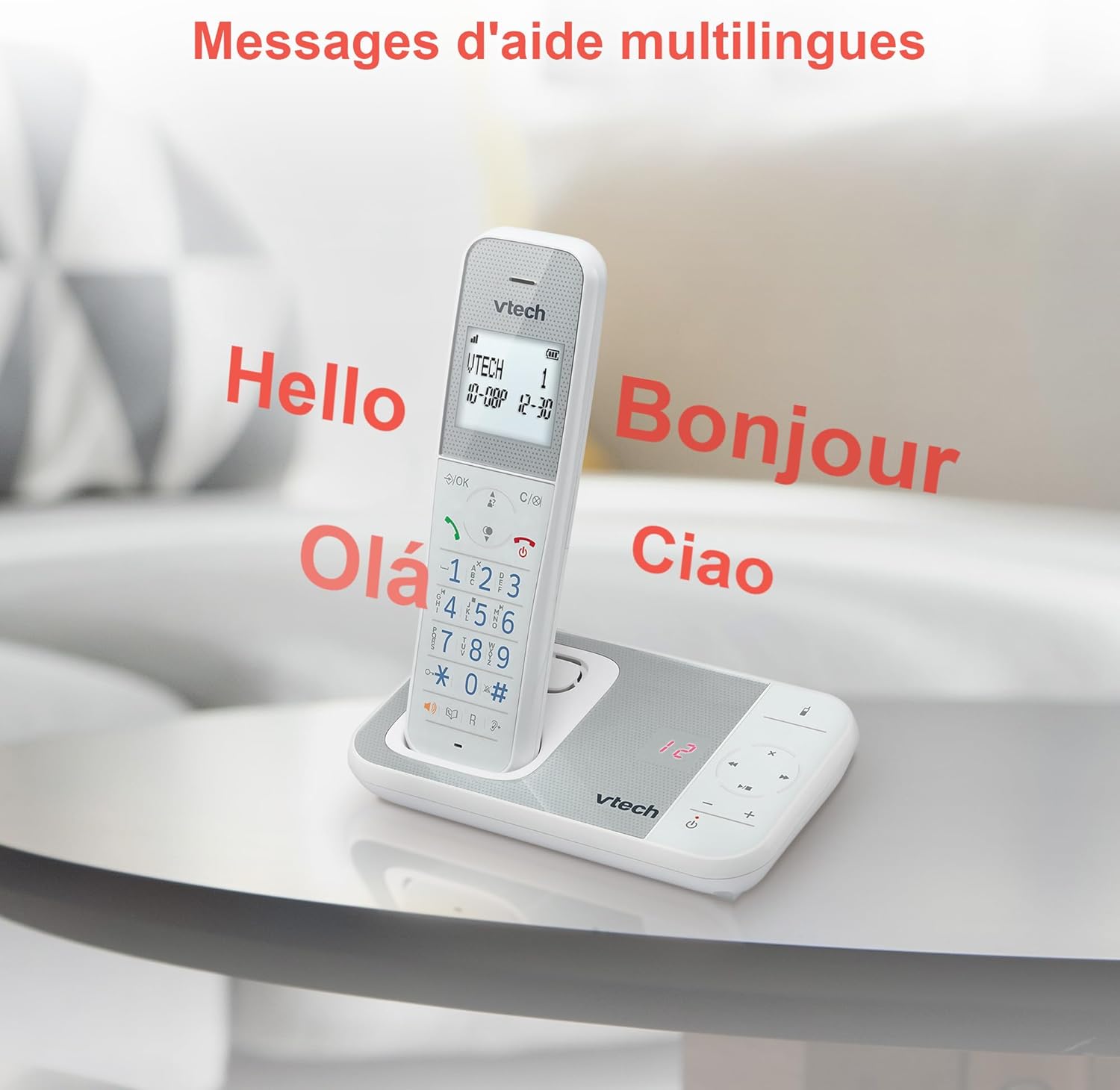
Figure 10: Multilingual Help Messages
This image displays the VTech XS1050 handset with various greetings like 'Hello', 'Bonjour', 'Olá', and 'Ciao' floating around it, illustrating the multilingual support feature.
5. ບໍາລຸງຮັກສາ
5.1 ການທໍາຄວາມສະອາດ
ເຊັດໂທລະສັບ ແລະ ໜ່ວຍພື້ນຖານດ້ວຍຜ້າອ່ອນ, ງamp ຜ້າ. ຢ່າໃຊ້ນໍ້າຢາທໍາຄວາມສະອາດທີ່ມີສີຂັດ ຫຼື ຕົວລະລາຍ. ໃຫ້ແນ່ໃຈວ່າບໍ່ມີຂອງແຫຼວເຂົ້າໄປໃນຊ່ອງເປີດຂອງໂທລະສັບ.
5.2 ການດູແລຫມໍ້ໄຟ
- Always use the supplied batteries.
- ຖ້າໂທລະສັບຈະບໍ່ຖືກໃຊ້ເປັນເວລາດົນ, ໃຫ້ຖອດແບັດເຕີຣີອອກເພື່ອປ້ອງກັນການຮົ່ວໄຫຼ.
- ຖິ້ມແບດເຕີຣີເກົ່າຢ່າງມີຄວາມຮັບຜິດຊອບຕາມກົດລະບຽບທ້ອງຖິ່ນ.
6. ການແກ້ໄຂບັນຫາ
If you experience issues with your VTech XS1050, please refer to the following common problems and solutions:
| ບັນຫາ | ສາເຫດທີ່ເປັນໄປໄດ້ | ການແກ້ໄຂ |
|---|---|---|
| ບໍ່ມີສຽງໂທອອກ | ສາຍໂທລະສັບບໍ່ໄດ້ເຊື່ອມຕໍ່ຢ່າງຖືກຕ້ອງ. | ກວດໃຫ້ແນ່ໃຈວ່າໄດ້ສຽບສາຍໂທລະສັບເຂົ້າກັບໜ່ວຍພື້ນຖານ ແລະ ສຽບຝາຢ່າງປອດໄພ. |
| ໂທລະສັບບໍ່ເປີດ | Batteries are not charged or incorrectly installed. | Check battery polarity and ensure the handset is properly seated on the base unit for charging. Verify power adapter connection. |
| ຄຸນນະພາບສຽງບໍ່ດີ | ການລົບກວນຈາກອຸປະກອນເອເລັກໂຕຣນິກອື່ນໆ. | Move the base unit or handset away from other electronic devices such as TVs, computers, or microwaves. |
| ເຄື່ອງຕອບບໍ່ໄດ້ບັນທຶກ | Memory full or answering machine is off. | Delete old messages to free up space. Ensure the answering machine function is activated. |
7. ຂໍ້ມູນຈໍາເພາະ
| ຄຸນສົມບັດ | ລາຍລະອຽດ |
|---|---|
| ຍີ່ຫໍ້ | VTech |
| ຕົວແບບ | XS1050 |
| ສີ | ສີຂາວ |
| ປະເພດໂທລະສັບ | ໄຮ້ສາຍ (DECT) |
| ຈໍານວນຫມໍ້ໄຟ | 2 (ສະເພາະຜະລິດຕະພັນ - ລວມຢູ່) |
| ວັດສະດຸ | ພາດສະຕິກ |
| ແຫຼ່ງພະລັງງານ | ພະລັງງານຫມໍ້ໄຟ |
| ປະເພດ Dialer | ປຸ່ມກົດດຽວ |
| ຂະໜາດລາຍການ (L x W x H) | 18.5 x 15.1 x 6.6 ຊັງຕີແມັດ |
| ປະເພດລະບົບການຕອບ | ດິຈິຕອລ |
| ນ້ໍາຫນັກລາຍການ | 400 ກຣາມ |
| ຄວາມຈຸຂອງເຄື່ອງຕອບຮັບ | ເຖິງ 30 ນາທີ |
| ຄວາມອາດສາມາດຂອງປື້ມໂທລະສັບ | 100 ຊື່ແລະຕົວເລກ |
| ປະຫວັດການໂທ | 20 ລາຍການ |
| ເວລາສົນທະນາ | ສູງສຸດ 18 ຊົ່ວໂມງ |
8. ການຮັບປະກັນແລະການສະ ໜັບ ສະ ໜູນ
8.1 ຂໍ້ມູນການຮັບປະກັນ
For detailed warranty information, please refer to the warranty card included with your product or visit the official VTech webເວັບໄຊ. ຮັກສາໃບຮັບເງິນການຊື້ຂອງທ່ານໄວ້ເປັນຫຼັກຖານການຊື້.
8.2 ສະຫນັບສະຫນູນລູກຄ້າ
If you require further assistance or have questions not covered in this manual, please contact VTech customer support. Contact details can typically be found on the VTech webສະຖານທີ່ຫຼືຢູ່ໃນການຫຸ້ມຫໍ່ຜະລິດຕະພັນ.


