1. ບົດແນະນຳ
Thank you for choosing the XPR3SS HCT626 Smart Water Timer. This device offers advanced control over your irrigation system with Bluetooth and Wi-Fi connectivity, allowing for remote management and efficient watering. This manual provides detailed instructions for setup, operation, maintenance, and troubleshooting to ensure optimal performance of your smart water timer.
1.1 ເນື້ອໃນຊຸດ
ກະລຸນາກວດສອບວ່າອົງປະກອບທັງໝົດມີຢູ່ໃນຊຸດຂອງທ່ານ:
- XPR3SS HCT626 Water Timer Unit
- Wi-Fi Gateway
- Accessories (e.g., adapters, seals)
- ຄູ່ມືຜູ້ໃຊ້ (ເອກະສານນີ້)
- ບັດຮັບປະກັນ

2. ຂໍ້ມູນຄວາມປອດໄພ
Please read and understand all safety instructions before operating the device. Failure to follow these instructions may result in property damage or injury.
- ການນໍາໃຊ້ພາຍນອກເທົ່ານັ້ນ: The water timer unit is designed for outdoor use (IPX5 rated). The Wi-Fi Gateway is for indoor use only.
- ຊ່ວງອຸນຫະພູມ: Operate the timer within the specified working temperature range of 1℃ to 45℃ (34°F to 113°F). Protect from freezing temperatures.
- ຄວາມກົດດັນນ້ໍາ: Ensure the water pressure is within the working range of 0.05-0.8 Mpa (7.25-116 PSI).
- ແບັດເຕີຣີ: Use 2 x 1.5V 'AA' Alkaline batteries (not included). Do not mix old and new batteries or different types of batteries. Dispose of batteries responsibly.
- ການຕິດຕັ້ງ: Ensure secure fitting to prevent water leakage.
- ອຸປະສັກ: The effective distance between the gateway and timer is approximately 15m, depending on obstacles.
3. ຜະລິດຕະພັນເກີນview
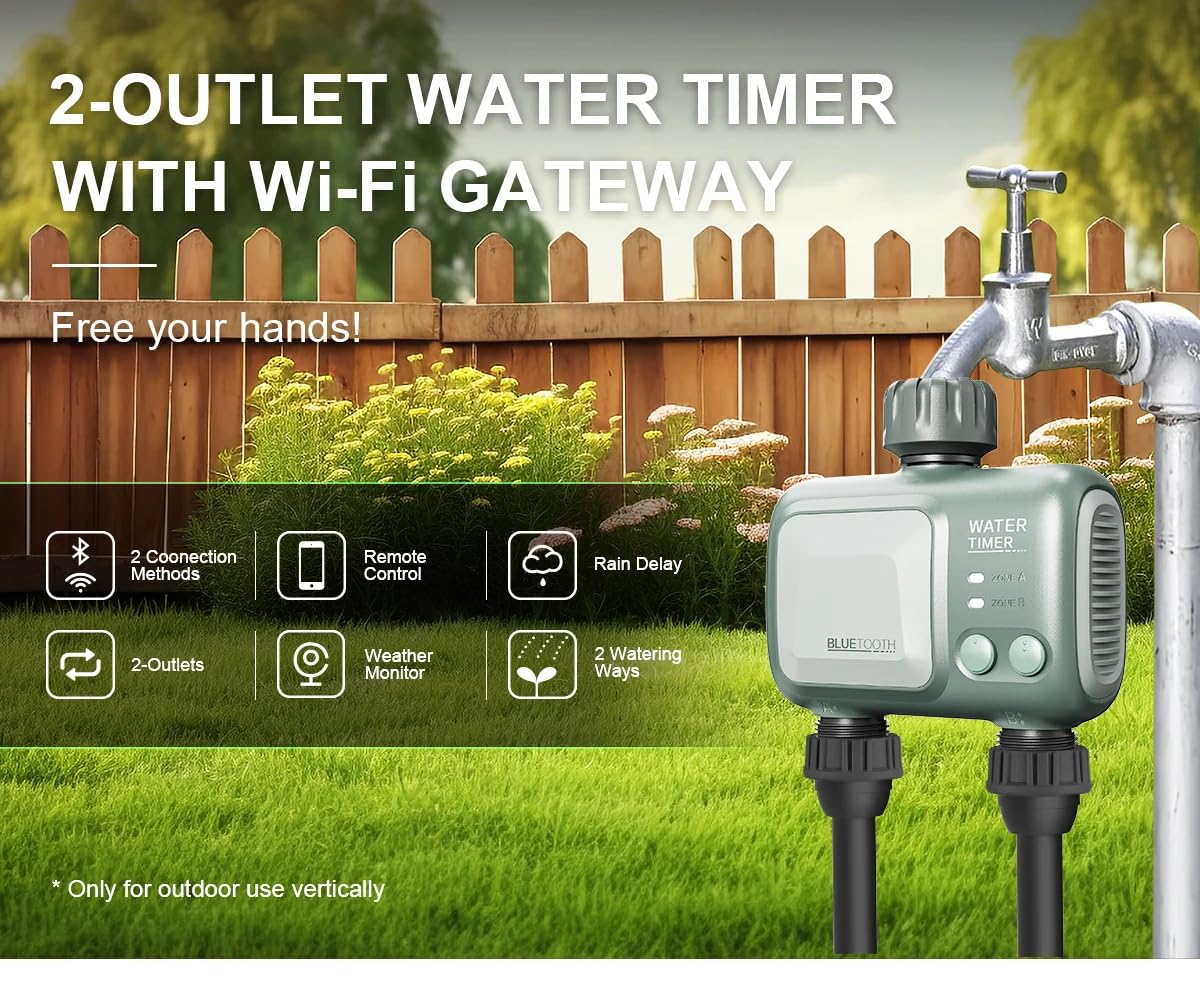
The XPR3SS HCT626 is a smart 2-outlet water timer designed for automatic irrigation. It features both Bluetooth and Wi-Fi connectivity via a dedicated gateway, allowing for flexible control options.
3.1 ລັກສະນະທີ່ສໍາຄັນ
- ການເຊື່ອມຕໍ່ຄູ່: Bluetooth for local control and Wi-Fi via gateway for remote control from anywhere.
- 2 Independent Outlets: ຄວບຄຸມສອງເຂດນ້ໍາແຍກຕ່າງຫາກເປັນອິດສະຫຼະ.
- ການຊັກຊ້າຝົນອັດສະລິຍະ: Automatically skips watering based on local weather conditions.
- ການກຳນົດເວລາແບບຍືດຫຍຸ່ນ: Up to 9 individual timing plans with durations from 1 second to 59 minutes 59 seconds.
- ຮູບແບບການຫົດນໍ້າ: Supports both Irrigation and Spray (Misting) modes.
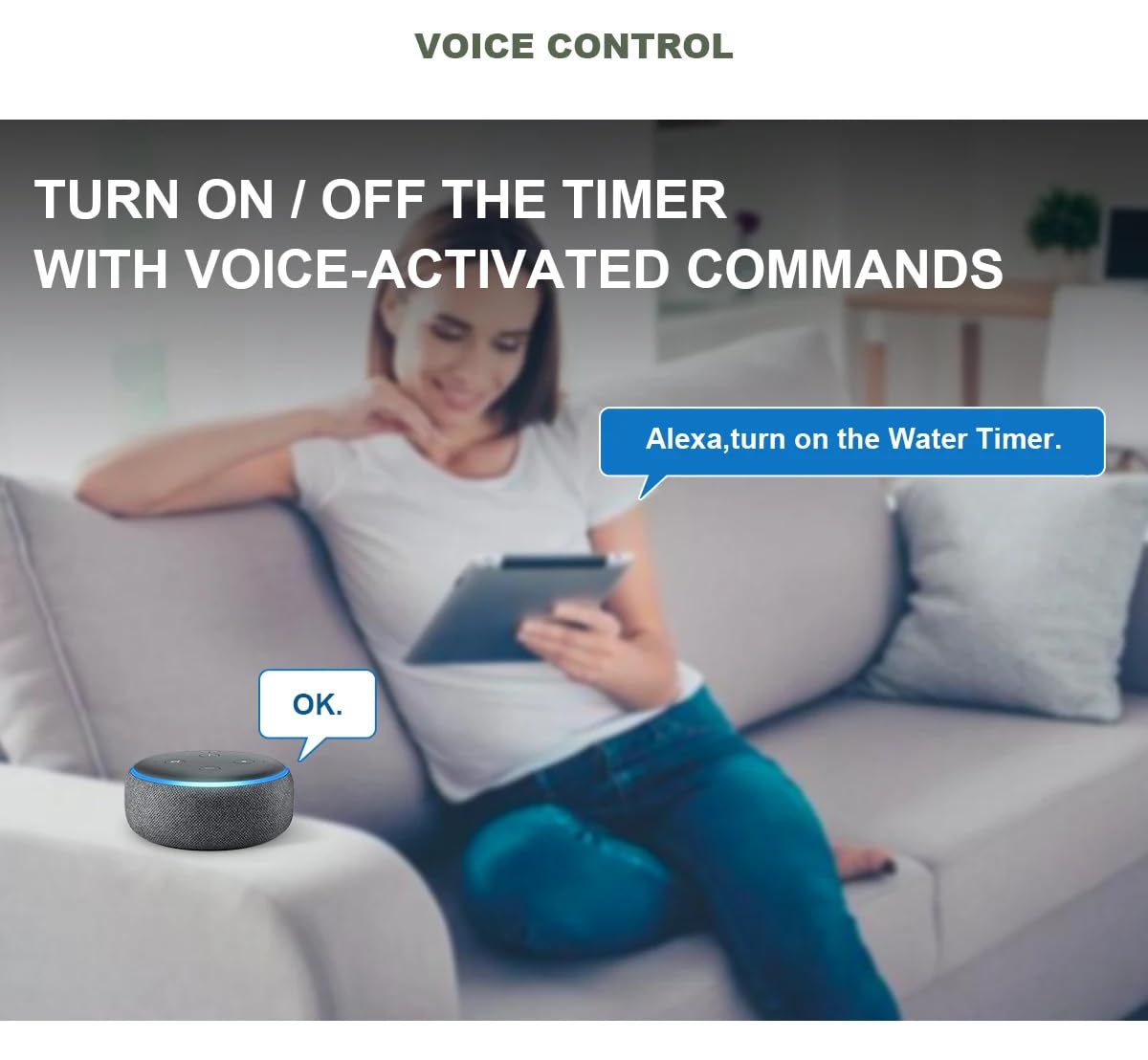
- ການຄວບຄຸມດ້ວຍສຽງ: Compatible with voice-activated commands (e.g., Alexa).
- ການອອກແບບທົນທານ: IPX5 ingress protection for outdoor use.


4. ຕັ້ງຄ່າ
4.1 Battery Installation (Water Timer)
- Locate the battery compartment on the water timer unit.
- Open the compartment and insert 2 x 1.5V 'AA' Alkaline batteries, ensuring correct polarity.
- ປິດຊ່ອງໃສ່ແບັດເຕີຣີໃຫ້ແໜ້ນເພື່ອຮັກສາຄວາມກັນນ້ຳ.
4.2 ການຕິດຕັ້ງທາງດ້ານຮ່າງກາຍ
- Screw the water timer onto a standard 3/4" outdoor faucet. Ensure a tight, leak-free connection.
- Connect your irrigation hoses or drip lines to the two 3/4" external thread outlets at the bottom of the timer.
4.3 Wi-Fi Gateway Setup
- Plug the Wi-Fi Gateway into any indoor USB socket, laptop, or charger.
- Ensure the gateway is within approximately 15 meters of the water timer for optimal Bluetooth connection, considering any obstacles.
4.4 ການດາວໂຫຼດແອັບ ແລະ ການຈັບຄູ່
- Download the recommended smart home application (e.g., Smart Life App) from your device's app store.
- ລົງທະບຽນຫລືເຂົ້າບັນຊີຂອງທ່ານ.
- Follow the in-app instructions to add the Wi-Fi Gateway and then the water timer. The app will guide you through the pairing process, which typically involves putting the devices into pairing mode.
- Once paired, you can control the water timer via Bluetooth when within range, or remotely via Wi-Fi through the gateway.

5. ການດໍາເນີນງານ
5.1 ການຂຽນໂປຣແກຣມຕາຕະລາງການຫົດນໍ້າ
Use the mobile application to set up watering schedules for each of the two independent zones (Zone A and Zone B). You can create up to 9 individual timing plans.
- ໄລຍະເວລາການຫົດນໍ້າ: Set from 1 second to 59 minutes 59 seconds.
- ຄວາມຖີ່ຂອງການຫົດນໍ້າ: Choose single time or specific weekdays.
- ຮູບແບບການຫົດນໍ້າ: ເລືອກລະຫວ່າງ ຊົນລະປະທານ (standard watering) and ສີດ (misting).

5.2 Smart Rain Delay
The timer can monitor local weather conditions. Enable the 'Rainy Mode' or 'Smart Weather' feature in the app to automatically pause watering during rainy days, conserving water and preventing overwatering.
5.3 ການຄວບຄຸມດ້ວຍມື
For immediate watering, you can manually turn on/off each zone directly from the timer unit using the physical buttons, or through the mobile application.
5.4 ການຄວບຄຸມສຽງ
Integrate your XPR3SS HCT626 with compatible voice assistants (e.g., Amazon Alexa) to control watering with simple voice commands.

6. ບໍາລຸງຮັກສາ
6.1 ການທໍາຄວາມສະອາດ
Periodically clean the exterior of the water timer with a damp ຜ້າ. ຫ້າມໃຊ້ເຄື່ອງເຮັດຄວາມສະອາດທີ່ມີສານຂັດຫຼືເອົາຫົວໜ່ວຍຈົມລົງໃນນ້ຳ.
6.2 ການທົດແທນຫມໍ້ໄຟ
Replace batteries when the low battery indicator appears in the app or on the device, or if the timer's functionality becomes erratic. Always replace both batteries simultaneously with new 'AA' Alkaline batteries.
6.3 ລະດູໜາວ
Before the first frost, disconnect the water timer from the faucet and drain any remaining water. Store the unit indoors in a dry, protected area to prevent damage from freezing temperatures.
7. ການແກ້ໄຂບັນຫາ
If you encounter issues with your XPR3SS HCT626 Smart Water Timer, please refer to the following common problems and solutions:
| ບັນຫາ | ສາເຫດທີ່ເປັນໄປໄດ້ | ການແກ້ໄຂ |
|---|---|---|
| ການຮົ່ວໄຫຼຂອງນໍ້າຈາກຈຸດເຊື່ອມຕໍ່ | Loose connection; worn-out washer/seal; incorrect installation. | Ensure connections are tight. Check and replace rubber washers if damaged. Reinstall carefully. |
| Timer not watering or low flow | Low water pressure; clogged filter; dead batteries; timer not programmed. | Ensure adequate water pressure (0.05-0.8 Mpa). Clean the inlet filter. Replace batteries. Verify schedule in app. |
| ບໍ່ສາມາດເຊື່ອມຕໍ່ກັບ Bluetooth ໄດ້ | Timer out of Bluetooth range; Bluetooth off on phone; low timer battery. | Move closer to the timer. Enable Bluetooth on your smartphone. Replace timer batteries. |
| Cannot connect to Wi-Fi (via Gateway) | Gateway out of range of timer or Wi-Fi router; Wi-Fi signal weak; incorrect Wi-Fi password; gateway not powered. | Relocate gateway closer to both timer and router. Ensure 2.4 GHz Wi-Fi network. Re-enter Wi-Fi credentials. Check gateway power supply. |
| Rain delay not working | Smart weather feature not enabled; incorrect location set in app; no internet connection for weather data. | Enable 'Rainy Mode' or 'Smart Weather' in the app. Confirm correct location. Ensure gateway has stable internet connection. |
8. ຂໍ້ມູນຈໍາເພາະ
| ຄຸນສົມບັດ | ຂໍ້ມູນຈໍາເພາະ |
|---|---|
| ໝາຍເລກຕົວແບບ | HCT-626 |
| ວັດສະດຸ | Acrylonitrile Butadiene Styrene (ABS ພາດສະຕິກ) |
| ຂະໜາດສິນຄ້າ | 18D x 6W x 10H ຊມ |
| ນ້ໍາຫນັກລາຍການ | 470 ກຣາມ |
| ຮູບແບບການຫົດນໍ້າ | Irrigation + Spray (Misting) |
| Max Programs | 9 individual timing plans |
| ໄລຍະເວລາເຮັດວຽກ | 1 sec to 59 min 59 sec |
| ຄວາມຖີ່ຂອງການຫົດນໍ້າ | Single Time / Weekdays (any day or days of the week) |
| ການເຊື່ອມຕໍ່ໄຮ້ສາຍ | Bluetooth 4.2/5.0, Wi-Fi 2.4 Ghz |
| Distance Between Gateway and Timer | About 15m (depending on obstacles) |
| ການສະຫນອງພະລັງງານ | 2 x 1.5V 'AA' Alkaline Batteries (not included) |
| Inlet thread | ເກຼັດພາຍໃນ 3/4" |
| ກະທູ້ Outlet | ເກຼັດພາຍນອກ 3/4" |
| ການປົກປ້ອງຂາເຂົ້າ | IPX5 |
| ຄວາມກົດດັນການເຮັດວຽກ | 0.05-0.8 Mpa |
| ອຸນຫະພູມເຮັດວຽກ | 1℃~45℃ (34°F~113°F) |
| ສະຖານທີ່ນຳໃຊ້ | Outdoor (Timer), Indoor (Gateway) |
| ຜູ້ຜະລິດ | Eshine Technology (Ningbo) Co., Ltd |
| ປະເທດຕົ້ນກໍາເນີດ | ຈີນ |
9. ການຮັບປະກັນແລະການສະຫນັບສະຫນູນ
9.1 ຂໍ້ມູນການຮັບປະກັນ
Your XPR3SS HCT626 Smart Water Timer comes with a warranty. Please refer to the included Warranty Card for specific terms, conditions, and duration of the warranty coverage.
9.2 ສະຫນັບສະຫນູນລູກຄ້າ
For technical assistance, troubleshooting beyond this manual, or warranty claims, please contact XPR3SS customer support. Contact details can typically be found on the Warranty Card or the official XPR3SS webເວັບໄຊ.


