1. ບົດແນະນຳ
Thank you for choosing the Telefunken 40DTAF724 Android TV. This manual provides essential information for the safe and efficient use of your new television. Please read these instructions thoroughly before operating the device and retain them for future reference.
2. ຜະລິດຕະພັນເກີນview
The Telefunken 40DTAF724 is a 40-inch Full HD (1920 x 1080) Android Smart TV designed to deliver an immersive viewing experience. It features a bezel-less design, HDR10 support for enhanced color and contrast, and integrated Chromecast. With built-in Bluetooth and Wi-Fi connectivity, it is compatible with Google Assistant and Alexa for smart home integration.
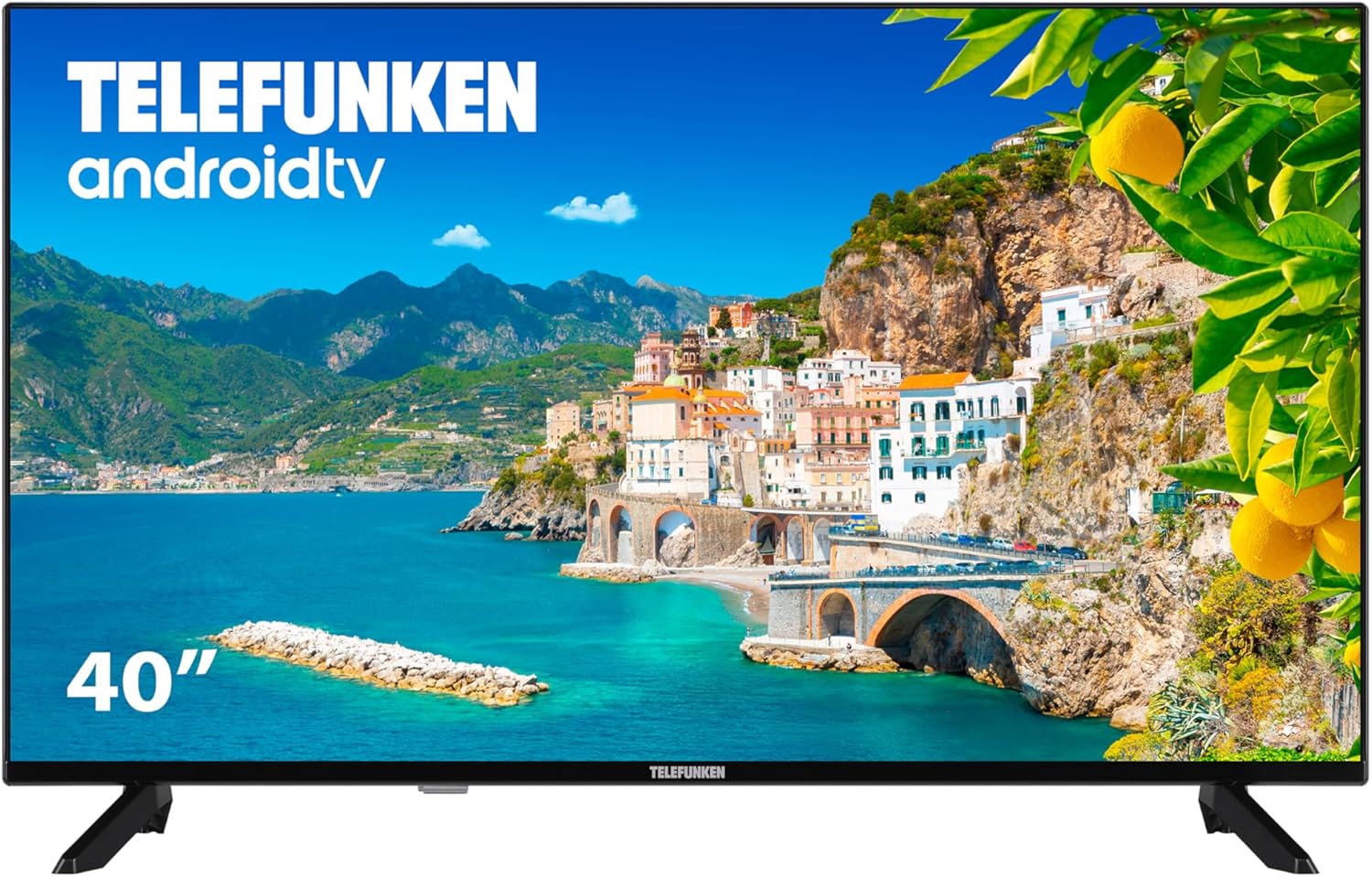
ຮູບທີ 2.1: ດ້ານໜ້າ view of the Telefunken 40DTAF724 Android TV, showcasing its bezel-less design and display.
3. ສິ່ງທີ່ຢູ່ໃນກ່ອງ
Upon unpacking your Telefunken 40DTAF724 TV, please ensure all the following components are present:
- Telefunken 40DTAF724 Android TV Unit
- ການຄວບຄຸມໄລຍະໄກ
- ຫມໍ້ໄຟສໍາລັບການຄວບຄຸມໄລຍະໄກ
- ຄູ່ມືຜູ້ໃຊ້ (ເອກະສານນີ້)
- ສາຍໄຟ
- TV Stands (2 units) and Screws for assembly
4. ຕັ້ງຄ່າ
4.1. ການຕິດຕັ້ງ Stand
ເພື່ອຕິດຕັ້ງຂາຕັ້ງໂທລະພາບ:
- ເອົາໂທລະທັດຫັນໜ້າລົງໃສ່ພື້ນຜິວທີ່ຮາບພຽງຢ່າງລະມັດລະວັງເພື່ອປ້ອງກັນຄວາມເສຍຫາຍຂອງໜ້າຈໍ.
- ຈັດວາງແຕ່ລະຂາຕັ້ງດ້ວຍຮູສະກູທີ່ສອດຄ້ອງກັນຢູ່ດ້ານລຸ່ມຂອງໂທລະພາບ.
- ຮັບປະກັນແຕ່ລະຂາຕັ້ງໂດຍໃຊ້ສະກູທີ່ໃຫ້ໄວ້. ໃຫ້ແນ່ໃຈວ່າພວກມັນຖືກຮັດແຫນ້ນຢ່າງແຫນ້ນຫນາ.
4.2. ການຕິດຝາ (ທາງເລືອກ)
The Telefunken 40DTAF724 is compatible with VESA 100 x 100 M4 wall mounts. Please refer to your wall mount's instructions for proper installation. Ensure the wall can support the TV's weight (8.46 kg) and the mount.

ຮູບທີ 4.1: ຂ້າງ view of the TV with dimensions (90.2 cm width, 56.7 cm height, 16.7 cm depth) and VESA mount details.
4.3. ອຸປະກອນເຊື່ອມຕໍ່
Connect your external devices (e.g., cable box, gaming console, Blu-ray player) to the TV's ports. The TV supports HDMI, USB, Ethernet, and Bluetooth connectivity.

ຮູບທີ 4.2: ຫລັງ view of the TV, illustrating the location of HDMI, USB, Ethernet, and other input/output ports.
For optimal performance, use high-quality HDMI cables for video and audio connections.
5. ຄໍາແນະນໍາການດໍາເນີນງານ
5.1. ການຕິດຕັ້ງຄັ້ງທໍາອິດ
After connecting the power cable and turning on the TV for the first time, you will be guided through the initial setup process. This includes:
- ການເລືອກພາສາ
- ການເຊື່ອມຕໍ່ເຄືອຂ່າຍ (Wi-Fi ຫຼື Ethernet)
- ການເຂົ້າສູ່ລະບົບບັນຊີ Google (ແນະນຳສຳລັບຄຸນສົມບັດ Android TV ເຕັມຮູບແບບ)
- ການສະແກນຊ່ອງ
- ຍອມຮັບຂໍ້ກໍານົດແລະເງື່ອນໄຂ
5.2. Android TV Features
Your Telefunken TV runs on Android TV, providing access to a wide range of apps and services:
- Google Play Store: Download your favorite streaming apps, games, and more.
- Chromecast ໃນຕົວ: Cast content from your smartphone, tablet, or computer directly to the TV screen.
- ຜູ້ຊ່ວຍ Google: ໃຊ້ຄຳສັ່ງສຽງຜ່ານທາງໄກເພື່ອຄົ້ນຫາເນື້ອຫາ, ຄວບຄຸມອຸປະກອນອັດສະລິຍະໃນເຮືອນ ແລະຮັບຂໍ້ມູນ.
- ຄວາມເຂົ້າກັນໄດ້ຂອງ Alexa: Integrate your TV with Alexa-enabled devices for voice control.
- HDR10: Experience enhanced contrast and a wider range of colors with HDR10 content.
5.3. ການຄວບຄຸມໄລຍະໄກ
ການຄວບຄຸມຫ່າງໄກສອກຫຼີກທີ່ລວມໄວ້ອະນຸຍາດໃຫ້ທ່ານເພື່ອນໍາທາງການໂຕ້ຕອບຂອງໂທລະພາບ, ປັບການຕັ້ງຄ່າ, ແລະການເຂົ້າເຖິງຄຸນນະສົມບັດ smart ໄດ້. ສຽບແບັດເຕີລີທີ່ສະໜອງໃຫ້ໃສ່ໃນການຄວບຄຸມໄລຍະໄກ, ຮັບປະກັນການຂົ້ວທີ່ຖືກຕ້ອງ.
6. ບໍາລຸງຮັກສາ
ເພື່ອຮັບປະກັນອາຍຸຍືນ ແລະປະສິດທິພາບທີ່ດີທີ່ສຸດຂອງໂທລະພາບຂອງທ່ານ:
- ທໍາຄວາມສະອາດ: Unplug the TV before cleaning. Use a soft, dry cloth to wipe the screen and exterior. Do not use liquid cleaners or sprays directly on the screen.
- ການລະບາຍອາກາດ: ຮັບປະກັນການລະບາຍອາກາດທີ່ພຽງພໍຮອບໂທລະທັດ. ຫ້າມປິດຊ່ອງລະບາຍອາກາດ.
- ພະລັງງານ: ຖອດປລັກໂທລະທັດໃນເວລາມີພະຍຸຟ້າຜ່າ ຫຼືເວລາທີ່ມັນຈະບໍ່ຖືກໃຊ້ເປັນໄລຍະເວລາ.
7. ການແກ້ໄຂບັນຫາ
ຖ້າຫາກທ່ານພົບບັນຫາກັບໂທລະພາບຂອງທ່ານ, ເບິ່ງວິທີແກ້ໄຂທົ່ວໄປດັ່ງຕໍ່ໄປນີ້:
- ບໍ່ມີພະລັງງານ: ກວດເບິ່ງວ່າສາຍໄຟຖືກເຊື່ອມຕໍ່ຢ່າງປອດໄພກັບທັງໂທລະພາບ ແລະປລັກສຽບໄຟຫຼືບໍ່. ຮັບປະກັນວ່າປລັກສຽບເຮັດວຽກໄດ້.
- ບໍ່ມີຮູບພາບ/ສຽງ: ກວດສອບວ່າໄດ້ເລືອກແຫຼ່ງສັນຍານເຂົ້າທີ່ຖືກຕ້ອງແລ້ວ. ກວດສອບການເຊື່ອມຕໍ່ສາຍທັງໝົດ (HDMI, ເສົາອາກາດ, ແລະອື່ນໆ).
- ການຄວບຄຸມໄລຍະໄກບໍ່ເຮັດວຽກ: ປ່ຽນແບັດເຕີລີ. ກວດໃຫ້ແນ່ໃຈວ່າບໍ່ມີສິ່ງກີດຂວາງລະຫວ່າງຣີໂໝດ ແລະເຊັນເຊີ IR ຂອງໂທລະທັດ.
- ບັນຫາການເຊື່ອມຕໍ່ເຄືອຂ່າຍ: Restart your router and modem. Reconnect the TV to the Wi-Fi network or check the Ethernet cable.
- ປະສິດທິພາບຊ້າ: Close unused applications. Clear the cache of frequently used apps. Consider a factory reset if issues persist (note: this will erase all personal data and settings).
For further assistance, please contact Telefunken customer support.
8. ຂໍ້ມູນຈໍາເພາະ
| ຄຸນສົມບັດ | ຂໍ້ມູນຈໍາເພາະ |
|---|---|
| ຍີ່ຫໍ້ | Telefunken |
| ໝາຍເລກຕົວແບບ | 40DTAF724 |
| ຂະໜາດໜ້າຈໍ | 40 ນິ້ວ |
| ເຕັກໂນໂລຊີການສະແດງ | LED |
| ຄວາມລະອຽດ | 1080p (Full HD 1920 x 1080) |
| ອັດຕາການໂຫຼດຂໍ້ມູນຄືນໃໝ່ | 60 Hz |
| ຄຸນນະສົມບັດພິເສດ | Chromecast, Bezel-less Design, VESA Wall Mount, HDR10 |
| ການເຊື່ອມຕໍ່ | Bluetooth, Ethernet, HDMI, USB, Wi-Fi |
| ອັດຕາສ່ວນ | 1.77:1 |
| ຂະໜາດສິນຄ້າ (ກວ້າງ x ເລິກ x ສູງ) | 90.2 x 16.7 x 56.7 cm |
| ນ້ຳໜັກ | 8.46 ກິໂລ |
| ການປະເມີນປະສິດທິພາບພະລັງງານ | E |
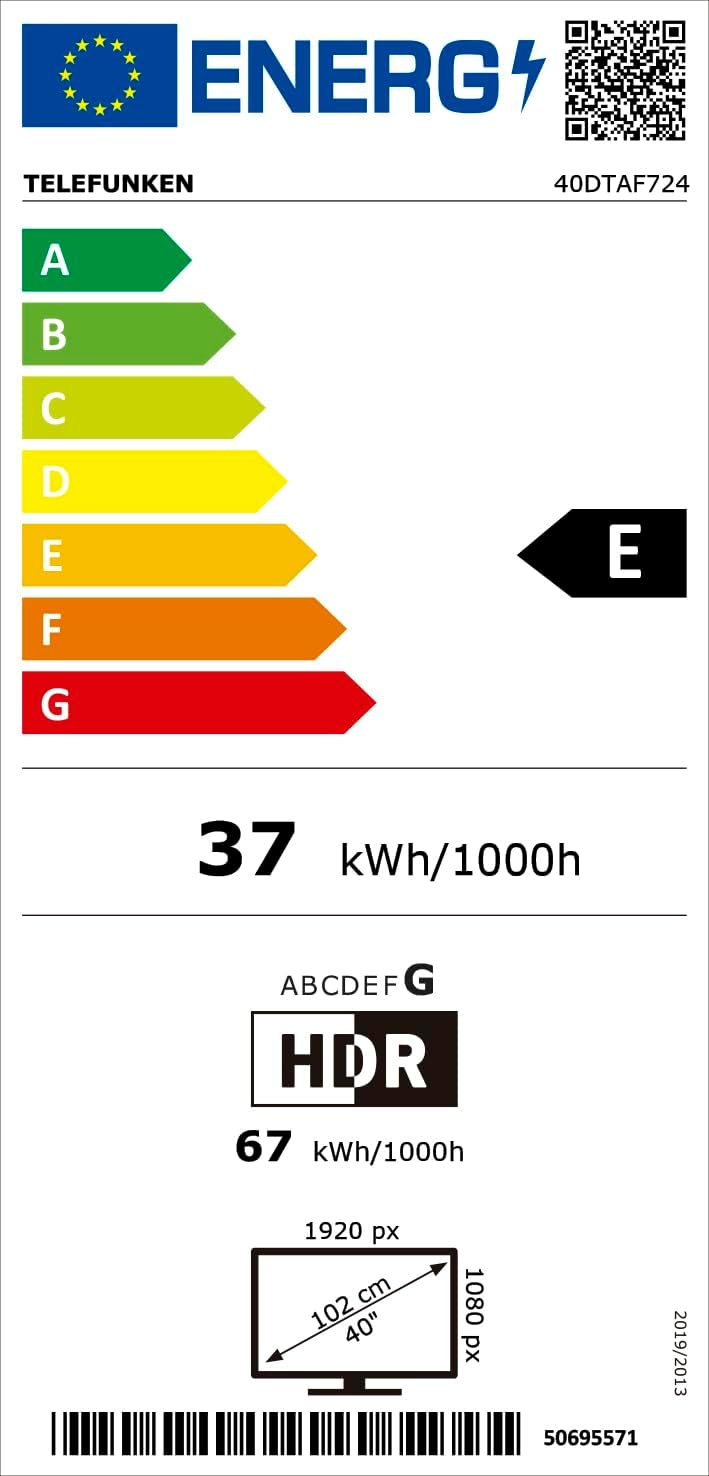
ຮູບທີ 8.1: Energy efficiency label for the Telefunken 40DTAF724 TV, showing its 'E' rating and power consumption.
For more details, scan the QR code or visit eprel.ec.europa.eu/qr/1860952.
9. ການຮັບປະກັນແລະການສະຫນັບສະຫນູນ
Your Telefunken 40DTAF724 TV comes with a standard manufacturer's warranty. Please refer to the warranty card included in the packaging for specific terms and conditions. For technical support, service, or warranty claims, please contact your local Telefunken customer service center. Contact information can typically be found on the Telefunken official webສະຖານທີ່ຫຼືຢູ່ໃນເອກະສານການຮັບປະກັນ.


