1. ບົດແນະນຳ
Thank you for choosing the JODNO F11 Portable Handheld Fan. This versatile 3-in-1 fan is designed to provide personal cooling in various settings, whether handheld, worn around the neck, or placed on a desk. Featuring 5 adjustable speeds, a long-lasting rechargeable battery, and a convenient digital display, the F11 fan ensures a comfortable experience. Please read this manual thoroughly before use to ensure proper operation and maintenance.

Image: The JODNO F11 Portable Handheld Fan, available in black and pink, demonstrating its adaptability for handheld use, hanging around the neck with a lanyard, and folding into a compact desk fan.
2. ຂໍ້ມູນຄວາມປອດໄພ
- ຫ້າມໃສ່ນິ້ວມື ຫຼື ວັດຖຸໃດໆເຂົ້າໄປໃນຕະແກງພັດລົມໃນຂະນະທີ່ພັດລົມກຳລັງເຮັດວຽກ.
- Keep the fan away from water and moisture. Do not use in wet environments.
- Do not disassemble or attempt to repair the fan yourself. Contact customer support if needed.
- ຮັກສາໃຫ້ໄກຈາກເດັກນ້ອຍນ້ອຍໆ.
- ໃຊ້ພຽງແຕ່ສາຍ USB ທີ່ໃຫ້ມາສຳລັບການສາກໄຟ.
- ຫຼີກລ່ຽງການຕົກພັດລົມ ຫຼື ເຮັດໃຫ້ມັນໄດ້ຮັບຜົນກະທົບທີ່ຮຸນແຮງ.
3. ເນື້ອໃນຊຸດ
Upon opening your JODNO F11 Portable Handheld Fan package, please verify that all the following items are included:
- F11 Mini Fan (x2)
- Lanyards (x2)
- ສາຍ USB-A ຫາ USB-C (x2)
- ຄູ່ມືຜູ້ໃຊ້ (x1)

Image: A visual representation of the package contents, showing two F11 mini fans (one black, one pink), two lanyards, two USB-A to USB-C charging cables, and the user manual.
4. ຄຸນນະສົມບັດຜະລິດຕະພັນແລະຫຼາຍກວ່າview
The JODNO F11 fan is engineered with user convenience and performance in mind:
4.1. 3-in-1 Versatile Design
This fan offers three modes of use: a traditional handheld fan, a neck-mounted fan using the included lanyard for hands-free operation, and a foldable desk fan with a 180-degree rotation capability for optimal airflow positioning.

Image: Demonstrates the fan's versatility, showing it being used handheld, worn around the neck with the lanyard, and placed on a desk.

Image: A visual illustrating the fan's 180-degree swivel angle, highlighting its flexibility for various usage scenarios, including desk placement.
4.2. Power and Battery
Equipped with an upgraded 2400mAh rechargeable battery, the fan provides extended usage times, ranging from 3 to 12 hours depending on the speed setting. It charges conveniently via a USB-C cable (included) from a wall charger, power bank, or computer, with a full charge typically taking about 3 hours.
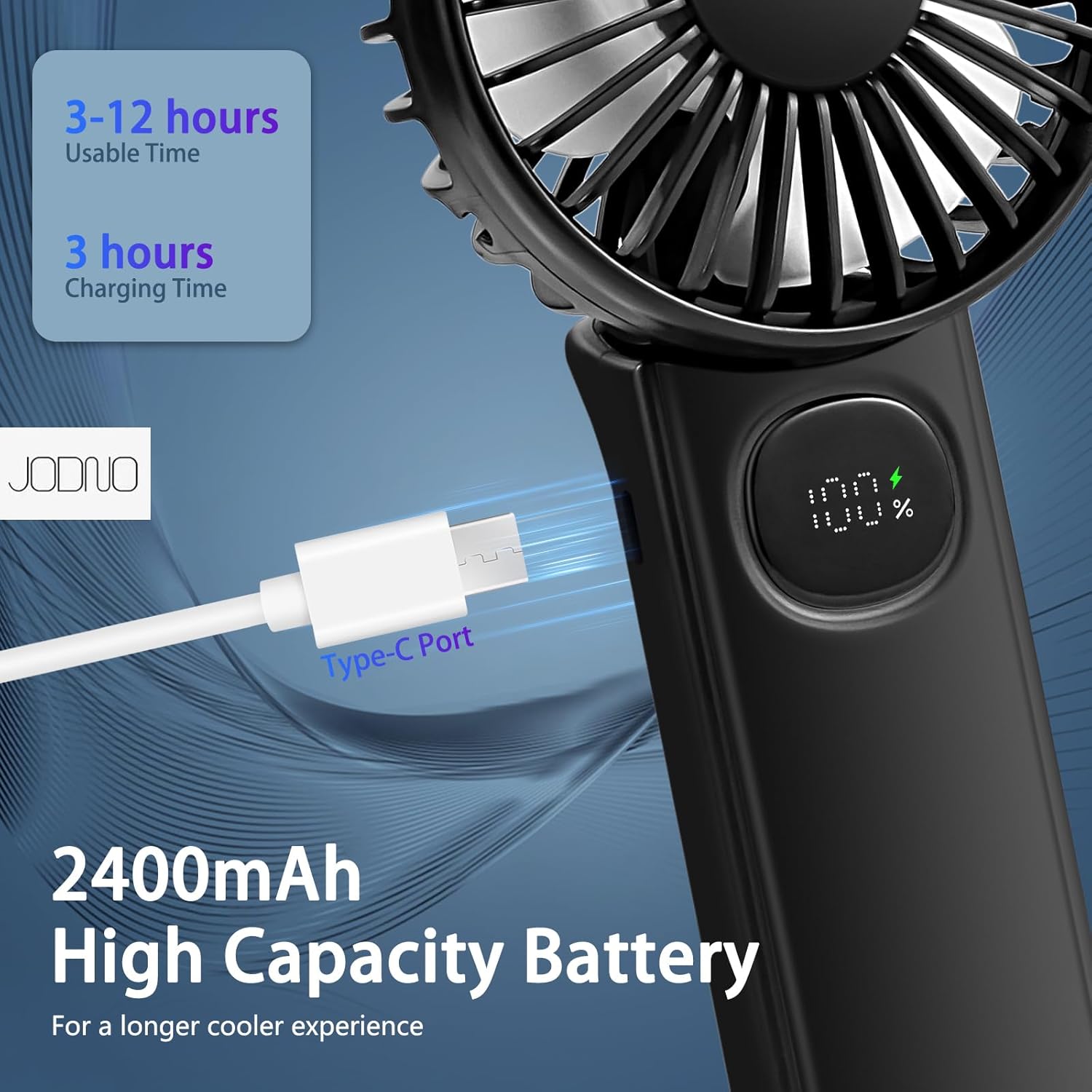
ຮູບພາບ: A ລາຍລະອຽດ view of the fan's Type-C charging port and its digital display, emphasizing the 2400mAh high-capacity battery and charging efficiency.

Image: Illustrates the large 2400 mAh battery, highlighting its quick 3-hour charging time and impressive 12-hour run time, suitable for both indoor and outdoor use.
4.3. Performance and Quiet Operation
A built-in copper brushless motor ensures powerful airflow across 5 adjustable speeds. Despite its power, the fan operates quietly, with noise levels below 20dB even at its highest setting, ensuring minimal disturbance during rest or work.

Image: Shows the fan's 5 adjustable wind speeds, ranging from 2600r/min to 4500r/min, designed to keep you cool on hot summer days.

Image: Highlights the fan's super-quiet operation, showing noise levels of 10 dB at the lowest gear and 20 dB at the top gear, making it suitable for quiet environments like a nursery.
4.4. Intelligent Display
The fan features a high-definition digital display that clearly shows the current wind speed and the remaining battery level, allowing for easy monitoring and adjustment.

ຮູບພາບ: A ລາຍລະອຽດ view of the intelligent LED display, which shows the current wind strength and, when idle, the current power level, providing accurate information.
4.5. Durable Materials
The fan blades are made of thin, evenly distributing PP material, while the body is constructed from high-quality ABS plastic with a fine micro-sand texture. The non-slip handle is ergonomically designed for comfortable holding.

Image: Showcases the thoughtful design details of the fan, including its detachable mesh shell for easy cleaning, LED display, thoughtful hanging rope, and 180-degree foldable feature.
4.6. Usage Scenarios Video
Video: An official product video from the seller, iDYS Direct, titled "F11 Portable Foldable Handheld Fan Rechargeable." This video demonstrates the fan's features and various applications, including its portability and folding capabilities.
5. ຕັ້ງຄ່າ
5.1. ຄ່າບໍລິການເບື້ອງຕົ້ນ
Before first use, fully charge the fan. Connect the provided USB-A to USB-C cable to the fan's Type-C port and the other end to a compatible USB power source (e.g., wall adapter, power bank, computer USB port). The digital display will show the charging progress. A full charge takes approximately 3 hours.
5.2. ການຕິດຕັ້ງສາຍຮັດ
If you wish to use the fan as a neck-mounted device, attach the included lanyard to the designated loop on the fan's handle. Ensure it is securely fastened before wearing.
6. ຄໍາແນະນໍາການດໍາເນີນງານ
6.1. ເປີດ/ປິດ
To turn the fan on, press the power button located on the handle. The fan will start at the lowest speed setting. To turn the fan off, long-press the power button.
6.2. ປັບຄວາມໄວພັດລົມ
Once the fan is on, short-press the power button repeatedly to cycle through the 5 available wind speeds. Each press will increase the speed sequentially from 1 to 5. The digital display will show the current speed setting.

Image: Explains the simple operation of the fan, where a short press of the button increases wind power sequentially, and a long press turns it off directly.
6.3. Folding for Desk Use
To convert the fan into a desk fan, gently fold the handle at the hinge until it forms a stable base. The fan head can then be rotated 180 degrees to direct airflow as desired.
7. ບໍາລຸງຮັກສາ
7.1. ທໍາຄວາມສະອາດ
To clean the fan, ensure it is turned off and unplugged. The front mesh shell is detachable for easy cleaning of the blades. Use a soft, dry cloth to wipe the fan's exterior and blades. Do not use abrasive cleaners or immerse the fan in water.
7.2. ການເກັບຮັກສາ
When not in use for extended periods, store the fan in a cool, dry place, away from direct sunlight and extreme temperatures. Ensure the battery is partially charged (around 50%) before storage to prolong its lifespan.
8. ການແກ້ໄຂບັນຫາ
| ບັນຫາ | ສາເຫດທີ່ເປັນໄປໄດ້ | ການແກ້ໄຂ |
|---|---|---|
| ພັດລົມບໍ່ເປີດ. | ແບັດເຕີຣີໝົດ. | ສາກພັດລົມເຕັມ. |
| Fan does not charge. | ສາຍ USB ຫຼືແຫຼ່ງພະລັງງານຜິດພາດ. | ລອງໃຊ້ສາຍ USB ຫຼືອະແດັບເຕີໄຟອື່ນ. ໃຫ້ແນ່ໃຈວ່າການເຊື່ອມຕໍ່ປອດໄພ. |
| ກະແສລົມອ່ອນແອ. | Low battery or fan blades are dirty. | Charge the fan. Clean the fan blades and grille. |
| ສິ່ງລົບກວນຜິດປົກກະຕິໃນລະຫວ່າງການປະຕິບັດງານ. | ການຂັດຂວາງໃນໃບພັດລົມຫຼືບັນຫາພາຍໃນ. | Turn off and unplug the fan. Check for any obstructions and remove them carefully. If noise persists, discontinue use and contact support. |
9. ຂໍ້ມູນຈໍາເພາະ
| ຄຸນສົມບັດ | ລາຍລະອຽດ |
|---|---|
| ຍີ່ຫໍ້ | JODNO |
| ຊື່ຕົວແບບ | F11 |
| ສີ | F11 Black&Pink |
| ແຫຼ່ງພະລັງງານ | ພະລັງງານຫມໍ້ໄຟ |
| ຄວາມອາດສາມາດຫມໍ້ໄຟ | 2400mAh |
| ເວລາສາກໄຟ | ປະມານ. 3 ຊົ່ວໂມງ |
| ເວລາທີ່ໃຊ້ໄດ້ | 3-12 hours (depending on speed) |
| ຈໍານວນລະດັບພະລັງງານ | 5 |
| ລະດັບສຽງ | Less than 20dB (top gear) |
| ວິທີການຄວບຄຸມ | ປຸ່ມແຕະ |
| ຂະໜາດສິນຄ້າ | 1"D x 1"W x 1"H |
| ນ້ໍາຫນັກລາຍການ | 6.8 ອອນ |
| ວັດສະດຸ | ABS Plastic (body), PP (blade) |
| ປັດໄຈແບບຟອມ | Handheld, Neck-mounted, Foldable |
10. ການຮັບປະກັນແລະການສະຫນັບສະຫນູນ
JODNO stands behind the quality of its products. For warranty information, technical support, or any inquiries regarding your F11 Portable Handheld Fan, please refer to the contact information provided on the product packaging or visit the official JODNO webເວັບໄຊ. ກະລຸນາເກັບຮັກສາໃບຮັບການຊື້ຂອງທ່ານສໍາລັບການຮຽກຮ້ອງການຮັບປະກັນ.


