1. ບົດແນະນຳ
This manual provides essential information for the safe and efficient operation of your GOBOULT Drift+ Smart Watch. Please read it thoroughly before using the device to ensure proper functionality and to understand all features. The GOBOULT Drift+ Smart Watch features a 1.85-inch HD display, Bluetooth calling capabilities, comprehensive health monitoring, and multiple sports modes.

Image 1.1: GOBOULT Drift+ Smart Watch overview.

Image 1.2: Key features of the GOBOULT Drift+ Smart Watch.
2. ສິ່ງທີ່ຢູ່ໃນກ່ອງ
Upon opening your GOBOULT Drift+ Smart Watch package, please verify that all the following items are included:
- GOBOULT Drift+ Smart Watch
- ສາຍສາກ
- ຄູ່ມືຜູ້ໃຊ້ (ເອກະສານນີ້)
- ບັດຮັບປະກັນ
3. ຕັ້ງຄ່າ
3.1. ການສາກອຸປະກອນ
Before initial use, fully charge your GOBOULT Drift+ Smart Watch. Connect the provided charging cable to the charging port on the back of the watch and a standard USB power adapter (not included). The watch typically takes approximately 2.5 hours to fully charge.
3.2. ການຕິດຕັ້ງແອັບ ແລະ ການຈັບຄູ່
To unlock the full potential of your smart watch, download and install the companion application on your smartphone. The app is compatible with both iOS and Android operating systems.
- Scan the QR code in the quick start guide or search for the official GOBOULT app in your smartphone's app store (Google Play Store for Android, Apple App Store for iOS).
- Install the application and create an account or log in.
- ໃຫ້ແນ່ໃຈວ່າ Bluetooth ຖືກເປີດໃຊ້ຢູ່ໃນໂທລະສັບສະຫຼາດຂອງທ່ານ.
- Open the GOBOULT app, navigate to the device pairing section, and select your Drift+ Smart Watch from the list of available devices.
- Follow the on-screen prompts on both your watch and smartphone to complete the pairing process.
4. ການໃຊ້ງານ Smart Watch ຂອງທ່ານ
4.1. ການສະແດງແລະການນໍາທາງ
The GOBOULT Drift+ features a 1.85-inch HD display with 500 nits brightness, ensuring clear visibility even in bright outdoor conditions. Navigate through menus and functions by swiping across the touchscreen and using the physical button on the side.
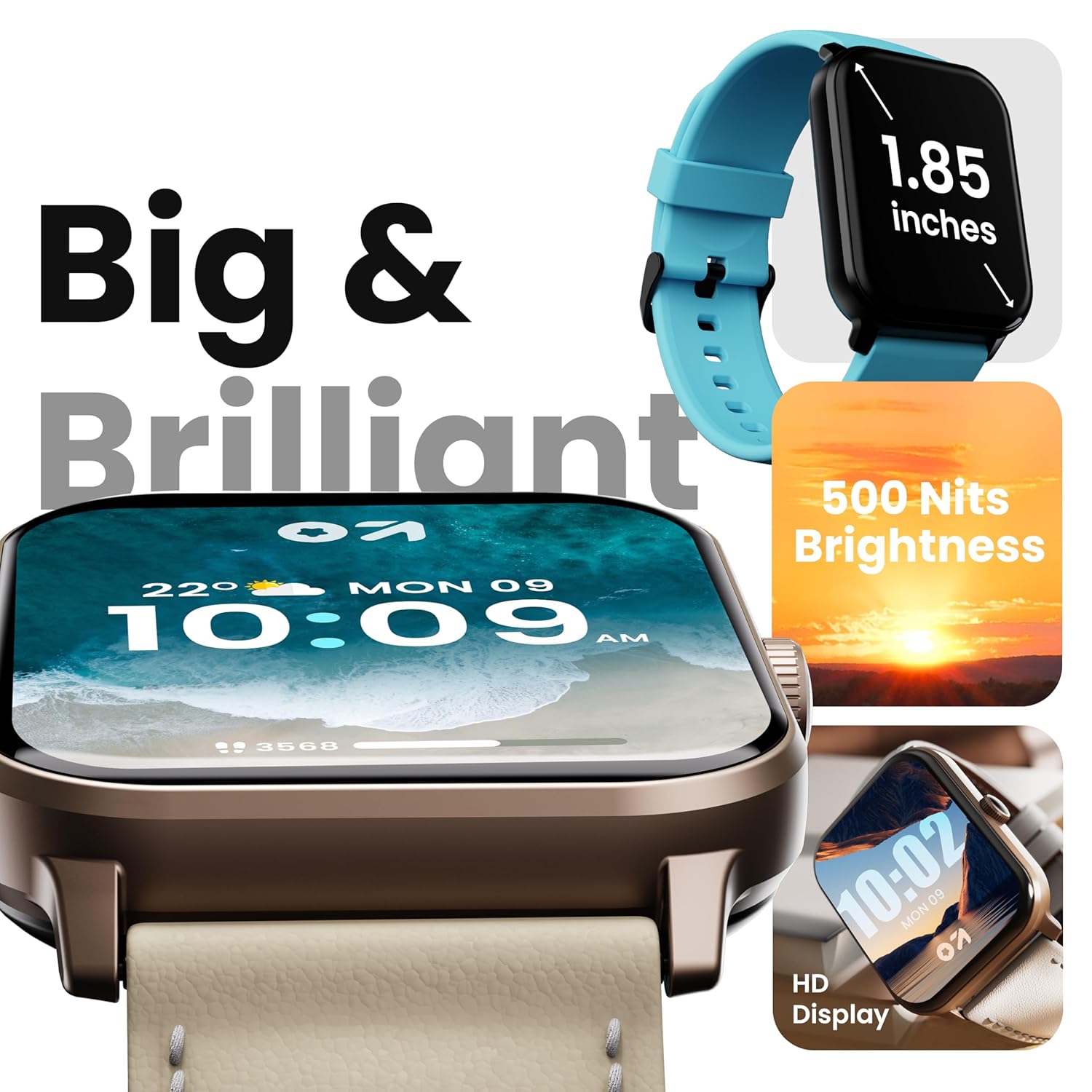
Image 4.1: High-definition display of the Drift+ Smart Watch.
4.2. ໂທ Bluetooth
The smart watch supports seamless Bluetooth calling with a built-in speaker and microphone. Once paired with your smartphone, you can answer, reject, or make calls directly from your wrist.
- ຮັບສາຍ: When an incoming call is received, tap the green icon on the watch screen.
- ໂທອອກ: Access the dial pad or contact list through the watch interface to initiate a call.

Image 4.2: Bluetooth calling feature in action.
4.3. ການຕິດຕາມສຸຂະພາບ
The Drift+ Smart Watch provides comprehensive health insights through various sensors:
- ການຕິດຕາມອັດຕາການເຕັ້ນຫົວໃຈ 24/7: ຕິດຕາມອັດຕາການເຕັ້ນຫົວໃຈຂອງທ່ານຢ່າງຕໍ່ເນື່ອງຕະຫຼອດມື້.
- SpO2 Blood Oxygen Tracking: ວັດແທກລະດັບຄວາມອີ່ມຕົວຂອງອົກຊີໃນເລືອດ.
- ການຕິດຕາມຄວາມດັນເລືອດ: ໃຫ້ການຄາດຄະເນຄວາມດັນເລືອດ.
- ການຕິດຕາມຮອບວຽນປະຈຳເດືອນຂອງຜູ້ຍິງ: Helps track and predict menstrual cycles.
- Drink Water Reminders: ກະຕຸ້ນໃຫ້ທ່ານດື່ມນໍ້າຢ່າງພຽງພໍ.
- ເຕືອນປະຈຳຕົວ: Encourages movement after periods of inactivity.
Note: Health monitoring data is for reference only and should not be used for medical diagnosis or treatment. Consult a medical professional for health-related concerns.

Image 4.3: Health monitoring features.
4.4. ຮູບແບບກິລາ
The watch offers over 100 sports modes to track various physical activities. Select your desired sport from the watch menu to record data such as steps, distance, calories burned, and duration.

Image 4.4: Tracking activity with sports modes.
4.5. Watch Faces and Customization
Personalize your watch with over 150 cloud-based watch faces. You can also create custom watch faces through the companion app to match your style.

Image 4.5: Watch face customization options.
4.6. Smart Notifications and AI Voice Assistant
Receive notifications from your favorite social applications and messages directly on your watch. The integrated AI voice assistant provides hands-free assistance for various tasks.
5. ບໍາລຸງຮັກສາ
5.1. ກັນນ້ຳ (IP68)
The GOBOULT Drift+ Smart Watch is IP68 water-resistant, meaning it is protected against dust and can withstand immersion in water up to 1.5 meters for up to 30 minutes. It is suitable for daily use, such as hand washing or light rain exposure. Avoid using it during swimming, diving, or in hot water/steam environments.

Image 5.1: IP68 water resistance.
5.2. ການທໍາຄວາມສະອາດແລະການດູແລ
ເພື່ອຮັກສາຮູບລັກສະນະ ແລະການເຮັດວຽກຂອງໂມງຂອງທ່ານ:
- ເຊັດໂມງແລະສາຍເປັນປະຈໍາດ້ວຍຜ້າອ່ອນ, ແຫ້ງ.
- ຖ້າຈໍາເປັນ, ໃຊ້ d ເລັກນ້ອຍamp cloth for cleaning, then dry thoroughly.
- ຫຼີກລ້ຽງການໃຊ້ສານເຄມີທີ່ຮຸນແຮງ, ເຄື່ອງຂັດຂັດ, ຫຼືສານລະລາຍ.
- ຮັກສາການສາກໄຟໃຫ້ສະອາດ ແລະແຫ້ງ.
5.3. ການຄຸ້ມຄອງຫມໍ້ໄຟ
The GOBOULT Drift+ offers extended battery life:
- Up to 7 days in regular usage mode.
- Up to 2-3 days with heavy Bluetooth calling.
- Up to 25 days in standby mode.
To optimize battery life, consider adjusting screen brightness, limiting background app refresh, and disabling unnecessary notifications.

Image 5.2: Battery life details.
6. ການແກ້ໄຂບັນຫາ
If you encounter issues with your GOBOULT Drift+ Smart Watch, refer to the following common solutions:
| ບັນຫາ | ການແກ້ໄຂທີ່ເປັນໄປໄດ້ |
|---|---|
| ໂມງບໍ່ເປີດ | ກວດໃຫ້ແນ່ໃຈວ່າໂມງຖືກສາກເຕັມແລ້ວ. ເຊື່ອມຕໍ່ມັນກັບເຄື່ອງສາກຢ່າງໜ້ອຍ 30 ນາທີ. |
| ບໍ່ສາມາດຈັບຄູ່ກັບສະມາດໂຟນໄດ້ | Ensure Bluetooth is enabled on your phone and watch. Restart both devices. Make sure the watch is within range of your phone. Check if the app is updated. |
| ຂໍ້ມູນສຸຂະພາບບໍ່ຖືກຕ້ອງ | ໃຫ້ແນ່ໃຈວ່າໂມງຖືກໃສ່ຢູ່ຂໍ້ມືຂອງທ່ານຢ່າງແໜ້ນໜາ, ບໍ່ແໜ້ນເກີນໄປ ຫຼື ວ່າງເກີນໄປ. ທຳຄວາມສະອາດເຊັນເຊີຢູ່ດ້ານຫຼັງຂອງໂມງ. ຫຼີກລ່ຽງການເຄື່ອນໄຫວຫຼາຍເກີນໄປໃນລະຫວ່າງການວັດແທກ. |
| ບໍ່ໄດ້ຮັບການແຈ້ງເຕືອນ | Check app permissions on your phone to ensure notifications are allowed. Verify that notifications are enabled within the GOBOULT app settings. Ensure the watch is connected via Bluetooth. |
| Bluetooth calling issues | Ensure the watch is properly connected for calls (sometimes a separate Bluetooth connection is needed for audio). Check volume settings on both watch and phone. |
7. ຂໍ້ມູນຈໍາເພາະ
| ຄຸນສົມບັດ | ລາຍລະອຽດ |
|---|---|
| ຍີ່ຫໍ້ | GOBOLT |
| ຊື່ຕົວແບບ | Drift+ |
| ໝາຍເລກຕົວແບບ | 8906133851347 |
| ຂະຫນາດຈໍສະແດງຜົນ | 1.85 ນິ້ວ |
| ຄວາມສະຫວ່າງ | 500 ນິດ |
| ການຕໍ່ຕ້ານນ້ໍາ | IP68 |
| ການເຊື່ອມຕໍ່ | Bluetooth 5.1 |
| ຄວາມເຂົ້າກັນໄດ້ຂອງລະບົບປະຕິບັດການ | iOS, Android |
| ປະເພດຫມໍ້ໄຟ | ລີໂທມໂພລີເມີ |
| ເວລາສາກແບັດເຕີຣີ | 2.5 ຊົ່ວໂມງ |
| ອາຍຸຫມໍ້ໄຟສະເລ່ຍ | 7 Days (normal usage) |
| ນ້ໍາຫນັກລາຍການ | 38 g |
| ອົງປະກອບລວມ | Smart Watch, Charging Cable, User Manual, Warranty Card |
8. ການຮັບປະກັນແລະການສະຫນັບສະຫນູນ
Your GOBOULT Drift+ Smart Watch comes with a standard manufacturer's warranty. Please refer to the included Warranty Card for specific terms, conditions, and duration of coverage. For technical support, service, or warranty claims, please contact GOBOULT customer service through the contact information provided on the warranty card or the official GOBOULT webເວັບໄຊ.
Manufacturer: Exotic Mile Private Limited, Boult Audio, B-67 Wazirpur Industrial Area, New Delhi 110052


