1. ບົດແນະນຳ
Welcome to the roborock S8 MaxV Ultra User Manual. This guide provides detailed instructions on how to set up, operate, maintain, and troubleshoot your new robot vacuum and sonic mop. Please read this manual thoroughly before using the product to ensure safe and optimal performance.
2. ຂໍ້ມູນຄວາມປອດໄພ
ໃຫ້ປະຕິບັດຕາມຂໍ້ຄວນລະວັງດ້ານຄວາມປອດໄພຕໍ່ໄປນີ້ສະເໝີເພື່ອປ້ອງກັນການບາດເຈັບ ຫຼື ຄວາມເສຍຫາຍຕໍ່ຜະລິດຕະພັນ:
- Do not allow children to operate the robot.
- ໃຫ້ແນ່ໃຈວ່າສາຍໄຟບໍ່ເສຍຫາຍ ແລະ ໄດ້ເຊື່ອມຕໍ່ຢ່າງຖືກຕ້ອງ.
- ຮັກສາຜົມ, ເຄື່ອງນຸ່ງວ່າງ, ນິ້ວມື, ແລະທຸກສ່ວນຂອງຮ່າງກາຍໃຫ້ຫ່າງຈາກຊ່ອງເປີດ ແລະພາກສ່ວນທີ່ເຄື່ອນຍ້າຍ.
- ຫ້າມໃຊ້ຫຸ່ນຍົນເພື່ອເກັບເອົາວັດຖຸໃຫຍ່, ຂອງມີຄົມ, ຫຼືວັດຖຸທີ່ເຜົາໄໝ້/ສູບຢາ.
- Only use the official roborock charging dock and accessories.
- Do not expose the robot or dock to water or moisture.
3. ຜະລິດຕະພັນເກີນview
The roborock S8 MaxV Ultra is an advanced robot vacuum and sonic mop designed for comprehensive floor cleaning. It features an all-in-one dock for automated maintenance and powerful cleaning capabilities.

Figure 3.1: The roborock S8 MaxV Ultra robot vacuum and its accompanying RockDock Ultra, shown with a smartphone and smartwatch displaying the control app.

ຮູບ 3.2: ເກີນview of the 8-in-1 RockDock Ultra, highlighting features such as Intelligent Dirt Detection, Auto Detergent Dispenser, Heated Air Drying, Hot Water Mop Washing, Auto Dust Emptying, Dock Self-cleaning, Auto Tank Refilling, and 30% Faster Charging & Off-Peak Charging.
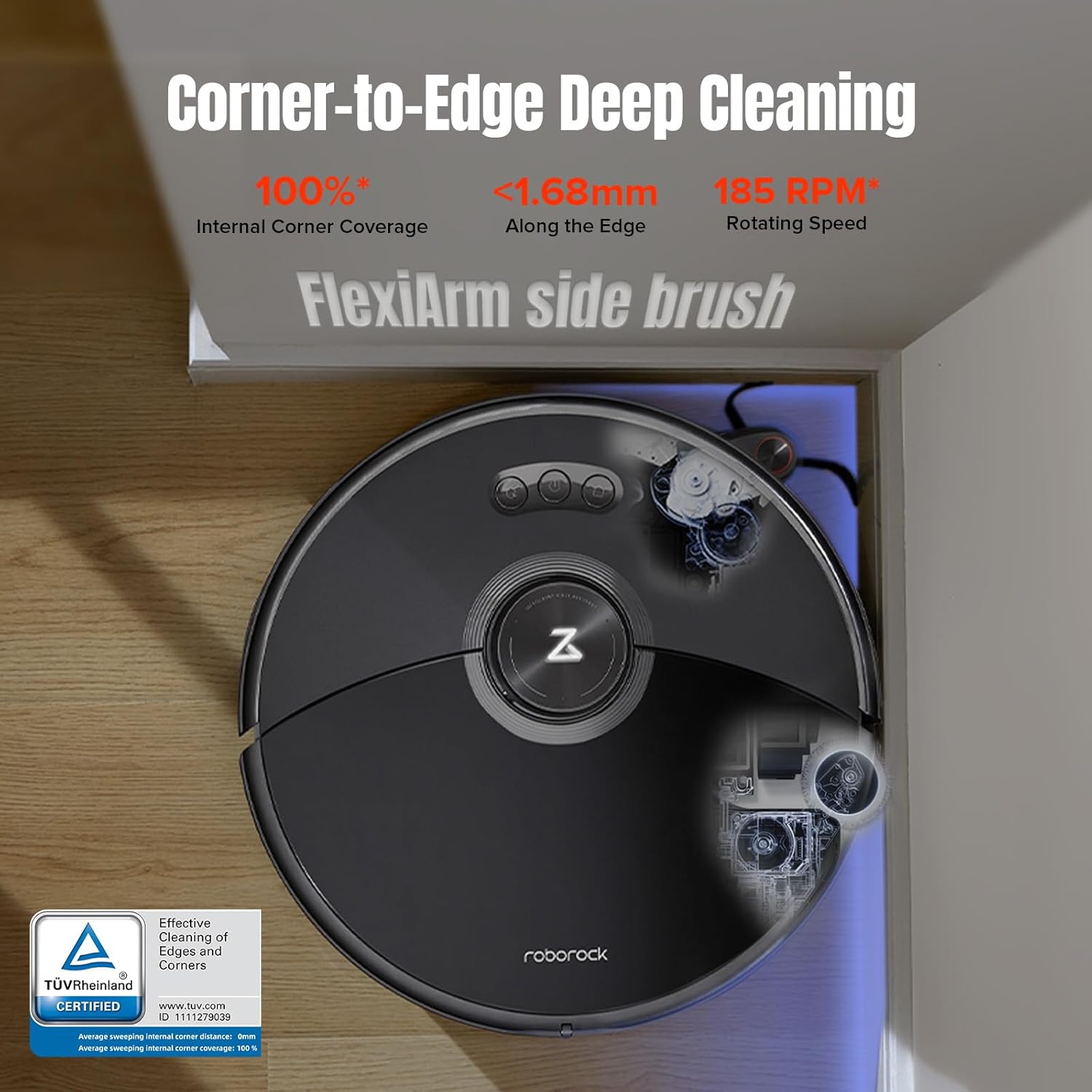
Figure 3.3: The robot demonstrating its Corner-to-Edge Deep Cleaning capability, featuring the FlexiArm side brush for 100% internal corner coverage and cleaning within 1.68mm of edges at 185 RPM.
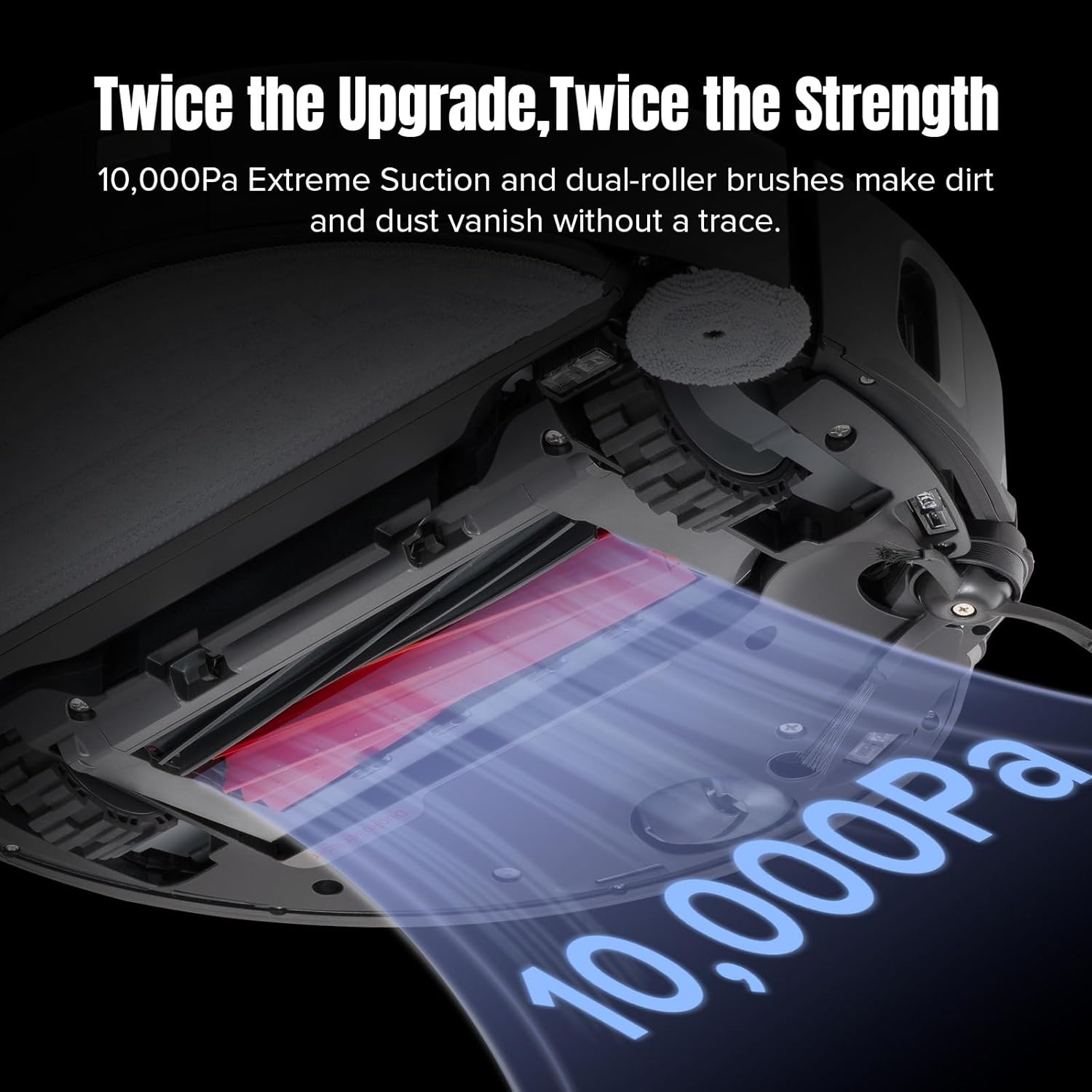
Figure 3.4: Illustration of the robot's powerful 10,000Pa extreme suction and dual-roller brushes, designed for effective dirt and dust removal.
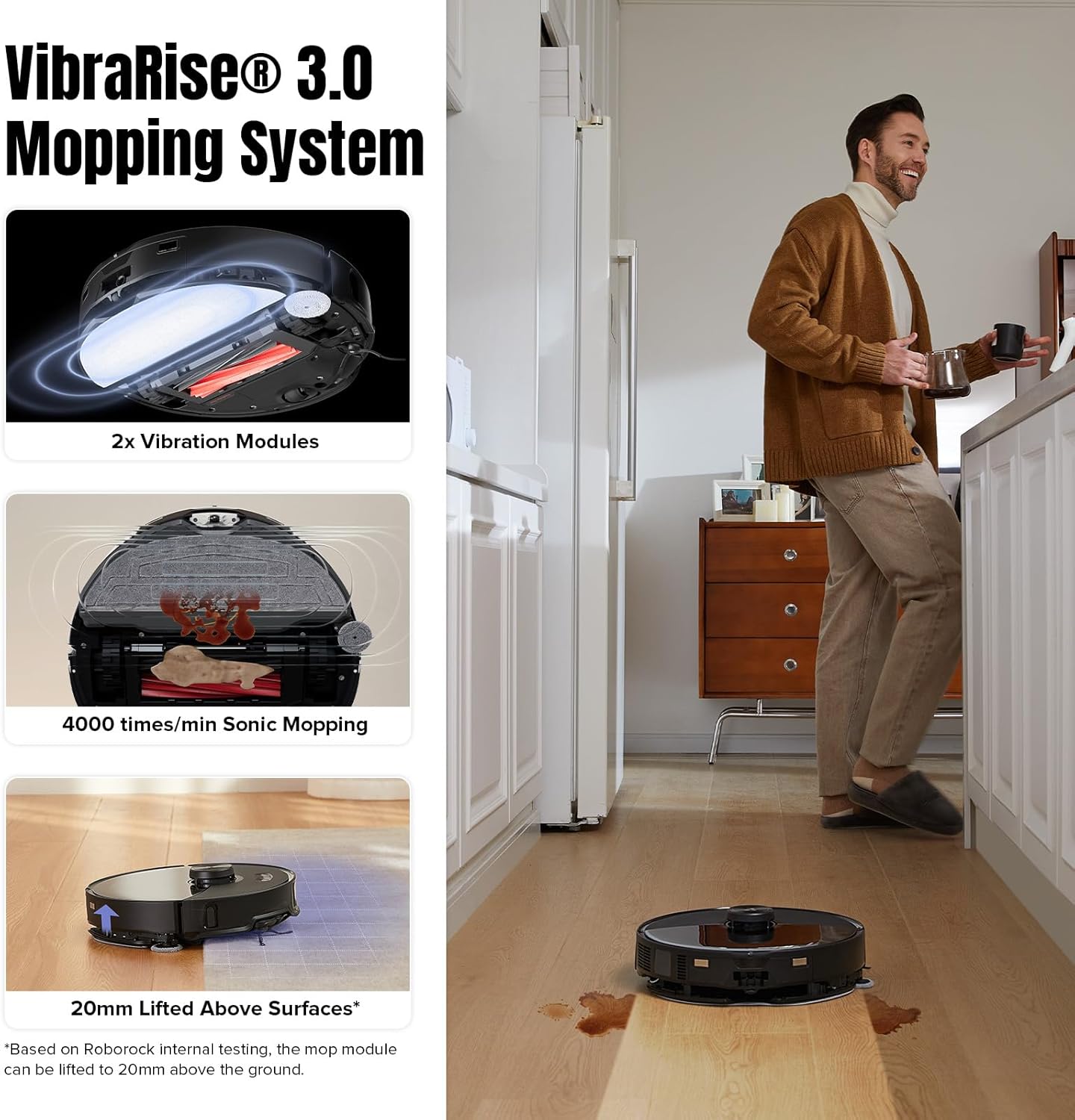
Figure 3.5: Details of the VibraRise 3.0 Mopping System, showing its 2x vibration modules, 4000 times/min sonic mopping, and 20mm lifted mop capability for carpet avoidance.

Figure 3.6: The robot's Reactive AI 2.0 Obstacle Recognition system, identifying objects like shoes and slippers, and its smart navigation capabilities including Quick Mapping, 3D Map Display, and Multi-level Mapping System.
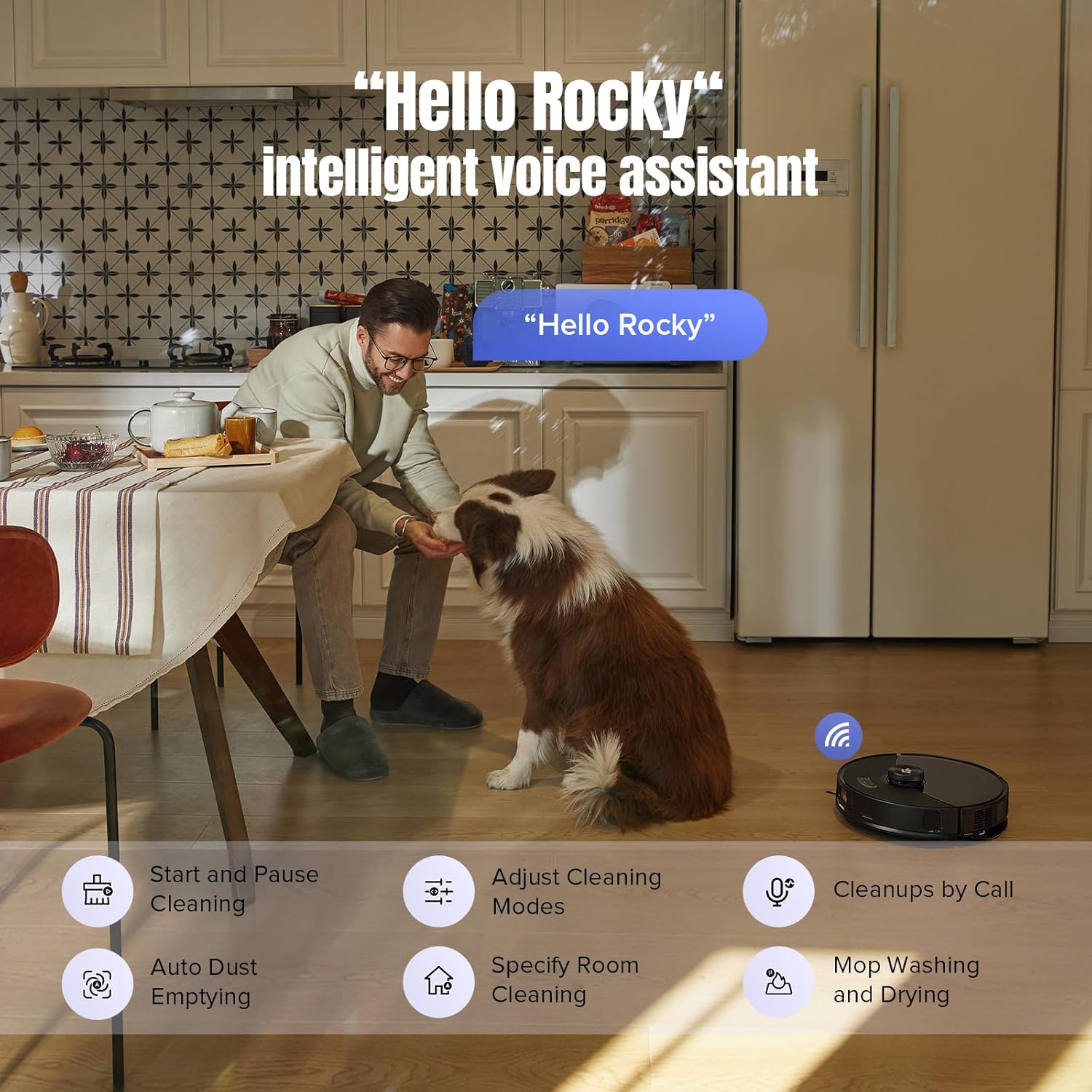
Figure 3.7: The 'Hello Rocky' intelligent voice assistant feature, allowing users to control the robot with voice commands for tasks like starting cleaning, adjusting modes, and initiating mop washing.
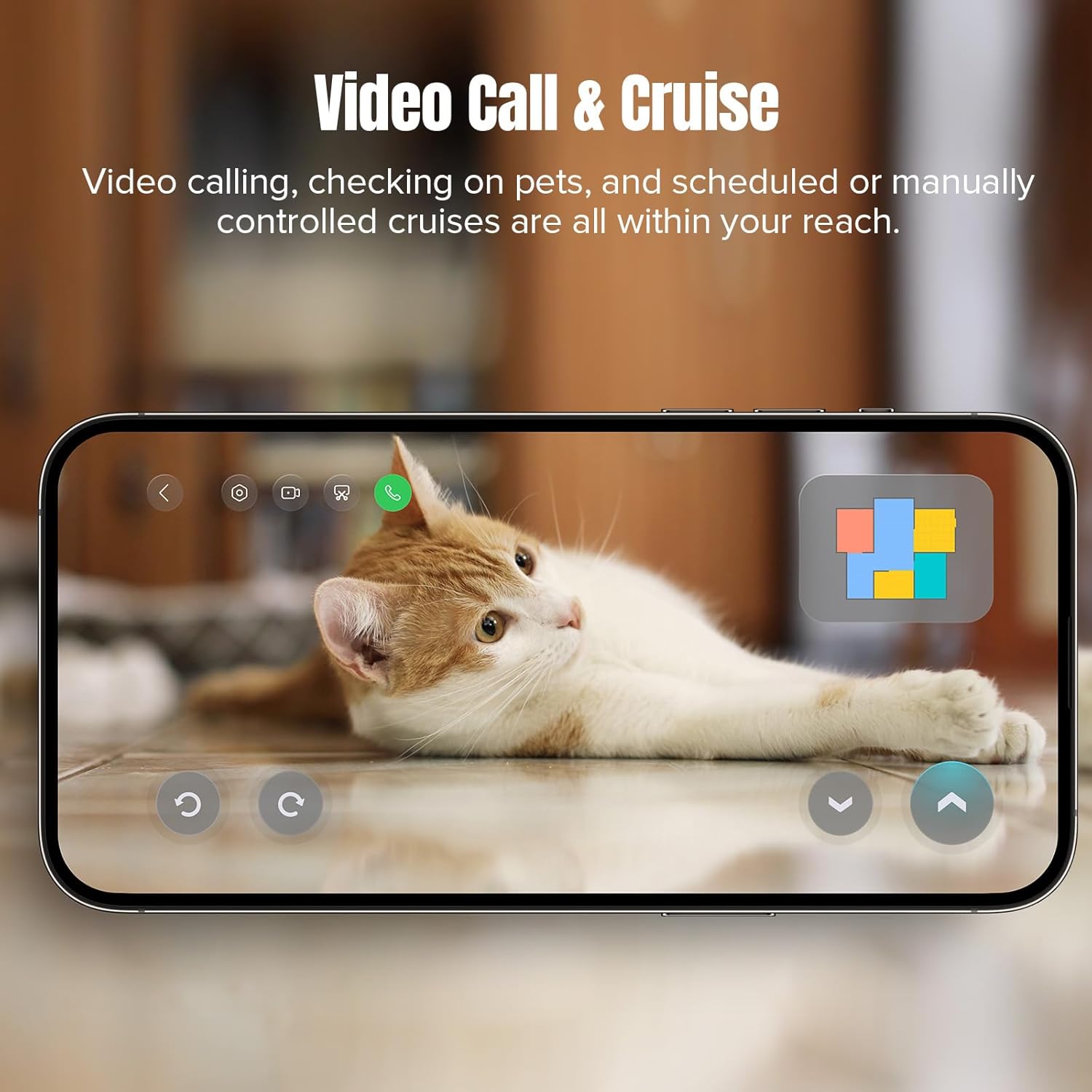
Figure 3.8: The Video Call & Cruise feature, enabling users to remotely check on pets and schedule or manually control cruises through the robot's integrated camera.
ຄຸນນະສົມບັດທີ່ສໍາຄັນ:
- All-in-One Dock: Features automatic emptying, hot water mop washing and drying, intelligent dirt detection, self-refilling, detergent dispensing, fast charging, and off-peak charging.
- Unmatched Vacuuming Performance: 10,000 Pa suction power and dual-roller design for deep cleaning and reduced hair tangles.
- Corner to Edge Cleaning: FlexiArm Design Side Brush and liftable Extra Edge Mop for thorough cleaning along edges and in tight spots.
- VibraRise 3.0 Sonic Mopping System: Double vibration modules for 4000 times per minute scrubbing, tackling stubborn stains, with mop lifting up to 20mm for carpet protection.
- ການກວດຫາຝຸ່ນອັດສະລິຍະ: System monitors mop dirtiness and re-mops dirty areas for optimal cleanliness.
- Reactive AI 2.0 Obstacle Recognition and PreciSense LiDAR Navigation: Advanced 3D structured light and RGB camera identify up to 73 objects, ensuring efficient navigation and obstacle avoidance.
- ຜູ້ຊ່ວຍສຽງອັດສະລິຍະໃນຕົວ: "Hello Rocky" feature allows hands-free control and task initiation.
- ຄຸນສົມບັດທີ່ເປັນມິດກັບສັດລ້ຽງ: Video Call for checking on pets, Pet Snaps for capturing moments, and a 'Find your pets' function via the app.
4. ຕັ້ງຄ່າ
- Unboxing ແລະການຈັດວາງ: Carefully remove all components from the packaging. Place the RockDock Ultra on a hard, level surface against a wall, ensuring at least 0.5 meters of clear space on both sides and 1.5 meters in front.
- ເຊື່ອມຕໍ່ພະລັງງານ: Plug the power cord into the dock and then into a wall outlet. Ensure the dock is powered on.
- Install Robot: Place the robot onto the dock. It will automatically begin charging.
- Fill Water Tanks and Detergent Dispenser: Open the clean water tank and fill it with clean tap water. Fill the detergent dispenser with roborock brand detergent.
- ດາວໂຫຼດ ແລະ ເຊື່ອມຕໍ່ແອັບ: Download the roborock app from your device's app store. Follow the in-app instructions to connect your robot to your Wi-Fi network and complete the initial mapping of your home.
5. ຄໍາແນະນໍາການດໍາເນີນງານ
Your roborock S8 MaxV Ultra can be controlled via the physical buttons on the robot, the mobile app, or voice commands.
5.1. ການເລີ່ມຕົ້ນຮອບວຽນທໍາຄວາມສະອາດ
- ຜ່ານຫຸ່ນຍົນ: Press the Power button once to start a full cleaning cycle.
- ຜ່ານ App: Open the roborock app, select your robot, and tap 'Clean'. You can also set specific rooms or zones to clean.
- Via Voice: Say "Hello Rocky, start cleaning."
5.2. ຮູບແບບການທໍາຄວາມສະອາດ
The robot supports various cleaning modes, including Vacuum Only, Mop Only, and Vacuum & Mop. These can be adjusted in the roborock app.
5.3. Advanced App Features
- ການຄຸ້ມຄອງແຜນທີ່: Create and manage multiple maps, set no-go zones, virtual walls, and invisible mop zones.
- ກຳນົດເວລາ: ກໍານົດຕາຕະລາງທໍາຄວາມສະອາດປະຈໍາວັນຫຼືອາທິດ.
- ການທຳຄວາມສະອາດແບບກຳນົດເອງ: Adjust suction power, mop intensity, and cleaning sequence for different rooms.
- Video Call & Cruise: Use the robot's camera for remote monitoring or two-way communication.
6. ບໍາລຸງຮັກສາ
Regular maintenance ensures the longevity and optimal performance of your roborock S8 MaxV Ultra.
6.1. ຖັງຂີ້ເຫຍື້ອ ແລະເຄື່ອງກອງ
- ຫວ່າງ: The dock automatically empties the robot's dustbin. Replace the disposable dust bag in the dock approximately every 7 weeks, or when indicated by the app.
- ທໍາຄວາມສະອາດການກັ່ນຕອງ: ການກັ່ນຕອງທີ່ສາມາດລ້າງໄດ້ຢູ່ໃນຖັງຂີ້ຝຸ່ນຂອງຫຸ່ນຍົນຄວນຈະຖືກລ້າງດ້ວຍນ້ໍາທຸກໆສອງອາທິດແລະແຫ້ງແລ້ງໃຫ້ແຫ້ງຫມົດກ່ອນທີ່ຈະຕິດຕັ້ງໃຫມ່.
6.2. Brushes and Mop Pads
- ແປງຫຼັກ: Remove and clean the main brush weekly. Use the cleaning tool to remove tangled hair.
- ແປງດ້ານຂ້າງ: Check the side brush monthly for debris and ensure it rotates freely.
- Mop Pads: The dock automatically washes and dries the mop pads. For deeper cleaning, remove and hand wash the mop pads as needed.
6.3. Water Tanks and Dock
- ຖັງນໍ້າສະອາດ: Refill as needed. Clean the tank periodically to prevent buildup.
- ຖັງນ້ໍາເປື້ອນ: Empty the dirty water tank in the dock weekly or when full. Rinse it thoroughly.
- Dock Self-cleaning: The dock has a self-cleaning function for its base. Periodically wipe down the dock's exterior and charging contacts.
7. ການແກ້ໄຂບັນຫາ
If you encounter issues with your roborock S8 MaxV Ultra, refer to the following common problems and solutions:
| ບັນຫາ | ສາເຫດທີ່ເປັນໄປໄດ້ | ການແກ້ໄຂ |
|---|---|---|
| ຫຸ່ນຍົນບໍ່ໄດ້ສາກໄຟ | Charging contacts dirty; Power cord disconnected | Clean charging contacts on robot and dock; Ensure power cord is securely plugged in. |
| ປະສິດທິພາບທໍາຄວາມສະອາດບໍ່ດີ | ຖັງຂີ້ເຫຍື້ອເຕັມ; ແປງ tangled; ການກັ່ນຕອງອຸດຕັນ | Empty dustbin/replace dust bag; Clean main and side brushes; Clean or replace filter. |
| ຫຸ່ນຍົນຕິດຢູ່ເລື້ອຍໆ | Obstacles in path; Dark surfaces/cliffs | Clear obstacles; Use no-go zones in app for problem areas. |
| ບັນຫາການເຊື່ອມຕໍ່ແອັບ | Weak Wi-Fi signal; Incorrect Wi-Fi password | Ensure strong Wi-Fi signal; Re-enter Wi-Fi password in app; Restart router and robot. |
| Mop ບໍ່ເຮັດຄວາມສະອາດຢ່າງມີປະສິດທິພາບ | Mop pads dirty/worn; Water tank empty | Clean or replace mop pads; Refill clean water tank. |
For more detailed troubleshooting or issues not listed here, please refer to the official roborock support resources.
8. ຂໍ້ມູນຈໍາເພາະ
| ຄຸນສົມບັດ | ລາຍລະອຽດ |
|---|---|
| ຍີ່ຫໍ້ | ໂຣໂບຣັອກ |
| ຊື່ຕົວແບບ | S8 MaxV Ultra |
| ພະລັງງານດູດ | 10,000 ປ |
| ຊີວິດຫມໍ້ໄຟ | 180 ນາທີ |
| ຂະໜາດສິນຄ້າ | 16.1"L x 17.56"W x 18.5"H |
| ນ້ໍາຫນັກລາຍການ | 29.1 ປອນ |
| ປະເພດການກັ່ນຕອງ | ການກັ່ນຕອງລ້າງໄດ້ |
| ວິທີການຄວບຄຸມ | Push Button, App Control, Voice Control |
| ອຸປະກອນທີ່ເຂົ້າກັນໄດ້ | Amazon Echo, Google Home, Siri, Smartphones, Smartwatches |
9. ການຮັບປະກັນແລະການສະຫນັບສະຫນູນ
Your roborock S8 MaxV Ultra comes with a manufacturer's warranty. Please refer to the warranty card included in your product packaging for specific terms and conditions. For technical support, service, or to purchase genuine replacement parts, please visit the official roborock webເວັບໄຊ ຫຼືຕິດຕໍ່ບໍລິການລູກຄ້າຂອງເຂົາເຈົ້າ.
ນອກນັ້ນທ່ານຍັງສາມາດຊອກຫາຄູ່ມືຜູ້ໃຊ້ທີ່ເປັນທາງການ PDF ທີ່ນີ້.


