ແນະນຳ
Thank you for choosing UrbanX True Wireless Bluetooth Earbuds. This manual provides detailed instructions to help you set up, operate, and maintain your earbuds for an optimal audio experience. Please read this manual carefully before use and retain it for future reference.
ແມ່ນຫຍັງຢູ່ໃນກ່ອງ
- UrbanX True Wireless Earbuds (Left and Right)
- Portable Charging Case with Built-in USB Cable
- Three Sets of Gel Ear Tips (Small, Medium, Large)
ສິນຄ້າເກີນview
The UrbanX YYK-590 earbuds are designed for comfort and high-quality audio. They feature a compact, lightweight design and advanced Bluetooth 5.2 technology for stable connectivity. The charging case provides extended battery life, and the earbuds offer intuitive touch controls.
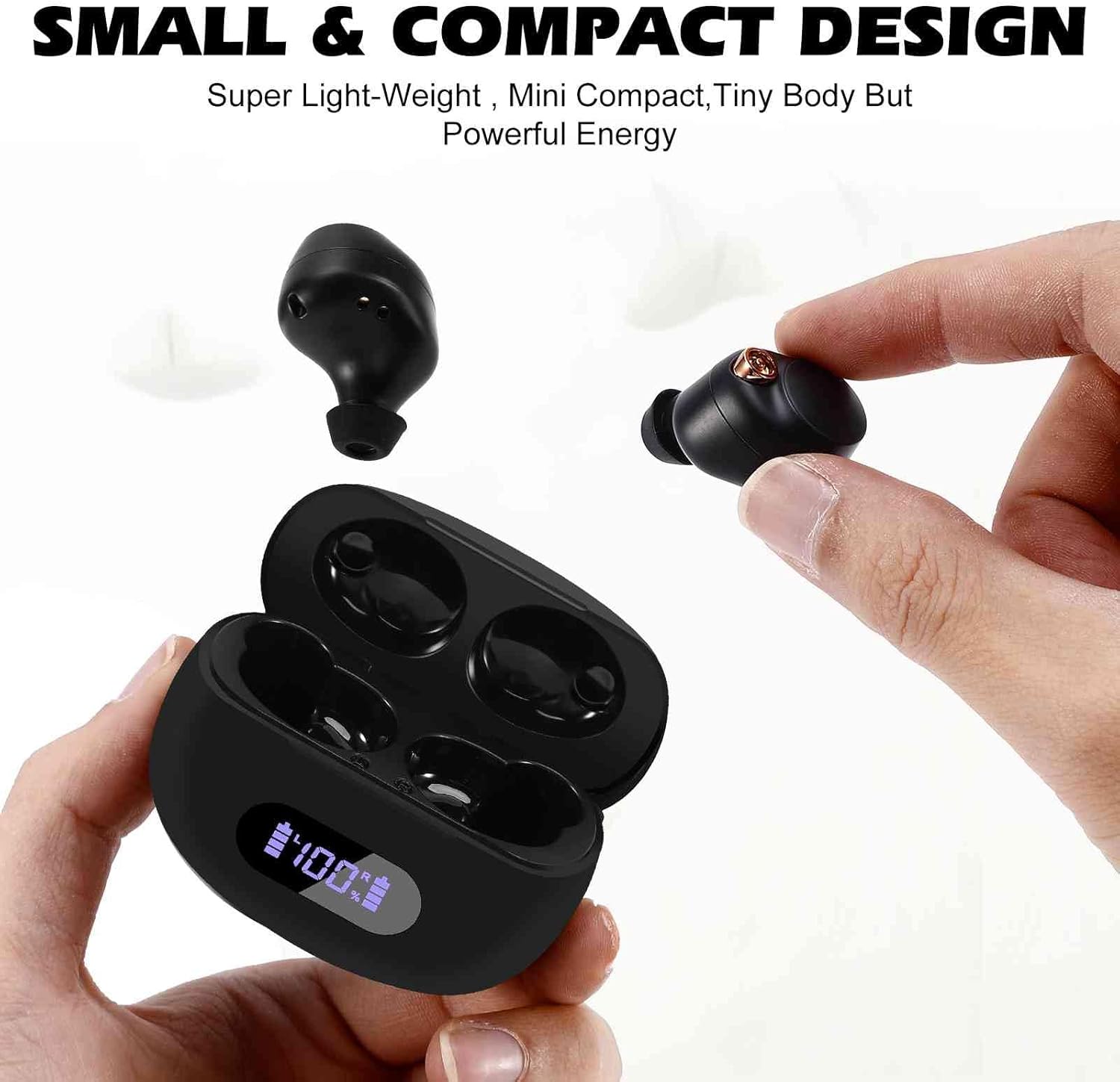
Image: UrbanX True Wireless Earbuds and Charging Case. This image displays the earbuds resting in their charging case, highlighting their compact and ergonomic design.

Image: Small and Compact Design of UrbanX Earbuds. This image illustrates the small size of the earbuds, with one being held between fingers, emphasizing their lightweight and mini compact form factor.
ຕັ້ງຄ່າ
1. ການສາກຫູຟັງ ແລະ ເຄສ
- ກ່ອນທີ່ຈະໃຊ້ຄັ້ງທຳອິດ, ໃຫ້ສາກຫູຟັງຫູຟັງ ແລະ ກ່ອງສາກໃຫ້ເຕັມ.
- ວາງຫູຟັງໃສ່ກະເປົ໋າສາກໄຟ. ໃຫ້ແນ່ໃຈວ່າພວກເຂົານັ່ງຢ່າງຖືກຕ້ອງ.
- Connect the integrated USB cable from the charging case to a USB power source.
- The indicator lights on the case will show charging status. A full charge provides over 32 hours of total playtime (8+ hours per earbud plus 24+ hours from the case).
2. Pairing with Your Device (One-Step Pair)

Image: UrbanX Earbuds One-Step Pairing Process. This image demonstrates how to pair the earbuds, showing the earbuds in their case and a smartphone's Bluetooth settings screen with "YYK-590" available for connection.
- ເປີດກ່ອງສາກ ແລະຖອດຫູຟັງທັງສອງຂ້າງອອກ. ພວກເຂົາຈະເຂົ້າສູ່ໂໝດຈັບຄູ່ໂດຍອັດຕະໂນມັດ.
- ໃນອຸປະກອນຂອງທ່ານ (ໂທລະສັບສະຫຼາດ, ແທັບເລັດ, ແລະອື່ນໆ), ໄປທີ່ການຕັ້ງຄ່າ Bluetooth.
- ຊອກຫາ available devices and select "YYK-590" from the list.
- ເມື່ອເຊື່ອມຕໍ່ແລ້ວ, ທ່ານຈະໄດ້ຍິນສຽງຢືນຢັນ, ແລະຫູຟັງເອຍບັດຈະພ້ອມໃຫ້ໃຊ້.
3. ໃສ່ຫູຟັງ
- Choose the gel ear tips that provide the most comfortable and secure fit for your ears.
- Insert the earbuds into your ear canals and gently twist them to ensure a snug seal. This optimizes sound quality and comfort.
ຄໍາແນະນໍາການດໍາເນີນງານ
ແຕະການຄວບຄຸມ
The UrbanX YYK-590 earbuds feature intuitive touch controls on each earbud. Specific functions may vary slightly by device, but common controls include:
- ຫຼິ້ນ/ຢຸດ: ແຕະເທື່ອດຽວໃສ່ຫູຟັງຫູຟັງ.
- ເພງຕໍ່ໄປ: ແຕະສອງເທື່ອໃສ່ຫູຟັງເບື້ອງຂວາ.
- ຕິດຕາມກ່ອນ ໜ້າ ນີ້: ແຕະສອງເທື່ອໃສ່ຫູຟັງທາງຊ້າຍ.
- ຮັບ/ສາຍໂທ: ແຕະເທື່ອດຽວໃສ່ຫູຟັງຫູຟັງລະຫວ່າງສາຍໂທເຂົ້າ.
- ປະຕິເສດການໂທ: ກົດຫູຟັງອັນໃດອັນໜຶ່ງຄ້າງໄວ້ 2 ວິນາທີໃນລະຫວ່າງສາຍໂທເຂົ້າ.
- ກະຕຸ້ນຜູ້ຊ່ວຍສຽງ: ແຕະສາມເທື່ອໃສ່ຫູຟັງຫູຟັງ.
Dual Connect Technology
The earbuds support Dual Connect, allowing you to use either the left or right earbud independently. Simply remove one earbud from the case to use it in mono mode. To switch back to stereo, remove the second earbud.
ໂທອອກ ແລະຮັບສາຍ
Each earbud is equipped with a high-quality MEMS microphone for clear call quality. Use the touch controls to manage your calls as described above.
ການຕໍ່ຕ້ານນ້ໍາ

Image: UrbanX Earbuds IPX5 Water Resistance. This image shows the earbuds being exposed to water, demonstrating their water-resistant capabilities.
The UrbanX YYK-590 earbuds feature an IPX5 water resistance rating, making them resistant to sweat and light splashes of water. They are suitable for workouts and outdoor activities. Do not submerge the earbuds in water.
ບໍາລຸງຮັກສາ
- ທໍາຄວາມສະອາດ: ອະນາໄມຫູຟັງຫູຟັງ ແລະກະເປົ໋າສາກໄຟເປັນປະຈຳດ້ວຍຜ້າແພທີ່ອ່ອນ, ແຫ້ງ, ບໍ່ມີສານຂັດ. ຢ່າໃຊ້ສານເຄມີທີ່ຮຸນແຮງຫຼືວັດສະດຸຂັດ.
- ເຄັດລັບຫູ: ເອົາອອກແລະທໍາຄວາມສະອາດປາຍຫູເປັນໄລຍະດ້ວຍນ້ໍາແລະສະບູອ່ອນ, ຫຼັງຈາກນັ້ນເຊັດໃຫ້ແຫ້ງກ່ອນທີ່ຈະເຊື່ອມຕໍ່.
- ການເກັບຮັກສາ: ເມື່ອບໍ່ໄດ້ໃຊ້, ໃຫ້ເກັບຫູຟັງເອຍບັດໃສ່ໃນກະເປົ໋າສາກໄຟເພື່ອປົກປ້ອງພວກມັນ ແລະ ສືບຕໍ່ສາກໄຟ. ເກັບຮັກສາໄວ້ໃນບ່ອນທີ່ເຢັນ, ແຫ້ງ, ຫ່າງຈາກອຸນຫະພູມທີ່ສຸດ.
ການແກ້ໄຂບັນຫາ
- ຫູຟັງບໍ່ຈັບຄູ່: Ensure both earbuds are charged. Place them back in the case, close the lid, then open it again and try re-pairing. Check your device's Bluetooth settings to ensure it's discoverable.
- ຫູຟັງຫູຟັງອັນດຽວທີ່ເຮັດວຽກ: Place both earbuds back in the charging case, close the lid, then open it again. Ensure both earbuds are removed simultaneously. If the issue persists, try resetting the earbuds (refer to manufacturer's support for specific reset instructions if needed).
- ບໍ່ມີສຽງ: Check the volume level on your connected device. Ensure the earbuds are properly paired and connected.
- ບັນຫາການສາກໄຟ: ໃຫ້ແນ່ໃຈວ່າສາຍສາກໄດ້ເຊື່ອມຕໍ່ຢ່າງປອດໄພກັບທັງກໍລະນີ ແລະແຫຼ່ງພະລັງງານ. ກວດເບິ່ງວ່າມີສິ່ງເສດເຫຼືອໃດໆຢູ່ໃນພອດສາກໄຟ.
ຂໍ້ມູນຈໍາເພາະ
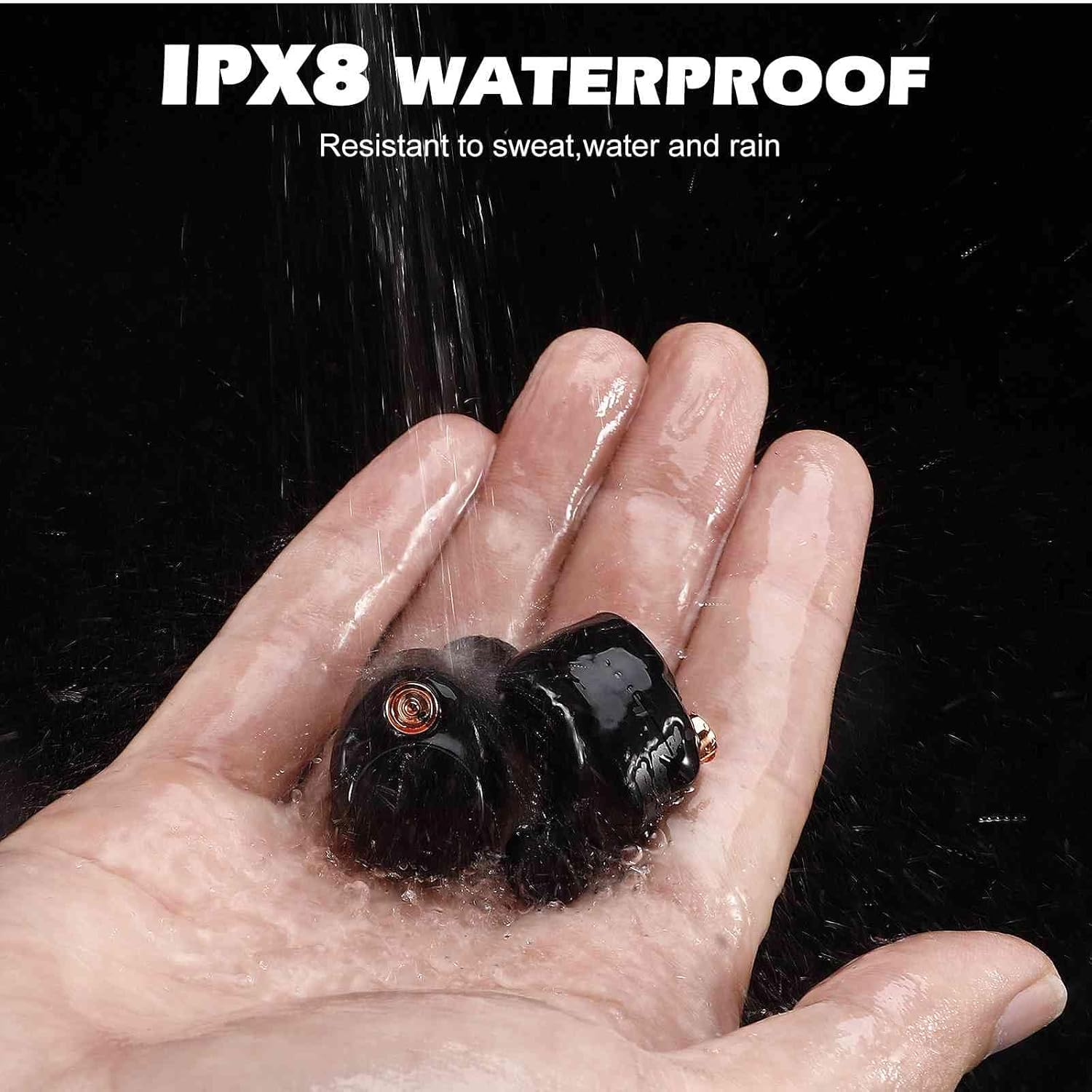
Image: UrbanX Earbuds Internal Components and Bluetooth 5.2 Chip. This image provides an exploded view of an earbud, highlighting the biological fiber composite diaphragm, 6.1 mm dynamic full frequency driver, and the Bluetooth 5.2 low power chip.
| ຄຸນສົມບັດ | ລາຍລະອຽດ |
|---|---|
| ໝາຍເລກຕົວແບບ | YYK-590 |
| ເຕັກໂນໂລຊີການເຊື່ອມຕໍ່ | ໄຮ້ສາຍ (Bluetooth 5.2) |
| ການຕໍ່ຕ້ານນ້ໍາ | IPX5 |
| ເວລາຫຼິ້ນ (ຫູຟັງ) | 8+ ຊົ່ວໂມງ |
| ເວລາຫຼິ້ນທັງໝົດ (ພ້ອມກໍລະນີ) | 32+ ຊົ່ວໂມງ |
| ປະເພດການຄວບຄຸມ | ແຕະ |
| ໄມໂຄຣໂຟນ | Integrated MEMS Microphone |
| ການຈັດວາງຫູ | ໃນຫູ |
| ນ້ໍາຫນັກລາຍການ | 1 ອອນ |
| ຂະໜາດສິນຄ້າ | 0.98 x 1.6 x 2.42 ນິ້ວ |
| impedance | 32 ໂອມ |
| ການຄວບຄຸມສິ່ງລົບກວນ | Active Noise Cancellation |
ຮັບປະກັນ
UrbanX provides a One-Year Warranty for the YYK-590 True Wireless Bluetooth Earbuds from the date of purchase. This warranty covers manufacturing defects. Please retain your proof of purchase for warranty claims. The warranty does not cover damage caused by misuse, accidents, unauthorized modifications, or normal wear and tear.
ສະຫນັບສະຫນູນ
For further assistance, troubleshooting, or warranty inquiries, please contact UrbanX customer support. Refer to the contact information provided with your product packaging or visit the official UrbanX webເວັບໄຊສໍາລັບລາຍລະອຽດສະຫນັບສະຫນູນ.


