Model: Omega S
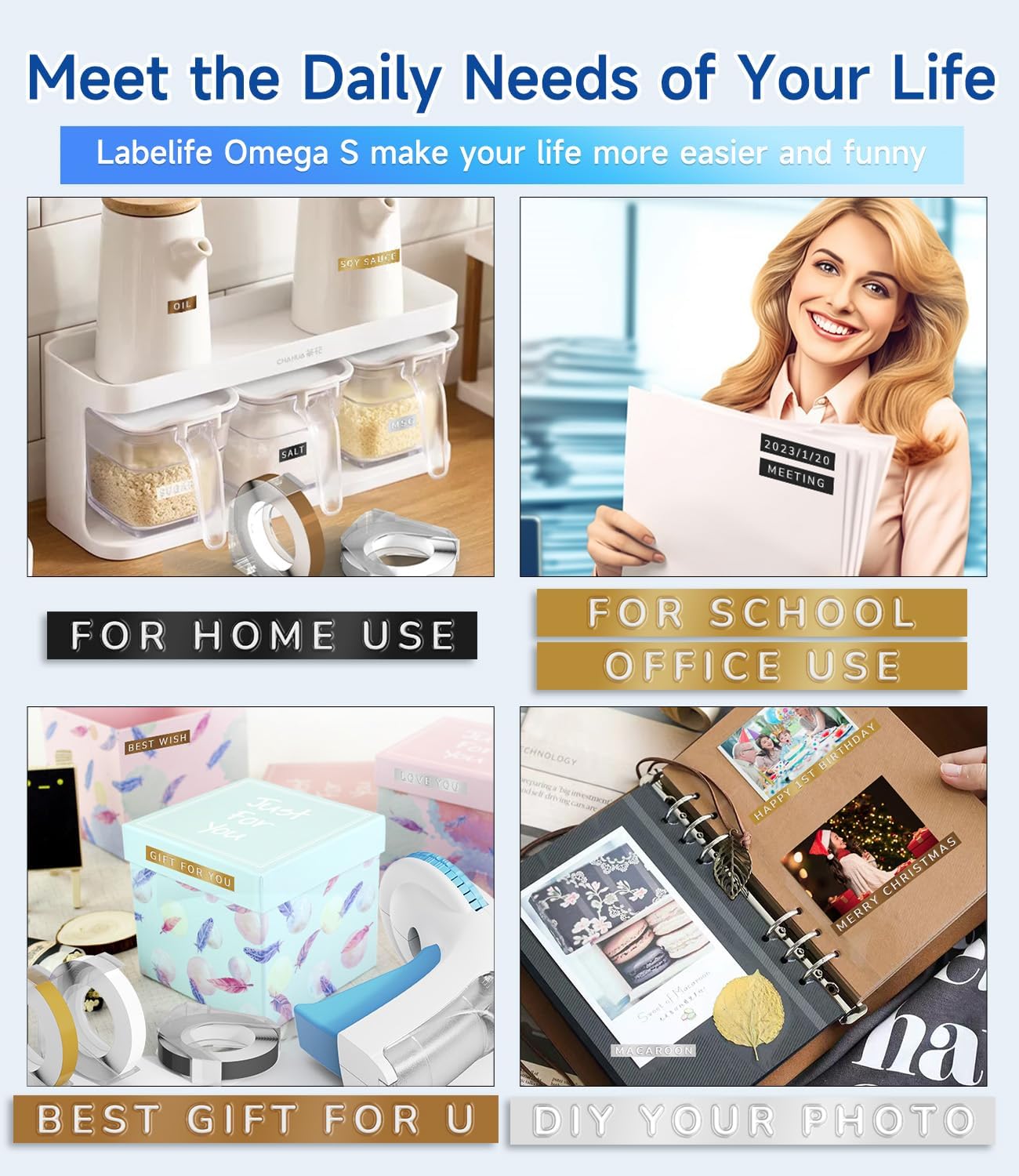
This manual provides detailed instructions for the safe and effective use of your Labelife Omega S Embossing Label Maker. Please read this manual thoroughly before operating the device to ensure proper function and longevity. This label maker is designed for creating embossed labels for various organizational and crafting needs without the use of batteries or ink.
ກວດສອບວ່າລາຍການທັງຫມົດທີ່ລະບຸໄວ້ຂ້າງລຸ່ມນີ້ແມ່ນລວມຢູ່ໃນຊຸດຂອງທ່ານ:

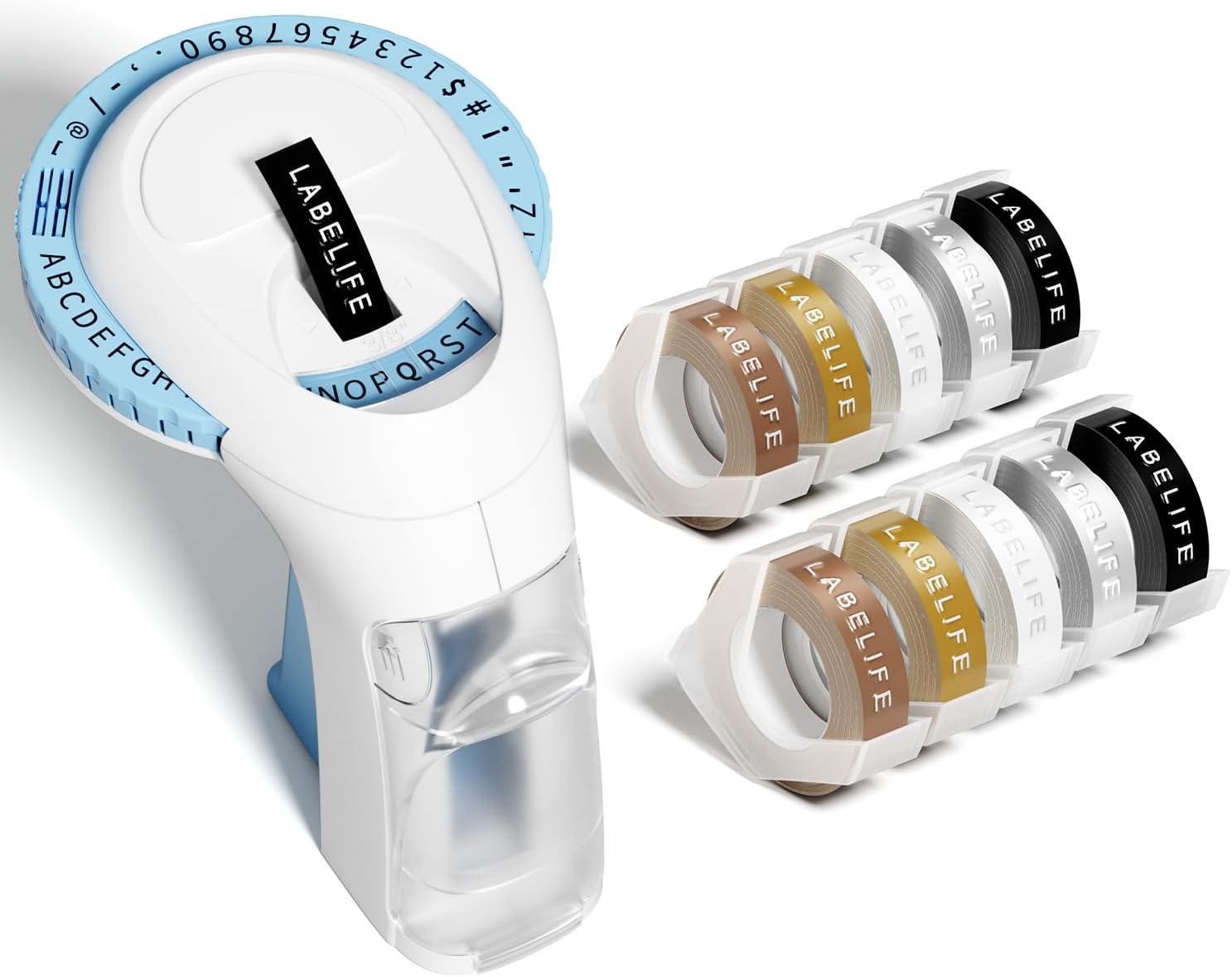
Image: The package contents, including the blue label maker, ten rolls of 9mm embossing tape in various colors, and a user manual.

Image: The label maker's character dial, highlighting the 48 available characters (A-Z, 0-9, and symbols) and the "Turn-and-Click" system.

Image: Visual representation of the label tapes' properties, including easy peeling, 3D effect, water resistance, abrasion resistance, and strong adhesive.
| ຍີ່ຫໍ້ | Labelife |
| ຊື່ຕົວແບບ | Omega S Embossing Label Maker |
| ເຕັກໂນໂລຊີການພິມ | ໂບມ |
| ເຕັກໂນໂລຊີການເຊື່ອມຕໍ່ | ຄູ່ມື |
| ຂະໜາດມີເດຍສູງສຸດ | 9mm (3/8" Inches) |
| ປະເພດຫມຶກເຄື່ອງພິມ | ບໍ່ຈໍາເປັນຕ້ອງມີຫມຶກ |
| ຂະໜາດສິນຄ້າ | 4.96 x 3.62 x 4.64 ນິ້ວ (D x W x H) |
| ນ້ໍາຫນັກລາຍການ | 11.3 ອອນ |

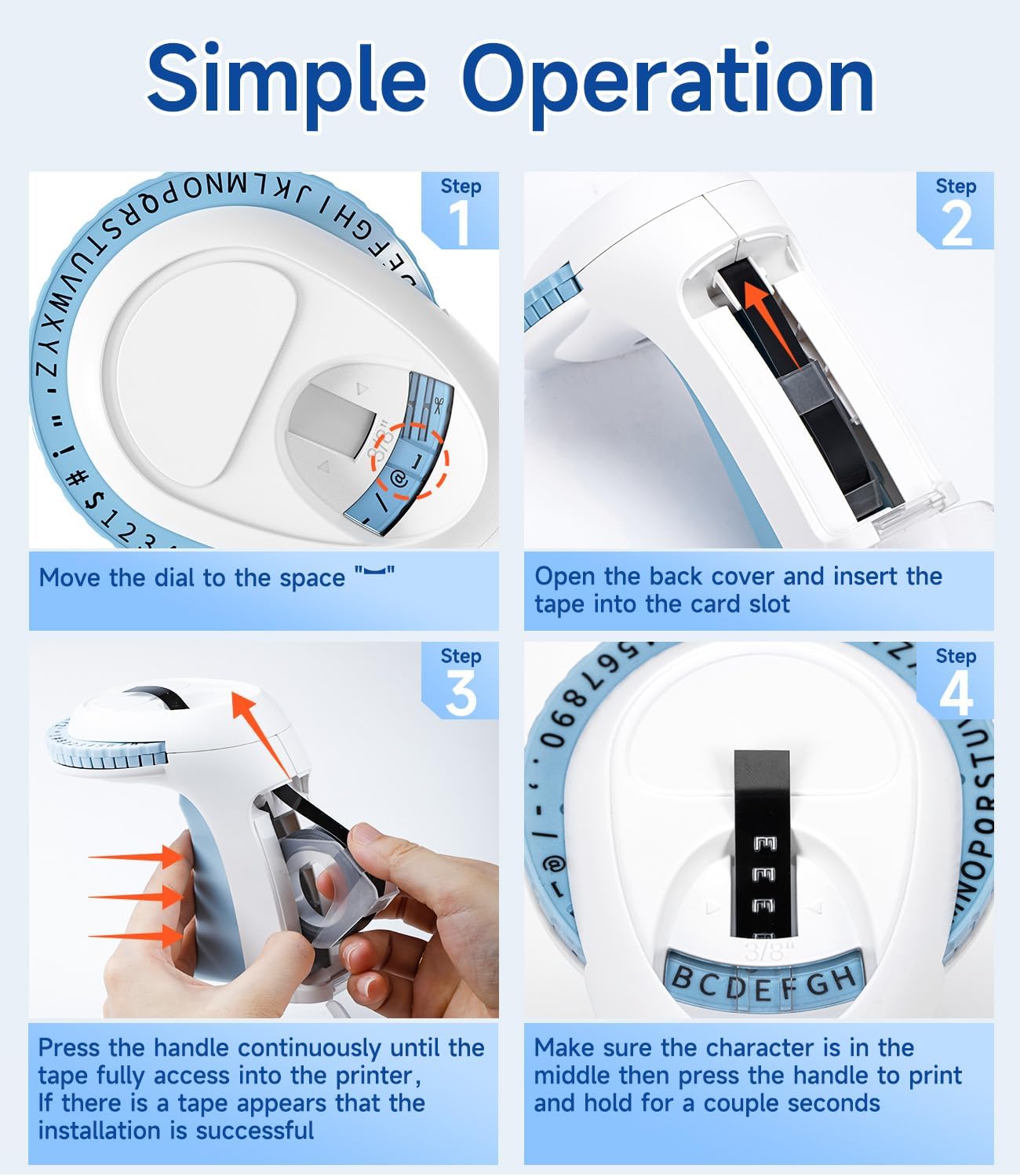
Image: Visual steps for loading the label tape, showing how to open the cover, insert the tape, and advance it by pressing the handle.

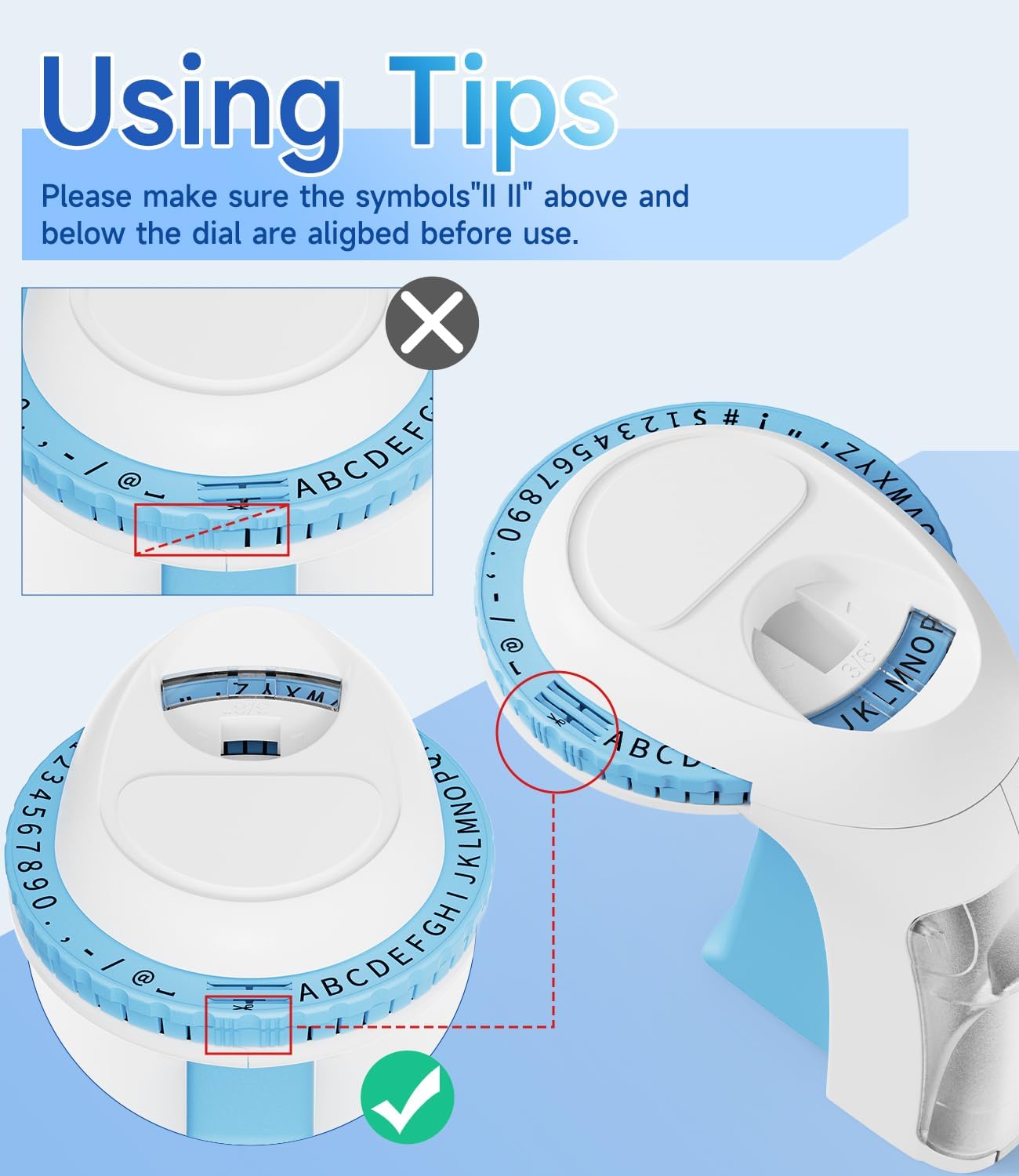
ຮູບພາບ: ລາຍລະອຽດ view of the character dial, illustrating the importance of aligning the indicator marks for accurate character embossing.
The Labelife Omega S Embossing Label Maker requires minimal maintenance. Follow these guidelines to ensure its longevity:
| ບັນຫາ | ສາເຫດທີ່ເປັນໄປໄດ້ | ການແກ້ໄຂ |
|---|---|---|
| Characters are unclear or faint. | Insufficient pressure applied to the handle. | Press the handle more firmly and hold for a couple of seconds for each character. |
| Letters are not aligned or appear crooked. | Character dial not perfectly aligned before pressing. | Ensure the alignment marks on the dial are precisely matched with the indicator before pressing the handle for each character. |
| Tape does not feed or jams. | Tape incorrectly loaded or debris in the tape path. | Open the back cover, remove the tape, and check for any obstructions. Re-insert the tape carefully, ensuring it is seated correctly. |
| Label does not cut cleanly. | Insufficient pressure when cutting or cutter blade is dull. | Ensure the dial is set to the scissor symbol and press the handle firmly to cut. If the issue persists, contact customer support. |
| Difficulty peeling off the tape backing. | The pre-cut divider may not have been fully created. | The tapes are designed with pre-cut dividers for easier peeling. If difficulty occurs, try gently bending the label to separate the backing or use a sharp, thin object to start the peel from a corner. |
For warranty information or technical support, please refer to the documentation included with your purchase or contact Labelife customer service directly. Keep your purchase receipt as proof of purchase.
You can visit the official Labelife store for more information: Labelife Store
![]() |
Labelife Label Maker: ຄູ່ມືການຕິດຕັ້ງເທບປ້າຍງ່າຍ ຄູ່ມືທີ່ສົມບູນແບບຈາກ Labelife ກ່ຽວກັບວິທີການຕິດຕັ້ງ tapes ປ້າຍຊື່ຢ່າງຖືກຕ້ອງເຂົ້າໄປໃນຜູ້ຜະລິດປ້າຍຊື່ຂອງທ່ານ, ດ້ວຍຄໍາແນະນໍາແຕ່ລະຂັ້ນຕອນແລະຄໍາແນະນໍາການແກ້ໄຂບັນຫາ. |
![]() |
M221 Multifunctional Portable Label Maker User Guide User guide for the M221 Multifunctional Portable Label Maker, covering product introduction, getting started, replacing the paper roll, identifying label sizes, PC application installation, app user guide, safety instructions, cleaning and maintenance, operator panel instructions, and regulatory information. |
![]() |
ຄູ່ມືຜູ້ໃຊ້ເຄື່ອງພິມປ້າຍມືຖື Labelife D210S ຄູ່ມືຜູ້ໃຊ້ທີ່ຄົບຖ້ວນສົມບູນສຳລັບເຄື່ອງພິມປ້າຍມືຖື Labelife D210S, ເຊິ່ງກວມເອົາລາຍລະອຽດສະເພາະ, ການຕັ້ງຄ່າເບື້ອງຕົ້ນ, ການນຳໃຊ້ພື້ນຖານ, ການແກ້ໄຂບັນຫາ ແລະ ຂໍ້ມູນການຮັບປະກັນ. |
![]() |
ຄູ່ມືເລີ່ມຕົ້ນດ່ວນ: ເຄື່ອງພິມປ້າຍ PM-241-BT ຄູ່ມືສັ້ນໆກ່ຽວກັບການຕັ້ງຄ່າ ແລະ ການນຳໃຊ້ເຄື່ອງພິມປ້າຍ PM-241-BT, ເຊິ່ງກວມເອົາການຕິດຕັ້ງ, ການເຊື່ອມຕໍ່ມືຖື ແລະ ຄອມພິວເຕີ, ແລະ ຄຳແນະນຳໃນການພິມ. |
![]() |
ຄູ່ມືຜູ້ໃຊ້ແອັບ Labelife: ການພິມ ແລະ ການສ້າງປ້າຍ ຄູ່ມືຜູ້ໃຊ້ທີ່ຄົບຖ້ວນສຳລັບແອັບ Labelife, ເຊິ່ງລາຍລະອຽດກ່ຽວກັບວິທີການເຊື່ອມຕໍ່ເຄື່ອງພິມ, ພິມ PDF files, ປັບແຕ່ງຂະໜາດປ້າຍກຳກັບ, ແລະ ນຳໃຊ້ຄຸນສົມບັດຂັ້ນສູງສຳລັບການສ້າງປ້າຍກຳກັບ. |
![]() |
Labelife Software: Bluetooth Thermal Label Printer Guide Setup ຄູ່ມືບາດກ້າວໂດຍຂັ້ນຕອນການຕັ້ງຄ່າແລະການເຊື່ອມຕໍ່ເຄື່ອງພິມ Labelife ຄວາມຮ້ອນຂອງທ່ານໂດຍຜ່ານ Bluetooth ການນໍາໃຊ້ຊອບແວ Labelife. ຮຽນຮູ້ວິທີການສ້າງປ້າຍຊື່, ການຕັ້ງຄ່າເຈ້ຍ, ແລະການສ້າງຕັ້ງການເຊື່ອມຕໍ່ Bluetooth ສໍາລັບການພິມ. |