
1. ບົດແນະນຳ
This manual provides detailed instructions for the installation, operation, and maintenance of your Hikvision 2-Wire Video Intercom Kit, Model 38084. This system is designed for single-family homes, offering enhanced security and convenience through its 7-inch touchscreen monitor, FullHD outdoor camera, and seamless integration with the Hik-Connect mobile application. Please read this manual thoroughly before installation and use to ensure proper functioning and safety.
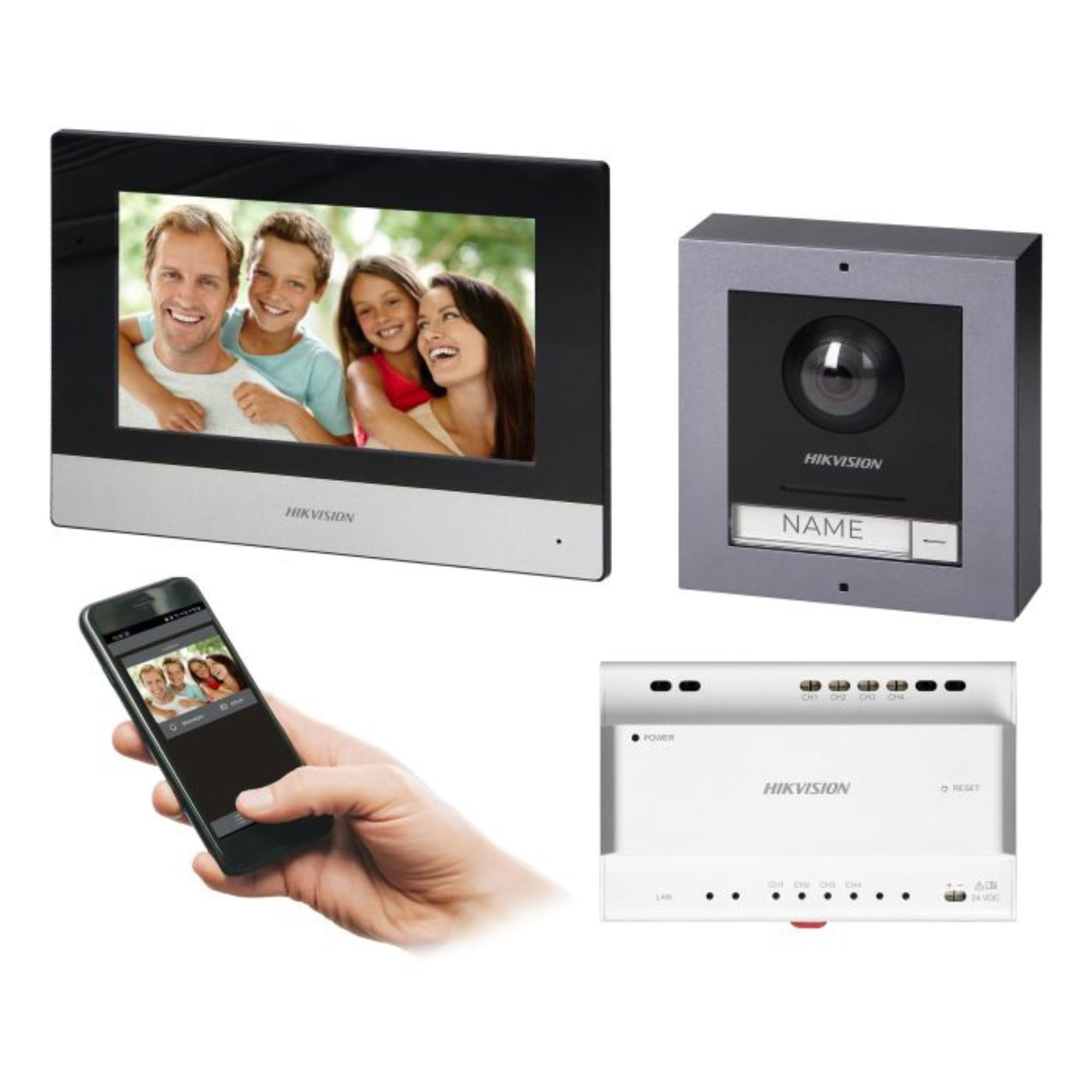
Figure 1: Hikvision 7-inch Video Intercom Monitor (Front View)
ຮູບພາບສະແດງໃຫ້ເຫັນດ້ານໜ້າ view of the Hikvision 7-inch video intercom monitor, featuring a large screen and the Hikvision logo at the bottom.
2. ຂໍ້ມູນຄວາມປອດໄພ
ໃຫ້ປະຕິບັດຕາມຂໍ້ຄວນລະວັງດ້ານຄວາມປອດໄພຂັ້ນພື້ນຖານສະເໝີ ເພື່ອຫຼຸດຜ່ອນຄວາມສ່ຽງຈາກໄຟໄໝ້, ໄຟຟ້າຊັອດ, ແລະ ການບາດເຈັບຕໍ່ບຸກຄົນ.
- ຄວາມປອດໄພທາງໄຟຟ້າ: Installation must be performed by qualified personnel in accordance with all local electrical codes. Disconnect power before installation or servicing.
- ນ້ໍາແລະຄວາມຊຸ່ມ: Do not expose the indoor monitor to rain or moisture. The outdoor panel is IP65 rated for weather resistance but should not be submerged.
- ອຸນຫະພູມ: ດໍາເນີນການອຸປະກອນພາຍໃນຂອບເຂດອຸນຫະພູມທີ່ກໍານົດໄວ້.
- ທໍາຄວາມສະອາດ: ໃຊ້ຜ້າອ່ອນໆ, ແຫ້ງເພື່ອເຮັດຄວາມສະອາດ. ຢ່າໃຊ້ນໍ້າສະອາດ ຫຼື ແອໂຣໂຊລ.
- ແຊກແຊງ: Avoid installing near sources of strong electromagnetic interference.
3. ເນື້ອໃນຊຸດ
ກວດສອບວ່າອົງປະກອບທັງໝົດມີຢູ່ໃນຊຸດ:
- 7-inch Indoor Monitor (with WiFi)
- FullHD Outdoor Panel (with Camera and Night Vision)
- 4-Channel Distributor
- ອຸປະກອນເສີມ (ສະກູ, ສຽບຝາ)
- ຄູ່ມືຜູ້ໃຊ້ (ເອກະສານນີ້)
- 16 GB MicroSD Card (pre-installed or included for video storage)

Figure 2: Hikvision Outdoor Panel and Mounting Accessories
This image shows the Hikvision outdoor panel alongside its rain shield and a flush-mount box, illustrating the various mounting options available.
4. ການຕິດຕັ້ງແລະການຕິດຕັ້ງ
The Hikvision video intercom system utilizes a 2-wire installation method, simplifying wiring. Both the indoor monitor and outdoor panel are designed for surface mounting.
4.1 Outdoor Panel Installation
- ເລືອກສະຖານທີ່: Select a suitable location near the entrance, ensuring the camera has a clear view of visitors. The panel is IP65 rated for outdoor use.
- ການຕິດຕັ້ງ: Use the provided mounting bracket to mark drill holes on the wall. Drill holes, insert wall plugs, and secure the bracket.
- ສາຍໄຟ: Connect the 2-wire cable from the distributor to the outdoor panel terminals. Ensure correct polarity.
- ແຜງຄວາມປອດໄພ: Attach the outdoor panel to the mounting bracket.

Figure 3: Hikvision Outdoor Panel (Front View)
This image shows the front of the Hikvision outdoor panel, featuring the FullHD camera, speaker grille, call button, and nameplate area.
4.2 ການຕິດຕັ້ງຈໍພາບພາຍໃນອາຄານ
- ເລືອກສະຖານທີ່: Select an indoor location where the monitor is easily accessible and visible.
- ການຕິດຕັ້ງ: Use the provided mounting plate to mark and drill holes. Secure the mounting plate to the wall.
- ສາຍໄຟ: Connect the 2-wire cable from the distributor to the indoor monitor terminals.
- ການເຊື່ອມຕໍ່ພະລັງງານ: Connect the monitor to a power source (mains electricity).
- Secure Monitor: Attach the indoor monitor to the mounting plate.

Figure 4: Hikvision Indoor Monitor (Back View) and Mounting Plate
The image displays the rear of the Hikvision indoor monitor, showing its connection ports and the separate mounting plate used for installation.
4.3 System Wiring Diagram (General)
The 2-wire system connects the outdoor panel, indoor monitor, and the 4-channel distributor. The distributor manages power and data communication between the devices.
- Connect the outdoor panel to the distributor using a 2-wire cable.
- Connect the indoor monitor to the distributor using a 2-wire cable.
- Ensure the distributor is powered.
- For electric lock control, additional power may be required for the lock itself, connected via the outdoor panel.
4.4 ການເຊື່ອມຕໍ່ WiFi
After physical installation, power on the monitor. Navigate to the network settings on the 7-inch touchscreen to connect to your 2.4 GHz Wi-Fi network (802.11 b/g/n standard). This enables smartphone communication via the Hik-Connect app.
5. ຄໍາແນະນໍາການດໍາເນີນງານ
5.1 Indoor Monitor Functions
- ໜ້າຈໍສຳຜັດ: Navigate menus and control functions using the 7-inch touch screen.
- ຟັງຊັນ Intercom: Communicate with visitors at the outdoor panel or other indoor monitors (if expanded).
- ຟັງຊັນຫນ່ວຍຄວາມຈໍາ: The monitor supports a memory function, likely for capturing images or short video clips of visitors.
- SD Card Reader: A 16GB MicroSD card is included for storing recorded video streams.
- Ringtone Management: Choose from 3 available ringtones. Adjust volume or mute the ringtone as needed.
- ການຄວບຄຸມປະຕູ: Use the monitor to remotely open an electric lock connected to the system.
- CCTV Camera Integration: The system can be expanded to integrate up to 16 CCTV cameras.
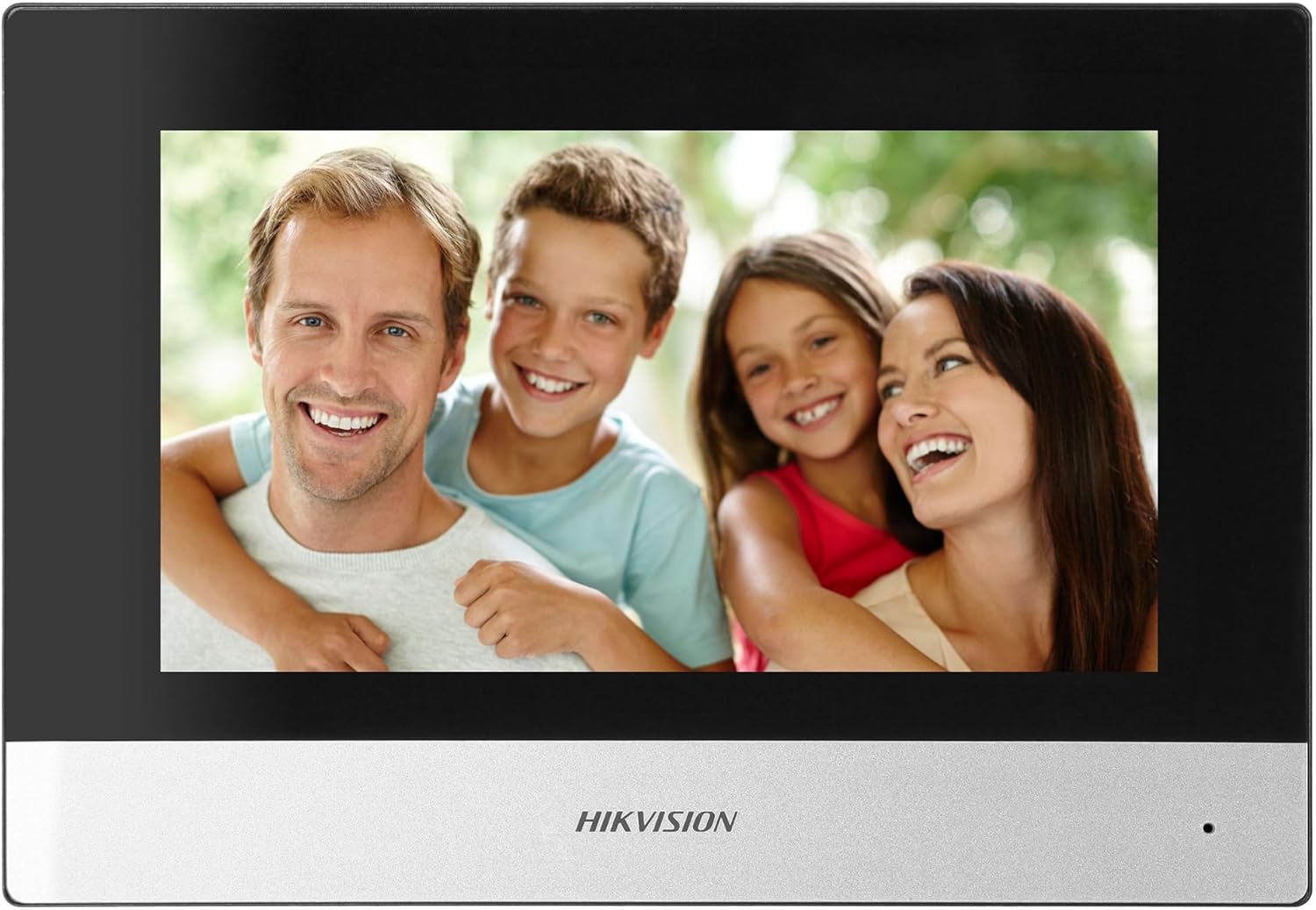
Figure 5: Hikvision Indoor Monitor (Front View)
This image shows the Hikvision 7-inch indoor monitor from the front, highlighting its sleek design and large display area.
5.2 Outdoor Panel Operation
- ປຸ່ມໂທຫາ: Visitors press the single call button to initiate a call to the indoor monitor.
- FullHD Camera: Provides a 2MP (1920x1080p) video feed with a wide viewing angle (96°/180°).
- ວິໄສທັດກາງຄືນ: Integrated IR illumination ensures clear visibility even in low-light conditions.
- ປ້າຍຊື່: A space is provided for a nameplate or label.

Figure 6: Hikvision Outdoor Panel (Angled View)
ເປັນມຸມ view of the Hikvision outdoor panel, showcasing its robust construction and integrated camera and call button.
5.3 Hik-Connect Mobile Application
Download the Hik-Connect app from your smartphone's app store. Once installed and configured with your system, you can:
- Receive calls from the outdoor panel on your smartphone.
- View live video from the outdoor camera.
- Remotely open the door.
- ເຂົ້າເຖິງວິດີໂອທີ່ບັນທຶກໄວ້tage.
6. ບໍາລຸງຮັກສາ
ການບໍາລຸງຮັກສາເປັນປົກກະຕິຮັບປະກັນອາຍຸຍືນແລະການປະຕິບັດທີ່ດີທີ່ສຸດຂອງລະບົບ intercom ຂອງທ່ານ.
- ທໍາຄວາມສະອາດ: Wipe the monitor screen and outdoor panel with a soft, damp ຜ້າ. ຫຼີກລ້ຽງການເຮັດຄວາມສະອາດຂັດ.
- ການອັບເດດເຟີມແວ: ກວດສອບການອັບເດດເຟີມແວເປັນໄລຍະຜ່ານແອັບ Hik-Connect ຫຼືທາງການຂອງ Hikvision website to ensure your system has the latest features and security patches.
- ການກວດສອບສາຍ: Periodically inspect all wiring for any signs of wear or damage.
- Outdoor Panel Lens: Keep the camera lens on the outdoor panel clean for clear video quality.
7. ການແກ້ໄຂບັນຫາ
ຖ້າເຈົ້າພົບບັນຫາ, ເບິ່ງຂັ້ນຕອນການແກ້ໄຂບັນຫາທົ່ວໄປຕໍ່ໄປນີ້:
- ບໍ່ມີພະລັງງານ: Check all power connections and ensure the distributor is receiving power.
- ບໍ່ມີວິດີໂອ/ສຽງ: Verify the 2-wire connections between the outdoor panel, monitor, and distributor. Ensure correct polarity.
- ບັນຫາການເຊື່ອມຕໍ່ WiFi: Ensure your router is operating on 2.4 GHz. Re-enter WiFi credentials on the monitor. Check signal strength.
- Door Lock Not Opening: Confirm the electric lock has its own power supply if required. Check wiring from the outdoor panel to the lock.
- ວິໄສທັດກາງຄືນບໍ່ດີ: Ensure the outdoor camera lens is clean and free from obstructions.
8. ຂໍ້ມູນຈໍາເພາະ
| ປະເພດ | Single-family |
| ຟັງຊັນວິດີໂອ | ແມ່ນແລ້ວ |
| ການສະຫນອງພະລັງງານ | ໄຟຟ້າຫຼັກ |
| ປະເພດລະບົບສາຍສົ່ງ | ມີສາຍ (2 ສາຍ) |
| Smartphone Communication | Yes (via Hik-Connect app) |
| ຄວາມຖີ່ Wi-Fi | 2.4 GHz |
| ມາດຕະຖານ Wi-Fi | 802.11 b/g/n |
| ວິທີການຕິດຕັ້ງ | 2-wire, Surface Mount |
| Max. Monitors | ສາມາດຂະຫຍາຍໄດ້ເຖິງ 3 |
| Max. Outdoor Panels | ສາມາດຂະຫຍາຍໄດ້ເຖິງ 1 |
| Max. CCTV Cameras | ສາມາດຂະຫຍາຍໄດ້ເຖິງ 16 |
| ການຄວບຄຸມໄຟຟ້າ Lock | Yes (requires additional power for lock) |
| ໜ້າ ທີ່ຕໍ່ມື້ / ຄືນ | ແມ່ນແລ້ວ |
| ວິທີການຕິດຕັ້ງ | Surface Mount |
| Hands-free System | ແມ່ນແລ້ວ |
| ເສັ້ນຂວາງໜ້າຈໍ | 7 ນິ້ວ |
| ຄວາມລະອຽດ | 1024 x 600 |
| ໜ້າຈໍສຳຜັດ | ແມ່ນແລ້ວ |
| ລະບົບວິດີໂອ | PAL, Color |
| ຟັງຊັນຄວາມຈໍາ | ແມ່ນແລ້ວ |
| SD Card Reader | Yes (16GB card included) |
| ຟັງຊັນ Intercom | ແມ່ນແລ້ວ |
| ສຽງເອີ້ນເຂົ້າ | 3 |
| ວັດສະດຸ | ພາດສະຕິກ |
| ສີ | ດຳ |
| ຂະໜາດ (ກວ້າງ x ສູງ x ຍາວ) | 140 mm x 200 mm x 15 mm |
| ປຸ່ມໂທຫາ | 1 |
| ວິທີການຕິດຕັ້ງ | Surface Mount |
| ຄວາມລະອຽດກ້ອງ | 2MP, 1920x1080 (FullHD) |
| ກ້ອງຖ່າຍຮູບ Viewໃນມຸມ | 96°/180° |
| ແສງກາງຄືນ | IR (ອິນຟາເຣດ) |
| ຟັງຊັນ PTZ | ບໍ່ |
| Reader Card ໃກ້ຄຽງ | ບໍ່ |
| Nameplate Space | ແມ່ນແລ້ວ |
| Vandal-ຫຼັກຖານສະແດງ | ບໍ່ |
| ການຈັດອັນດັບການປົກປ້ອງ | IP65 |
| ວັດສະດຸ | ເຫຼັກກ້າ |
| ສີ | ເງິນ |
| ຂະໜາດ (ກວ້າງ x ສູງ x ຍາວ) | 98 mm x 99.8 mm x 43.9 mm |
| ຂະໜາດສິນຄ້າ | 20 x 15 x 10 cm |
| ນ້ໍາຫນັກລາຍການ | 1 ກິໂລ |
| ໝາຍເລກຕົວແບບ | 38084 |
9. ການຮັບປະກັນແລະການສະຫນັບສະຫນູນ
ສໍາລັບຂໍ້ມູນການຮັບປະກັນ ແລະການຊ່ວຍເຫຼືອດ້ານວິຊາການ, ກະລຸນາເບິ່ງ Hikvision ຢ່າງເປັນທາງການ webຫຼື ຕິດຕໍ່ຕົວແທນຈຳໜ່າຍໃນທ້ອງຖິ່ນຂອງທ່ານ. ເກັບໃບຮັບເງິນຊື້ຂອງທ່ານໄວ້ເພື່ອການຮຽກຮ້ອງການຮັບປະກັນ.
- ສະຫນັບສະຫນູນອອນໄລນ໌: ຢ້ຽມຢາມ www.hikvision.com for product documentation, FAQs, and support resources.
- ບໍລິການລູກຄ້າ: Contact your retailer or authorized Hikvision service center for assistance.