1. ການແນະນໍາ ແລະຫຼາຍກວ່າview
The MOJOGEAR XL All-in-1 Powerbank is a versatile and high-capacity portable charger designed to keep your electronic devices powered on the go. With a substantial 20,000 mAh capacity, built-in USB-C and Lightning cables, and multiple output ports, it offers convenient and fast charging for smartphones, tablets, smartwatches, and other compatible devices. Its compact design and airplane-friendly capacity make it an ideal travel companion.

Image 1.1: The MOJOGEAR XL All-in-1 Powerbank, showcasinການອອກແບບທີ່ກະທັດຮັດ ແລະ ສາຍໄຟປະສົມປະສານ.
2. ຄຸນລັກສະນະຂອງຜະລິດຕະພັນ
- ຄວາມອາດສາມາດສູງ: 20,000 mAh battery, capable of charging a smartphone 3 to 8 times.
- ສາຍໄຟປະສົມປະສານ: Features built-in USB-C and Lightning cables for direct device charging without extra accessories.
- ຜົນອອກມາຫຼາຍອັນ: Includes 1x USB-C port (in/out) and 1x USB-A port, allowing simultaneous charging of up to three devices.
- ການສາກໄວ: Supports Quick Charge 3.0 (up to 22.5W via USB-A) and USB Power Delivery (up to 20W via USB-C) for rapid charging.
- ຈໍສະແດງຜົນ LED: Clear LED screen indicates remaining battery percentage ແລະສະຖານະການສາກໄຟ.
- ເປັນມິດກັບການເດີນທາງ: 74 Wh capacity is suitable for air travel in hand luggage.
- ການສາກໄຟຜ່ານ: Allows charging of connected devices while the power bank itself is being recharged.
3. ຕັ້ງຄ່າ
3.1 ຄ່າບໍລິການເບື້ອງຕົ້ນ
Before first use, fully charge your MOJOGEAR XL All-in-1 Powerbank. This ensures optimal battery performance and longevity.
- Connect the built-in USB-C cable or an external USB-C cable to the power bank's USB-C input/output port.
- ສຽບປາຍອີກດ້ານໜຶ່ງຂອງສາຍເຂົ້າກັບອະແດບເຕີຕິດຝາ USB ທີ່ເຂົ້າກັນໄດ້ (ບໍ່ໄດ້ໃຫ້ມາ).
- The LED display will show the charging progress. A green lightning icon on the LED screen indicates fast charging. The power bank is fully charged when the display shows 100%.
3.2 Identifying Ports and Cables
Familiarize yourself with the power bank's charging interfaces:
- ສາຍ USB-C ໃນຕົວ: Used for charging devices with a USB-C port (e.g., Android smartphones, iPhone 15) and for recharging the power bank itself.
- ສາຍຟ້າຜ່າໃນຕົວ: Used for charging Apple devices with a Lightning port (e.g., iPhone 14 and older).
- ພອດ USB-C (ເຂົ້າ/ອອກ): Functions as both an input for recharging the power bank and an output for charging devices.
- USB-A Port (Output): Used for charging devices that require a standard USB-A connection.

ຮູບພາບ 3.1: ຂ້າງ view illustrating the USB-A and USB-C ports on the power bank.
4. ຄໍາແນະນໍາການດໍາເນີນງານ
4.1 ການສາກໄຟອຸປະກອນຂອງທ່ານ
The power bank offers multiple ways to charge your electronic devices:
- ການນໍາໃຊ້ສາຍໄຟໃນຕົວ: Extend the appropriate built-in USB-C or Lightning cable and connect it directly to your device's charging port.
- ໃຊ້ພອດ USB-C: Connect your device to the power bank's USB-C input/output port using a compatible USB-C to USB-C cable.
- ໃຊ້ພອດ USB-A: Connect your device to the power bank's USB-A output port using a compatible USB-A cable.

Image 4.1: A smartphone being charged by the power bank using one of its integrated cables.
4.2 ການສາກໄຟພ້ອມໆກັນ
You can charge up to three devices simultaneously using the built-in USB-C cable, the USB-C port, and the USB-A port. The power bank will intelligently distribute power to connected devices.
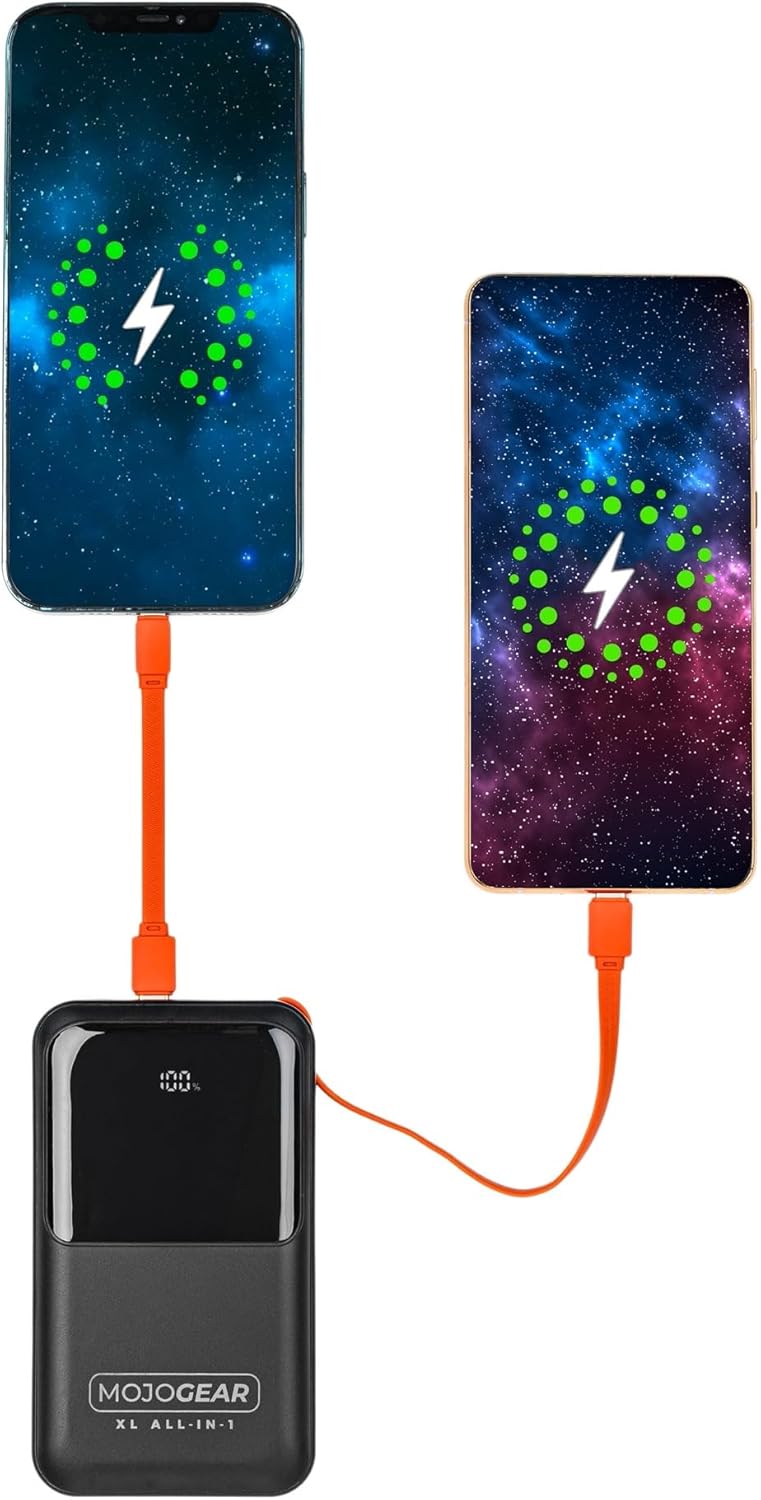
Image 4.2: Illustration of two smartphones receiving charge from the power bank.
4.3 ການສາກໄຟຜ່ານ
The MOJOGEAR XL All-in-1 Powerbank supports pass-through charging, meaning you can charge your devices while the power bank itself is being recharged. Simply connect the power bank to a power source and then connect your devices to the power bank.
4.4 LED Display Functionality
The integrated LED screen provides real-time information:
- ການສາກແບັດເຕີຣີtage: Shows the remaining charge level of the power bank.
- ສະຖານະການສາກໄຟ: Indicates when the power bank is charging (a green lightning icon may appear for fast charging) or when it is discharging to connected devices.
5. ບໍາລຸງຮັກສາ
- ທໍາຄວາມສະອາດ: ໃຊ້ຜ້າປຽກອ່ອນໆເພື່ອເຮັດຄວາມສະອາດ power bank. ຫຼີກເວັ້ນການເຮັດຄວາມສະອາດຂອງແຫຼວຫຼືວັດສະດຸຂັດ.
- ການເກັບຮັກສາ: ເກັບຮັກສາ Power bank ໃນບ່ອນທີ່ເຢັນ, ແຫ້ງ, ຫ່າງຈາກແສງແດດໂດຍກົງ ແລະອຸນຫະພູມທີ່ຮຸນແຮງ.
- ການນໍາໃຊ້ປົກກະຕິ: To maintain battery health, it is recommended to fully charge and discharge the power bank at least once every three months if not in regular use.
- ການດູແລສາຍໄຟ: Ensure built-in cables are properly tucked into their designated slots when not in use to prevent damage.
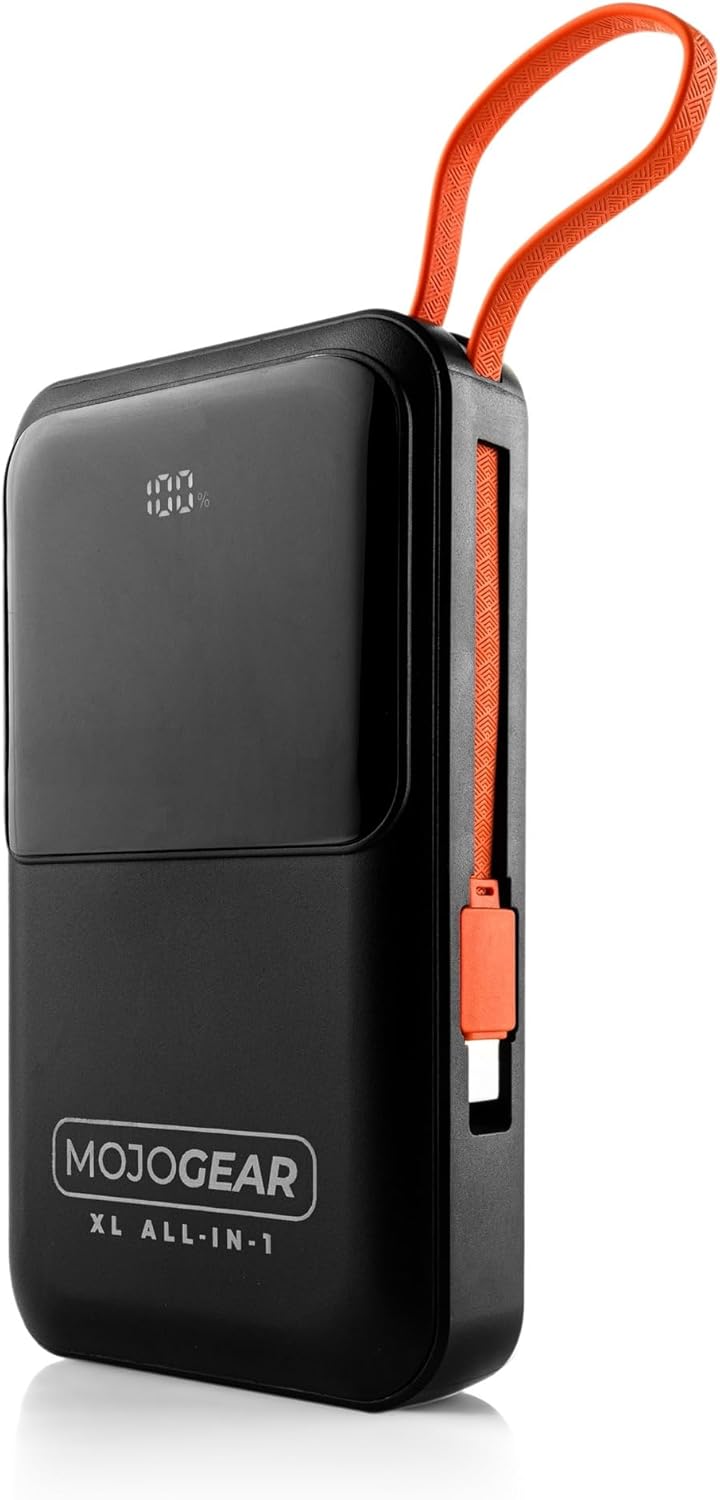
Image 5.1: The power bank with its integrated cables securely stored, ready for transport.
6. ການແກ້ໄຂບັນຫາ
- Power Bank ບໍ່ສາກໄຟ:
- ກວດໃຫ້ແນ່ໃຈວ່າສາຍສາກໄດ້ເຊື່ອມຕໍ່ຢ່າງປອດໄພກັບທັງ power bank ແລະ adapter ຝາ.
- Verify that the wall adapter is functioning correctly and plugged into a live power outlet.
- Try using a different USB-C cable or wall adapter.
- ອຸປະກອນບໍ່ໄດ້ສາກຈາກ Power Bank:
- Check if the power bank has sufficient charge (refer to the LED display).
- Ensure the cable connecting the device to the power bank is securely plugged in at both ends.
- Try using a different cable or a different output port on the power bank.
- ຢືນຢັນວ່າອຸປະກອນຂອງທ່ານເຂົ້າກັນໄດ້ກັບຂໍ້ມູນສະເພາະຂອງ power bank.
- ການສາກໄຟຊ້າ:
- Ensure you are using a fast-charging compatible cable and wall adapter for optimal speed when recharging the power bank.
- For device charging, verify that your device supports fast charging and that you are using the appropriate port/cable (e.g., USB-C PD).
- ການສາກໄຟຫຼາຍອຸປະກອນພ້ອມກັນອາດຈະຫຼຸດຄວາມໄວໃນການສາກແຕ່ລະອັນ.
- ຈໍສະແດງຜົນ LED ບໍ່ເຮັດວຽກ:
- ກົດປຸ່ມເປີດປິດເປັນເວລາສັ້ນໆເພື່ອເປີດໃຊ້ຈໍສະແດງຜົນ.
- If the issue persists, the power bank may be completely discharged or require service.
7. ຂໍ້ມູນຈໍາເພາະ
| ຄຸນສົມບັດ | ລາຍລະອຽດ |
|---|---|
| ຄວາມອາດສາມາດ | 20,000 mAh (74 Wh) |
| ເຫມາະສໍາລັບ | Smartphones, tablets, e-readers, action cameras, wireless earphones, and more. |
| ເນື້ອໃນຊຸດ | Power bank, USB-A to USB-C cable (20 cm), USB-C to Lightning cable (10 cm) |
| ການເຊື່ອມຕໍ່ | 1 x USB-C port (in/out), 1x USB-A port, built-in charging cable (USB-C), built-in Lightning cable |
| ຂະໜາດ | 10.6 x 7 x 1.6 cm |
| ນ້ຳໜັກ | 323 ກຣາມ |
| Smartphone Charging Cycles | 3 to 8 times (depending on model) |
| ການສາກໄຟຜ່ານ | ແມ່ນແລ້ວ |
| Max Power USB-C Output | 20W |
| Max Power USB-C Input | 15W |
| Max Power USB-A Output | 22.5W |
| Max Power Built-in USB-C Cable | 22.5W |
| Max Power Built-in Lightning Cable | 15W |
| ປະສິດທິພາບ | 85% |
| ຕົວຊີ້ວັດ LED | ເປີເຊັນຫມໍ້ໄຟtage ແລະສະຖານະການສາກໄຟ |
| ສີ | ດຳ |
| ວັດສະດຸທີ່ຢູ່ອາໄສ | ພາດສະຕິກ |
| ຄຸນນະສົມບັດຄວາມປອດໄພ | Tested and protected against overcharging |

Image 7.1: Product label displaying key specifications and certifications.
8. ຂໍ້ມູນຄວາມປອດໄພ
Please read and follow these safety guidelines to ensure safe operation and prolong the life of your power bank:
- ຫ້າມນຳພາເວີແບນໄປໃນອຸນຫະພູມທີ່ສຸດ (ຮ້ອນ ຫຼື ເຢັນ), ແສງແດດໂດຍກົງ, ຫຼືຄວາມຊຸ່ມຊື່ນສູງ.
- Avoid dropping, impacting, or disassembling the power bank.
- ຮັກສາທະນາຄານພະລັງງານໃຫ້ຫ່າງຈາກນ້ໍາແລະຂອງແຫຼວອື່ນໆ.
- ຢ່າໃຊ້ Power bank ຖ້າມັນເສຍຫາຍ, ບວມ, ຫຼືຮົ່ວ.
- ຮັກສາໃຫ້ໄກຈາກເດັກນ້ອຍ.
- ໃຊ້ແຕ່ສາຍສາກ ແລະອະແດັບເຕີທີ່ເຂົ້າກັນໄດ້ຂອງຕົ້ນສະບັບ ຫຼືທີ່ໄດ້ຮັບການຮັບຮອງເທົ່ານັ້ນ.
- ຖິ້ມທະນາຄານພະລັງງານຢ່າງມີຄວາມຮັບຜິດຊອບຕາມລະບຽບທ້ອງຖິ່ນ.
9. ການຮັບປະກັນແລະການສະຫນັບສະຫນູນ
The MOJOGEAR XL All-in-1 Powerbank comes with a ຮັບປະກັນ 2 ປີ ຈາກວັນທີ່ຊື້. ການຮັບປະກັນນີ້ກວມເອົາຄວາມບົກຜ່ອງດ້ານການຜະລິດແລະຮັບປະກັນຜະລິດຕະພັນປະຕິບັດຕາມມາດຕະຖານການປະຕິບັດທີ່ກໍານົດໄວ້ພາຍໃຕ້ການນໍາໃຊ້ປົກກະຕິ.
For warranty claims, technical support, or any inquiries regarding your MOJOGEAR product, please contact MOJOGEAR customer service through the retailer where you purchased the item or visit the official MOJOGEAR webເວັບໄຊສໍາລັບຂໍ້ມູນຕິດຕໍ່.
ກະລຸນາເກັບຫຼັກຖານການຊື້ຂອງທ່ານໄວ້ເພື່ອກວດສອບການຮັບປະກັນ.


