1. ບົດແນະນຳ
Thank you for choosing the ZEBRONICS K4000MW Wireless Keyboard. This manual provides essential information for setting up, operating, maintaining, and troubleshooting your new keyboard. The K4000MW offers versatile connectivity options, including 2.4 GHz wireless and dual Bluetooth, making it compatible with a wide range of devices such as laptops, desktops, tablets, and smartphones. Its compact design and integrated multimedia keys enhance productivity and user convenience.

ຮູບພາບ 1: ເທິງລົງລຸ່ມ view of the ZEBRONICS K4000MW Wireless Keyboard, showcasing its compact layout and black finish.
2. ຕັ້ງຄ່າ
2.1 ເນື້ອໃນຊຸດ
- ZEBRONICS K4000MW Wireless Keyboard
- USB Nano Receiver (for 2.4 GHz connection)
- ຄູ່ມືຜູ້ໃຊ້
2.2 ການຕິດຕັ້ງຫມໍ້ໄຟ
- ຊອກຫາຊ່ອງໃສ່ຫມໍ້ໄຟຢູ່ດ້ານລຸ່ມຂອງແປ້ນພິມ.
- ເປີດຝາປິດຊ່ອງໃສ່ຫມໍ້ໄຟ.
- Insert the required batteries (not specified in JSON, typically AA or AAA) according to the polarity markings.
- ປິດຝາປິດຊ່ອງໃສ່ຫມໍ້ໄຟຢ່າງປອດໄພ.
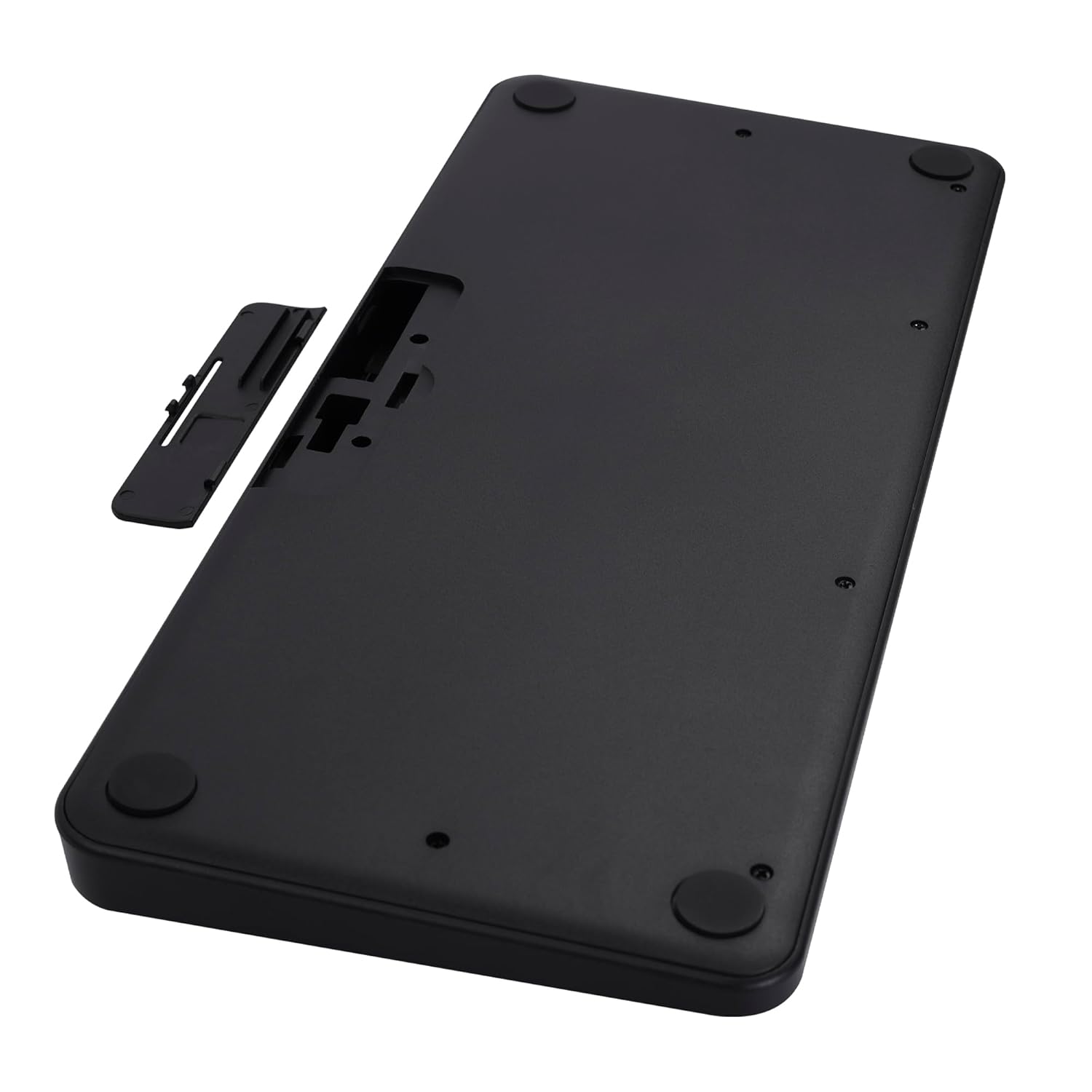
Image 2: The underside of the keyboard, showing the battery compartment and the slot for the USB nano receiver.
2.3 Connecting via 2.4 GHz Wireless
- Remove the USB nano receiver from its storage slot in the battery compartment.
- Plug the nano receiver into an available USB port on your computer or compatible device.
- The keyboard should automatically connect. The 2.4G LED indicator on the keyboard will illuminate briefly to confirm connection.
2.4 ການເຊື່ອມຕໍ່ຜ່ານ Bluetooth
The keyboard supports up to two Bluetooth connections (BT1 and BT2).
- Pairing for BT1:
ກ. ກົດຄ້າງໄວ້ Fn + BT1 keys simultaneously for 3-5 seconds until the BT1 LED indicator starts blinking rapidly.
b. On your device (laptop, tablet, smartphone), enable Bluetooth and search for available devices.
c. Select "ZEB-K4000MW" from the list of devices to pair.
d. Once paired, the BT1 LED indicator will stop blinking and remain solid for a few seconds. - Pairing for BT2:
a. Follow the same steps as for BT1, but press and hold Fn + BT2 ກະແຈ.
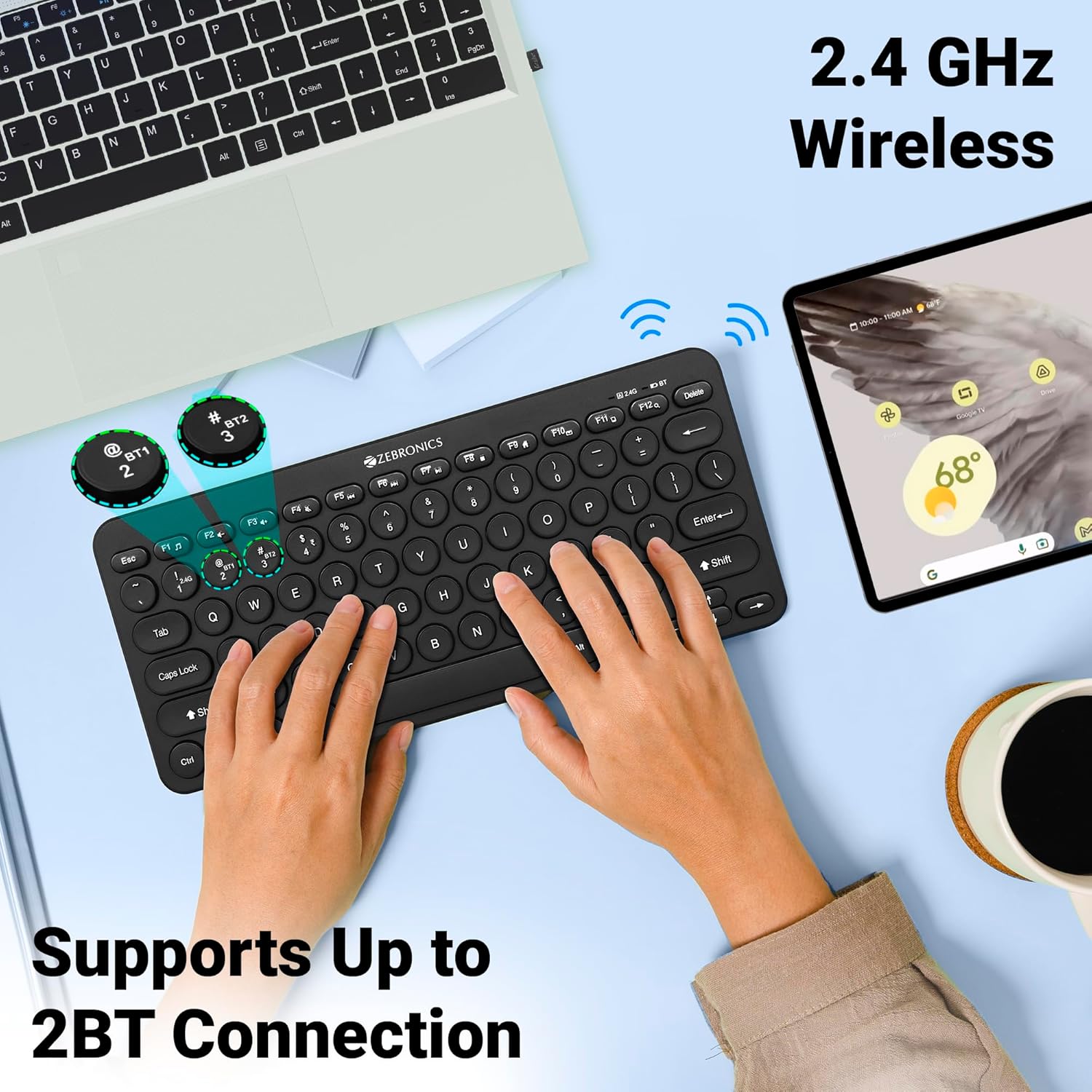
Image 3: The keyboard in use, highlighting the 2.4 GHz wireless and dual Bluetooth connection capabilities with LED indicators.
2.5 ການປ່ຽນລະຫວ່າງອຸປະກອນ
ເພື່ອສະຫຼັບລະຫວ່າງອຸປະກອນທີ່ເຊື່ອມຕໍ່:
- ກົດ Fn + 2.4G to switch to the device connected via the 2.4 GHz nano receiver.
- ກົດ Fn + BT1 to switch to the device paired with Bluetooth 1.
- ກົດ Fn + BT2 to switch to the device paired with Bluetooth 2.
3. ການໃຊ້ງານຄີບອດ
3.1 ການພິມພື້ນຖານ
The keyboard features 78 UV-coated keys designed for comfortable and efficient typing. The layout includes standard alphanumeric keys, function keys, and navigation keys.
3.2 ປຸ່ມມັນຕິມີເດຍ
The keyboard integrates 12 multimedia keys (F1-F12) for quick access to media controls and other functions. To use these functions, press the Fn key ພ້ອມໆກັນກັບປຸ່ມຟັງຊັນທີ່ຕ້ອງການ.
- Fn+F1: Media Player
- Fn+F2: ປະລິມານລົງ
- Fn+F3: ປະລິມານຂຶ້ນ
- Fn+F4: ປິດສຽງ
- Fn+F5: ເພງກ່ອນໜ້າ
- Fn+F6: ຫຼິ້ນ/ຢຸດຊົ່ວຄາວ
- Fn+F7: ຕິດຕາມຕໍ່ໄປ
- Fn+F8: ຢຸດ
- Fn+F9: Web ຕົວທ່ອງເວັບ
- Fn+F10: ອີເມວ
- Fn+F11: ຄອມພິວເຕີຂອງຂ້ອຍ
- Fn+F12: ເຄື່ອງຄິດເລກ
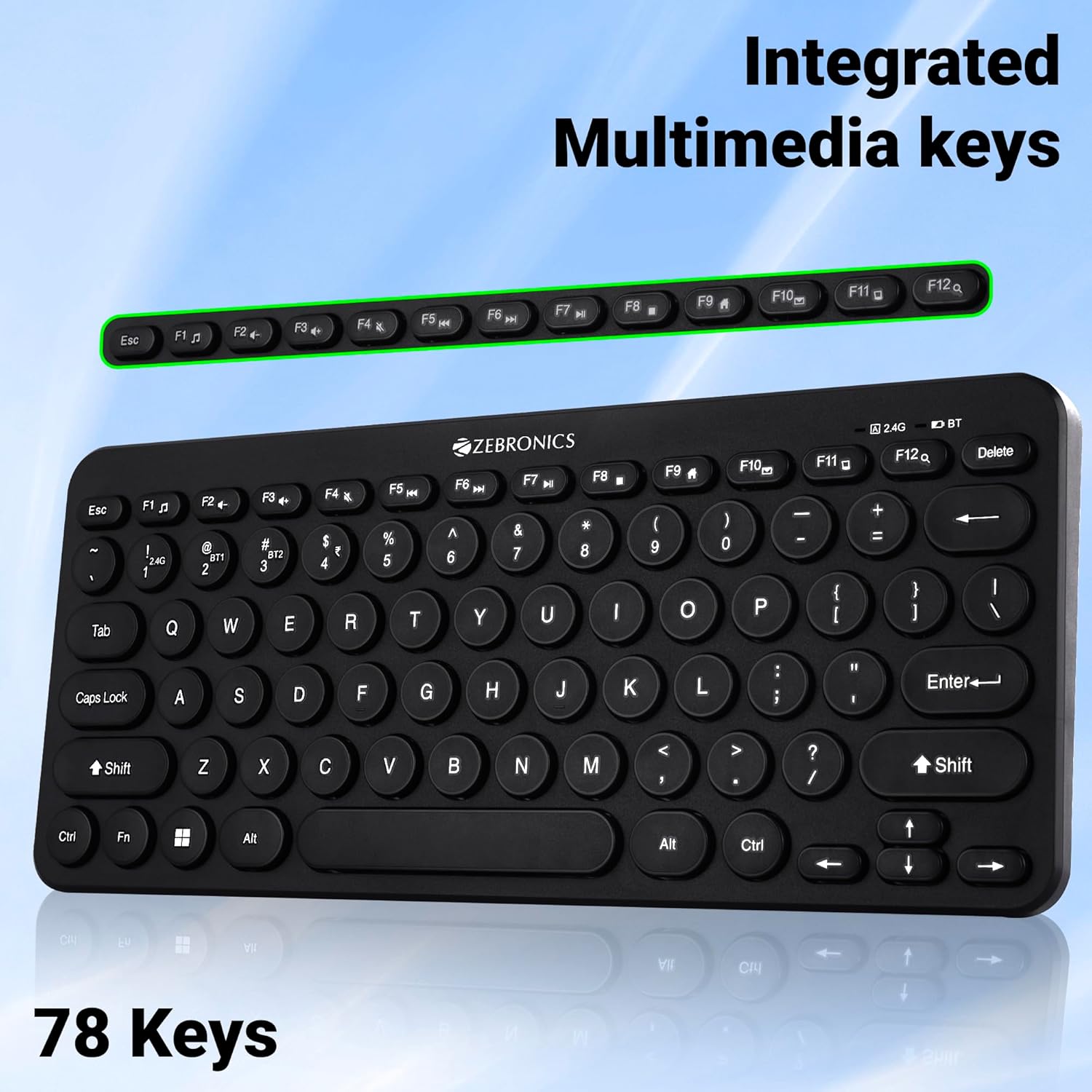
Image 4: The keyboard with the row of function keys (F1-F12) highlighted, indicating their integrated multimedia capabilities.
3.3 Rupee Key
The keyboard includes a dedicated Rupee key, indicating regional inclusivity for users.
3.4 ຕົວຊີ້ວັດ LED
The keyboard features LED indicators to provide status information:
- 2.4G LED: Indicates 2.4 GHz wireless connection status.
- BT1/BT2 LED: Indicates Bluetooth connection status for BT1 or BT2.
- Caps Lock LED: ຈະສະຫວ່າງຂຶ້ນເມື່ອປຸ່ມ Caps Lock ເປີດໃຊ້ງານ.
- LED ຫມໍ້ໄຟຕ່ໍາ: Flashes or changes color to indicate low battery power.
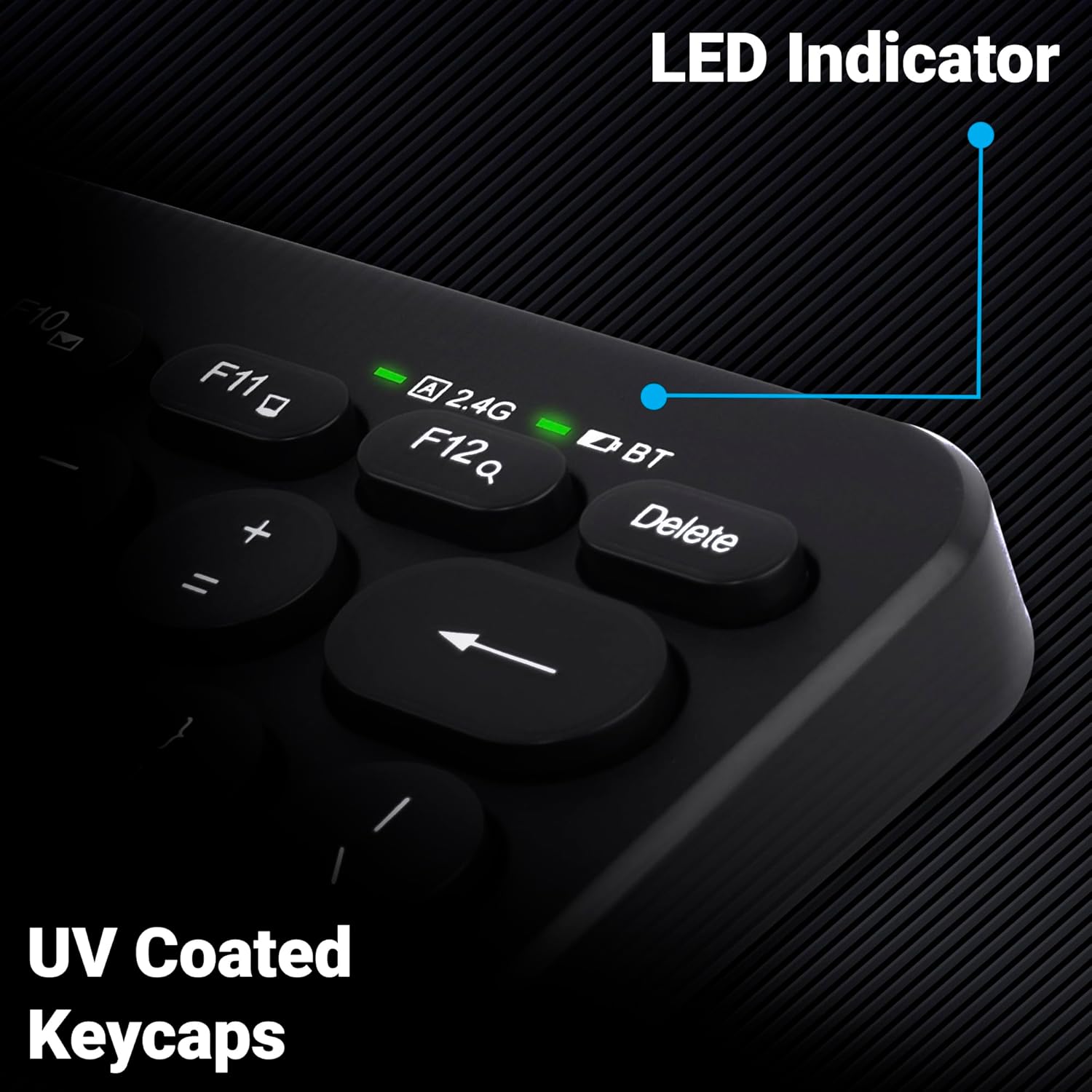
ຮູບພາບທີ 5: ເປັນການປິດ view of the keyboard's top right corner, showing the LED indicators for 2.4G, BT, and Caps Lock, along with the UV-coated keycaps.
3.5 ຄວາມເຂົ້າກັນໄດ້ຂອງອຸປະກອນ
The K4000MW keyboard is designed for broad compatibility, integrating seamlessly with:
- ແລັບທັອບ
- ເດັສທັອບ
- ເມັດ
- ໂທລະສັບສະຫຼາດ
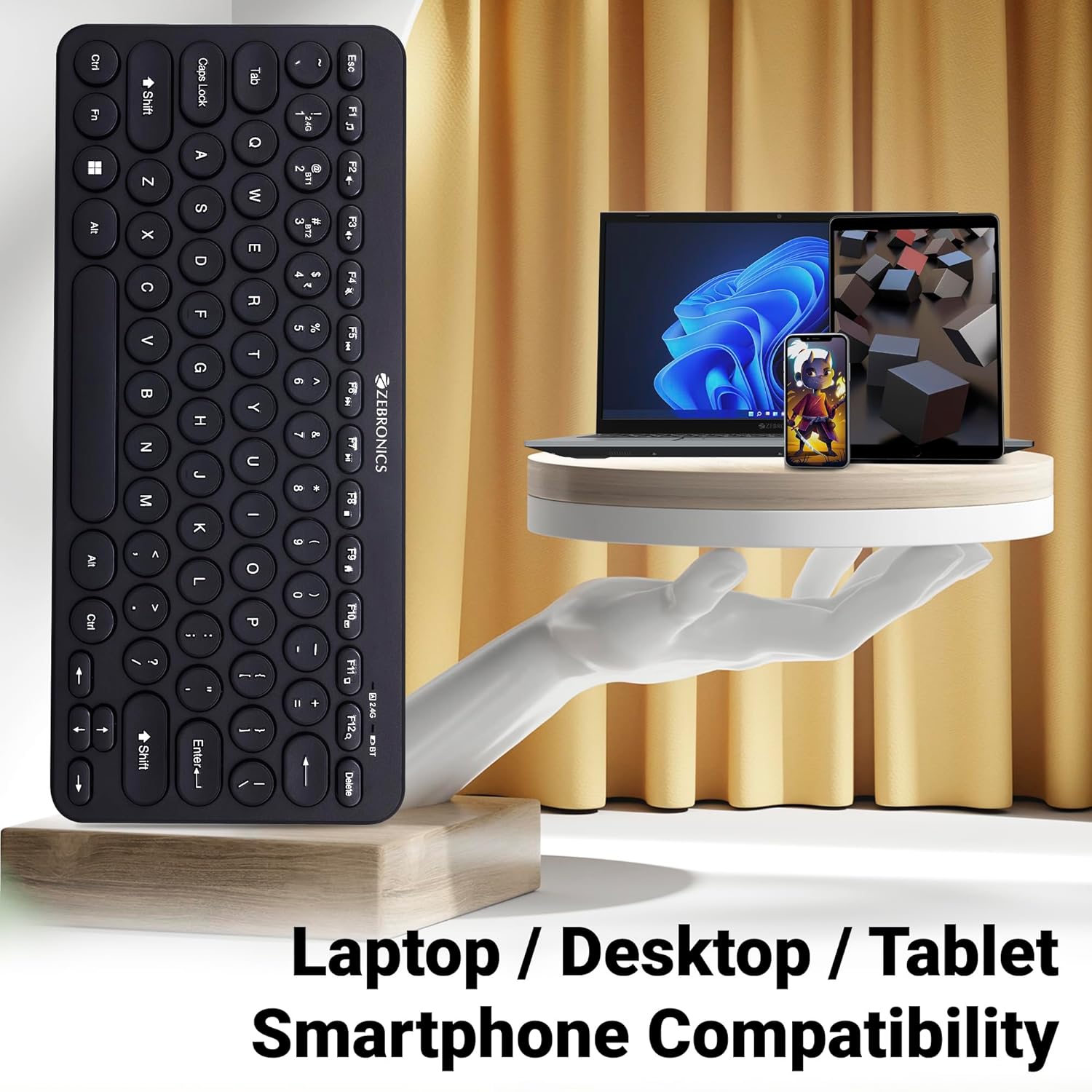
Image 6: The keyboard positioned next to a laptop, tablet, and smartphone, illustrating its multi-device compatibility.
4. ບໍາລຸງຮັກສາ
4.1 ການທໍາຄວາມສະອາດ
- ໃຊ້ຜ້າປຽກແຫ້ງເພື່ອເຊັດພື້ນຜິວຂອງແປ້ນພິມ.
- ສໍາລັບຝຸ່ນ stubborn, ເລັກນ້ອຍ dampen ຜ້າດ້ວຍນ້ໍາຫຼືການແກ້ໄຂການທໍາຄວາມສະອາດອ່ອນໆ. ຫຼີກເວັ້ນຄວາມຊຸ່ມຊື່ນຫຼາຍເກີນໄປ.
- Do not use harsh chemicals or abrasive cleaners, as these can damage the keycaps and finish.
- ໃຊ້ອາກາດບີບອັດເພື່ອເອົາຂີ້ຝຸ່ນ ແລະສິ່ງເສດເຫຼືອອອກຈາກລະຫວ່າງກະແຈ.
4.2 ການດູແລຫມໍ້ໄຟ
- Replace batteries when the low battery indicator illuminates to ensure uninterrupted operation.
- ຖ້າບໍ່ໄດ້ໃຊ້ແປ້ນພິມເປັນເວລາດົນ, ແນະນຳໃຫ້ຖອດແບັດເຕີຣີອອກເພື່ອປ້ອງກັນການຮົ່ວໄຫຼ.
- Store the keyboard in a cool, dry place.
5. ການແກ້ໄຂບັນຫາ
5.1 ແປ້ນພິມບໍ່ຕອບສະໜອງ
- ກວດສອບຫມໍ້ໄຟ: ໃຫ້ແນ່ໃຈວ່າມີການຕິດຕັ້ງຫມໍ້ໄຟຢ່າງຖືກຕ້ອງແລະມີຄ່າພຽງພໍ. ປ່ຽນແທນຖ້າຈໍາເປັນ.
- ກວດສອບການເຊື່ອມຕໍ່: Verify that the 2.4 GHz nano receiver is securely plugged into the USB port, or that the Bluetooth connection is active and paired.
- ສະຫຼັບຊ່ອງ: If using Bluetooth, ensure you are on the correct BT1 or BT2 channel.
- ຈັບຄູ່ Bluetooth ຄືນໃໝ່: If connection issues persist, try unpairing and re-pairing the keyboard with your device.
- ແຊກແຊງ: Move the keyboard closer to the receiver/device and away from other wireless devices that might cause interference.
5.2 Keys Not Working or Lagging
- ກະແຈທີ່ສະອາດ: ໃຫ້ແນ່ໃຈວ່າບໍ່ມີສິ່ງເສດເຫຼືອຢູ່ໃນກະແຈ.
- ລະດັບຫມໍ້ໄຟ: Low battery can sometimes affect key responsiveness. Replace batteries.
- ແຊກແຊງ: Wireless interference can cause lag. Try moving closer to the receiver/device.
- ຄວາມເຂົ້າກັນໄດ້ຂອງອຸປະກອນ: Ensure your device's operating system is compatible with the keyboard.
5.3 ບັນຫາການຕັດການເຊື່ອມຕໍ່ Bluetooth
- ໄລຍະທາງ: Ensure the keyboard is within the effective range of your Bluetooth device.
- ແຊກແຊງ: Other Bluetooth or wireless devices nearby can cause disconnections.
- Device Bluetooth Driver: Update your device's Bluetooth drivers to the latest version.
- ຄູ່ໃໝ່: ເອົາແປ້ນພິມອອກຈາກລາຍການ Bluetooth ຂອງອຸປະກອນຂອງທ່ານ ແລະຈັບຄູ່ມັນຄືນໃໝ່.
6. ຂໍ້ມູນຈໍາເພາະ
| ຄຸນສົມບັດ | ລາຍລະອຽດ |
|---|---|
| ຍີ່ຫໍ້ | ZEBRONICS |
| ຊື່ຕົວແບບ | K4000MW |
| ເຕັກໂນໂລຊີການເຊື່ອມຕໍ່ | 2.4 GHz Wireless, Bluetooth (Dual BT) |
| ຈໍານວນກະແຈ | 78 |
| ປຸ່ມ Multimedia | 12 Integrated Multimedia Keys |
| ປະເພດປຸ່ມກົດ | UV-Coated |
| ຄຸນນະສົມບັດພິເສດ | Rupee Key, LED Indicator (Battery, Connectivity, Caps Lock) |
| ການອອກແບບ | Slim & Minimalist |
| ອຸປະກອນທີ່ເຂົ້າກັນໄດ້ | ຄອມພິວເຕີຕັ້ງໂຕະ, ຄອມພິວເຕີໂນດບຸກ, ແທັບເລັດ, ໂທລະສັບສະຫຼາດ |
| ລະບົບປະຕິບັດການ | Windows 10 (ແລະ OS ທີ່ເຂົ້າກັນໄດ້ອື່ນໆ) |
| ແຫຼ່ງພະລັງງານ | ພະລັງງານຫມໍ້ໄຟ |
| ຂະໜາດສິນຄ້າ (LxWxH) | 29.4 x 13.4 x 3 cm |
| ນ້ໍາຫນັກລາຍການ | 320 g |
7. ການຮັບປະກັນແລະການສະຫນັບສະຫນູນ
7.1 ຂໍ້ມູນການຮັບປະກັນ
For specific warranty terms and conditions, please refer to the warranty card included with your product or visit the official ZEBRONICS webເວັບໄຊ. ຮັກສາໃບຮັບເງິນການຊື້ຂອງທ່ານໄວ້ເປັນຫຼັກຖານການຊື້ສໍາລັບການຮ້ອງຂໍການຮັບປະກັນ.
7.2 ສະຫນັບສະຫນູນລູກຄ້າ
If you encounter any issues or have questions regarding your ZEBRONICS K4000MW Wireless Keyboard, please contact ZEBRONICS customer support through their official webເວັບໄຊ ຫຼືຂໍ້ມູນການຕິດຕໍ່ທີ່ສະໜອງໃຫ້ຢູ່ໃນການຫຸ້ມຫໍ່ຜະລິດຕະພັນຂອງທ່ານ.


